radio BMW M3 CONVERTIBLE 2012 Owner's Manual
[x] Cancel search | Manufacturer: BMW, Model Year: 2012, Model line: M3 CONVERTIBLE, Model: BMW M3 CONVERTIBLE 2012Pages: 255, PDF Size: 6.32 MB
Page 87 of 255
86
ControlsControls overview
Clock
Setting the time
To set the 12h/24h mode , refer to Formats and
units of measure on page 83.
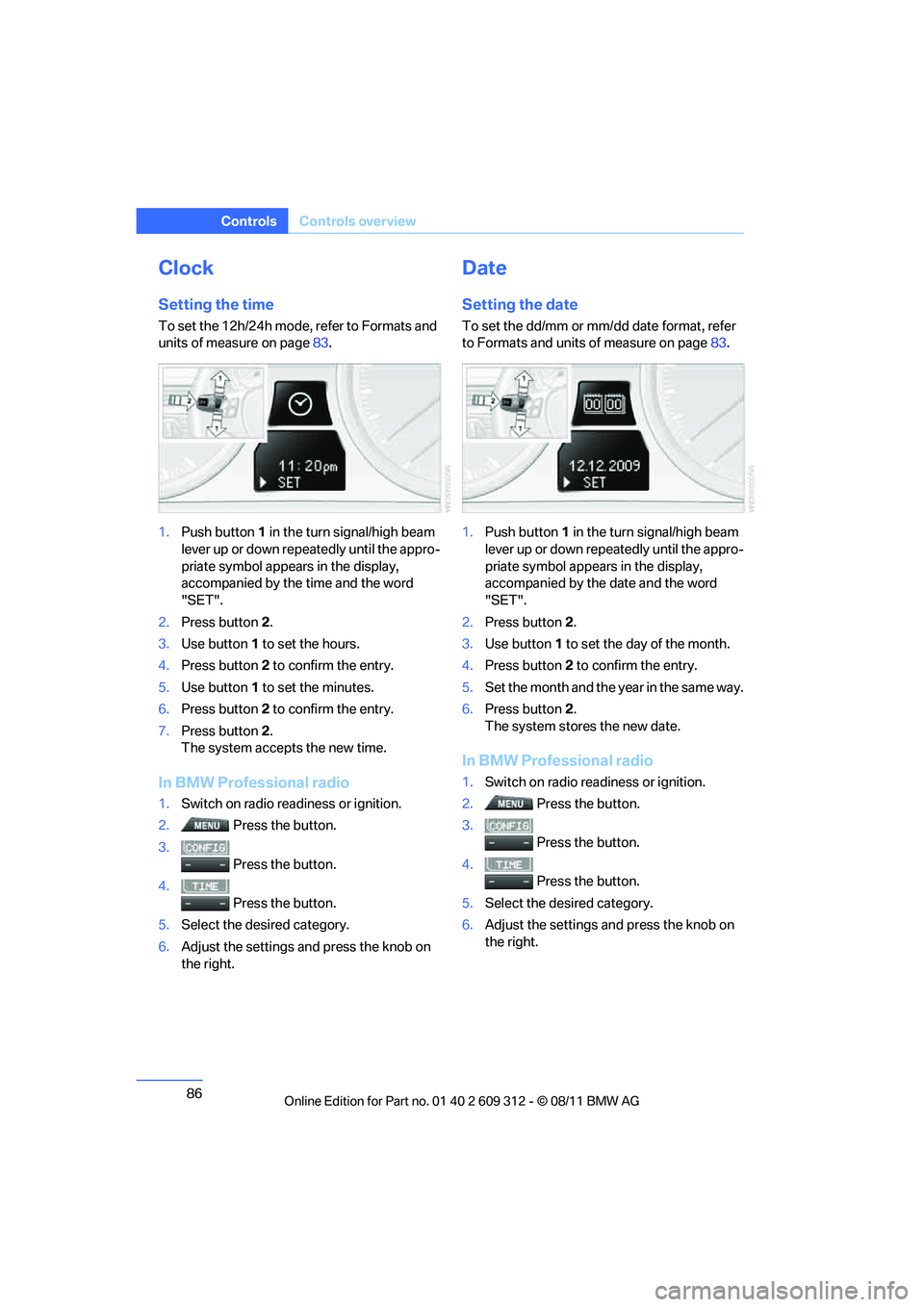
1. Push button 1 in the turn signal/high beam
lever up or down repe atedly until the appro-
priate symbol appear s in the display,
accompanied by the time and the word
"SET".
2. Press button 2.
3. Use button 1 to set the hours.
4. Press button 2 to confirm the entry.
5. Use button 1 to set the minutes.
6. Press button 2 to confirm the entry.
7. Press button 2.
The system accepts the new time.
In BMW Professional radio
1. Switch on radio read iness or ignition.
2. Press the button.
3. Press the button.
4. Press the button.
5. Select the desired category.
6. Adjust the settings and press the knob on
the right.
Date
Setting the date
To set the dd/mm or mm/dd date format, refer
to Formats and units of measure on page 83.
1. Push button 1 in the turn signal/high beam
lever up or down repe atedly until the appro-
priate symbol appear s in the display,
accompanied by the date and the word
"SET".
2. Press button 2.
3. Use button 1 to set the day of the month.
4. Press button 2 to confirm the entry.
5. Set the month and the ye a r i n t he s a m e w a y .
6. Press button 2.
The system stores the new date.
In BMW Professional radio
1. Switch on radio readiness or ignition.
2. Press the button.
3. Press the button.
4. Press the button.
5. Select the desired category.
6. Adjust the settings and press the knob on
the right.
Online Edition for Part no. 01 40 2 609 312 - \251 08/11 BMW AG
Page 98 of 255
97
Technology for driving comfort and safety
Controls
The small warning lamp flashes in
yellow and then lights up continu-
ously; the large warning lamp lights
up in yellow. No punctures can be
detected.
Display in the following situations:
> Interference from systems or devices that
use the same radio frequency:
The system automatica lly becomes active
again when the vehicle moves out of the
interference zone.
Declaration according to
NHTSA/FMVSS 138
Tire Pressure Monitoring Systems
Each tire should be checked monthly when cold
and inflated to the inflation pressure recom-
mended by the vehicle manufacturer on the
vehicle placard or tire infl ation pressure label. If
your vehicle has tires of a different size than the
size indicated on the vehicle placard or tire infla-
tion pressure label, you should determine the
proper tire inflation pres sure for those tires. As
an added safety feature, your vehicle has been
equipped with a tire pressure monitoring sys-
tem, TPMS, that illuminates a low tire pressure
t e l l t a l e w h e n o n e o r m o r e o f y o u r t i r e s a r e s i g n i f -
icantly underinflated. Accordingly, when the
low tire pressure telltal e illuminates, you should
stop and check your tires as soon as possible,
and inflate them to the proper pressure. Driving
on a significantly underi nflated tire causes the
tire to overheat and ca n lead to tire failure.
Underinflation also reduces fuel efficiency and
tire tread life, and may affect the vehicle’s han-
dling and stopping ability. Please note that the
TPMS is not a substitute for proper tire mainte-
nance, and it is the driver’s responsibility to
maintain correct tire pr essure, even if underin-
flation has not reached the level at which the
TPMS low tire pressure telltale illuminates.
The TPMS malfunction in dicator is combined
with the low tire pressure telltale. When the sys-
tem detects a malfunction, the telltale will flash
for approximately one minute and then remain
continuously lit. This sequence will continue upon subsequent vehicle startups as long as
the malfunction exists. When the malfunction
indicator is illuminated, the system may not be
able to detect or signal low tire pressure as
intended. TPMS malfunctions may occur for a
variety of reasons, includ
ing the installation of
replacement or alternate tires or wheels on the
vehicle that prevent the TPMS from functioning
properly. Always check the TPMS malfunction
telltale after replacing one or more tires or
wheels on your vehicle to ensure that the
replacement or alternate tires and wheels allow
the TPMS to continue to function properly.Active steering
The concept
Active steering varies the turning angle of the
front wheels in relation to steering wheel move-
ments. It also varies the steering force required
to turn the wheels depe nding on the speed at
which you are driving.
When you are driving in the low speed range,
e.g. in a town or when parking, the steering
angle is increased, i.e. steering becomes very
direct and less effort is required to turn the
wheels. In the higher speed range, on the other
hand, the steering angle is reduced as the
speed increases. This im proves the handling of
your BMW over the entire speed range.
In critical situations, the system can make tar-
geted corrections to the steering angle pro-
vided by the driver and thus stabilize the vehicle
before the driver intervenes. This stabilizing
intervention is simult aneously deactivated
when DSC is switched off, refer to page 91.
Online Edition for Part no. 01 40 2 609 312 - \251 08/11 BMW AG
Page 102 of 255
101
Technology for driving comfort and safety
Controls
Operational readine
ss of airbag system
As of radio readiness, refer to page 57, the
warning lamp lights up br iefly to indicate that
the entire airbag system and the belt tensioners
are operational.
Airbag system malfunction
> Warning lamp does not light up at radio
readiness or beyond.
> Warning lamp remains permanently on.
In the event of a fault in the airbag system,
have it checked without delay; otherwise,
there is the risk that the system will not function
as intended even if a su fficiently severe acci-
dent occurs. <
Convertible: rollover
protection system
The rollover protection system is activated
automatically in the event of an accident, a crit-
ical driving situation, an extreme tilt in the car's
longitudinal axis or upon loss of ground contact.
The protection bars behind the rear head
restraints deploy within fractions of a second.
As a supplementary system to the reinforced
windshield frame, the rollover protection sys-
tem ensures that the necessary headroom is
maintained for all vehicle occupants. Always keep the area of movement of the
rollover protection system clear.
In minor accidents, yo u are protected by the
fastened safety belt and, depending on acci-
dent severity, by the sa fety belt tensioner and
multi-phase airbag retention system. <
Resetting
If the rollover protection system was not
impacted after being automatically activated, it
can be reset by lowering the protection bars to
their original positions. This does not require
tools.
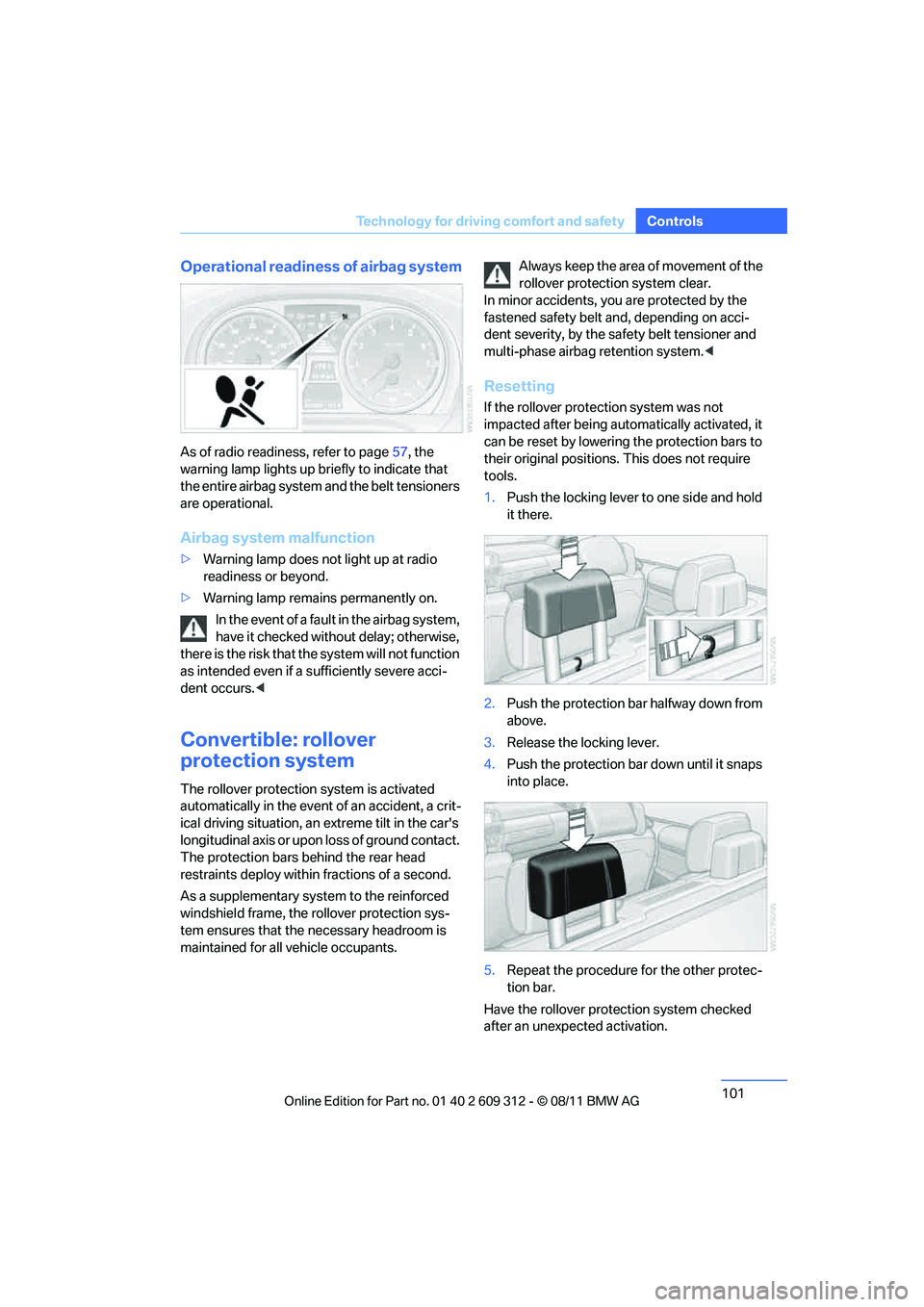
1. Push the locking lever to one side and hold
it there.
2. Push the protection bar halfway down from
above.
3. Release the locking lever.
4. Push the protection bar down until it snaps
into place.
5. Repeat the procedure for the other protec-
tion bar.
Have the rollover protection system checked
after an unexpected activation.
Online Edition for Part no. 01 40 2 609 312 - \251 08/11 BMW AG
Page 108 of 255
107
Lamps
Controls
Fog lamps
The parking lamps or low beams must
be switched on for the fog lamps to
operate. The green indicator lamp in
the instrument cluster lights up whenever the
fog lamps are on.
The fog lamps are switched off while you acti-
vate the headlamp flasher or switch on the high
beams.
If the automatic headla mp control is acti-
vated, the low beams will come on auto-
matically when you switch on the fog lamps. <
Instrument lighting
You can adjust the brightness of the instrument
lighting only when the parking lamps or the low
beams are switched on.
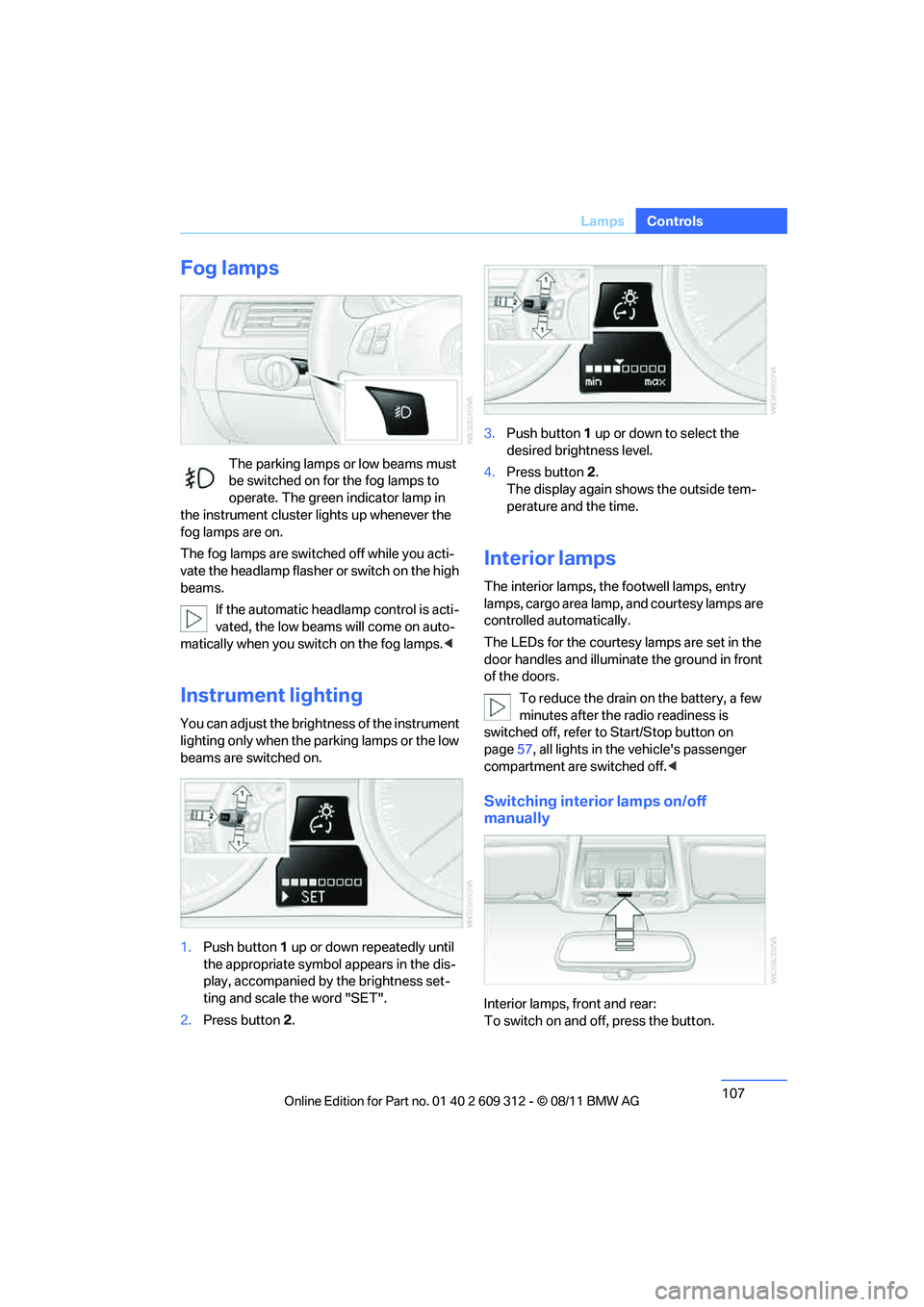
1.Push button 1 up or down repeatedly until
the appropriate symbol appears in the dis-
play, accompanied by the brightness set-
ting and scale the word "SET".
2. Press button 2. 3.
Push button 1 up or down to select the
desired brightness level.
4. Press button 2.
The display again shows the outside tem-
perature and the time.
Interior lamps
The interior lamps, the footwell lamps, entry
lamps, cargo area lamp, and courtesy lamps are
controlled automatically.
The LEDs for the courtesy lamps are set in the
door handles and illuminate the ground in front
of the doors.
To reduce the drain on the battery, a few
minutes after the radio readiness is
switched off, refer to Start/Stop button on
page 57, all lights in the vehicle's passenger
compartment are switched off. <
Switching interior lamps on/off
manually
Interior lamps, front and rear:
To switch on and off, press the button.
Online Edition for Part no. 01 40 2 609 312 - \251 08/11 BMW AG
Page 119 of 255
118
ControlsPractical interior accessories
Canada: if the LED does not flash rapidly
after approx. 60 seconds, alter the distance
and repeat this step or, if the programming
by means of the hand-held transmitter was
interrupted, hold down the button on the
inside mirror and then press and release the
button on the hand-hel d transmitter several
times, holding it down for 2 seconds each
time.
Operation
To prevent possible damage or injury,
before programming or using the inte-
grated universal remote control to operate a
device, always inspect the immediate area to
make certain that no people, animals or objects
are within the pivoting or travel range of the
device being operated.
Also follow the safety in structions supplied with
the hand-held transmitter. <
The button on the inside mirror can be used to
operate the device, for example the garage
door, if the engine is running or the ignition is
switched on. To do so, within the reception
range of the device, press the button of the
device until the function is triggered. The LED
on the inside mirror remains lit during transmis-
sion of the radio signal.
Deleting stored functions
Simultaneously hold down the right and left
buttons on the inside mi rror for approx. 20 sec-
onds until the LED on the inside mirror flashes
rapidly. All stored functions are deleted. The
functions cannot be de leted individually.
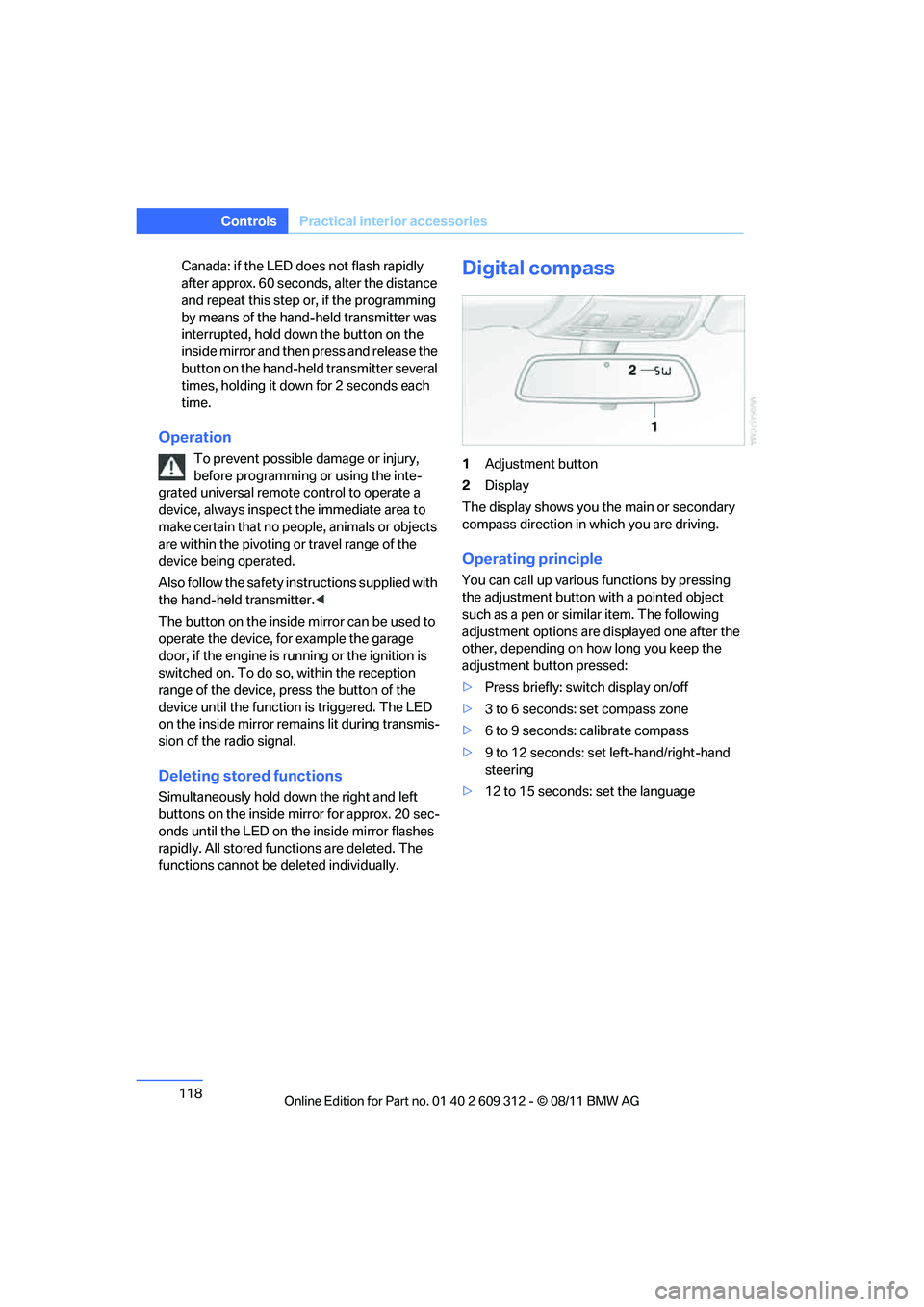
Digital compass
1Adjustment button
2 Display
The display shows you the main or secondary
compass direction in which you are driving.
Operating principle
You can call up various functions by pressing
the adjustment button with a pointed object
such as a pen or similar item. The following
adjustment options are displayed one after the
other, depending on how long you keep the
adjustment button pressed:
> Press briefly: switch display on/off
> 3 to 6 seconds: set compass zone
> 6 to 9 seconds: calibrate compass
> 9 to 12 seconds: set left-hand/right-hand
steering
> 12 to 15 seconds: set the language
Online Edition for Part no. 01 40 2 609 312 - \251 08/11 BMW AG
Page 135 of 255
134
Driving tipsThings to remember when driving
Hot exhaust system
In all vehicles, extremely high tempera-
tures are generated in the exhaust sys-
tem. Do not remove the heat shields installed
adjacent to various sect ions of the exhaust sys-
tem, and never apply un dercoating to them.
When driving, standing at idle and while park-
ing, take care to avoid possible contact
between the hot exhaust system and any highly
flammable materials such as hay, leaves, grass,
etc. Such contact could le ad to a fire, with the
risk of serious personal injuries and property
damage. Do not touch hot exhaust tail pipes.
Otherwise, there is a risk of burns. <
Mobile phones in the vehicle
It is not advisable to use wireless devices
such as mobile phones inside the vehicle
without a direct connection to an external aerial.
Otherwise, it is not poss ible to exclude the pos-
sibility of a reciprocal interference occurring
between the vehicle electronics and the wire-
less device. Otherwise, there is no assurance
that the radiation genera ted by the radio trans-
mission will be conveyed out of the passenger
compartment. <
Hydroplaning
When driving on wet or slushy roads,
reduce road speed. If you do not, a wedge
of water can form between tires and road sur-
face. This situation, known as hydroplaning,
means that the tire can completely lose contact
with the road surface, so that neither the car can
be steered nor the brak e be properly applied.<
The risk of hydroplaning increases with declin-
ing tread depth on the tires, refer also to Mini-
mum tread depth on page 194.
Driving through water
Drive through water on the road only if it is
not deeper than 1 ft/30 cm, and then only
at walking speed at the most. Otherwise, the
vehicle's engine, the electrical systems and the
transmission may be damaged. <
Use the parking brake on inclines
On inclines, do not hold the vehicle for a
lengthy period using the clutch; use the
parking brake instead. Otherwise, greater
clutch wear will result. <
For more information about the drive-off assis-
tant, refer to page 93.
Braking safely
Your BMW is equipped with ABS as a standard
feature. Applying the brakes fully is the most
effective way of braking in situations in which
this is necessary. Sinc e the vehicle maintains
steering responsiveness, you can still avoid
possible obstacles with a minimum of steering
effort.
Pulsation of the brake pedal, combined with
sounds from the hydraulic circuits, indicate that
ABS is in its active mode.
Objects in the movement range of the
pedals
Keep floor mats, carpet, and other objects
out of the movement range of the pedals;
otherwise, they may inhi bit the function of the
pedals during driving.
Do not place additional floor mats onto an exist-
ing one or onto other objects.
Only use floor mats that have been approved for
the vehicle and can be appropriately fastened.
Make sure that the floo r mats are securely fas-
tened again after they ha ve been removed, e.g.
for cleaning. <
Driving in wet conditions
When roads are wet or there is heavy rain,
briefly exert gentle pre ssure on the brake pedal
every few miles. Monitor traffic conditions to
ensure that this maneuver does not endanger
other road users. The heat generated in this
process helps dry the pads and rotors to ensure
that full braking efficiency will then be available
when you need it.
Online Edition for Part no. 01 40 2 609 312 - \251 08/11 BMW AG
Page 142 of 255

Operation of the radio, CD equipment and
external audio devices as well as their tone settings are described in this chapter.
Entertainment
Online Edition for Part no. 01 40 2 609 312 - \251 08/11 BMW AG
Page 143 of 255
142
EntertainmentBMW Professional radio
BMW Professional radio
Vehicle equipment
In this chapter, all pr oduction, country, and
optional equipment that is offered in the model
range is described. Equipment is also described
that is not available because of, for example,
selected options or country version. This also
applies to safety related functions and systems.
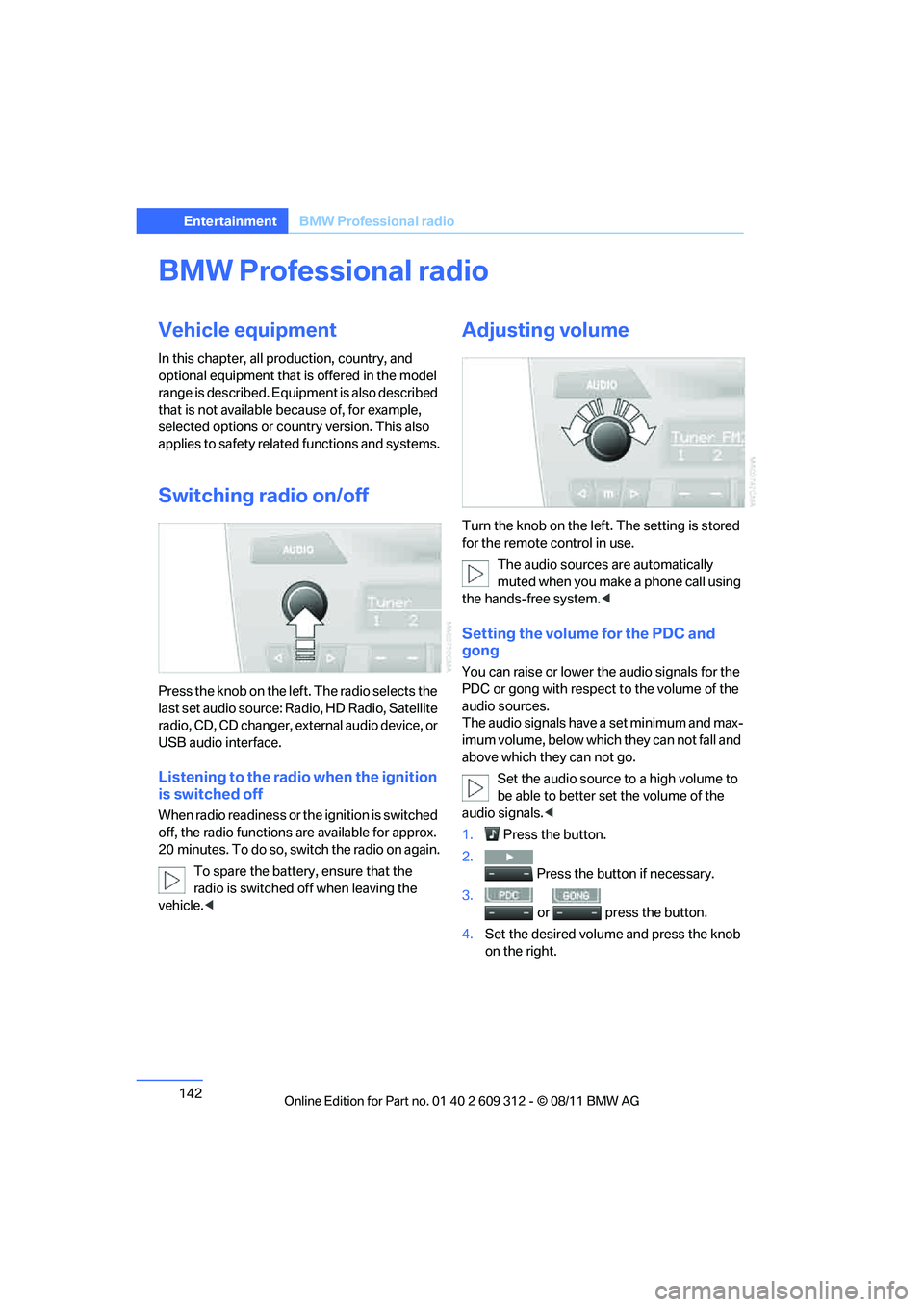
Switching radio on/off
Press the knob on the left. The radio selects the
last set audio source: Ra dio, HD Radio, Satellite
radio, CD, CD changer, ex ternal audio device, or
USB audio interface.
Listening to the radio when the ignition
is switched off
When radio readiness or th e ignition is switched
off, the radio functions are available for approx.
20 minutes. To do so, switch the radio on again.
To spare the battery , ensure that the
radio is switched off when leaving the
vehicle. <
Adjusting volume
Turn the knob on the left. The setting is stored
for the remote control in use.
The audio sources are automatically
muted when you make a phone call using
the hands-free system. <
Setting the volume for the PDC and
gong
You can raise or lower th e audio signals for the
PDC or gong with respect to the volume of the
audio sources.
The audio signals have a set minimum and max-
imum volume, below which they can not fall and
above which they can not go.
Set the audio source to a high volume to
be able to better se t the volume of the
audio signals.<
1. Press the button.
2. Press the button if necessary.
3.
or press the button.
4. Set the desired volume and press the knob
on the right.
Online Edition for Part no. 01 40 2 609 312 - \251 08/11 BMW AG
Page 144 of 255
143
BMW Professional radio
Entertainment
Setting the speed-dependent volume
The speed-dependent volume controls auto-
matically increases the vo
lume as the speed of
the vehicle increases. You can set different lev-
els for increasing the volume.
1. Press the button.
2. Press the button if necessary.
3. Press the button.
4. Set the desired volume and press the knob
on the right.
Setting the volume for external audio
devices
You can use the AUX-IN port in the center con-
sole to connect an exte rnal audio device such
as an MP3 player and play audio recordings
over the vehicle speakers.
The volume of the external audio device can be
adjusted to the radio.
1. Press the button.
2. Press the button.
3. Press the button.
4. Set the desired volume and press the knob
on the right.
Setting tone controls
You can select among the following settings:
>Bass: bass adjustment
> Treble: treble adjustment
> Balance: left/right volume distribution
> Fader: front/rear volume distribution
> "ROOM"
> "LOGIC7"
> Equalizer
The tone settings are set for all audio sources at
once.
Setting the bass, treble and balance
1. Press the button.
2. Highlight the desired tone setting and press
the knob on the right.
3. Select the desired volume and press the
knob on the right.
Switching on the surround sound
function
You can select from among the following sound
patterns:
>"ROOM"
> "LOGIC7"
To select a sound pattern:
1. Press the button.
2. Press the button.
3. Press the desired sound pattern button, for
example:
Equalizer
1. Press the button.
2. Press the desired frequency band.
3. Adjust the settings and press the knob on
the right.
To reset the settings:
1. Press the button.
2. Turn the knob on the right.
3. Press the button.
4. Press the button.
Online Edition for Part no. 01 40 2 609 312 - \251 08/11 BMW AG
Page 145 of 255
144
EntertainmentBMW Professional radio
Resetting tone settings
The tone settings are reset to the middle val-
ues.
1. Press the button.
2. Press the button.
Time
When the ignition or radi o readiness is switched
off, you can display the time for a few seconds.
Displaying the time
Press the button.
Setting the time, date and time format
You can set the time, date, and time format,
refer to page 86.
Radio
Your radio is designed for receiving FM and AM
signals.
Listening to the radio
1.Switch on the radio, refer to page 142.
2. Press the button if necessary.
3. Press the button.
4. Press the corresponding button as
often as necessary until the desired wave-
length band is selected.
> AM: AM and AMA
> FM: FM1/FM2 and FMA
Selecting a station
The setting is stored fo r the remote control in
use.
Next station
Press the button.
The next available st ation is selected.
Selecting stations by changing the
frequency
1.Press the button.
2. Press the respective function button to
enter the desired frequency.
Or, by using the knob on the right:
1. Press the button.
2. Turn the knob on the right until the desired
frequency is reached.
Automatically updating strongest
stations
Radio stations are stored in order of their signal
strength in the memory levels FMA and AMA. If
the AUTOSTORE function is not used, then six
stations can be manually stored in each of the
memory levels FMA and AMA.
Press and hold the relevant button until
the following display appears.
"AUTOSTORE"
It may take several seconds before the stations
are stored and you can listen to one of them.
Sampling and selecting radio stations
Press the button. Samples are
played of all the stations in reception range.
To interrupt the function and select a station:
Press the button.
Storing and recalling stations
Memory presets
Your radio can store 30 stations:
> FM1, FM2: six stations each.
> AM: six stations each of your choice
Online Edition for Part no. 01 40 2 609 312 - \251 08/11 BMW AG