tow BMW M3 COUPE 2009 E92 Owner's Guide
[x] Cancel search | Manufacturer: BMW, Model Year: 2009, Model line: M3 COUPE, Model: BMW M3 COUPE 2009 E92Pages: 256, PDF Size: 12.03 MB
Page 130 of 256
Destination entry
128 Delete letters, if necessary:
>To delete individual letters:
Turn the controller to select , and
then press the controller.
>To delete all letters:
Turn the controller to select , and
then press the controller for an extended
period.
>To enter spaces:
Select the symbol.
The list gradually grows smaller each time
you enter a new letter.
2.Move the controller to the right.
3.Select the name of the town/city from the
list. The three destinations stored last are
displayed.
If there are several towns/cities with the same
name:
1.Change to the list of town/city names.
2.Highlight the town/city: a preview map is
displayed.
3.Select the town/city.
Entering the postal code
1.Select "Town/City/Zip Code" or the dis-
played town/city.
2.Select the symbol.
3.Select the digits.
4.Change to the list of postal codes and
towns/cities.
5.Highlight the postal code. A preview map is
displayed in the assistance window.
6.Select the postal code.
Entering street and intersection
1.Select "Street" or the displayed street.
2.Enter a street and intersection as you would
the town/city.
After the street you can also enter the intersec-
tion or the house number.
If there are several streets with the same name:1.Change to the list of street names.
2.Highlight the street: a preview map is dis-
played.
3.Select the street.
Entering a street without a destination
town/city
You can also enter a street without specifying a
town/city. In this case, all streets of the same
name in the specified state/province are
offered. The corresponding town/city is dis-
played after the street name.
If a town/city has already been entered, you can
negate this entry. This could be helpful in
instances where the desired street does not
exist in the entered town/city because it
belongs to another suburb, for example.
1."Navigation"
2."Enter address"
3.Select "Street" or the displayed street.
4.Change to the list of street names.
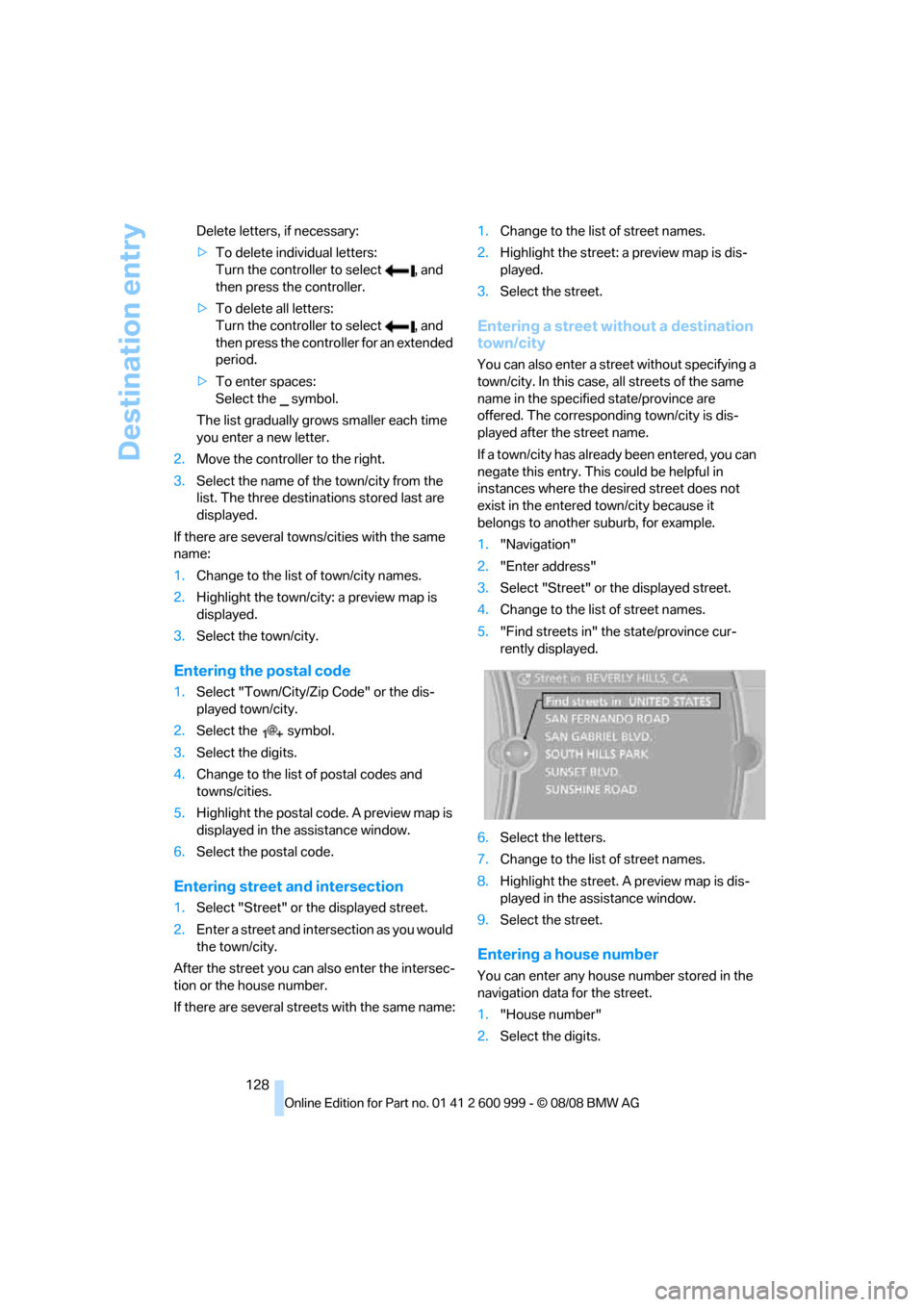
5."Find streets in" the state/province cur-
rently displayed.
6.Select the letters.
7.Change to the list of street names.
8.Highlight the street. A preview map is dis-
played in the assistance window.
9.Select the street.
Entering a house number
You can enter any house number stored in the
navigation data for the street.
1."House number"
2.Select the digits.
ba8_E9293M3_cic.book Seite 128 Dienstag, 19. August 2008 12:01 12
Page 131 of 256
Navigation
Driving tips
129Reference
At a glance
Controls
Communications
Entertainment
Mobility
3.Change to the list of house numbers.
4.Select a house number or range of house
numbers.
Selection after destination entry
>"Start guidance".
Destination guidance is started immedi-
ately.
>"Route preference"
refer to page137.
>"Points of Interest at dest."
refer to page130.
If a new town/city is selected during destination
guidance, the current destination guidance is
terminated.
Address book
To create contacts, refer to page183.
Selecting a destination from the
address book
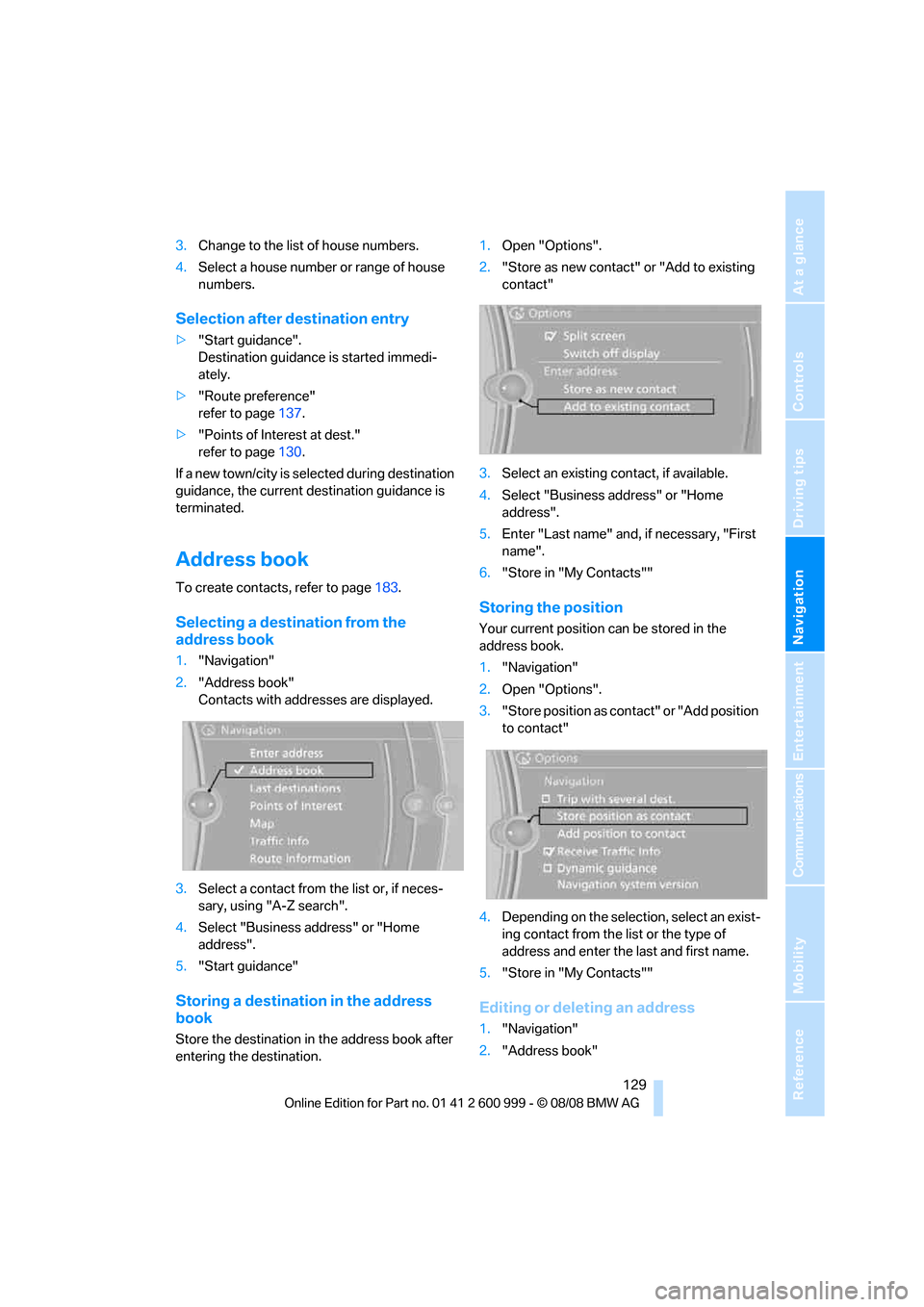
1."Navigation"
2."Address book"
Contacts with addresses are displayed.
3.Select a contact from the list or, if neces-
sary, using "A-Z search".
4.Select "Business address" or "Home
address".
5."Start guidance"
Storing a destination in the address
book
Store the destination in the address book after
entering the destination.1.Open "Options".
2."Store as new contact" or "Add to existing
contact"
3.Select an existing contact, if available.
4.Select "Business address" or "Home
address".
5.Enter "Last name" and, if necessary, "First
name".
6."Store in "My Contacts""
Storing the position
Your current position can be stored in the
address book.
1."Navigation"
2.Open "Options".
3."Store position as contact" or "Add position
to contact"
4.Depending on the selection, select an exist-
ing contact from the list or the type of
address and enter the last and first name.
5."Store in "My Contacts""
Editing or deleting an address
1."Navigation"
2."Address book"
ba8_E9293M3_cic.book Seite 129 Dienstag, 19. August 2008 12:01 12
Page 134 of 256
Destination entry
132 1."Navigation"
2."Map"
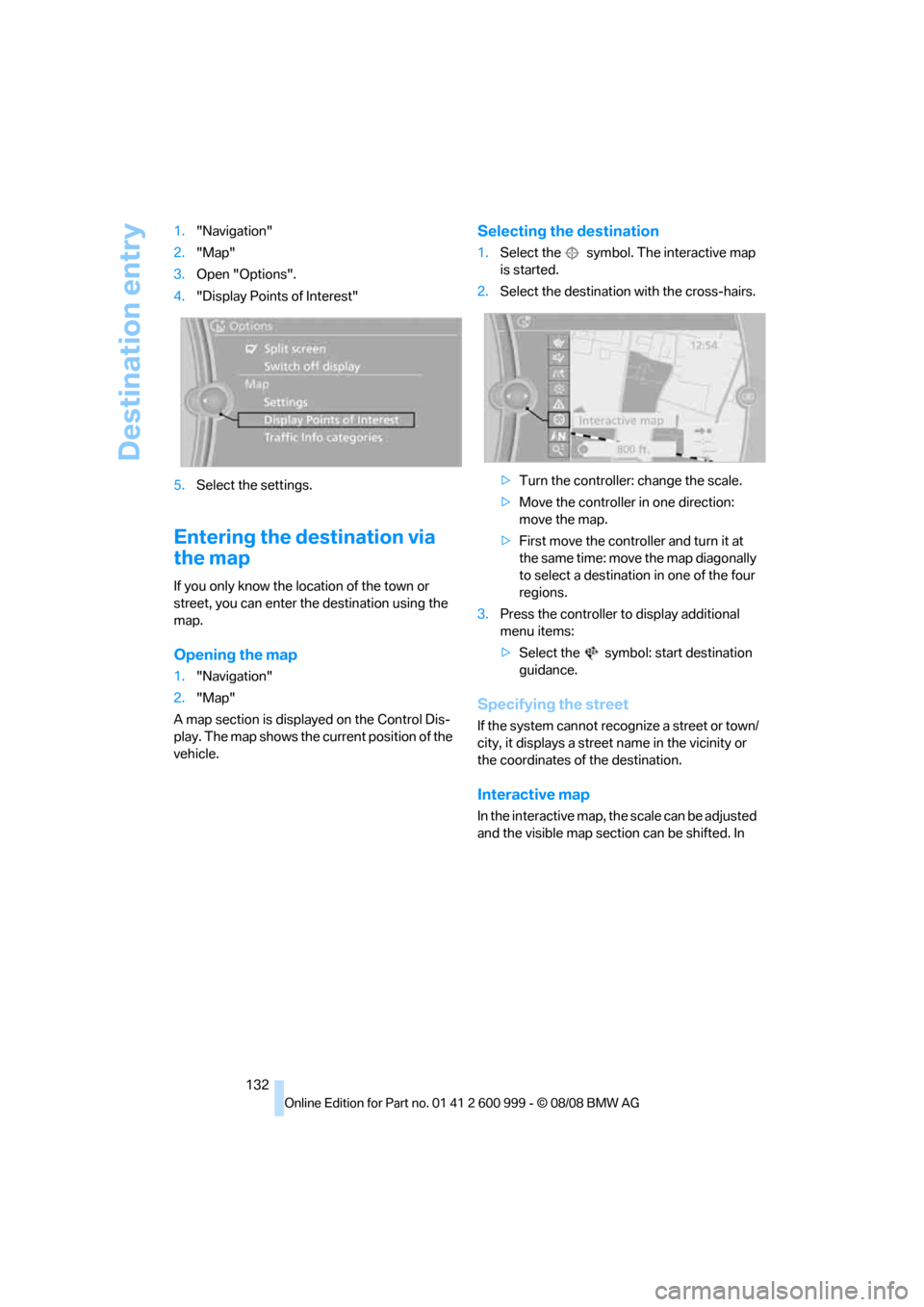
3.Open "Options".
4."Display Points of Interest"
5.Select the settings.
Entering the destination via
the map
If you only know the location of the town or
street, you can enter the destination using the
map.
Opening the map
1."Navigation"
2."Map"
A map section is displayed on the Control Dis-
play. The map shows the current position of the
vehicle.
Selecting the destination
1.Select the symbol. The interactive map
is started.
2.Select the destination with the cross-hairs.
>Turn the controller: change the scale.
>Move the controller in one direction:
move the map.
>First move the controller and turn it at
the same time: move the map diagonally
to select a destination in one of the four
regions.
3.Press the controller to display additional
menu items:
>Select the symbol: start destination
guidance.
Specifying the street
If the system cannot recognize a street or town/
city, it displays a street name in the vicinity or
the coordinates of the destination.
Interactive map
In the interactive map, the scale can be adjusted
and the visible map section can be shifted. In
ba8_E9293M3_cic.book Seite 132 Dienstag, 19. August 2008 12:01 12
Page 135 of 256
Navigation
Driving tips
133Reference
At a glance
Controls
Communications
Entertainment
Mobility
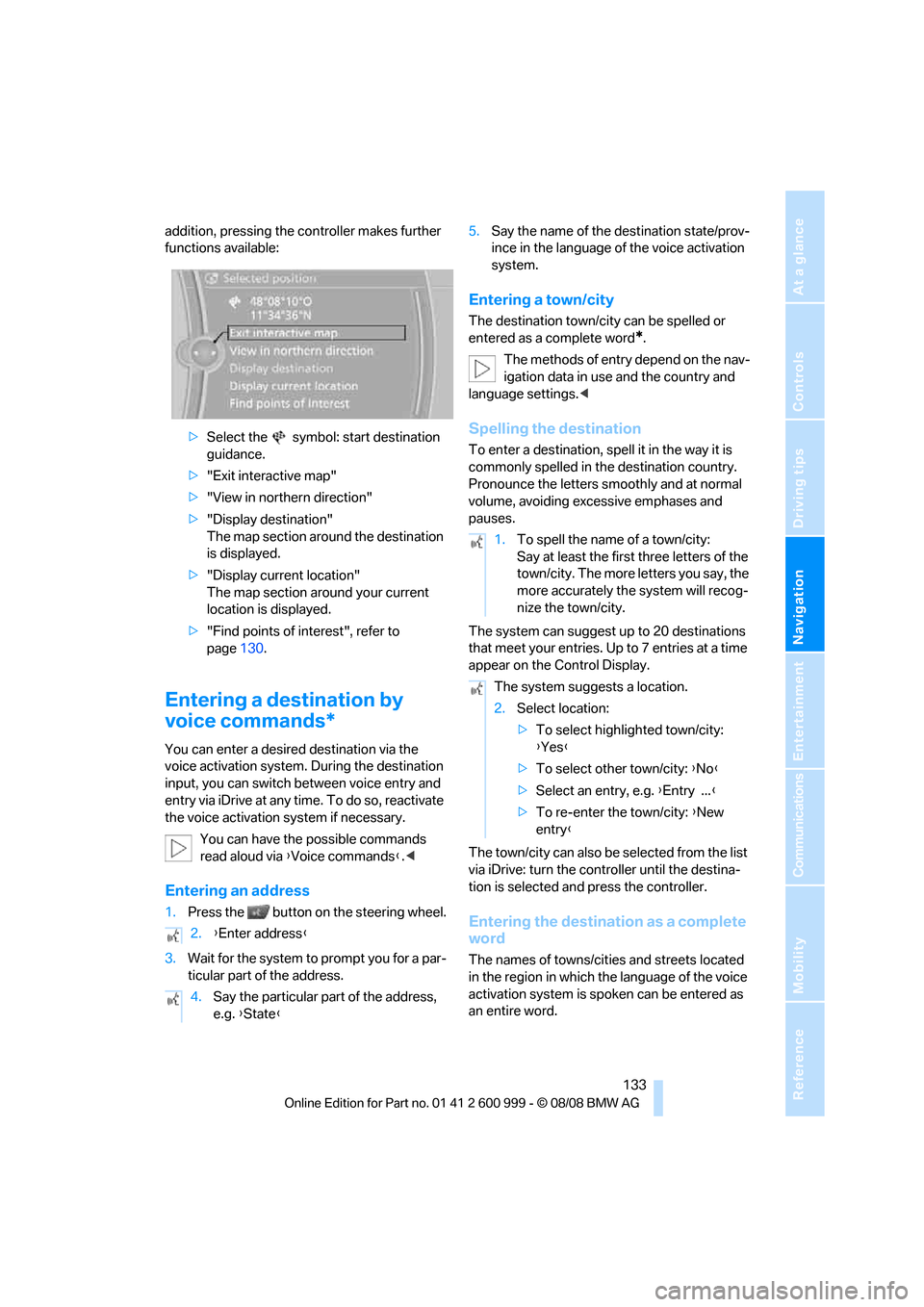
addition, pressing the controller makes further
functions available:
>Select the symbol: start destination
guidance.
>"Exit interactive map"
>"View in northern direction"
>"Display destination"
The map section around the destination
is displayed.
>"Display current location"
The map section around your current
location is displayed.
>"Find points of interest", refer to
page130.
Entering a destination by
voice commands*
You can enter a desired destination via the
voice activation system. During the destination
input, you can switch between voice entry and
entry via iDrive at any time. To do so, reactivate
the voice activation system if necessary.
You can have the possible commands
read aloud via {Voice commands}.<
Entering an address
1.Press the button on the steering wheel.
3.Wait for the system to prompt you for a par-
ticular part of the address.5.Say the name of the destination state/prov-
ince in the language of the voice activation
system.
Entering a town/city
The destination town/city can be spelled or
entered as a complete word
*.
The methods of entry depend on the nav-
igation data in use and the country and
language settings.<
Spelling the destination
To enter a destination, spell it in the way it is
commonly spelled in the destination country.
Pronounce the letters smoothly and at normal
volume, avoiding excessive emphases and
pauses.
The system can suggest up to 20 destinations
that meet your entries. Up to 7 entries at a time
appear on the Control Display.
The town/city can also be selected from the list
via iDrive: turn the controller until the destina-
tion is selected and press the controller.
Entering the destination as a complete
word
The names of towns/cities and streets located
in the region in which the language of the voice
activation system is spoken can be entered as
an entire word. 2.{Enter address}
4.Say the particular part of the address,
e.g. {State}
1.To spell the name of a town/city:
Say at least the first three letters of the
town/city. The more letters you say, the
more accurately the system will recog-
nize the town/city.
The system suggests a location.
2.Select location:
>To select highlighted town/city:
{Yes}
>To select other town/city: {No}
>Select an entry, e.g. {Entry ...}
>To re-enter the town/city: {New
entry}
ba8_E9293M3_cic.book Seite 133 Dienstag, 19. August 2008 12:01 12
Page 136 of 256
Destination entry
134 Example: to enter a destination in a state/prov-
ince as a complete word, the system language
must be English.
Speak smoothly and at normal volume, and
avoid excessive emphases and pauses.
1.Wait for the system to ask for the town/city
of destination.
The system may suggest multiple destina-
tions that meet your entries.
Identical-sounding towns/cities that can-
not be distinguished by the system are
compiled in a separate list and shown as a des-
tination followed by three dots.
If necessary, select this entry with {Yes}. Then
select the desired town/city from that list.<
Entering street and house number
The street is entered in the same way as the
destination town/city.
To enter the house number:
Starting destination guidance
Destination guidance starts immediately.
Storing destinations
The destination is added to the destination list
and is displayed in the list of last destinations.
Trip planner
The trip planner can be used to plan a trip with
several legs to different destinations.
New trip
Various intermediate destinations can be
entered for a trip.
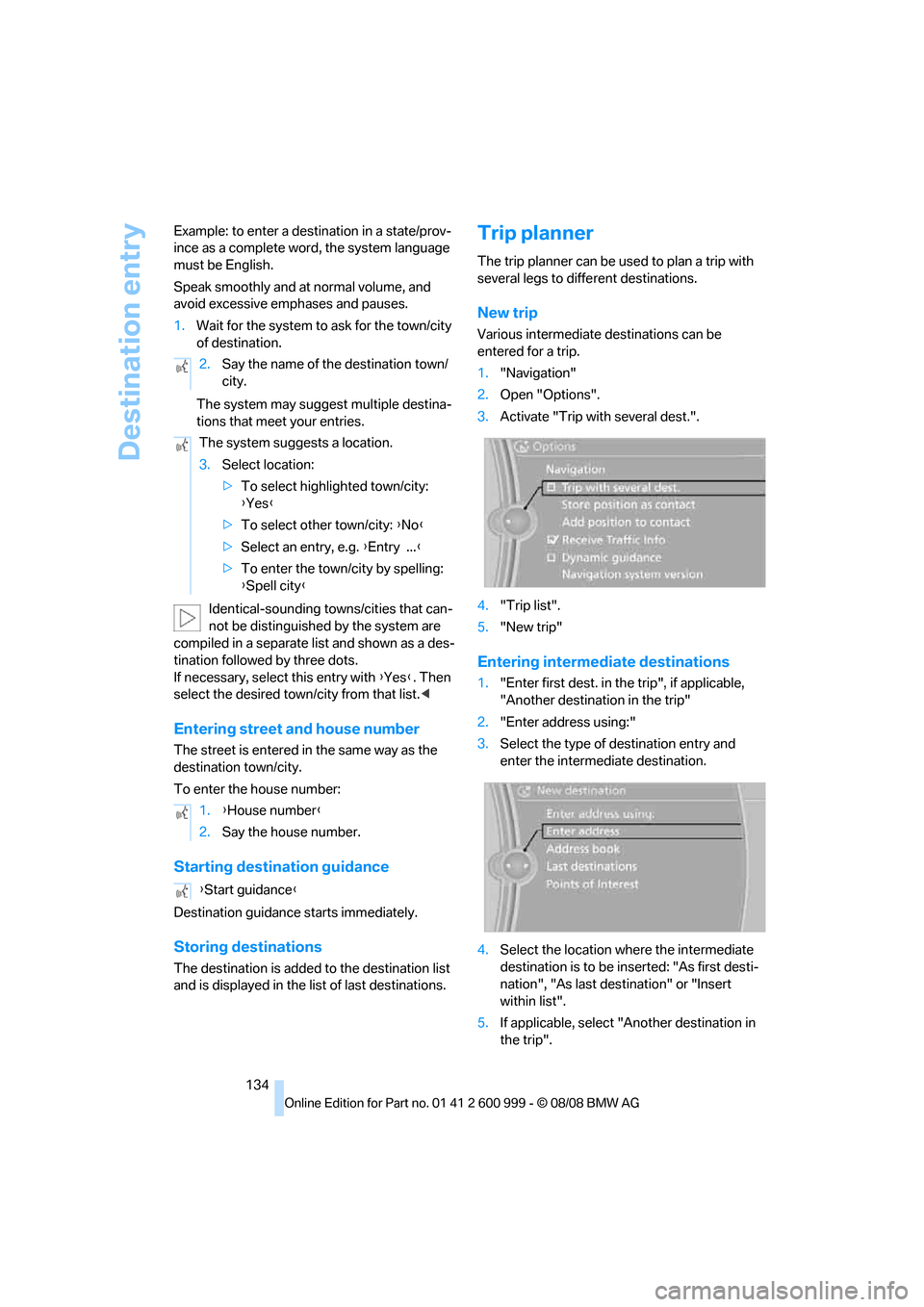
1."Navigation"
2.Open "Options".
3.Activate "Trip with several dest.".
4."Trip list".
5."New trip"
Entering intermediate destinations
1."Enter first dest. in the trip", if applicable,
"Another destination in the trip"
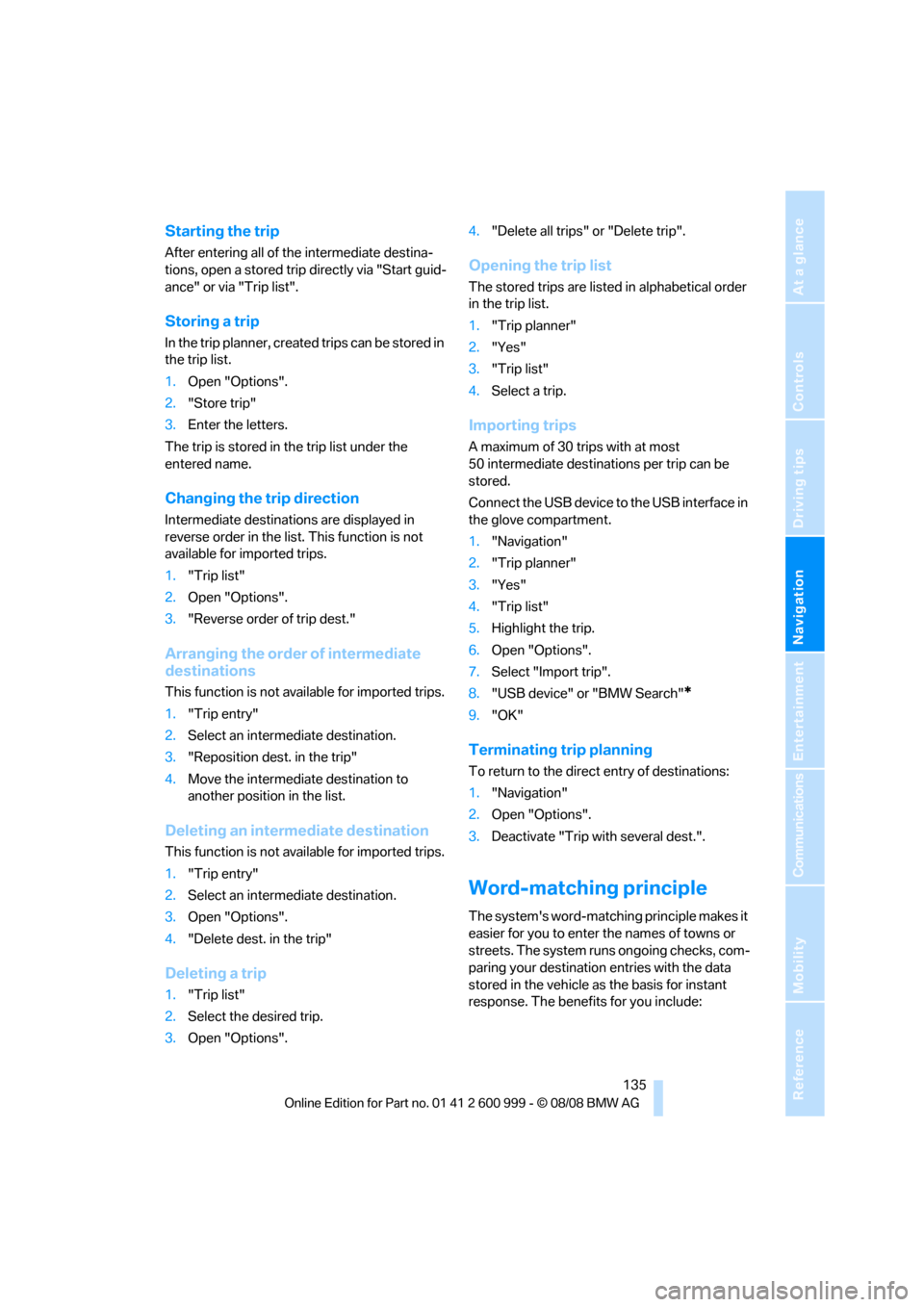
2."Enter address using:"
3.Select the type of destination entry and
enter the intermediate destination.
4.Select the location where the intermediate
destination is to be inserted: "As first desti-
nation", "As last destination" or "Insert
within list".
5.If applicable, select "Another destination in
the trip". 2.Say the name of the destination town/
city.
The system suggests a location.
3.Select location:
>To select highlighted town/city:
{Yes}
>To select other town/city: {No}
>Select an entry, e.g. {Entry ...}
>To enter the town/city by spelling:
{Spell city}
1.{House number}
2.Say the house number.
{Start guidance}
ba8_E9293M3_cic.book Seite 134 Dienstag, 19. August 2008 12:01 12
Page 137 of 256
Navigation
Driving tips
135Reference
At a glance
Controls
Communications
Entertainment
Mobility
Starting the trip
After entering all of the intermediate destina-
tions, open a stored trip directly via "Start guid-
ance" or via "Trip list".
Storing a trip
In the trip planner, created trips can be stored in
the trip list.
1.Open "Options".
2."Store trip"
3.Enter the letters.
The trip is stored in the trip list under the
entered name.
Changing the trip direction
Intermediate destinations are displayed in
reverse order in the list. This function is not
available for imported trips.
1."Trip list"
2.Open "Options".
3."Reverse order of trip dest."
Arranging the order of intermediate
destinations
This function is not available for imported trips.
1."Trip entry"
2.Select an intermediate destination.
3."Reposition dest. in the trip"
4.Move the intermediate destination to
another position in the list.
Deleting an intermediate destination
This function is not available for imported trips.
1."Trip entry"
2.Select an intermediate destination.
3.Open "Options".
4."Delete dest. in the trip"
Deleting a trip
1."Trip list"
2.Select the desired trip.
3.Open "Options".4."Delete all trips" or "Delete trip".
Opening the trip list
The stored trips are listed in alphabetical order
in the trip list.
1."Trip planner"
2."Yes"
3."Trip list"
4.Select a trip.
Importing trips
A maximum of 30 trips with at most
50 intermediate destinations per trip can be
stored.
Connect the USB device to the USB interface in
the glove compartment.
1."Navigation"
2."Trip planner"
3."Yes"
4."Trip list"
5.Highlight the trip.
6.Open "Options".
7.Select "Import trip".
8."USB device" or "BMW Search"
*
9."OK"
Terminating trip planning
To return to the direct entry of destinations:
1."Navigation"
2.Open "Options".
3.Deactivate "Trip with several dest.".
Word-matching principle
The system's word-matching principle makes it
easier for you to enter the names of towns or
streets. The system runs ongoing checks, com-
paring your destination entries with the data
stored in the vehicle as the basis for instant
response. The benefits for you include:
ba8_E9293M3_cic.book Seite 135 Dienstag, 19. August 2008 12:01 12
Page 138 of 256
Destination entry
136 >Names of towns entered may differ from the
official versions if you are using a spelling
that is customary in another country.
Example:
Instead of the German spelling "München"
you can also enter the English spelling
"Munich" or the Italian spelling "Monaco".
>When you are entering the names of towns
and streets the system will complete them
automatically as soon as enough letters are
available to ensure unambiguous identifica-
tion.
>The system offers only those letters for
selection of name entries that are stored in
the vehicle. Thus, entry of erroneous or
unregistered names is impossible.
ba8_E9293M3_cic.book Seite 136 Dienstag, 19. August 2008 12:01 12
Page 140 of 256
Destination guidance
138 of traffic obstructions. The system does not
point out traffic obstructions along the original
route.
Depending on the type of road and the nature
and length of the traffic obstruction, the route
can also be calculated so that you travel
through the traffic obstruction.
1."Navigation"
2.Open "Options".
3."Dynamic guidance"
If the "Avoid highways", "Avoid toll roads"
or "Avoid ferries" route criteria are
selected, route calculation may take consider-
ably longer.<
Route
General information
Depending on the equipment in your vehicle,
different views of the route are available during
destination guidance.
>Map display
>Arrow display
>Display of the streets and towns/cities on
the route.
Displaying a list of the streets or towns/
cities on the route
When destination guidance is started, a list of
the streets and towns/cities on the route is dis-
played. The driving distances and traffic bulle-
tins are displayed for each route section.
>Display a list of the streets and towns/cities
on the route.
>Display the traffic bulletins and the driving
distance for each route section.
1."Navigation"
2."Route information"
3.Highlight a section.
The section is displayed in the preview map.
Bypassing a section of the route
During destination guidance, you can revise the
navigation system's route recommendations to
avoid particular stretches of road. Enter the
number of miles/kilometers that you want to
travel before returning to the original route.
A section of the route up to 32 miles/50 km in
length can be bypassed.
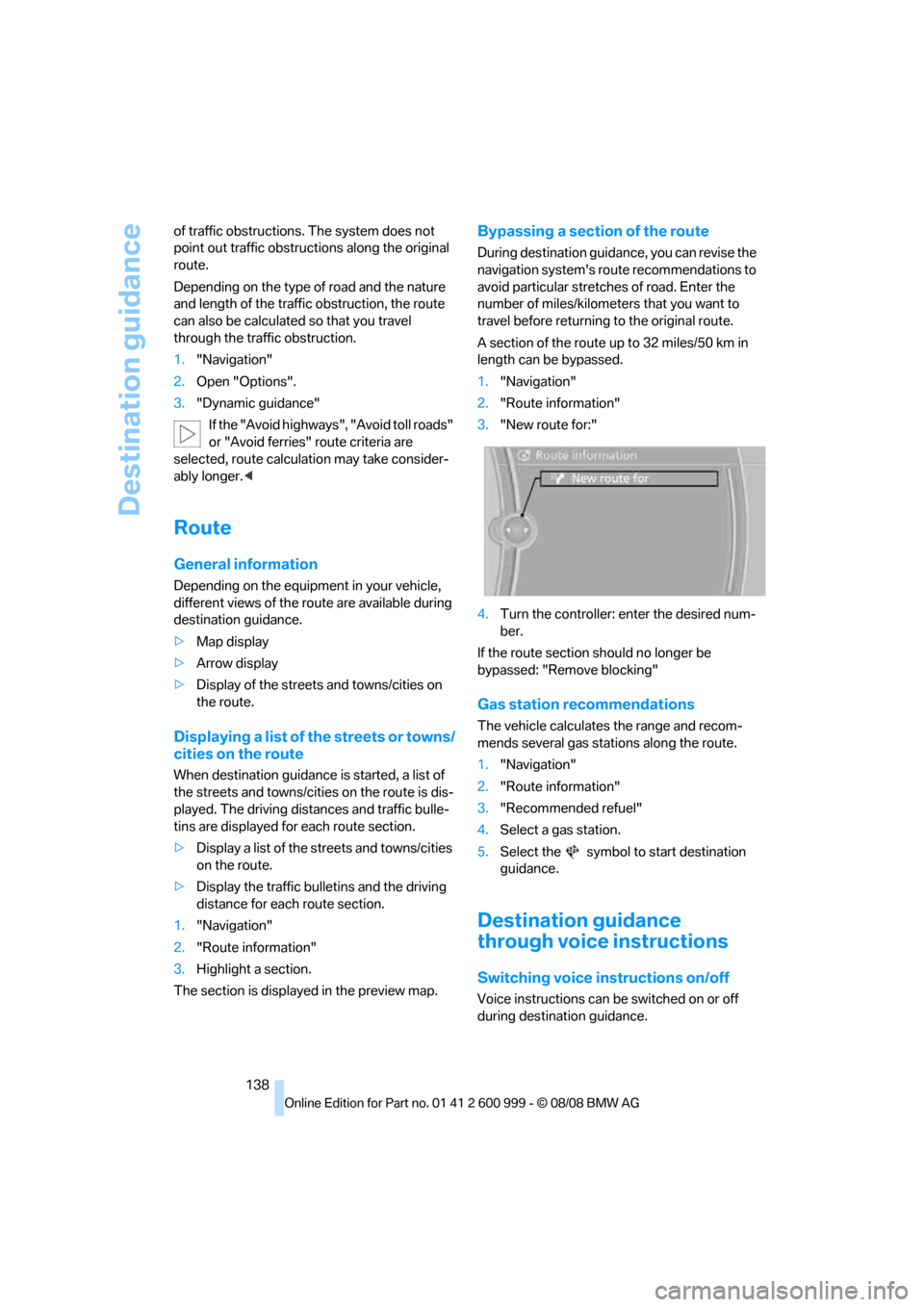
1."Navigation"
2."Route information"
3."New route for:"
4.Turn the controller: enter the desired num-
ber.
If the route section should no longer be
bypassed: "Remove blocking"
Gas station recommendations
The vehicle calculates the range and recom-
mends several gas stations along the route.
1."Navigation"
2."Route information"
3."Recommended refuel"
4.Select a gas station.
5.Select the symbol to start destination
guidance.
Destination guidance
through voice instructions
Switching voice instructions on/off
Voice instructions can be switched on or off
during destination guidance.
ba8_E9293M3_cic.book Seite 138 Dienstag, 19. August 2008 12:01 12
Page 145 of 256
Navigation
Driving tips
143Reference
At a glance
Controls
Communications
Entertainment
Mobility
What to do if …
What to do if …
>The current position cannot be displayed?
The position is in an unrecognized region, in
a poor reception area, or the system is in the
process of determining the position. Try
again later.
>The destination guidance does not accept
an address without the street name?
A downtown area cannot be determined for
the town or city that has been entered. Input
any street in the selected town/city and
start destination guidance.
>The letters for a destination cannot be
selected during destination entry?
The stored data do not contain the data of
the destination. Select a destination that is
as close as possible to the original.
>Voice instructions are no longer issued
before intersections during destination
guidance?
The area has not yet been fully recorded
>The system does not react to entries?
If the battery was disconnected, it takes up
to 15 minutes before the system is once
again operational.
ba8_E9293M3_cic.book Seite 143 Dienstag, 19. August 2008 12:01 12
Page 183 of 256
181
Entertainment
Reference
At a glance
Controls
Driving tips Communications
Navigation
Mobility
Selecting an entry
The connection to the phone number of the
selected entry is established.
Redialing
To redial the phone number dialed last:
Notes
Important for voice commands
For voice commands, bear in mind the follow-
ing:
>Pronounce the commands smoothly and at
normal volume, avoiding excessive empha-
ses and pauses.
>Keep the doors, windows and glass roof
closed to prevent interference from outside
noise.
>Avoid ambient noise in the vehicle while
speaking.
Inserting/removing the snap-
in adapter
1.Press button1 and remove the cover.2.Insert the snap-in adapter in the front and
press it downward until it engages.
To remove the snap-in adapter:
Press button 1.
Inserting mobile phone
1.If applicable, remove the protective cap
from the mobile phone's antenna connector
so that the mobile phone can engage in the
snap-in adapter.
2.With its buttons facing upward, slide the
mobile phone up towards the electrical con-
tact points and press it downward until it
engages.
The mobile phone's battery is charged as soon
as the vehicle is in radio readiness or the steer-
ing is unlocked. 1.{Choose name}.
The dialog for selecting an entry is
opened.
2.Say the name when prompted.
3.Confirm the query with {Yes}.
{Redial}
ba8_E9293M3_cic.book Seite 181 Dienstag, 19. August 2008 12:01 12