park assist BMW M4 2016 Owners Manual
[x] Cancel search | Manufacturer: BMW, Model Year: 2016, Model line: M4, Model: BMW M4 2016Pages: 228, PDF Size: 4.88 MB
Page 13 of 228
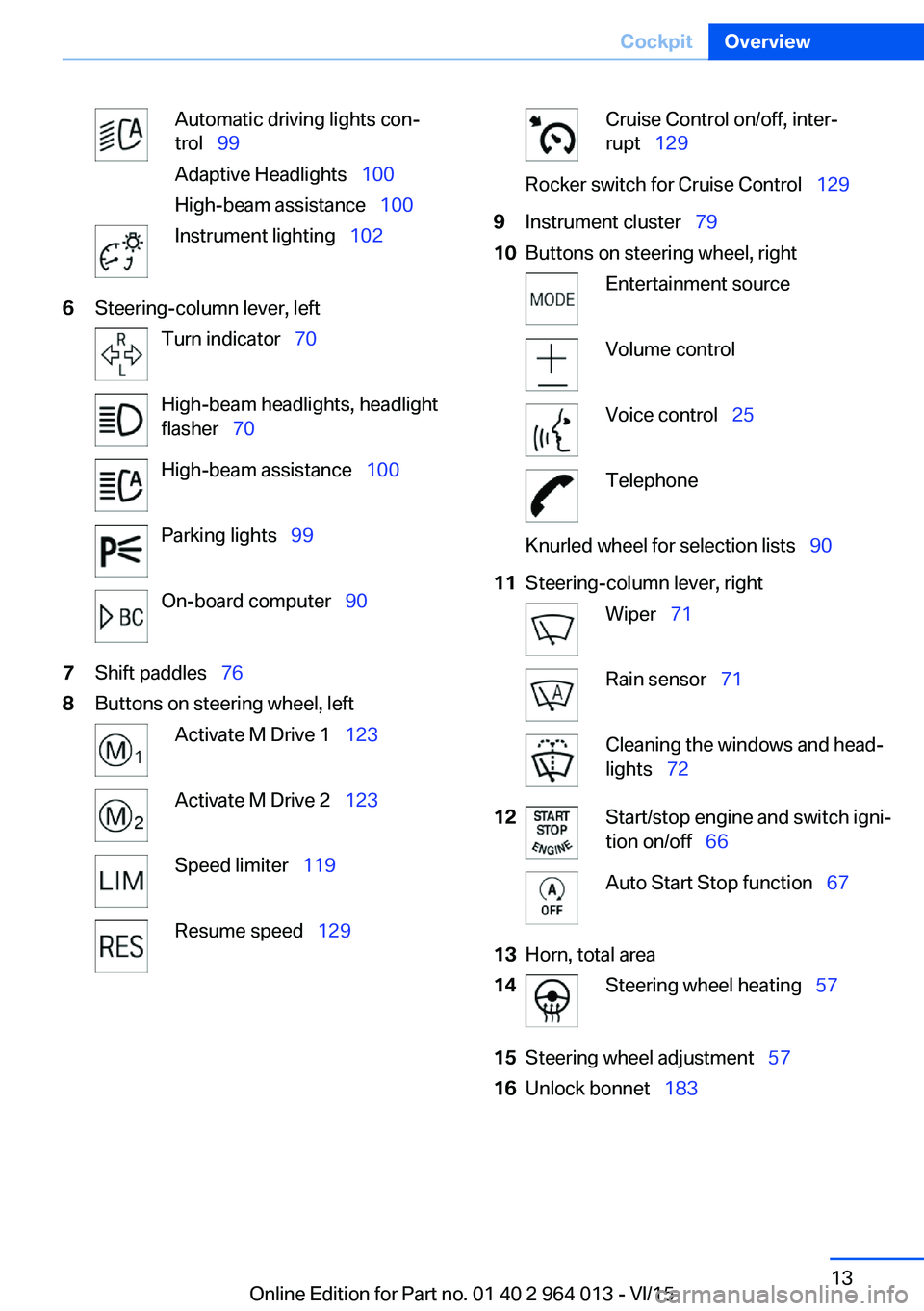
Automatic driving lights con‐
trol 99
Adaptive Headlights 100
High-beam assistance 100Instrument lighting 1026Steering-column lever, leftTurn indicator 70High-beam headlights, headlight
flasher 70High-beam assistance 100Parking lights 99On-board computer 907Shift paddles 768Buttons on steering wheel, leftActivate M Drive 1 123Activate M Drive 2 123Speed limiter 119Resume speed 129Cruise Control on/off, inter‐
rupt 129Rocker switch for Cruise Control 1299Instrument cluster 7910Buttons on steering wheel, rightEntertainment sourceVolume controlVoice control 25TelephoneKnurled wheel for selection lists 9011Steering-column lever, rightWiper 71Rain sensor 71Cleaning the windows and head‐
lights 7212Start/stop engine and switch igni‐
tion on/off 66Auto Start Stop function 6713Horn, total area14Steering wheel heating 5715Steering wheel adjustment 5716Unlock bonnet 183Seite 13CockpitOverview13
Online Edition for Part no. 01 40 2 964 013 - VI/15
Page 14 of 228
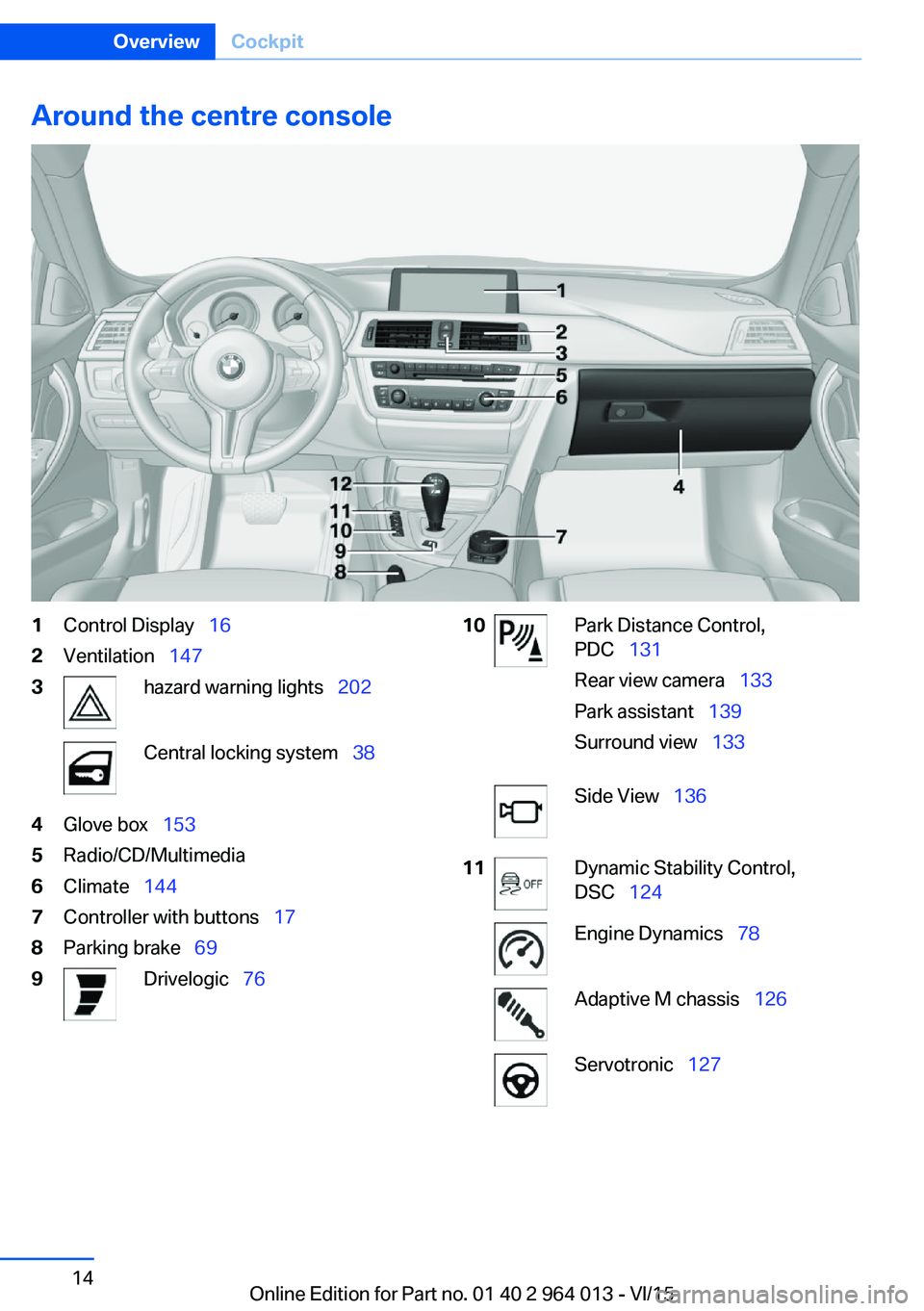
Around the centre console1Control Display 162Ventilation 1473hazard warning lights 202Central locking system 384Glove box 1535Radio/CD/Multimedia6Climate 1447Controller with buttons 178Parking brake 699Drivelogic 7610Park Distance Control,
PDC 131
Rear view camera 133
Park assistant 139
Surround view 133Side View 13611Dynamic Stability Control,
DSC 124Engine Dynamics 78Adaptive M chassis 126Servotronic 127Seite 14OverviewCockpit14
Online Edition for Part no. 01 40 2 964 013 - VI/15
Page 68 of 228
▷Driver's seat belt buckled or driver's door
closed.
The air flow rate of the air conditioning system
is reduced when the engine is not running.
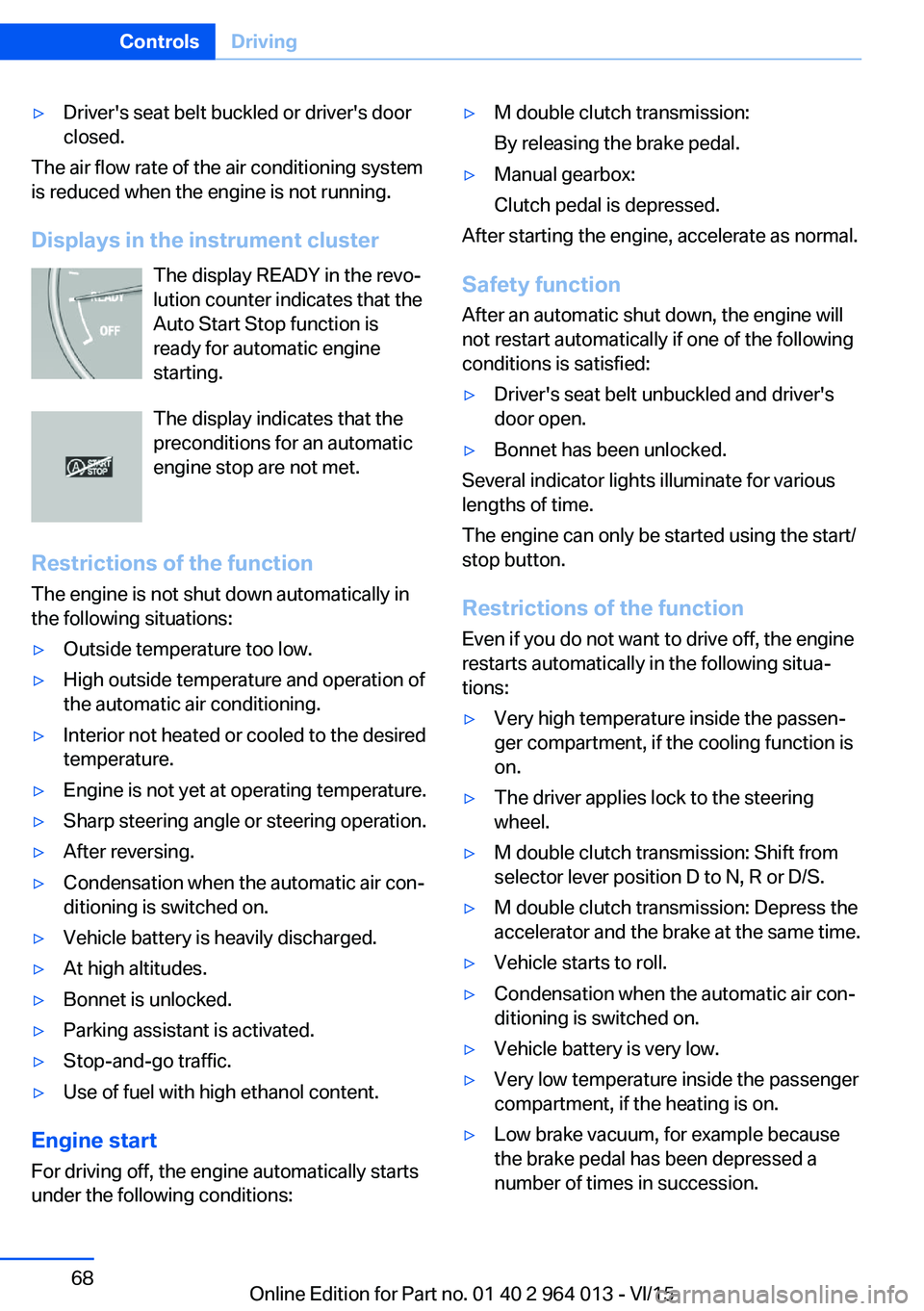
Displays in the instrument cluster The display READY in the revo‐
lution counter indicates that the
Auto Start Stop function is
ready for automatic engine
starting.
The display indicates that the preconditions for an automatic
engine stop are not met.
Restrictions of the function The engine is not shut down automatically in
the following situations:
▷Outside temperature too low.▷High outside temperature and operation of
the automatic air conditioning.▷Interior not heated or cooled to the desired
temperature.▷Engine is not yet at operating temperature.▷Sharp steering angle or steering operation.▷After reversing.▷Condensation when the automatic air con‐
ditioning is switched on.▷Vehicle battery is heavily discharged.▷At high altitudes.▷Bonnet is unlocked.▷Parking assistant is activated.▷Stop-and-go traffic.▷Use of fuel with high ethanol content.
Engine start
For driving off, the engine automatically starts
under the following conditions:
▷M double clutch transmission:
By releasing the brake pedal.▷Manual gearbox:
Clutch pedal is depressed.
After starting the engine, accelerate as normal.
Safety function After an automatic shut down, the engine will
not restart automatically if one of the following
conditions is satisfied:
▷Driver's seat belt unbuckled and driver's
door open.▷Bonnet has been unlocked.
Several indicator lights illuminate for various
lengths of time.
The engine can only be started using the start/
stop button.
Restrictions of the function
Even if you do not want to drive off, the engine
restarts automatically in the following situa‐
tions:
▷Very high temperature inside the passen‐
ger compartment, if the cooling function is
on.▷The driver applies lock to the steering
wheel.▷M double clutch transmission: Shift from
selector lever position D to N, R or D/S.▷M double clutch transmission: Depress the
accelerator and the brake at the same time.▷Vehicle starts to roll.▷Condensation when the automatic air con‐
ditioning is switched on.▷Vehicle battery is very low.▷Very low temperature inside the passenger
compartment, if the heating is on.▷Low brake vacuum, for example because
the brake pedal has been depressed a
number of times in succession.Seite 68ControlsDriving68
Online Edition for Part no. 01 40 2 964 013 - VI/15
Page 127 of 228
Setting is immediately accepted with ac‐
tive M Drive.
To activate the desired M Drive with the selec‐
ted settings, press the corresponding button
on the steering wheel:
▷▷
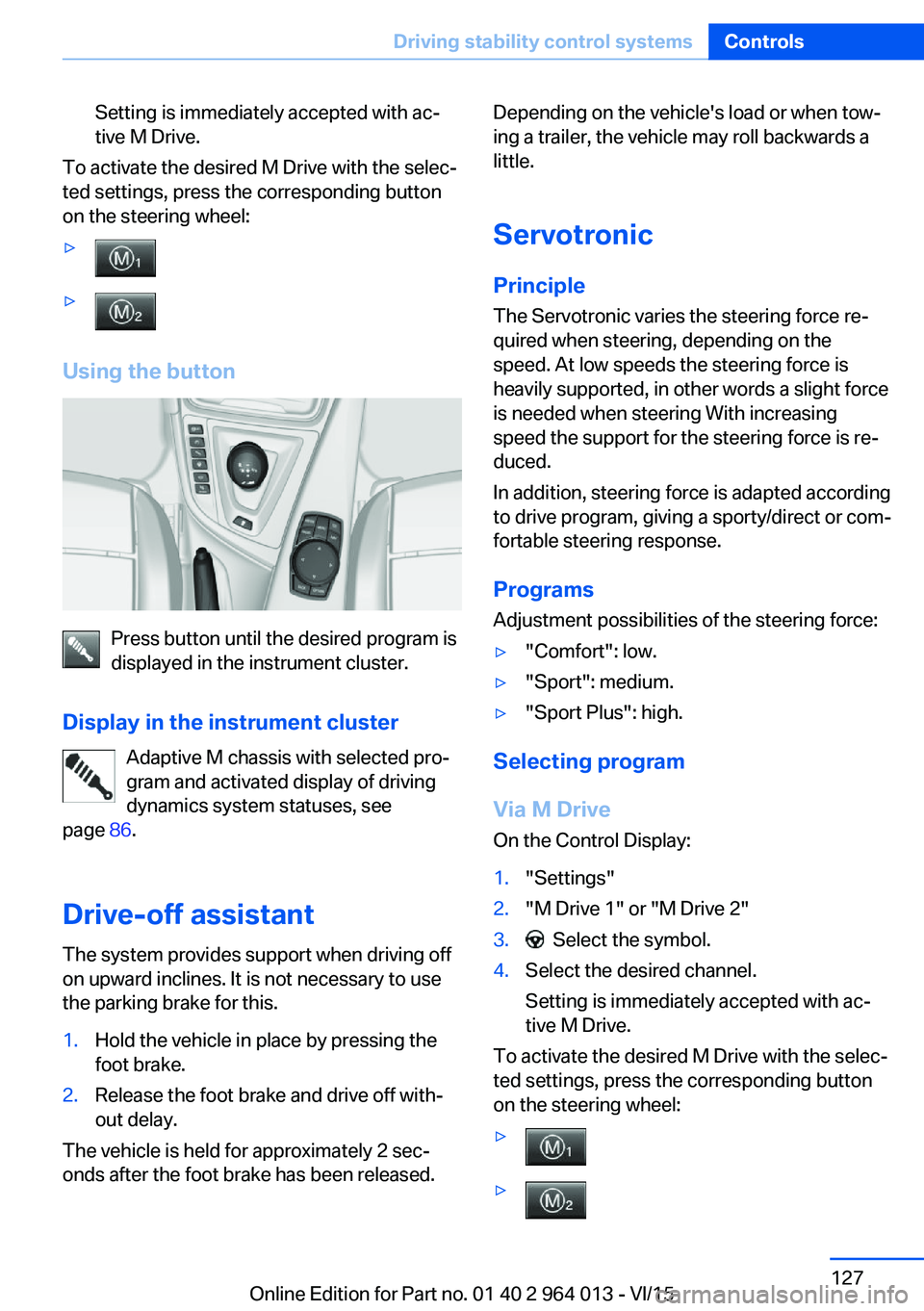
Using the button
Press button until the desired program is
displayed in the instrument cluster.
Display in the instrument cluster Adaptive M chassis with selected pro‐
gram and activated display of driving
dynamics system statuses, see
page 86.
Drive-off assistant The system provides support when driving off
on upward inclines. It is not necessary to use
the parking brake for this.
1.Hold the vehicle in place by pressing the
foot brake.2.Release the foot brake and drive off with‐
out delay.
The vehicle is held for approximately 2 sec‐
onds after the foot brake has been released.
Depending on the vehicle's load or when tow‐
ing a trailer, the vehicle may roll backwards a
little.
Servotronic
Principle The Servotronic varies the steering force re‐
quired when steering, depending on the
speed. At low speeds the steering force is
heavily supported, in other words a slight force
is needed when steering With increasing
speed the support for the steering force is re‐
duced.
In addition, steering force is adapted according
to drive program, giving a sporty/direct or com‐
fortable steering response.
Programs Adjustment possibilities of the steering force:▷"Comfort": low.▷"Sport": medium.▷"Sport Plus": high.
Selecting program
Via M Drive On the Control Display:
1."Settings"2."M Drive 1" or "M Drive 2"3. Select the symbol.4.Select the desired channel.
Setting is immediately accepted with ac‐
tive M Drive.
To activate the desired M Drive with the selec‐
ted settings, press the corresponding button
on the steering wheel:
▷▷Seite 127Driving stability control systemsControls127
Online Edition for Part no. 01 40 2 964 013 - VI/15
Page 133 of 228
▷With persons with certain clothing, for ex‐
ample a coat.▷With external disruption to the ultrasound,
for example by passing vehicles or loud
machines.▷If the sensors are dirty, iced-up, damaged
or incorrectly adjusted.▷In certain weather conditions, for example
high humidity, rain, snowfall, extreme heat
or strong wind.▷With trailer noses and tow hitches of other
vehicles.▷With thin or wedge-shaped objects.▷With moving objects.▷For higher, protruding objects, for example
projecting walls or loads.▷For objects with corners and sharp edges.▷For objects with fine surfaces or struc‐
tures, for example fences.▷For objects with porous surfaces.
Low objects already indicated, such as kerbs,
may enter the sensors' blind areas before or
after a continuous tone is given.
False alarms
Under the following conditions, PDC can issue
a warning although there is no obstacle in the
detection range:
▷In heavy rain.▷If the sensors are very dirty or covered with
ice.▷If the sensors are covered with snow.▷On rough road surfaces.▷On uneven ground, for example speed
bumps.▷In large, rectangular buildings with smooth
walls, for example underground car parks.▷In car washes.▷Due to dense exhaust gas.▷Due to other ultrasonic sources, for exam‐
ple sweeping machines, steam-jet cleaners
or neon lights.
The functional disruption is reported by an
alternating continuous tone between the
front and rear loudspeakers. As soon as
the disruption by other ultrasound sources
is no longer present, the system is fully
functional again.
Malfunction
A Check Control message is shown.
The recording area of the sensors is shown
hatched on the Control Display.
PDC has failed. Have the system checked.
Surround view Principle
Surround view contains various camera assis‐
tance systems, providing support when park‐
ing, manoeuvring and exits and junctions with
poor visibility.
▷Rear-view camera, see page 133.▷Side view, see page 136.▷Top view, see page 137.
Rear-view camera
Principle The rear-view camera offers assistance when
reversing into a parking space or manoeuvring.
To achieve this, the area behind the vehicle is
displayed on the Control Display.
Notes WARNING
The system does not take your personal
responsibility from you when you are estimat‐
ing the traffic situation. Danger of accidents.
Adapt driving style to the driving conditions.
Seite 133Driving comfortControls133
Online Edition for Part no. 01 40 2 964 013 - VI/15
Page 134 of 228
Additionally, look directly to check the traffic
situation and the area around the vehicle and
intervene actively in the corresponding situa‐
tions.◀
Overview
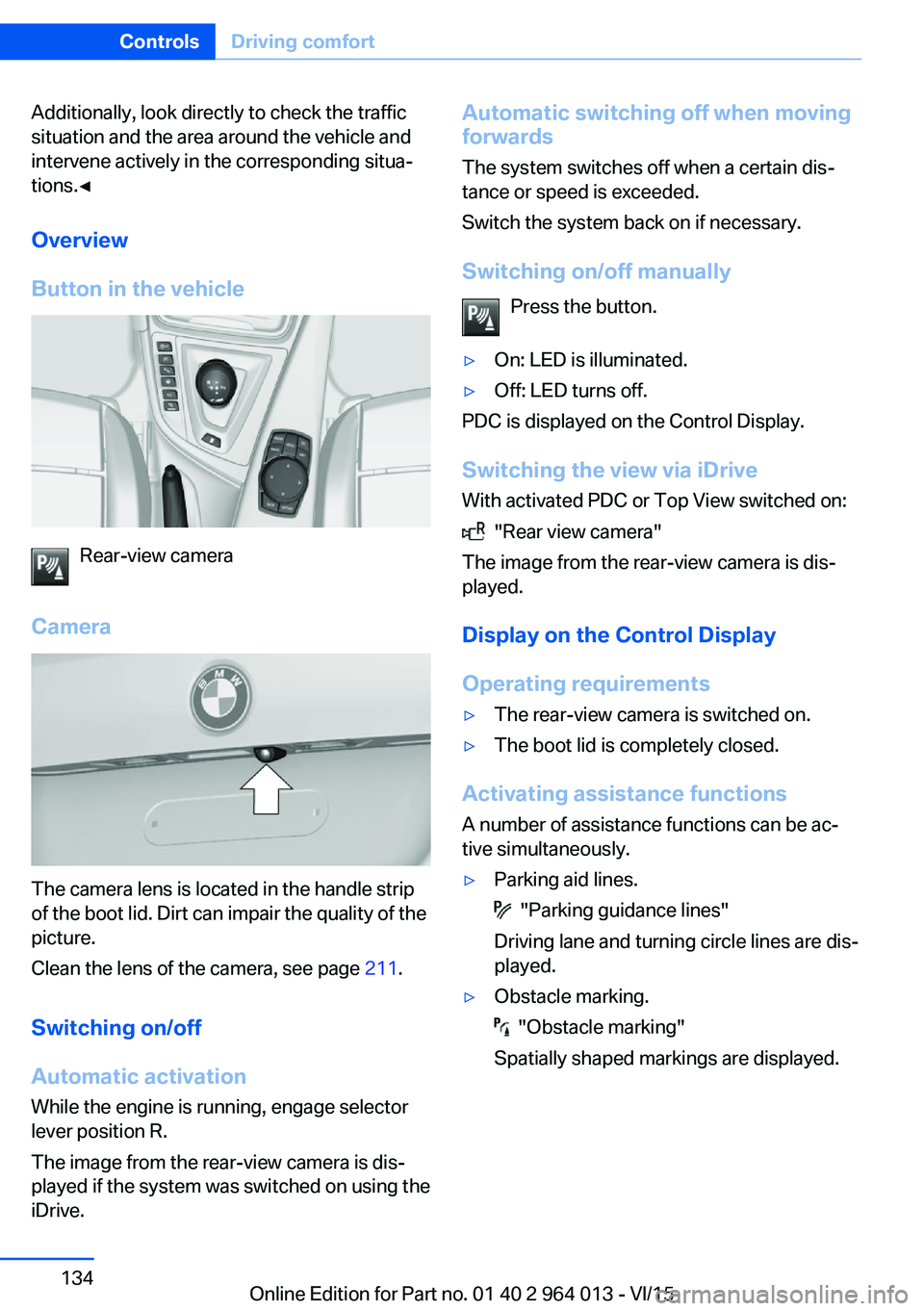
Button in the vehicle
Rear-view camera
Camera
The camera lens is located in the handle strip
of the boot lid. Dirt can impair the quality of the
picture.
Clean the lens of the camera, see page 211.
Switching on/off Automatic activation While the engine is running, engage selector
lever position R.
The image from the rear-view camera is dis‐
played if the system was switched on using the
iDrive.
Automatic switching off when moving
forwards
The system switches off when a certain dis‐
tance or speed is exceeded.
Switch the system back on if necessary.
Switching on/off manually Press the button.▷On: LED is illuminated.▷Off: LED turns off.
PDC is displayed on the Control Display.
Switching the view via iDrive With activated PDC or Top View switched on:
"Rear view camera"
The image from the rear-view camera is dis‐
played.
Display on the Control Display
Operating requirements
▷The rear-view camera is switched on.▷The boot lid is completely closed.
Activating assistance functions
A number of assistance functions can be ac‐
tive simultaneously.
▷Parking aid lines.
"Parking guidance lines"
Driving lane and turning circle lines are dis‐
played.
▷Obstacle marking.
"Obstacle marking"
Spatially shaped markings are displayed.
Seite 134ControlsDriving comfort134
Online Edition for Part no. 01 40 2 964 013 - VI/15
Page 137 of 228
Cleaning camera lenses, see page 211.
Switching on/off Switching on/off manually Press the button.
Automatic switching off when moving
forwards
The system switches off when a certain dis‐
tance or speed is exceeded.
Switch the system back on if necessary.
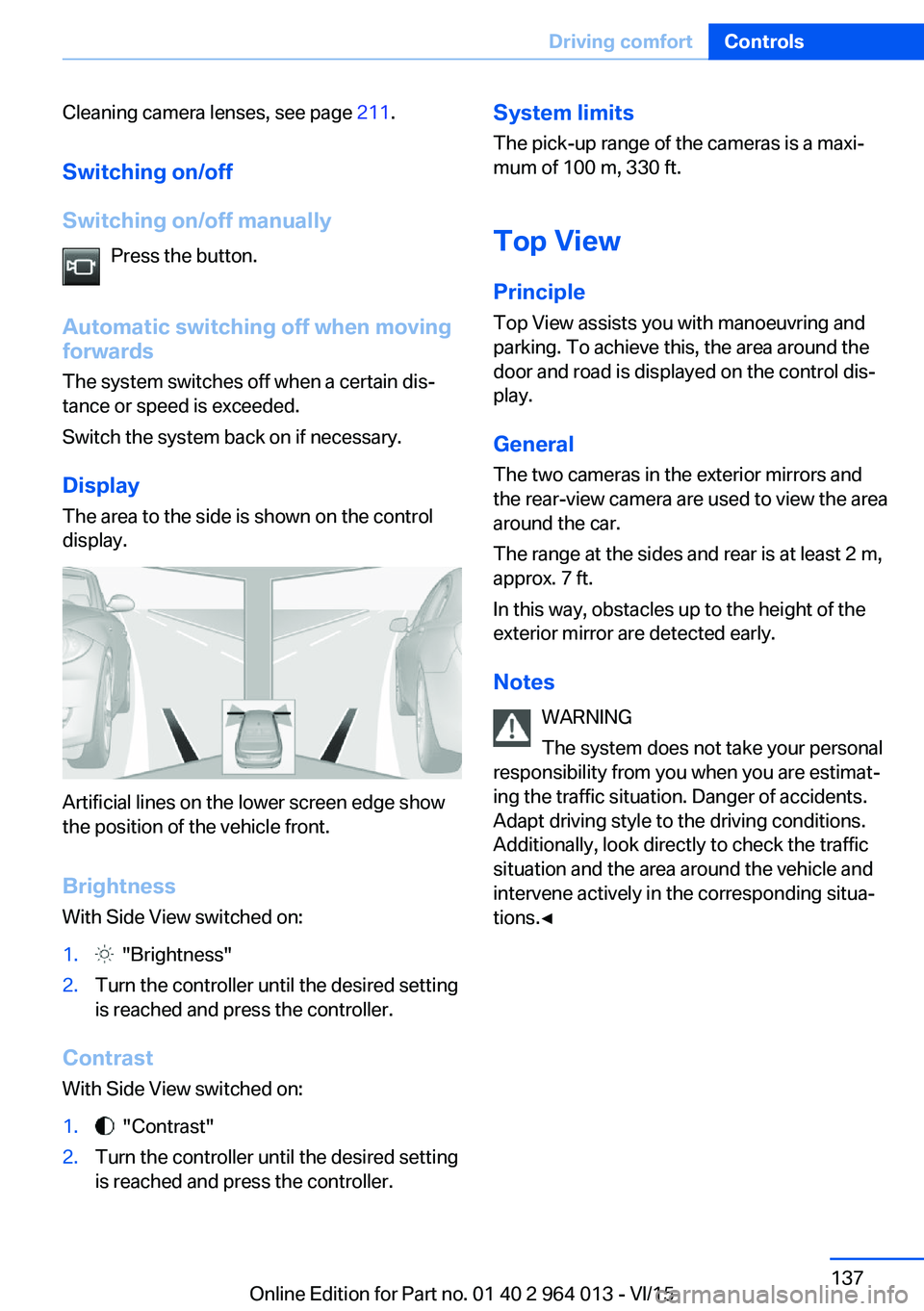
Display
The area to the side is shown on the control
display.
Artificial lines on the lower screen edge show
the position of the vehicle front.
Brightness
With Side View switched on:
1. "Brightness"2.Turn the controller until the desired setting
is reached and press the controller.
Contrast
With Side View switched on:
1. "Contrast"2.Turn the controller until the desired setting
is reached and press the controller.System limits
The pick-up range of the cameras is a maxi‐
mum of 100 m, 330 ft.
Top View
Principle Top View assists you with manoeuvring and
parking. To achieve this, the area around the
door and road is displayed on the control dis‐
play.
General
The two cameras in the exterior mirrors and
the rear-view camera are used to view the area
around the car.
The range at the sides and rear is at least 2 m,
approx. 7 ft.
In this way, obstacles up to the height of the
exterior mirror are detected early.
Notes WARNING
The system does not take your personal
responsibility from you when you are estimat‐
ing the traffic situation. Danger of accidents.
Adapt driving style to the driving conditions.
Additionally, look directly to check the traffic
situation and the area around the vehicle and
intervene actively in the corresponding situa‐
tions.◀Seite 137Driving comfortControls137
Online Edition for Part no. 01 40 2 964 013 - VI/15
Page 139 of 228
2.Turn the controller until the desired setting
is reached and press the controller.
Displaying the turning circle and
driving lane line
▷The static red turning circle line indicates
the space requirement to the side with full
steering angle.▷The variable green driving lane line helps to
estimate the actual space requirement to
the side.
The lane line depends on the engaged
gear and the current steering angle. The
lane line is continuously adjusted by the
steering wheel movement.
"Parking guidance lines"
The turning circle and driving lane lines are
displayed.
System limits
Top View cannot be used in the following sit‐
uations:
▷With a door open.▷With the boot lid open.▷With an exterior mirror folded in.▷In poor light conditions.
In some of these situations a Check Control
message is displayed.
Park Assistant
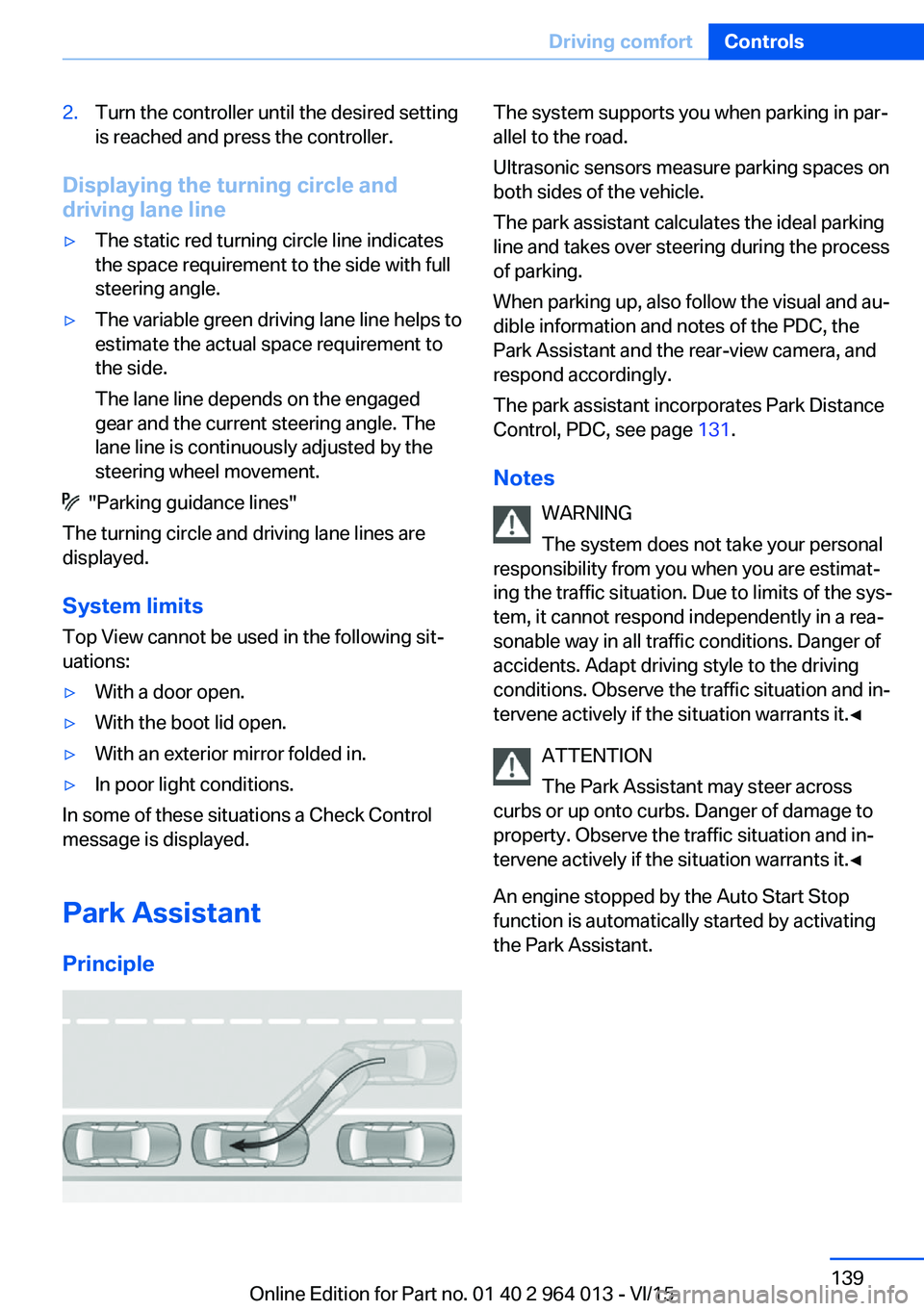
Principle
The system supports you when parking in par‐
allel to the road.
Ultrasonic sensors measure parking spaces on
both sides of the vehicle.
The park assistant calculates the ideal parking
line and takes over steering during the process
of parking.
When parking up, also follow the visual and au‐
dible information and notes of the PDC, the
Park Assistant and the rear-view camera, and
respond accordingly.
The park assistant incorporates Park Distance
Control, PDC, see page 131.
Notes WARNING
The system does not take your personal
responsibility from you when you are estimat‐
ing the traffic situation. Due to limits of the sys‐
tem, it cannot respond independently in a rea‐
sonable way in all traffic conditions. Danger of
accidents. Adapt driving style to the driving
conditions. Observe the traffic situation and in‐
tervene actively if the situation warrants it.◀
ATTENTION
The Park Assistant may steer across
curbs or up onto curbs. Danger of damage to
property. Observe the traffic situation and in‐
tervene actively if the situation warrants it.◀
An engine stopped by the Auto Start Stop
function is automatically started by activating
the Park Assistant.Seite 139Driving comfortControls139
Online Edition for Part no. 01 40 2 964 013 - VI/15
Page 140 of 228
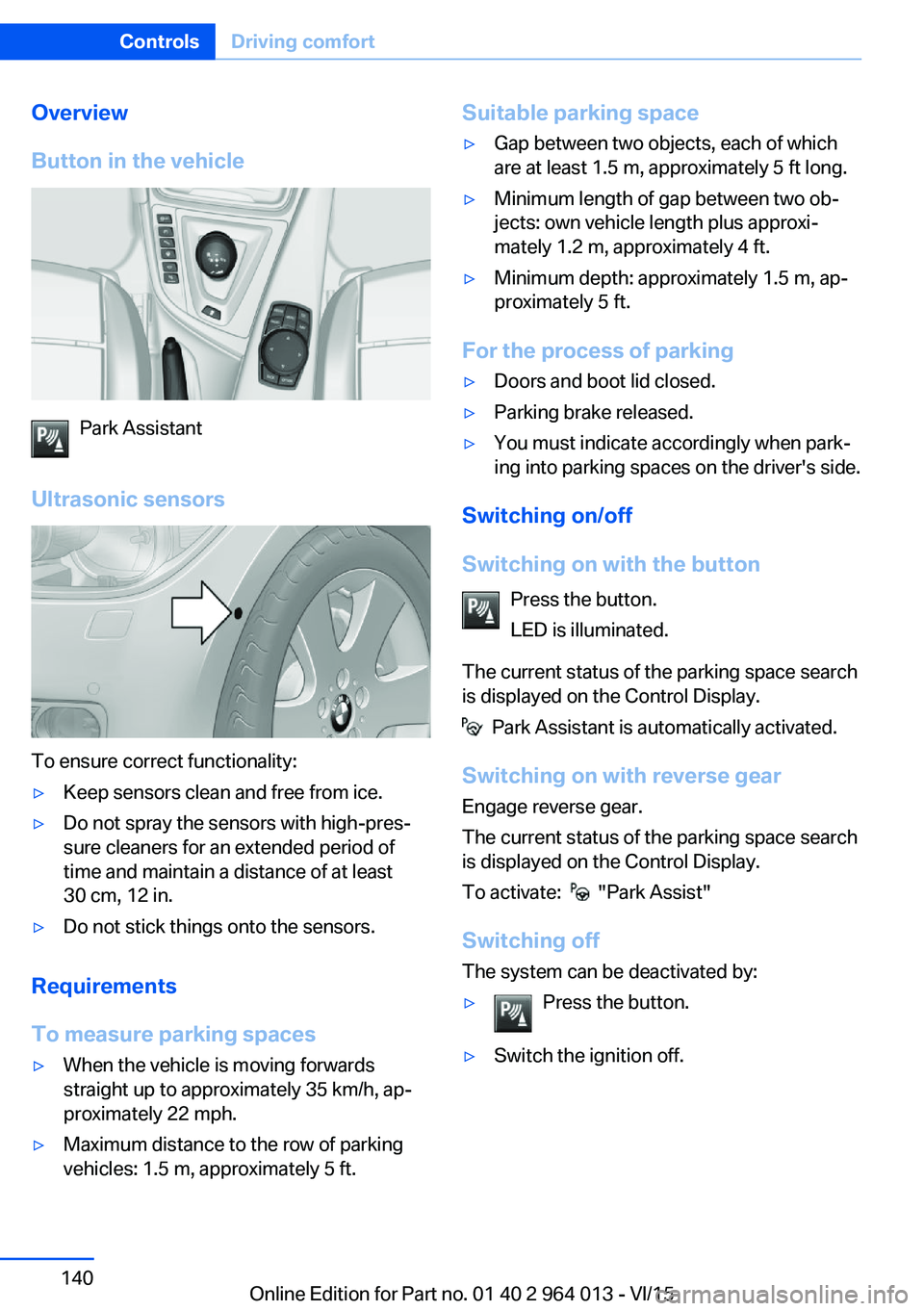
Overview
Button in the vehicle
Park Assistant
Ultrasonic sensors
To ensure correct functionality:
▷Keep sensors clean and free from ice.▷Do not spray the sensors with high-pres‐
sure cleaners for an extended period of
time and maintain a distance of at least
30 cm, 12 in.▷Do not stick things onto the sensors.
Requirements
To measure parking spaces
▷When the vehicle is moving forwards
straight up to approximately 35 km/h, ap‐
proximately 22 mph.▷Maximum distance to the row of parking
vehicles: 1.5 m, approximately 5 ft.Suitable parking space▷Gap between two objects, each of which
are at least 1.5 m, approximately 5 ft long.▷Minimum length of gap between two ob‐
jects: own vehicle length plus approxi‐
mately 1.2 m, approximately 4 ft.▷Minimum depth: approximately 1.5 m, ap‐
proximately 5 ft.
For the process of parking
▷Doors and boot lid closed.▷Parking brake released.▷You must indicate accordingly when park‐
ing into parking spaces on the driver's side.
Switching on/off
Switching on with the button Press the button.
LED is illuminated.
The current status of the parking space search
is displayed on the Control Display.
Park Assistant is automatically activated.
Switching on with reverse gear
Engage reverse gear.
The current status of the parking space search
is displayed on the Control Display.
To activate:
"Park Assist"
Switching off The system can be deactivated by:
▷Press the button.▷Switch the ignition off.Seite 140ControlsDriving comfort140
Online Edition for Part no. 01 40 2 964 013 - VI/15
Page 141 of 228
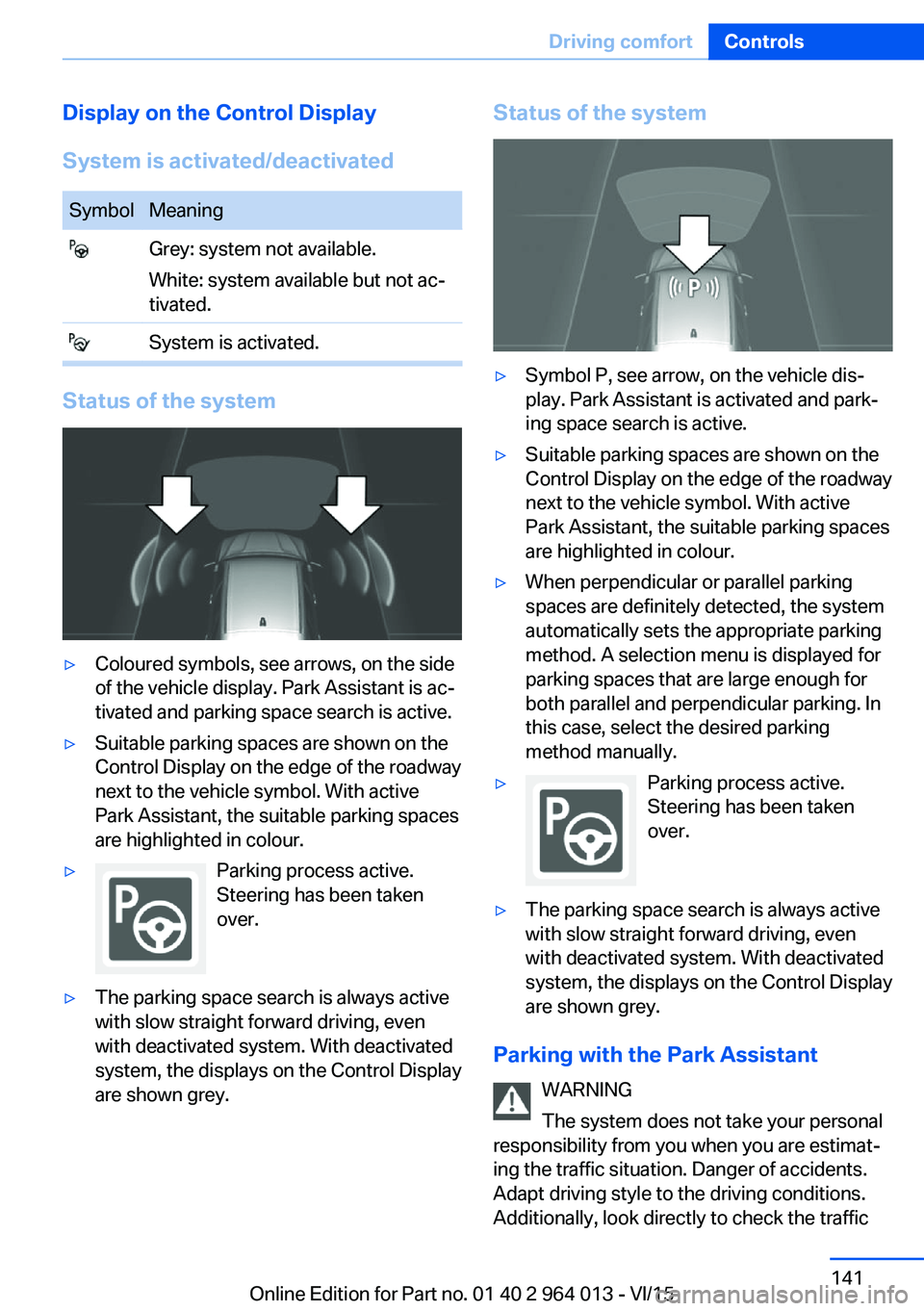
Display on the Control Display
System is activated/deactivatedSymbolMeaning Grey: system not available.
White: system available but not ac‐
tivated. System is activated.
Status of the system
▷Coloured symbols, see arrows, on the side
of the vehicle display. Park Assistant is ac‐
tivated and parking space search is active.▷Suitable parking spaces are shown on the
Control Display on the edge of the roadway
next to the vehicle symbol. With active
Park Assistant, the suitable parking spaces
are highlighted in colour.▷Parking process active.
Steering has been taken
over.▷The parking space search is always active
with slow straight forward driving, even
with deactivated system. With deactivated
system, the displays on the Control Display
are shown grey.Status of the system▷Symbol P, see arrow, on the vehicle dis‐
play. Park Assistant is activated and park‐
ing space search is active.▷Suitable parking spaces are shown on the
Control Display on the edge of the roadway
next to the vehicle symbol. With active
Park Assistant, the suitable parking spaces
are highlighted in colour.▷When perpendicular or parallel parking
spaces are definitely detected, the system
automatically sets the appropriate parking
method. A selection menu is displayed for
parking spaces that are large enough for
both parallel and perpendicular parking. In
this case, select the desired parking
method manually.▷Parking process active.
Steering has been taken
over.▷The parking space search is always active
with slow straight forward driving, even
with deactivated system. With deactivated
system, the displays on the Control Display
are shown grey.
Parking with the Park Assistant
WARNING
The system does not take your personal
responsibility from you when you are estimat‐
ing the traffic situation. Danger of accidents.
Adapt driving style to the driving conditions.
Additionally, look directly to check the traffic
Seite 141Driving comfortControls141
Online Edition for Part no. 01 40 2 964 013 - VI/15