maintenance BMW M5 SEDAN 2003 Service Manual
[x] Cancel search | Manufacturer: BMW, Model Year: 2003, Model line: M5 SEDAN, Model: BMW M5 SEDAN 2003Pages: 155, PDF Size: 1.87 MB
Page 77 of 155
77n
OverviewControlsMaintenanceRepairsDataIndex
ComputerAfter three incorrect code entries,
or three attempts to start the engine
without a code entry, the alarm will
sound for 30 seconds on vehicles
equipped with an alarm system.
Setting the alarm in an emergency:
If you have forgotten the code, proceed
as follows:
1. Disconnect the battery, wait about
2 minutes, then reconnect it. Note
that on vehicles with an alarm
system, the alarm will sound
2. Turn the ignition key to position 1:
The time display will count down for
the next ten minutes
3. After ten minutes, start the engine.
If the code becomes available
again in the meantime, it can be
entered during the waiting period after
pressing the CODE button.<
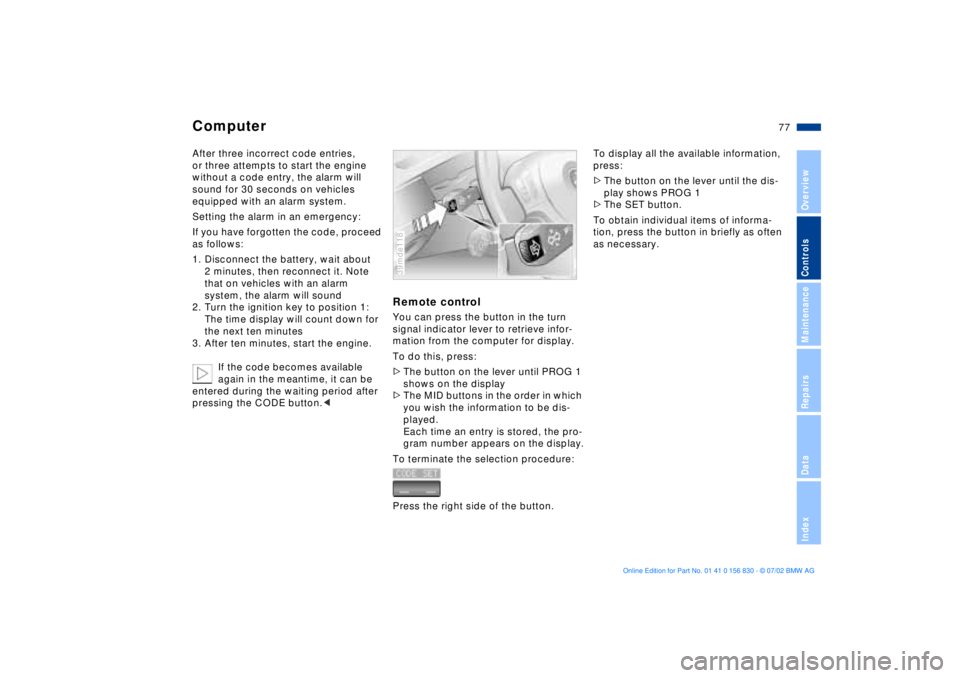
Remote controlYou can press the button in the turn
signal indicator lever to retrieve infor-
mation from the computer for display.
To do this, press:
>The button on the lever until PROG 1
shows on the display
>The MID buttons in the order in which
you wish the information to be dis-
played.
Each time an entry is stored, the pro-
gram number appears on the display.
To terminate the selection procedure:
Press the right side of the button.39mde118
To display all the available information,
press:
>The button on the lever until the dis-
play shows PROG 1
>The SET button.
To obtain individual items of informa-
tion, press the button in briefly as often
as necessary.
Page 79 of 155
79n
OverviewControlsMaintenanceRepairsDataIndex
Park Distance Control (PDC)
*
PDC does not remove the driver's
personal responsibility for evalu-
ating the distance between the vehicle
and any obstacles. Even with the sen-
sors, there is a blind spot in which
objects cannot be detected. This
applies especially in those cases where
the system approaches the physical
limits of ultrasonic measurement, as
occurs with e. g. tow bars and trailer
couplings, and in the vicinity of thin or
wedge-shaped objects.
Certain sources of sound, such as a
loud radio, could drown out the PDC
signal tone.<
Keep the sensors clean and free
of ice or snow in order to ensure
that they will continue to operate effec-
tively.
Do not apply high-pressure spray to the
sensors for a prolonged period of time.
Maintain an adequate distance of more
than 4 in (10 cm).<
Page 81 of 155
81n
OverviewControlsMaintenanceRepairsDataIndex
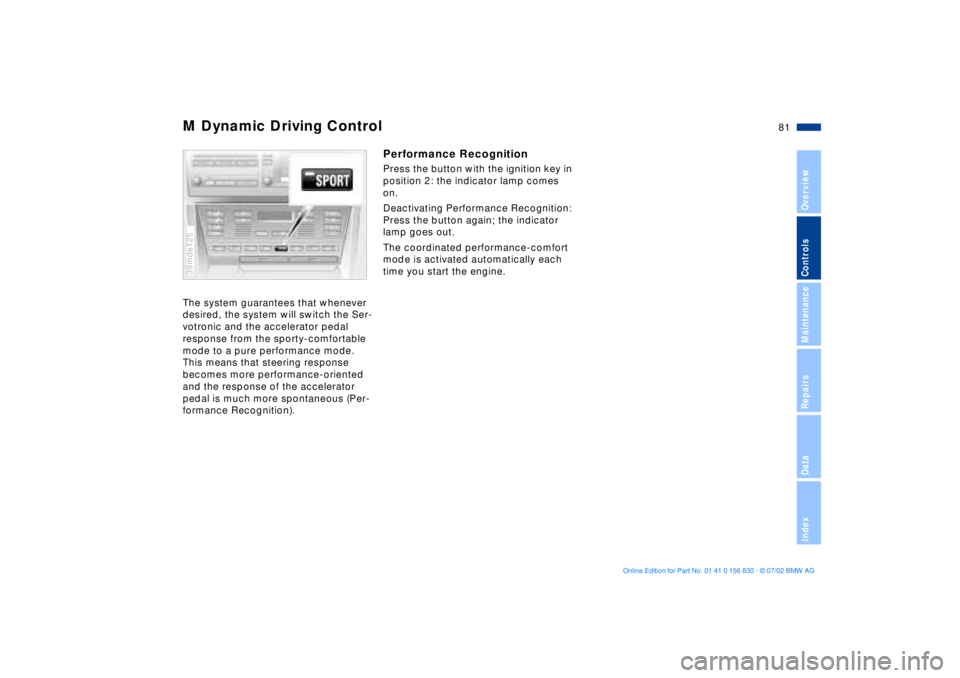
M Dynamic Driving ControlThe system guarantees that whenever
desired, the system will switch the Ser-
votronic and the accelerator pedal
response from the sporty-comfortable
mode to a pure performance mode.
This means that steering response
becomes more performance-oriented
and the response of the accelerator
pedal is much more spontaneous (Per-
formance Recognition). 39mde125
Performance Recognition Press the button with the ignition key in
position 2: the indicator lamp comes
on.
Deactivating Performance Recognition:
Press the button again; the indicator
lamp goes out.
The coordinated performance-comfort
mode is activated automatically each
time you start the engine.
Page 83 of 155
83n
OverviewControlsMaintenanceRepairsDataIndex
Flat Tire MonitorFlat tireIn the event of a flat tire, the message,
"TIRE DEFECT" will appear in the
Check Control. This visual alert will be
accompanied by a gong.
If this occurs, reduce vehicle speed
immediately and stop the vehicle. Avoid
hard braking and overcorrecting at the
steering wheel.
Correct the flat tire using the M Mobility
system (refer to page 128).
The Flat Tire Monitor cannot alert
you to severe and sudden tire
damage caused by external factors.
Another factor which the Flat Tire Mon-
itor does not recognize is the balanced
and very gradual pressure loss that
takes place in all tires over an extended
period of time.<
Check the tire inflation pressure
on a regular basis and correct if
necessary. Refer to page 22.
Do not carry out any kind of system
activation when using snow chains.
Under these kinds of conditions, false
warnings and unidentified losses in
pressure are possible.
In certain circumstances, when driving
on snow-covered or slippery road sur-
faces, there may be a delay in identi-
fying any loss in inflation pressure.
Performance-oriented driving (slip at
the drive wheels, high levels of lateral
acceleration) can also delay the appear-
ance of status messages in the Flat Tire
Monitor's display panel.<
System malfunctionsThe message "TIRECONTROL INAC-
TIVE" appears in the Check Control
and remains on until the problem is cor-
rected.
The same message is displayed if there
is a system malfunction.
Please refer the problem to your BMW
center.
Page 85 of 155
85n
OverviewControlsMaintenanceRepairsDataIndex
Instrument lighting
High beams/Standing lamps
Fog lamps
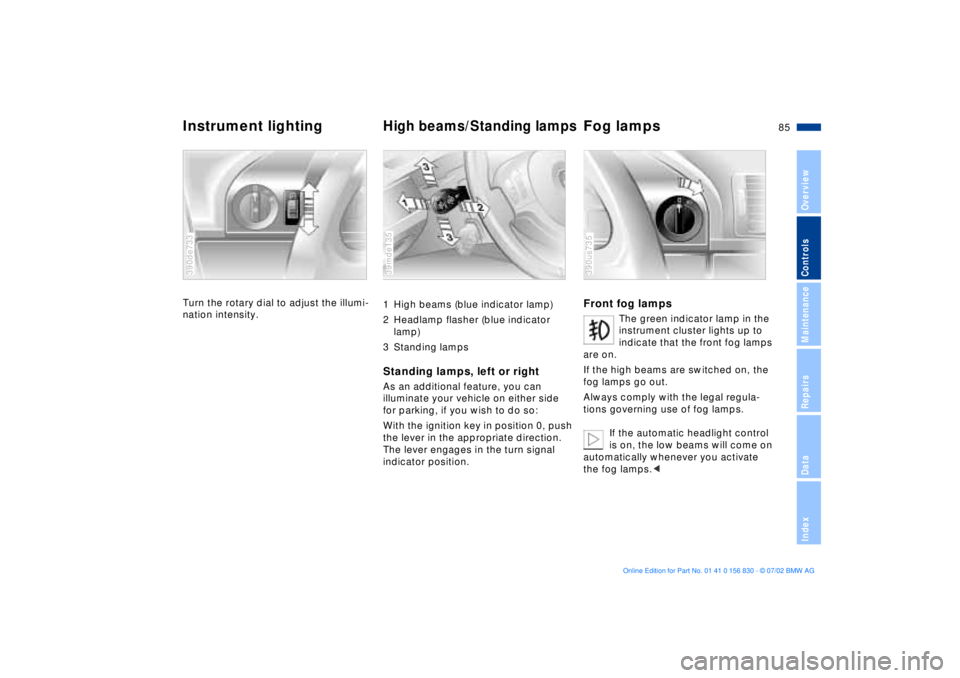
Turn the rotary dial to adjust the illumi-
nation intensity. 390de733
1 High beams (blue indicator lamp)
2 Headlamp flasher (blue indicator
lamp)
3 Standing lampsStanding lamps, left or rightAs an additional feature, you can
illuminate your vehicle on either side
for parking, if you wish to do so:
With the ignition key in position 0, push
the lever in the appropriate direction.
The lever engages in the turn signal
indicator position.39mde135
Front fog lamps
The green indicator lamp in the
instrument cluster lights up to
indicate that the front fog lamps
are on.
If the high beams are switched on, the
fog lamps go out.
Always comply with the legal regula-
tions governing use of fog lamps.
If the automatic headlight control
is on, the low beams will come on
automatically whenever you activate
the fog lamps.<
390us735
Page 87 of 155
87n
OverviewControlsMaintenanceRepairsDataIndex
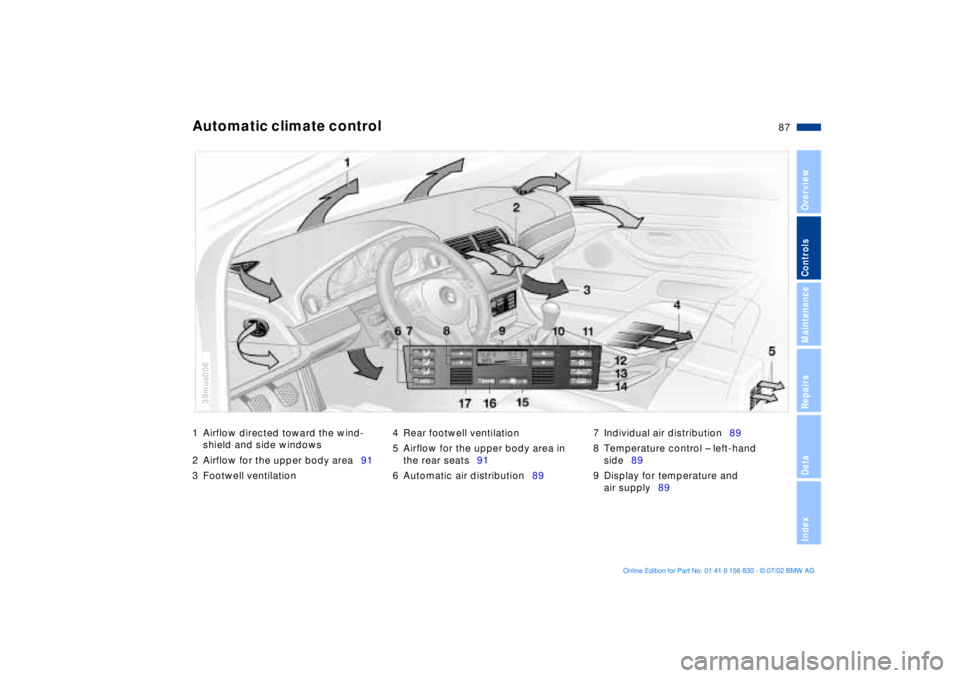
1 Airflow directed toward the wind-
shield and side windows
2 Airflow for the upper body area91
3 Footwell ventilation4 Rear footwell ventilation
5 Airflow for the upper body area in
the rear seats91
6 Automatic air distribution897 Individual air distribution89
8 Temperature control Ð left-hand
side89
9 Display for temperature and
air supply89Automatic climate control
39mus006
Page 89 of 155
89n
OverviewControlsMaintenanceRepairsDataIndex
Automatic climate controlTips for pleasant drivingUse the automatic system (switch on
with AUTO button 6). Select an interior
temperature that you find comfortable.
The following description will lead you
through additional individual settings.
Your BMW center can program
the settings of your vehicle in such
a manner that, when you unlock the
vehicle with your individualized key,
your own personalized setting for the
automatic climate control is initiated.
assumes the adjustment of
the air distribution and the air supply for
you and Ð in addition to that Ð adapts
the temperature to external influences
(summer, winter) to meet preferences
you can specify.
Individual air distribution
You also have the option of
individually configuring the
air distribution pattern to
suit your own personal pref-
erences. While the AUTO
program is then deactivated, the auto-
matic airflow control remains in opera-
tion. The system directs air to the win-
dows , the upper body and into
the footwells . You can reactivate the
automatic air distribution mode by
selecting the AUTO button.
Temperature
You can make individual
temperature settings on the
driver's side or the front
passenger side. The figures in the dis-
play provide a general indication of
interior temperature. We recommend a
setting of 72 7 (22 6) for a congenial
interior climate, even when the air con-
ditioner is in operation. When you start
the vehicle, the system ensures that the
selected temperature is achieved as
quickly as possible. It then maintains
this temperature, regardless of the
season.
Air supply
In the AUTO program, the
airflow is controlled auto-
matically. AUTO will appear in display 9,
refer to the overview on page 87.
Use "+" and "Ð" to vary the airflow.
Your setting is displayed with bars and
the automatic air supply is switched off.
The automatic air distribution setting is
maintained. You can reactivate the
automatic air supply by pressing the
AUTO button.
When you press "Ð" during operation at
the lowest blower speed, all displays
are canceled: the blower, heating and
air conditioning are switched off. The
outside air supply is deactivated. By
pressing the desired button on the
automatic climate control (except MAX
button 16), you can switch the system
back on.
To defrost windows and remove
condensation
This program quickly
removes ice and conden-
sation from the windshield and the side
windows.
Page 91 of 155
91n
OverviewControlsMaintenanceRepairsDataIndex
Automatic climate control Draft-free ventilation You can adjust the vent outlets for the
upper body area for optimal personal
comfort:
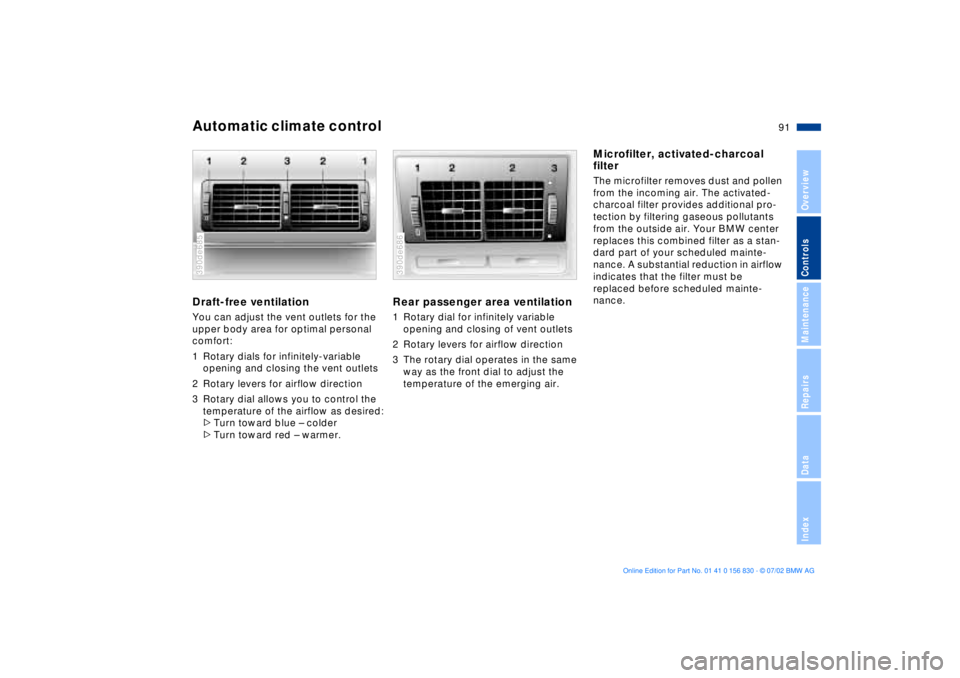
1 Rotary dials for infinitely-variable
opening and closing the vent outlets
2 Rotary levers for airflow direction
3 Rotary dial allows you to control the
temperature of the airflow as desired:
>Turn toward blue Ð colder
>Turn toward red Ð warmer.390de685
Rear passenger area ventilation1 Rotary dial for infinitely variable
opening and closing of vent outlets
2 Rotary levers for airflow direction
3 The rotary dial operates in the same
way as the front dial to adjust the
temperature of the emerging air.390de686
Microfilter, activated-charcoal
filter The microfilter removes dust and pollen
from the incoming air. The activated-
charcoal filter provides additional pro-
tection by filtering gaseous pollutants
from the outside air. Your BMW center
replaces this combined filter as a stan-
dard part of your scheduled mainte-
nance. A substantial reduction in airflow
indicates that the filter must be
replaced before scheduled mainte-
nance.
Page 93 of 155
93n
OverviewControlsMaintenanceRepairsDataIndex
The conceptThe BMW Universal Transmitter
replaces up to 3 hand-held transmitters,
e.g. for garage-door openers, alarm
systems or a door-locking system. The
BMW Universal Transmitter recognizes
and "learns" the signal transmitted from
each of the original hand-held transmit-
ters.
The signal of an original hand-held
transmitter can be programmed to one
of the three channel keys. Following
that, each of the devices can be actu-
ated with the appropriately-pro-
grammed channel key. The indicator
lamp flashes to confirm transmission of
the signal.
Before you sell your vehicle, the pro-
gram data in the channel keys should
be deleted. Refer to page 95 for the
description of this process.
To prevent potential injuries or
damage: during the programming
operation and before every remote trig-
gering of a programmed device using
the BMW Universal Transmitter, be sure
that there are no persons, animals or
objects within the range of movement of
the respective device. Read and comply
with the safety instructions for the orig-
inal hand-held transmitter also.<
To Canadian residents
During programming, your hand-
held transmitter may automatically stop
transmitting after two seconds. This
may not be long enough to program the
BMW Universal Transmitter. If you are
programming from one of these hand-
held transmitters, the BMW Universal
Transmitter's light may begin to flash in
a series of double-blinks. If this occurs,
continue to hold the key on the BMW
Universal Transmitter while you reacti-
vate your hand-held transmitter. You
may have to repeat this function several
times while programming.<
Before programming, read the
"User's information" section on
page 95.< The original hand-held transmitter
If this symbol is depicted on
the packaging or in the user's
instructions for the original
hand-held transmitter, it may be
assumed that this original hand-held
transmitter is compatible with the BMW
Universal Transmitter.
Checking for the conversion codeIn order to determine whether the orig-
inal hand-held transmitter is equipped
with a conversion code system, you
may either refer to the instructions for
the original hand-held transmitter or
program a channel key as described in
the left-hand column on page 94 under
"Programming."
Following that, press and hold the pro-
grammed channel key on the BMW Uni-
versal Transmitter. If the indicator lamp
on the BMW Universal Transmitter
flashes rapidly for two seconds and
then stays on continuously, the original
hand-held transmitter is equipped with
a conversion code system. If the con-
version code system is available, pro-
gram the channel keys as described on
page 94 in the right-hand column under
"Programming a hand-held transmitter
with conversion code."
If you have additional questions,
please consult your BMW center
or call 1-800-355-3515.<
BMW Universal Transmitter
*
Page 95 of 155
95n
OverviewControlsMaintenanceRepairsDataIndex
BMW Universal Transmitter
*
1. Program the BMW Universal Trans-
mitter as described on the previous
page under "Programming"
2. Press and hold the programming key
on the receiver of the device for
about two seconds or until the pro-
gramming lamp on the device comes
on
3. Press the desired channel key on the
BMW Universal Transmitter three
times.
If you have additional questions,
please consult your BMW center
or call 1-800-355-3515.<
Deleting the channel keys
Read and comply with the safety
precautions on page 93.<
Individual channel keys cannot be
deleted. However, the three channel
keys can be deleted together in the fol-
lowing manner:
>Press and hold the two outside
channel keys on the BMW Universal
Transmitter until the indicator lamp
flashes, then release the keys.
All channel keys are deleted.
User's informationDo not use this BMW Universal Trans-
mitter with any garage-door opener that
lacks safety "stop" and "reverse" fea-
tures as required by federal safety stan-
dards, (this includes any garage- door
opener model manufactured before
April 1st, 1982).
This device complies with Part 15 of the
FCC Rules. Operation is subject to the
following two conditions: (1) This device
may not cause harmful interference,
and (2) This device must accept any
interference received, including inter-
ference that may cause undesired
operation.