lock BMW X3 3.0I 2004 E83 Owner's Guide
[x] Cancel search | Manufacturer: BMW, Model Year: 2004, Model line: X3 3.0I, Model: BMW X3 3.0I 2004 E83Pages: 132, PDF Size: 3.62 MB
Page 60 of 132
Lamps
58
Activating the Adaptive Head Light
In ignition key position 2, turn the
light switch to the position 'Auto-
matic headlamp control'.
When the vehicle is backing up, the
Adaptive Head Light is inactive; when
the vehicle is at a standstill, it is only active
in one direction.<
Malfunction
The LED above the symbol for automatic
headlamp control flashes. Please have it
checked by your BMW Sports Activity
Vehicle Center.
Instrument lighting
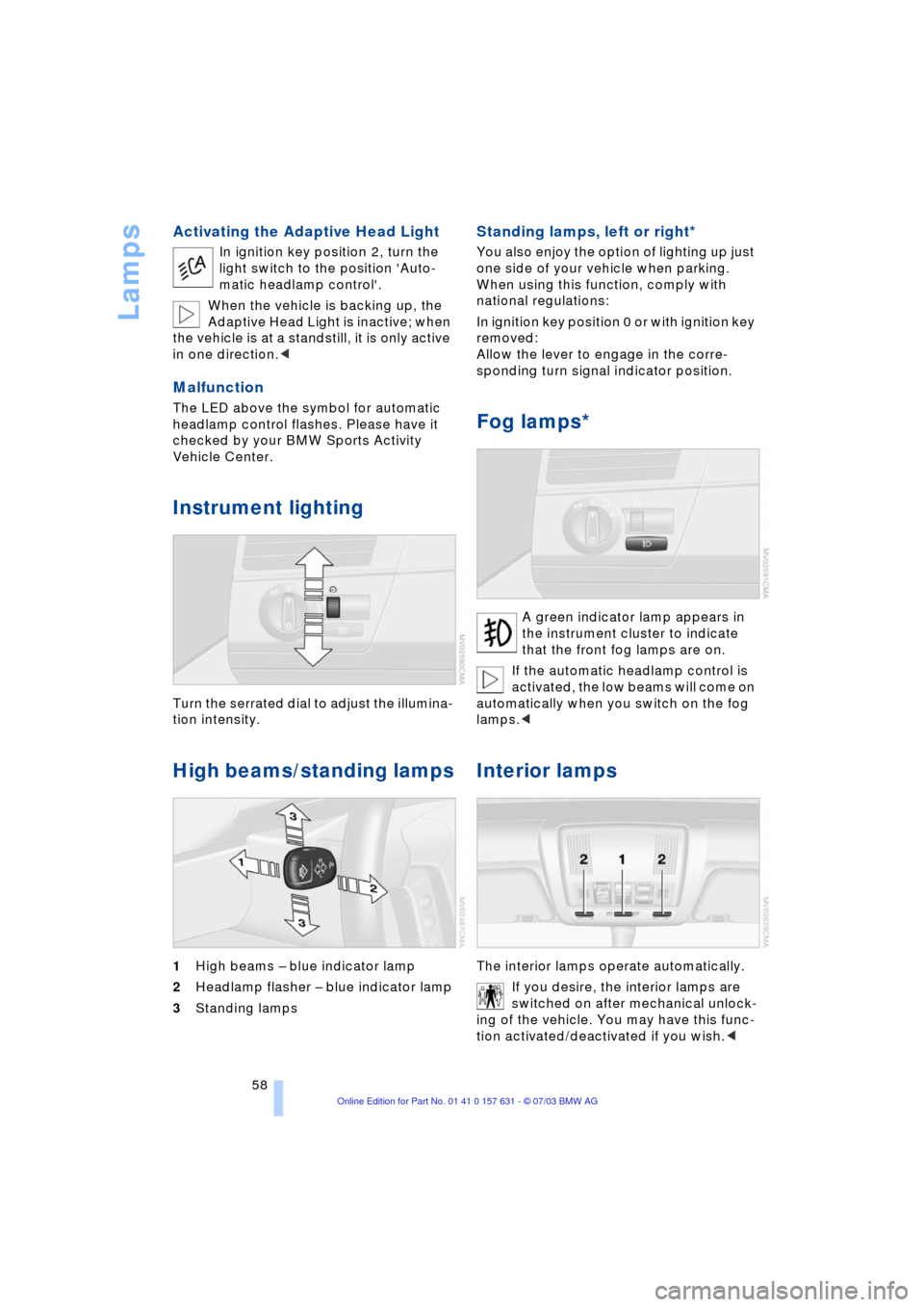
Turn the serrated dial to adjust the illumina-
tion intensity.
High beams/standing lamps
1High beams Ð blue indicator lamp
2Headlamp flasher Ð blue indicator lamp
3Standing lamps
Standing lamps, left or right*
You also enjoy the option of lighting up just
one side of your vehicle when parking.
When using this function, comply with
national regulations:
In ignition key position 0 or with ignition key
removed:
Allow the lever to engage in the corre-
sponding turn signal indicator position.
Fog lamps*
A green indicator lamp appears in
the instrument cluster to indicate
that the front fog lamps are on.
If the automatic headlamp control is
activated, the low beams will come on
automatically when you switch on the fog
lamps.<
Interior lamps
The interior lamps operate automatically.
If you desire, the interior lamps are
switched on after mechanical unlock-
ing of the vehicle. You may have this func-
tion activated/deactivated if you wish.<
Page 63 of 132
Reference
At a glance
Controls
Driving tips
Mobility
61
Air supply/blower
You can select blower speeds 1
to 4. The heating and ventilation
become more and more effec-
tive as the air supply settings
are increased. In position 0, the
blower and heater are switched off. The air
supply is blocked in position 0.
Temperature
To increase the temperature of
the interior, turn to the right.
Air distribution
You can direct air to flow onto
the windows , toward the
upper body and into the
footwell . All intermediate
settings are possible. In the
setting, there is a low flow of air onto the
windows to keep them free of condensa-
tion.
Rear window defroster
When the rear window
defroster is activated,
the indicator lamp comes on.
The rear window defroster switches off
automatically.
You can have your vehicle pro-
grammed in such a way that the rear
window defroster switches on automati-
cally. It is then switched on at outside tem-
peratures of less than approx. +46/397
within 5 minutes of the engine start.<
Air conditioning
The air is cooled and dehumidi-
fied and Ñ depending on the
temperature setting Ñ warmed
again. Depending on the weather, the
windshield may fog over briefly when the
engine is started. You can reduce conden-
sation forming on the windows by switch-
ing on the air conditioning.
During air conditioning condensation
forms, which then exits under the vehicle. Traces of condensed water of this
kind are thus normal.<
Outside air/recirculated-air mode
You can respond to unpleasant
odors outside the vehicle by
temporarily switching off the
outside air supply. The system then recir-
culates the air currently within the vehicle.
If condensation starts to form on the
inside window surfaces during opera-
tion in the recirculated-air mode, you
should switch it off while also increasing air
supply as required. The recirculated-air
mode should not be used over a sustained
longer period of time, as the air quality
inside the vehicle deteriorates.<
Ventilation
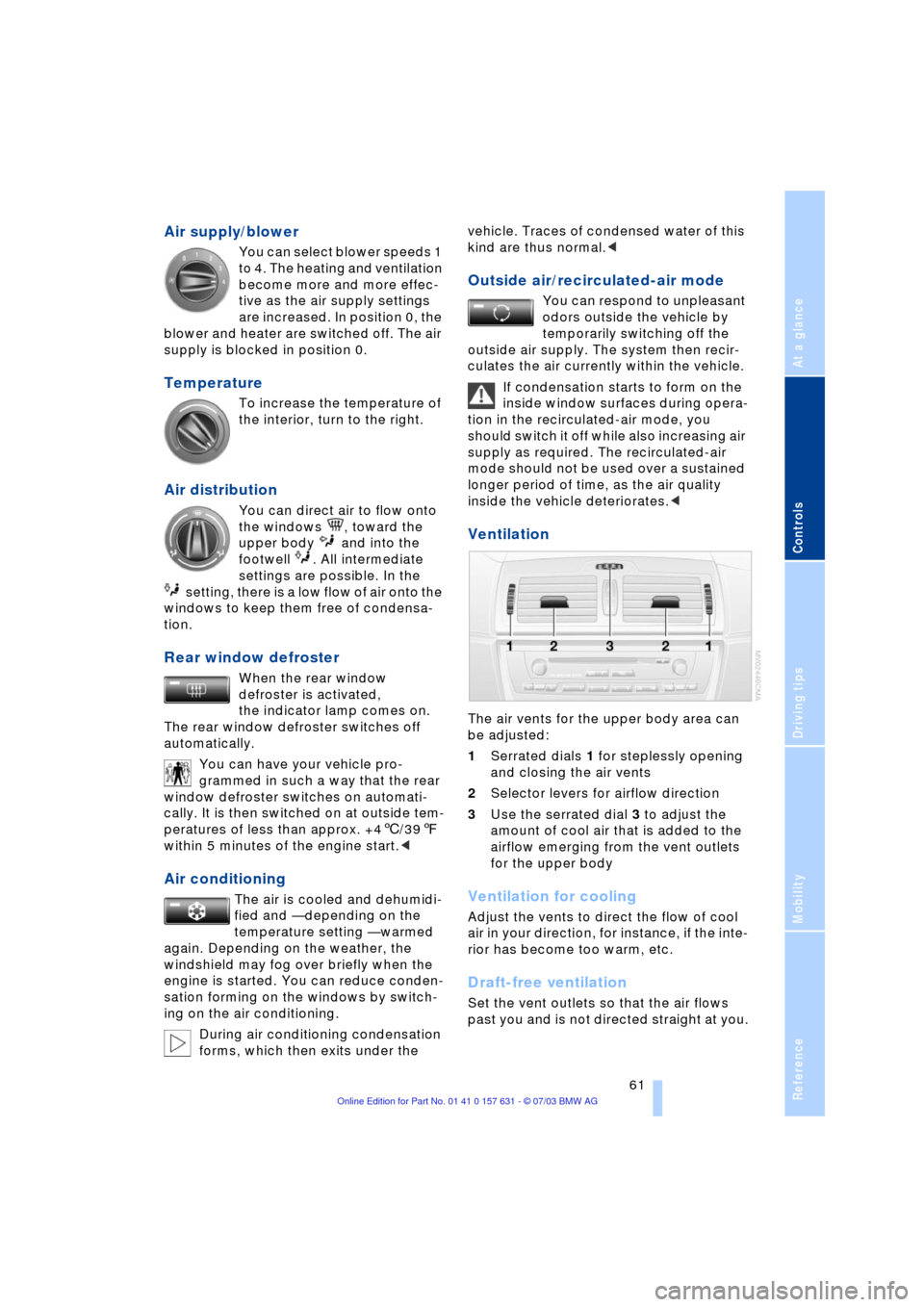
The air vents for the upper body area can
be adjusted:
1Serrated dials 1 for steplessly opening
and closing the air vents
2Selector levers for airflow direction
3Use the serrated dial 3 to adjust the
amount of cool air that is added to the
airflow emerging from the vent outlets
for the upper body
Ventilation for cooling
Adjust the vents to direct the flow of cool
air in your direction, for instance, if the inte-
rior has become too warm, etc.
Draft-free ventilation
Set the vent outlets so that the air flows
past you and is not directed straight at you.
Page 66 of 132
A congenial climate
64
A congenial climate
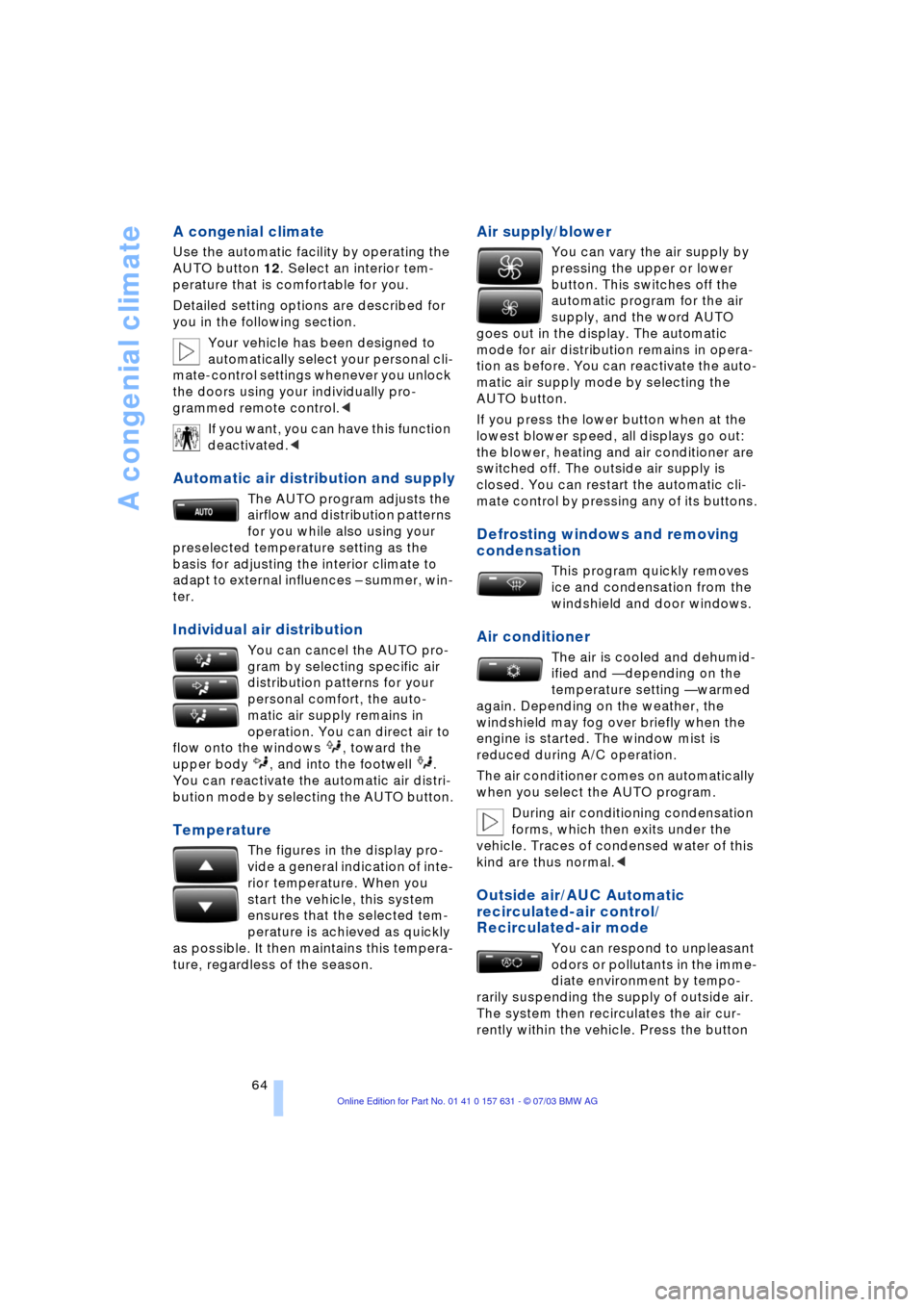
Use the automatic facility by operating the
AUTO button 12. Select an interior tem-
perature that is comfortable for you.
Detailed setting options are described for
you in the following section.
Your vehicle has been designed to
automatically select your personal cli-
mate-control settings whenever you unlock
the doors using your individually pro-
grammed remote control.<
If you want, you can have this function
deactivated.<
Automatic air distribution and supply
The AUTO program adjusts the
airflow and distribution patterns
for you while also using your
preselected temperature setting as the
basis for adjusting the interior climate to
adapt to external influences Ð summer, win-
ter.
Individual air distribution
You can cancel the AUTO pro-
gram by selecting specific air
distribution patterns for your
personal comfort, the auto-
matic air supply remains in
operation. You can direct air to
flow onto the windows , toward the
upper body , and into the footwell .
You can reactivate the automatic air distri-
bution mode by selecting the AUTO button.
Temperature
The figures in the display pro-
vide a general indication of inte-
rior temperature. When you
start the vehicle, this system
ensures that the selected tem-
perature is achieved as quickly
as possible. It then maintains this tempera-
ture, regardless of the season.
Air supply/blower
You can vary the air supply by
pressing the upper or lower
button. This switches off the
automatic program for the air
supply, and the word AUTO
goes out in the display. The automatic
mode for air distribution remains in opera-
tion as before. You can reactivate the auto-
matic air supply mode by selecting the
AUTO button.
If you press the lower button when at the
lowest blower speed, all displays go out:
the blower, heating and air conditioner are
switched off. The outside air supply is
closed. You can restart the automatic cli-
mate control by pressing any of its buttons.
Defrosting windows and removing
condensation
This program quickly removes
ice and condensation from the
windshield and door windows.
Air conditioner
The air is cooled and dehumid-
ified and Ñ depending on the
temperature setting Ñ warmed
again. Depending on the weather, the
windshield may fog over briefly when the
engine is started. The window mist is
reduced during A/C operation.
The air conditioner comes on automatically
when you select the AUTO program.
During air conditioning condensation
forms, which then exits under the
vehicle. Traces of condensed water of this
kind are thus normal.<
Outside air/AUC Automatic
recirculated-air control/
Recirculated-air mode
You can respond to unpleasant
odors or pollutants in the imme-
diate environment by tempo-
rarily suspending the supply of outside air.
The system then recirculates the air cur-
rently within the vehicle. Press the button
Page 67 of 132
Reference
At a glance
Controls
Driving tips
Mobility
65
repeatedly to run through the following
control sequence:
>Indicator lamps off: outside air flows
into the vehicle
>Left-hand indicator lamp on Ð AUC
mode: the system recognizes pollutants
in the outside air and blocks the flow of
air when necessary. The system then
recirculates the air currently within the
vehicle.
Depending on the air quality, the auto-
matic system then switches back and
forth between outside air supply and
recirculation of the air within the vehicle
>Right-hand indicator lamp on: the out-
side air supply into the vehicle is com-
pletely blocked. The system then recir-
culates the air currently within the
vehicle.
If condensation starts to form on the
inside window surfaces during opera-
tion in the recirculated-air mode, you
should switch it off while also increasing air
supply as required. The recirculated-air
mode should not be used over a sustained
longer period of time, as the air quality
inside the vehicle deteriorates.<
Rear window defroster
When the rear window
defroster is activated,
the indicator lamp comes on.
The rear window defroster switches off
automatically.
You can have your vehicle adjusted in
such a way that the rear window
defroster switches on automatically. It is
then switched on at outside temperatures
of less than approx. +46/397within
5 minutes of the engine start.<
Ventilation
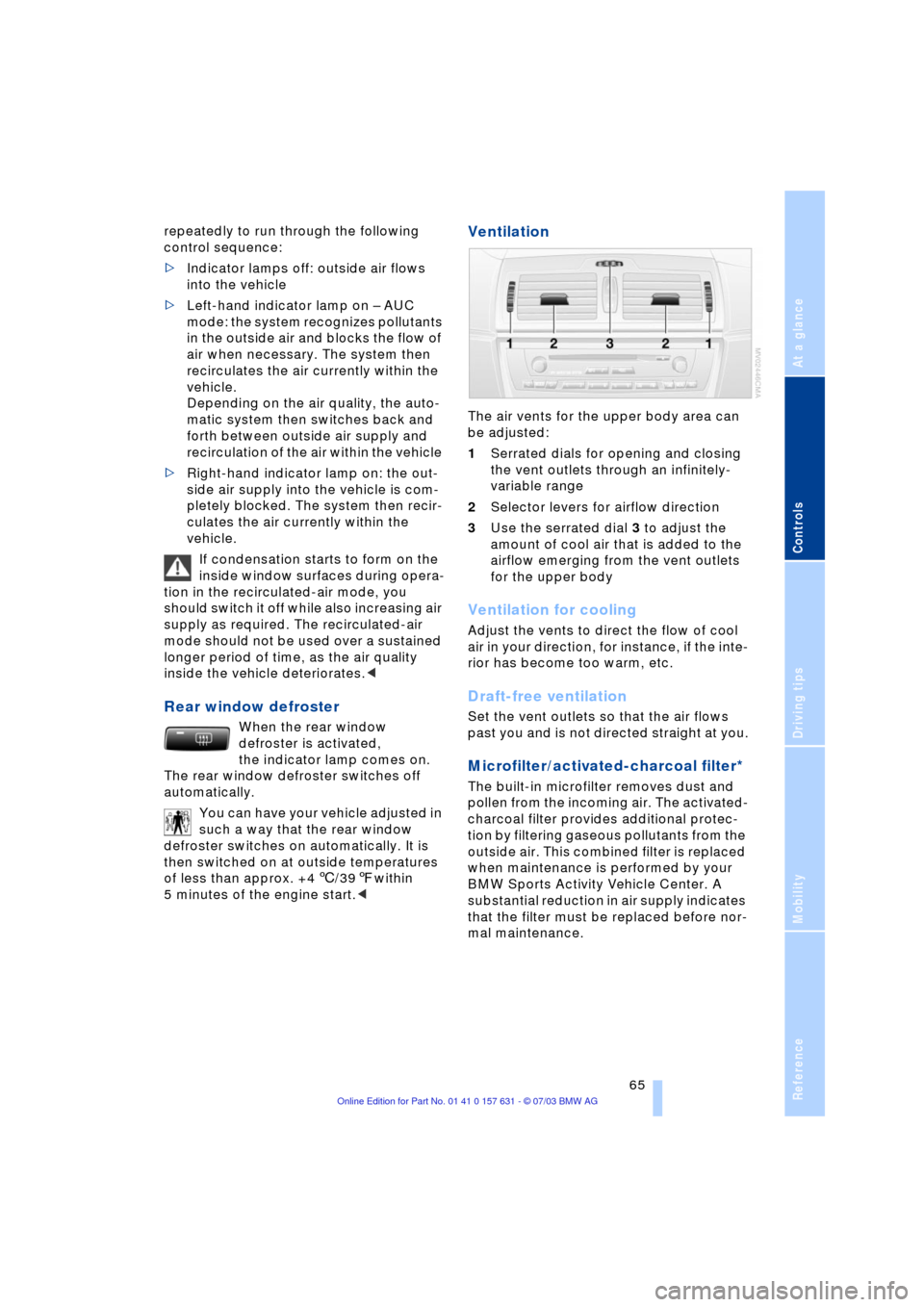
The air vents for the upper body area can
be adjusted:
1Serrated dials for opening and closing
the vent outlets through an infinitely-
variable range
2Selector levers for airflow direction
3Use the serrated dial 3 to adjust the
amount of cool air that is added to the
airflow emerging from the vent outlets
for the upper body
Ventilation for cooling
Adjust the vents to direct the flow of cool
air in your direction, for instance, if the inte-
rior has become too warm, etc.
Draft-free ventilation
Set the vent outlets so that the air flows
past you and is not directed straight at you.
Microfilter/activated-charcoal filter*
The built-in microfilter removes dust and
pollen from the incoming air. The activated-
charcoal filter provides additional protec-
tion by filtering gaseous pollutants from the
outside air. This combined filter is replaced
when maintenance is performed by your
BMW Sports Activity Vehicle Center. A
substantial reduction in air supply indicates
that the filter must be replaced before nor-
mal maintenance.
Page 70 of 132
Practical interior accessories
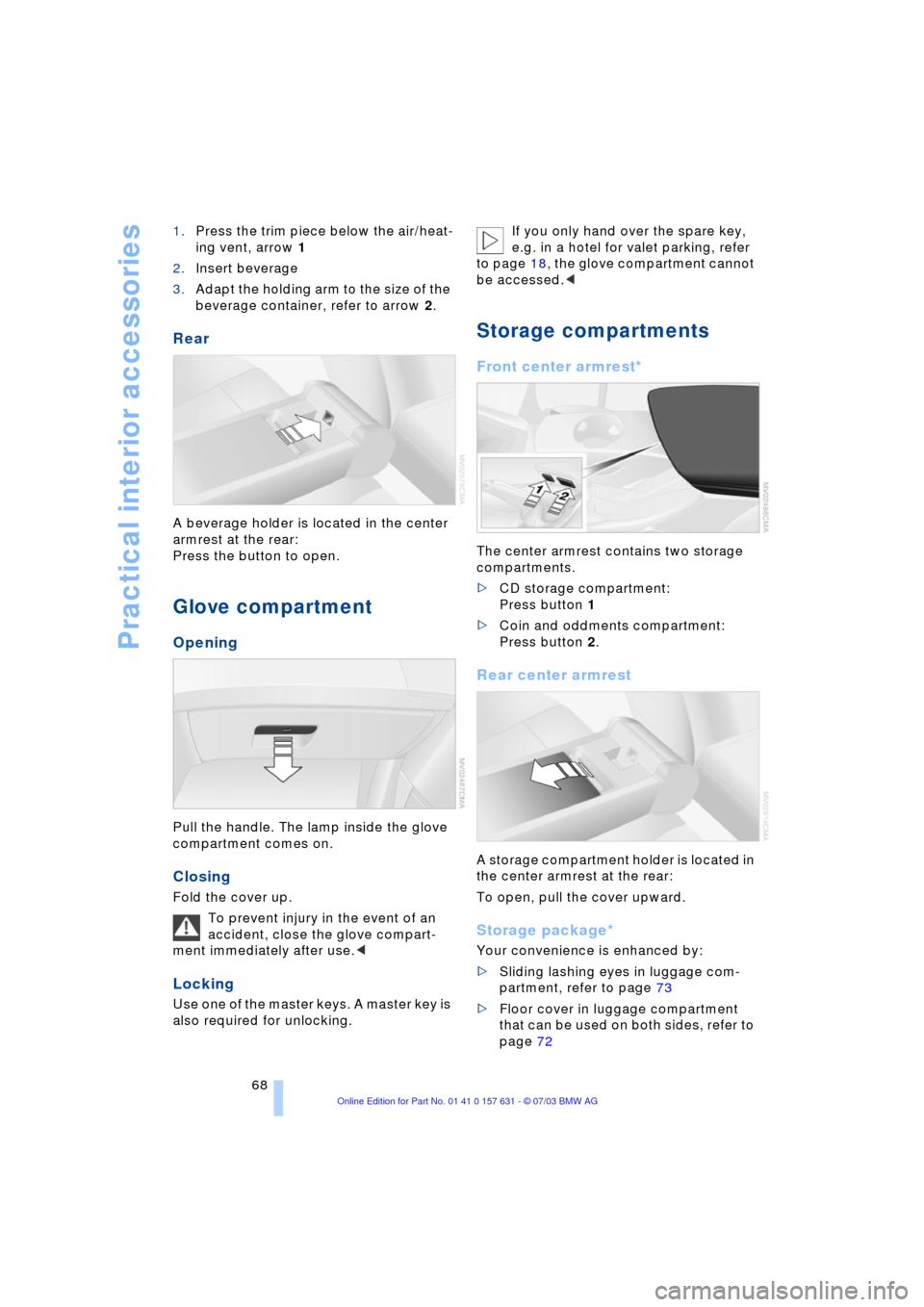
68 1.Press the trim piece below the air/heat-
ing vent, arrow 1
2.Insert beverage
3.Adapt the holding arm to the size of the
beverage container, refer to arrow 2.
Rear
A beverage holder is located in the center
armrest at the rear:
Press the button to open.
Glove compartment
Opening
Pull the handle. The lamp inside the glove
compartment comes on.
Closing
Fold the cover up.
To prevent injury in the event of an
accident, close the glove compart-
ment immediately after use.<
Locking
Use one of the master keys. A master key is
also required for unlocking. If you only hand over the spare key,
e.g. in a hotel for valet parking, refer
to page 18, the glove compartment cannot
be accessed.<
Storage compartments
Front center armrest*
The center armrest contains two storage
compartments.
>CD storage compartment:
Press button 1
>Coin and oddments compartment:
Press button 2.
Rear center armrest
A storage compartment holder is located in
the center armrest at the rear:
To open, pull the cover upward.
Storage package*
Your convenience is enhanced by:
>Sliding lashing eyes in luggage com-
partment, refer to page 73
>Floor cover in luggage compartment
that can be used on both sides, refer to
page 72
Page 73 of 132
Reference
At a glance
Controls
Driving tips
Mobility
71
Removing the ski bag
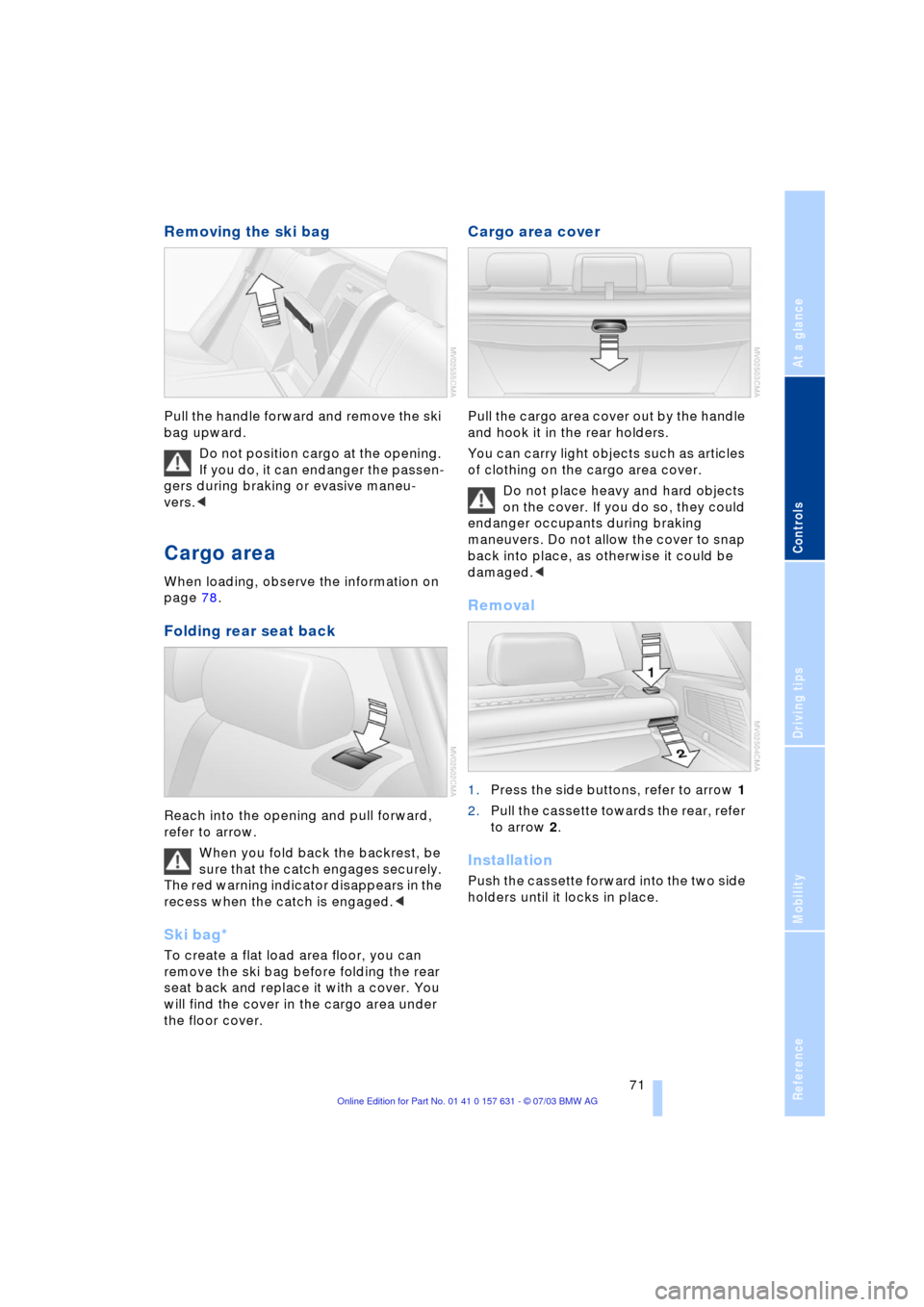
Pull the handle forward and remove the ski
bag upward.
Do not position cargo at the opening.
If you do, it can endanger the passen-
gers during braking or evasive maneu-
vers.<
Cargo area
When loading, observe the information on
page 78.
Folding rear seat back
Reach into the opening and pull forward,
refer to arrow.
When you fold back the backrest, be
sure that the catch engages securely.
The red warning indicator disappears in the
recess when the catch is engaged.<
Ski bag*
To create a flat load area floor, you can
remove the ski bag before folding the rear
seat back and replace it with a cover. You
will find the cover in the cargo area under
the floor cover.
Cargo area cover
Pull the cargo area cover out by the handle
and hook it in the rear holders.
You can carry light objects such as articles
of clothing on the cargo area cover.
Do not place heavy and hard objects
on the cover. If you do so, they could
endanger occupants during braking
maneuvers. Do not allow the cover to snap
back into place, as otherwise it could be
damaged.<
Removal
1.Press the side buttons, refer to arrow 1
2.Pull the cassette towards the rear, refer
to arrow 2.
Installation
Push the cassette forward into the two side
holders until it locks in place.
Page 74 of 132
Practical interior accessories
72
Loading cargo with the rear seat
back folded down
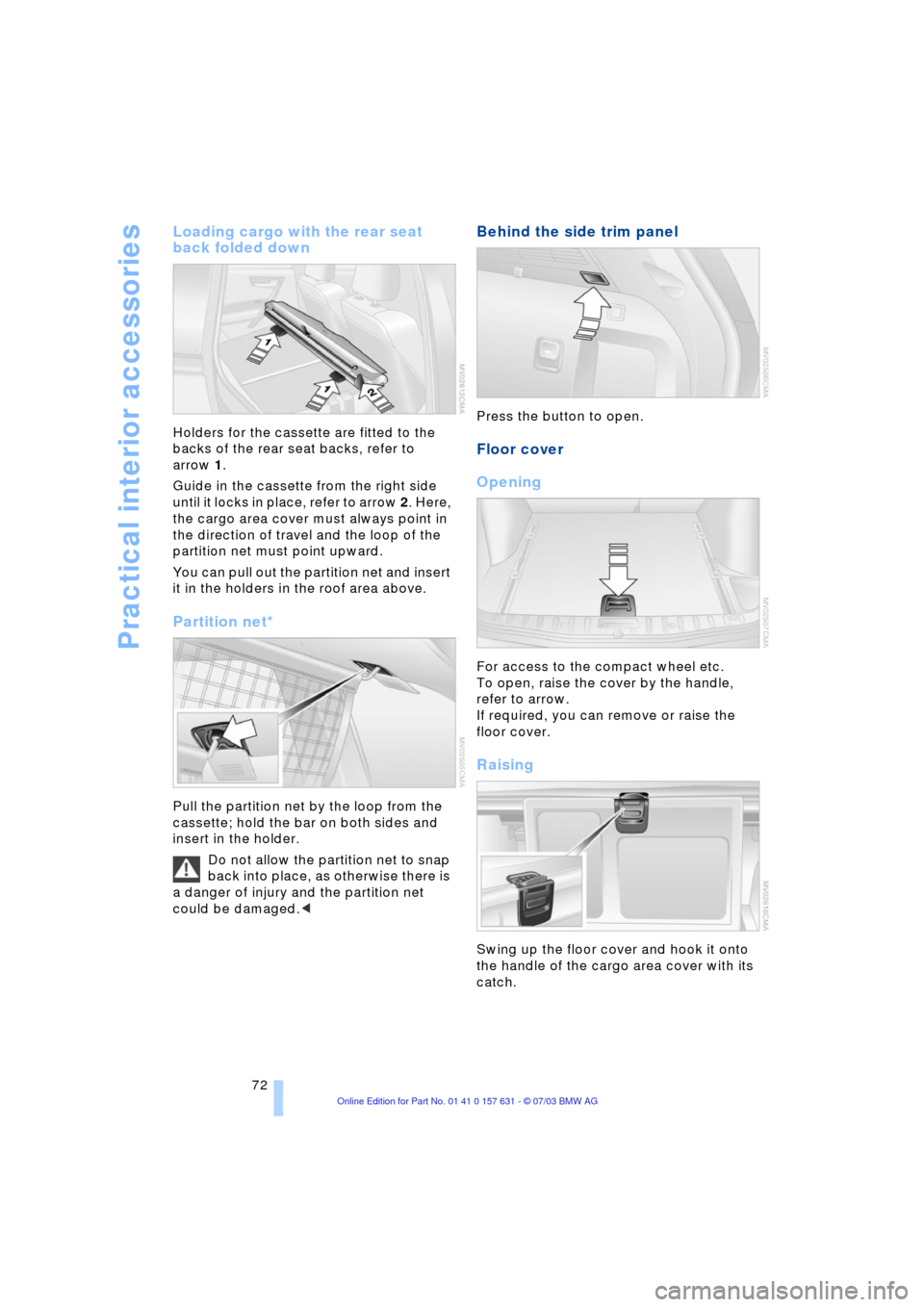
Holders for the cassette are fitted to the
backs of the rear seat backs, refer to
arrow 1.
Guide in the cassette from the right side
until it locks in place, refer to arrow 2. Here,
the cargo area cover must always point in
the direction of travel and the loop of the
partition net must point upward.
You can pull out the partition net and insert
it in the holders in the roof area above.
Partition net*
Pull the partition net by the loop from the
cassette; hold the bar on both sides and
insert in the holder.
Do not allow the partition net to snap
back into place, as otherwise there is
a danger of injury and the partition net
could be damaged.<
Behind the side trim panel
Press the button to open.
Floor cover
Opening
For access to the compact wheel etc.
To open, raise the cover by the handle,
refer to arrow.
If required, you can remove or raise the
floor cover.
Raising
Swing up the floor cover and hook it onto
the handle of the cargo area cover with its
catch.
Page 86 of 132
Refueling
84
Refueling
Fuel filler door
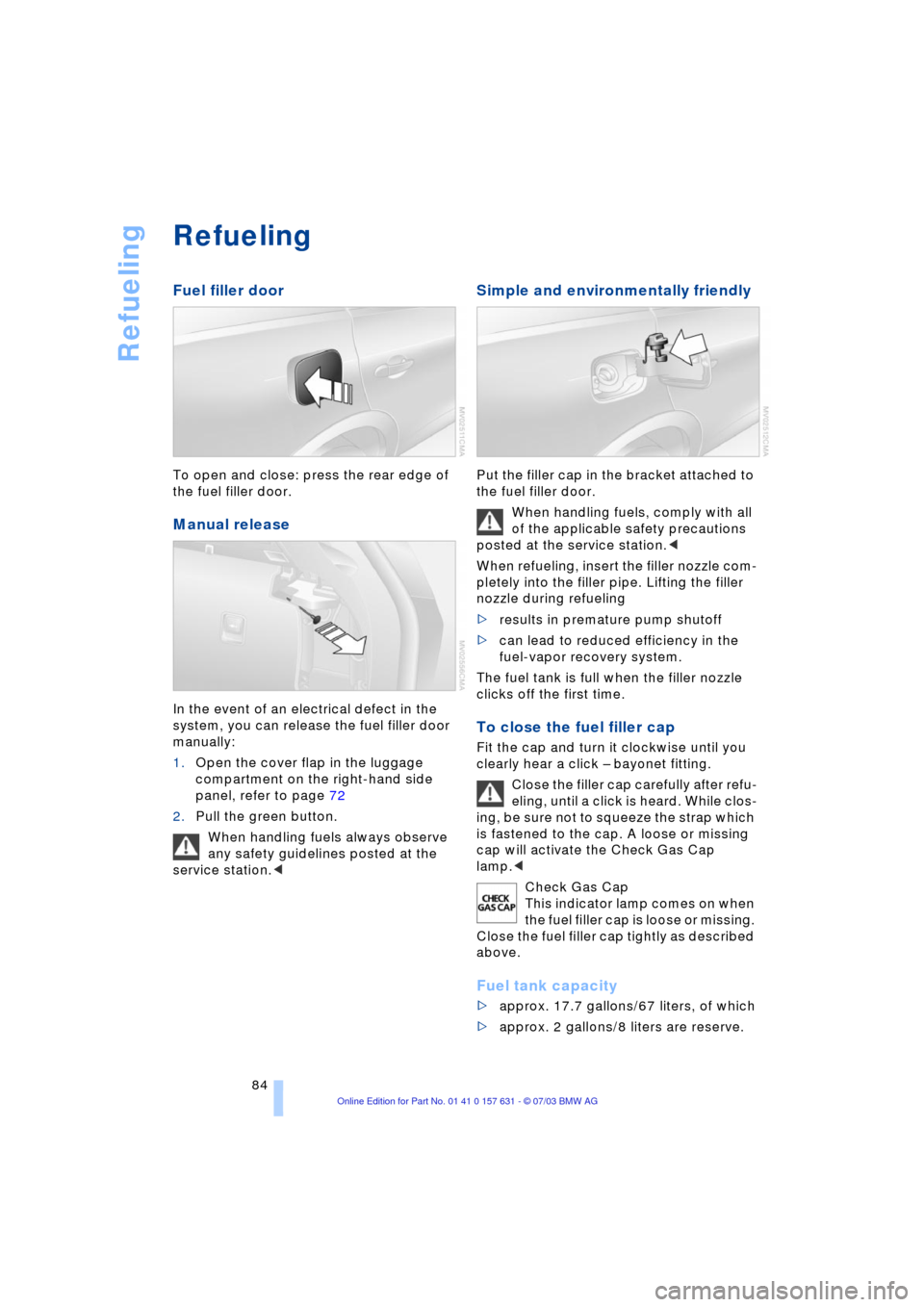
To open and close: press the rear edge of
the fuel filler door.
Manual release
In the event of an electrical defect in the
system, you can release the fuel filler door
manually:
1.Open the cover flap in the luggage
compartment on the right-hand side
panel, refer to page 72
2.Pull the green button.
When handling fuels always observe
any safety guidelines posted at the
service station.<
Simple and environmentally friendly
Put the filler cap in the bracket attached to
the fuel filler door.
When handling fuels, comply with all
of the applicable safety precautions
posted at the service station.<
When refueling, insert the filler nozzle com-
pletely into the filler pipe. Lifting the filler
nozzle during refueling
>results in premature pump shutoff
>can lead to reduced efficiency in the
fuel-vapor recovery system.
The fuel tank is full when the filler nozzle
clicks off the first time.
To close the fuel filler cap
Fit the cap and turn it clockwise until you
clearly hear a click Ð bayonet fitting.
Close the filler cap carefully after refu-
eling, until a click is heard. While clos-
ing, be sure not to squeeze the strap which
is fastened to the cap. A loose or missing
cap will activate the Check Gas Cap
lamp.<
Check Gas Cap
This indicator lamp comes on when
the fuel filler cap is loose or missing.
Close the fuel filler cap tightly as described
above.
Fuel tank capacity
>approx. 17.7 gallons/67 liters, of which
>approx. 2 gallons/8 liters are reserve.
Page 94 of 132
Under the engine hood
92
Under the engine hood
Never attempt to perform any service
or repair operations on your vehicle
without the required professional technical
training. If you are unaware of the regula-
tions that need to be observed, BMW rec-
ommends that you have this work per-
formed at a BMW Sports Activity Vehicle
Center, as otherwise unqualified handling
of parts and materials can lead to safety
risk for vehicle occupants and other road
users.<
Hood
Unlocking
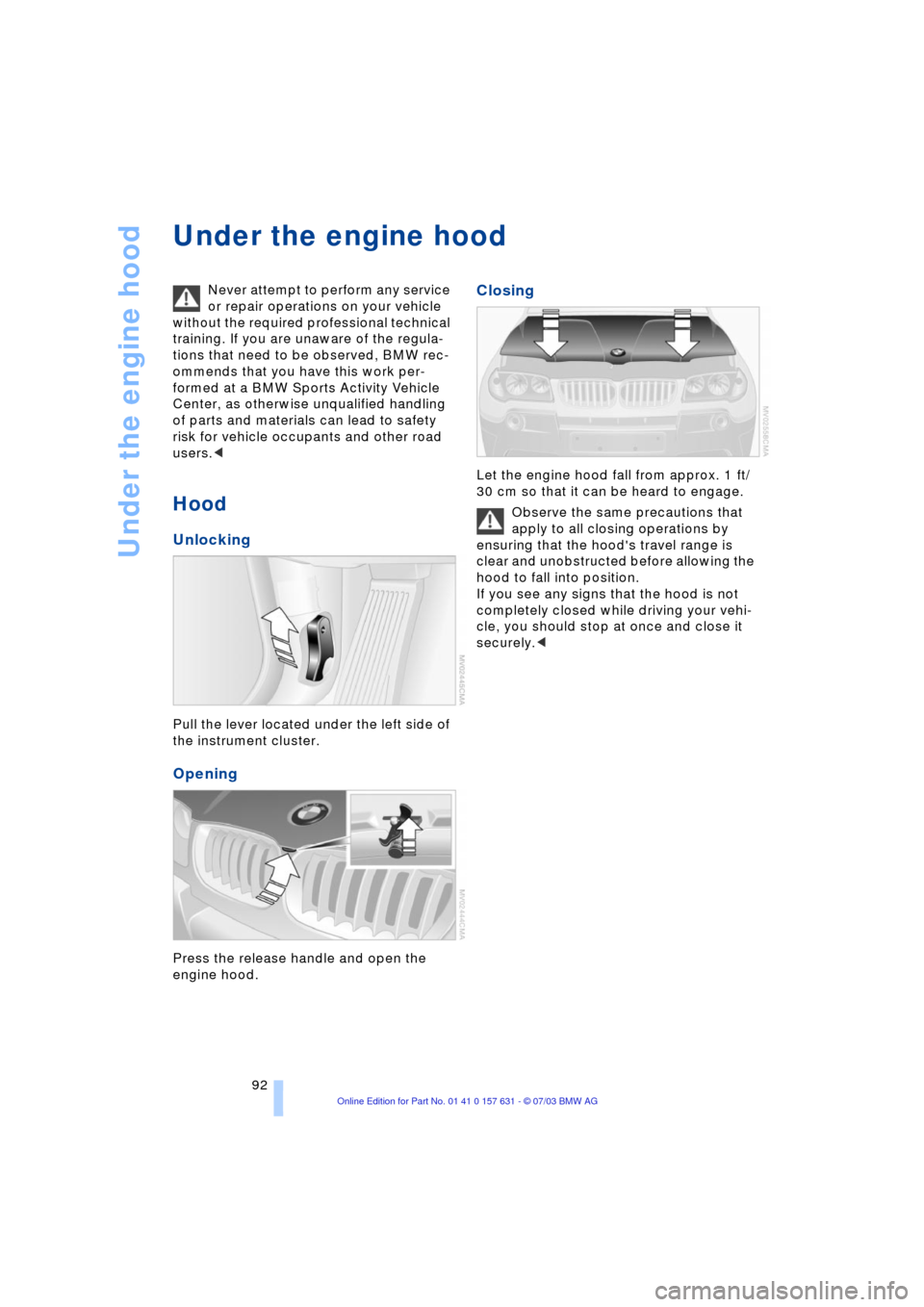
Pull the lever located under the left side of
the instrument cluster.
Opening
Press the release handle and open the
engine hood.
Closing
Let the engine hood fall from approx. 1 ft/
30 cm so that it can be heard to engage.
Observe the same precautions that
apply to all closing operations by
ensuring that the hood's travel range is
clear and unobstructed before allowing the
hood to fall into position.
If you see any signs that the hood is not
completely closed while driving your vehi-
cle, you should stop at once and close it
securely.<
Page 98 of 132
Under the engine hood
96
Checking coolant level and topping
up coolant
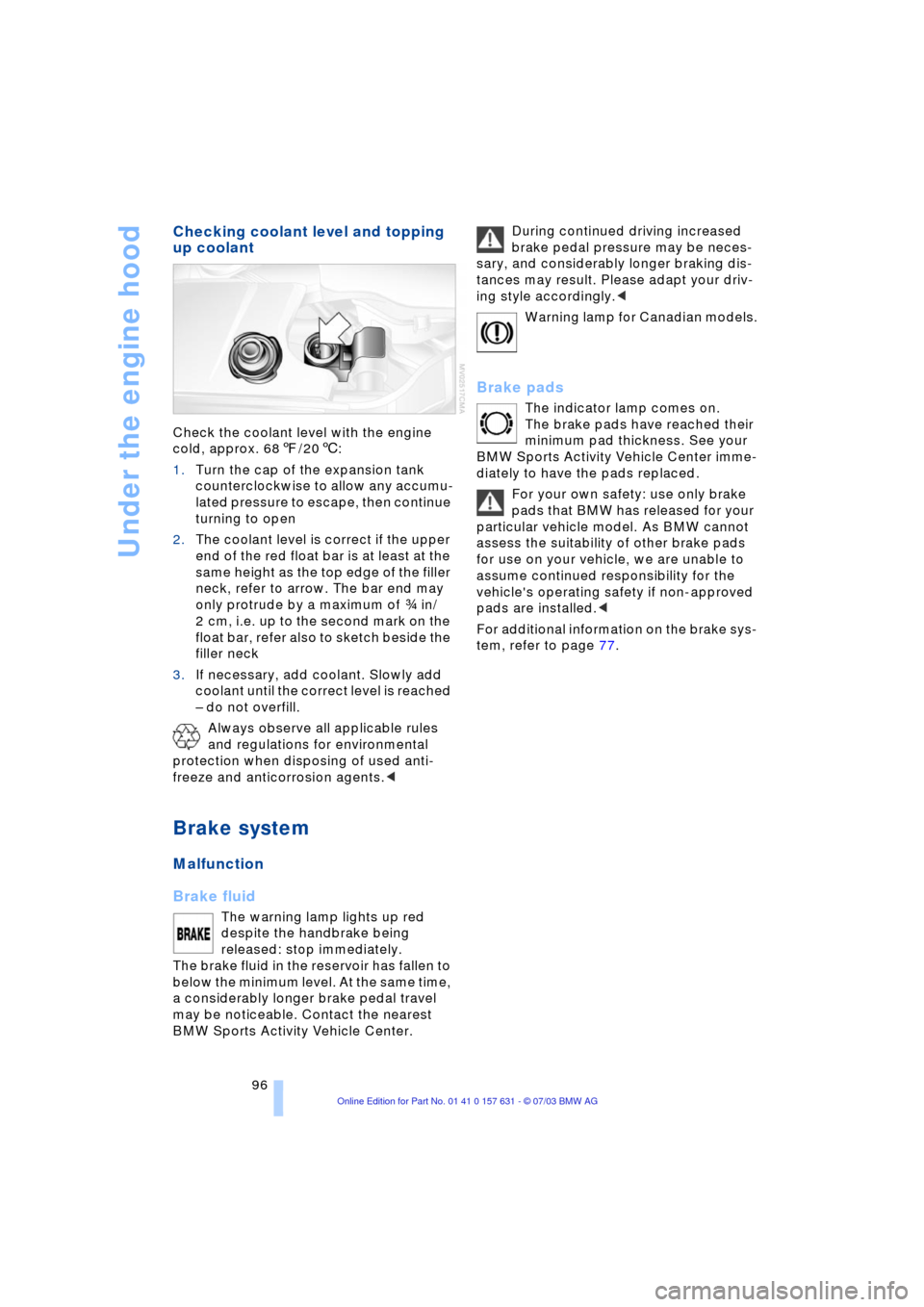
Check the coolant level with the engine
cold, approx. 687/206:
1.Turn the cap of the expansion tank
counterclockwise to allow any accumu-
lated pressure to escape, then continue
turning to open
2.The coolant level is correct if the upper
end of the red float bar is at least at the
same height as the top edge of the filler
neck, refer to arrow. The bar end may
only protrude by a maximum of i in/
2 cm, i.e. up to the second mark on the
float bar, refer also to sketch beside the
filler neck
3.If necessary, add coolant. Slowly add
coolant until the correct level is reached
Ð do not overfill.
Always observe all applicable rules
and regulations for environmental
protection when disposing of used anti-
freeze and anticorrosion agents.<
Brake system
Malfunction
Brake fluid
The warning lamp lights up red
despite the handbrake being
released: stop immediately.
The brake fluid in the reservoir has fallen to
below the minimum level. At the same time,
a considerably longer brake pedal travel
may be noticeable. Contact the nearest
BMW Sports Activity Vehicle Center.During continued driving increased
brake pedal pressure may be neces-
sary, and considerably longer braking dis-
tances may result. Please adapt your driv-
ing style accordingly.<
Warning lamp for Canadian models.
Brake pads
The indicator lamp comes on.
The brake pads have reached their
minimum pad thickness. See your
BMW Sports Activity Vehicle Center imme-
diately to have the pads replaced.
For your own safety: use only brake
pads that BMW has released for your
particular vehicle model. As BMW cannot
assess the suitability of other brake pads
for use on your vehicle, we are unable to
assume continued responsibility for the
vehicle's operating safety if non-approved
pads are installed.<
For additional information on the brake sys-
tem, refer to page 77.