ignition BMW X3 3.0SI 2008 User Guide
[x] Cancel search | Manufacturer: BMW, Model Year: 2008, Model line: X3 3.0SI, Model: BMW X3 3.0SI 2008Pages: 140, PDF Size: 3.36 MB
Page 34 of 140
Adjustments
32
Requesting a stored setting
Do not request a position from the mem-
ory while the vehicle is moving; otherwise,
there is a risk of accident from unexpected seat
movement.<
Convenience mode
1.Open the driver's door after unlocking or
turn the ignition key to position 1.
2.Briefly press the desired memory button 1,
2 or3.
The adjustment procedure is canceled when
you press one of the seat adjustment buttons or
use one of the memory buttons.
Safety feature
1.Close the driver's door and turn the ignition
key to position 0 or 2.
2.Press the desired memory button 1, 2 or3
and maintain pressure until the adjustment
process has been completed.
If the button has been pressed inadvert-
ently:
Press the button again, the LED goes out.
You can have your vehicle programmed
to automatically recall your own individual
stored adjustment settings for the seat and
exterior mirror position whenever you use your
personal remote control to unlock the vehicle.<
If you make use of this setting, be sure
that the footwell behind the driver's seat
is unobstructed before unlocking the vehicle.
If you fail to do so, any persons, animals or
objects behind the seat could be injured or
damaged by a rearward movement of the
seat.<
Safety belts
To ensure that the safety systems con-
tinue to provide optimum protection,
please follow the instructions on page27.<
Make sure the safety belts are worn in all occu-
pied seats every time you drive. Although air-
bags enhance safety by providing added pro-
tection, they are not a substitute for safety
belts.
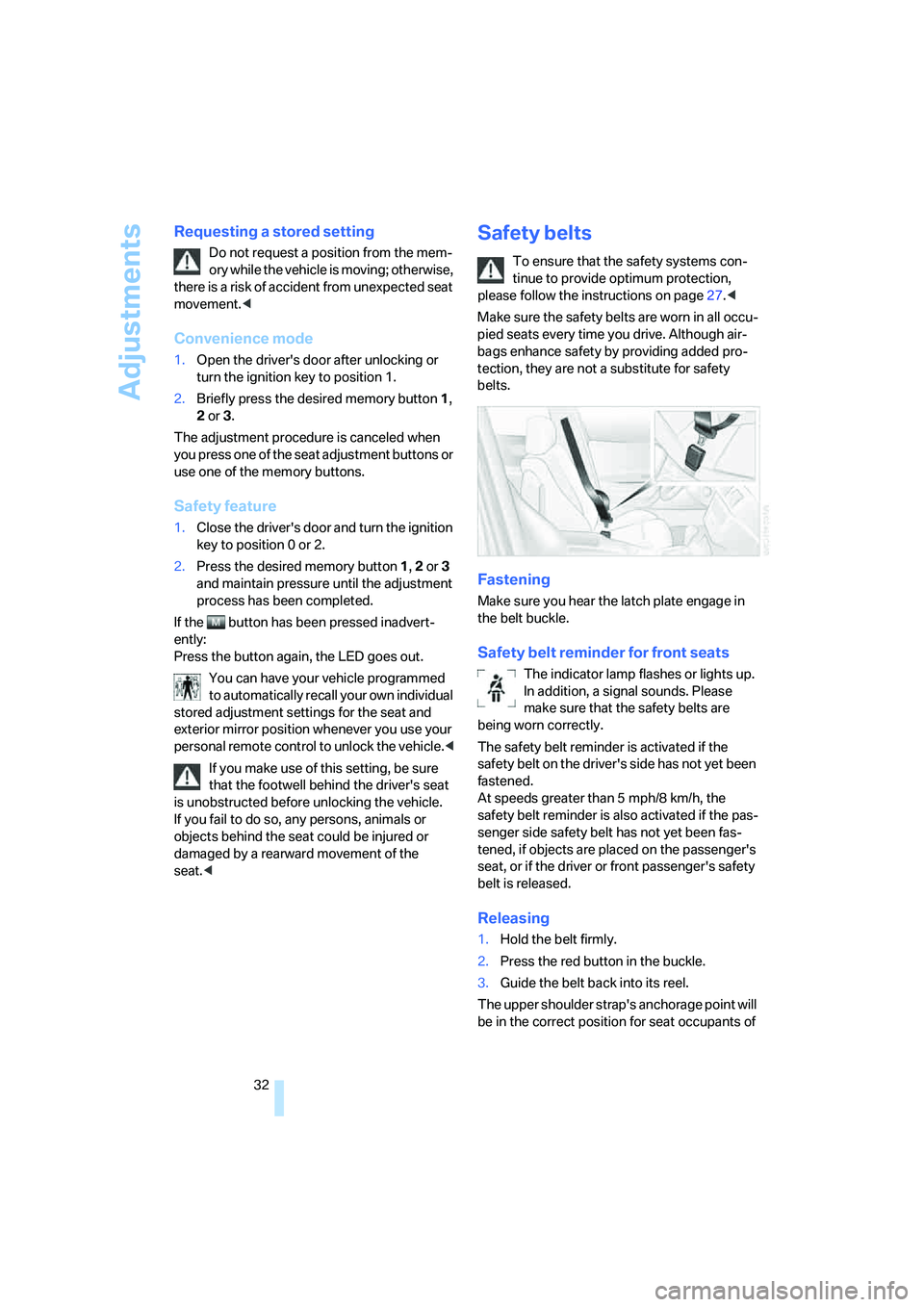
Fastening
Make sure you hear the latch plate engage in
the belt buckle.
Safety belt reminder for front seats
The indicator lamp flashes or lights up.
In addition, a signal sounds. Please
make sure that the safety belts are
being worn correctly.
The safety belt reminder is activated if the
safety belt on the driver's side has not yet been
fastened.
At speeds greater than 5 mph/8 km/h, the
safety belt reminder is also activated if the pas-
senger side safety belt has not yet been fas-
tened, if objects are placed on the passenger's
seat, or if the driver or front passenger's safety
belt is released.
Releasing
1.Hold the belt firmly.
2.Press the red button in the buckle.
3.Guide the belt back into its reel.
The upper shoulder strap's anchorage point will
be in the correct position for seat occupants of
Page 35 of 140
Reference
At a glance
Controls
Driving tips
Mobility
33
every build if the seat is correctly adjusted, refer
to page27.
In the rear, the middle belt buckle embossed
with the word CENTER is intended exclusively
for use by passengers riding in the center posi-
tion.
Damage to safety belts
When strained by an accident or when
damaged: have the safety belt system,
including the belt tensioners, replaced and have
belt anchorage points inspected. Have this
work done only by your BMW Sports Activity
Vehicle Center or by a workshop that works
according to BMW repair procedures with cor-
respondingly trained personnel. Otherwise,
there can be no guarantee that the safety
devices will function properly.<
Mirrors
Exterior mirrors
The passenger side mirror is more curved
than the driver's mirror. Objects in the
mirrors are closer than they appear. Do not esti-
mate the distance to following traffic based on
the view in the mirrors; otherwise, there is an
increased risk of accident.<
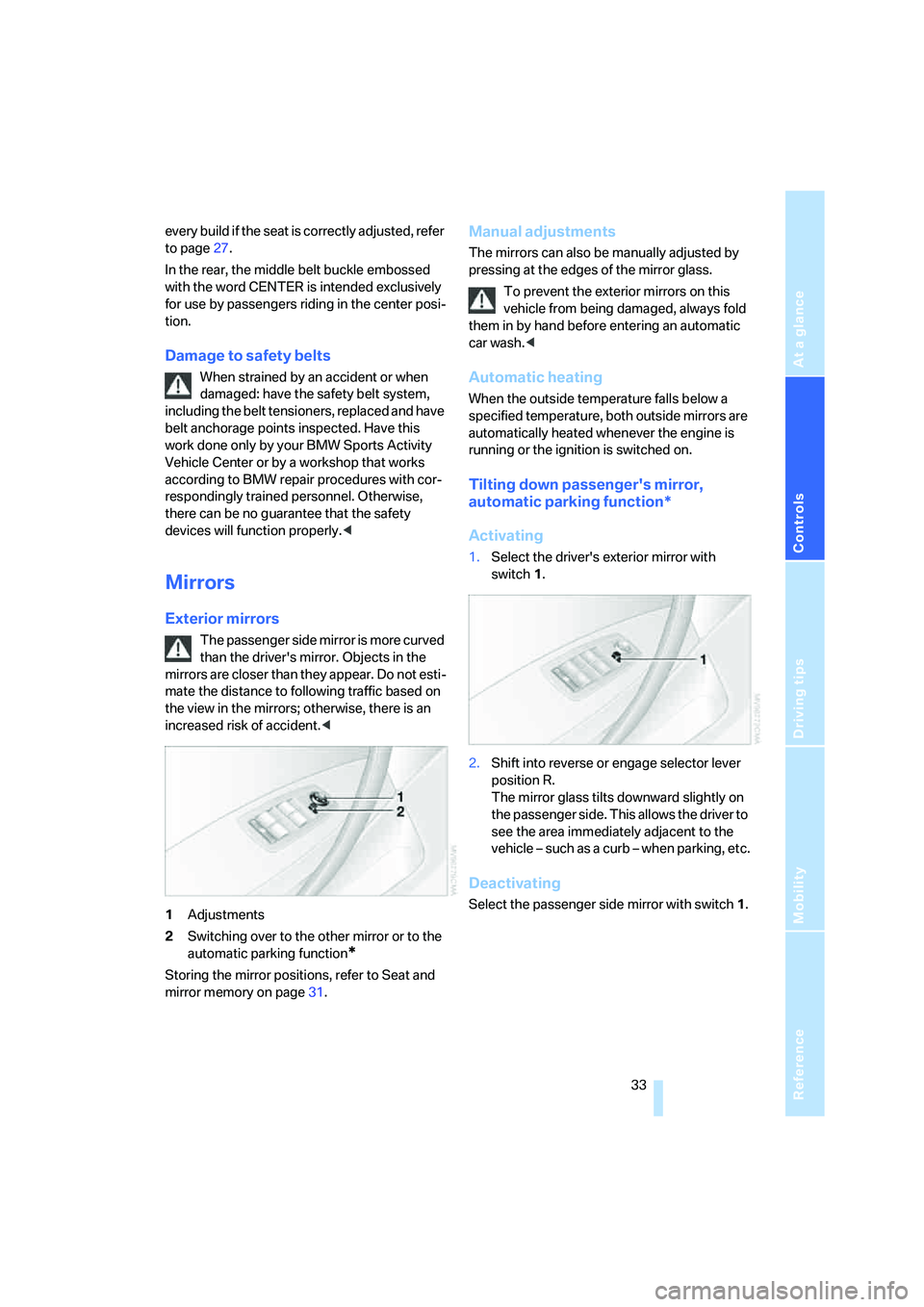
1Adjustments
2Switching over to the other mirror or to the
automatic parking function
*
Storing the mirror positions, refer to Seat and
mirror memory on page31.
Manual adjustments
The mirrors can also be manually adjusted by
pressing at the edges of the mirror glass.
To prevent the exterior mirrors on this
vehicle from being damaged, always fold
them in by hand before entering an automatic
car wash.<
Automatic heating
When the outside temperature falls below a
specified temperature, both outside mirrors are
automatically heated whenever the engine is
running or the ignition is switched on.
Tilting down passenger's mirror,
automatic parking function*
Activating
1.Select the driver's exterior mirror with
switch 1.
2.Shift into reverse or engage selector lever
position R.
The mirror glass tilts downward slightly on
the passenger side. This allows the driver to
see the area immediately adjacent to the
vehicle – such as a curb – when parking, etc.
Deactivating
Select the passenger side mirror with switch1.
Page 36 of 140
Adjustments
34
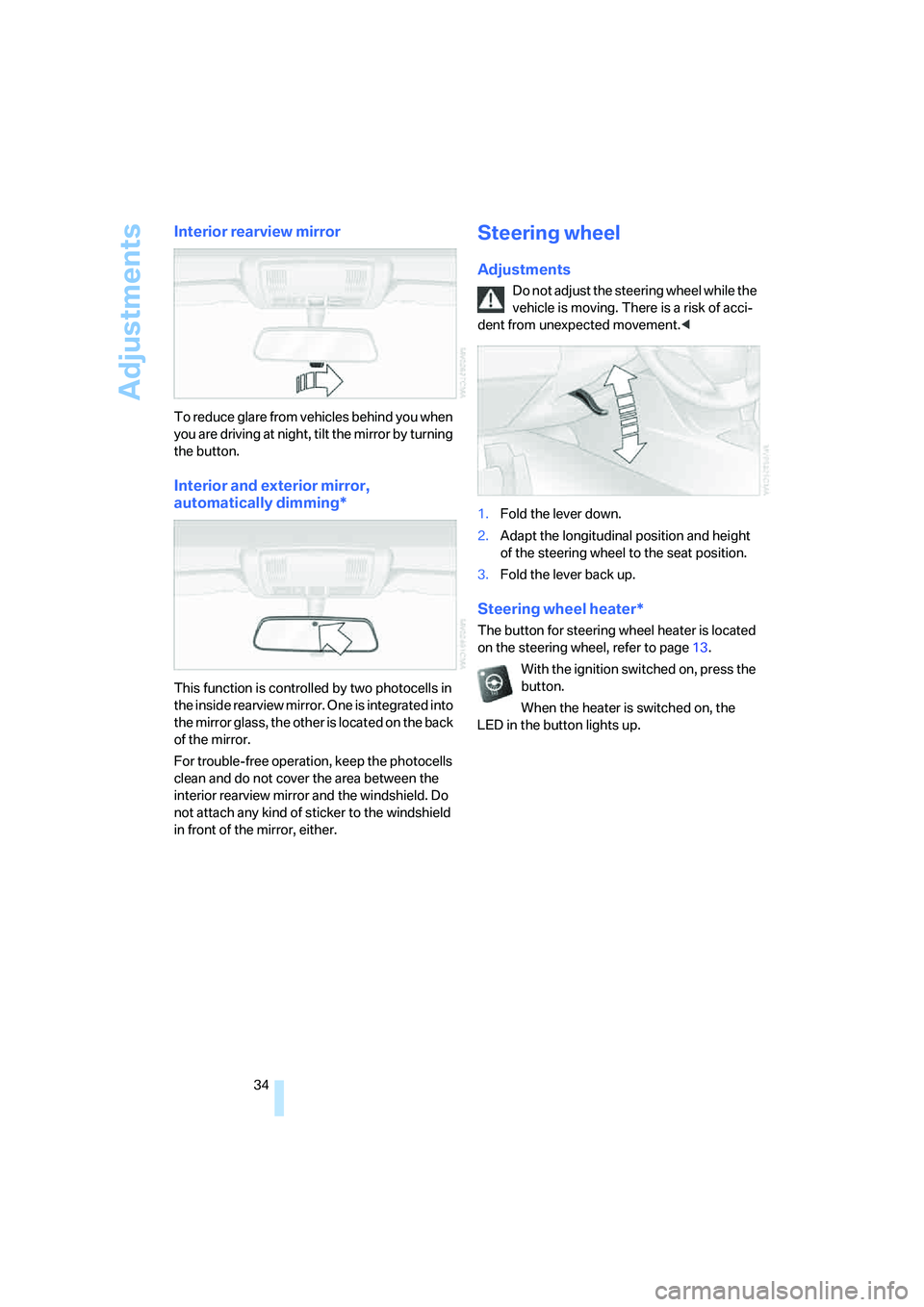
Interior rearview mirror
To reduce glare from vehicles behind you when
you are driving at night, tilt the mirror by turning
the button.
Interior and exterior mirror,
automatically dimming*
This function is controlled by two photocells in
the inside rearview mirror. One is integrated into
the mirror glass, the other is located on the back
of the mirror.
For trouble-free operation, keep the photocells
clean and do not cover the area between the
interior rearview mirror and the windshield. Do
not attach any kind of sticker to the windshield
in front of the mirror, either.
Steering wheel
Adjustments
Do not adjust the steering wheel while the
vehicle is moving. There is a risk of acci-
dent from unexpected movement.<
1.Fold the lever down.
2.Adapt the longitudinal position and height
of the steering wheel to the seat position.
3.Fold the lever back up.
Steering wheel heater*
The button for steering wheel heater is located
on the steering wheel, refer to page13.
With the ignition switched on, press the
button.
When the heater is switched on, the
LED in the button lights up.
Page 40 of 140
Driving
38
Driving
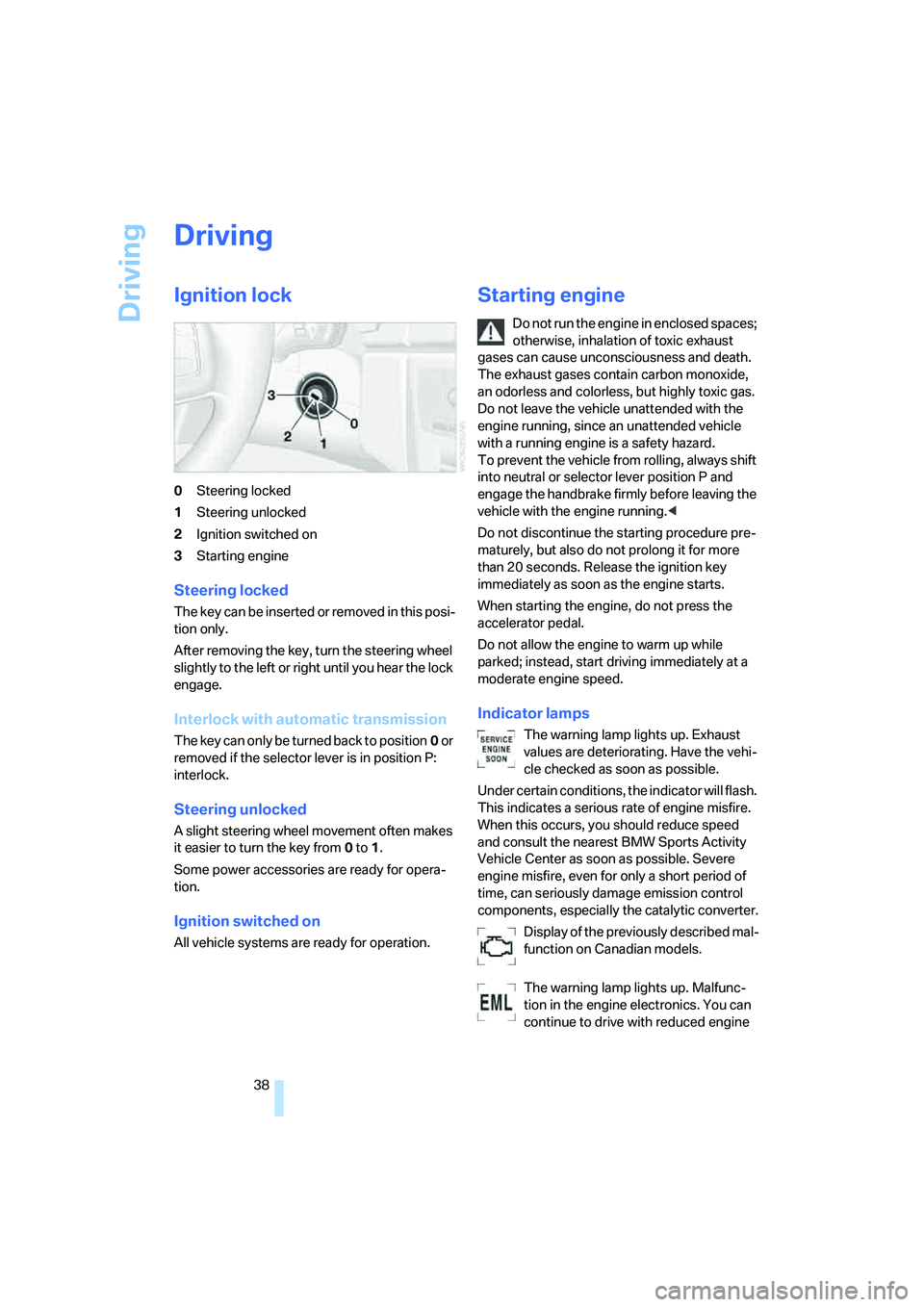
Ignition lock
0Steering locked
1Steering unlocked
2Ignition switched on
3Starting engine
Steering locked
T h e k e y c a n b e in s e r t e d o r r e m o v e d in t h i s p o s i-
tion only.
After removing the key, turn the steering wheel
slightly to the left or right until you hear the lock
engage.
Interlock with automatic transmission
The key can only be turned back to position0 or
removed if the selector lever is in position P:
interlock.
Steering unlocked
A slight steering wheel movement often makes
it easier to turn the key from0 to1.
Some power accessories are ready for opera-
tion.
Ignition switched on
All vehicle systems are ready for operation.
Starting engine
Do not run the engine in enclosed spaces;
otherwise, inhalation of toxic exhaust
gases can cause unconsciousness and death.
The exhaust gases contain carbon monoxide,
an odorless and colorless, but highly toxic gas.
Do not leave the vehicle unattended with the
engine running, since an unattended vehicle
with a running engine is a safety hazard.
To prevent the vehicle from rolling, always shift
into neutral or selector lever position P and
engage the handbrake firmly before leaving the
vehicle with the engine running.<
Do not discontinue the starting procedure pre-
maturely, but also do not prolong it for more
than 20 seconds. Release the ignition key
immediately as soon as the engine starts.
When starting the engine, do not press the
accelerator pedal.
Do not allow the engine to warm up while
parked; instead, start driving immediately at a
moderate engine speed.
Indicator lamps
The warning lamp lights up. Exhaust
values are deteriorating. Have the vehi-
cle checked as soon as possible.
Under certain conditions, the indicator will flash.
This indicates a serious rate of engine misfire.
When this occurs, you should reduce speed
and consult the nearest BMW Sports Activity
Vehicle Center as soon as possible. Severe
engine misfire, even for only a short period of
time, can seriously damage emission control
components, especially the catalytic converter.
Display of the previously described mal-
function on Canadian models.
The warning lamp lights up. Malfunc-
tion in the engine electronics. You can
continue to drive with reduced engine
Page 41 of 140
Reference
At a glance
Controls
Driving tips
Mobility
39
output or speed. Have the system checked
immediately.
Manual transmission
1.Step on the brake.
2.Depress the clutch pedal and shift into neu-
tral.
If the clutch pedal is not depressed,
the motor will not start.<
3.Start the engine.
Automatic transmission*
1.Step on the brake.
2.Move selector lever into position P.
3.Start the engine.
Special starting conditions
In the following situations, press the accelerator
pedal halfway down while starting:
>If the engine fails to start on the first
attempt, for instance if it is very hot or cold.
>When starting the engine at very low tem-
peratures, e.g. below approx. +57/–156,
at high altitudes over approx. 3,300 ft/
1,000 m.
Avoid frequent starting in quick succes-
sion or repeated start attempts in which
the engine does not start. Otherwise, the fuel is
either not burned or inadequately burned and
there is a danger of overheating and damaging
the catalytic converter.<
Switching off engine
Do not remove the ignition key when the
vehicle is rolling; otherwise, the steering
wheel lock would engage, preventing you from
steering.
When leaving the vehicle, remove the ignition
key and lock the steering. To prevent the vehi-
cle from rolling, engage the parking brake firmly
when parking.<
Manual transmission
1.Engage the parking brake firmly.
2.Turn the ignition key to position 1 or 0.
3.Shift into first gear or reverse.
Automatic transmission*
1.With the vehicle at a stop, move the selector
lever into position P.
2.Turn the ignition key to position 1 or 0.
3.Engage the parking brake firmly.
Handbrake
The handbrake is primarily intended to prevent
the vehicle from rolling while parked; it brakes
the rear wheels.
Indicator lamp
The indicator lamp lights up; an acous-
tic signal also sounds when you begin
to drive. The handbrake is still engaged.
Indicator lamp for Canadian models.
Engaging
The lever engages automatically when you pull
up on it.
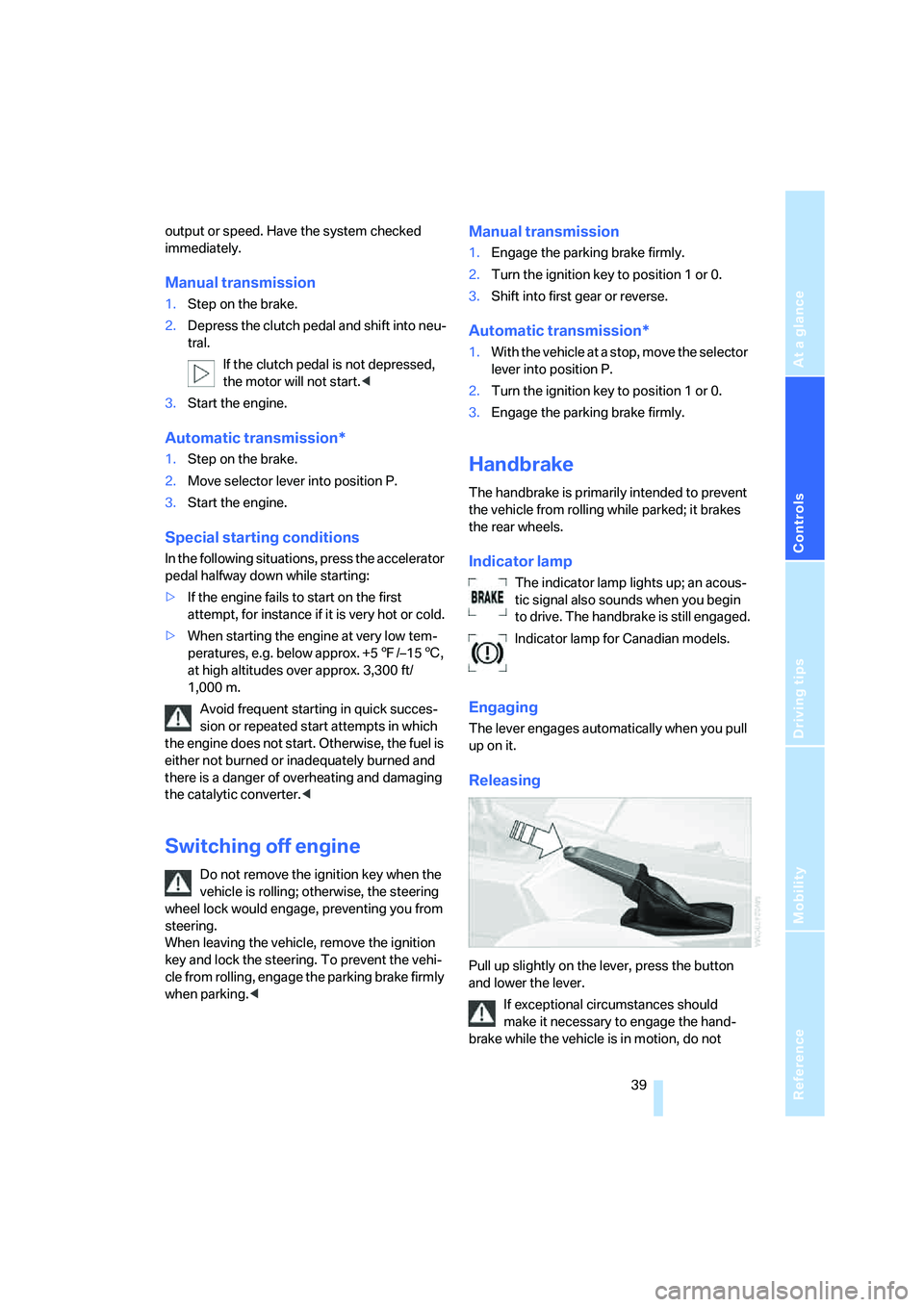
Releasing
Pull up slightly on the lever, press the button
and lower the lever.
If exceptional circumstances should
make it necessary to engage the hand-
brake while the vehicle is in motion, do not
Page 44 of 140
Driving
42 Atypically rapid flashing of the indicator
lamp indicates that a turn signal bulb has
gone out.<
Signaling briefly
Press lever to resistance point and hold for as
long as you wish to signal.
Touch signaling
Press lever to resistance point.
The signal flashes three times.
If you wish, you can have this function
activated.<
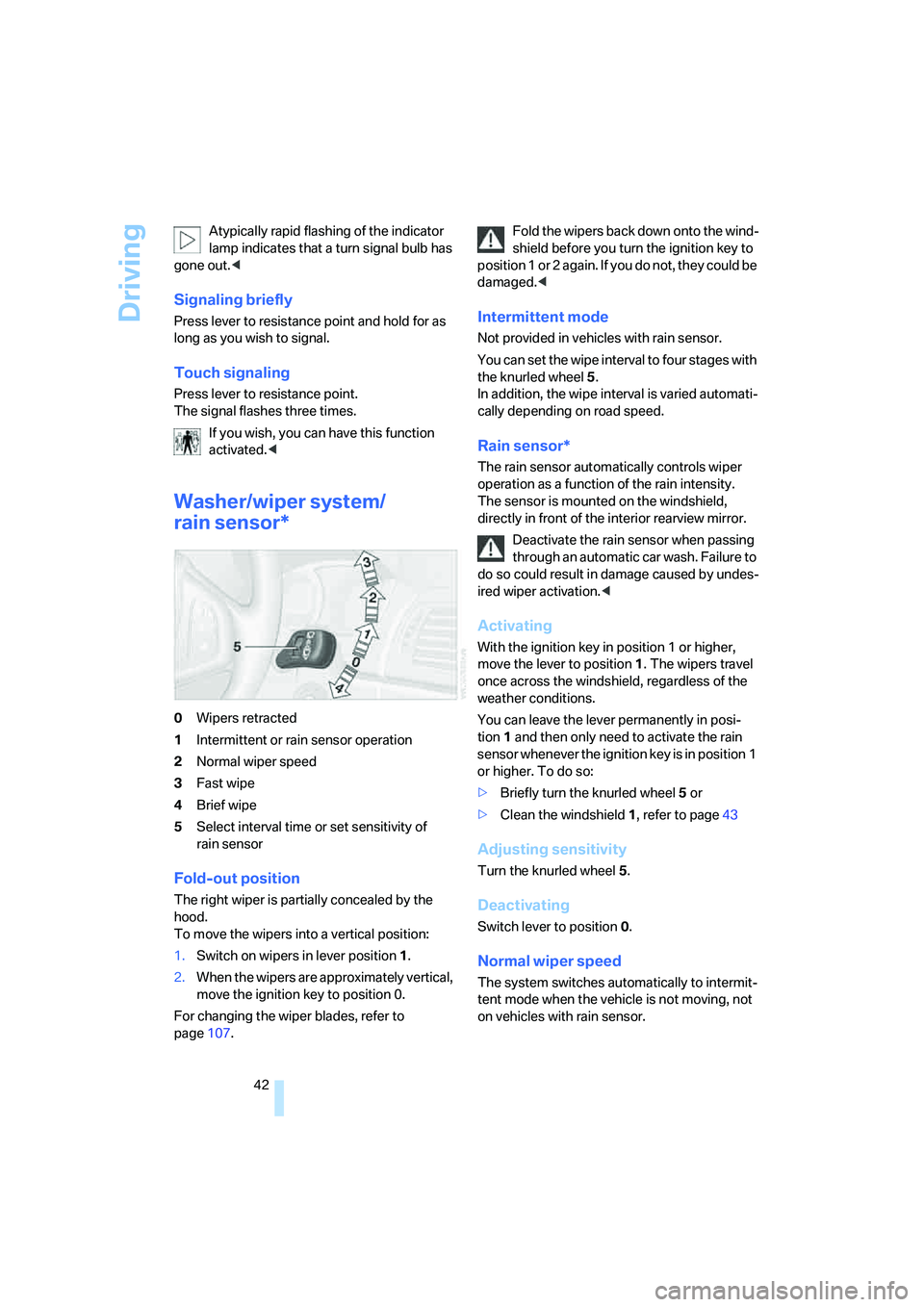
Washer/wiper system/
rain sensor*
0Wipers retracted
1Intermittent or rain sensor operation
2Normal wiper speed
3Fast wipe
4Brief wipe
5Select interval time or set sensitivity of
rain sensor
Fold-out position
The right wiper is partially concealed by the
hood.
To move the wipers into a vertical position:
1.Switch on wipers in lever position 1.
2.When the wipers are approximately vertical,
move the ignition key to position 0.
For changing the wiper blades, refer to
page107.Fold the wipers back down onto the wind-
shield before you turn the ignition key to
p o s i t i o n 1 o r 2 a g a i n . I f y o u d o n o t , t h e y c o u l d b e
damaged.<
Intermittent mode
Not provided in vehicles with rain sensor.
You can set the wipe interval to four stages with
the knurled wheel 5.
In addition, the wipe interval is varied automati-
cally depending on road speed.
Rain sensor*
The rain sensor automatically controls wiper
operation as a function of the rain intensity.
The sensor is mounted on the windshield,
directly in front of the interior rearview mirror.
Deactivate the rain sensor when passing
through an automatic car wash. Failure to
do so could result in damage caused by undes-
ired wiper activation.<
Activating
With the ignition key in position 1 or higher,
move the lever to position1. The wipers travel
once across the windshield, regardless of the
weather conditions.
You can leave the lever permanently in posi-
tion1 and then only need to activate the rain
sensor whenever the ignition key is in position 1
or higher. To do so:
>Briefly turn the knurled wheel 5 or
>Clean the windshield 1, refer to page43
Adjusting sensitivity
Turn the knurled wheel 5.
Deactivating
Switch lever to position 0.
Normal wiper speed
The system switches automatically to intermit-
tent mode when the vehicle is not moving, not
on vehicles with rain sensor.
Page 45 of 140
Reference
At a glance
Controls
Driving tips
Mobility
43
Fast wipe
The wipers operate at normal speed when the
vehicle is not moving, not on vehicles with rain
sensor.
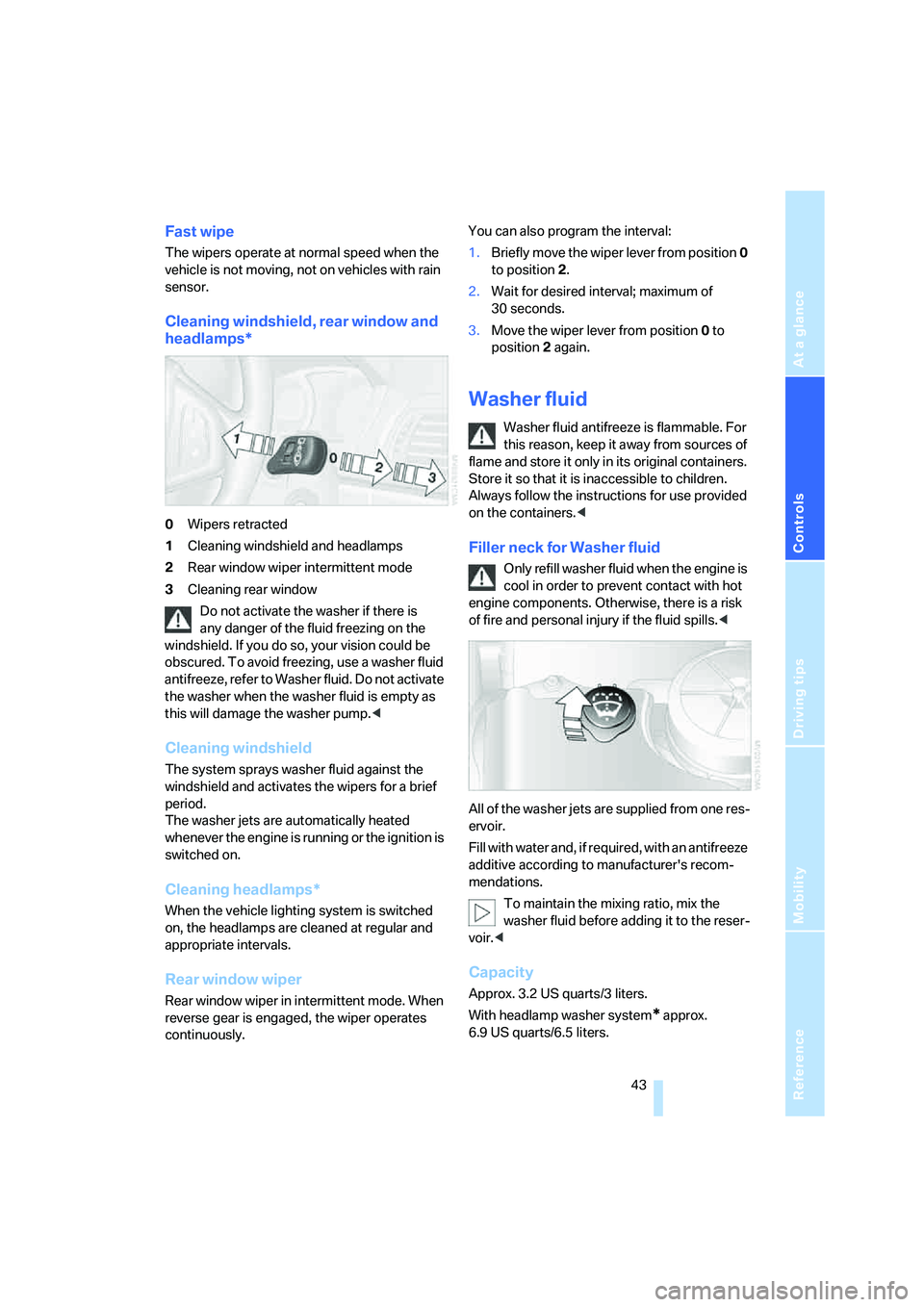
Cleaning windshield, rear window and
headlamps*
0Wipers retracted
1Cleaning windshield and headlamps
2Rear window wiper intermittent mode
3Cleaning rear window
Do not activate the washer if there is
any danger of the fluid freezing on the
windshield. If you do so, your vision could be
obscured. To avoid freezing, use a washer fluid
antifreeze, refer to Washer fluid. Do not activate
the washer when the washer fluid is empty as
this will damage the washer pump.<
Cleaning windshield
The system sprays washer fluid against the
windshield and activates the wipers for a brief
period.
The washer jets are automatically heated
whenever the engine is running or the ignition is
switched on.
Cleaning headlamps*
When the vehicle lighting system is switched
on, the headlamps are cleaned at regular and
appropriate intervals.
Rear window wiper
Rear window wiper in intermittent mode. When
reverse gear is engaged, the wiper operates
continuously.You can also program the interval:
1.Briefly move the wiper lever from position 0
to position 2.
2.Wait for desired interval; maximum of
30 seconds.
3.Move the wiper lever from position 0 to
position 2 again.
Washer fluid
Washer fluid antifreeze is flammable. For
this reason, keep it away from sources of
flame and store it only in its original containers.
Store it so that it is inaccessible to children.
Always follow the instructions for use provided
on the containers.<
Filler neck for Washer fluid
Only refill washer fluid when the engine is
cool in order to prevent contact with hot
engine components. Otherwise, there is a risk
of fire and personal injury if the fluid spills.<
All of the washer jets are supplied from one res-
ervoir.
Fill with water and, if required, with an antifreeze
additive according to manufacturer's recom-
mendations.
To maintain the mixing ratio, mix the
washer fluid before adding it to the reser-
voir.<
Capacity
Approx. 3.2 US quarts/3 liters.
With headlamp washer system
* approx.
6.9USquarts/6.5liters.
Page 46 of 140
Driving
44
Cruise control*
The vehicle maintains and stores the speed that
you set at speeds greater than approx. 20 mph/
30 km/h.
You can use cruise control whenever the sys-
tem is active while the engine is running.
Do not use the cruise control under unfa-
vorable conditions that do not permit a
constant speed, e.g. when driving on winding
roads or in heavy traffic or when negotiating
poor road conditions such as snow, rain, ice, or
a loose road surface. Otherwise, you could lose
control of the vehicle and cause an accident.<
Indicator lamp
The indicator lamp lights up green: sys-
tem ready for operation using the but-
tons on the steering wheel.
Activating system
With ignition key in position 2 or higher:
Press button on steering wheel; the indicator
lamp in the instrument cluster comes on.
The cruise control mode is enabled.
Deactivating system
Press the button repeatedly until the indicator
lamp in the instrument cluster goes out.
The cruise control is also deactivated when the
ignition key is turned to position 0. The speed
stored in the memory is deleted in the process.
Maintaining speed, storing, and
accelerating
Briefly press + button:
The system maintains and stores the current
vehicle speed. Each additional touch of the but-ton increases the speed by approx. 1 mph/
1km/h.
Press and hold + button:
The vehicle accelerates without pressure on
the accelerator pedal. When you release the
button, the system maintains and stores the
current speed.
If the braking action of the engine is insufficient
on a downhill stretch, then the set vehicle can
exceed the set speed. Speed can drop on uphill
grades if the engine output is insufficient.
Decelerating
Briefly press – button:
Each press of the button decreases the vehi-
cle's speed by roughly 1 mph/1 km/h, provided
that you have already activated the cruise con-
trol.
Press and hold – button:
With the cruise control active, the system auto-
matically reduces the fuel supply to slow the
vehicle. When you release the button, the sys-
tem maintains and stores the current speed.
Interrupting cruise control
When the system is activated, press the button.
The indicator lamp stays on. You can use the
cruise control again whenever required by
requesting the speed that was stored last.
In addition, the system is automatically inter-
rupted in response to the following conditions:
>When you apply pressure to the brake pedal
>When you apply pressure to the clutch
pedal or when you move the automatic
transmission selector lever from D to N
>If you exceed or fall below the set speed for
an extended period, by pressing the accel-
erator, for example
>When DSC is activated
Page 48 of 140
Everything under control
46
Everything under control
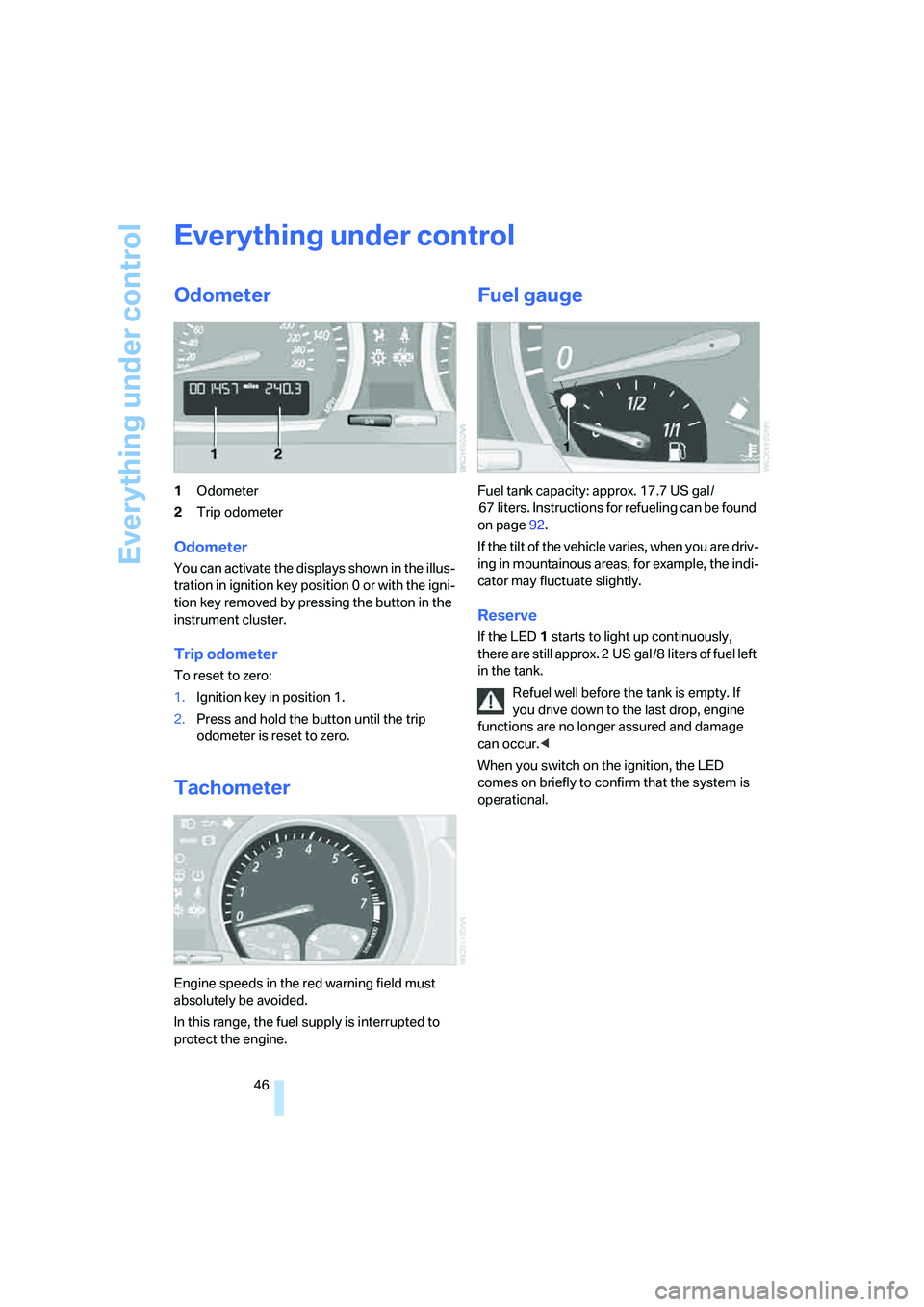
Odometer
1Odometer
2Trip odometer
Odometer
You can activate the displays shown in the illus-
tration in ignition key position 0 or with the igni-
tion key removed by pressing the button in the
instrument cluster.
Trip odometer
To reset to zero:
1.Ignition key in position 1.
2.Press and hold the button until the trip
odometer is reset to zero.
Tachometer
Engine speeds in the red warning field must
absolutely be avoided.
In this range, the fuel supply is interrupted to
protect the engine.
Fuel gauge
Fuel tank capacity: approx. 17.7 US gal /
67 liters. Instructions for refueling can be found
on page92.
If the tilt of the vehicle varies, when you are driv-
ing in mountainous areas, for example, the indi-
cator may fluctuate slightly.
Reserve
If the LED1 starts to light up continuously,
there are still approx. 2 US gal /8 liters of fuel left
in the tank.
Refuel well before the tank is empty. If
you drive down to the last drop, engine
functions are no longer assured and damage
can occur.<
When you switch on the ignition, the LED
comes on briefly to confirm that the system is
operational.
Page 49 of 140
Reference
At a glance
Controls
Driving tips
Mobility
47
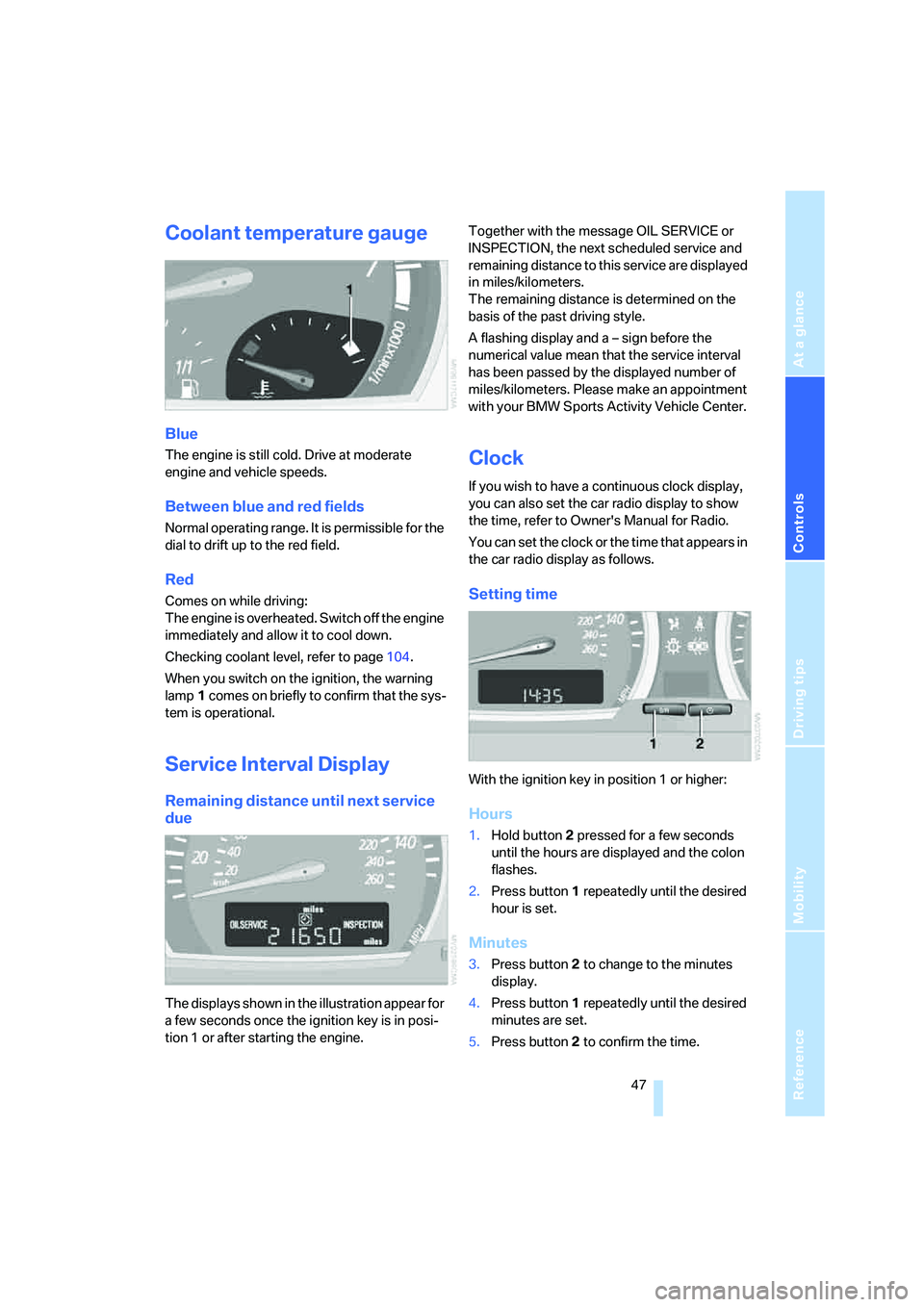
Coolant temperature gauge
Blue
The engine is still cold. Drive at moderate
engine and vehicle speeds.
Between blue and red fields
Normal operating range. It is permissible for the
dial to drift up to the red field.
Red
Comes on while driving:
The engine is overheated. Switch off the engine
immediately and allow it to cool down.
Checking coolant level, refer to page104.
When you switch on the ignition, the warning
lamp1 comes on briefly to confirm that the sys-
tem is operational.
Service Interval Display
Remaining distance until next service
due
The displays shown in the illustration appear for
a few seconds once the ignition key is in posi-
tion 1 or after starting the engine.Together with the message OIL SERVICE or
INSPECTION, the next scheduled service and
remaining distance to this service are displayed
in miles/kilometers.
The remaining distance is determined on the
basis of the past driving style.
A flashing display and a – sign before the
numerical value mean that the service interval
has been passed by the displayed number of
miles/kilometers. Please make an appointment
with your BMW Sports Activity Vehicle Center.
Clock
If you wish to have a continuous clock display,
you can also set the car radio display to show
the time, refer to Owner's Manual for Radio.
You can set the clock or the time that appears in
the car radio display as follows.
Setting time
With the ignition key in position 1 or higher:
Hours
1.Hold button2 pressed for a few seconds
until the hours are displayed and the colon
flashes.
2.Press button1 repeatedly until the desired
hour is set.
Minutes
3.Press button2 to change to the minutes
display.
4.Press button1 repeatedly until the desired
minutes are set.
5.Press button2 to confirm the time.