scr BMW X5 3.0Si 2010 E70 Owner's Guide
[x] Cancel search | Manufacturer: BMW, Model Year: 2010, Model line: X5 3.0Si, Model: BMW X5 3.0Si 2010 E70Pages: 300, PDF Size: 12.41 MB
Page 204 of 300
Telephone
202
Telephone
The concept
Your BMW is equipped with a full preparation
package mobile phone. After pairing a suitable
mobile phone with the vehicle once, you can
operate the mobile phone using iDrive, the but-
tons on the steering wheel, or voice com-
mands
*.
Once a mobile phone has been paired with your
vehicle, it is automatically recognized as soon
as it is inside the vehicle while the engine is run-
ning or the ignition is switched on. The pairing
data of up to four mobile phones can be stored
simultaneously. If several mobile phones are
detected simultaneously, the respective last
mobile phone paired can be operated via the
vehicle.
Using a phone in your vehicle
Using snap-in adapter*
The so-called snap-in adapter, a mobile phone
cradle, enables the battery to be charged and
the mobile phone to be connected to the exter-
nal antenna of your vehicle. This ensures
improved network reception and a consistent
voice reproduction quality. Ask your BMW
Sports Activity Vehicle Center which mobile
phones snap-in adapters are offered for.
For your safety
A car phone makes life more convenient in
many ways, and can even save lives in an emer-
gency. While you should consult your mobile
phone's separate operating instructions for a
detailed description of safety precautions and
information, we request that you direct your
particular attention to the following:
Only make entries when the traffic situa-
tion allows you to do so. Do not hold the
mobile phone in your hand while you are driving;
use the hands-free system instead. If you do
not observe this precaution, your being dis-tracted can endanger vehicle occupants and
other road users.<
Suitable mobile phones
Please ask your BMW Sports Activity Vehicle
Center which mobile phones with Bluetooth
interface are supported by the mobile phone
preparation package and which mobile phones
are compatible with the snap-in adapter. By vir-
tue of their particular software versions, these
mobile phones support the functions described
in this Owner's Manual. Malfunctions can occur
with other mobile phones.
Operating options
You can operate the mobile phone using:
>Buttons on the steering wheel, refer to
page11
>iDrive, refer to page16
>Voice commands
*, refer to page209
>Programmable memory buttons, refer to
page20
Avoid operating a mobile phone detected by
the vehicle with the keypad of the mobile
phone, otherwise malfunctions can occur.
Commissioning
Pairing mobile phone in vehicle
The following prerequisites must be met:
>Compatible mobile phone: the mobile
phone is supported by the full mobile phone
preparation package. Information on this
subject is also provided on the Internet at:
www.bmw.com/bluetooth
>The mobile phone is ready to operate.
>Bluetooth has been activated in the vehicle,
refer to page204, and on the mobile phone.
*
ba8_e70ag.book Seite 202 Freitag, 5. Juni 2009 11:42 11
Page 212 of 300
Telephone
210
Ending/canceling operation by voice
commands
Press the button on the steering wheel
or
In dialogs where text is spoken, e.g. a name
rather than a command, canceling is only possi-
ble using the button on the steering wheel.
Having possible commands read aloud
The system understands default commands
that must be spoken word for word. You can have the possible commands spoken
by the system at any point:
Using alternative commands
There are often a number of commands to run a
function, e.g.:
The system recognizes digits from zero to nine.
You can say each digit individually or group
them into a sequence to accelerate the input.
Example: dialing phone numbers
To start the dialog:
press the button on the steering wheel.
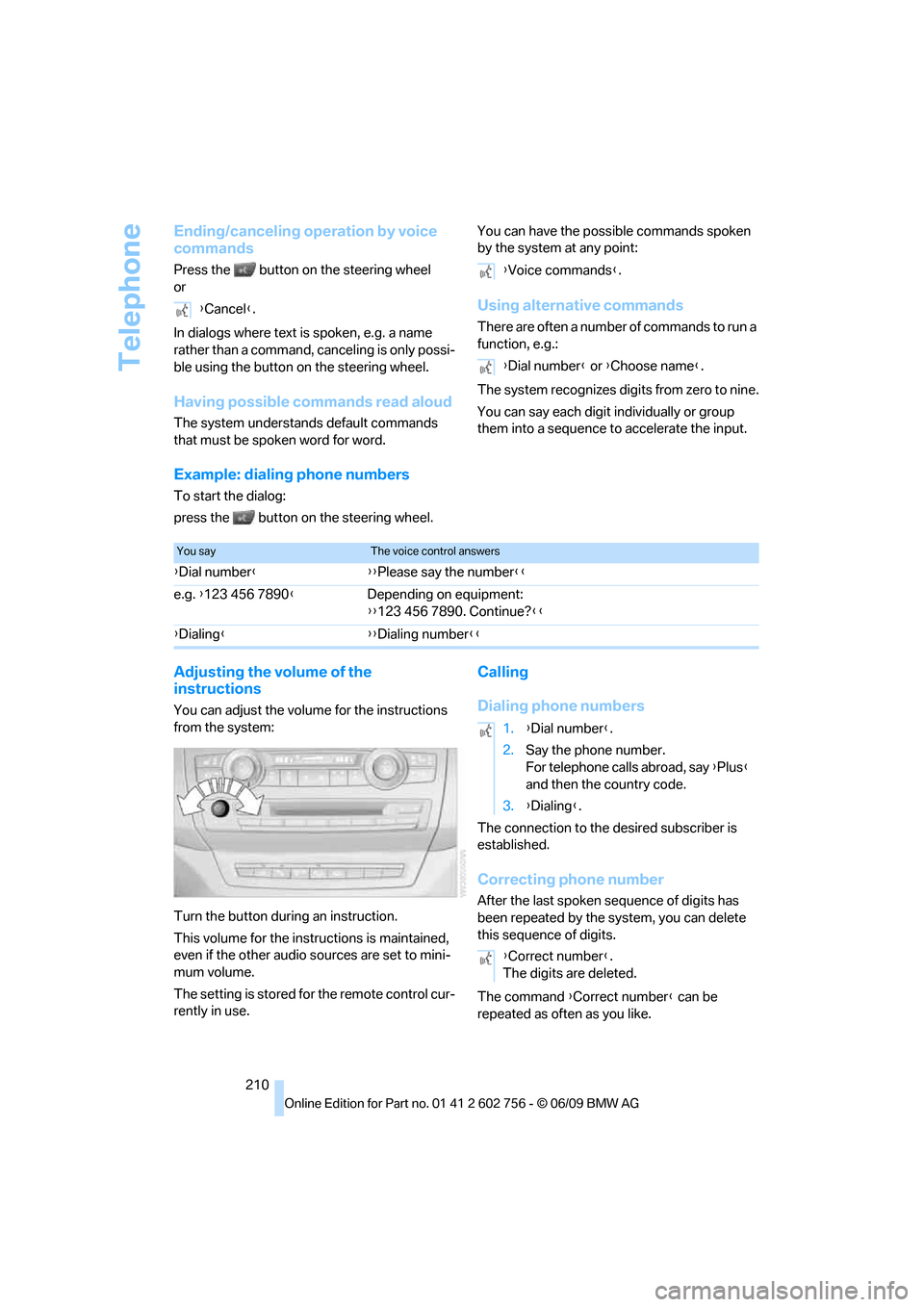
Adjusting the volume of the
instructions
You can adjust the volume for the instructions
from the system:
Turn the button during an instruction.
This volume for the instructions is maintained,
even if the other audio sources are set to mini-
mum volume.
The setting is stored for the remote control cur-
rently in use.
Calling
Dialing phone numbers
The connection to the desired subscriber is
established.
Correcting phone number
After the last spoken sequence of digits has
been repeated by the system, you can delete
this sequence of digits.
The command {Correct number} can be
repeated as often as you like. {Cancel}.
{Voice commands}.
{Dial number} or {Choose name}.
You sayThe voice control answers
{Dial number}{{Please say the number}}
e.g. {123 456 7890}Depending on equipment:
{{123 456 7890. Continue?}}
{Dialing}{{Dialing number}}
1.{Dial number}.
2.Say the phone number.
For telephone calls abroad, say {Plus}
and then the country code.
3.{Dialing}.
{Correct number}.
The digits are deleted.
ba8_e70ag.book Seite 210 Freitag, 5. Juni 2009 11:42 11
Page 219 of 300
217
Entertainment
Reference
At a glance
Controls
Driving tips Communications
Navigation
Mobility
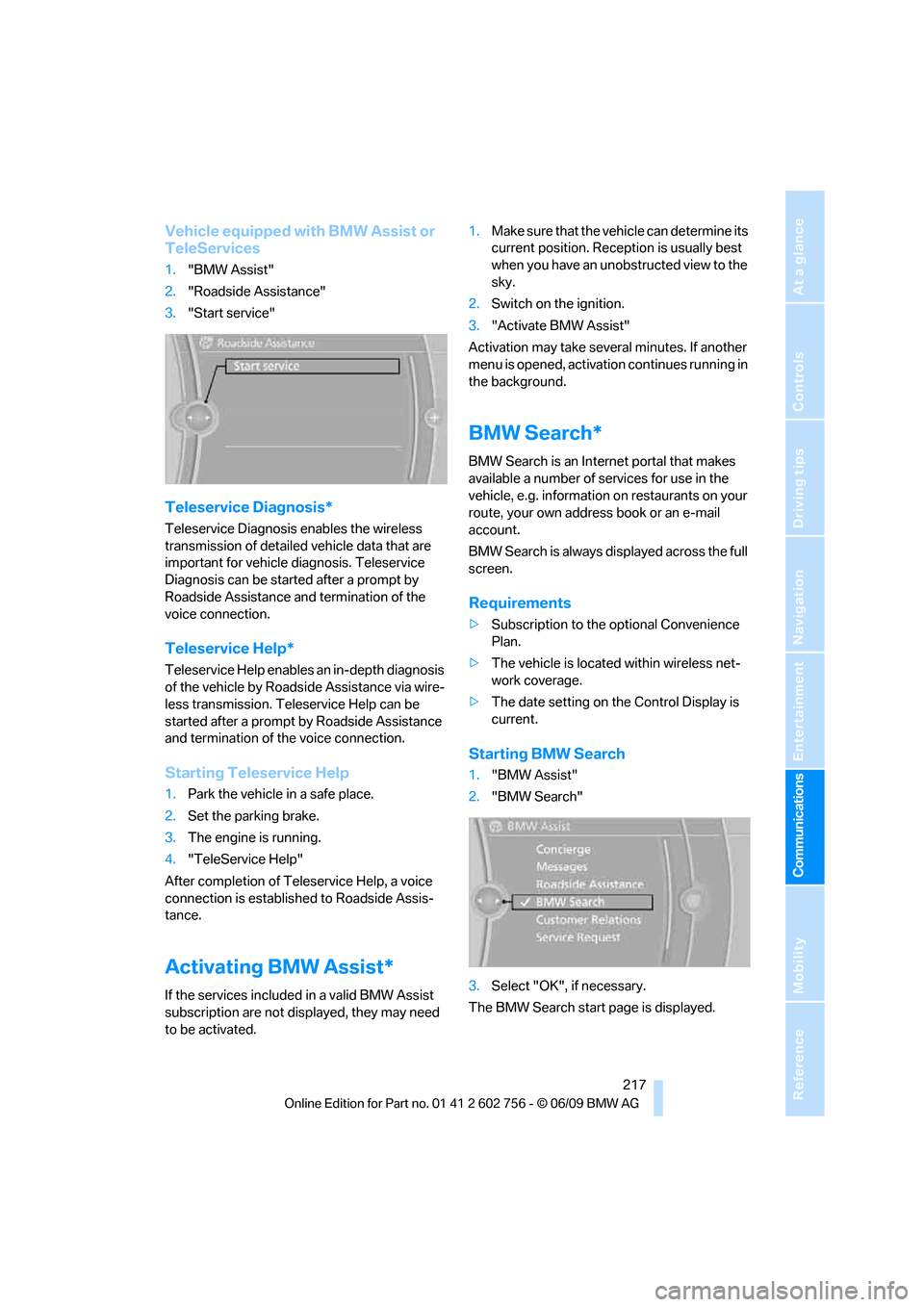
Vehicle equipped with BMW Assist or
TeleServices
1."BMW Assist"
2."Roadside Assistance"
3."Start service"
Teleservice Diagnosis*
Teleservice Diagnosis enables the wireless
transmission of detailed vehicle data that are
important for vehicle diagnosis. Teleservice
Diagnosis can be started after a prompt by
Roadside Assistance and termination of the
voice connection.
Teleservice Help*
Teleservice Help enables an in-depth diagnosis
of the vehicle by Roadside Assistance via wire-
less transmission. Teleservice Help can be
started after a prompt by Roadside Assistance
and termination of the voice connection.
Starting Teleservice Help
1.Park the vehicle in a safe place.
2.Set the parking brake.
3.The engine is running.
4."TeleService Help"
After completion of Teleservice Help, a voice
connection is established to Roadside Assis-
tance.
Activating BMW Assist*
If the services included in a valid BMW Assist
subscription are not displayed, they may need
to be activated.1.Make sure that the vehicle can determine its
current position. Reception is usually best
when you have an unobstructed view to the
sky.
2.Switch on the ignition.
3."Activate BMW Assist"
Activation may take several minutes. If another
menu is opened, activation continues running in
the background.
BMW Search*
BMW Search is an Internet portal that makes
available a number of services for use in the
vehicle, e.g. information on restaurants on your
route, your own address book or an e-mail
account.
BMW Search is always displayed across the full
screen.
Requirements
>Subscription to the optional Convenience
Plan.
>The vehicle is located within wireless net-
work coverage.
>The date setting on the Control Display is
current.
Starting BMW Search
1."BMW Assist"
2."BMW Search"
3.Select "OK", if necessary.
The BMW Search start page is displayed.
ba8_e70ag.book Seite 217 Freitag, 5. Juni 2009 11:42 11
Page 230 of 300
Refueling
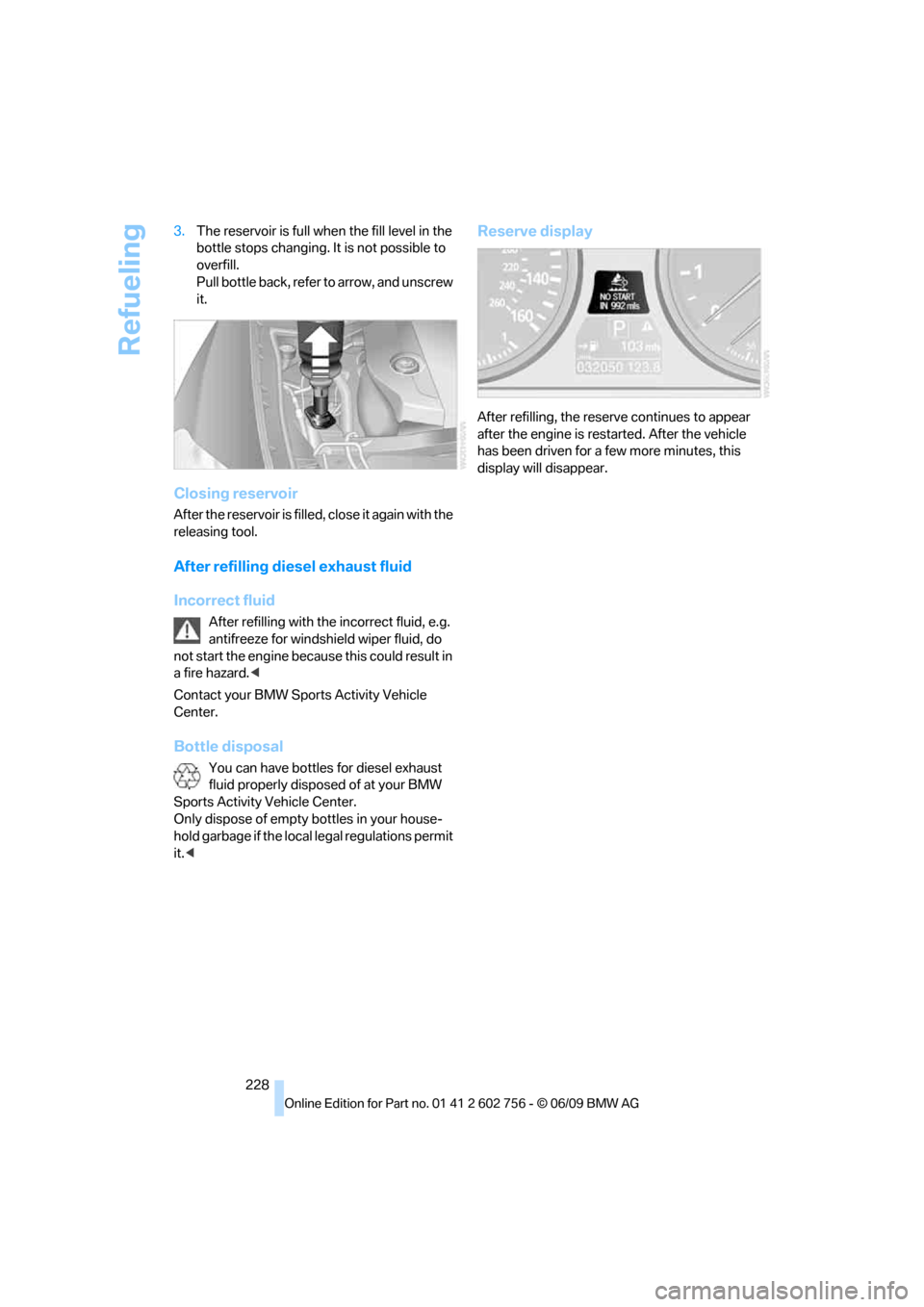
228 3.The reservoir is full when the fill level in the
bottle stops changing. It is not possible to
overfill.
Pull bottle back, refer to arrow, and unscrew
it.
Closing reservoir
After the reservoir is filled, close it again with the
releasing tool.
After refilling diesel exhaust fluid
Incorrect fluid
After refilling with the incorrect fluid, e.g.
antifreeze for windshield wiper fluid, do
not start the engine because this could result in
a fire hazard.<
Contact your BMW Sports Activity Vehicle
Center.
Bottle disposal
You can have bottles for diesel exhaust
fluid properly disposed of at your BMW
Sports Activity Vehicle Center.
Only dispose of empty bottles in your house-
hold garbage if the local legal regulations permit
it.<
Reserve display
After refilling, the reserve continues to appear
after the engine is restarted. After the vehicle
has been driven for a few more minutes, this
display will disappear.
ba8_e70ag.book Seite 228 Freitag, 5. Juni 2009 11:42 11
Page 247 of 300
Mobility
245Reference
At a glance
Controls
Driving tips
Communications
Navigation
Entertainment
Socket for OBD Onboard
Diagnostics interface
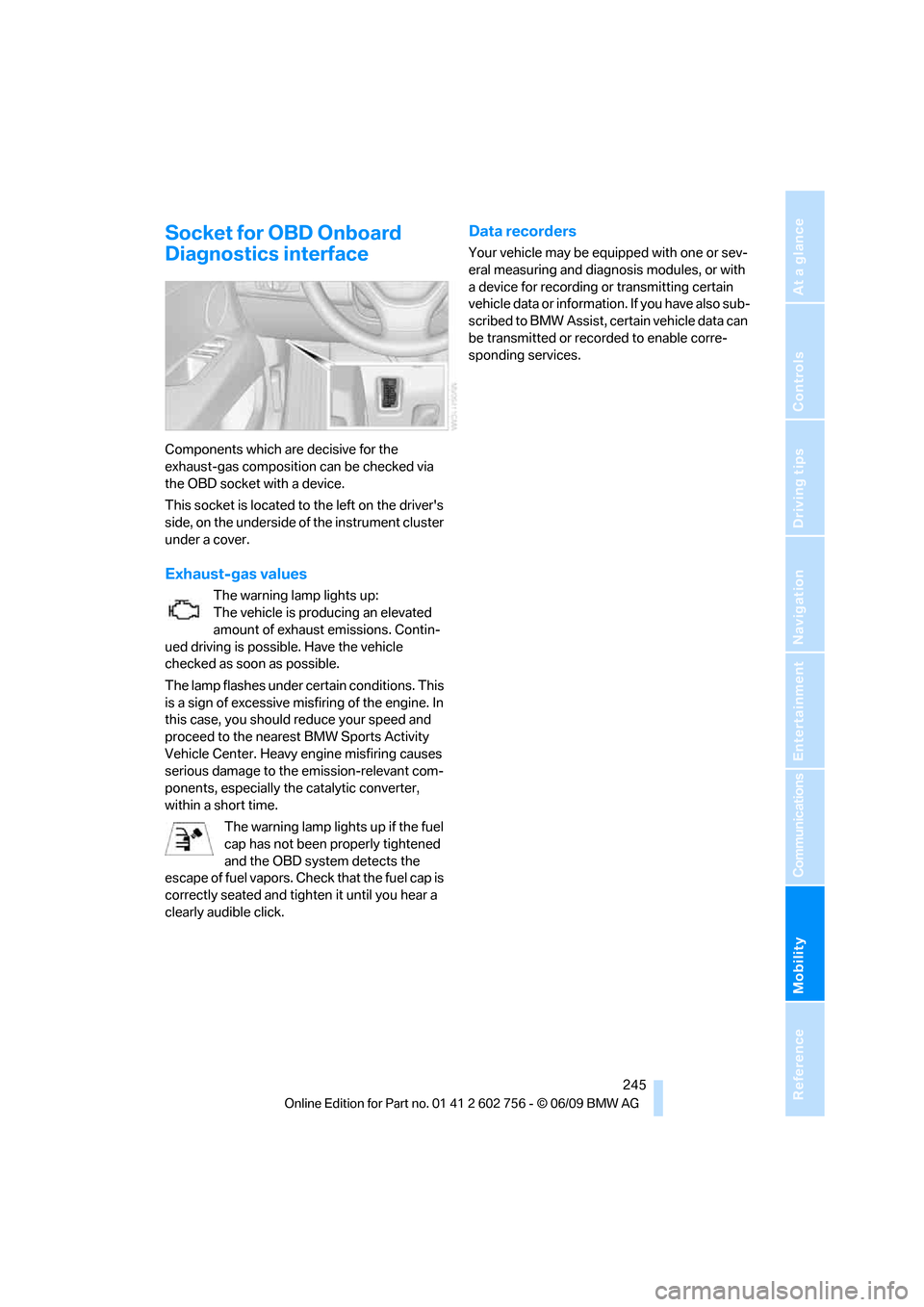
Components which are decisive for the
exhaust-gas composition can be checked via
the OBD socket with a device.
This socket is located to the left on the driver's
side, on the underside of the instrument cluster
under a cover.
Exhaust-gas values
The warning lamp lights up:
The vehicle is producing an elevated
amount of exhaust emissions. Contin-
ued driving is possible. Have the vehicle
checked as soon as possible.
The lamp flashes under certain conditions. This
is a sign of excessive misfiring of the engine. In
this case, you should reduce your speed and
proceed to the nearest BMW Sports Activity
Vehicle Center. Heavy engine misfiring causes
serious damage to the emission-relevant com-
ponents, especially the catalytic converter,
within a short time.
The warning lamp lights up if the fuel
cap has not been properly tightened
and the OBD system detects the
escape of fuel vapors. Check that the fuel cap is
correctly seated and tighten it until you hear a
clearly audible click.
Data recorders
Your vehicle may be equipped with one or sev-
eral measuring and diagnosis modules, or with
a device for recording or transmitting certain
vehicle data or information. If you have also sub-
scribed to BMW Assist, certain vehicle data can
be transmitted or recorded to enable corre-
sponding services.
ba8_e70ag.book Seite 245 Freitag, 5. Juni 2009 11:42 11
Page 249 of 300
Mobility
247Reference
At a glance
Controls
Driving tips
Communications
Navigation
Entertainment
Steam cleaners/high-pressure
cleaning jets
When using steam cleaners or high-pres-
sure cleaning jets, make sure to maintain
a sufficient distance and stay below a maximum
temperature of 1407/606.
Insufficient distance or excessive pressure or
temperature can damage parts of the vehicle or
can result in water penetration. Follow the oper-
ating instructions for the high-pressure clean-
ing jets.<
Do not spray the sensors and cameras,
e.g. of Park Distance Control, Top View,
or rear view camera, with high-pressure clean-
ers for long periods and keep the spray nozzle
at least 12 in/30 cm away from them.<
Hand washing
When washing the vehicle by hand, use plenty
of water and car washing shampoo. Clean the
vehicle with gentle pressure using a sponge or a
washing brush.
Before cleaning the windshield, deacti-
vate the rain sensor or switch off the igni-
tion to prevent unwanted wiper operation.<
Follow local guidelines for washing vehi-
cles by hand.<
Headlamps
Do not rub dry and never use abrasives or
strong solvents to clean the covers.
Loosen dirt, e.g. insects, with shampoo or
insect remover and wash away with plenty of
water.
Use a window de-icer to remove accumulated
ice and snow, not a scraper.
Windows
Use a glass cleaner to clean the inside and out-
side surfaces of the windows and the glass sur-
faces of the mirrors.
Do not use quartz-containing cleansers
to clean glass surfaces of the mirrors.<
Caring for the vehicle finish
Regular care helps your vehicle retain its value
and protects the paint from the long-term
effects of aggressive substances.
Regionally occurring environmental factors can
affect and damage vehicle finish. It is therefore
important to tailor the frequency and extent of
your car care accordingly.
Immediately remove particularly aggressive
substances such as spilled fuel, oil, grease,
brake fluid, tree resin, or bird droppings; other-
wise, they may damage your paint.
Repairing paint damage
Repair stone damage or scratches imme-
diately, depending on the severity of the
damage, to prevent the formation of rust.<
BMW recommends having paint damage pro-
fessionally repaired using Genuine BMW finish
materials in accordance with factory guidelines.
Waxing
Sealant is required when water no longer beads
on the clean surface of the paint. Use only prod-
ucts that contain carnauba wax or synthetic wax
to seal your finish.
Rubber gaskets
Treat only with water or a rubber care product.
To avoid noise or damage, do not use
products that contain silicone to care for
rubber gaskets.<
Chrome components
Particularly after exposure to road salt, thor-
oughly cleanse parts like the radiator grille, door
handles, or window frames with plenty of water
with shampoo added to it. For additional treat-
ment, use chrome polish.
Alloy wheels
Depending on your system, braking can gener-
ate dust, which settles on the light-alloy wheels.
Remove this dust regularly with acid-free wheel
cleaner.
ba8_e70ag.book Seite 247 Freitag, 5. Juni 2009 11:42 11
Page 252 of 300
Replacing components
250
Replacing components
Onboard toolkit
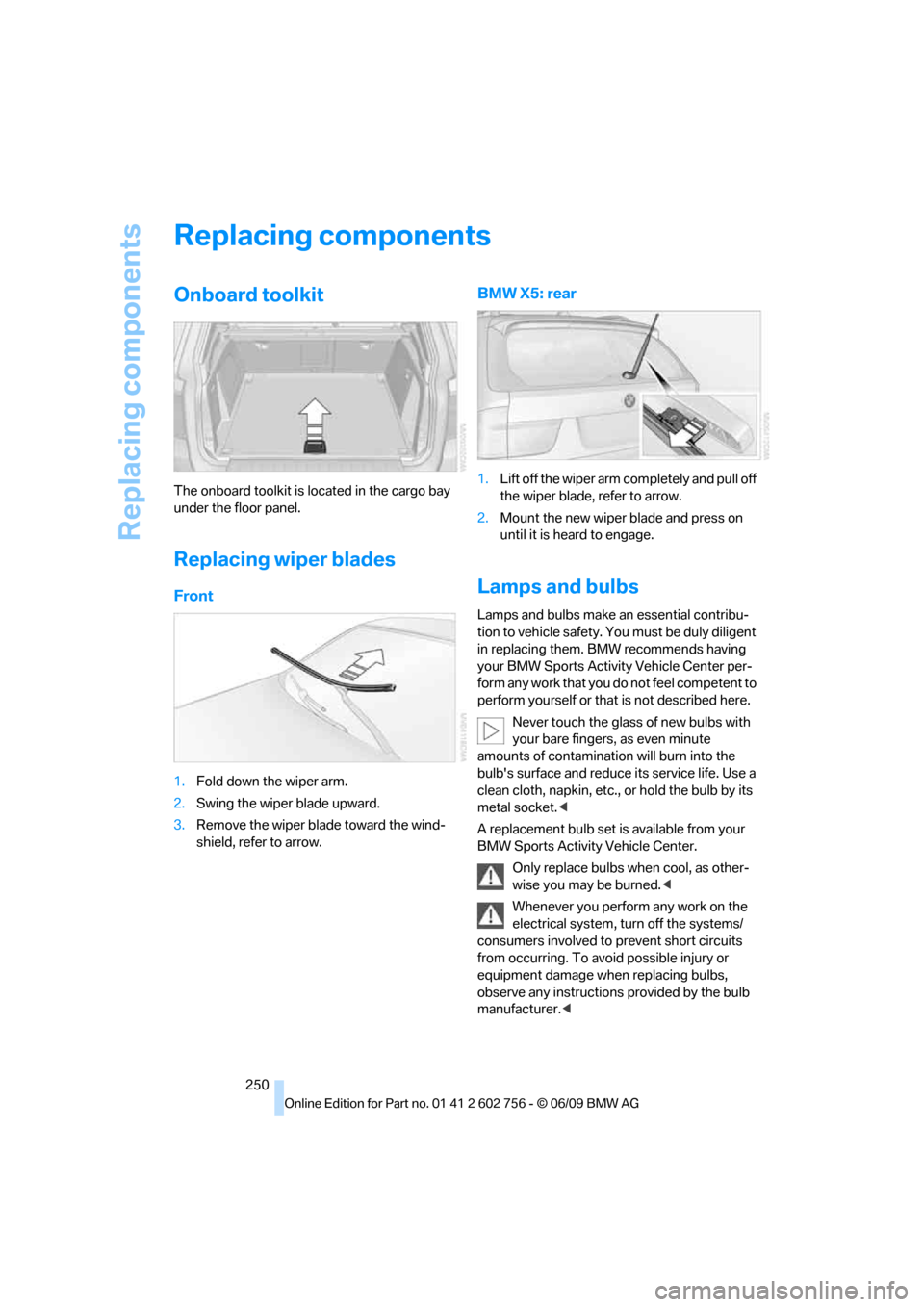
The onboard toolkit is located in the cargo bay
under the floor panel.
Replacing wiper blades
Front
1.Fold down the wiper arm.
2.Swing the wiper blade upward.
3.Remove the wiper blade toward the wind-
shield, refer to arrow.
BMW X5: rear
1.Lift off the wiper arm completely and pull off
the wiper blade, refer to arrow.
2.Mount the new wiper blade and press on
until it is heard to engage.
Lamps and bulbs
Lamps and bulbs make an essential contribu-
tion to vehicle safety. You must be duly diligent
in replacing them. BMW recommends having
your BMW Sports Activity Vehicle Center per-
form any work that you do not feel competent to
perform yourself or that is not described here.
Never touch the glass of new bulbs with
your bare fingers, as even minute
amounts of contamination will burn into the
bulb's surface and reduce its service life. Use a
clean cloth, napkin, etc., or hold the bulb by its
metal socket.<
A replacement bulb set is available from your
BMW Sports Activity Vehicle Center.
Only replace bulbs when cool, as other-
wise you may be burned.<
Whenever you perform any work on the
electrical system, turn off the systems/
consumers involved to prevent short circuits
from occurring. To avoid possible injury or
equipment damage when replacing bulbs,
observe any instructions provided by the bulb
manufacturer.<
ba8_e70ag.book Seite 250 Freitag, 5. Juni 2009 11:42 11
Page 253 of 300
Mobility
251Reference
At a glance
Controls
Driving tips
Communications
Navigation
Entertainment
When performing care and maintenance on the
headlamps, please observe the information on
page247.
For bulbs for which replacement is not
described and for checking and adjusting
headlamp aim, please contact your BMW
Sports Activity Vehicle Center.<
Light-emitting diodes LEDs
Light-emitting diodes installed behind translu-
c e n t l e n s e s s e r v e a s t h e l i g h t s o u r c e f o r m a n y o f
the controls and displays in your vehicle. These
light-emitting diodes, which operate using a
concept similar to that applied in conventional
lasers, are officially designated as Class 1 light-
emitting diodes.
Do not remove the covers, and never
stare into the unfiltered light for several
hours, as irritation of the retina could result.<
BMW X5: changing lamps
Xenon lamps
These bulbs have a very long service life and
the probability of a failure is very low. If a lamp
should nevertheless fail, you can continue driv-
ing cautiously with fog lamps
* provided that
this is permitted by the country-specific laws.
Have work on the xenon light unit includ-
ing changing the bulb carried out only by
your BMW Sports Activity Vehicle Center or a
workshop that works according to BMW repair
procedures with correspondingly trained per-
sonnel. Due to the high voltage present in the
system, there is a danger of fatal injuries when
work is carried out improperly.<
Halogen bulbs:
Parking lamps and roadside parking
lamps, daytime driving lamps
35-Watt bulb, H8
The bulb is pressurized. Therefore, wear
safety glasses and protective gloves.
Otherwise there is a danger of injuries if the
bulb is accidentally damaged during replace-
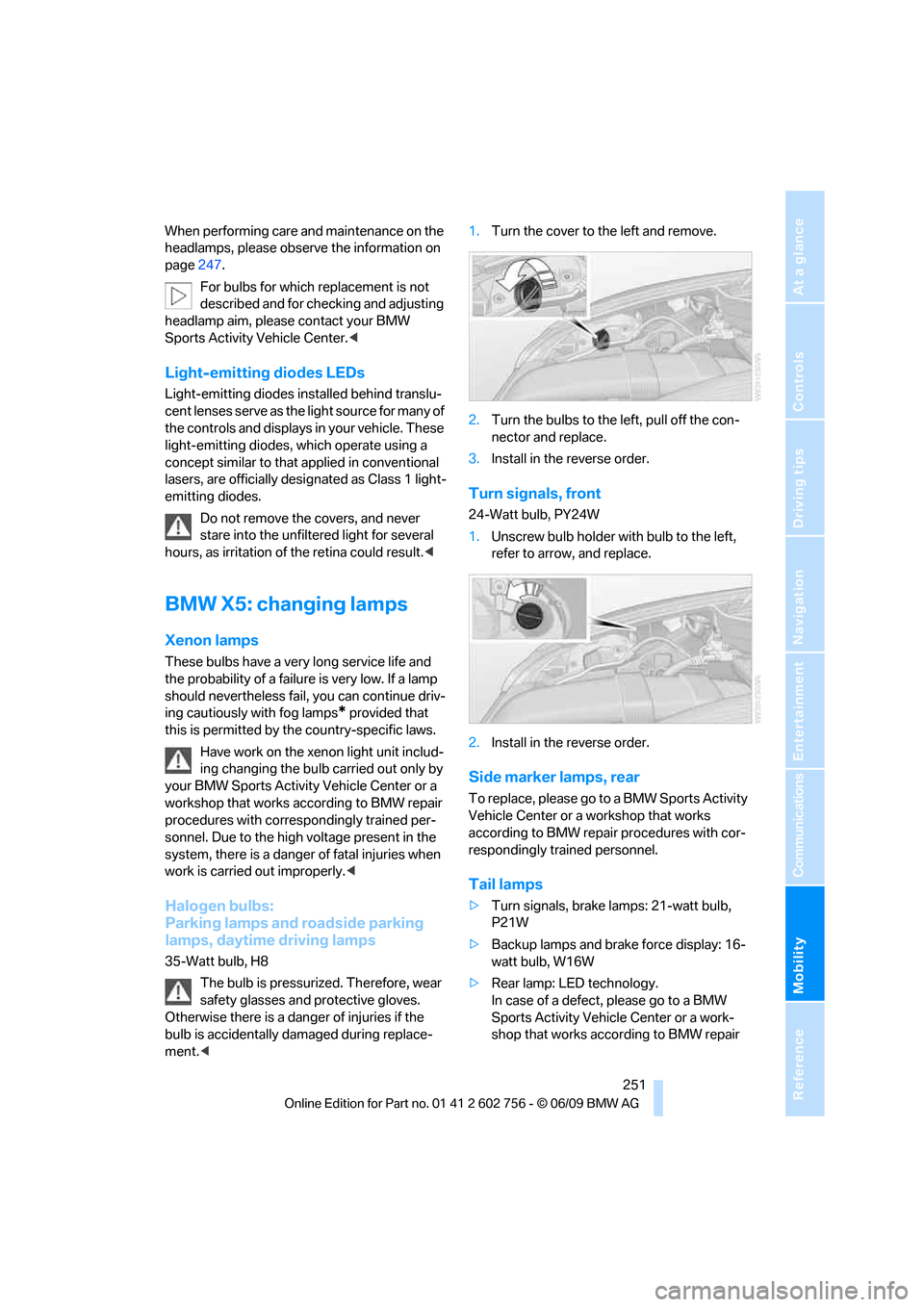
ment.<1.Turn the cover to the left and remove.
2.Turn the bulbs to the left, pull off the con-
nector and replace.
3.Install in the reverse order.
Turn signals, front
24-Watt bulb, PY24W
1.Unscrew bulb holder with bulb to the left,
refer to arrow, and replace.
2.Install in the reverse order.
Side marker lamps, rear
To replace, please go to a BMW Sports Activity
Vehicle Center or a workshop that works
according to BMW repair procedures with cor-
respondingly trained personnel.
Tail lamps
>Turn signals, brake lamps: 21-watt bulb,
P21W
>Backup lamps and brake force display: 16-
watt bulb, W16W
>Rear lamp: LED technology.
In case of a defect, please go to a BMW
Sports Activity Vehicle Center or a work-
shop that works according to BMW repair
ba8_e70ag.book Seite 251 Freitag, 5. Juni 2009 11:42 11
Page 255 of 300
Mobility
253Reference
At a glance
Controls
Driving tips
Communications
Navigation
Entertainment
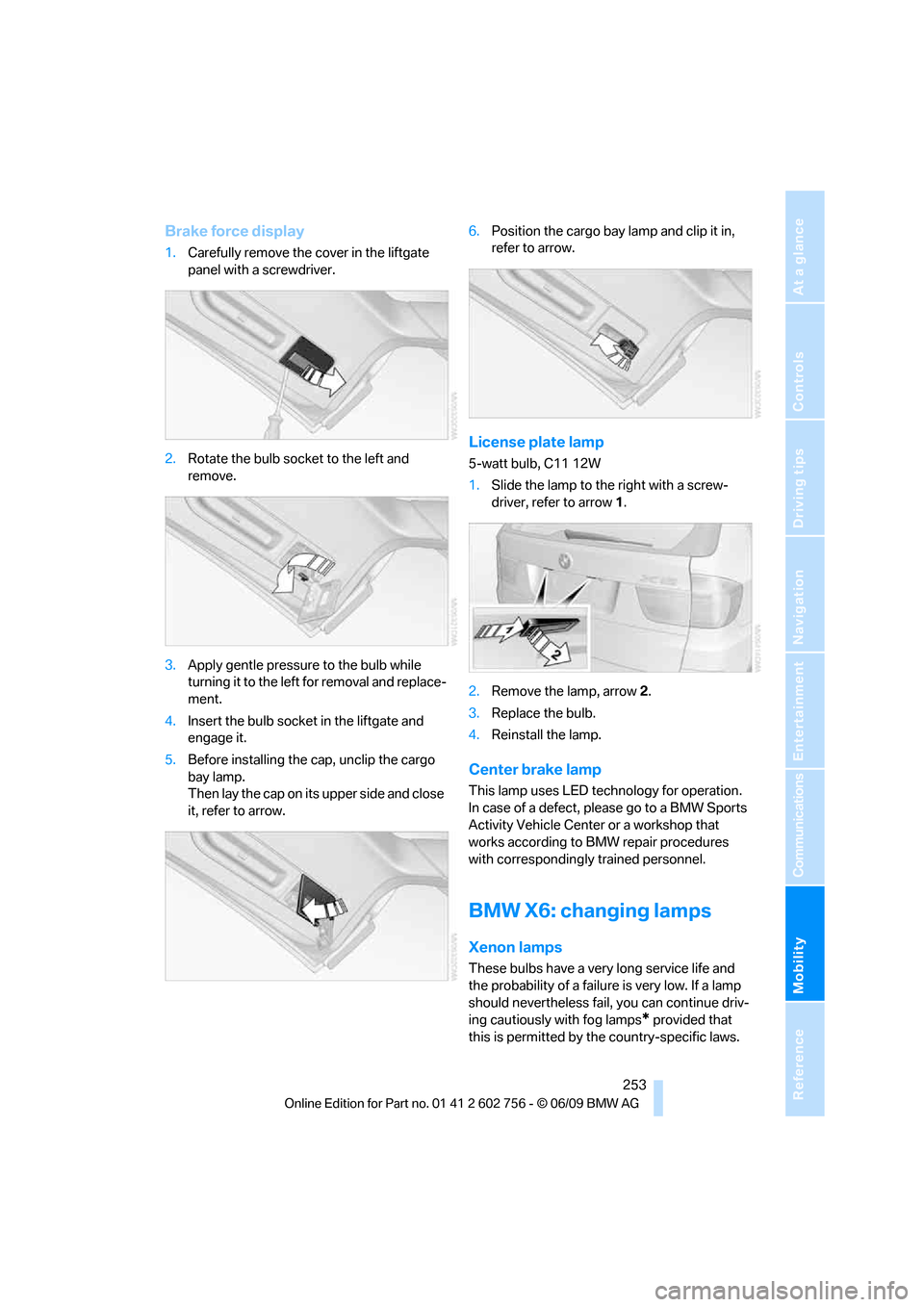
Brake force display
1.Carefully remove the cover in the liftgate
panel with a screwdriver.
2.Rotate the bulb socket to the left and
remove.
3.Apply gentle pressure to the bulb while
turning it to the left for removal and replace-
ment.
4.Insert the bulb socket in the liftgate and
engage it.
5.Before installing the cap, unclip the cargo
bay lamp.
Then lay the cap on its upper side and close
it, refer to arrow.6.Position the cargo bay lamp and clip it in,
refer to arrow.
License plate lamp
5-watt bulb, C11 12W
1.Slide the lamp to the right with a screw-
driver, refer to arrow1.
2.Remove the lamp, arrow2.
3.Replace the bulb.
4.Reinstall the lamp.
Center brake lamp
This lamp uses LED technology for operation.
In case of a defect, please go to a BMW Sports
Activity Vehicle Center or a workshop that
works according to BMW repair procedures
with correspondingly trained personnel.
BMW X6: changing lamps
Xenon lamps
These bulbs have a very long service life and
the probability of a failure is very low. If a lamp
should nevertheless fail, you can continue driv-
ing cautiously with fog lamps
* provided that
this is permitted by the country-specific laws.
ba8_e70ag.book Seite 253 Freitag, 5. Juni 2009 11:42 11
Page 257 of 300
Mobility
255Reference
At a glance
Controls
Driving tips
Communications
Navigation
Entertainment
procedures with correspondingly trained
personnel.
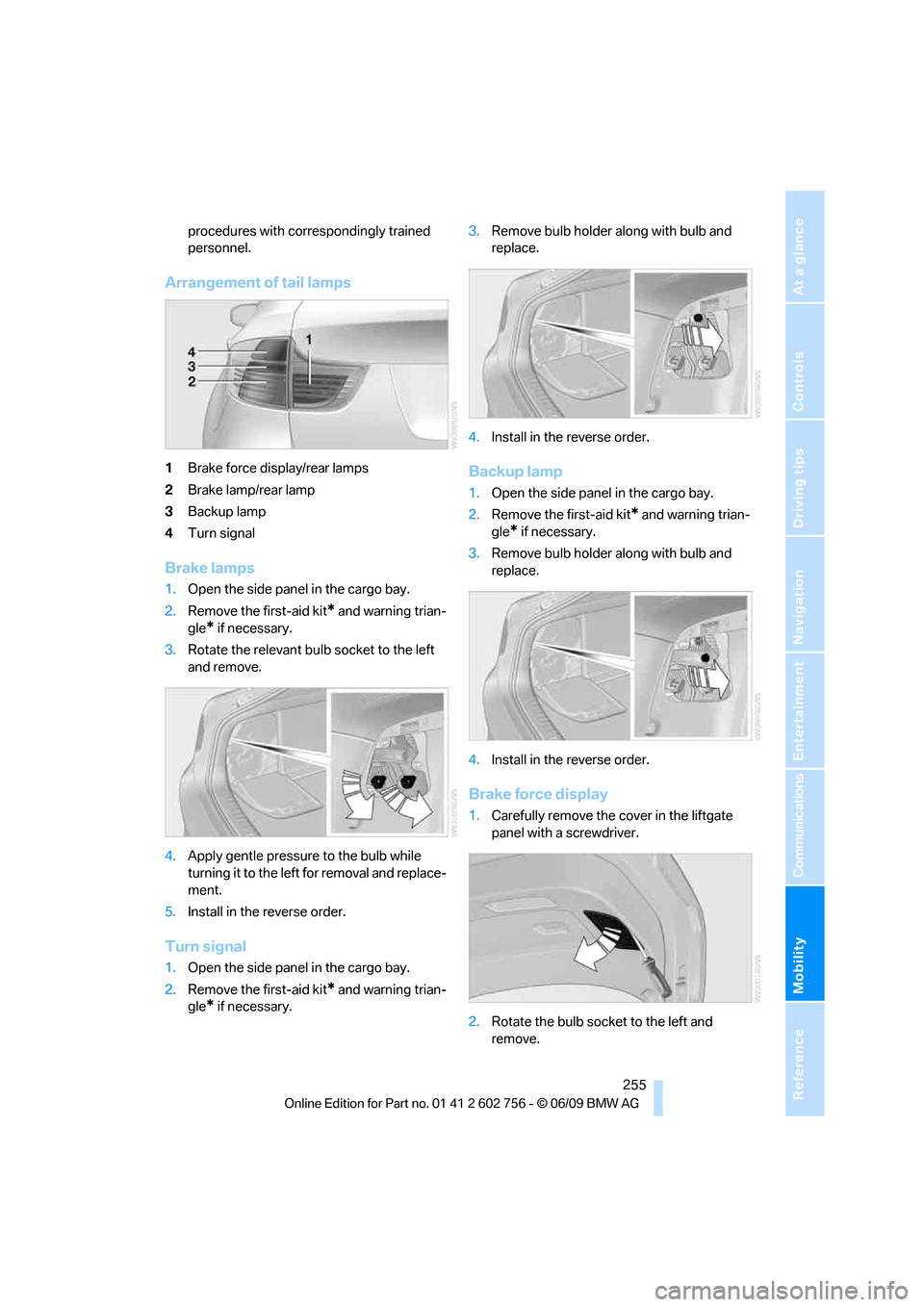
Arrangement of tail lamps
1Brake force display/rear lamps
2Brake lamp/rear lamp
3Backup lamp
4Turn signal
Brake lamps
1.Open the side panel in the cargo bay.
2.Remove the first-aid kit
* and warning trian-
gle
* if necessary.
3.Rotate the relevant bulb socket to the left
and remove.
4.Apply gentle pressure to the bulb while
turning it to the left for removal and replace-
ment.
5.Install in the reverse order.
Turn signal
1.Open the side panel in the cargo bay.
2.Remove the first-aid kit
* and warning trian-
gle
* if necessary.3.Remove bulb holder along with bulb and
replace.
4.Install in the reverse order.
Backup lamp
1.Open the side panel in the cargo bay.
2.Remove the first-aid kit
* and warning trian-
gle
* if necessary.
3.Remove bulb holder along with bulb and
replace.
4.Install in the reverse order.
Brake force display
1.Carefully remove the cover in the liftgate
panel with a screwdriver.
2.Rotate the bulb socket to the left and
remove.
ba8_e70ag.book Seite 255 Freitag, 5. Juni 2009 11:42 11