ESP BMW X5 4.4I 2000 User Guide
[x] Cancel search | Manufacturer: BMW, Model Year: 2000, Model line: X5 4.4I, Model: BMW X5 4.4I 2000Pages: 201, PDF Size: 1.93 MB
Page 60 of 201
60n
Airbags Child restraints
*
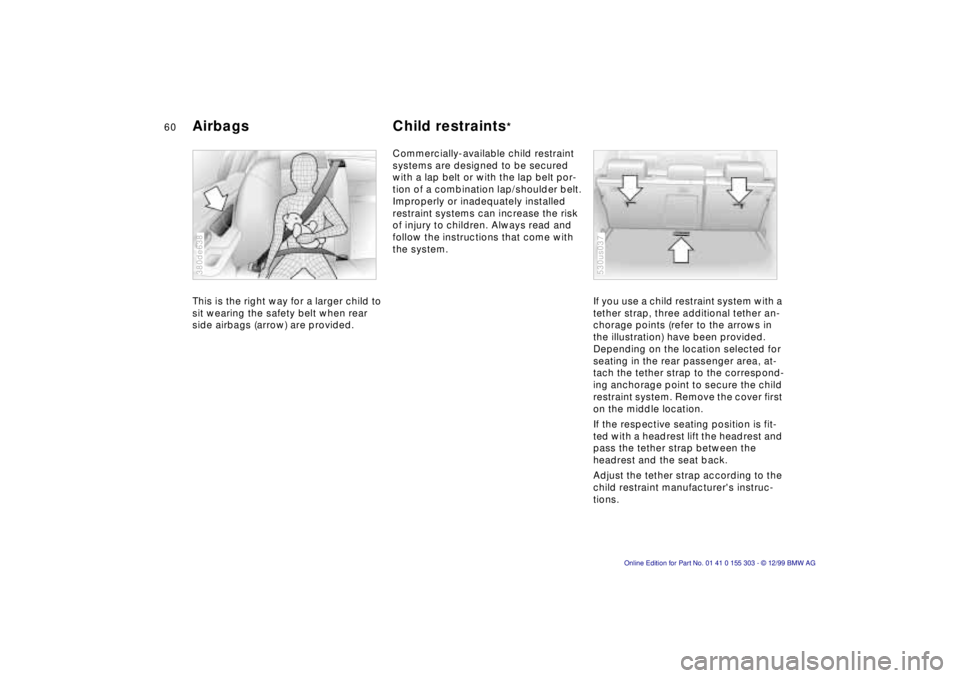
This is the right way for a larger child to
sit wearing the safety belt when rear
side airbags (arrow) are provided. 380de638
Commercially-available child restraint
systems are designed to be secured
with a lap belt or with the lap belt por-
tion of a combination lap/shoulder belt.
Improperly or inadequately installed
restraint systems can increase the risk
of injury to children. Always read and
follow the instructions that come with
the system.
If you use a child restraint system with a
tether strap, three additional tether an-
chorage points (refer to the arrows in
the illustration) have been provided.
Depending on the location selected for
seating in the rear passenger area, at-
tach the tether strap to the correspond-
ing anchorage point to secure the child
restraint system. Remove the cover first
on the middle location.
If the respective seating position is fit-
ted with a headrest lift the headrest and
pass the tether strap between the
headrest and the seat back.
Adjust the tether strap according to the
child restraint manufacturer's instruc-
tions.
530us037
Page 70 of 201
70n
Washer/Wiper system 1 Intermittent wipe or rain
sensor
*
Intermittent wipe:
You can set the wipe interval to four
stages with rotary dial 7.
In addition, the wipe interval is varied
automatically depending on road
speed.
Rain sensor:
When the rain sensor is activated, the
windshield wiper is controlled automati-
cally, depending on the degree of wet-
ness of the windshield (in both snow
and rain). You do not have to be con-
cerned with switching the windshield
wiper on or off or adjusting the wipe
interval between intermittent and full
wipe. Instead, you can concentrate fully
on the traffic conditions. This is espe-
cially important under adverse weather
conditions.
The rain sensor is positioned on the
windshield, directly in front of the inte-
rior rearview mirror.
To activate the rain sensor:
Move the lever to position 1 with the
ignition key in position 1 or higher. The
wipers travel once across the wind-
shield, regardless of the weather condi-
tions. You can leave the lever permanently in
position 1. It is then only necessary to
activate the rain sensor from ignition
key position 1 and up. To do this,
>turn rotary dial 7 briefly or
>clean the windshield 5 or use the
special wash program 6.
To adjust the sensitivity of the rain
sensor:
Turn rotary dial 7.
Turn the rain sensor off in auto-
matic car washes. If you do not,
damage may occur if the wipers switch
on unintentionally.<
2 Normal wiper speed The system switches automatically to
intermittent operation when the vehicle
is not moving (not on vehicles with the
rain sensor
*).
3 Fast wiper speed The wipers operate at normal speed
when the vehicle is not moving (not on
vehicles with the rain sensor
*).
5 Clean the windshield The system sprays washer fluid against
the windshield and activates the wipers
for a brief period.
If you pull the lever only briefly, the sys-
tem sprays washer fluid onto the wind-
shield without activating the wipers. 6 Special wash program
*
As at 5; there are also several additional
wash cycles, and the headlamps are
cleaned
*.
This program is recommended after you
have driven on extremely dirty roads.
Headlamp washers
*
>With the Special wash program 6
>With every fifth actuation of Clean
windshield 5 when the vehicle's
lighting is switched on.
Do not use the washers if there is
any danger that the fluid will
freeze on the windshield. If you do so,
your vision could be obscured. For this
reason, use an antifreeze agent. Refer
to page 136.
Do not use the washers when the reser-
voir is empty. This could cause damage
to the washer pump.< Windshield washer jets The windshield washer jets are warmed
automatically when the ignition key is in
position 2.
Page 73 of 201

IndexDataTechnologyRepairsCar careControlsOverview
73n
Cruise control To interrupt the cruise control When the system is activated, press
and hold button 4. The indicator lamp
stays on. You can use the cruise control
again as required.
In addition, the system is also automati-
cally deactivated in response to the fol-
lowing conditions:
>When you apply pressure to the
brake pedal.
>When you move the automatic trans-
mission selector lever from "Drive" to
"Neutral".
>If you exceed or fall below the pro-
grammed speed for an extended pe-
riod (by depressing the accelerator,
for example).
To resume the stored setting Press button 3:
The vehicle accelerates to and main-
tains the last speed stored. When you
turn the ignition key to position 0, the
stored speed is deleted and the system
is deactivated. To deactivate the systemWhen the cruise control has been can-
celed, press button 4 again. The indica-
tor lamp goes off and the stored speed
is canceled. Do not use cruise control on
twisting roads, when high traffic
density prevents driving at a constant
speed, when the road surface is slick
(snow, rain, ice), or when the road sur-
face is loose (rocks or gravel, sand).<
Page 76 of 201
76n
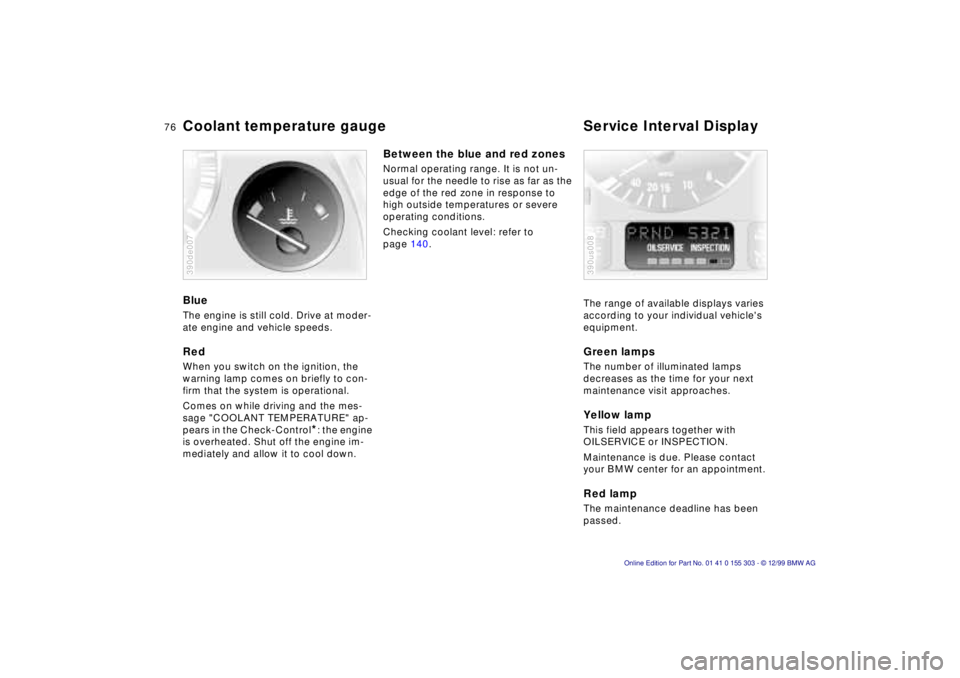
Coolant temperature gauge Service Interval Display Blue The engine is still cold. Drive at moder-
ate engine and vehicle speeds. Red When you switch on the ignition, the
warning lamp comes on briefly to con-
firm that the system is operational.
Comes on while driving and the mes-
sage "COOLANT TEMPERATURE" ap-
pears in the Check-Control
*: the engine
is overheated. Shut off the engine im-
mediately and allow it to cool down.
390de007
Between the blue and red zones Normal operating range. It is not un-
usual for the needle to rise as far as the
edge of the red zone in response to
high outside temperatures or severe
operating conditions.
Checking coolant level: refer to
page 140.
The range of available displays varies
according to your individual vehicle's
equipment.
Green lamps The number of illuminated lamps
decreases as the time for your next
maintenance visit approaches. Yellow lamp This field appears together with
OILSERVICE or INSPECTION.
Maintenance is due. Please contact
your BMW center for an appointment. Red lamp The maintenance deadline has been
passed. 390us008
Page 82 of 201
82n
The concept The PDC assists you when you are
parking. Acoustical signals inform you
of the distance to an obstacle. To do
this, four ultrasonic sensors in the front
and rear bumpers measure the distance
to the nearest object. The monitoring
range for the front sensors as well as
the two rear corner sensors ends ap-
prox. 2 feet (60 cm) behind the respec-
tive bumper. The center sensors in the
rear have a range of approx. 5 feet
(1.50 meters). Automatic function The system starts to operate auto-
matically about one second after you
select ÒReverseÒ with the ignition key in
position 2.
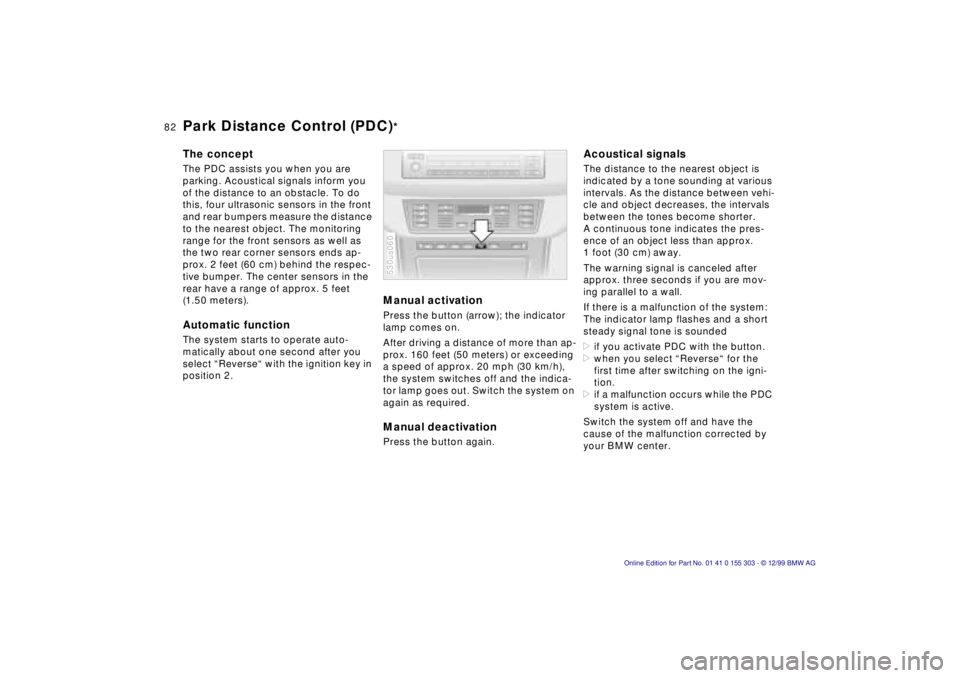
Manual activation Press the button (arrow); the indicator
lamp comes on.
After driving a distance of more than ap-
prox. 160 feet (50 meters) or exceeding
a speed of approx. 20 mph (30 km/h),
the system switches off and the indica-
tor lamp goes out. Switch the system on
again as required. Manual deactivation Press the button again. 530us060
Acoustical signals The distance to the nearest object is
indicated by a tone sounding at various
intervals. As the distance between vehi-
cle and object decreases, the intervals
between the tones become shorter.
A continuous tone indicates the pres-
ence of an object less than approx.
1 foot (30 cm) away.
The warning signal is canceled after
approx. three seconds if you are mov-
ing parallel to a wall.
If there is a malfunction of the system:
The indicator lamp flashes and a short
steady signal tone is sounded
>if you activate PDC with the button.
>when you select ÒReverseÒ for the
first time after switching on the igni-
tion.
>if a malfunction occurs while the PDC
system is active.
Switch the system off and have the
cause of the malfunction corrected by
your BMW center.
Park Distance Control (PDC)
*
Page 83 of 201
IndexDataTechnologyRepairsCar careControlsOverview
83n
PDC
*
Dynamic Stability Control (DSC)
The PDC system does not remove
the driver's personal responsibility
for evaluating the distance between the
vehicle and any obstacles. Even when
sensors are involved, there is a blind
spot in which objects cannot be de-
tected. This applies especially in those
cases where the system approaches
the physical constraints of ultrasonic
measurement, as occurs with tow bars
and trailer couplings, and in the vicinity
of thin and painted objects.
Certain sources of sound, such as a
loud radio, could drown out the PDC
signal tone.<
Keep the sensors clean and free
of ice or snow in order to ensure
that they continue to operate effectively.
Do not apply high pressure spray to the
sensors for a prolonged period of time.
Maintain an adequate distance of more
than 4 inches (10 cm).<
The concept DSC maintains vehicle stability, even in
critical driving situations.
The system optimizes vehicle stability
during acceleration and when starting
from a full stop, as well as optimizing
traction. In addition, the system recog-
nizes unstable vehicle conditions (un-
dersteering or oversteering, for exam-
ple) and helps to keep the vehicle on a
sure course by intervening via the en-
gine and by braking intervention at the
individual wheels.
The system starts up automatically
each time you start the engine. Indicator lamp
The indicator lamp in the instru-
ment cluster goes out shortly
after you switch on the ignition.
Refer to page 24.
Indicator lamp ßashes:
The system is active and governs drive
force and braking force.
If the indicator lamp fails to go out after
the engine is started, or comes on dur-
ing normal driving and stays on:
There is a system malfunction or the
system was deactivated with the but-
ton. You can continue to drive the vehi-
cle normally, but without DSC. Consult
your authorized BMW center to have
the system repaired.
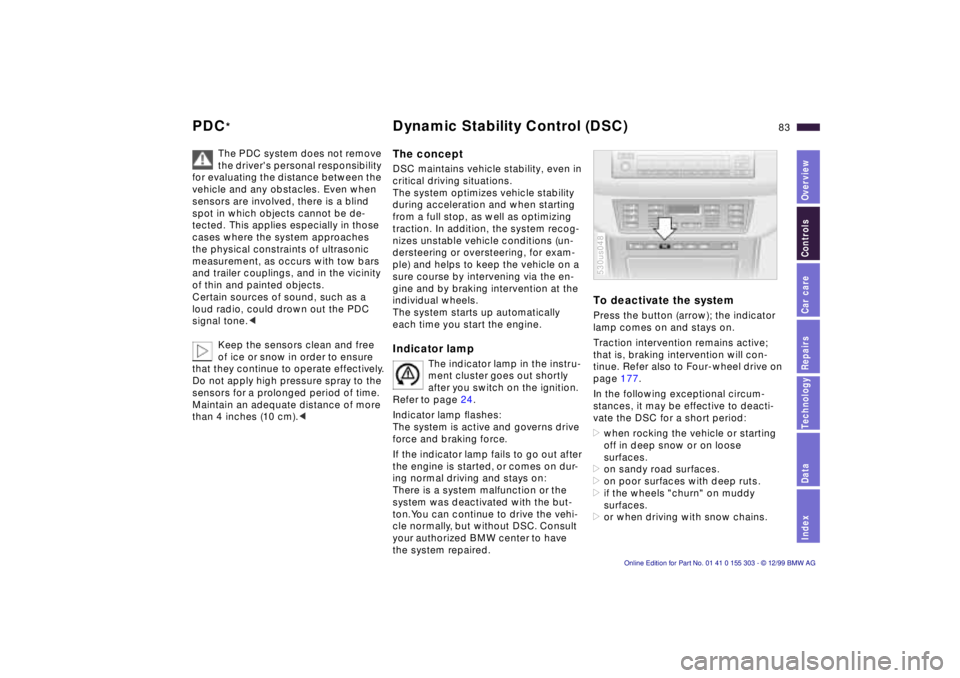
To deactivate the system Press the button (arrow); the indicator
lamp comes on and stays on.
Traction intervention remains active;
that is, braking intervention will con-
tinue. Refer also to Four-wheel drive on
page 177.
In the following exceptional circum-
stances, it may be effective to deacti-
vate the DSC for a short period:
>when rocking the vehicle or starting
off in deep snow or on loose
surfaces.
>on sandy road surfaces.
>on poor surfaces with deep ruts.
>if the wheels "churn" on muddy
surfaces.
>or when driving with snow chains. 530us048
Page 84 of 201
84n
DSC Hill Descent Control (HDC)
As a result of the traction interven-
tion, the brakes may be subjected
to additional loads when the system is
deactivated. For this reason, it is possi-
ble that the braking intervention will be
disabled automatically for a brief period
in order to limit brake temperature.
To maintain vehicle stability, always
drive with the system switched on when
possible.<
To reactivate the systemPress the button again; the indicator
lamp goes out.
The laws of physics cannot be re-
pealed, even with DSC. An appro-
priate driving style always remains the
responsibility of the driver. We there-
fore urge you to avoid using the addi-
tional safety margin of the system as an
excuse for taking risks.<
For additional details concerning DSC,
please refer to the chapter describing
"Advanced technology" on page 177.
The concept HDC is a system for driving downhill on
steep roads. This system reduces
vehicle speed on steep downgrades,
thus allowing you to maintain control of
your BMW under these conditions.
The vehicle moves at slightly more than
walking speed without active interven-
tion from the driver.
You can activate HDC below approx.
20 mph (35 km/h). When driving down
steep roads, the vehicle reduces speed
automatically down to slightly more
than walking speed (approx. 5 mph/
8 km/h) and then maintains this speed
at a constant.
By applications of the brakes or accel-
erator, you can alter this speed in the
range of approx. 3 mph (5 km/h) to ap-
prox. 20 mph (35 km/h).
HDC is deactivated automatically if you
exceed approx. 35 mph (60 km/h).
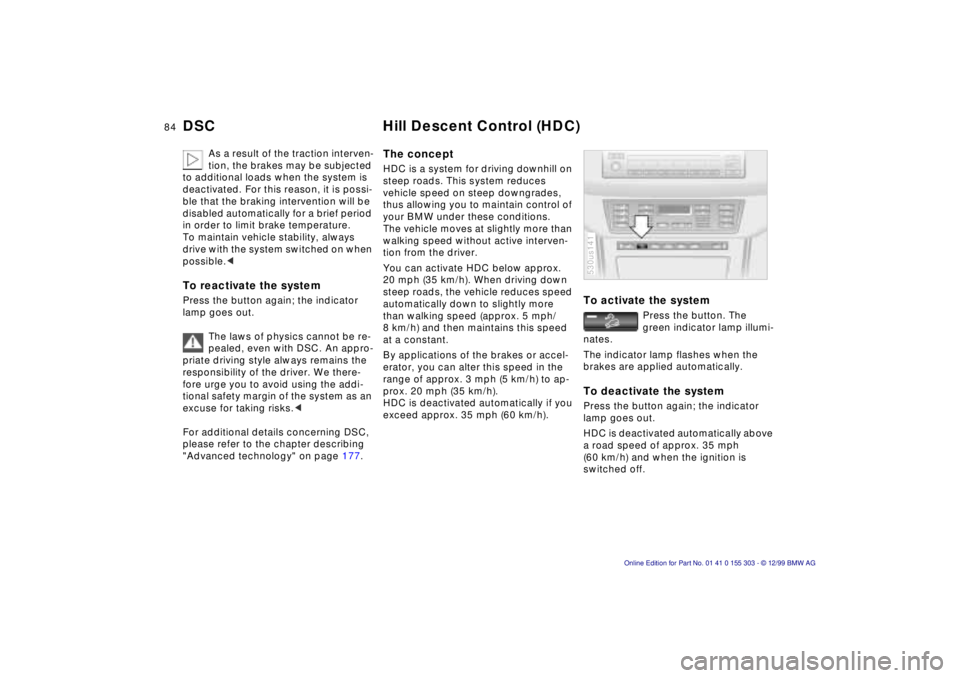
To activate the system
Press the button. The
green indicator lamp illumi-
nates.
The indicator lamp flashes when the
brakes are applied automatically.
To deactivate the system Press the button again; the indicator
lamp goes out.
HDC is deactivated automatically above
a road speed of approx. 35 mph
(60 km/h) and when the ignition is
switched off. 530us141
Page 92 of 201
92n
Automatic climate control Tips for pleasant driving Use the automatic system (that is press
AUTO button 6). Select an interior tem-
perature that is comfortable for you Ñ
we recommend 72 7 (22 6). When
the outside temperature is above 41 7
(5 6), you can also use the air condi-
tioner 12. This will dry the air as well as
preventing condensation on the win-
dow surfaces Ñ if there are passengers
with damp clothing, for example. Set
the air outlets 2 so that the air flows
past you and is not directed straight at
you. Set the rotary dial between the
outlets 2 for the upper body to a central
position so that cooler air will help to
prevent fatigue during the journey.
Detailed setting options are described
for you in the following section.
Your vehicle is set in such a man-
ner that, when you unlock the ve-
hicle via remote control with your per-
sonalized key, your own setting for the
automatic climate control is initiated.<
Automatic air distribution
The AUTO program as-
sumes the adjustment of
the air distribution and the air supply for
you and also adapts the temperature to
external influences (summer, winter) to
meet preferences you can specify. This
program maintains a comfortable in-car
climate regardless of the season. Select
an interior temperature that is comfort-
able for you Ñ we recommend 72 7
(22 6).
The selected temperature and AUTO
for the air flow appear in the display 9.
Refer to the overview on page 90. Open
the ventilation outlets for the upper
body. Switch on the air conditioner 12
in warm weather. The maximum cooling
capacity is achieved when you set ro-
tary dial 3 (refer to page 94) to cold.
Individual air distribution
You can cancel the AUTO
program by selecting spe-
cific air distribution patterns
for your personal comfort.
You can direct air to flow
onto the windows , toward the upper
body , and into the footwell .
Temperature
You can make individual
temperature adjustments on
the driver's side or the front
passenger side. Your settings will be
shown in the display 9. The displayed
temperatures are reference values for
the interior temperature. We recom-
mend 72 7 (22 6) as a comfortable
setting, whether the air conditioner is
operating or not. When you start the
vehicle, this system ensures that the
selected temperature is achieved as
quickly as possible. It then maintains
this temperature, regardless of the
season.
Set the rotary dial 3 (refer to "Draft-free
ventilation" on page 94) to a medium
position to provide somewhat cooler
air. This helps to promote driving with-
out fatigue. Utilize this method of mix-
ing air especially for making minor
adjustments for personal comfort.
You can set uncontrolled heater
output up to 90 7 (32 6). Full
cooling output is available from the air
conditioner down to 60 7 (16 6).<
Page 99 of 201
IndexDataTechnologyRepairsCar careControlsOverview
99n
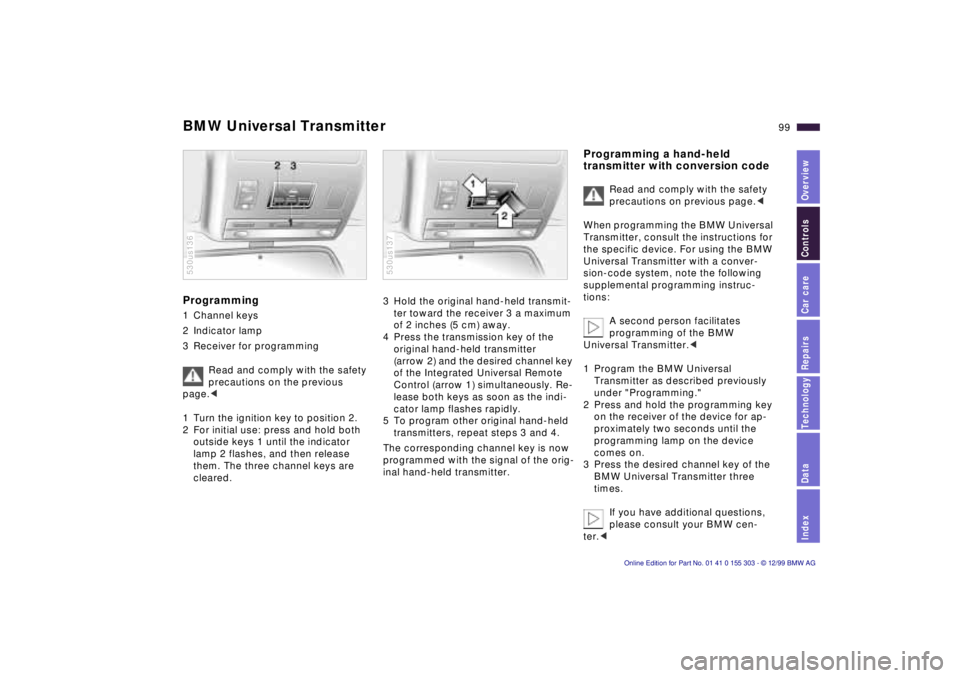
BMW Universal TransmitterProgramming 1 Channel keys
2 Indicator lamp
3 Receiver for programming
Read and comply with the safety
precautions on the previous
page.<
1 Turn the ignition key to position 2.
2 For initial use: press and hold both
outside keys 1 until the indicator
lamp 2 flashes, and then release
them. The three channel keys are
cleared.530us136
3 Hold the original hand-held transmit-
ter toward the receiver 3 a maximum
of 2 inches (5 cm) away.
4 Press the transmission key of the
original hand-held transmitter
(arrow 2) and the desired channel key
of the Integrated Universal Remote
Control (arrow 1) simultaneously. Re-
lease both keys as soon as the indi-
cator lamp flashes rapidly.
5 To program other original hand-held
transmitters, repeat steps 3 and 4.
The corresponding channel key is now
programmed with the signal of the orig-
inal hand-held transmitter. 530us137
Programming a hand-held
transmitter with conversion code
Read and comply with the safety
precautions on previous page.<
When programming the BMW Universal
Transmitter, consult the instructions for
the specific device. For using the BMW
Universal Transmitter with a conver-
sion-code system, note the following
supplemental programming instruc-
tions:
A second person facilitates
programming of the BMW
Universal Transmitter.<
1 Program the BMW Universal
Transmitter as described previously
under "Programming."
2 Press and hold the programming key
on the receiver of the device for ap-
proximately two seconds until the
programming lamp on the device
comes on.
3 Press the desired channel key of the
BMW Universal Transmitter three
times.
If you have additional questions,
please consult your BMW cen-
ter.<
Page 113 of 201

IndexDataTechnologyRepairsCar careControlsOverview
113n
Roof-mounted luggage rack
*
Roof-mounted luggage racks raise the
center of gravity of the vehicle when
they are loaded. For this reason, they
exercise a major effect on the vehicle's
handling and steering response.
You should therefore always remember
not to exceed the approved roof
weight, the approved gross vehicle
weight or the axle weights when load-
ing the rack. You will find the specifica-
tions under "Technical Data" on
page 186.
Make sure that the load is not too
heavy, and attempt to distribute it
evenly. Always load the heaviest pieces
first (on the bottom). Be sure that ade-
quate clearance is maintained for rais-
ing the sliding/tilt sunroof, and that ob-
jects do not project into the opening
path of the liftgate. Secure the roof luggage correctly and
securely to prevent it from shifting or
being lost during driving (danger to
following traffic).
Drive smoothly. Avoid sudden accelera-
tion and braking maneuvers. Take cor-
ners gently.
The roof load increases the aerody-
namic resistance. Increased fuel con-
sumption is the immediate results.