key BMW X5 4.4I 2001 User Guide
[x] Cancel search | Manufacturer: BMW, Model Year: 2001, Model line: X5 4.4I, Model: BMW X5 4.4I 2001Pages: 223, PDF Size: 2.66 MB
Page 43 of 223
Index
Data
Technology
Repairs
Car care
Controls
Overview
43nAlarm system
The concept
The vehicle alarm system responds:
>When a door, the hood, or the liftgate
is opened.
> To movement inside the vehicle (inte-
rior motion sensor).
> To variations in the vehicle tilt sensor
such as occur during attempts to
steal the wheels or tow the vehicle.
> To interruption of battery voltage.
The system responds to unauthorized
vehicle entry and attempted theft by
simultaneously activating the following:
> Sounding an acoustical alarm for
30 seconds.
> The hazard warning flashers are acti-
vated for approx. five minutes.
> The high beams flash on and off in
the same rhythm.
To activate and deactivate the
alarm system
When the vehicle is locked or unlocked
with the key or the remote control, the
alarm system is also simultaneously
armed or disarmed.
The interior motion sensor is activated
approx. 30 seconds after you have
finished locking the vehicle.
The system indicates that it has been
correctly armed by switching on the
hazard flashers for a single cycle and by
emitting an acoustical signal.
You can have different acknowl-
edgment signals set to confirm
system arming and disarming. <
You can still open the liftgate after the
system has been armed by pressing
button 3 of the remote control. Refer to
page 39. When you close the liftgate, it
is secured again.
Indicator lamp displays
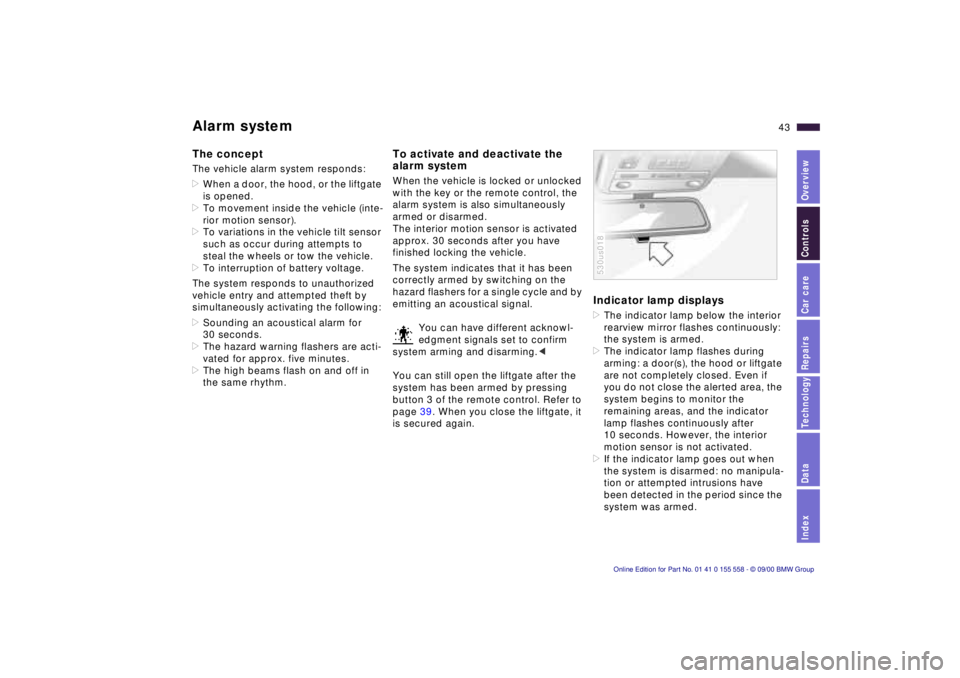
> The indicator lamp below the interior
rearview mirror flashes continuously:
the system is armed.
> The indicator lamp flashes during
arming: a door(s), the hood or liftgate
are not completely closed. Even if
you do not close the alerted area, the
system begins to monitor the
remaining areas, and the indicator
lamp flashes continuously after
10 seconds. However, the interior
motion sensor is not activated.
> If the indicator lamp goes out when
the system is disarmed: no manipula-
tion or attempted intrusions have
been detected in the period since the
system was armed.
530us018
Page 44 of 223
44nAlarm system
>If the indicator lamp flashes for
10 seconds when the system is
disarmed: an attempted entry has
been detected in the period since the
system was armed.
Following triggering of an alarm, the
indicator lamp will flash continuously.
Avoiding unintentional alarms
The tilt alarm sensor and interior motion
sensor may be switched off at the same
time. To prevent a false alarm from
being triggered (in garages with
elevator ramps, for instance), or when
the vehicle is transported by trailer or
train:
Actuate the lock (= arm the system)
twice; in other words, press button 2 of
the remote control twice in succession
(refer to page 38). You may also actuate
the locks twice with the key (refer to
page 36).
The indicator lamp lights up briefly and
then flashes continuously. The tilt alarm
sensor and the interior motion sensor
are deactivated as long as the system is
armed.
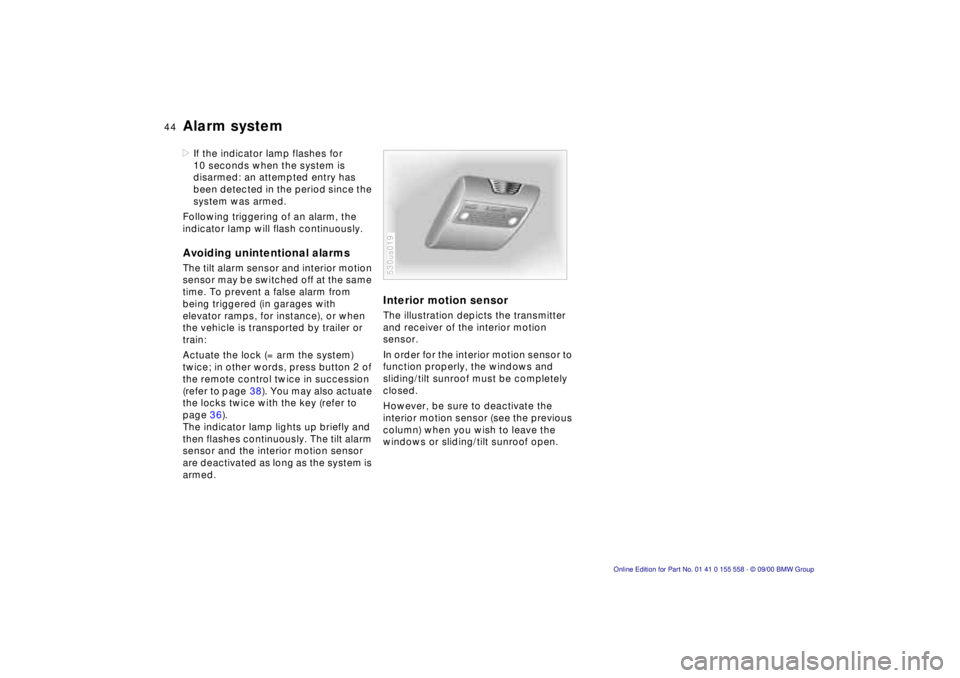
Interior motion sensor
The illustration depicts the transmitter
and receiver of the interior motion
sensor.
In order for the interior motion sensor to
function properly, the windows and
sliding/tilt sunroof must be completely
closed.
However, be sure to deactivate the
interior motion sensor (see the previous
column) when you wish to leave the
windows or sliding/tilt sunroof open.
530us019
Page 45 of 223
Index
Data
Technology
Repairs
Car care
Controls
Overview
45nElectric power windows
Open and close windows
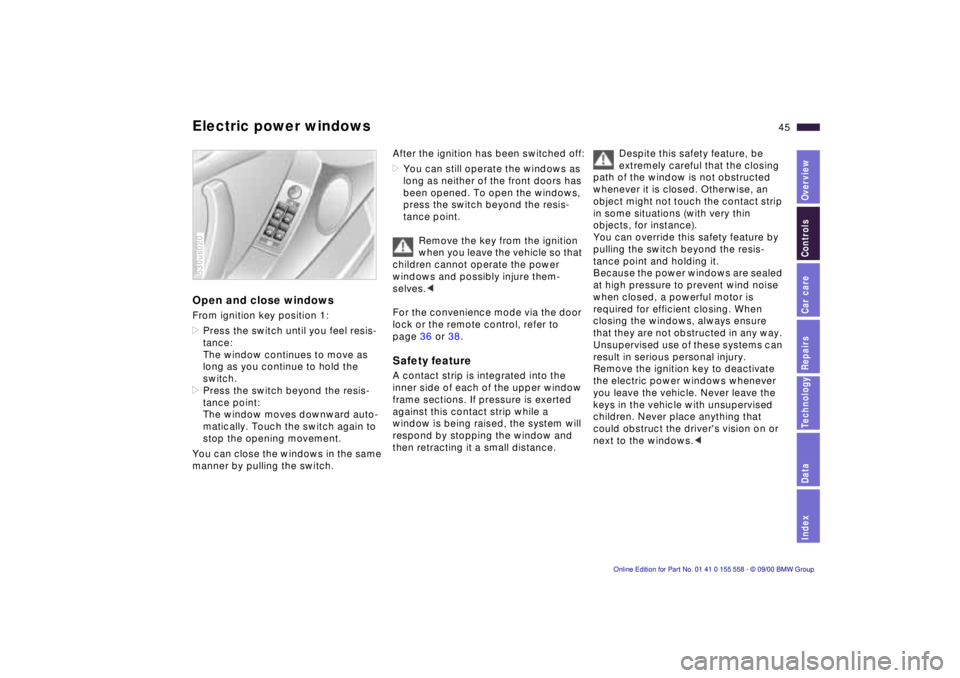
From ignition key position 1:
>Press the switch until you feel resis-
tance:
The window continues to move as
long as you continue to hold the
switch.
> Press the switch beyond the resis-
tance point:
The window moves downward auto-
matically. Touch the switch again to
stop the opening movement.
You can close the windows in the same
manner by pulling the switch.
530us020
After the ignition has been switched off:
> You can still operate the windows as
long as neither of the front doors has
been opened. To open the windows,
press the switch beyond the resis-
tance point.
Remove the key from the ignition
when you leave the vehicle so that
children cannot operate the power
windows and possibly injure them-
selves. <
For the convenience mode via the door
lock or the remote control, refer to
page 36 or 38.
Safety feature
A contact strip is integrated into the
inner side of each of the upper window
frame sections. If pressure is exerted
against this contact strip while a
window is being raised, the system will
respond by stopping the window and
then retracting it a small distance.
Despite this safety feature, be
extremely careful that the closing
path of the window is not obstructed
whenever it is closed. Otherwise, an
object might not touch the contact strip
in some situations (with very thin
objects, for instance).
You can override this safety feature by
pulling the switch beyond the resis-
tance point and holding it.
Because the power windows are sealed
at high pressure to prevent wind noise
when closed, a powerful motor is
required for efficient closing. When
closing the windows, always ensure
that they are not obstructed in any way.
Unsupervised use of these systems can
result in serious personal injury.
Remove the ignition key to deactivate
the electric power windows whenever
you leave the vehicle. Never leave the
keys in the vehicle with unsupervised
children. Never place anything that
could obstruct the driver's vision on or
next to the windows. <
Page 46 of 223
46nElectric power windows Sliding/Tilt sunroof with glass moonroof*
Safety switch
With the safety switch, you can prevent
the rear windows from being opened or
closed via the switches in the rear
passenger area (by children, for
example). You can also prevent adjust-
ments of the power rear-seat backrests
from the rear passenger area (refer to
page 52).
Press the safety switch whenever
children are riding in the rear of
the vehicle. Careless use of the power
windows can lead to injury. <
530us021
To prevent injuries, exercise care
when closing the sliding/tilt
sunroof and keep it in your field of
vision until it is shut.
Before leaving the vehicle, switch off
the electric sunroof mechanism by
taking out the ignition key. Do not leave
children unattended in the vehicle with
access to vehicle keys. Use of the key
can result in starting of the engine and
operation of vehicle systems such as
the power sunroof, etc. Unsupervised
use of these systems can result in
serious personal injury. <
You can avoid pressure or drafts in the
passenger compartment when the
sunroof is open or lifted by opening the
air outlets in the instrument panel and
increasing the air supply as required.
Refer to pages 102 and 109.
If the sunroof is completely open, air
disturbances may be caused in the
vehicle when you are driving at higher
speeds. Close the roof as far as is
necessary until this natural phenom-
enon ceases.
For the convenience mode via the door
lock or the remote control, refer to
page 36 or 38.
Lifting – Opening – Closing
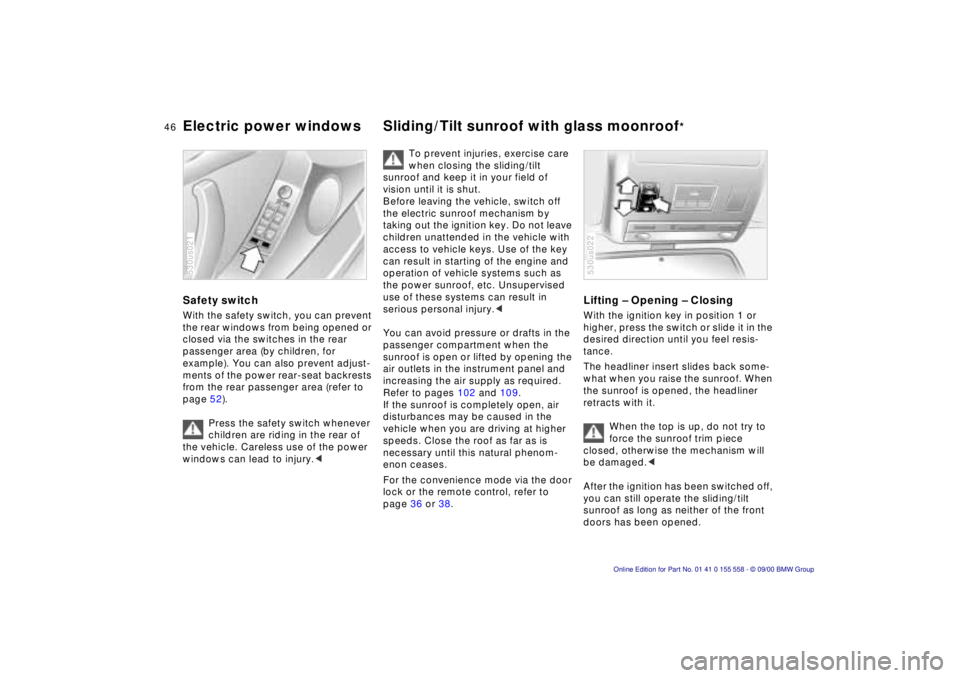
With the ignition key in position 1 or
higher, press the switch or slide it in the
desired direction until you feel resis-
tance.
The headliner insert slides back some-
what when you raise the sunroof. When
the sunroof is opened, the headliner
retracts with it.
When the top is up, do not try to
force the sunroof trim piece
closed, otherwise the mechanism will
be damaged. <
After the ignition has been switched off,
you can still operate the sliding/tilt
sunroof as long as neither of the front
doors has been opened.
530us022
Page 53 of 223
Index
Data
Technology
Repairs
Car care
Controls
Overview
53nAdjusting steering wheel Mirrors
Automatic steering wheel
adjustment
(only in conjunction with seat, mirror
and steering wheel memory)
In order to make it easier to get into and
out of the vehicle, the steering wheel
automatically moves into the top posi-
tion and returns to the driving (memory)
position.
This automatic feature is controlled by
the position of the ignition key and by
the driver's door.
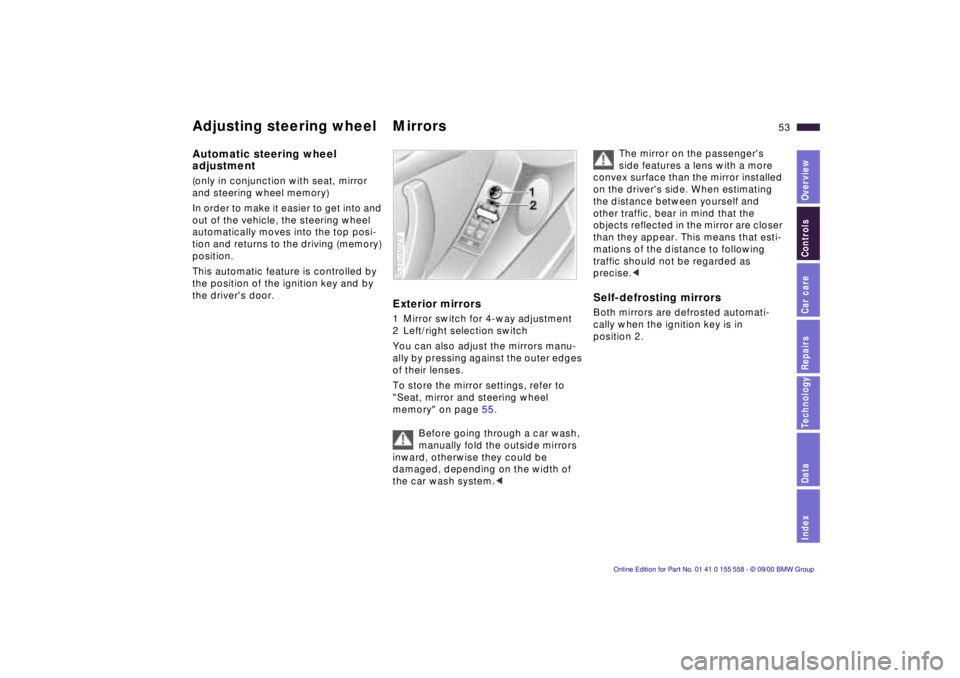
Exterior mirrors
1 Mirror switch for 4-way adjustment
2 Left/right selection switch
You can also adjust the mirrors manu-
ally by pressing against the outer edges
of their lenses.
To store the mirror settings, refer to
"Seat, mirror and steering wheel
memory" on page 55.
Before going through a car wash,
manually fold the outside mirrors
inward, otherwise they could be
damaged, depending on the width of
the car wash system. <
530us029
The mirror on the passenger's
side features a lens with a more
convex surface than the mirror installed
on the driver's side. When estimating
the distance between yourself and
other traffic, bear in mind that the
objects reflected in the mirror are closer
than they appear. This means that esti-
mations of the distance to following
traffic should not be regarded as
precise. <
Self-defrosting mirrors
Both mirrors are defrosted automati-
cally when the ignition key is in
position 2.
Page 54 of 223
54nMirrors
Interior rearview mirror
To reduce glare from vehicles behind
you when you are driving at night, tilt
the mirror by turning the button.
Lighted vanity mirror
Fold down the sun visor and slide the
cover panel to the side as required.
The mirror lamps operate from ignition
key position 1 and up.
Sun visors
These can be folded down toward the
windshield or swiveled out against the
side windows.
530us030
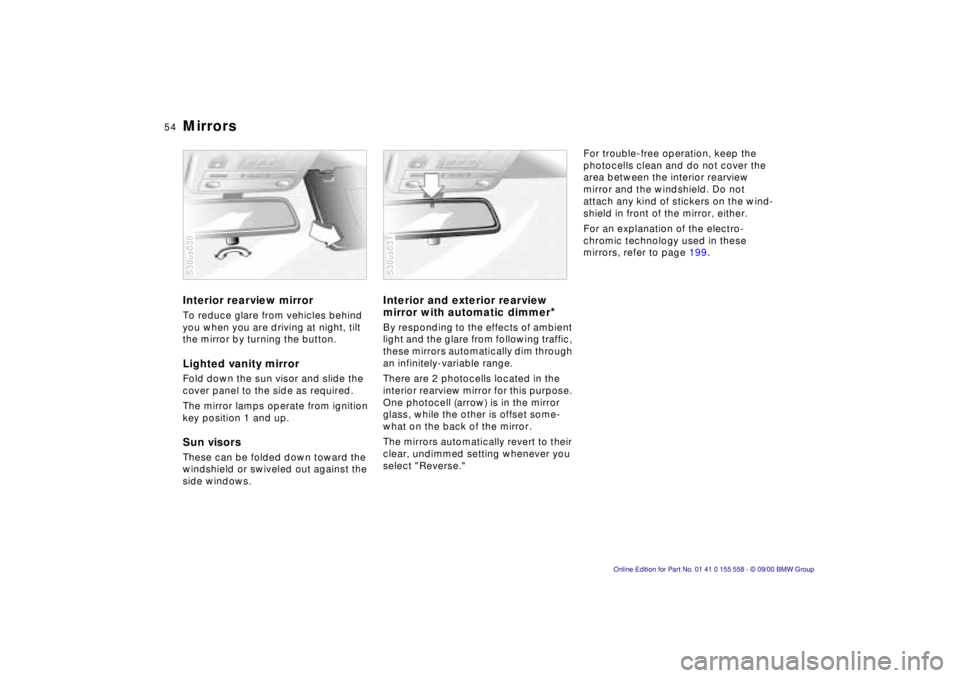
Interior and exterior rearview
mirror with automatic dimmer
*
By responding to the effects of ambient
light and the glare from following traffic,
these mirrors automatically dim through
an infinitely-variable range.
There are 2 photocells located in the
interior rearview mirror for this purpose.
One photocell (arrow) is in the mirror
glass, while the other is offset some-
what on the back of the mirror.
The mirrors automatically revert to their
clear, undimmed setting whenever you
select "Reverse."
530us031
For trouble-free operation, keep the
photocells clean and do not cover the
area between the interior rearview
mirror and the windshield. Do not
attach any kind of stickers on the wind-
shield in front of the mirror, either.
For an explanation of the electro-
chromic technology used in these
mirrors, refer to page 199.
Page 55 of 223
Index
Data
Technology
Repairs
Car care
Controls
Overview
55nSeat, mirror and steering wheel memory*
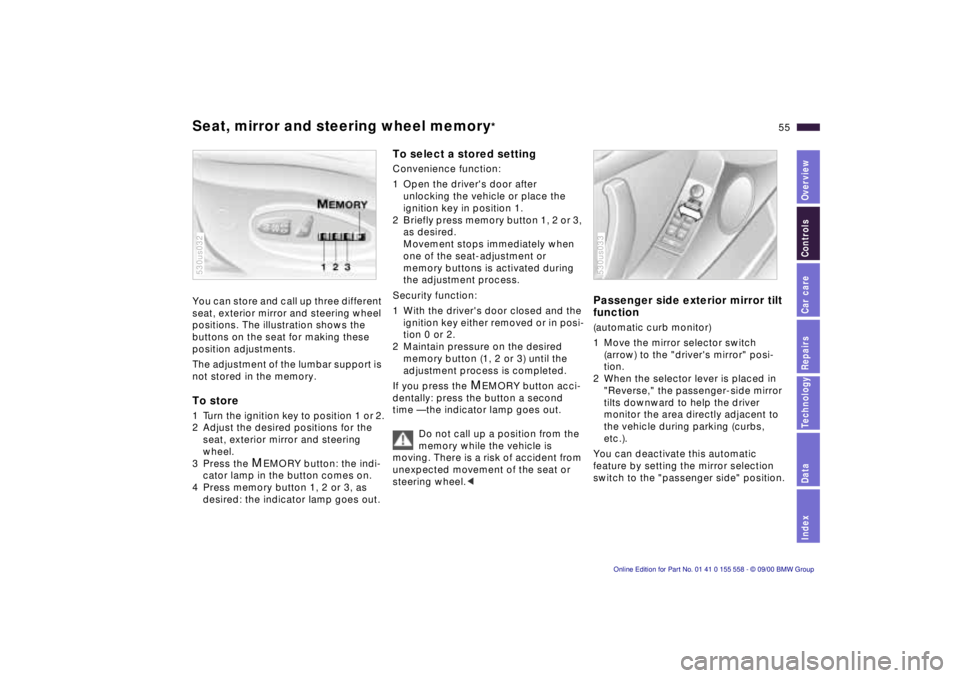
You can store and call up three different
seat, exterior mirror and steering wheel
positions. The illustration shows the
buttons on the seat for making these
position adjustments.
The adjustment of the lumbar support is
not stored in the memory.
To store
1 Turn the ignition key to position 1 or 2.
2 Adjust the desired positions for the
seat, exterior mirror and steering
wheel.
3 Press the
MEMORY button: the indi-
cator lamp in the button comes on.
4 Press memory button 1, 2 or 3, as desired: the indicator lamp goes out.
530us032
To select a stored setting
Convenience function:
1 Open the driver's door after unlocking the vehicle or place the
ignition key in position 1.
2 Briefly press memory button 1, 2 or 3, as desired.
Movement stops immediately when
one of the seat-adjustment or
memory buttons is activated during
the adjustment process.
Security function:
1 With the driver's door closed and the ignition key either removed or in posi-
tion 0 or 2.
2 Maintain pressure on the desired memory button (1, 2 or 3) until the
adjustment process is completed.
If you press the
MEMORY button acci-
dentally: press the button a second
time — the indicator lamp goes out.
Do not call up a position from the
memory while the vehicle is
moving. There is a risk of accident from
unexpected movement of the seat or
steering wheel. <
Passenger side exterior mirror tilt
function
(automatic curb monitor)
1 Move the mirror selector switch
(arrow) to the "driver's mirror" posi-
tion.
2 When the selector lever is placed in "Reverse," the passenger-side mirror
tilts downward to help the driver
monitor the area directly adjacent to
the vehicle during parking (curbs,
etc.).
You can deactivate this automatic
feature by setting the mirror selection
switch to the "passenger side" position.
530us033
Page 56 of 223
56nPersonalized memory*Car Memory, Key Memory
Your BMW center can adjust your
vehicle's systems in such a
manner that your personalized settings
are automatically called up for the seat,
mirror and steering wheel positions
when you unlock the vehicle with your
personal remote control key. <
If
you make use of the Key Memory,
be sure that the footwell behind
the driver's seat is unobstructed before
unlocking the vehicle. If you fail to do
so, persons or objects could be injured
or damaged if the seat should move
backward. <
How the system functions
You have probably frequently wished
that you could configure individual
functions of your vehicles to reflect your
own personal requirements. In engi-
neering your vehicle, BMW has
included several user-defined func-
tions in the vehicle's design. Your BMW
center can make these settings for you.
There are settings related to the vehicle
("Car Memory") and settings related to
individuals ("Key Memory"). You can
configure up to four different basic
positions for four different persons. The
only requirement is that each person
uses his or her own remote control key.
463de029
When your vehicle is unlocked with the
remote control, the vehicle recognizes
the individual user by means of a data
exchange with the key, and makes
adjustments accordingly.
In order for you to distinguish between
different keys, colored decals are
supplied together with the keys.
What the system can do
Your BMW center can provide you with
details on the capabilities of the "Car
Memory" and "Key Memory" systems.
Memory functions are possible for the
> driver's seat
> steering wheel
> exterior mirrors
> automatic climate control.
You will see this symbol
throughout the Owner's Manual. It
is to remind you at appropriate places
of the settings that are available to
you. <
An example of Key Memory is the auto-
matic adjustment of the driver's power
seat with settings stored in the memory
for the individual person when the
vehicle is unlocked.
Page 58 of 223
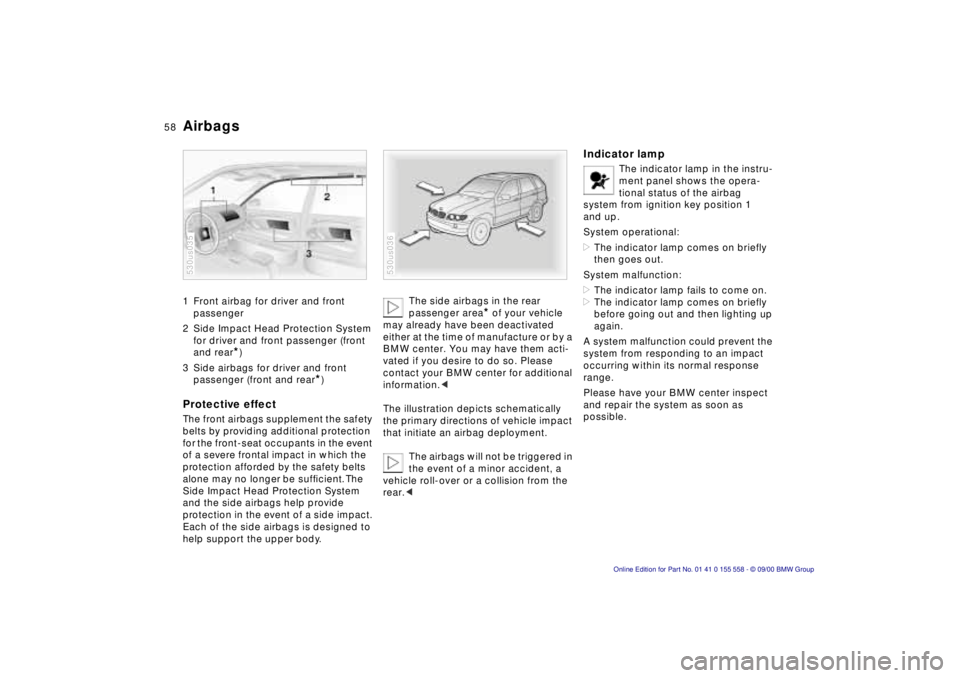
58nAirbags
1 Front airbag for driver and front
passenger
2 Side Impact Head Protection System for driver and front passenger (front
and rear
*)
3 Side airbags for driver and front passenger (front and rear
*)
Protective effect
The front airbags supplement the safety
belts by providing additional protection
for the front-seat occupants in the event
of a severe frontal impact in which the
protection afforded by the safety belts
alone may no longer be sufficient. The
Side Impact Head Protection System
and the side airbags help provide
protection in the event of a side impact.
Each of the side airbags is designed to
help support the upper body.
530us035
The side airbags in the rear
passenger area
* of your vehicle
may already have been deactivated
either at the time of manufacture or by a
BMW center. You may have them acti-
vated if you desire to do so. Please
contact your BMW center for additional
information. <
The illustration depicts schematically
the primary directions of vehicle impact
that initiate an airbag deployment. The airbags will not be triggered in
the event of a minor accident, a
vehicle roll-over or a collision from the
rear. <
530us036
Indicator lamp
The indicator lamp in the instru-
ment panel shows the opera-
tional status of the airbag
system from ignition key position 1
and up.
System operational:
> The indicator lamp comes on briefly
then goes out.
System malfunction:
> The indicator lamp fails to come on.
> The indicator lamp comes on briefly
before going out and then lighting up
again.
A system malfunction could prevent the
system from responding to an impact
occurring within its normal response
range.
Please have your BMW center inspect
and repair the system as soon as
possible.
Page 64 of 223
64n
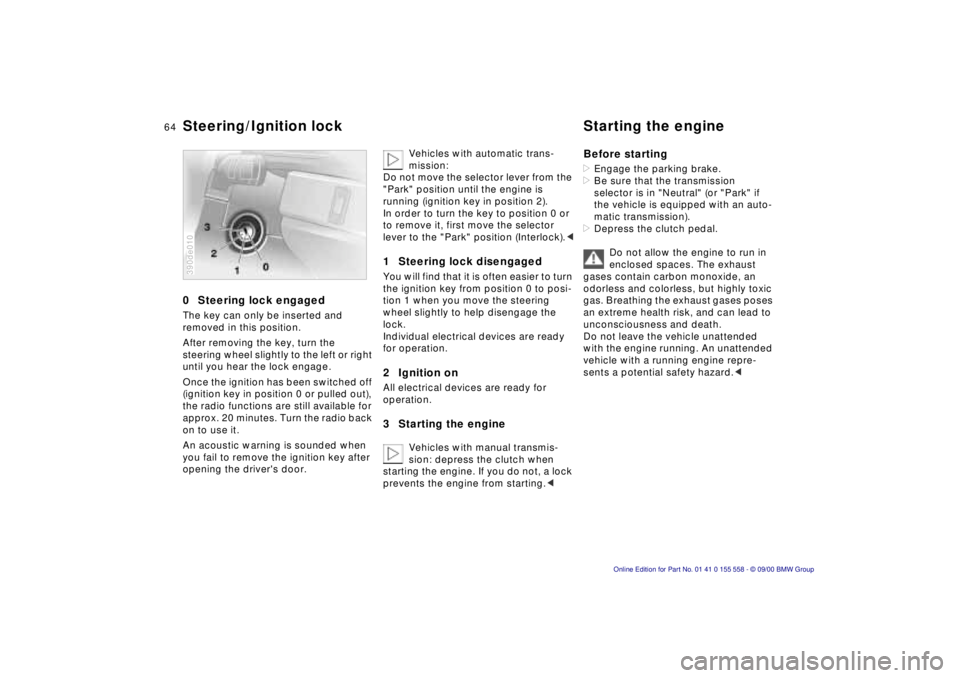
0 Steering lock engaged
The key can only be inserted and
removed in this position.
After removing the key, turn the
steering wheel slightly to the left or right
until you hear the lock engage.
Once the ignition has been switched off
(ignition key in position 0 or pulled out),
the radio functions are still available for
approx. 20 minutes. Turn the radio back
on to use it.
An acoustic warning is sounded when
you fail to remove the ignition key after
opening the driver's door.
390de010
Vehicles with automatic trans-
mission:
Do not move the selector lever from the
"Park" position until the engine is
running (ignition key in position 2).
In order to turn the key to position 0 or
to remove it, first move the selector
lever to the "Park" position (Interlock). <
1 Steering lock disengaged
You will find that it is often easier to turn
the ignition key from position 0 to posi-
tion 1 when you move the steering
wheel slightly to help disengage the
lock.
Individual electrical devices are ready
for operation.
2 Ignition on
All electrical devices are ready for
operation.
3 Starting the engine
Vehicles with manual transmis-
sion: depress the clutch when
starting the engine. If you do not, a lock
prevents the engine from starting. <
Before starting
> Engage the parking brake.
> Be sure that the transmission
selector is in "Neutral" (or "Park" if
the vehicle is equipped with an auto-
matic transmission).
> Depress the clutch pedal.
Do not allow the engine to run in
enclosed spaces. The exhaust
gases contain carbon monoxide, an
odorless and colorless, but highly toxic
gas. Breathing the exhaust gases poses
an extreme health risk, and can lead to
unconsciousness and death.
Do not leave the vehicle unattended
with the engine running. An unattended
vehicle with a running engine repre-
sents a potential safety hazard. <
Steering/Ignition lock Starting the engine