Repeat BMW X5 XDRIVE 35D 2009 E70 Owner's Guide
[x] Cancel search | Manufacturer: BMW, Model Year: 2009, Model line: X5 XDRIVE 35D, Model: BMW X5 XDRIVE 35D 2009 E70Pages: 317, PDF Size: 9.56 MB
Page 225 of 317
223
Entertainment
Reference
At a glance
Controls
Driving tips
Communications
Navigation
Mobility
As soon as a mobile phone is detected by the
vehicle, the phone book entries stored on the
SIM card or on your mobile phone are transmit-
ted to your vehicle. This transmission is depen-
dent on your mobile phone, refer to the operat-
ing instructions of your mobile phone if
necessary, and can take several minutes.
If not all phone book entries are displayed:
> Transfer all phone book entries from the
SIM card to the mobile phone if necessary.
> It may not be possible to display phone
book entries with special characters.
Up to four mobile phones can be paired consec-
utively. When you pair a fifth mobile phone, the
pairing data of the mob ile phone for which the
pairing data were stored first in the vehicle will
be deleted.
Checking if pairing is unsuccessful
> Is the mobile phone supported by the
mobile phone preparation package? Infor-
mation on this subject is also provided on
the Internet at: www.bmw.com.
> Do the Bluetooth pass keys on the mobile
phone and the vehicle match? The same
Bluetooth passkey must be entered both on
the mobile phone display and via iDrive.
> Have you required lo nger than 30 seconds
to enter the Bluetooth passkey?
> Only a limited number of devices can be
connected to the mobile phone. Delete the
connection to other devices if necessary.
> The mobile phone no longer reacts? Switch
the mobile phone off and then on again or
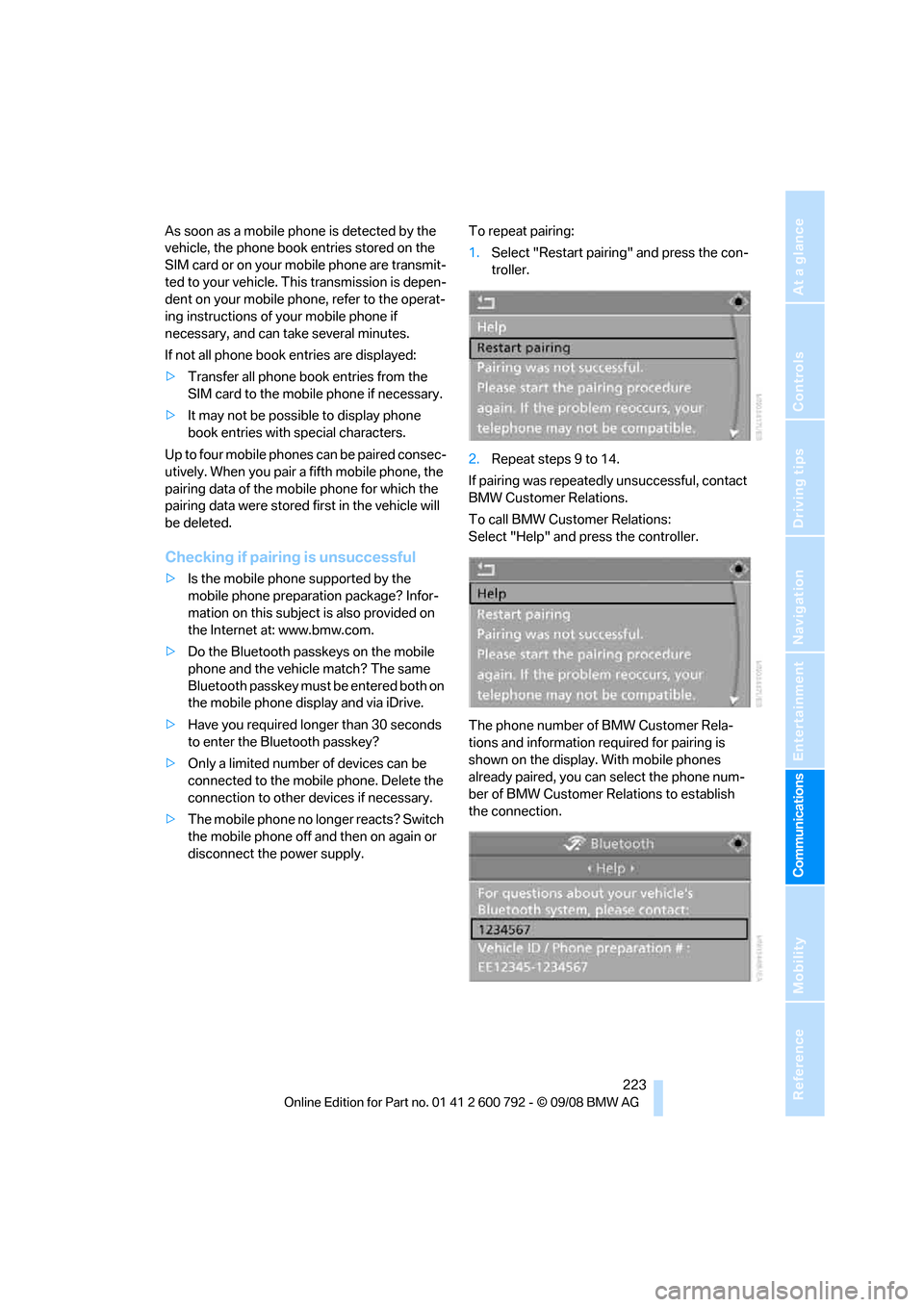
disconnect the power supply. To repeat pairing:
1.
Select "Restart pairing" and press the con-
troller.
2. Repeat steps 9 to 14.
If pairing was repeatedly unsuccessful, contact
BMW Customer Relations.
To call BMW Customer Relations:
Select "Help" and press the controller.
The phone number of BMW Customer Rela-
tions and information required for pairing is
shown on the display. With mobile phones
already paired, you can select the phone num-
ber of BMW Customer Relations to establish
the connection.
Page 234 of 317
Telephoning
232
Example: dialing phone numbers
To start the dialog:
Press the button on the steering wheel.
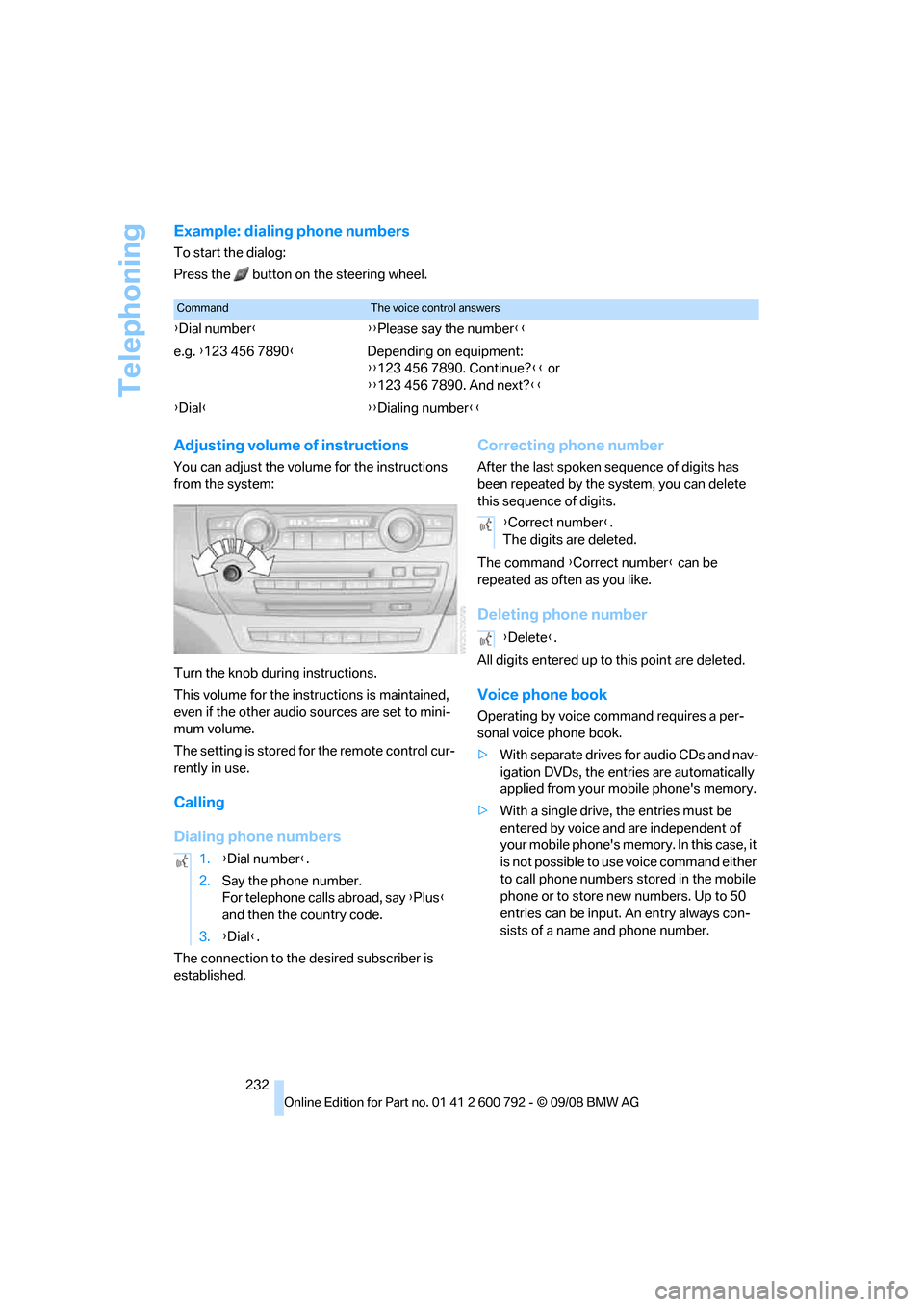
Adjusting volume of instructions
You can adjust the volume for the instructions
from the system:
Turn the knob during instructions.
This volume for the inst ructions is maintained,
even if the other audio sources are set to mini-
mum volume.
The setting is stored fo r the remote control cur-
rently in use.
Calling
Dialing phone numbers
The connection to the desired subscriber is
established.
Correcting phone number
After the last spoken sequence of digits has
been repeated by the system, you can delete
this sequence of digits.
The command {Correct number } can be
repeated as often as you like.
Deleting phone number
All digits entered up to this point are deleted.
Voice phone book
Operating by voice command requires a per-
sonal voice phone book.
>With separate drives for audio CDs and nav-
igation DVDs, the entries are automatically
applied from your mobile phone's memory.
> With a single drive, the entries must be
entered by voice and are independent of
your mobile phone's memo ry. In this case, it
is not possible to use voice command either
to call phone numbers stored in the mobile
phone or to store new numbers. Up to 50
entries can be input. An entry always con-
sists of a name and phone number.
CommandThe voice control answers
{ Dial number }{{ Please say the number }}
e.g. {123 456 7890 }Depending on equipment:
{{123 456 7890. Continue? }} or
{{ 123 456 7890. And next? }}
{ Dial }{ {Dialing number}}
1. {Dial number }.
2. Say the phone number.
For telephone calls abroad, say {Plus }
and then the country code.
3. {Dial }.
{Correct number }.
The digits are deleted.
{ Delete }.
Page 235 of 317
233
Entertainment
Reference
At a glance
Controls
Driving tips
Communications
Navigation
Mobility
Creating and editing voice phone
book*
Store entry:
An entry always consists of a name and phone
number.
Delete entry:
You can delete any entr y from the voice phone
book.
Delete all entries:
{ Delete phone book } deletes all entries in the
phone book.
Have entries read aloud and select:
You can have all the entries of your voice phone
book read aloud in the order of input and select
a certain entry to establish a connection:
Selecting an entry
The connection to the phone number of the
selected entry is established.
Redialing
The {Redial } command opens "Redial".
Notes
Important for voice commands
For voice commands, keep the following in
mind:
>Issue the commands smoothly and at nor-
mal volume, avoiding excessive emphases
and pauses.
> Keep the doors, windows and glass sunroof
closed to prevent interference from ambi-
ent noise.
> Avoid making other noise in the vehicle
while speaking.
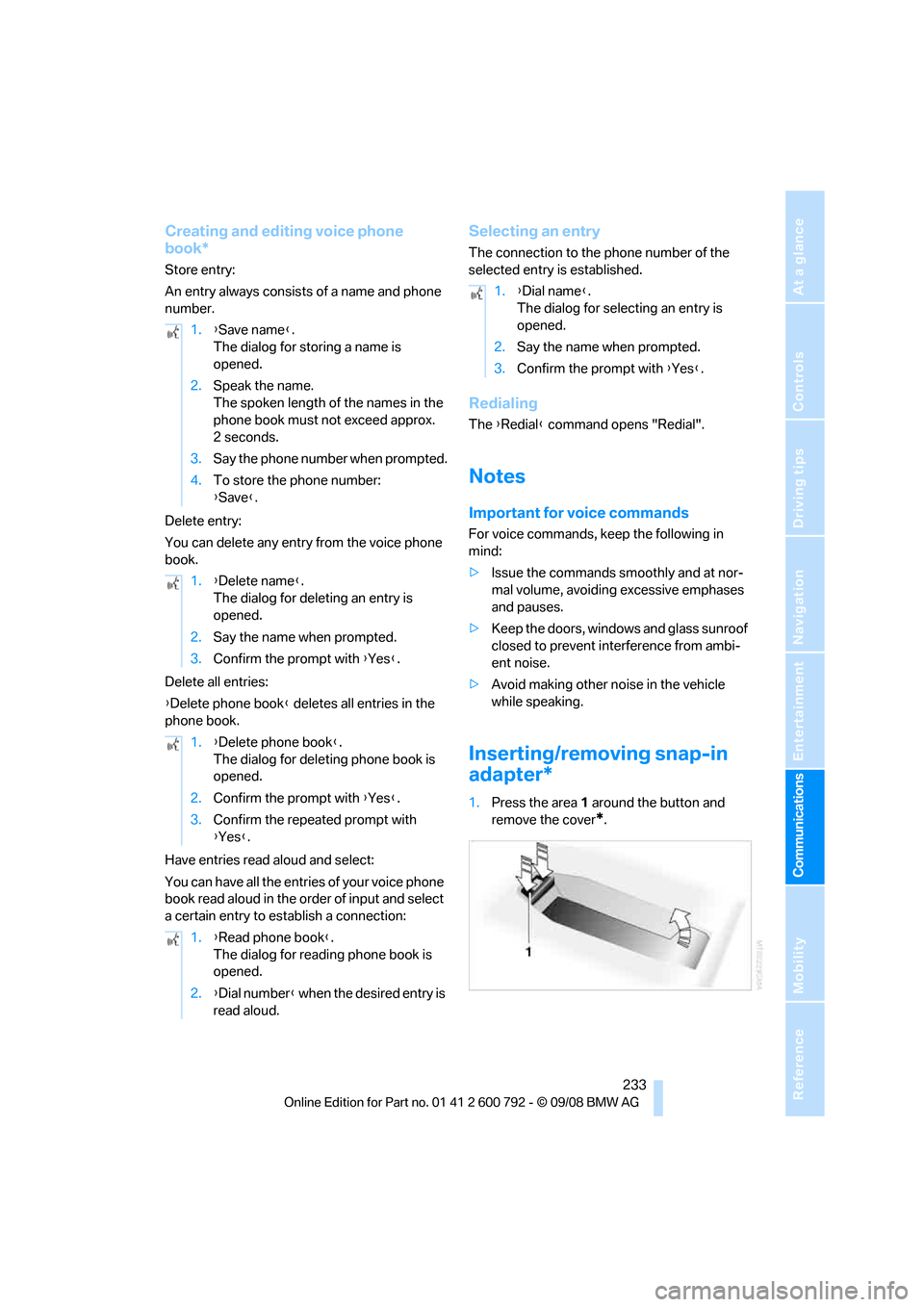
Inserting/removing snap-in
adapter*
1.Press the area 1 around the button and
remove the cover
*.
1.
{Save name }.
The dialog for storing a name is
opened.
2. Speak the name.
The spoken length of the names in the
phone book must not exceed approx.
2seconds.
3. Say the phone number when prompted.
4. To store the phone number:
{Save }.
1. {Delete name }.
The dialog for deleting an entry is
opened.
2. Say the name when prompted.
3. Confirm the prompt with {Yes }.
1. {Delete phone book }.
The dialog for deleting phone book is
opened.
2. Confirm the prompt with {Yes }.
3. Confirm the repeated prompt with
{Yes }.
1. {Read phone book }.
The dialog for reading phone book is
opened.
2. {Dial number } when the desired entry is
read aloud.
1. {Dial name }.
The dialog for selecting an entry is
opened.
2. Say the name when prompted.
3. Confirm the prompt with {Yes }.
Page 269 of 317
Mobility
267Reference
At a glance
Controls
Driving tips
Communications
Navigation
Entertainment
with shampoo added to it. For additional treat-
ment, use chrome polish.
Alloy wheels
Depending on your syst em, braking can gener-
ate dust, which settles on the light-alloy wheels.
Remove this dust regula rly with acid-free wheel
cleaner.
Do not use aggressive, acid-containing,
strongly alkaline, or coarse cleansers and
do not use steam cleaners at temperatures
greater than 140 7/60 6; otherwise you may
damage your vehicle. <
Aluminum running boards
A rust film on the aluminum running boards can
be removed with a special cleaning agent.
Outside sensors/cameras
Keep the sensors and cameras outside
the vehicle, e.g. the Park Distance Control
or rear view camera, clean and free of ice to
ensure their full operability. <
Interior care
Upholstery materials/cloth-covered
paneling
Clean regularly with a vacuum cleaner in order
to remove surface dirt.
In the event of more serious soiling such as bev-
erage stains, use a soft sponge or a lint-free
microfiber cloth in combination with suitable
interior cleaners. Follow the instructions on the
packaging.
Clean upholstery material over a large
area extending out to the seams. Avoid
intense friction. <
Open Velcro fasteners on pants or other
items of clothing can cause damage to
the seat covering. Make sure that the Velcro
fasteners are closed. <
Leather/leather-covered paneling
The leather used by BM W is a high quality
natural product. Slight patterns in the
grain are part of the typical properties of a natu-
ral leather. <
Dust and dirt from the road chafe in pores and
folds and result in considerable wear and cause
the leather surface to become prematurely brit-
tle. We therefore suggest that you clean the
leather with a dust cloth or vacuum cleaner at
regular intervals.
Particularly with light-c olored leather, make
sure to clean it regularly since it has a greater
tendency to become soiled.
Treat the leather twice a year with a leather
lotion since dirt and grease harm the protective
layer of the leather.
Carpets/cargo bay
Floor carpets and floor mats can be vacuumed
or cleaned with interior cleaner when they are
more heavily soiled.
Floor mats can be remo ved for cleaning. When
inserting into place, make sure that the seat
rails do not protrude over the floor mats; other-
wise floor mats can be damaged.
Fluff on new floor mats is a result of the produc-
tion process and can be removed by repeated
vacuuming.
Plastic components inside
> Vinyl upholstery surfaces
> Lamp lenses
> Cover glass of instrument cluster
> Matt parts
should be cleaned with water and, if necessary,
solvent-free plastic cleaner.
Fine wooden components
Use a damp cloth to clean fine wooden trim
panels and components. Follow up by drying
with a soft cloth.
Page 294 of 317
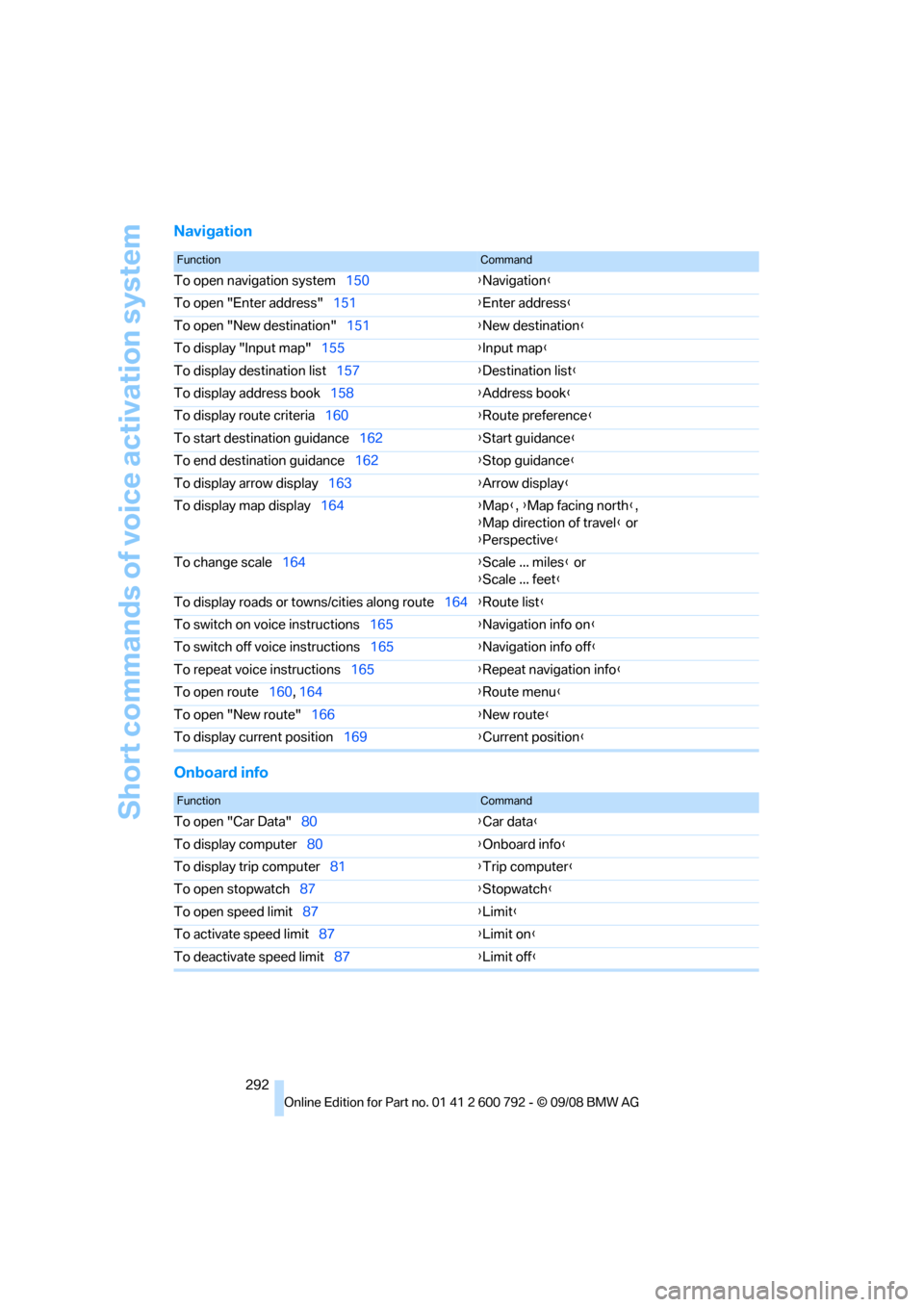
Short commands of voice activation system
292
Navigation
Onboard info
FunctionCommand
To open navigation system150{Navigation }
To open "Enter address" 151{Enter address }
To open "New destination" 151{New destination }
To display "Input map" 155 {Input map }
To display destination list 157{Destination list }
To display address book 158{Address book }
To display route criteria 160 {Route preference }
To start destination guidance 162{Start guidance }
To end destination guidance 162{Stop guidance }
To display arrow display 163{Arrow display }
To display map display 164 {Map }, {Map facing north },
{ Map direction of travel } or
{ Perspective }
To change scale 164 {Scale ... miles } or
{ Scale ... feet }
To display roads or to wns/cities along route 164{Route list }
To switch on voice instructions 165{Navigation info on }
To switch off voice instructions 165{Navigation info off }
To repeat voice instructions 165{Repeat navigation info }
To open route 160, 164 {Ro
ute menu}
To open "New route" 166 {New route }
To display current position 169{Current position }
FunctionCommand
To open "Car Data" 80 {Car data }
To display computer 80 {Onboard info }
To display trip computer 81{Trip computer }
To open stopwatch 87 {Stopwatch }
To open speed limit 87 {Limit }
To activate speed limit 87 {Limit on }
To deactivate speed limit 87{Limit off }
Page 301 of 317
Reference 299
At a glance
Controls
Driving tips
Communications
Navigation
Entertainment
Mobility
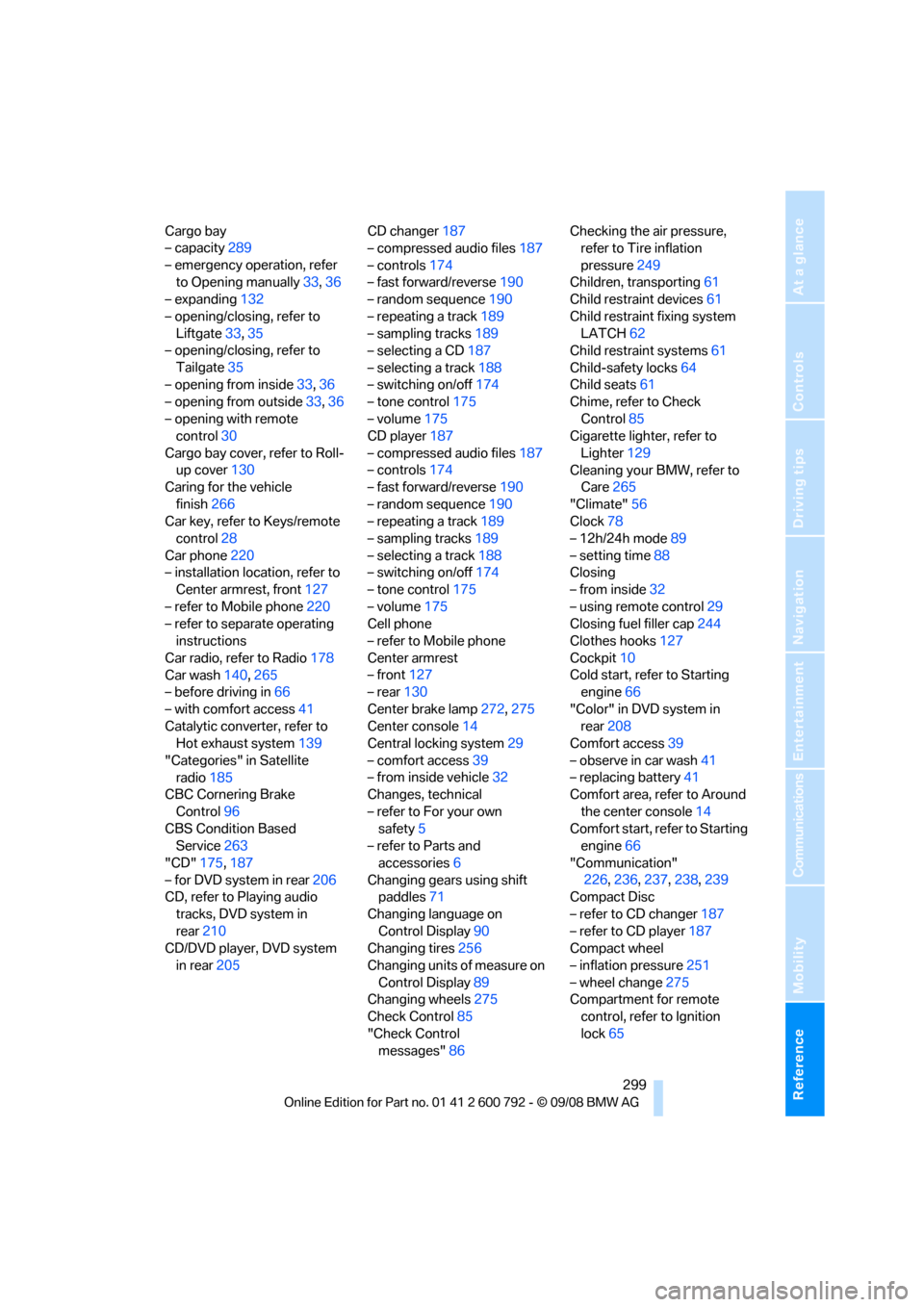
Cargo bay
– capacity289
– emergency operation, refer to Opening manually 33,36
– expanding 132
– opening/closing, refer to Liftgate 33,35
– opening/closing, refer to
Tailgate 35
– opening from inside 33,36
– opening from outside 33,36
– opening with remote control 30
Cargo bay cover, refer to Roll- up cover 130
Caring for the vehicle
finish 266
Car key, refer to Keys/remote control 28
Car phone 220
– installation location, refer to Center armrest, front 127
– refer to Mobile phone 220
– refer to separate operating instructions
Car radio, refer to Radio 178
Car wash 140,265
– before driving in 66
– with comfort access 41
Catalytic converter, refer to Hot exhaust system 139
"Categories" in Satellite radio 185
CBC Cornering Brake
Control 96
CBS Condition Based Service 263
"CD" 175,187
– for DVD system in rear 206
CD, refer to Playing audio
tracks, DVD system in
rear 210
CD/DVD player, DVD system
in rear 205 CD changer
187
– compressed audio files 187
– controls 174
– fast forward/reverse 190
– random sequence 190
– repeating a track 189
– sampling tracks 189
– selecting a CD 187
– selecting a track 188
– switching on/off 174
– ton
e control 175
– volume 175
CD player 187
– compressed audio files 187
– controls 174
– fast forward/reverse 190
– random sequence 190
– repeating a track 189
– sampling tracks 189
– selecting a track 188
– switching on/off 174
– tone control 175
– volume 175
Cell phone
– refer to Mobile phone
Center armrest
– front 127
– rear 130
Center brake lamp 272,275
Center console 14
Central locking system 29
– comfort access 39
– from inside vehicle 32
Changes, technical
– refer to For your own safety 5
– refer to Parts and
accessories 6
Changing gears using shift paddles 71
Changing language on Control Display 90
Changing tires 256
Changing units of measure on Control Display 89
Changing wheels 275
Check Control 85
"Check Control messages" 86 Checking the air pressure,
refer to Tire inflation
pressure 249
Children, transporting 61
Child restraint devices 61
Child restraint fixing system LATCH 62
Child restraint systems 61
Child-safety locks 64
Child seats 61
Chime, refer to Check
Control 85
Cigarette lighter, refer to
Lighter 129
Cleaning your BMW, refer to Care 265
"Climate" 56
Clock 78
– 12h/24h mode 89
– setting tim
e 88
Closing
– from inside 32
– using remote control 29
Closing fuel filler cap 244
Clothes hooks 127
Cockpit 10
Cold start, refer to Starting engine 66
"Color" in DVD system in rear 208
Comfort access 39
– observe in car wash 41
– replacing battery 41
Comfort area, refer to Around
the center console 14
Comfort start, refer to Starting engine 66
"Communication" 226 ,236, 237, 238,239
Compact Disc
– refer to CD changer 187
– refer to CD player 187
Compact wheel
– inflation pressure 251
– wheel change 275
Compartment for remote
control, refer to Ignition
lock 65
Page 311 of 317
Reference 309
At a glance
Controls
Driving tips
Communications
Navigation
Entertainment
Mobility
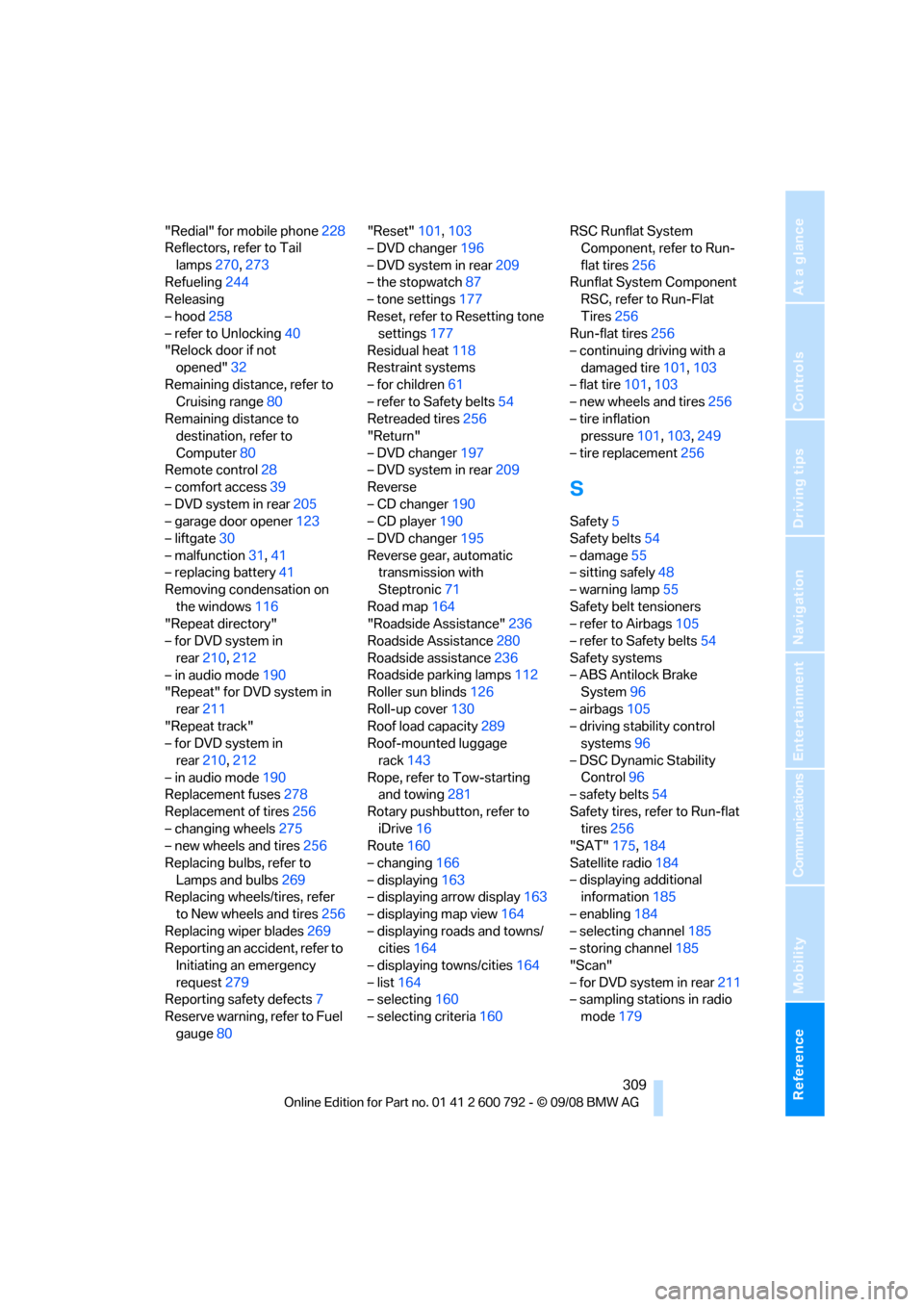
"Redial" for mobile phone228
Reflectors, refer to Tail
lamps 270,273
Refueling 244
Releasing
– hood 258
– refer to Unlocking 40
"Relock door if not
opened" 32
Remaining distance, refer to Cruising range 80
Remaining distance to destination, refer to
Computer 80
Remote control 28
– comfort access 39
– DVD system in rear 205
– garage door opener 123
– liftgate 30
– malfunction 31,41
– replacing battery 41
Removing condensation on
the windows 116
"Repeat directory"
– for DVD system in
rear 210,212
– in audio mode 190
"Repeat" for DVD system in
rear 211
"Repeat track"
– for DVD system in
rear 210,212
– in audio mode 190
Replacement fuses 278
Replacement of tires 256
– changing wheels 275
– new wheels and tires 256
Replacing bulbs, refer to Lamps and bulbs 269
Replacing wheels/tires, refer
to New wheels and tires 256
Replacing wiper blades 269
Reporting an accident, refer to
Initiating an emergency
request 279
Reporting safety defects 7
Reserve warning, refer to Fuel gauge 80 "Reset"
101,103
– DVD changer 196
– DVD system in rear 209
– the stopwatch 87
– tone settings 177
Reset, refer to Resetting tone settings 177
Residual heat 118
R
estraint systems
– for children 61
– refer to Safety belts 54
Retreaded tires 256
"Return"
– DVD changer 197
– DVD system in rear 209
Reverse
– CD changer 190
– CD player 190
– DVD changer 195
Reverse gear, automatic transmission with
Steptronic 71
Road map 164
"Roadside Assistance" 236
Roadside Assistance 280
Roadside assistance 236
Roadside parking lamps 112
Roller sun blinds 126
Roll-up cover 130
Roof load capacity 289
Roof-mounted luggage
rack 143
Rope, refer to Tow-starting and towing 281
Rotary pushbutto n, refer to
iDrive 16
Route 160
– changing 166
– displaying 163
– displaying arrow display 163
– displaying map view 164
– displaying roads and towns/ cities 164
– displaying towns/cities 164
– list 164
– selecting 160
– selecting criteria 160RSC Runflat System
Component, refer to Run-
flat tires 256
Runflat System Component RSC, refer to Run-Flat
Tires 256
Run-flat tires 256
– continuing driving with a
damaged tire 101,103
– flat tire 101,103
– new wheels and tires 256
– tire inflation pressure 101,103 ,249
– tire replacement 256
S
Safety5
Safety belts 54
– damage 55
– sitting safely 48
– warning lamp 55
Safety belt tensioners
– refer to Airbags 105
– refer to Safety belts 54
Safety systems
– ABS Antilock Brake System 96
– airbags 105
– driving stability control systems 96
– DSC Dynamic Stability Control 96
– safety belts 54
Safety tires, refer to Run-flat tires 256
"SAT" 175,184
Satellite radio 184
– displaying additional information 185
– enabling 184
– selecting channel 185
– storing channel 185
"Scan"
– for DVD system in rear 211
– sampling stations in radio
mode 179
Page 315 of 317
Reference 313
At a glance
Controls
Driving tips
Communications
Navigation
Entertainment
Mobility
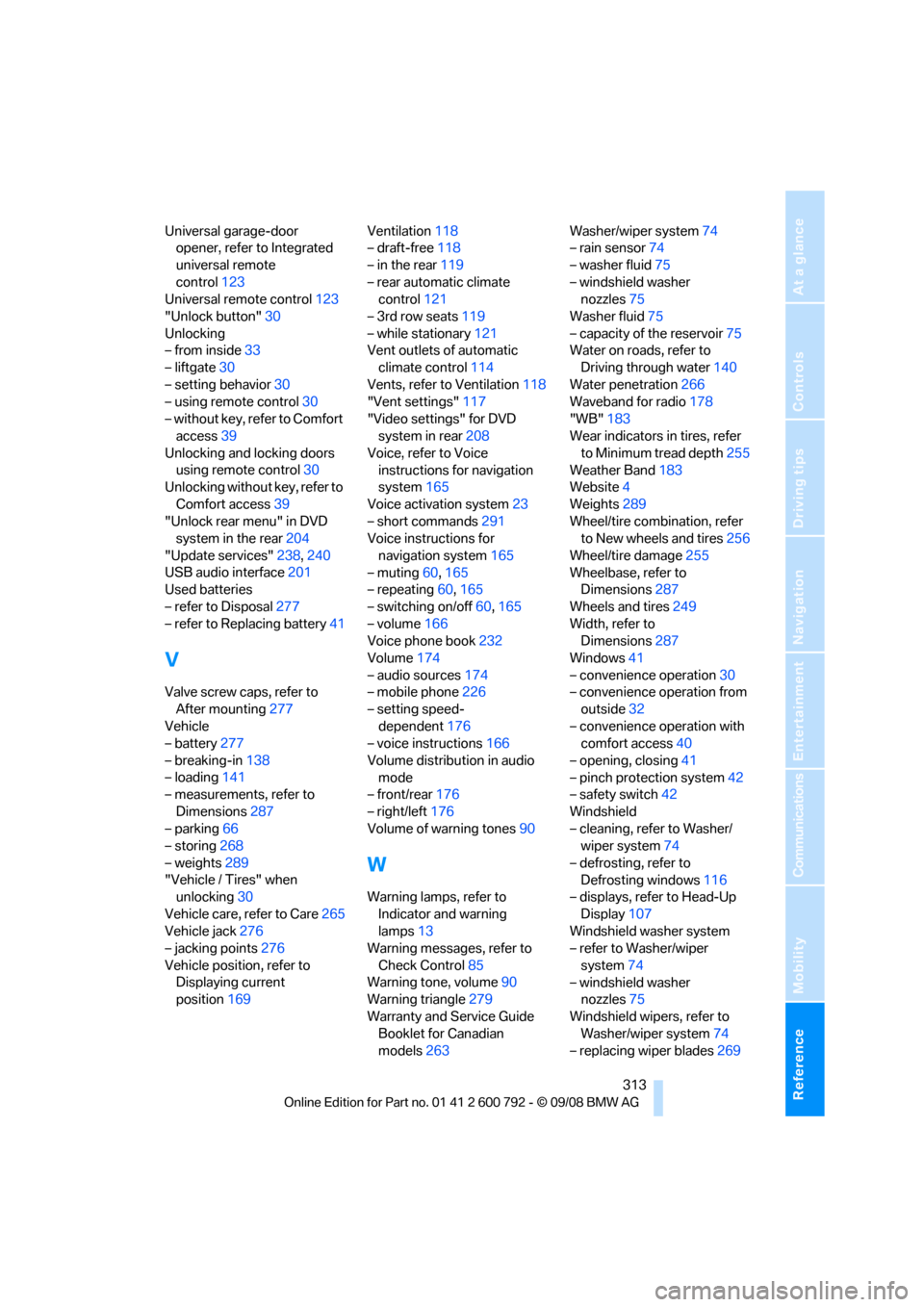
Universal garage-door opener, refer to Integrated
universal remote
control 123
Universal remote control 123
"Unlock button" 30
Unlocking
– from inside 33
– liftgate 30
– setting behavior 30
– using remote control 30
– without key, refer to Comfort access 39
Unlocking and locking doors using remote control 30
Unlocking without key, refer to
Comfort access 39
"Unlock rear menu" in DVD system in the rear 204
"Update services" 238,240
USB audio interface 201
Used batteries
– refer to Disposal 277
– refer to Replacing battery 41
V
Valve screw caps, refer to
After mounting 277
Vehicle
– battery 277
– breaking-in 138
– loading 141
– measurements, refer to
Dimensions 287
– parking 66
– storing 268
– weights 289
"Vehicle / Tires" when unlocking 30
Vehicle care, refer to Care 265
Vehicle jack 276
– jacking points 276
Vehicle position, refer to Displaying current
position 169 Ventilation
118
– draft-free 118
– in the rear 119
– rear automatic climate control 121
– 3rd row seats 119
– while stationary 121
Vent outlets of automatic
climate control 114
Vents, refer to Ventilation 118
"Vent settings" 117
"Video settings" for DVD system in rear 208
Voice, refer to Voice instructions for navigation
system 165
Voice activation system 23
– short commands 291
Voice instructions for
navigation system 165
– muting 60,165
– repeating 60,165
– switching on/off 60,165
– volume 166
Voice phone book 232
Volume 174
– audio sources 174
– mobile phone 226
– setting speed- dependent 176
– voice instructions 166
Volume distribution in audio mode
– front/rear 176
– right/left 176
Volume of warning tones 90
W
Warning lamps, refer to
Indicator and warning
lamps 13
Warning messages, refer to
Check Control 85
Warning tone, volume 90
Warning triangle 279
Warranty and Service Guide Booklet for Canadian
models 263 Washer/wiper system
74
– rain sensor 74
– washer fluid 75
– windshield washer nozzles 75
Washer fluid 75
– capacity of the reservoir 75
Water on roads, refer to
Driving through water 140
Water penetration 266
Waveband for radio 178
"WB" 183
Wear indicators in tires, refer
to Minimum tread depth 255
Weather Band 183
Website 4
Weights 289
Wheel/tire combination, refer to New wheels and tires 256
Wheel/tire damage 255
Wheelbase, refer to Dimensions 287
Wheels and tires 249
Width, refer to Dimensions 287
Windows 41
– convenience operation 30
– convenience operation from
outside 32
– convenience operation with comfort access 40
– opening, closing 41
– pinch protection system 42
– safety switch 42
Windshield
– cleaning, refer to Washer/ wiper system 74
– defrosting, refer to Defrosting windows 116
– displays, refer to Head-Up
Display 107
Windshield washer system
– refer to Washer/wiper
system 74
– windshield washer nozzles 75
Windshield wipers, refer to Washer/wiper system 74
– replacing wiper blades 269