park BMW X6 M 2012 User Guide
[x] Cancel search | Manufacturer: BMW, Model Year: 2012, Model line: X6 M, Model: BMW X6 M 2012Pages: 317, PDF Size: 8.83 MB
Page 63 of 317
Switching off the engine
Procedure
1.
Engage transmission position P with the ve‐
hicle stopped.
2. Press the Start/Stop button.
3. Set the parking brake.
4. Remove the remote control from the ignition
lock, refer to page 61.
Before driving into a car wash
The vehicle is able to roll when the following
steps are adhered to:
1. With Comfort Access*: insert the remote
control in the ignition lock.
2. Depress the brake pedal.
3. Engage transmission position N.
4. Release the parking brake or deactivate Au‐
tomatic Hold.
5. Switch the engine off.
Transmission position P will be engaged:
▷ Automatically after approx. 30 minutes.
▷ If you remove the remote control from the
ignition lock.
Parking brake
The concept
The parking brake is primarily intended to pre‐
vent the vehicle from rolling while parked; it
brakes the rear wheels.
The parking brake can be set manually or auto‐
matically:
▷ Manual: by pulling and pushing the switch.
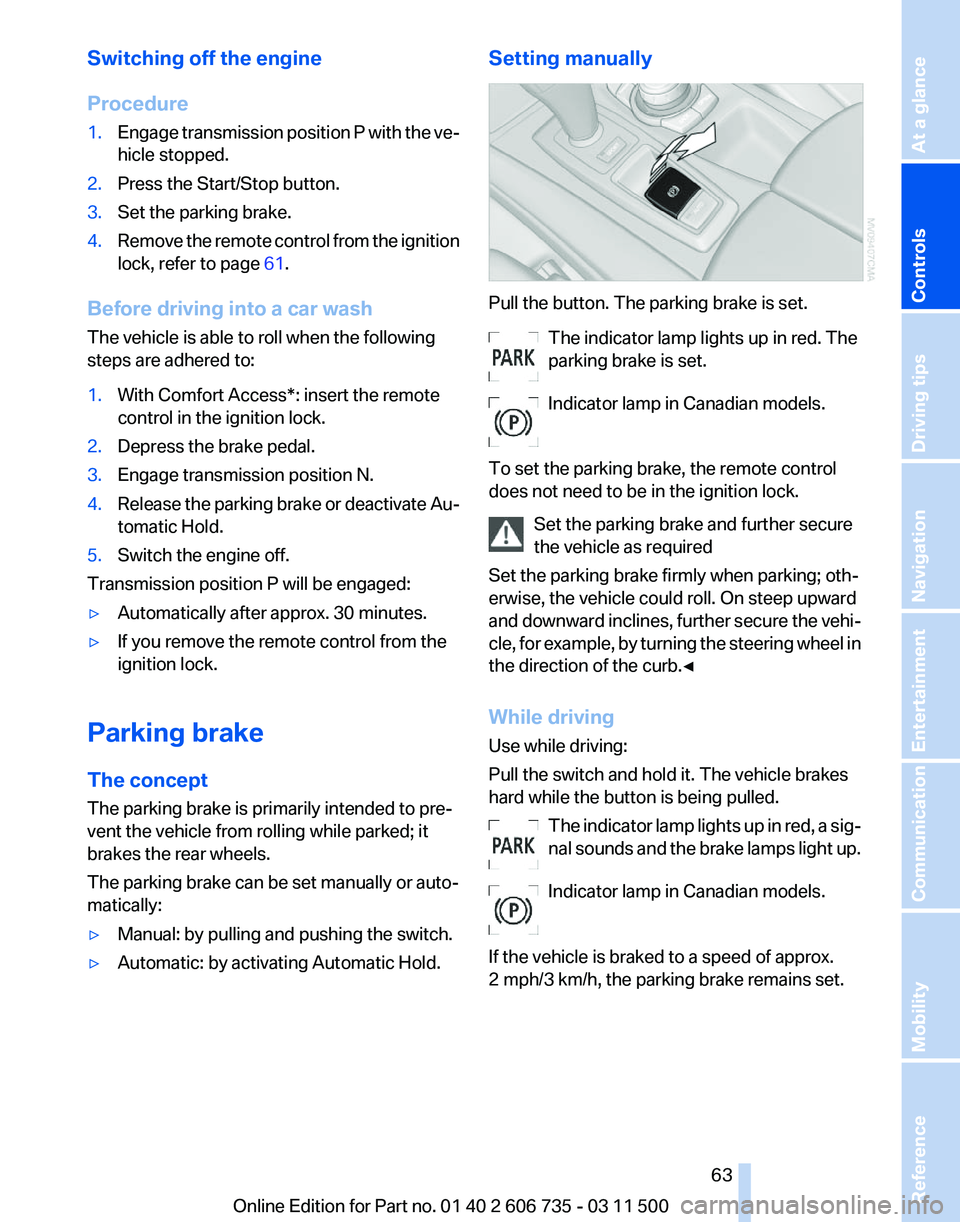
▷ Automatic: by activating Automatic Hold. Setting manually Pull the button. The parking brake is set.
The indicator lamp lights up in red. The
parking brake is set.
Indicator lamp in Canadian models.
To set the parking brake, the remote control
does not need to be in the ignition lock. Set the parking brake and further secure
the vehicle as required
Set the parking brake firmly when parking; oth‐
erwise, the vehicle could roll. On steep upward
and
downward inclines, further secure the vehi‐
cle, for example, by turning the steering wheel in
the direction of the curb.◀
While driving
Use while driving:
Pull the switch and hold it. The vehicle brakes
hard while the button is being pulled.
The indicator lamp lights up in red, a sig‐
nal sounds and the brake lamps light up.
Indicator lamp in Canadian models.
If the vehicle is braked to a speed of approx.
2 mph/3 km/h, the parking brake remains set. Seite 63
63Online Edition for Part no. 01 40 2 606 735 - 03 11 500
Reference Mobility Communication Entertainment Navigation Driving tips
Controls At a glance
Page 64 of 317
Releasing manually
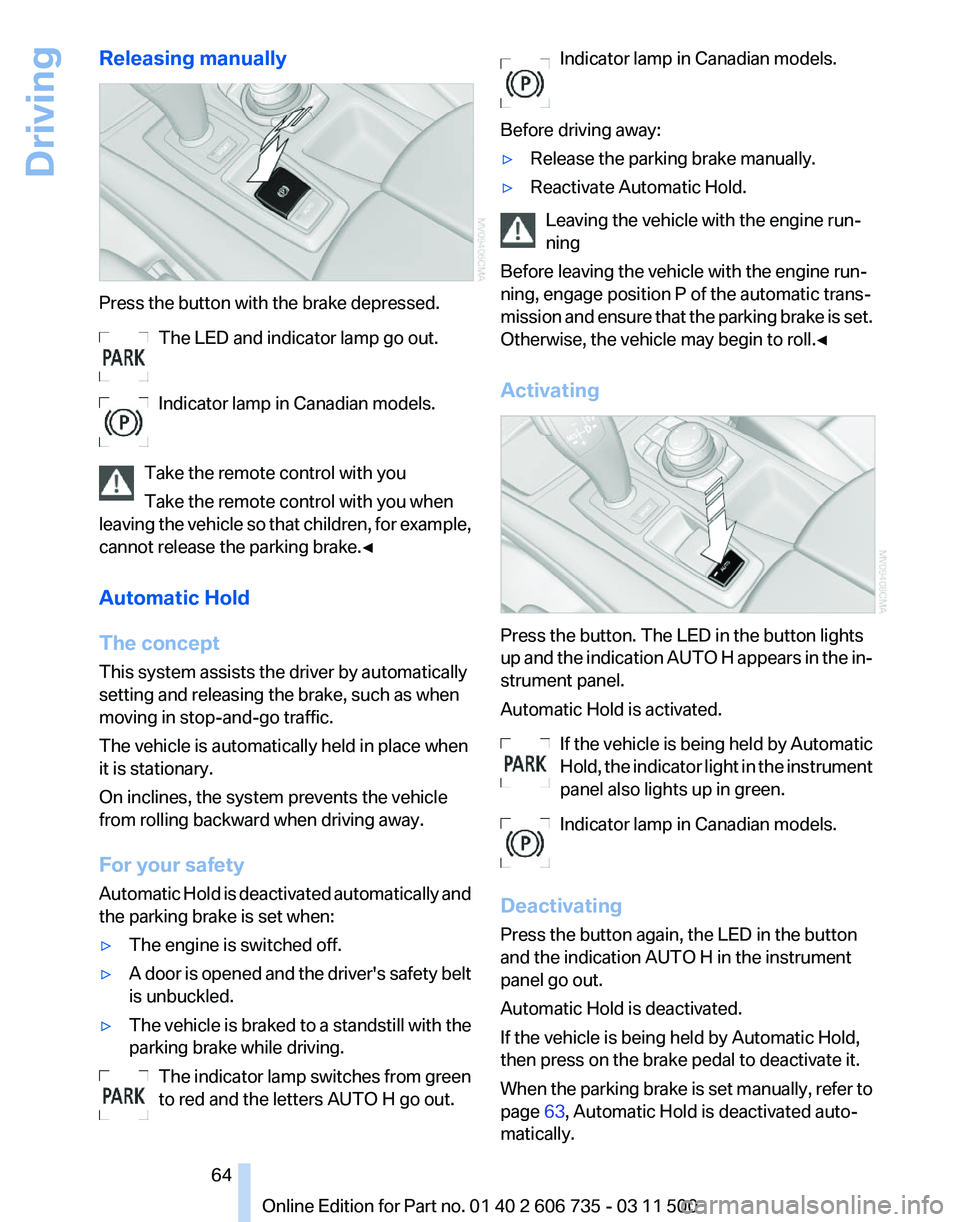
Press the button with the brake depressed.
The LED and indicator lamp go out.
Indicator lamp in Canadian models.
Take the remote control with you
Take the remote control with you when
leaving
the vehicle so that children, for example,
cannot release the parking brake.◀
Automatic Hold
The concept
This system assists the driver by automatically
setting and releasing the brake, such as when
moving in stop-and-go traffic.
The vehicle is automatically held in place when
it is stationary.
On inclines, the system prevents the vehicle
from rolling backward when driving away.
For your safety
Automatic Hold is deactivated automatically and
the parking brake is set when:
▷ The engine is switched off.
▷ A door is opened and the driver's safety belt
is unbuckled.
▷ The vehicle is braked to a standstill with the
parking brake while driving.
The indicator lamp switches from green
to red and the letters AUTO H go out. Indicator lamp in Canadian models.
Before driving away:
▷ Release the parking brake manually.
▷ Reactivate Automatic Hold.
Leaving the vehicle with the engine run‐
ning
Before leaving the vehicle with the engine run‐
ning, engage position P of the automatic trans‐
mission
and ensure that the parking brake is set.
Otherwise, the vehicle may begin to roll.◀
Activating Press the button. The LED in the button lights
up
and the indication AUTO H appears in the in‐
strument panel.
Automatic Hold is activated.
If the vehicle is being held by Automatic
Hold, the indicator light in the instrument
panel also lights up in green.
Indicator lamp in Canadian models.
Deactivating
Press the button again, the LED in the button
and the indication AUTO H in the instrument
panel go out.
Automatic Hold is deactivated.
If the vehicle is being held by Automatic Hold,
then press on the brake pedal to deactivate it.
When the parking brake is set manually, refer to
page 63, Automatic Hold is deactivated auto‐
matically. Seite 64
64 Online Edition for Part no. 01 40 2 606 735 - 03 11 500
Driving
Page 65 of 317
Driving
Automatic
Hold is activated: the vehicle is auto‐
matically secured against rolling when it stops.
The indicator lamp lights up in green.
Indicator lamp in Canadian models.
Step on the accelerator pedal to drive off.
The brake is released automatically.
The indicator lamp goes out. Before driving into a car wash
Deactivate Automatic Hold; otherwise, the
parking brake will be set when the vehicle is sta‐
tionary and the vehicle will no longer be able to
roll.◀
Parking
The parking brake is automatically set if the en‐
gine is switched off while the vehicle is being
held by Automatic Hold.
The indicator lamp changes from green
to red.
Indicator lamp in Canadian models.
The parking brake is not set if the engine is
switched off while the vehicle is coasting to a
halt. Automatic Hold is deactivated. Take the remote control with you
Take the remote control with you when
leaving the vehicle so that children, for example,
cannot release the parking brake.◀
Malfunction
In the event of a failure or malfunction of the
parking brake, secure the vehicle against rolling
using a wheel chock, for example, when leaving
it. Releasing the parking brake manually
In the event of an electrical power loss or elec‐
trical malfunction, you can release the parking
brake manually.
Secure the vehicle against rolling
Before releasing the parking brake man‐
ually,
and whenever you park the vehicle with the
parking brake released, ensure that position P of
the automatic transmission is engaged. Note
the display in the instrument cluster.
In addition, secure the vehicle against rolling,
e.g. with a wheel chock. Otherwise there is a
danger that the vehicle could roll if parked on a
steep slope.◀
Jump-starting and towing, refer to page 282.
Unlocking
1. Open the left-hand side panel in the cargo
area.
2. Remove the first aid kit* and the warning tri‐
angle*.
Close the bracket of the warning tri‐
angle.
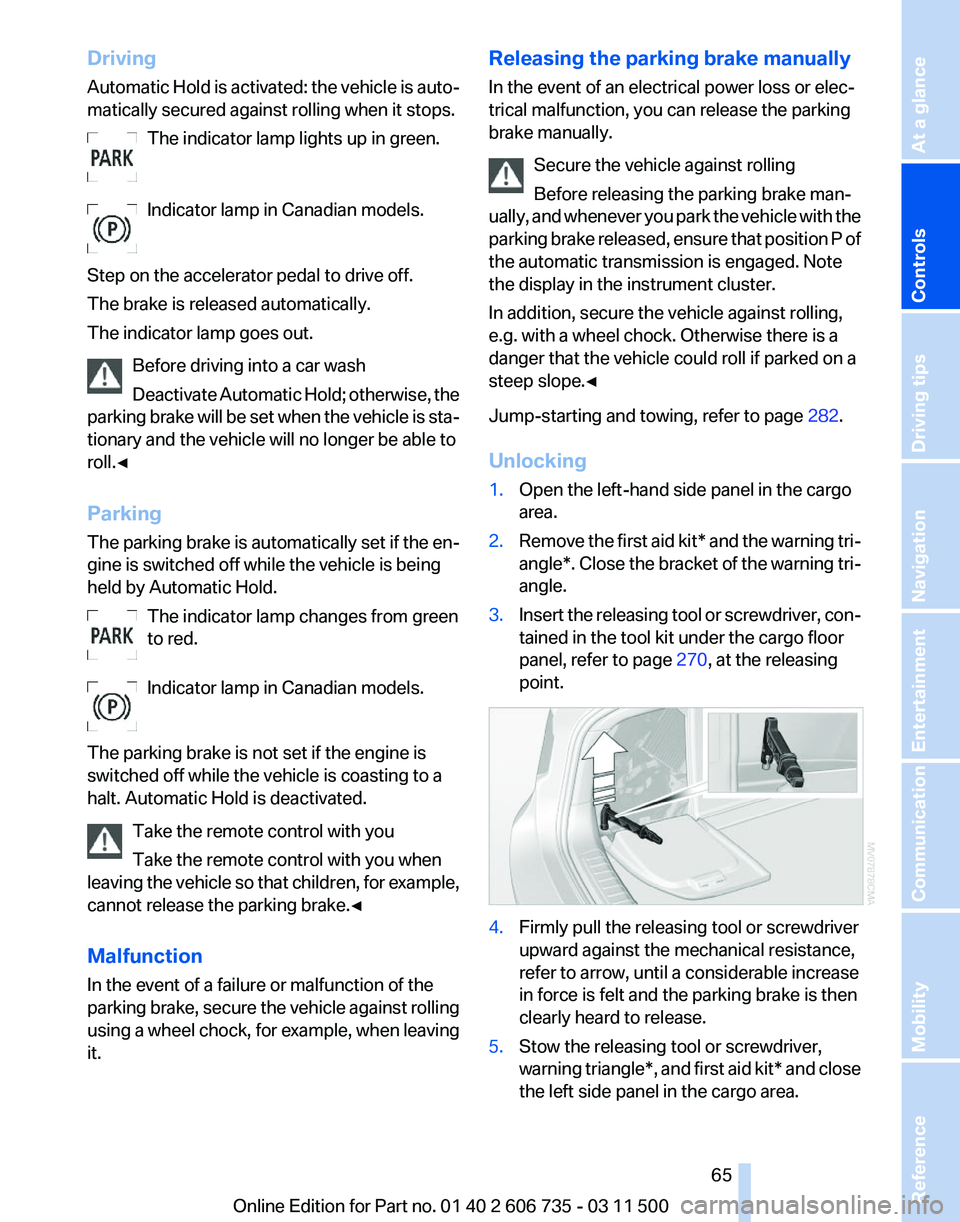
3. Insert the releasing tool or screwdriver, con‐
tained in the tool kit under the cargo floor
panel, refer to page 270, at the releasing
point. 4.
Firmly pull the releasing tool or screwdriver
upward against the mechanical resistance,
refer to arrow, until a considerable increase
in force is felt and the parking brake is then
clearly heard to release.
5. Stow the releasing tool or screwdriver,
warning
triangle*, and first aid kit* and close
the left side panel in the cargo area. Seite 65
65Online Edition for Part no. 01 40 2 606 735 - 03 11 500
Reference Mobility Communication Entertainment Navigation Driving tips
Controls At a glance
Page 66 of 317
Have the malfunction corrected
Have the malfunction corrected at the
nearest service center or at a workshop that
works
according to BMW repair procedures with
correspondingly trained personnel. If the park‐
ing brake has been released manually in re‐
sponse to a malfunction, only technicians can
return it to operation.◀
Following manual release, the actual status of
the parking brake may deviate from that dis‐
played by the indicator lamp.
Putting into operation after a power
failure
Putting the parking brake into operation
The parking brake should only be put into
operation again if it was manually released due
to an interruption in the supply of electrical
power. Otherwise the operation of the parking
brake is not ensured and there is a danger of the
vehicle rolling despite the parking brake being
set.◀
Procedure
1. Switch on the ignition.
2. Press the button with the brake depressed.
The indicator lamp in the instrument
cluster goes out as soon as the parking
brake is ready for operation.
Indicator lamp in Canadian models.
Any
noises which occur are normal. Startup may
take several seconds. Turn signal, high beams,
headlamp flasher
1
High beams
2 Headlamp flasher
3 Turn signal
Signaling a turn
Press the lever beyond the resistance point.
To
switch off manually, press the lever to the re‐
sistance point.
Unusually rapid flashing of the indicator lamp in‐
dicates that a turn signal bulb has failed.
Signaling a turn briefly
Press the lever to the resistance point and hold
it there for as long as you want the turn signal to
flash.
Triple turn signal activation
Press the lever to the resistance point.
The turn signal flashes three times.
This function can be activated or deactivated:
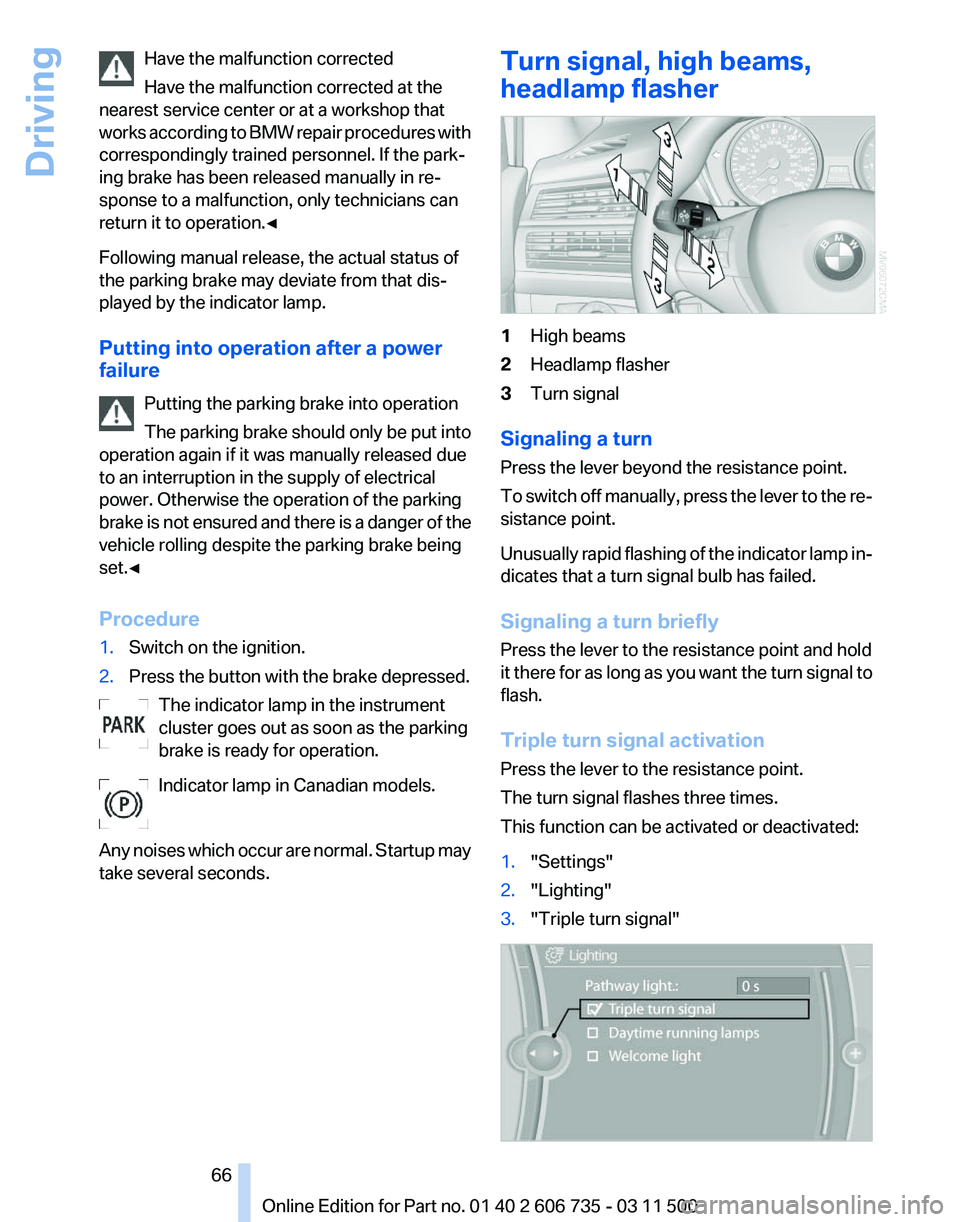
1. "Settings"
2. "Lighting"
3. "Triple turn signal" Seite 66
66 Online Edition for Part no. 01 40 2 606 735 - 03 11 500
Driving
Page 69 of 317
Automatic transmission with
Steptronic
Transmission positions
D Drive, automatic position
Position for normal vehicle operation. All for‐
ward gears are available.
Under normal operating conditions, fuel con‐
sumption is lowest when you are driving in po‐
sition D.
Kickdown
Kickdown is used to achieve maximum driving
performance. Press on the accelerator beyond
the resistance point at the full throttle position.
R is Reverse
Select only when the vehicle is stationary.
N is Neutral
Use in automatic car washes, for example. The
vehicle can roll.
When the ignition is switched off, refer to
page
61, position P is engaged automatically.
P Park
Select only when the vehicle is stationary. The
drive wheels are blocked.
P is engaged automatically as soon as the en‐
gine
is switched off unless N is engaged and, in
vehicles with Comfort Access, the remote con‐
trol is inserted in the ignition lock, refer to
page 61. Before leaving the vehicle, ensure that
the transmission position P is engaged; other‐
wise, the vehicle may begin to roll.
Engaging transmission position
▷ Transmission position P can only be disen‐
gaged
if the engine is running and the brake
pedal is pressed.
▷ With the vehicle stationary, press on the
brake pedal before shifting out of P or N;
otherwise, the shift command will not be
executed: shift lock. Press on the brake pedal until you start
driving
To prevent the vehicle from creeping after you
select a driving position, maintain pressure on
the brake pedal until you are ready to start.
◀
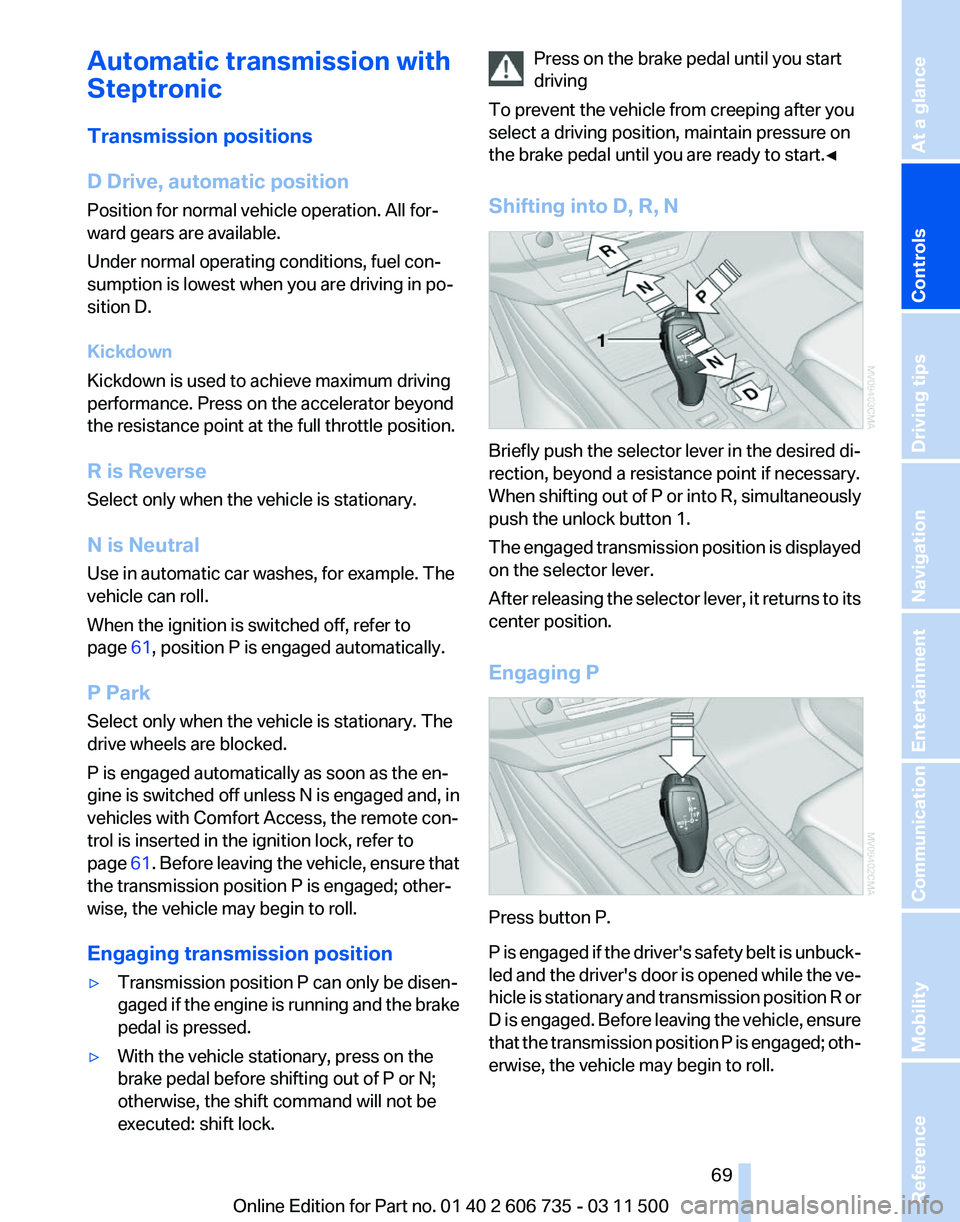
Shifting into D, R, N Briefly push the selector lever in the desired di‐
rection, beyond a resistance point if necessary.
When
shifting out of P or into R, simultaneously
push the unlock button 1.
The engaged transmission position is displayed
on the selector lever.
After releasing the selector lever, it returns to its
center position.
Engaging P Press button P.
P
is engaged if the driver's safety belt is unbuck‐
led and the driver's door is opened while the ve‐
hicle is stationary and transmission position R or
D is engaged. Before leaving the vehicle, ensure
that the transmission position P is engaged; oth‐
erwise, the vehicle may begin to roll. Seite 69
69Online Edition for Part no. 01 40 2 606 735 - 03 11 500
Reference Mobility Communication Entertainment Navigation Driving tips
Controls At a glance
Page 71 of 317
Displays
Odometer, external
temperature display, clock
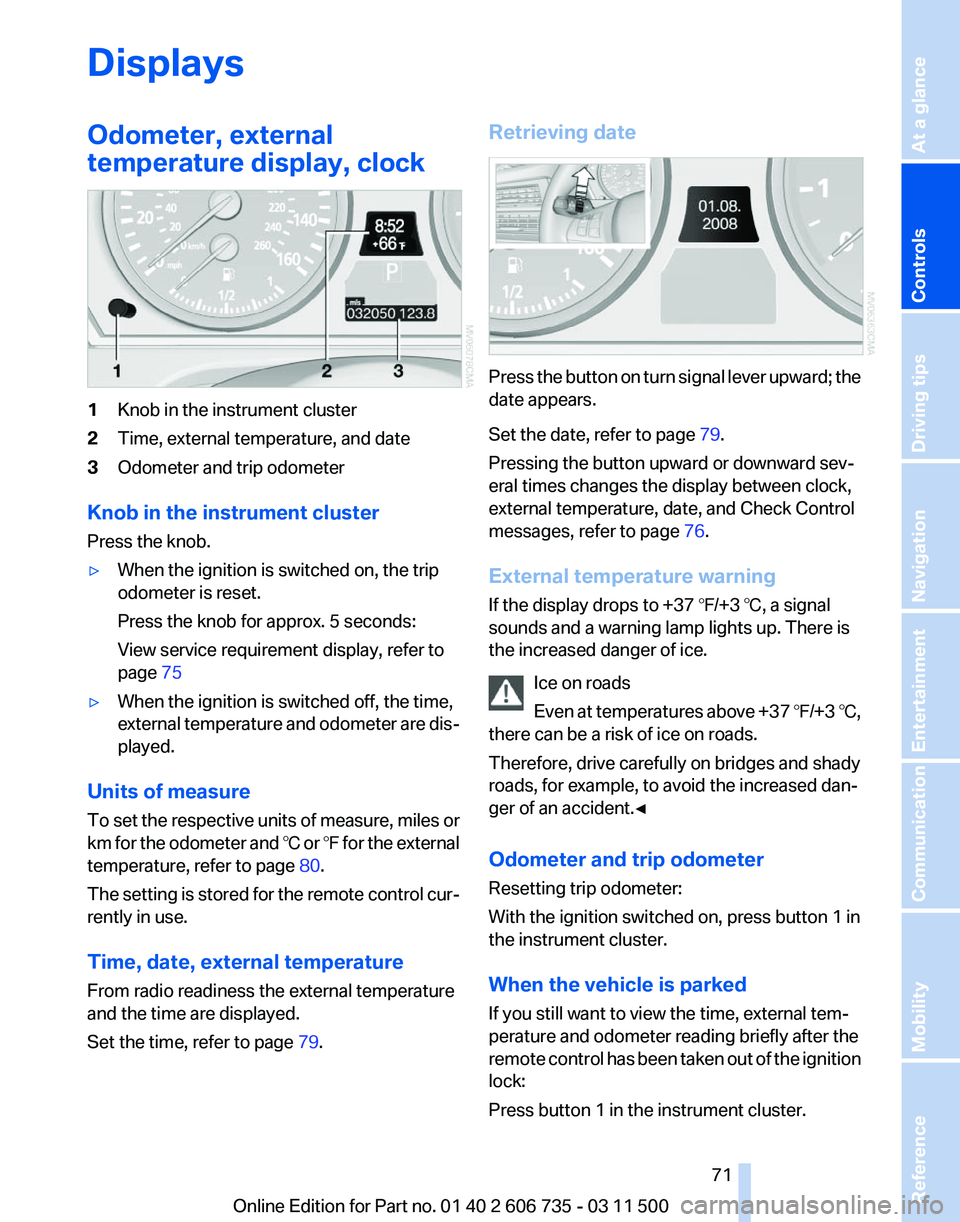
1
Knob in the instrument cluster
2 Time, external temperature, and date
3 Odometer and trip odometer
Knob in the instrument cluster
Press the knob.
▷ When the ignition is switched on, the trip
odometer is reset.
Press the knob for approx. 5 seconds:
View service requirement display, refer to
page 75
▷ When the ignition is switched off, the time,
external
temperature and odometer are dis‐
played.
Units of measure
To
set the respective units of measure, miles or
km for the odometer and ℃ or ℉ for the external
temperature, refer to page 80.
The setting is stored for the remote control cur‐
rently in use.
Time, date, external temperature
From radio readiness the external temperature
and the time are displayed.
Set the time, refer to page 79.Retrieving date
Press the button on turn signal lever upward; the
date appears.
Set the date, refer to page
79.
Pressing the button upward or downward sev‐
eral times changes the display between clock,
external temperature, date, and Check Control
messages, refer to page 76.
External temperature warning
If the display drops to +37 ℉/+3 ℃, a signal
sounds and a warning lamp lights up. There is
the increased danger of ice. Ice on roads
Even
at temperatures above +37 ℉/+3 ℃,
there can be a risk of ice on roads.
Therefore, drive carefully on bridges and shady
roads, for example, to avoid the increased dan‐
ger of an accident.◀
Odometer and trip odometer
Resetting trip odometer:
With the ignition switched on, press button 1 in
the instrument cluster.
When the vehicle is parked
If you still want to view the time, external tem‐
perature and odometer reading briefly after the
remote control has been taken out of the ignition
lock:
Press button 1 in the instrument cluster. Seite 71
71Online Edition for Part no. 01 40 2 606 735 - 03 11 500
Reference Mobility Communication Entertainment Navigation Driving tips
Controls At a glance
Page 73 of 317
Fuel gauge
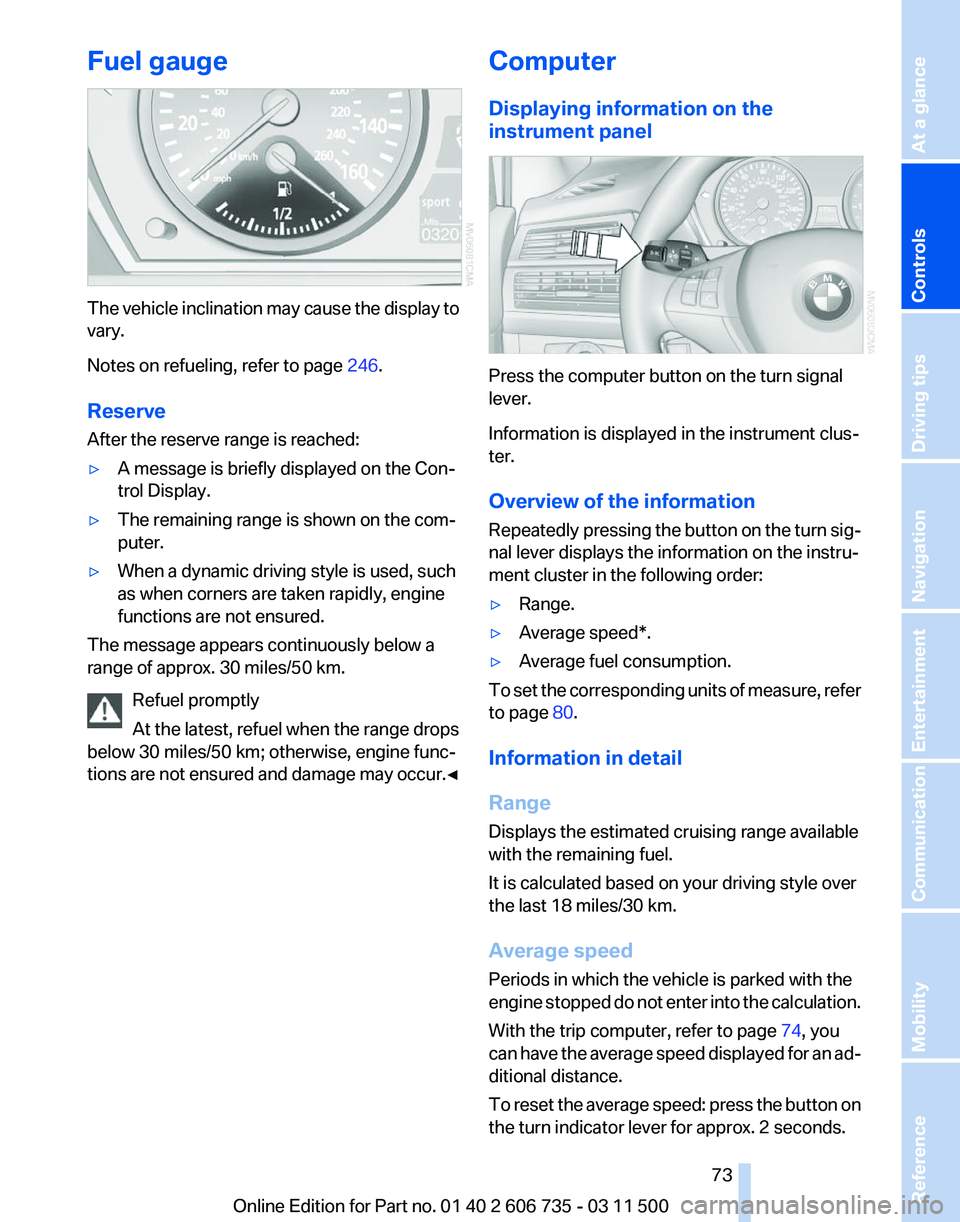
The vehicle inclination may cause the display to
vary.
Notes on refueling, refer to page
246.
Reserve
After the reserve range is reached:
▷ A message is briefly displayed on the Con‐
trol Display.
▷ The remaining range is shown on the com‐
puter.
▷ When a dynamic driving style is used, such
as when corners are taken rapidly, engine
functions are not ensured.
The message appears continuously below a
range of approx. 30 miles/50 km.
Refuel promptly
At the latest, refuel when the range drops
below 30 miles/50 km; otherwise, engine func‐
tions
are not ensured and damage may occur.◀ Computer
Displaying information on the
instrument panel
Press the computer button on the turn signal
lever.
Information is displayed in the instrument clus‐
ter.
Overview of the information
Repeatedly
pressing the button on the turn sig‐
nal lever displays the information on the instru‐
ment cluster in the following order:
▷ Range.
▷ Average speed*.
▷ Average fuel consumption.
To set the corresponding units of measure, refer
to page 80.
Information in detail
Range
Displays the estimated cruising range available
with the remaining fuel.
It is calculated based on your driving style over
the last 18 miles/30 km.
Average speed
Periods in which the vehicle is parked with the
engine
stopped do not enter into the calculation.
With the trip computer, refer to page 74, you
can have the average speed displayed for an ad‐
ditional distance.
To reset the average speed: press the button on
the turn indicator lever for approx. 2 seconds.
Seite 73
73Online Edition for Part no. 01 40 2 606 735 - 03 11 500
Reference Mobility Communication Entertainment Navigation Driving tips
Controls At a glance
Page 81 of 317
Lamps
At a glance
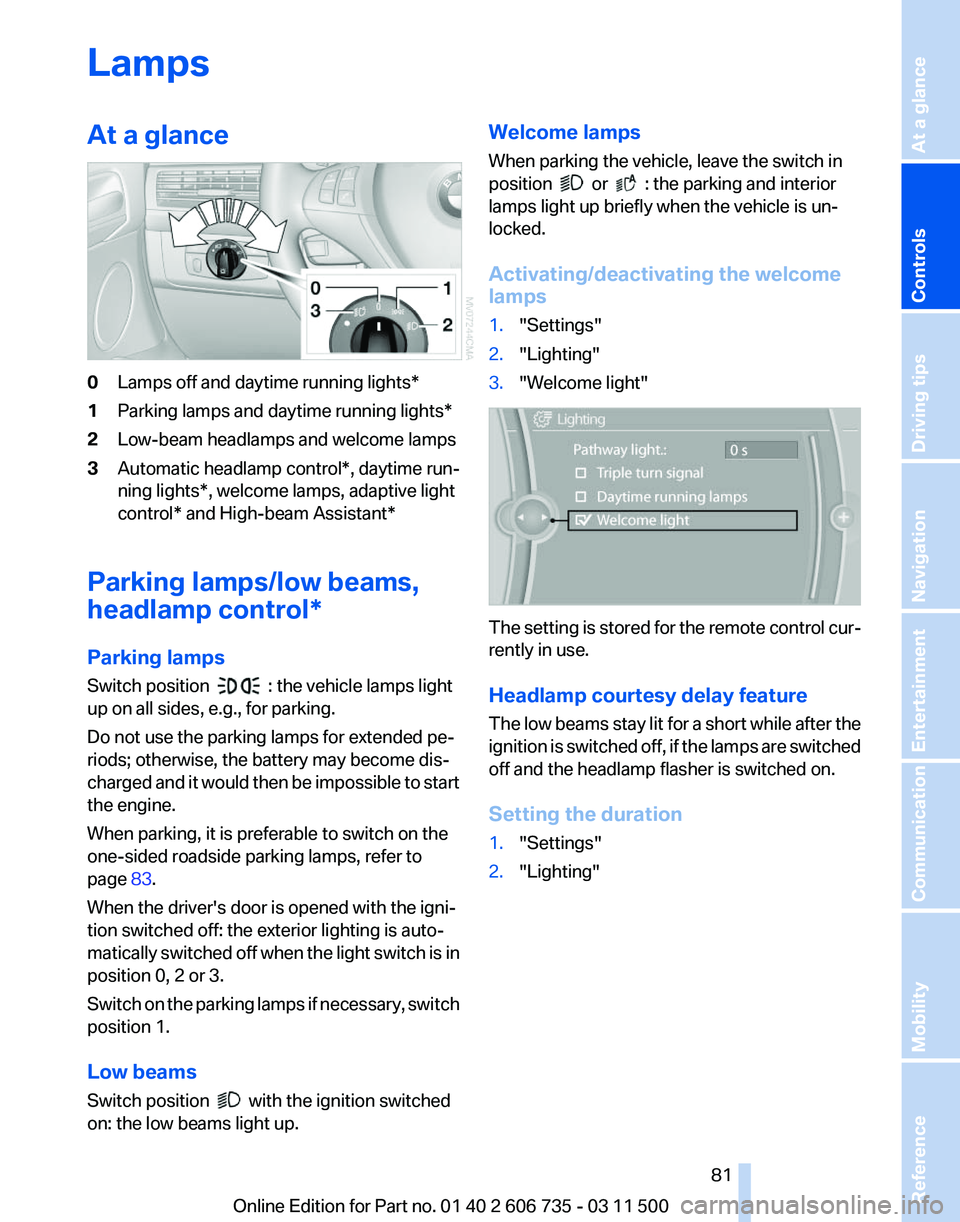
0
Lamps off and daytime running lights*
1 Parking lamps and daytime running lights*
2 Low-beam headlamps and welcome lamps
3 Automatic headlamp control*, daytime run‐
ning lights*, welcome lamps,
adaptive light
control* and High-beam Assistant*
Parking lamps/low beams,
headlamp control*
Parking lamps
Switch position : the vehicle lamps light
up on all sides, e.g., for parking.
Do not use the parking lamps for extended pe‐
riods; otherwise, the battery may become dis‐
charged
and it would then be impossible to start
the engine.
When parking, it is preferable to switch on the
one-sided roadside parking lamps, refer to
page 83.
When the driver's door is opened with the igni‐
tion switched off: the exterior lighting is auto‐
matically switched off when the light switch is in
position 0, 2 or 3.
Switch on the parking lamps if necessary, switch
position 1.
Low beams
Switch position with the ignition switched
on: the low beams light up. Welcome lamps
When parking the vehicle, leave the switch in
position or : the parking and interior
lamps light up briefly when the vehicle is un‐
locked.
Activating/deactivating the welcome
lamps
1. "Settings"
2. "Lighting"
3. "Welcome light" The setting is stored for the remote control cur‐
rently in use.
Headlamp courtesy delay feature
The
low beams stay lit for a short while after the
ignition is switched off, if the lamps are switched
off and the headlamp flasher is switched on.
Setting the duration
1. "Settings"
2. "Lighting"
Seite 81
81Online Edition for Part no. 01 40 2 606 735 - 03 11 500
Reference Mobility Communication Entertainment Navigation Driving tips
Controls At a glance
Page 82 of 317
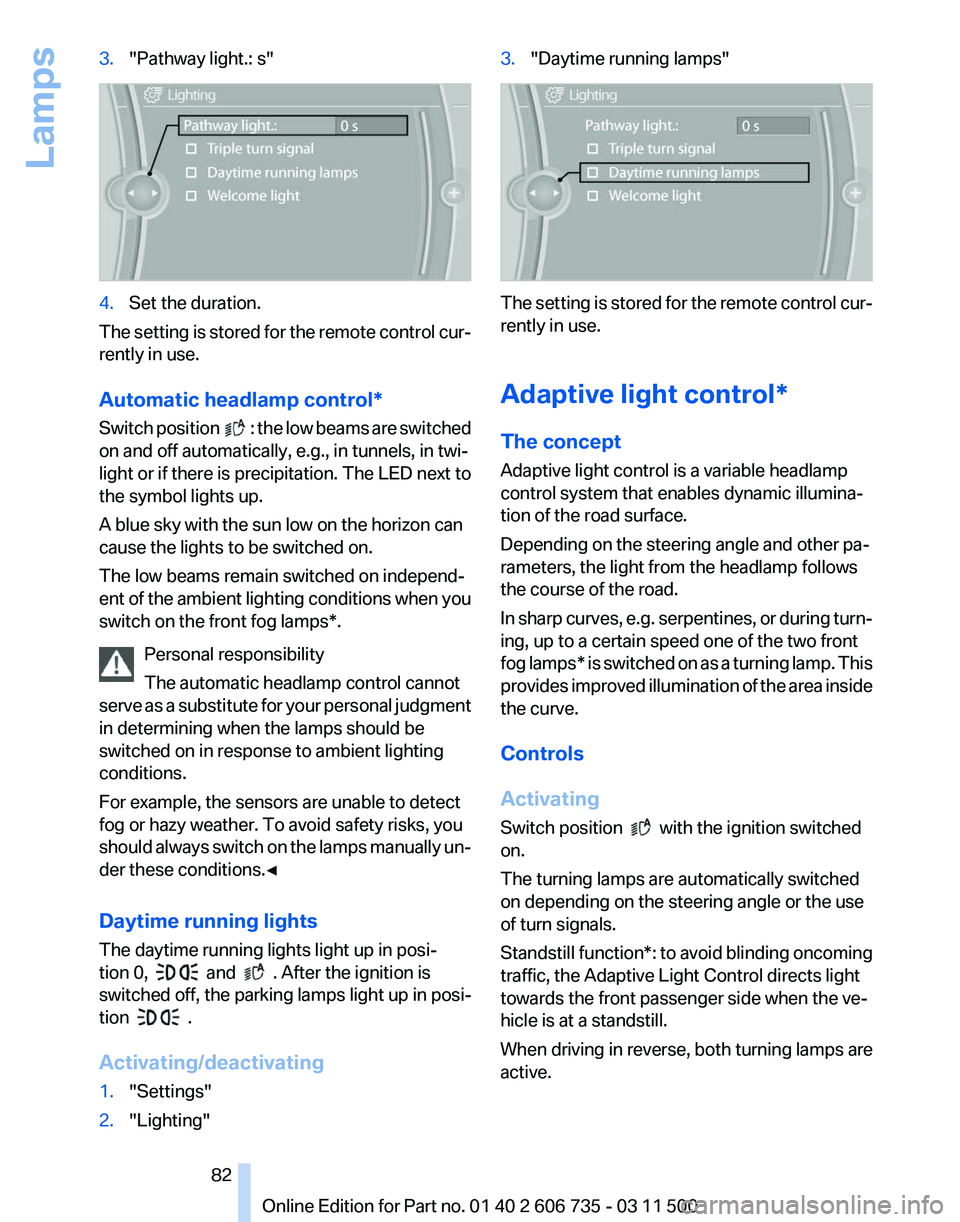
3.
"Pathway light.: s" 4.
Set the duration.
The setting is stored for the remote control cur‐
rently in use.
Automatic headlamp control
*
Switch position : the low beams are switched
on and off automatically, e.g., in tunnels, in twi‐
light or if there is precipitation. The LED next to
the symbol lights up.
A blue sky with the sun low on the horizon can
cause the lights to be switched on.
The low beams remain switched on independ‐
ent
of the ambient lighting conditions when you
switch on the front fog lamps*.
Personal responsibility
The automatic headlamp control cannot
serve as a substitute for your personal judgment
in determining when the lamps should be
switched on in response to ambient lighting
conditions.
For example, the sensors are unable to detect
fog or hazy weather. To avoid safety risks, you
should always switch on the lamps manually un‐
der these conditions.◀
Daytime running lights
The daytime running lights light up in posi‐
tion 0, and . After the ignition is
switched off, the parking lamps light up in posi‐
tion .
Activating/deactivating
1. "Settings"
2. "Lighting" 3.
"Daytime running lamps" The setting is stored for the remote control cur‐
rently in use.
Adaptive light control*
The concept
Adaptive light control is a variable headlamp
control system that enables dynamic illumina‐
tion of the road surface.
Depending on the steering angle and other pa‐
rameters, the light from the headlamp follows
the course of the road.
In
sharp curves, e.g. serpentines, or during turn‐
ing, up to a certain speed one of the two front
fog lamps* is switched on as a turning lamp. This
provides improved illumination of the area inside
the curve.
Controls
Activating
Switch position with the ignition switched
on.
The turning lamps are automatically switched
on depending on the steering angle or the use
of turn signals.
Standstill function*:
to avoid blinding oncoming
traffic, the Adaptive Light Control directs light
towards the front passenger side when the ve‐
hicle is at a standstill.
When driving in reverse, both turning lamps are
active.
Seite 82
82 Online Edition for Part no. 01 40 2 606 735 - 03 11 500
Lamps
Page 83 of 317
Malfunction
A message is displayed.
Adaptive light control is malfunctioning or has
failed.
Have the system checked as soon as pos‐
sible.
High beams/roadside parking
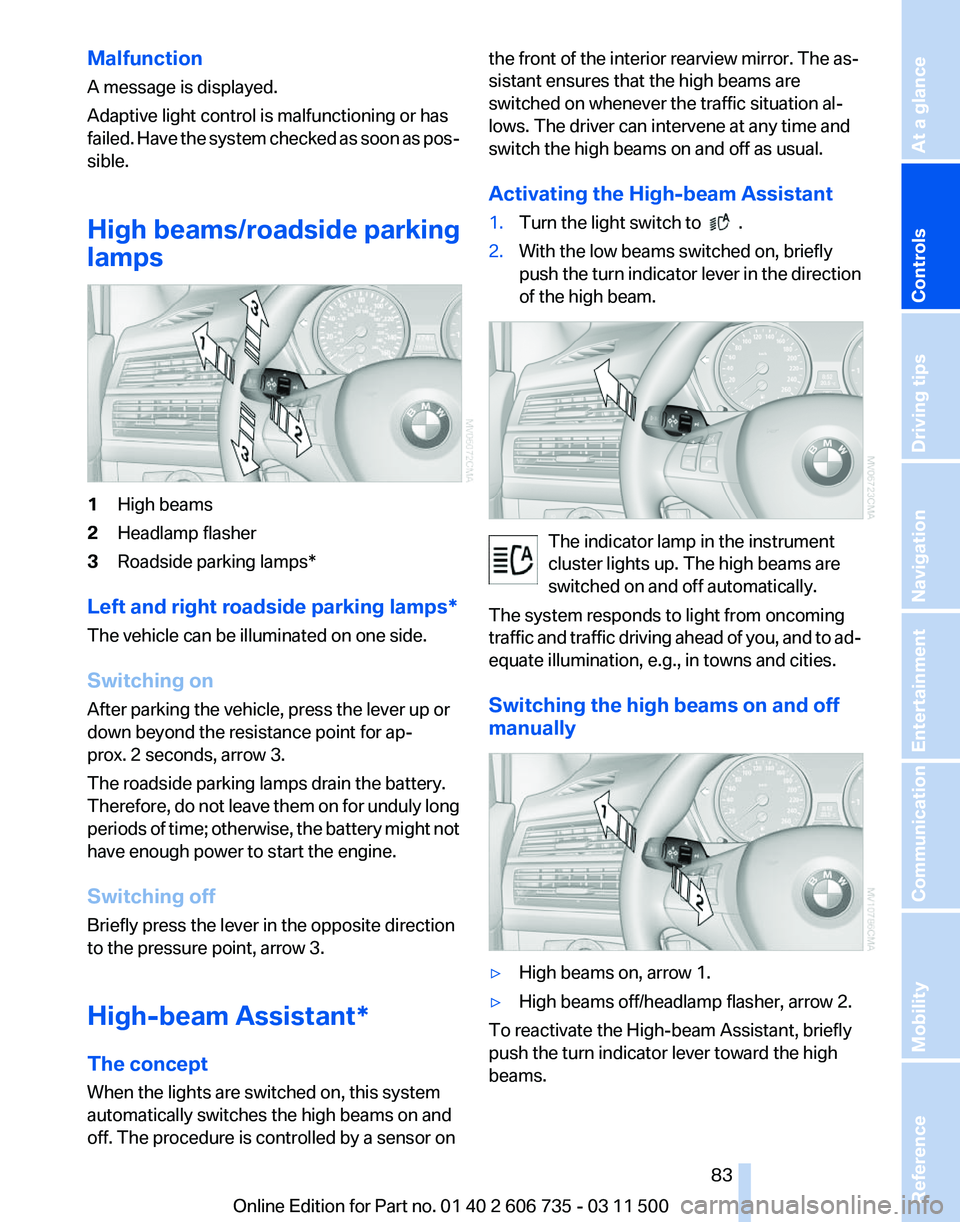
lamps 1
High beams
2 Headlamp flasher
3 Roadside parking lamps*
Left and right roadside parking lamps*
The vehicle can be illuminated on one side.
Switching on
After parking the vehicle, press the lever up or
down beyond the resistance point for ap‐
prox. 2 seconds, arrow 3.
The roadside parking lamps drain the battery.
Therefore,
do not leave them on for unduly long
periods of time; otherwise, the battery might not
have enough power to start the engine.
Switching off
Briefly press the lever in the opposite direction
to the pressure point, arrow 3.
High-beam Assistant*
The concept
When the lights are switched on, this system
automatically switches the high beams on and
off. The procedure is controlled by a sensor on the front of the interior rearview mirror. The as‐
sistant ensures that the high beams are
switched on whenever the traffic situation al‐
lows. The driver can intervene at any time and
switch the high beams on and off as usual.
Activating the High-beam Assistant
1.
Turn the light switch to .
2. With the low beams switched on, briefly
push
the turn indicator lever in the direction
of the high beam. The indicator lamp in the instrument
cluster lights up. The high beams are
switched on and off automatically.
The system responds to light from oncoming
traffic
and traffic driving ahead of you, and to ad‐
equate illumination, e.g., in towns and cities.
Switching the high beams on and off
manually ▷
High beams on, arrow 1.
▷ High beams off/headlamp flasher, arrow 2.
To reactivate the High-beam Assistant, briefly
push the turn indicator lever toward the high
beams. Seite 83
83Online Edition for Part no. 01 40 2 606 735 - 03 11 500
Reference Mobility Communication Entertainment Navigation Driving tips
Controls At a glance