park BMW X6 M 2012 Owner's Guide
[x] Cancel search | Manufacturer: BMW, Model Year: 2012, Model line: X6 M, Model: BMW X6 M 2012Pages: 317, PDF Size: 8.83 MB
Page 125 of 317
AUTO program
The AUTO program automatically
sets the air distribution toward the
upper body and in the footwell, as
well as the air flow rate. It also
adapts your instructions for the
temperature to outside influences throughout
the year.
Temperature
Set the desired temperature indi‐
vidually on the left and right side.
The automatic climate control achieves this
temperature
as quickly as possible regardless of
the season, using maximum cooling or heating
power if necessary, and then maintains it.
When switching between different temperature
settings in rapid succession, the automatic cli‐
mate control does not have sufficient time to
adjust the set temperature.
Air volume, manual
The air flow rate can be varied by press‐
ing on the corresponding side. The au‐
tomatic mode for the air flow rate can be
switched on again using the AUTO button.
Switching off rear automatic climate
control
With the blower at its lowest setting,
press the left side of the button to
switch off the automatic climate control.
The automatic climate control can also be
switched off with iDrive. To switch on the auto‐
matic climate control again, the system must
first be reactivated, refer to Activating/deacti‐
vating.
The system is switched on again by pressing
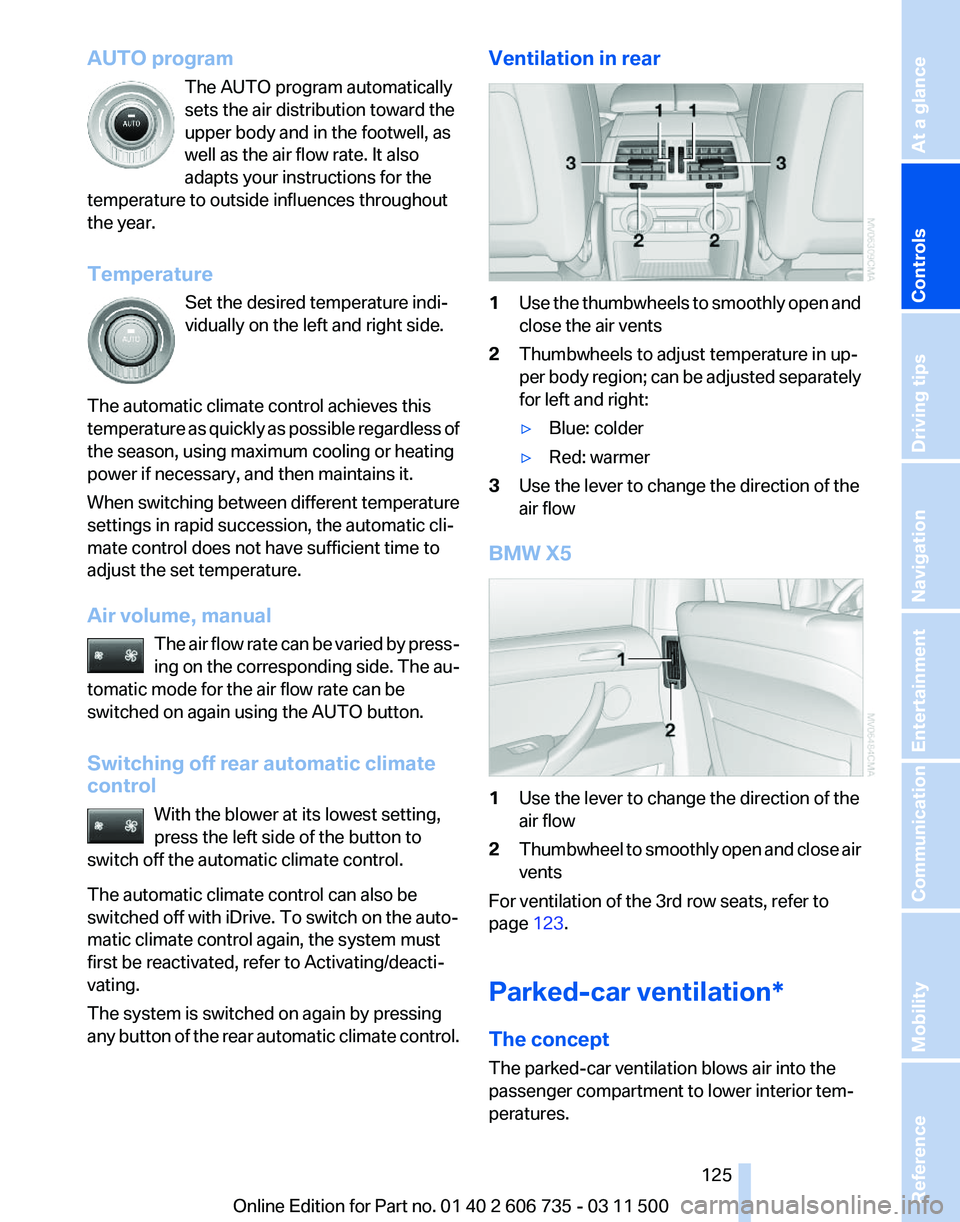
any button of the rear automatic climate control. Ventilation in rear
1
Use the thumbwheels to smoothly open and
close the air vents
2 Thumbwheels to adjust temperature in up‐
per
body region; can be adjusted separately
for left and right:
▷ Blue: colder
▷ Red: warmer
3 Use the lever to change the direction of the
air flow
BMW X5 1
Use the lever to change the direction of the
air flow
2 Thumbwheel to smoothly open and close air
vents
For ventilation of the 3rd row seats, refer to
page 123.
Parked-car ventilation*
The concept
The parked-car ventilation blows air into the
passenger compartment to lower interior tem‐
peratures.
Seite 125
125Online Edition for Part no. 01 40 2 606 735 - 03 11 500
Reference Mobility Communication Entertainment Navigation Driving tips
Controls At a glance
Page 126 of 317
The system can be switched on and off at any
external
temperature, either directly or by using
a preset switch-on time. It remains switched on
for 30 minutes.
Since the system uses a substantial amount of
electrical current, refrain from activating it twice
in succession without allowing the battery to be
recharged in normal operation between use.
Open the vents to allow air to flow out.
They can be operated via iDrive.
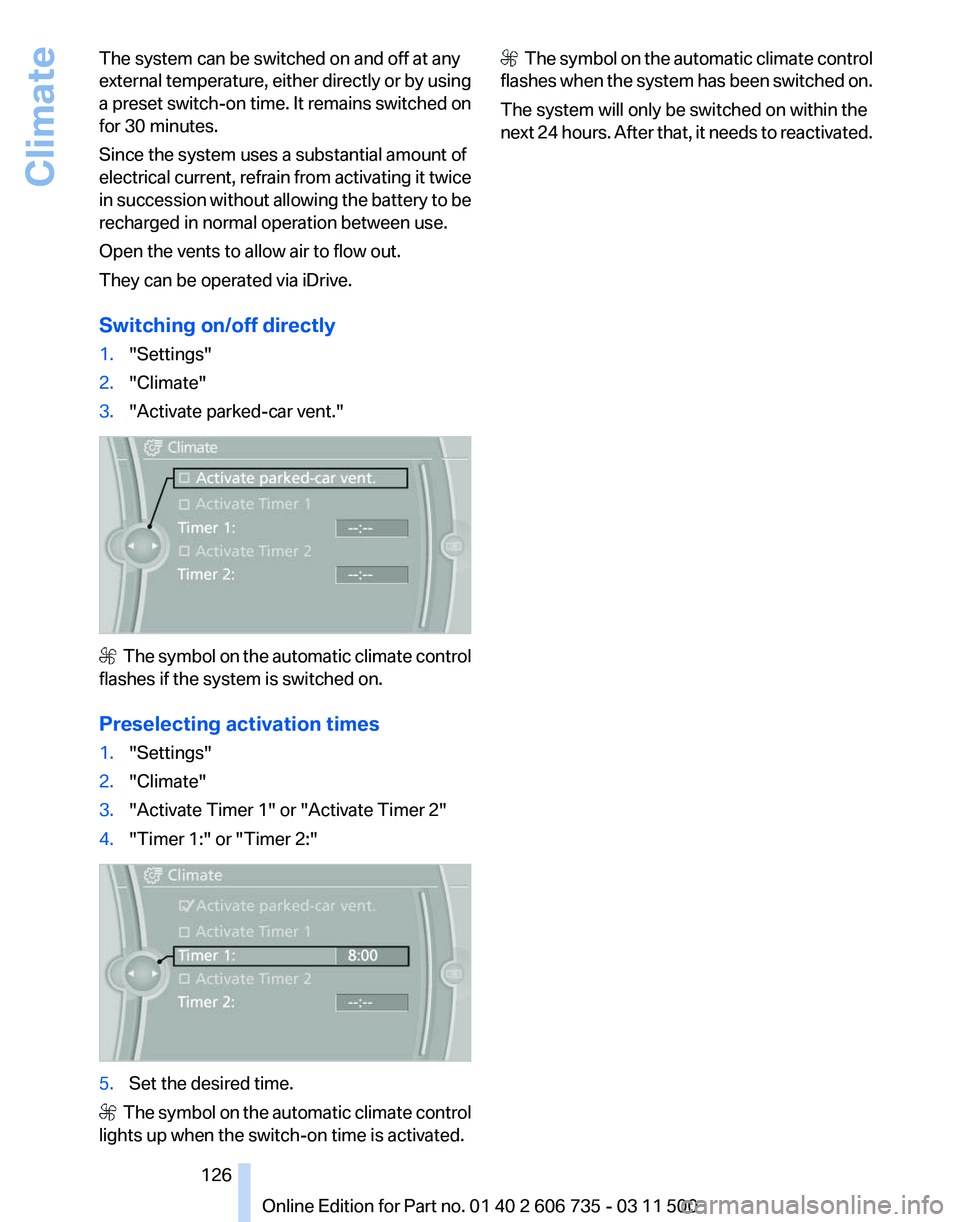
Switching on/off directly
1. "Settings"
2. "Climate"
3. "Activate parked-car vent." The symbol on the automatic climate control
flashes if the system is switched on.
Preselecting activation times
1. "Settings"
2. "Climate"
3. "Activate Timer 1" or "Activate Timer 2"
4. "Timer 1:" or "Timer 2:" 5.
Set the desired time. The symbol on the automatic climate control
lights up when the switch-on time is activated. The symbol on the automatic climate control
flashes when the system has been switched on.
The system will only be switched on within the
next 24 hours. After that, it needs to reactivated.
Seite 126
126 Online Edition for Part no. 01 40 2 606 735 - 03 11 500
Climate
Page 128 of 317
lease the button on the hand-held transmit‐
ter several times for 2 seconds.
6. To program additional hand-held transmit‐
ters, repeat steps 3 to 5.
The device can be operated using the memory
button with the engine running or the ignition
switched on.
Malfunction
If the device cannot be used after repeated at‐
tempts at programming, please check whether
the hand-held transmitter is equipped with an
alternating code system.
To do so:
▷ Read the instructions of the hand-held
transmitter.
▷ Press the memory button of the universal
remote control for an extended period.
If the LED of the integrated universal remote
control flashes quickly for a short period and
then lights up continuously, the hand-held
transmitter
is equipped with an alternating code
system.
In this case, program the memory buttons as
described under Alternating-code hand-held
transmitters.
Alternating-code hand-held
transmitters
Please obtain information on synchronizing the
device in the operating manual of the device be‐
ing set up.
Programming will be easier with the aid of a sec‐
ond person.
1. Park the vehicle within range of the remote-
controlled device.
2. Program the integrated universal remote
control as described above under Fixed-
code hand-held transmitters.
3. Locate the button on the receiver of the de‐
vice to be set, e.g., on the drive. 4.
Press the button on the receiver of the de‐
vice
to be set. You have approx. 30 seconds
for the next step.
5. Press the programmed memory button of
the integrated universal remote control for
approx. 3 seconds. Repeat this step up to
three times if necessary.
The device can be operated using the memory
button with the engine running or the ignition
switched on.
Reassigning individual programs
1. Switch on the ignition.
2. Hold the hand-held transmitter at a distance
of approx. 1 to 3 in/2.5 to 8 cm from the
memory buttons.
The required distance depends on the par‐
ticular hand-held transmitter.
3. Press the memory button of the integrated
universal remote control.
4. If the LED flashes slowly after approx.
20 seconds, press the transmit button on
the hand-held transmitter.
5. Release both buttons when the LED flashes
rapidly.
If
the LED does not flash rapidly after approx.
60 seconds, change the distance and repeat
the step.
Canada: if the LED does not flash rapidly af‐
ter approx. 60 seconds, change the distance
and repeat the step. If programming was
aborted by the hand-held transmitter, hold
down the memory button and press and re‐
lease the button on the hand-held transmit‐
ter several times for 2 seconds.
Deleting all stored programs
Press both outer memory buttons 1 for ap‐
prox. 20 seconds until the LED flashes rapidly.
All stored programs are deleted.
The programs cannot be deleted individually.
Seite 128
128 Online Edition for Part no. 01 40 2 606 735 - 03 11 500
Interior equipment
Page 142 of 317
Things to remember when driving
Breaking-in period
General information
Moving parts need to be broken in to adjust to
each other.
The following instructions will help achieve a
long vehicle life and good economy.
Engine and differential
Always obey all official speed limits.
Up to 1,200 miles/2,000 km
Do not exceed the maximum engine and road
speeds:
▷
For gasoline engine, 4,500 rpm and
100 mph/160 km/h.
▷ For diesel engine, 3,500 rpm and 93 mph/
150 km/h.
Avoid full-throttle operation and use of the
transmission's kickdown mode for the initial
miles.
From 1,200 miles/2,000 km
The engine and vehicle speed can gradually be
increased.
Tires
Due to technical factors associated with their
manufacture,
tires do not achieve their full trac‐
tion potential until after an initial breaking-in pe‐
riod.
Drive conservatively for the first 200 miles/
300 km.
Brake system
Brakes require an initial break-in period of ap‐
prox. 300 miles/500 km to achieve optimized
contact and wear patterns between brake pads
and rotors. Drive cautiously during this break-in
period. Following part replacement
The
same breaking in procedures should be ob‐
served if any of the components mentioned
above have to be renewed in the course of the
vehicle's operating life.
General driving notes
Closing tailgate
Drive with the tailgate closed
Only drive with the tailgate closed; other‐
wise, passengers and other road users may be
endangered or the vehicle may be damaged if an
accident occurs or during braking or evasive
maneuvers. In addition, exhaust fumes may en‐
ter the passenger compartment.◀
If the vehicle must be driven with the tailgate
open:
1. Drive moderately.
2. Close all windows and the glass sunroof*/
panoramic glass sunroof*.
3. Greatly increase the blower speed.
Hot exhaust system Hot exhaust system
High temperatures are generated in the
exhaust system.
Do not remove the heat shields installed and
never apply undercoating to them. Make sure
that
flammable materials, e. g. hay, leaves, grass,
etc. do not come in contact with the hot exhaust
system during driving, while in idle position
mode, or when parked. Such contact could lead
to a fire, and with it the risk of serious personal
injury as well as property damage.
Do not touch hot exhaust pipes; otherwise, there
is the danger of getting burned.◀ Seite 142
142 Online Edition for Part no. 01 40 2 606 735 - 03 11 500
Things to remember when driving
Page 144 of 317
Driving in wet conditions
When
roads are wet or there is heavy rain, briefly
exert gentle pressure on the brake pedal every
few miles.
Ensure that this action does not endanger other
road users.
The heat generated in this process helps dry the
brake discs and pads.
In this way braking efficiency will be available
when you need it.
Hills
Drive long or steep downhill gradients in the gear
in which the least braking is required. Otherwise,
the brake system may overheat, resulting in a
reduction in the brake system efficiency.
The engine braking action can be further en‐
hanced by shifting down during manual opera‐
tion of the automatic transmission, refer to
page 69, if necessary all the way down to first
gear.
Avoid load on the brakes
Avoid placing excessive load on the brake
system. Light but consistent brake pressure can
lead to high temperatures, brake wear and pos‐
sibly even brake failure.◀
Do not drive in neutral
Do not drive in neutral or with the engine
stopped, as doing so disables engine braking. In
addition, steering and brake assist is unavailable
with the engine stopped.◀
Brake disc corrosion
Corrosion on the brake discs and contamination
on the brake pads are furthered by:
▷ Low mileage.
▷ Extended periods when the vehicle is not
used at all.
▷ Infrequent use of the brakes.
Corrosion occurs when the minimum pressure
that must be exerted by the pads during brake
applications to clean the discs is not reached. Should corrosion form on the brake discs, the
brakes will tend to respond with a pulsating ef‐
fect that generally cannot be corrected.
Condensation
under the parked vehicle
When using the automatic climate control, con‐
densation water develops that exits underneath
the vehicle.
Therefore, traces of condensed water under the
vehicle are normal.
Loading
Overloading the vehicle
To avoid exceeding the approved carrying
capacity of the tires, never overload the vehicle.
Overloading can lead to overheating and in‐
creases the rate at which damage develops in‐
side the tires. This could result in a sudden loss
of tire inflation pressure.◀
No fluids in the cargo area
Make sure that fluids do not leak into the
cargo area; otherwise, the vehicle may be dam‐
aged.◀
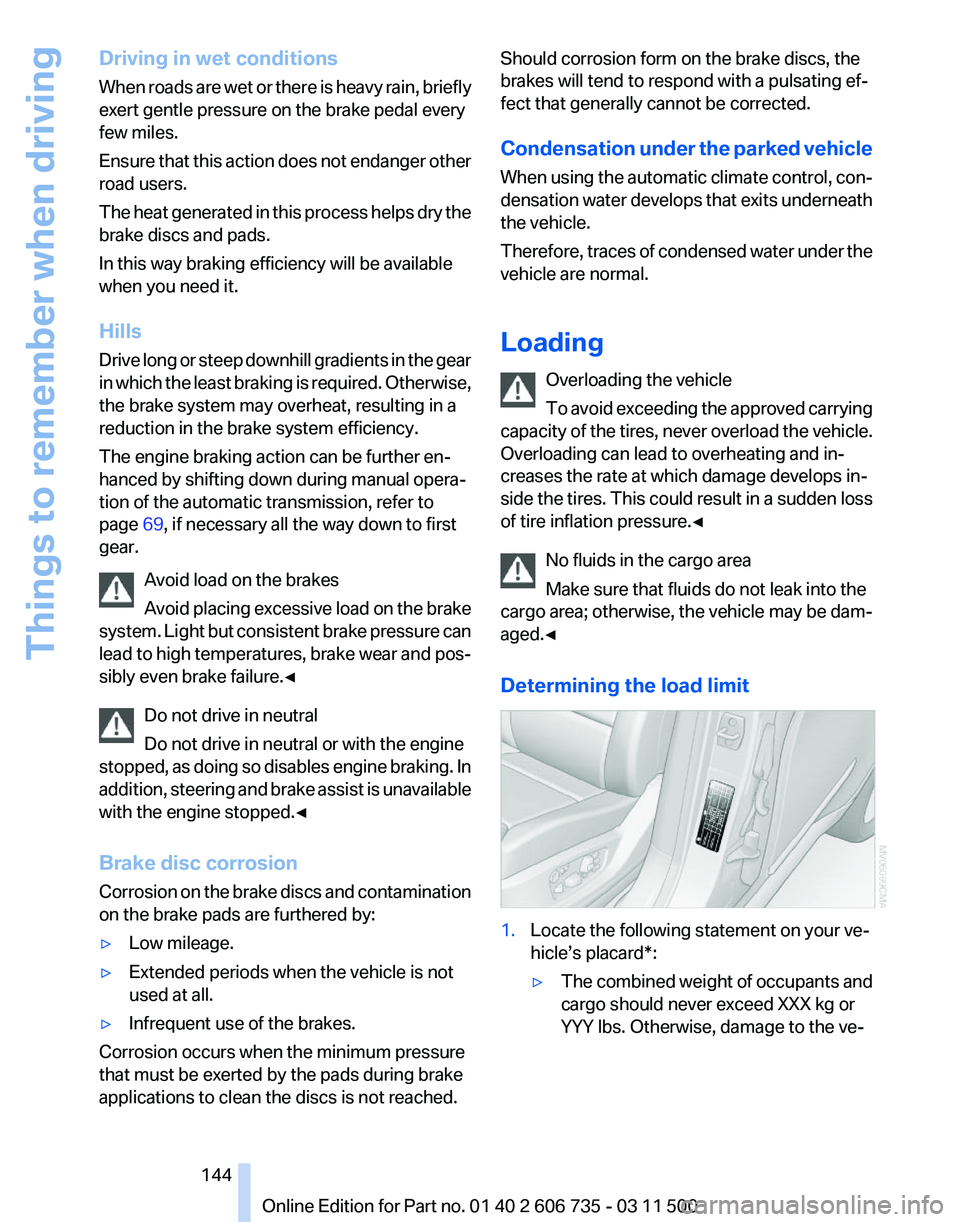
Determining the load limit 1.
Locate the following statement on your ve‐
hicle’s placard*:
▷The combined weight of occupants and
cargo should never exceed XXX kg or
YYY lbs. Otherwise, damage to the ve‐ Seite 144
144 Online Edition for Part no. 01 40 2 606 735 - 03 11 500
Things to remember when driving
Page 183 of 317
Automatic repeat*
The
selected CDs/DVDs are repeated automat‐
ically.
Video playback*
Country codes
Only DVDs with the code of the home region can
be played back; also refer to the information on
the DVD. Code Region
1 USA, Canada
2 Japan, Europe, Middle East, South Af‐
rica
3 Southeast Asia
4 Australia, Central and South America, New Zealand
5 Northwest Asia, North Africa
6 China
0 All regions Playback
The
video image is displayed on the Control Dis‐
play up to a speed of approx. 2 mph/3 km/h; in
some countries, it is only displayed while the
parking brake is set or the automatic transmis‐
sion is in position P.
DVD video
1. "CD/Multimedia"
2. "CD/DVD"
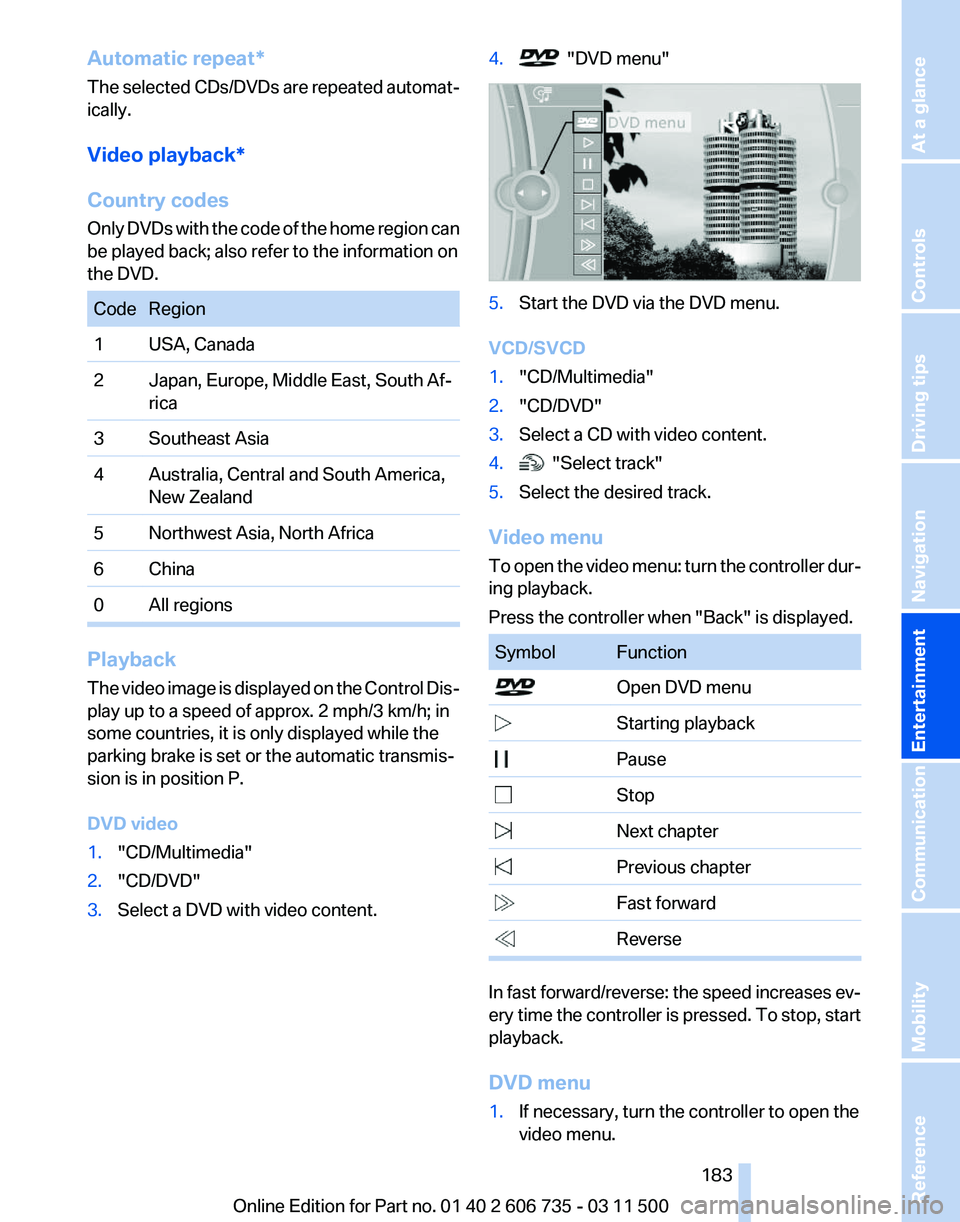
3. Select a DVD with video content. 4. "DVD menu"
5.
Start the DVD via the DVD menu.
VCD/SVCD
1. "CD/Multimedia"
2. "CD/DVD"
3. Select a CD with video content.
4. "Select track"
5. Select the desired track.
Video menu
To
open the video menu: turn the controller dur‐
ing playback.
Press the controller when "Back" is displayed. Symbol Function
Open DVD menu
Starting playback
Pause
Stop
Next chapter
Previous chapter
Fast forward
Reverse In fast forward/reverse: the speed increases ev‐
ery
time the controller is pressed. To stop, start
playback.
DVD menu
1. If necessary, turn the controller to open the
video menu.
Seite 183
183Online Edition for Part no. 01 40 2 606 735 - 03 11 500
Reference Mobility Communication
Entertainment Navigation Driving tips Controls At a glance
Page 195 of 317
first letter. If multiple letters are entered,
all
results that contain that sequence are
displayed.
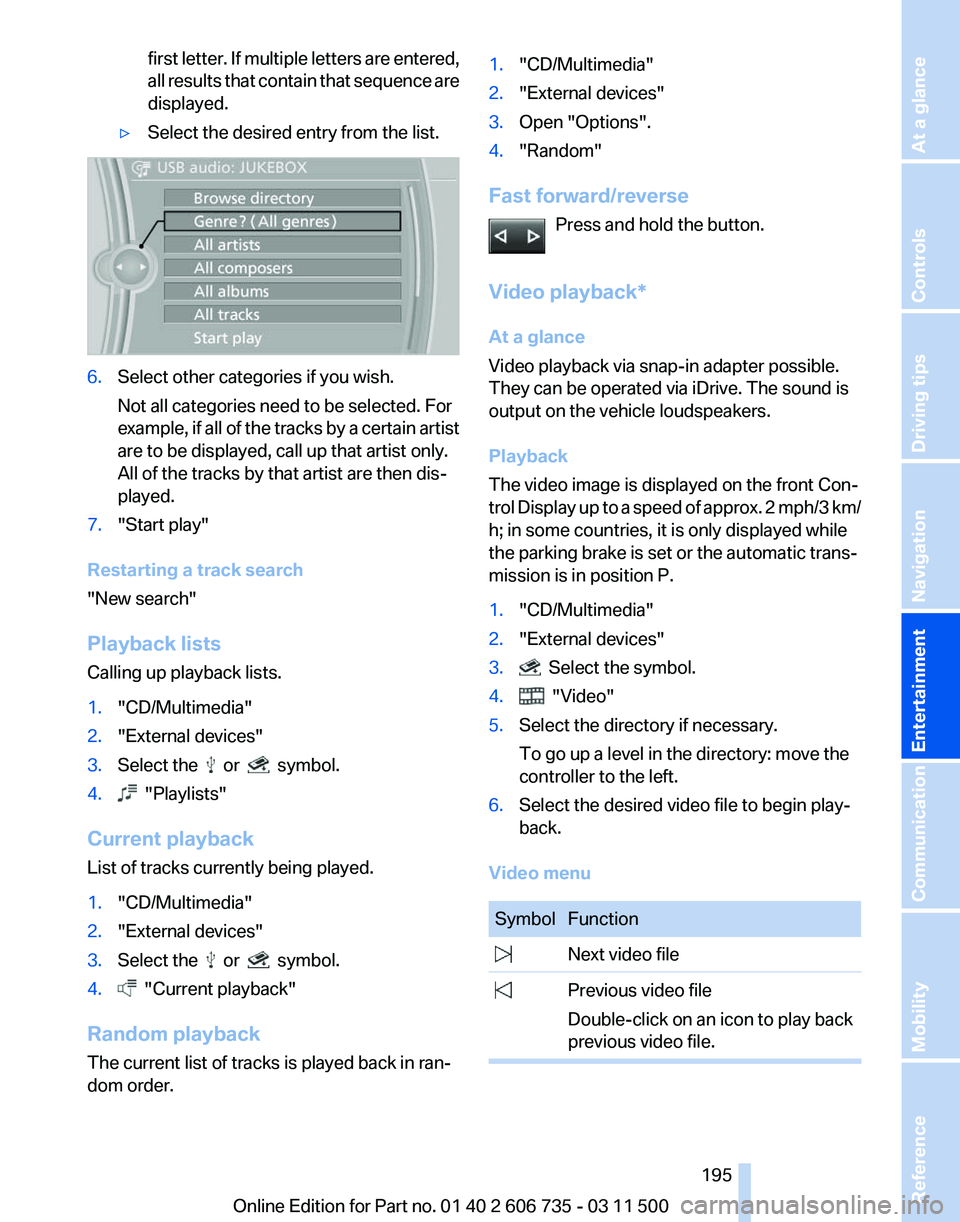
▷ Select the desired entry from the list. 6.
Select other categories if you wish.
Not all categories need to be selected. For
example,
if all of the tracks by a certain artist
are to be displayed, call up that artist only.
All of the tracks by that artist are then dis‐
played.
7. "Start play"
Restarting a track search
"New search"
Playback lists
Calling up playback lists.
1. "CD/Multimedia"
2. "External devices"
3. Select the or symbol.
4. "Playlists"
Current playback
List of tracks currently being played.
1. "CD/Multimedia"
2. "External devices"
3. Select the or symbol.
4. "Current playback"
Random playback
The current list of tracks is played back in ran‐
dom order. 1.
"CD/Multimedia"
2. "External devices"
3. Open "Options".
4. "Random"
Fast forward/reverse Press and hold the button.
Video playback*
At a glance
Video playback via snap-in adapter possible.
They can be operated via iDrive. The sound is
output on the vehicle loudspeakers.
Playback
The video image is displayed on the front Con‐
trol
Display up to a speed of approx. 2 mph/3 km/
h; in some countries, it is only displayed while
the parking brake is set or the automatic trans‐
mission is in position P.
1. "CD/Multimedia"
2. "External devices"
3. Select the symbol.
4. "Video"
5. Select the directory if necessary.
To go up a level in the directory: move the
controller to the left.
6. Select the desired video file to begin play‐
back.
Video menu Symbol Function
Next video file
Previous video file
Double-click on an icon to play back
previous video file. Seite 195
195Online Edition for Part no. 01 40 2 606 735 - 03 11 500
Reference Mobility Communication
Entertainment Navigation Driving tips Controls At a glance
Page 239 of 317
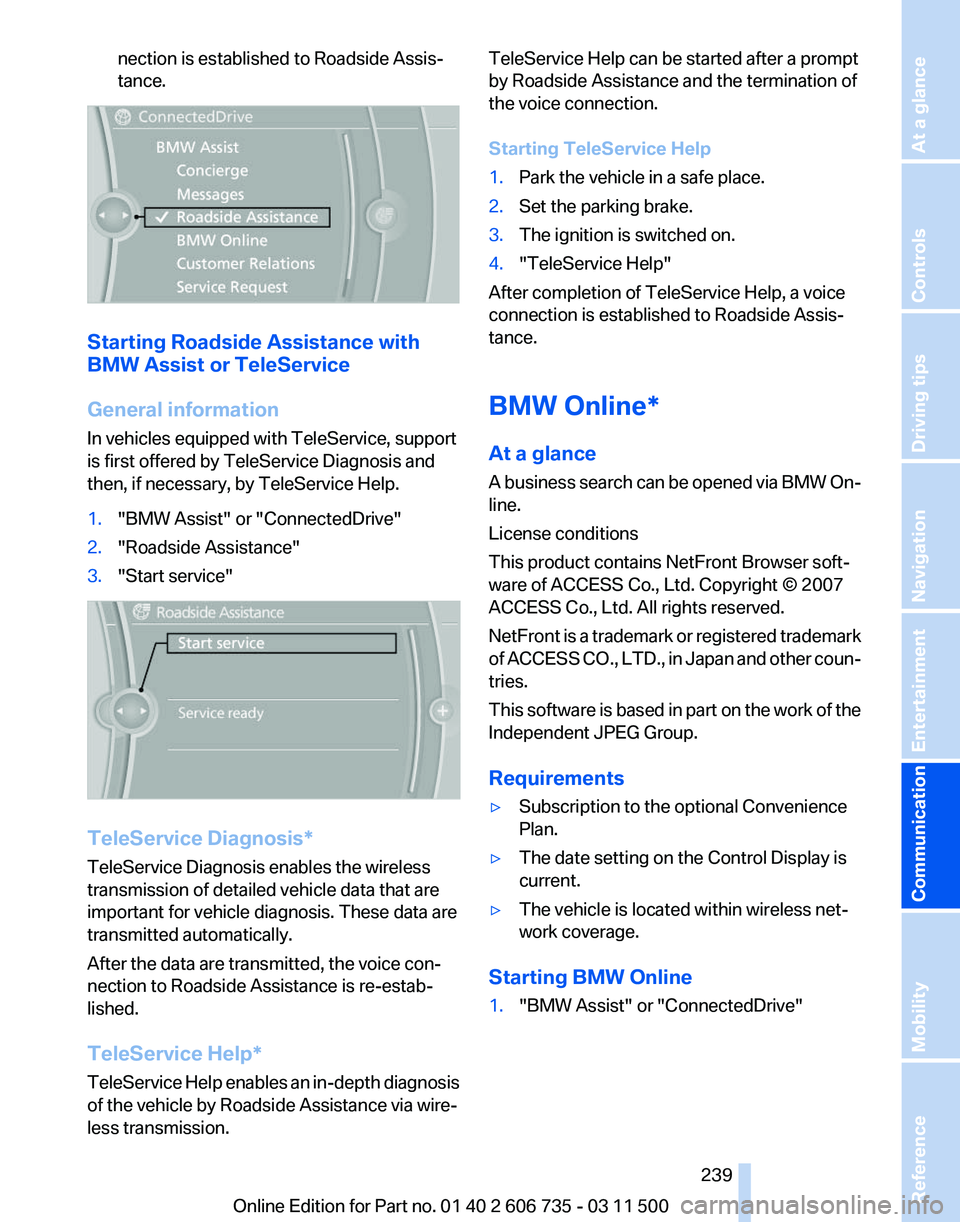
nection is established to Roadside Assis‐
tance.
Starting Roadside Assistance with
BMW Assist or TeleService
General information
In vehicles equipped with TeleService, support
is first offered by TeleService Diagnosis and
then, if necessary, by TeleService Help.
1.
"BMW Assist" or "ConnectedDrive"
2. "Roadside Assistance"
3. "Start service" TeleService Diagnosis*
TeleService Diagnosis enables the wireless
transmission of detailed vehicle data that are
important for vehicle diagnosis. These data are
transmitted automatically.
After the data are transmitted, the voice con‐
nection to Roadside Assistance is re-estab‐
lished.
TeleService Help
*
TeleService Help enables an in-depth diagnosis
of the vehicle by Roadside Assistance via wire‐
less transmission. TeleService Help can be started after a prompt
by Roadside Assistance and the termination of
the voice connection.
Starting TeleService Help
1.
Park the vehicle in a safe place.
2. Set the parking brake.
3. The ignition is switched on.
4. "TeleService Help"
After completion of TeleService Help, a voice
connection is established to Roadside Assis‐
tance.
BMW Online*
At a glance
A
business search can be opened via BMW On‐
line.
License conditions
This product contains NetFront Browser soft‐
ware of ACCESS Co., Ltd. Copyright © 2007
ACCESS Co., Ltd. All rights reserved.
NetFront is a trademark or registered trademark
of ACCESS CO., LTD., in Japan and other coun‐
tries.
This software is based in part on the work of the
Independent JPEG Group.
Requirements
▷ Subscription to the optional Convenience
Plan.
▷ The date setting on the Control Display is
current.
▷ The vehicle is located within wireless net‐
work coverage.
Starting BMW Online
1. "BMW Assist" or "ConnectedDrive"
Seite 239
239Online Edition for Part no. 01 40 2 606 735 - 03 11 500
Reference Mobility
Communication Entertainment Navigation Driving tips Controls At a glance
Page 252 of 317
Wheels and tires
Tire inflation pressure
Safety information
It is not merely the tires' service life, but also
driving comfort and, to a great extent, driving
safety that depend on the condition of the tires
and the maintenance of the specified tire pres‐
sure.
Checking the pressure
Only check the tire inflation pressure when the
tires are cold. This means after a maximum of
1.25
miles/2 km driving or when the vehicle has
been parked for at least 2 hours. When the tires
are warm, the tire inflation pressure is higher.
Check the tire inflation pressure regularly
Check the tire inflation pressure regularly
and correct it if necessary, even in the compact
wheel*: usually twice monthly or before embark‐
ing on a long trip. If you fail to observe this pre‐
caution, you may be driving on tires with incor‐
rect tire pressures, a condition that may not only
compromise your vehicle's driving stability, but
also lead to tire damage and the risk of an acci‐
dent.
Do not drive with depressurized or flat tires, ex‐
cept for run-flat tires. A flat tire will seriously im‐
pair your vehicle's handling and braking re‐
sponse. Attempts to drive on a flat tire can lead
to a loss of control over the vehicle.◀
After adjusting the tire inflation pressure, reset
the Tire Pressure Monitor, refer to page 90, or
reinitialize the Flat Tire Monitor, refer to
page 88.
Pressure specifications
The tables below provide all the correct inflation
pressures for the specified tire sizes at ambient
temperature.
The inflation pressures apply to the tire sizes
approved and tire brands recommended by BMW; a list of these is available from your serv‐
ice center.
For
correct identification of the right tire inflation
pressures, observe the following:
▷ Tire sizes of your vehicle.
▷ Maximum allowable driving speed.
Tire inflation pressures for driving up to
100 mph or 160 km/h
For
normal driving up to 100 mph/160 km/h, ad‐
just pressures to the respective tire inflation
pressures listed on the following pages in the
column for traveling speeds up to 100 mph/
160 km/h to achieve optimum driving comfort.
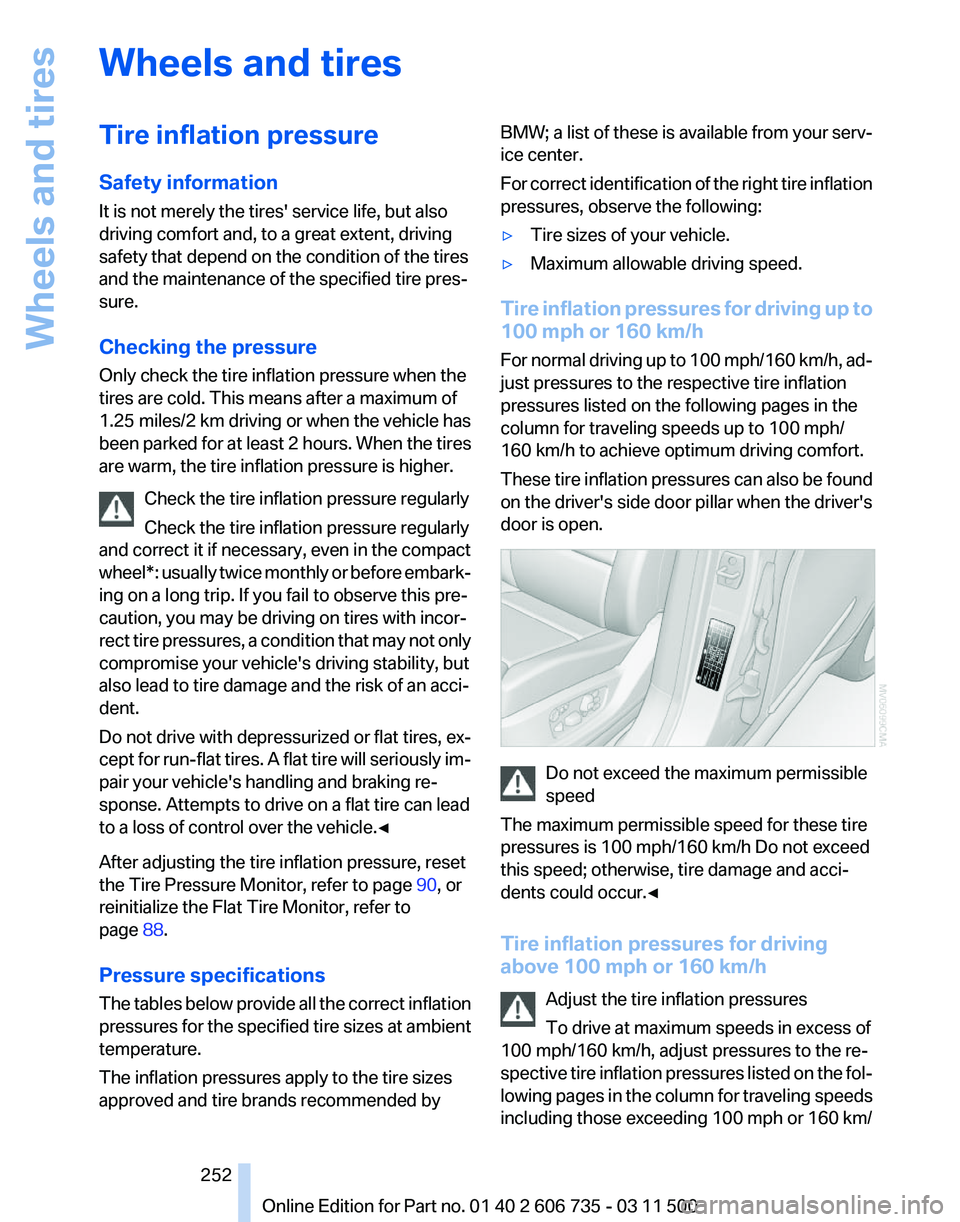
These tire inflation pressures can also be found
on the driver's side door pillar when the driver's
door is open. Do not exceed the maximum permissible
speed
The maximum permissible speed for these tire
pressures is 100 mph/160 km/h Do not exceed
this speed; otherwise, tire damage and acci‐
dents could occur.◀
Tire inflation pressures for driving
above 100 mph or 160 km/h
Adjust the tire inflation pressures
To drive at maximum speeds in excess of
100 mph/160 km/h, adjust pressures to the re‐
spective
tire inflation pressures listed on the fol‐
lowing pages in the column for traveling speeds
including those exceeding 100 mph or 160 km/ Seite 252
252 Online Edition for Part no. 01 40 2 606 735 - 03 11 500
Wheels and tires
Page 271 of 317
Do not touch the bulbs
Do not touch the glass of new bulbs with
your bare hands, as even minute amounts of
contamination will burn into the bulb's surface
and reduce its service life.
Use
a clean tissue, cloth or something similar, or
hold the bulb by its base.◀
Light-emitting diodes LED
Light-emitting diodes installed behind translu‐
cent lenses serve as the light source for many of
the controls, displays and other equipment in
your vehicle.
These light-emitting diodes, which operate us‐
ing a concept similar to that applied in conven‐
tional lasers, are officially designated as Class 1
light-emitting diodes.
Do not remove the covers
Do not remove the covers, and never stare
into the unfiltered light for several hours; other‐
wise, irritation of the retina could result.◀
Headlamp glass
Condensation can form on the inside of the ex‐
ternal lamps in cool or humid weather. When the
light is switched on, the condensation evapo‐
rates after a short time. The headlamp glasses
do not need to be changed.
If there is a large amount of moisture, e.g., water
droplets form in the lamp, have the lamp
checked by your service center.
BMW X5: bulb replacement
Xenon headlamps
Because of the long life of these bulbs, the like‐
lihood of failure is very low. Switching the lamps
on and off frequently shortens their life.
If a bulb fails, switch on the front fog lamps* and
continue the trip with great care. Comply with
local regulations. Do not perform work/bulb replacement on
xenon headlamps
Have
any work on the xenon lighting system, in‐
cluding bulb replacement, performed only by a
service center.
Due to the high voltage present in the system,
there is the danger of fatal injuries if work is car‐
ried out improperly.◀
Parking lamps, roadside parking lamps,
daytime running lights*
These lamps are made using LED technology.
Contact your service center in the event of a
malfunction.
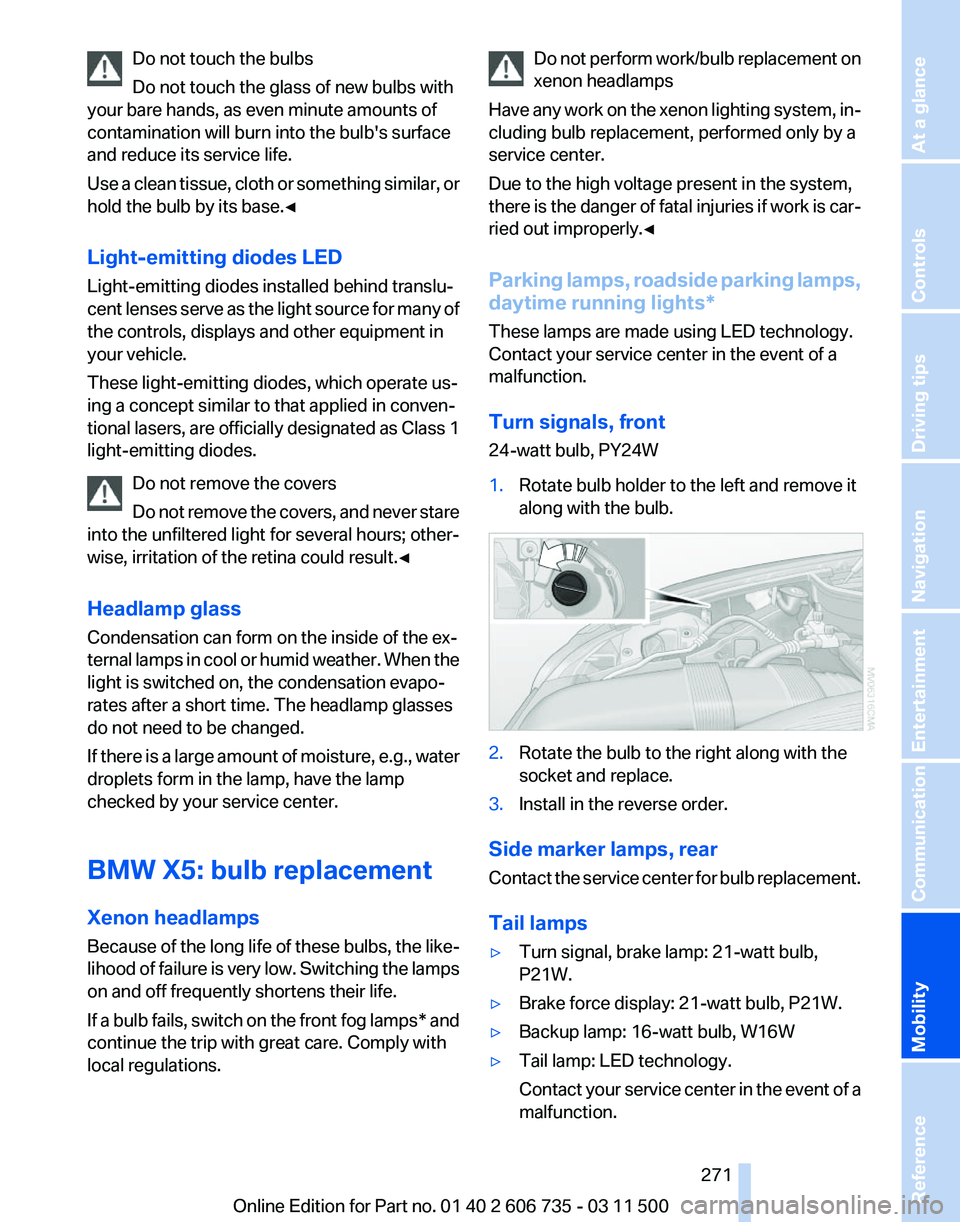
Turn signals, front
24-watt bulb, PY24W
1. Rotate bulb holder to the left and remove it
along with the bulb. 2.
Rotate the bulb to the right along with the
socket and replace.
3. Install in the reverse order.
Side marker lamps, rear
Contact
the service center for bulb replacement.
Tail lamps
▷ Turn signal, brake lamp: 21-watt bulb,
P21W.
▷ Brake force display: 21-watt bulb, P21W.
▷ Backup lamp: 16-watt bulb, W16W
▷ Tail lamp: LED technology.
Contact
your service center in the event of a
malfunction. Seite 271
271Online Edition for Part no. 01 40 2 606 735 - 03 11 500
Reference
Mobility Communication Entertainment Navigation Driving tips Controls At a glance