controls BMW Z4 SDRIVE35I 2009 Repair Manual
[x] Cancel search | Manufacturer: BMW, Model Year: 2009, Model line: Z4 SDRIVE35I, Model: BMW Z4 SDRIVE35I 2009Pages: 248, PDF Size: 7.63 MB
Page 117 of 248
Driving tips
115Reference
At a glance
Controls
Communications
Navigation
Entertainment
Mobility
Page 121 of 248
Navigation
Driving tips
119Reference
At a glance
Controls
Communications
Entertainment
Mobility
Destination entry
In entering your destination you can select from
the following options:
>Entering a destination manually, see below
> Selecting destination from the address
book, refer to page 121
> Last destinations, refer to Last destinations,
page 122
> Special destinations, refer to page 122
> Entering a destination on the map, refer to
page 124
> Selecting a home a ddress, refer to
page 122
> Entering a destination by voice com-
mands*, refer to page 125
You can also store a navigation destination on
the programmable memo ry keys, refer to
page 21.
Enter data only when the vehicle is sta-
tionary, and always give priority to the
applicable traffic regulations in the event of any
contradiction between traffic and road condi-
tions and the instructions issued by the naviga-
tion system. Otherwise, vehicle occupants and
other road users may be endangered. <
Entering a destination
manually
The system's word-matching principle makes it
easier for you to enter the names of towns or
streets. This allows you to enter different spell-
ings and completes your entry automatically so
that stored names can be called up quickly.
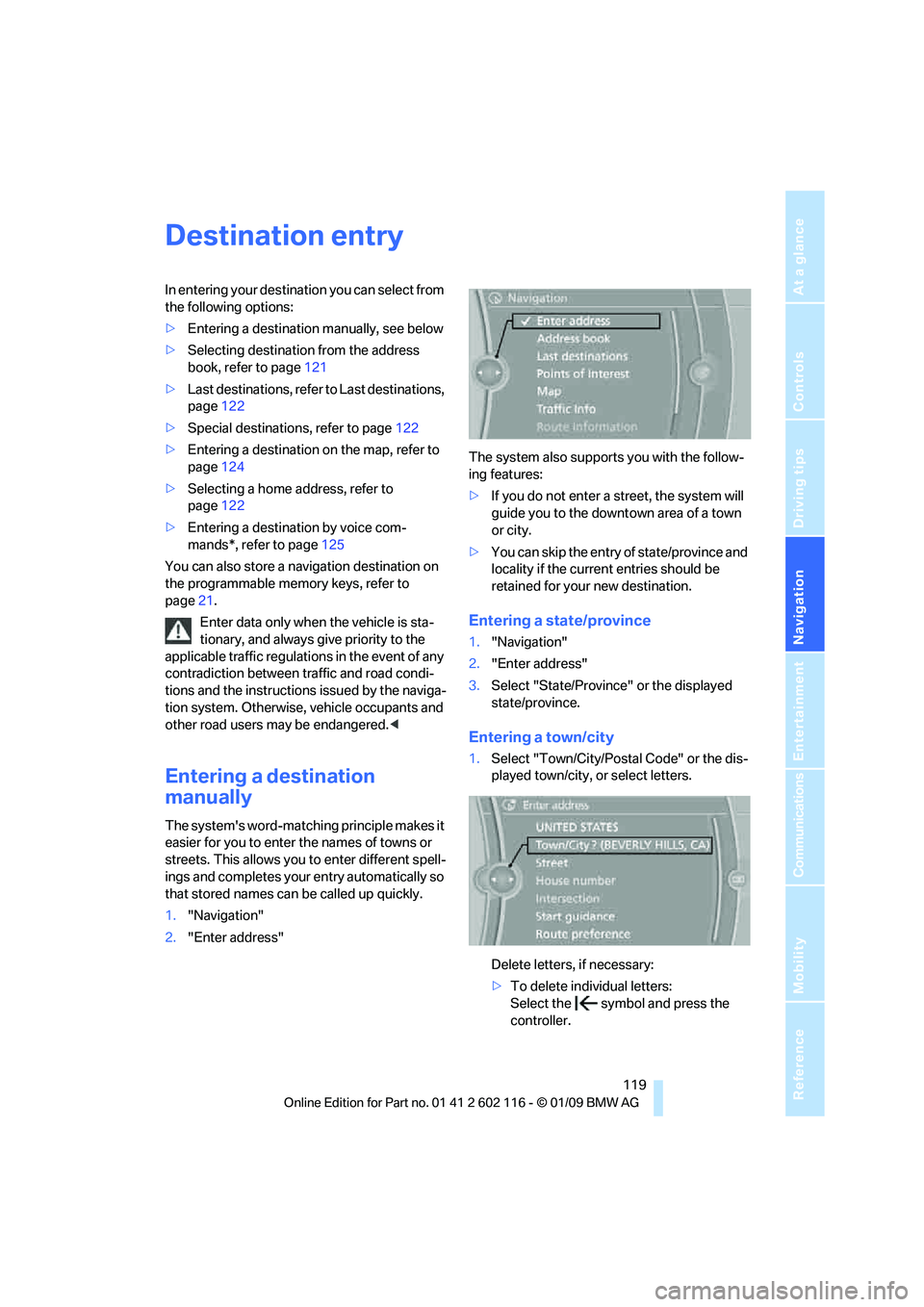
1. "Navigation"
2. "Enter address" The system also supports you with the follow-
ing features:
>
If you do not enter a street, the system will
guide you to the downto wn area of a town
or city.
> You can skip the entry of state/province and
locality if the current entries should be
retained for your new destination.
Entering a state/province
1."Navigation"
2. "Enter address"
3. Select "State/Province" or the displayed
state/province.
Entering a town/city
1.Select "Town/City/Postal Code" or the dis-
played town/city, or select letters.
Delete letters, if necessary:
>To delete indi vidual letters:
Select the symbol and press the
controller.
Page 123 of 248
Navigation
Driving tips
121Reference
At a glance
Controls
Communications
Entertainment
Mobility
Selection after destination entry
>"Start guidance".
Destination guidance is started imme-
diately.
> "Route preference"
refer to page 128.
> "Points of Interest at dest."
refer to page 122.
If a new town/city is sele cted during destination
guidance, the current de stination guidance is
terminated.
Address book
To create contac ts, refer to page176.
Selecting a destination from the
address book
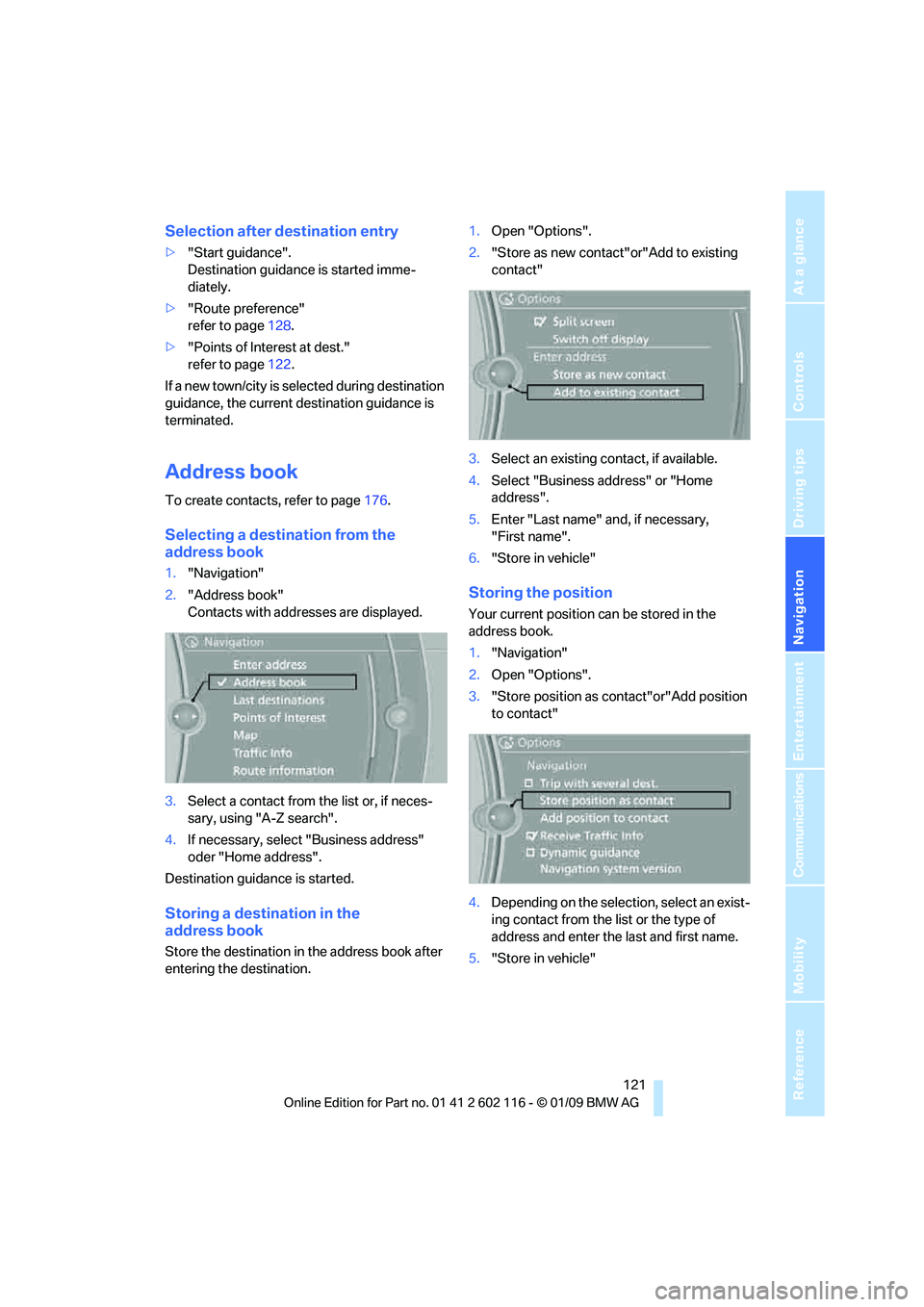
1."Navigation"
2. "Address book"
Contacts with addr esses are displayed.
3. Select a contact from the list or, if neces-
sary, using "A-Z search".
4. If necessary, select "Business address"
oder "Home address".
Destination guidance is started.
Storing a destination in the
address book
Store the destination in the address book after
entering the destination. 1.
Open "Options".
2. "Store as new contact" or"Add to existing
contact"
3. Select an existing co ntact, if available.
4. Select "Business address" or "Home
address".
5. Enter "Last name" and, if necessary,
"First name".
6. "Store in vehicle"
Storing the position
Your current position can be stored in the
address book.
1."Navigation"
2. Open "Options".
3. "Store position as contact"or"Add position
to contact"
4. Depending on the select ion, select an exist-
ing contact from the list or the type of
address and enter the last and first name.
5. "Store in vehicle"
Page 125 of 248
Navigation
Driving tips
123Reference
At a glance
Controls
Communications
Entertainment
Mobility
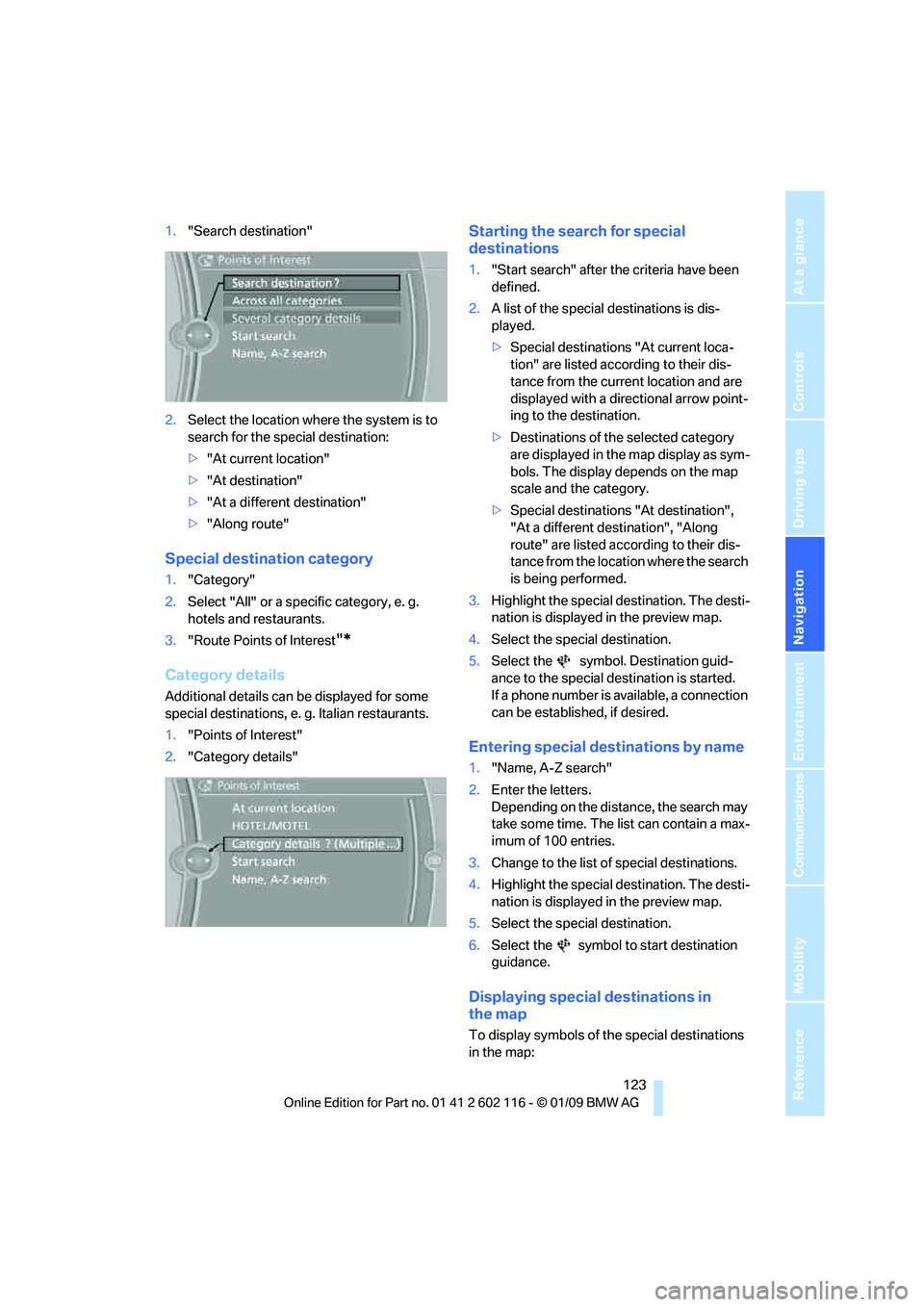
1."Search destination"
2. Select the location where the system is to
search for the special destination:
>"At current location"
> "At destination"
> "At a different destination"
> "Along route"
Special destination category
1. "Category"
2. Select "All" or a spec ific category, e. g.
hotels and restaurants.
3. "Route Points of Interest
"*
Category details
Additional details can be displayed for some
special destinations, e. g. Italian restaurants.
1. "Points of Interest"
2. "Category details"
Starting the search for special
destinations
1."Start search" after the criteria have been
defined.
2. A list of the special destinations is dis-
played.
>Special destinations "At current loca-
tion" are listed according to their dis-
tance from the current location and are
displayed with a directional arrow point-
ing to the destination.
> Destinations of the selected category
are displayed in the map display as sym-
bols. The display depends on the map
scale and the category.
> Special destinations "At destination",
"At a different destination", "Along
route" are listed acco rding to their dis-
tance from the locati on where the search
is being performed.
3. Highlight the special destination. The desti-
nation is displayed in the preview map.
4. Select the special destination.
5. Select the symbol. Destination guid-
ance to the special destination is started.
If a phone number is available, a connection
can be established, if desired.
Entering special destinations by name
1."Name, A-Z search"
2. Enter the letters.
Depending on the distance, the search may
take some time. The list can contain a max-
imum of 100 entries.
3. Change to the list of special destinations.
4. Highlight the special destination. The desti-
nation is displayed in the preview map.
5. Select the special destination.
6. Select the symbol to start destination
guidance.
Displaying special destinations in
the map
To display symbols of the special destinations
in the map:
Page 127 of 248
Navigation
Driving tips
125Reference
At a glance
Controls
Communications
Entertainment
Mobility
Entering a destination by
voice commands*
You can enter a desired destination via the
voice activation system. During the destination
input, you can switch between voice entry and
entry via iDrive at any ti me. To do so, reactivate
the voice activation system if necessary.
You can have the possible commands
read aloud via {Voice commands }.<
Entering an address
1. Press the button on the steering wheel.
3. Wait for the system to prompt you for a par-
ticular part of the address.
5. Say the name of the destination state/prov-
ince in the language of the voice activation
system.
Entering a town/city
The destination town/cit y can be spelled or
entered as a complete word
*.
The methods of entry depend on the nav-
igation data in use and the country and
language settings. <
Spelling the destination
To enter a destination, sp ell it in the way it is
commonly spelled in the destination country.
Pronounce the letters smoothly and at normal
volume, avoiding excessive emphases and
pauses. The system can suggest up to 20 destinations
that meet your entries. Up to 7 entries at a time
appear on the Control Display.
The town/city can also be
selected from the list
via iDrive: turn the controller until the destina-
tion is selected and press the controller.
Entering the destination as a
complete word
The names of towns/cities and streets located
in the region in which th e language of the voice
activation system is spoken can be entered as
an entire word.
Example: to enter a U.S. destination as an entire
word, the system language must be English.
Speak smoothly and at normal volume, and
avoid excessive emphases and pauses.
1. Wait for the system to ask for the town/city
of destination.
The system may suggest multiple destina-
tions that meet your entries.
Identical-sounding towns/cities that can-
not be distinguished by the system are
compiled in a separate list and shown as a des-
tination followed by three dots.
If necessary, select this entry with {Yes }. Then
select the desired tow n/city from that list.<
2.
{Enter address }
4. Say the particular part of the address,
e.g. {State }
1. Spell the town/city:
Say at least the first three letters of the
town/city. The more letters you say, the
more accurately th e system will recog-
nize the town/city.
The system suggests a location.
2. Select a location:
>Select a highlighted town/city: {Yes }
> Select another town/city: {No }
> Select an entry, e.g. {Entry 2 }
> Re-enter the town/city: {New entry }
2. Say the name of the destination
town/city.
The system suggests a location.
3. Select a location:
>Select a highlighted town/city: {Yes }
> Select another town/city: {No }
> Select an entry, e.g. {Entry 2 }
> Enter the town/city by spelling:
{Spell city }
Page 129 of 248
Navigation
Driving tips
127Reference
At a glance
Controls
Communications
Entertainment
Mobility
Arranging the order of intermediate
destinations
This function is not available for imported trips.
1."Trip entry"
2. Select another intermed iate destination, if
needed.
3. "Insert within list"
4. Move the intermediate destination to
another position in the list.
Deleting an intermediate destination
This function is not available for imported trips.
1."Trip entry"
2. Select an intermediate destination.
3. Open "Options".
4. "Delete dest. in the trip"
Deleting a trip
1."Trip list"
2. Select the desired trip.
3. Open "Options".
4. "Delete trip" or "Delete all trips".
Opening the trip list
The stored trips are listed in alphabetical order
in the trip list.
1."Trip planner"
2. "Yes"
3. "Trip list"
4. Select a trip.
Terminating trip planning
To return to the direct entry of destinations:
1."Navigation"
2. Open "Options".
3. Deactivate "Trip with several dest.".
Word-matching principle
The system's word-matching principle makes it
easier for you to enter the names of towns or
streets. The system runs ongoing checks, com-
paring your destination entries with the data
stored in the vehicle as the basis for instant
response. The benefits for you include:
> Names of towns entered may differ from the
official versions if you are using a spelling
that is customary in another country.
Example:
Instead of the German spelling "München"
you can also enter the English spelling
"Munich" or the Italian spelling "Monaco".
> When you are entering the names of towns
and streets the system will complete them
automatically as soon as enough letters are
available to ensure unambiguous identifi-
cation.
> The system offers only those letters for
selection of name entries that are stored in
the vehicle. Thus, entry of erroneous or
unregistered names is impossible.
Page 131 of 248
Navigation
Driving tips
129Reference
At a glance
Controls
Communications
Entertainment
Mobility
point out traffic obstructions along the original
route.
Depending on the type of road and the nature
and length of the traffic obstruction, the route
can also be calculated so that you travel
through the traffic obstruction.
1. "Navigation"
2. Open "Options".
3. "Dynamic guidance"
If the "Avoid highways", "Avoid toll roads"
or "Avoid ferries" route criteria are
selected, route calculation may take consider-
ably longer. <
Route
General information
Depending on the equipment in your vehicle,
different views of the route are available during
destination guidance.
>Map display
> Arrow display
> Displaying towns/cities and streets along
the route
Displaying a list of the streets or
towns/cities on the route
When destination guidance is started, a list of
the streets and towns/cities on the route is dis-
played. The driving distances and traffic bulle-
tins are displayed for each route section.
>Display a list of the streets and towns/cities
on the route.
> Display the traffic bulletins and the driving
distance for each route section.
1. "Navigation"
2. "Route information"
3. Highlight a section.
The section is displaye d in the preview map.
Bypassing a section of the route
During destination guidan ce, you can revise the
navigation system's ro ute recommendations to avoid particular stretches of road. Enter the
number of miles/kilomete
rs that you want to
travel before returning to the original route.
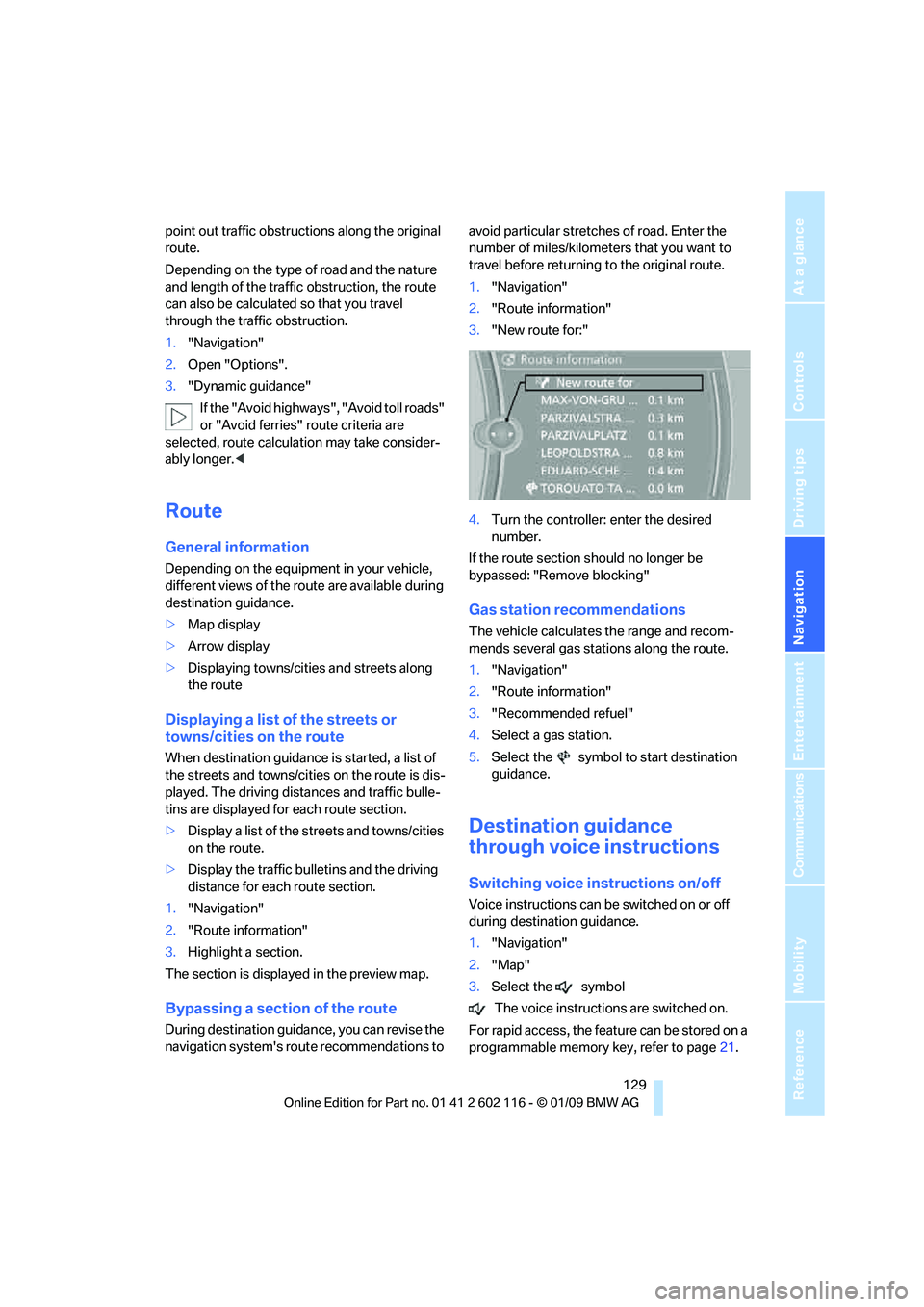
1. "Navigation"
2. "Route information"
3. "New route for:"
4. Turn the controller: enter the desired
number.
If the route section sh ould no longer be
bypassed: "Remove blocking"
Gas station recommendations
The vehicle calculates the range and recom-
mends several gas stations along the route.
1. "Navigation"
2. "Route information"
3. "Recommended refuel"
4. Select a gas station.
5. Select the symbol to start destination
guidance.
Destination guidance
through voice instructions
Switching voice in structions on/off
Voice instructions can be switched on or off
during destination guidance.
1."Navigation"
2. "Map"
3. Select the symbol
The voice instructions are switched on.
For rapid access, the feat ure can be stored on a
programmable memory key, refer to page21.
Page 133 of 248
Navigation
Driving tips
131Reference
At a glance
Controls
Communications
Entertainment
Mobility
Settings for the map display
1."Navigation"
2. "Map"
3. Open "Options".
4. "Settings"
>Optimized view "Night mode"
> Optimized view with spatial display:
"Perspective view in 3D". Prominent
areas are shown in the map.
> "Traffic Info map"
Split screen settings
The map settings for the split screen can be
created separately fr om the main screen.
1. Open "Options".
2. "Split screen"
3. Move the controller to the right until the
split screen is selected.
4. Press the controller.
5. Select the settings:
>"Arrow display"
> "View facing north"
> "View in direction of travel"
> "Perspective view"
> "Position"
> "Exit ramp view"
> "Traffic Info map"
6. To change the scale:
>Move the controller: change the scale.
Traffic bulletins*
You can display the traffic bulletins from radio
stations that broadcast the TMC (Traffic Mes-
sage Channel) of a traffic information service.
This information from the traffic information
service is continuously updated on the basis of
measurement data from traffic control centers
and information on traffic congestion.
During destination guid ance, traffic bulletins
that are relevant to areas along the route are
automatically displayed and taken into account in the route planning. You can open all traffic
bulletins manually via iDrive.
The traffic bulletins are shown in the map dis-
play.
Real Time Traffic In
formation End-User
Provisions
Certain BMW models equipped with navigation
have the capability to di splay real-time traffic
information. If your system has this capability
the following additional terms and conditions
apply:
An End-User shall no longer have the right to
use the Traffic Data in the event that the End-
User is in material breach of the terms and con-
ditions contained herein.
A. Total Traffic Network, a division of Clear
Channel Broadcasting, In c. ("Total Traffic Net-
work”) holds the rights to the traffic incident
data and RDS-TMC networ k through which it is
delivered. You may not modify, copy, scan or
use any other method to reproduce, duplicate,
republish, transmit or distribute in any way any
portion of traffic incide nt data. You agree to
indemnify, defend and hold harmless BMW of
North America, LLC. ("BMW NA”) and Total
Traffic Network, Inrix, Inc
(and their affiliates) ag ainst any and all claims,
damages, costs or other expenses that arise
directly or indirectly out of (a) your unauthorized
use of the traffic incident data or the RDS-TMC
network, (b) your violatio n of this directive and/
or (c) any unauthorized or unlawful activities by
you in connection herewith.
B. Total Traffic Network traffic data is informa-
tional only. User assumes all risk of use. Total
Traffic Network, BMW NA, and their suppliers
make no representations about content, traffic
and road conditions, route usability, or speed.
Page 135 of 248
Navigation
Driving tips
133Reference
At a glance
Controls
Communications
Entertainment
Mobility
Symbols in the map display
The appearance of the symbols indicating a
traffic obstruction depends on the scale and the
position of the traffic obstruction relative to the
route.
> Smaller map scale, e.g. 1 mile/2 km: white
sign with the traffic obstruction symbol
> Larger map scale, e.g. 50 miles/100 km:
white sign with an arrow in the relevant
direction
Additional information in the traffic
bulletin map
When using a smaller map scale, the traffic
obstructions are displayed as bars at the edge
of the calculated route.
>Red: traffic congestion
> Orange: stop-and-go traffic
> Brown: traffic congestion in opposite
direction
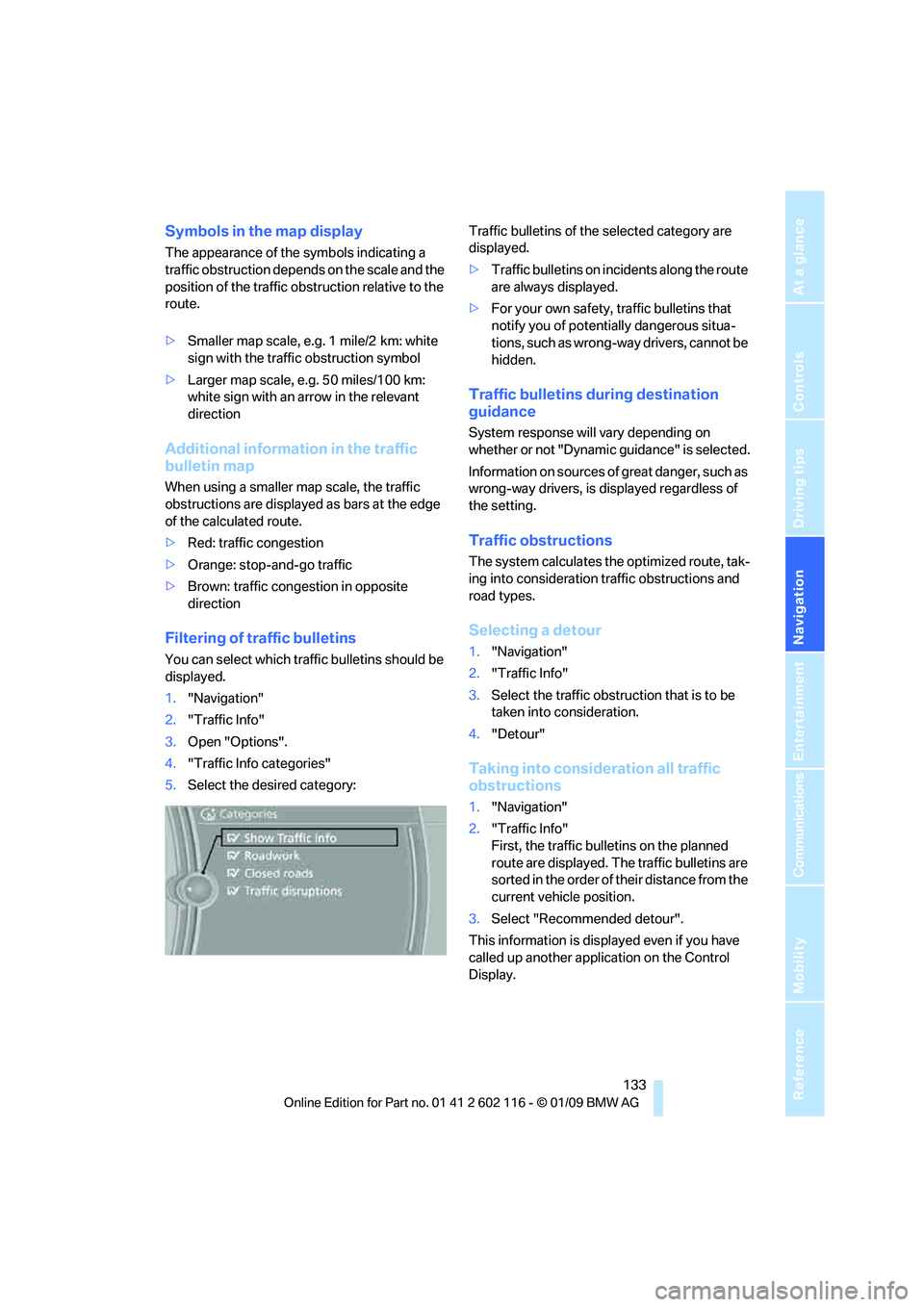
Filtering of traffic bulletins
You can select which tra ffic bulletins should be
displayed.
1. "Navigation"
2. "Traffic Info"
3. Open "Options".
4. "Traffic Info categories"
5. Select the desired category: Traffic bulletins of the selected category are
displayed.
>
Traffic bulletins on incidents along the route
are always displayed.
> For your own safety, traffic bulletins that
notify you of potentially dangerous situa-
tions, such as wrong- way drivers, cannot be
hidden.
Traffic bulletins during destination
guidance
System response will vary depending on
whether or not "Dynamic guidance" is selected.
Information on sources of great danger, such as
wrong-way drivers, is displayed regardless of
the setting.
Traffic obstructions
The system calculates the optimized route, tak-
ing into consideration traffic obstructions and
road types.
Selecting a detour
1. "Navigation"
2. "Traffic Info"
3. Select the traffic obstruction that is to be
taken into consideration.
4. "Detour"
Taking into consideration all traffic
obstructions
1."Navigation"
2. "Traffic Info"
First, the traffic bulletins on the planned
route are displayed. The traffic bulletins are
sorted in the order of their distance from the
current vehicle position.
3. Select "Recommended detour".
This information is displayed even if you have
called up another application on the Control
Display.
Page 137 of 248
Navigation
Driving tips
135Reference
At a glance
Controls
Communications
Entertainment
Mobility