lock BUICK CENTURY 1993 Owner's Guide
[x] Cancel search | Manufacturer: BUICK, Model Year: 1993, Model line: CENTURY, Model: BUICK CENTURY 1993Pages: 324, PDF Size: 17.58 MB
Page 102 of 324
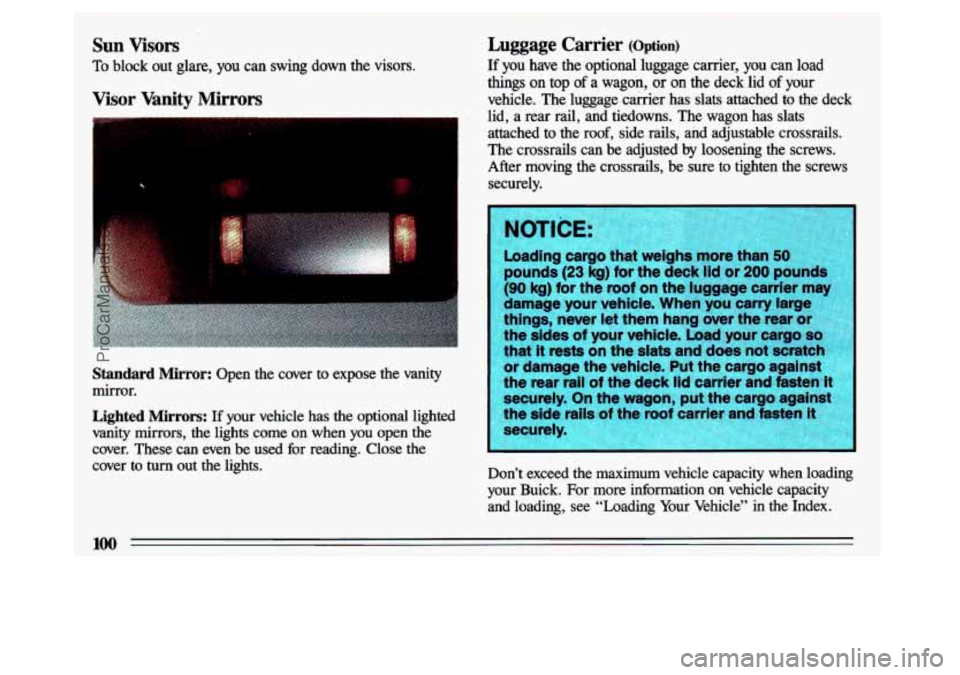
Sun Visors Luggage Carrier (Option)
To block out glare, you can swing down the visors. If you have
the optional luggage carrier, you can load
Visor Vanity Mirrors vehicle. The luggage cairier has slats attached to the deck
things
on top of a wagon,
or on the deck lid of your
- . lid, a rear rail, and tiedowns. The wagon has slats
attached to the roof, side rails, and adjustable crossrails.
The crossrails can be adjusted by loosening the screws.
After moving the crossrails, be sure to tighten the screws
securely.
Standard Mirror: Open the cover to expose the vanity
mirror.
Lighted Mirrors: If your vehicle has the optional lighted
vanity mirrors, the lights come on when you open the
cover. These can even be used for reading. Close the
cover to
turn out the lights. Don’t exceed the maximum vehicle capacity when loading
your Buick. For more information on vehicle capacity and loading,
see “Loading Your Vehicle” in the Index.
100
ProCarManuals.com
Page 105 of 324
$9.
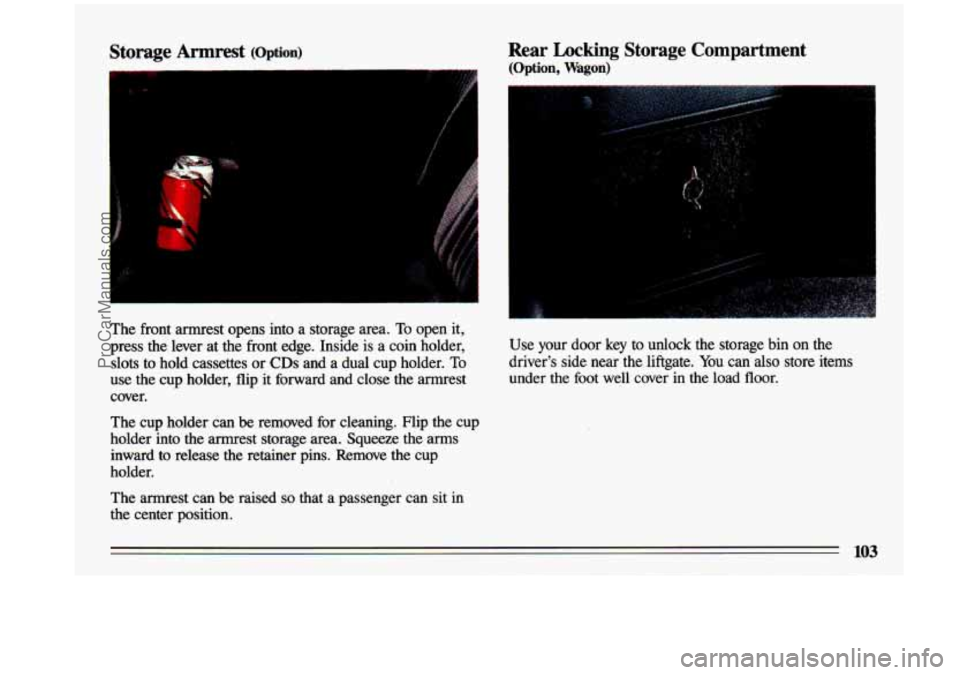
The front armrest opens into a storage area. To open it,
press the lever at the front edge. Inside is a coin holder,
slots to hold cassettes or
CDs and a dual cup holder. To
use the cup holder, flip it forward and close the armrest
cover.
The cup holder can be removed for cleaning. Flip the cup
holder into the armrest storage area. Squeeze the
arms
inward to release the retainer pins. Remove the cup
holder.
The armrest can be raised
so that a passenger can sit in
the center position.
Rear Locking Storage Compartment
(Option, Wagon)
Use your door key to unlock the storage bin on the
driver's side near the liftgate.
You can also store items
under the foot well cover in the load floor.
103
ProCarManuals.com
Page 121 of 324
WAN: Press to listen for a few seconds to the next
station on the
AM or FM band; the scan will continue
every
few seconds until you press SCAN again to stop on
a particular station.
SEEK: Each time you press SEEK, you will tune in the
next station on the
AM or FM radio band.
To Set the Clock:
1. With the radio on or off, press SET. The SET
indicator will appear on the digital display for five
seconds.
2. You must begin to set the clock to the correct hour and
minute during those five seconds. Press and hold
SCAN until the correct hour appears on the display.
3. Press and hold SEEK until the correct minute appears
on the display.
To Preset Radio Stations:
1. Use the lower knob (TUNE) to tune in the station you
want.
2. Press SET. The SET indicator will appear on the
digital screen for five seconds.
3. While the SET indicator is displayed, press one of the
four pushbuttons.
4. Repeat steps 1-3 for each of four AM and four FM
stations.
Up to
three additional stations on each band may be
preset by “pairing” pushbuttons:
1. Tune in the desired station.
2. Press SET, and within five seconds press any two
adjacent pushbuttons at
the same time.
3. The station can be tuned in when the same two
pushbuttons
are pressed at the same time.
ProCarManuals.com
Page 123 of 324
To Set the Clock:
1. With the radio on or off, press SET. The SET
indicator will appear on the digital display for five
seconds.
2. You must begin to set the clock to the correct hour and
minute during those
five seconds. Press and hold
SCAN until the correct hour appears on the display.
3. Press and hold SEEK until the correct minute appears
on the display.
To Preset Radio Stations:
1. Use the lower knob (TUNE) to tune in the station you
want.
2. Press SET. The SET indicator will appear on the
digital screen for
five seconds.
3. While the SET indicator is displayed, press one of the
4. Repeat steps 1-3 for each of five AM and five FM
Up to three additional stations on each band may be
preset by “pairing” pushbuttons:
five pushbuttons.
stations.
1. Tune in the desired station.
2. Press SET, and within five seconds press any two
adjacent pushbuttons at the same time.
3. The station can be tuned in when the same two
pushbuttons are pressed at the same time.
l21
ProCarManuals.com
Page 126 of 324
RCL (Recall): Press to alternate the display between the
time and station frequency. When the ignition is off,
press
to display the time.
BASS: Press this button up or down to increase or
decrease the bass level. Press the center of the button for
the hctory preset level.
TREB (Treble): Press this button up or down to increase
or decrease the treble level. Press the center of the button
for the
factory preset level. If a station is weak or noisy,
reduce the treble.
To Set the Clock:
1. With the radio on or off, press SET. The SET
indicator will appear on the digital display for five
seconds.
2. Within those five seconds, press and hold SCAN until
the correct hour appears on the display.
3. Before another five seconds pass, press and hold
4SEEK or SEEK, until the correct minute appears
on the display.
124
ProCarManuals.com
Page 127 of 324
To Preset Radio Stations:
The five pushbuttons at the lower right can be used to
preset up to ten radio stations (five AM and five FM).
The buttons have other uses
when you are playing a
compact disc.
1. Tune the digital display to the station you want.
2. Press SET. The SET indicator will appear on the
digital screen for five seconds.
3. While the SET indicator is displayed, press one of the
five pushbuttons.
4. Repeat steps 1-3 for each of five AM and five FM
stations.
To Play a Compact Disc:
Many of the controls for the radio also have functions for
the compact disc player, as explained here.
Don’t use mini-discs that are called singles. They won’t
eject. Use
only full-size compact discs.
1. Press PWR to turn the radio on.
2. Insert a disc part-way into the slot, with the label side
up. The player will pull it in.
In a few seconds, the
disc should play.
If the disc comes back out and/or
Err appears on the
display:
The disc may be upside down.
0 The disc may be dirty, scratched or wet.
There may be too much moisture in the air (wait about
The player may be too hot, or the road may be too
one hour and try again).
rough
for the disc to play.
As soon as things get back to
normal, the disc should play.
While a disc is playing, the
CD indicator is displayed on
the digital screen, as is the clock.
ProCarManuals.com
Page 129 of 324
When Finished with the Compact Disc Player:
If you press PWR or turn off the ignition, the disc will
stay in the player and
start again when you turn on the
ignition or power switch. The disc will begin playing at
the point where it had been stopped.
ST/PL (Stop/Play): Press to stop the disc player; the
radio will play. Press again to play the disc (the player
will
start playing the disc where it was stopped earlier).
EJCT (Eject): Press to eject the disc; the radio will play.
You can
also eject the disc with the radio or ignition off.
CD Player Anti-Theft Feature
Delco LOC 11 is a security feature for the compact disc
player. It can be used or ignored.
If ignored, the system
plays normally.
If it is used, your player won’t be usable
if it is ever stolen, because it will go to LOC mode any
time battery power is removed. Until an
unLOC code is
entered, it will not turn on.
The instructions below tell you how to enter a secret code
into the system.
If your vehicle loses battery power for
any reason, you must unlock the system with the secret
code before the radio will turn on.
1. Write down any six-digit number and keep it in a safe
2. Turn the ignition to the “Accessory” or “Run” position.
place.
3. Press the PWR button to turn the radio off.
4. Press the 1 and 4 buttons together. Hold them down
until
“- - -” shows on the display. You are ready to
enter your secret code.
ProCarManuals.com
Page 130 of 324
, NOTE: If you allow more than 15 seconds between steps,
you may have
to start the procedure over at step 4.
5.
6.
7.
1
Press SET and O00 will appear on the display.
Press the SEEK, button to make the first number
appear.
Rotate the
TUNE knob right or left to make the last
two numbers agree with your code.
a
9.
10.
Press the lower (BAND) knob and 0o0 will appear
again. Now you are ready
to enter the last three digits
of your code.
Repeat steps
6 and 7 for the last three digits of your
code.
Press the lower
(BAND) knob and rEP will appear
for five seconds and then
OOO will appear.
11. Repeat steps 6 through 10. This time SEC will
amear. indicating that the radio is secure.
To Unlock the System After a Power Loss:
When battery power is reapplied to a secured radio, the
radio won’t turn on and LOC will appear on the display.
Enter your secret code as hllows; pause no more than
15
seconds between steps.
1. Turn the ignition on. (Radio off.)
2. Press the SET button. The display will show 0o0.
3. Enter the six digits of the code following steps 6-9
above. The display will show the numbers as entered.
4. Press the lower (BAND) knob and SEC appears, then
the time, indicating that the disabling sequence was successful.
l28
ProCarManuals.com
Page 151 of 324
Rear Drum Brakes
Your rear drum brakes don’t have wear indicators, but if
you ever hear a rear brake rubbing noise, have the rear
brake linings inspected.
Also, the rear brake drums should
be removed and inspected each time the tires are removed
for rotation or changing. .When you have the front brakes
replaced, have the rear brakes inspected, too.
Brake linings should always be replaced as complete
axle sets.
Braking In Emergencies
At some time, nearly every driver gets into a situation
that requires hard braking. Your first reaction-to
hit the
brake
pedal hard and hold it down-may be the wrong
thing to do. Your wheels can stop rolling. Once they
do,
the vehicle can’t respond to your steering. Momentum
will carry it
in whatever direction it was headed when the
wheels stopped rolling. That could be
off the road, into
the very thing you were trying
to avoid, or into traffic.
Use a “squeeze” braking technique. This will give you
maximum braking while maintaining steering control.
You do
this by pushing on the brake pedal with steadily
increasing pressure.
Brake Pedal Travel
See your dealer if the brake pedal does not return to
normal height, or if there is a rapid increase in
pedal
travel. This could be a sign of brake trouble.
Brake Adjustment
Every time you make a moderate brake stop, your disc
brakes adjust for wear.
If you rarely make a moderate or
heavier stop, then your brakes might not adjust correctly.’
If you drive in that way, then-very carefully-make a
few moderate brake stops about every
1,0oO miles
(1 600 km), so your brakes will adjust properly.
If your brake pedal goes down farther than normal, your rear drum brakes may need adjustment. Adjust them by
backing up and
firmly applying the brakes a few times. In an emergency you will probably want
to “squeeze”
the
brakes hard without locking the wheels.
If you hear or
feel the wheels sliding, ease off the brake pedal. This will
help you retain steering control.
In many emergencies, steering can help you more than
even the very best braking.
149
ProCarManuals.com
Page 153 of 324
Steering in Emergencies
There are times when steering can be more effective than
braking. For example, you come over a hill and find a
truck stopped in your lane, or a car suddenly pulls out
from nowhere, or a child darts out from between parked
cars and stops right in front of you. You can avoid these
problems
by braking-if you can stop in time. But
sometimes you can’t; there isn’t room. That’s the time for
evasive action-steering around the problem. Your Buick
can perform very well in emergencies like
these. First apply your brakes, but not enough to lock
your wheels.
It is better to remove as much speed as you
can from a possible collision. Then steer around the
problem, to the
left or right depending on the space
available.
An emergency like this requires close attention and a
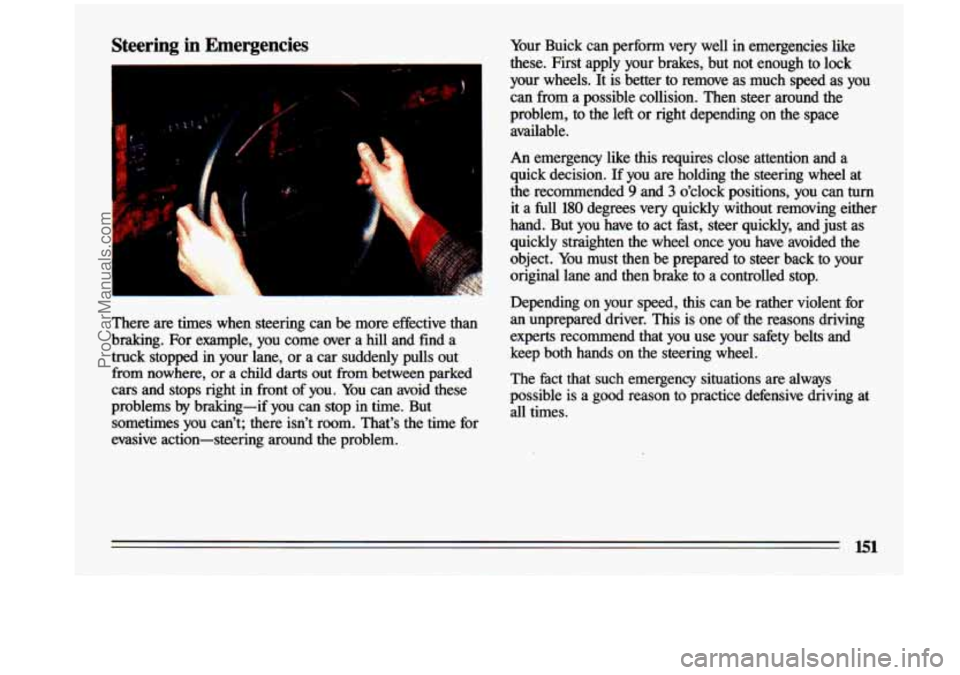
quick decision. If you are holding the steering wheel at
the recommended
9’ and 3 o’clock positions, you can turn
it a full
180 degrees very quickly without removing either
hand. But you have to act fast, steer quickly, and just as
quickly straighten the wheel once you have avoided the
object. You must then be prepared to steer back to your
original lane and then brake to
a controlled stop.
Depending on your speed,
this can be rather violent for
an unprepared driver. This is one of the reasons driving
experts recommend that you use your safety belts and
keep both hands on the steering wheel.
The fact that such emergency situations are always
possible is a good reason to practice defensive driving at all times.
151
ProCarManuals.com