light BUICK PARK AVENUE 1994 Service Manual
[x] Cancel search | Manufacturer: BUICK, Model Year: 1994, Model line: PARK AVENUE, Model: BUICK PARK AVENUE 1994Pages: 324, PDF Size: 17.01 MB
Page 143 of 324
Max Vent
This setting provides maximum cooling with the least
amount
of work. MAX recirculates much of the air
inside
your vehicle so it maximizes your air
conditioner’s performance and fuel economy. Air is
directed through
the instrument panel outlets.
Norm
Use NORM for normal cooling on hot days. This setting
cools outside air and directs
it through the instrument
panel outlets.
Bi-Level
This setting is designed for use on sunny days when the
air is only moderately warm or cool. On days like these,
the sun may adequately warm your upper body, but your
lower body may not be warm enough.
The Bi-level setting directs vehicle air
in two ways.
Cool air
is directed toward your upper body through
instrument panel outlets, while slightly warmed air is
directed through the heater outlet at your feet. For
mild outside temperatures when little heating or
cooling is needed, use the VENT setting. Air
will flow
through the instrument panel outlets. ,Use the air outlets
to turn
on, adjust and turn off the air flow. Adjust the
temperature lever to the desired temperature.
Heater
When outside temperatures are cold, pressing the HTR
setting and adjusting the temperature lever
will send
warm air through
the floor outlets and some through the
defroster vents.
Defrost
The DEFROST setting directs most of the air flow
toward the windshield. Use defrost when you want
to
remove fog or ice from the windshield. When it’s 42°F
(6°C) or warmer, you’ll get cooled air.
ProCarManuals.com
Page 145 of 324
Audio Systems
Your Delco@ audio system has been designed to operate
easily and give years of listening pleasure.
You will get
the most enjoyment
out of it if you ac uaint yourself
with
it first. Find out what your Delco system can do
and how to operate all its controls, to be sure you’re
getting the most out
of the advanced engineering that
went into
it.
73
AM Stereo
FM Stereo
FM stereo will give you the best sound. But FM signals
will reach only about
10 to 40 miles ( 16 to 65 km). And,
tall buildings or hills can interfere with FM signals,
causing the sound to come and go.
AM
The range for most AM stations is greater than for FM,
especially at night. The longer range, however, can
cause stations to interfere with each other. AM can pick
up noise
from things like storms and power lines. Try
reducing the treble to reduce this noise. This
means the Delco@ system can receive C-QUAM@
stereo broadcasts. Many AM stations around the country
use C-QUAM@
to produce stereo, though some do not.
(C-QUAM@ is a registered trademark of Motorola, Inc.)
If your Delco@ system can get C-QUAM@, your
“STEREO” light will come on when you’re receiving
it.
Be aware that hearing damage from loud noise is almost
undetectable
until it is too late. Your hearing can adapt to
higher volumes of sound. Sound that seems normal can
be loud and harmful to your hearing. Take precautions by
adjusting the volume control on your radio to a safe
sound level before your hearing adapts to
it.
To help avoid hearing loss or damage:
0 Adjust the volume control to the lowest setting.
Increase volume slowly until you hear comfortably
and clearly.
143
ProCarManuals.com
Page 148 of 324
Clock To Play A Cassette
To set the clock:
0 Press the SET button.
0 Within 5 seconds, press and hold SCAN until the
correct hour appears on the display.
0 Press and hold SEEK until the correct minute
appears on the display.
Treble
Slide the TREBLE lever up to increase the treble
response.
If the station is weak or noisy, slide the
TREBLE lever down to reduce the noise.
Bass
Slide the BASS lever up to increase the bass response.
Adjust the BASS lever to give a pleasing sound to your
ear.
DNR@
This is the Dynamic Noise Reduction button. DNR@
helps remove background hiss from the radio or tape
player.
You may want to leave it pushed in all the time.
Your tape player is built to work best with tapes that are
30 to 45 minutes long on each side. Tapes longer than
that are
so thin they may not work well in this player.
With the radio on, press a tape into the slot marked
AUTO REVERSE (the tape side goes in first).
Once
the tape is playing, use the upper and lower knobs
for volume, balance, and fade just as you did for radio.
The arrows indicate which side
of the tape is being
played.
When the end
of the tape is reached, it will
automatically reverse and play the other side
of the tape.
Forward
To rapidly advance the tape, press and the tape will
rapidly
go forward until you press the 4 button or
STOP-EJECT lightly.
146
ProCarManuals.com
Page 149 of 324
Reverse
To rapidly reverse the tape, press 4 and the tape will
rapidly go backward until you press the b button or
STOP-EJECT lightly.
Program
To go from one side of the tape to the other, press the
RCL-PROG (upper knob). Note the lighted arrows next
to the
b and 4.
Stop-Eject
To remove or stop the tape and change to radio, press
the STOP-EJECT button.
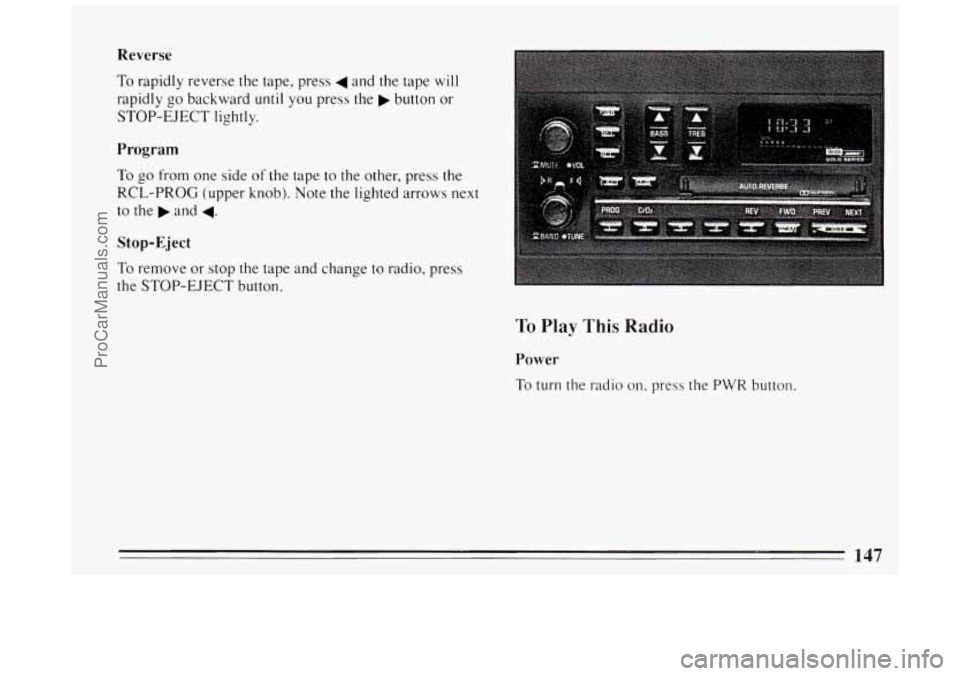
To Play This Radio
Power
To turn the radio on, press the PWR button.
ProCarManuals.com
Page 150 of 324
The Upper Knob
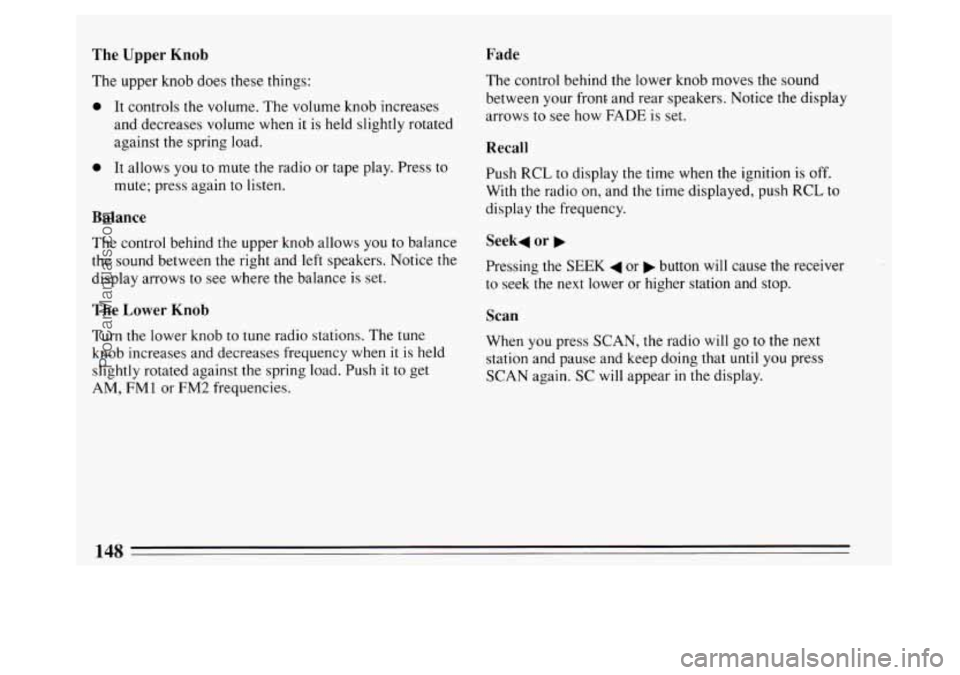
The upper knob does these things:
0 It controls the volume. The volume knob increases
and decreases volume when
it is held slightly rotated
against the spring load.
Fade
0 It allows you to mute the radio or tape play. Press to
mute; press again to listen.
Balance
The control behind the upper knob allows you to balance
the sound between the right and left speakers. Notice the
display arrows to see where the balance is set.
The Lower Knob
Turn the lower knob to tune radio stations. The tune
knob increases and decreases frequency when it
is held
slightly rotated against the spring load. Push it to get
AM,
FM 1 or FM2 frequencies. The control
behind the lower knob moves the sound
between your front and rear speakers. Notice the display
arrows to see how FADE is set.
Recall
Push RCL to display the time when the ignition is off.
With the radio on, and the time displayed, push RCL to
display the frequency.
Seek4 or b
Pressing the SEEK 4 or b button will cause the receiver
to seek the next lower or higher station and stop.
Scan
When you press SCAN, the radio will go to the next
station and pause and keep doing that
until you press
SCAN again. SC will appear in the display.
148
ProCarManuals.com
Page 153 of 324
To Play This Radio
Power
To turn on the radio, press the PWR button.
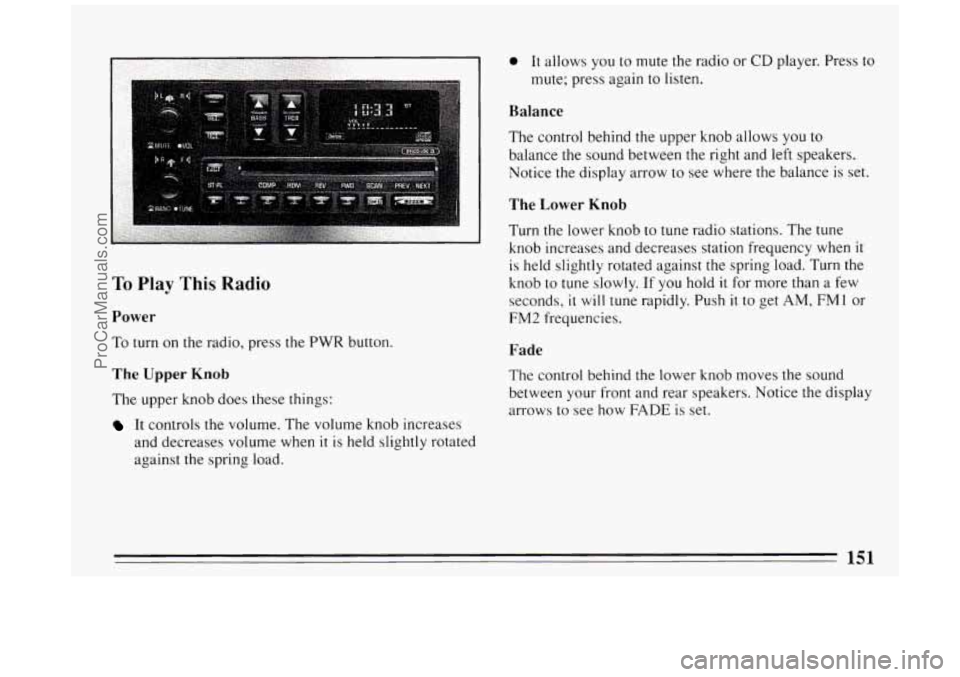
The Upper Knob
The upper knob does these things:
It controls the volume. The volume knob increases
and decreases volume when
it is held slightly rotated
against the spring load.
0 It allows you to mute the radio or CD player. Press to
mute; press again
to listen.
Balance
The control behind the upper knob allows you to
balance the sound between the right and left speakers.
Notice the display arrow to see where the balance is set.
The Lower Knob
Turn the lower knob to tune radio stations. The tune
knob increases and decreases station frequency when
it
is held slightly rotated against the spring load. Turn the
knob
to tune slowly. If you hold it for more than a few
seconds,
it will tune rapidly. Push it to get AM, FMl or
FM2 frequencies.
Fade
The control behind the lower knob moves the sound
between
your front and rear speakers. Notice the display
arrows
to see how FADE is set.
151
ProCarManuals.com
Page 159 of 324
Disabling The Theft System
Press preset buttons 1 and 4, for 5 seconds with the
ignition “On” and radio power “Off’. The display
will show “SEC”, indicating the unit is in the secure
mode.
Press the SET button. The display will show “000”.
Enter the first three digits of the code following step
6 and 7 of the preceding directions. The display will
show the numbers as entered.
Press the BAND knob. The radio will display “000”.
Enter the second three digits of the code. The display
Press the BAND knob. If the display shows “---” ,
will show the numbers as entered.
the disabling sequence was successful. (The numbers
matched the user-selected code
or the factory
back-up code) and the
unit is in the UNSECURED
mode. If the display shows “SEC”, the disabling
sequence was unsuccessful and the numbers did not
match either
of the codes and the unit will remain in
the SECURED mode.
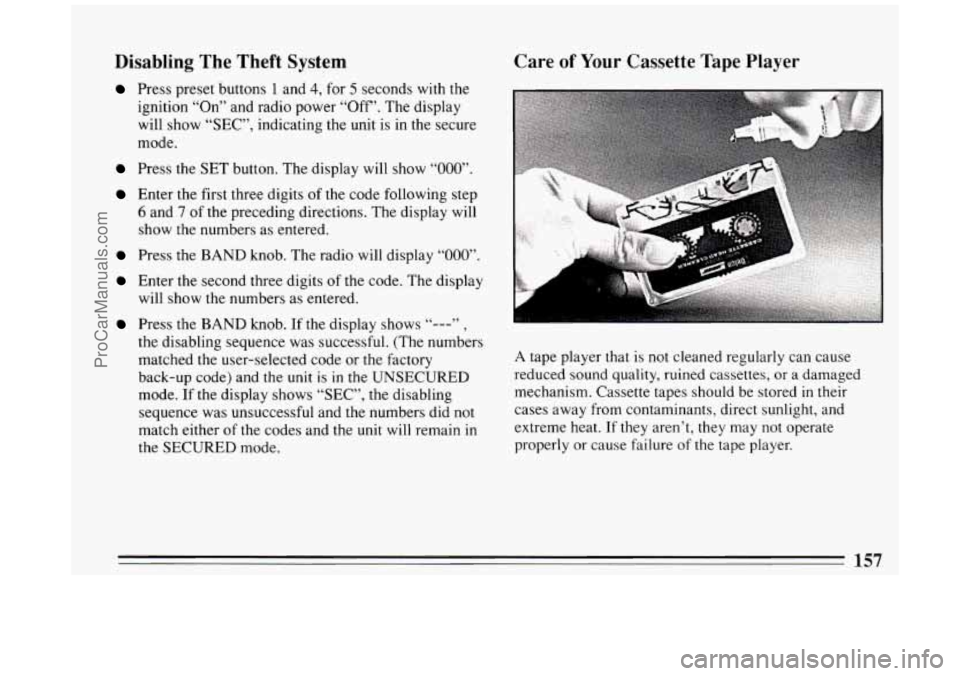
Care of Your Cassette Tape Player
A tape player that is not cleaned regularly can cause
reduced sound quality, ruined cassettes, or a damaged
mechanism. Cassette tapes should be stored
in their
cases away from contaminants, direct sunlight, and
extreme heat.
If they aren’t, they may not operate
properly or cause failure
of the tape player.
157
ProCarManuals.com
Page 160 of 324
Your tape player should be cleaned regularly each
month or after every
15 hours of use. If you notice a
reduction
in sound quality, try a known good cassette to
see
if the tape or the tape player is at fault. If this other
cassette has no improvement
in sound quality, clean the
tape player.
Clean your tape player with a wiping-action,
non-abrasive cleaning cassette, and follow the directions
provided with
it.
Cassettes are subject to wear and the sound quality may
degrade over time. Always make sure that the cassette
tape is
in good condition before you have your tape
player serviced.
Care of Your Compact Discs
Handle discs carefully. Store them in their original cases
or other protective cases and away from direct sunlight
and dust. If the surface of a disc is soiled, dampen a
clean, soft cloth
in a mild, neutral detergent solution and
clean
it, wiping only from the center to the edge. Be
sure
never to touch the signal surface when handling
discs. Pick up discs by grasping the outer edges or the
edge
of the hole and the outer edge.
Fixed Mast Antenna
The fixed mast antenna can withstand most car washes
without being damaged.
If the mast should ever become
slightly bent, you can straighten it out by hand. If the
mast is badly bent, as
it might be by vandals, you should
replace
it.
Check every once in a while to be sure the mast is still
tightened to the fender.
Power Antenna Mast Care
Your power antenna will look its best and work well if
it’s cleaned from time to time.
To Clean the Antenna Mast:
1. Turn on the ignition and radio to raise the antenna to
full mast extension.
158
ProCarManuals.com
Page 166 of 324
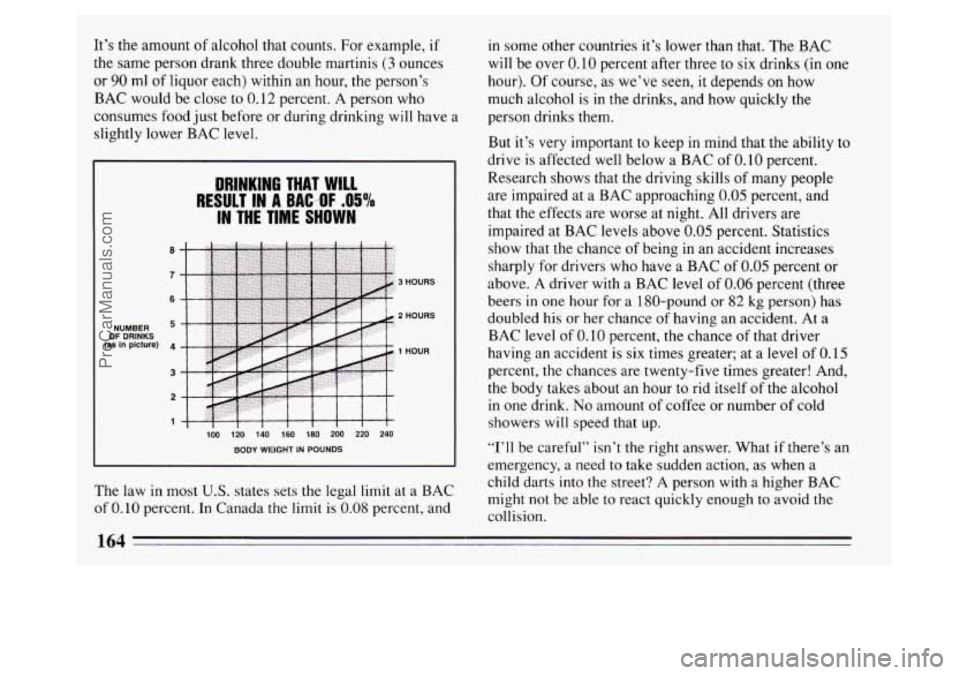
It’s the amount of alcohol that counts. For example, if
the same person drank three double martinis (3 ounces
or 90 ml of liquor each) within an hour, the person’s
BAC would be close to
0.12 percent. A person who
consumes food just before or during drinking will have a
slightly lower BAC level.
NUMBER OF DRINKS (as In picture)
100 120 140 160 180 200 220 240
BODY WEIGHT IN POUNDS
DRINKING THAT WILL
IN THE TIME SHOWN
RESULT IN A BAC.-OF .O5%
3 HOURS
2 HOURS
1 HOUR
The law in most U.S. states sets the legal limit at a BAC
of
0.10 percent. In Canada the limit is 0.08 percent, and in
some other countries it’s lower than that. The BAC
will be over 0.10 percent after three to six drinks (in one
hour). Of course, as we’ve seen, it depends on how
much alcohol
is in the drinks, and how quickly the
person drinks them.
But it’s very important to keep in mind that the ability to
drive is affected well below a BAC of
0.10 percent.
Research shows that the driving skills
of many people
are impaired at a BAC approaching
0.05 percent, and
that the effects are worse at night. All drivers are
impaired at BAC levels above
0.05 percent. Statistics
show that the chance of being in an accident increases
sharply for drivers who have a BAC of
0.05 percent or
above. A driver with a BAC level of 0.06 percent (three
beers
in one hour for a 1 SO-pound or 82 kg person) has
doubled his or her chance of having an accident. At a
BAC level of
0.10 percent, the chance of that driver
having an accident is six times greater; at a
level of 0.15
percent, the chances are twenty-five times greater! And,
the body takes about an hour to rid itself of the alcohol
in one drink.
No amount of coffee or number of cold
showers
will speed that up.
“I’ll be careful” isn’t the right answer. What if there’s an
emergency, a need to take sudden action, as when a
child darts into the street?
A person with a higher BAC
might not be able to react quickly enough to avoid the
collision.
164
ProCarManuals.com
Page 169 of 324
Anti-Lock Brakes (ABS)
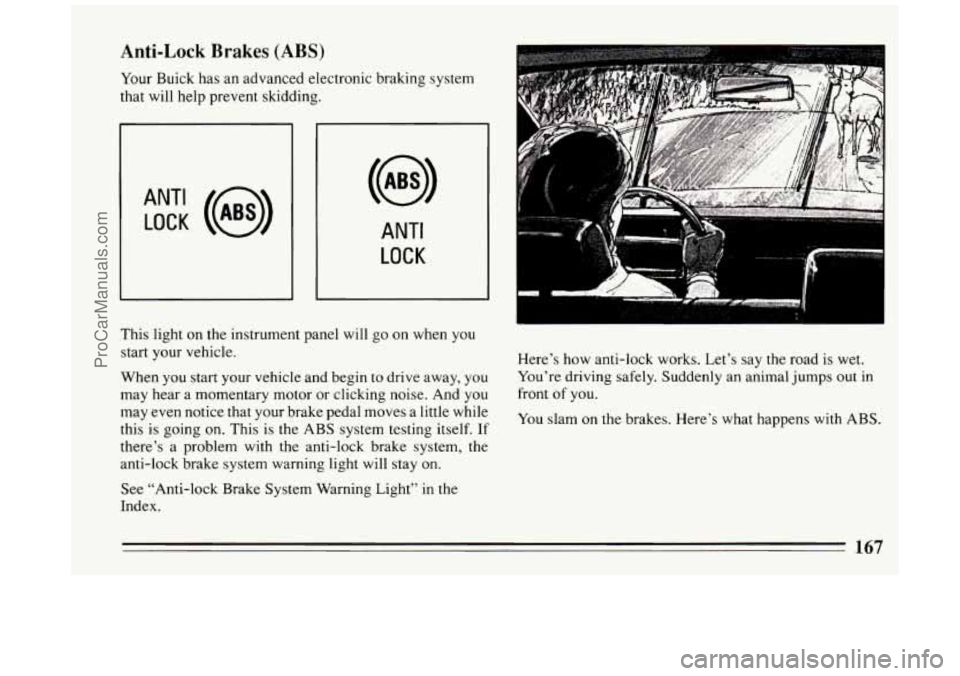
Your Buick has an advanced electronic braking system
that will help prevent skidding.
ANT‘ LOCK (@)
ANTI
LOCK
This light on the instrument panel will go on when you
start your vehicle.
When you start your vehicle and begin to drive away, you
may hear a momentary motor or clicking noise. And you
may even notice that your brake pedal moves a little while
this is going
on. This is the ABS system testing itself. If
there’s a problem with the anti-lock brake system, the
anti-lock brake system warning light will stay on.
See “Anti-lock Brake System Warning Light”
in the
Index. Here’s how
anti-lock works. Let’s say the road is wet.
You’re driving safely. Suddenly an animal jumps out in
front of you.
You slam
on the brakes. Here’s what happens with ABS.
167
ProCarManuals.com