key BUICK PARK AVENUE 1997 Service Manual
[x] Cancel search | Manufacturer: BUICK, Model Year: 1997, Model line: PARK AVENUE, Model: BUICK PARK AVENUE 1997Pages: 420, PDF Size: 21.93 MB
Page 148 of 420
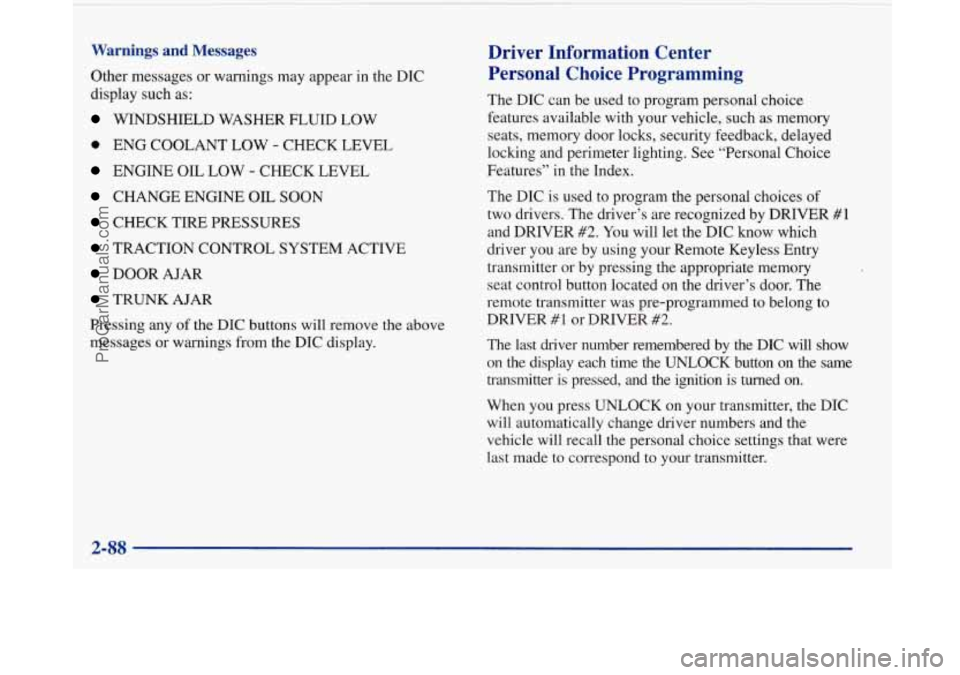
Warnings and Messages
Other messages or warnings may appear in the DIC
display such as:
WINDSHIELD WASHER FLUID LOW
0 ENG COOLANT LOW - CHECK LEVEL
ENGINE OIL LOW - CHECK LEVEL
CHANGE ENGINE OIL SOON
CHECK TIRE PRESSURES
TRACTION CONTROL SYSTEM ACTIVE
DOOR AJAR
TRUNK AJAR
Pressing any
of the DIC buttons will remove the above
messages or warnings from the DIC display.
Driver Information Center
Personal Choice Programming
The DIC can be used to program personal choice
features available with your vehicle, such as memory
seats, memory door locks, security feedback, delayed
locking and perimeter lighting. See “Personal Choice
Features” in the Index.
The DIC is used to program the personal choices of
two drivers. The driver’s are recognized by DRIVER
#1
and DRIVER #2. You will let the DIC know which
driver you are by using your Remote Keyless Entry
transmitter or by pressing the appropriate memory
seat control button located on the driver’s door. The
remote transmitter was pre-programmed to belong
to
DRIVER #1 or DRIVER #2.
The last driver number remembered by the DIC will show
on the display each time the UNLOCK button on the same
transmitter is pressed, and the ignition is turned on.
When you press UNLOCK on your transmitter, the DIC
will automatically change driver numbers and the
vehicle will recall the personal choice settings that were
last made to correspond to your transmitter.
ProCarManuals.com
Page 149 of 420
If you unlock the vehicle using your door key instead of
your transmitter, the DIC will not change drivers and
will recall the information from the last transmitter use
or the last driver change using the memory seat controls.
If this happens and you were not the last driver of the
vehicle, simply press your correct driver number on the
memory seat controls or press the UNLOCK button on
your transmitter.
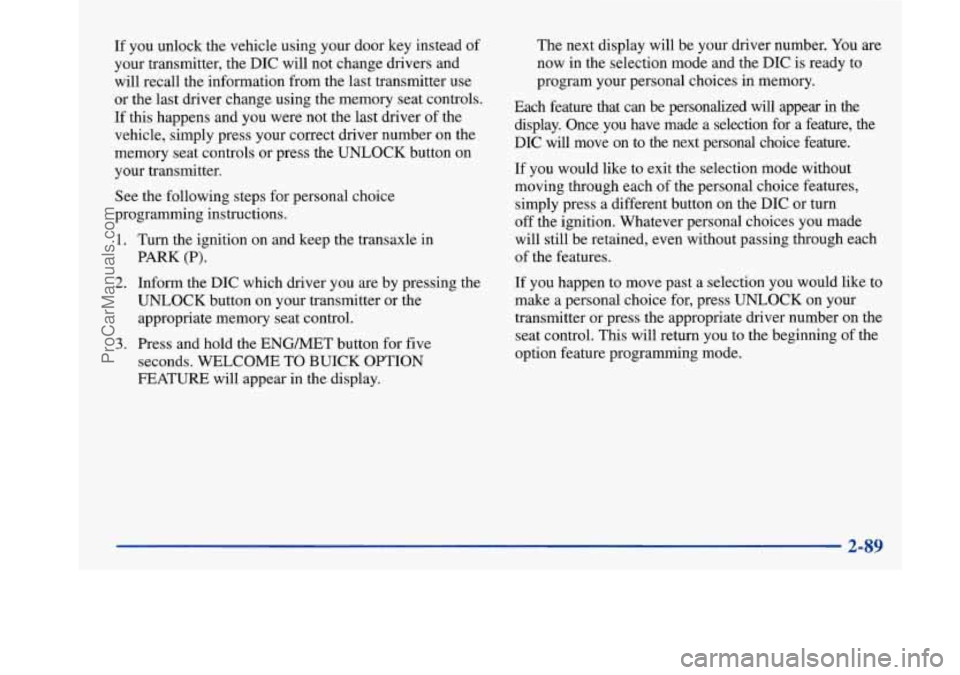
See the following steps for personal choice
programming instructions.
1. Turn the ignition on and keep the transaxle in
PARK
(P).
2. Inform the DIC which driver you are by pressing the
UNLOCK button on your transmitter or the
appropriate memory seat control.
3. Press and hold the ENG/MET button for five
seconds. WELCOME
TO BUICK OPTION
FEATURE will appear in the display. The
next display will be your driver number. You
are
now in the selection mode and the DIC is ready to
program your personal choices in memory.
Each feature that can be personalized will appear
in the
display. Once you have made
a selection for a feature, the
DIC will move on to the next personal choice feature.
If you would like to exit the selection mode without
moving through each of the personal choice features,
simply press a different button on the DIC or turn
off the ignition. Whatever personal choices you made
will still be retained, even without passing through each
of the features.
If you happen to move past a selection you would like to
make a personal choice for, press UNLOCK on your
transmitter or press the appropriate driver number on the
seat control. This will return you to the beginning of the
option feature programming mode.
2-89
ProCarManuals.com
Page 152 of 420
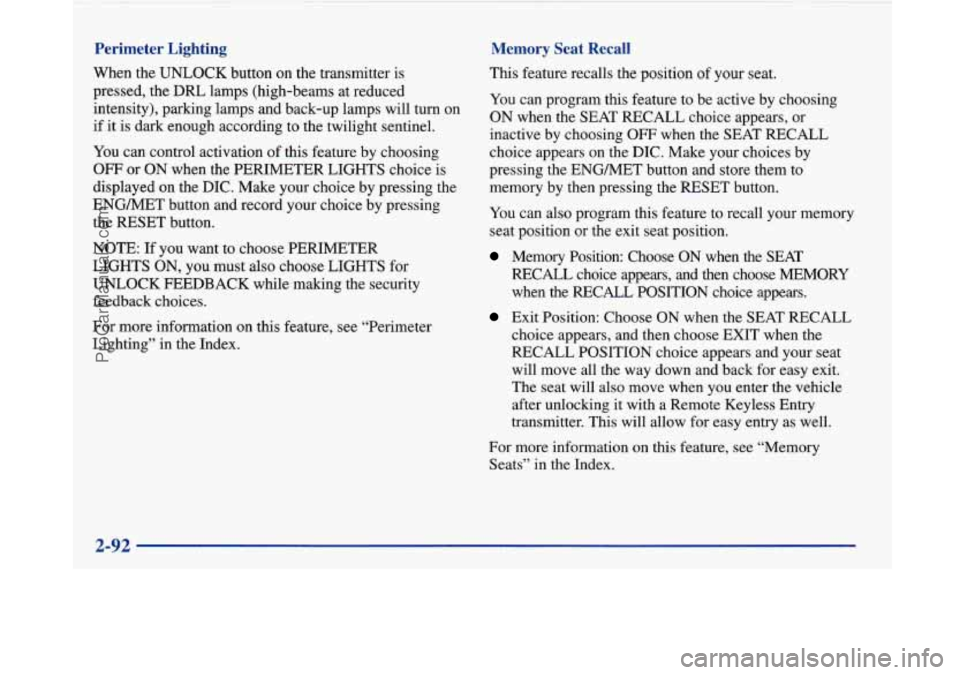
Perimeter Lighting
When the UNLOCK button on the transmitter is
pressed, the
DRL lamps (high-beams at reduced
intensity), parking lamps and back-up lamps will turn on
if it is dark enough according to the twilight sentinel.
You can control activation of this feature by choosing
OFF or ON when the PERIMETER LIGHTS choice is
displayed on the DIC. Make your choice by pressing the
ENGMET button and record your choice by pressing
the RESET button.
Memory Seat Recall
NOTE: If you want to choose PERIMETER
LIGHTS ON, you must also choose LIGHTS for
UNLOCK FEEDBACK while making the security
feedback choices.
For more information on this feature, see “Perimeter
Lighting” in the Index. This feature recalls the position
of your seat.
You can program this feature to be active by choosing
ON when the SEAT RECALL choice appears, or
inactive by choosing
OFF when the SEAT RECALL
choice appears on the DIC. Make your choices by
pressing the ENGMET button and store them to
memory by then pressing the RESET button.
You can also program this feature to recall your memory
seat position or the exit seat position.
Memory Position: Choose ON when the SEAT
RECALL choice appears, and then choose MEMORY
when the RECALL POSITION choice appears.
Exit Position: Choose ON when the SEAT RECALL
choice appears, and then choose EXIT when the
RECALL POSITION choice appears and your seat
will move all the way down and back for easy exit.
The seat will also move when you enter the vehicle
after unlocking
it with a Remote Keyless Entry
transmitter. This will allow for easy entry as well.
For more information on this feature, see “Memory Seats” in the Index.
2-92
ProCarManuals.com
Page 154 of 420
Comfort Controls
This section tells you how to operate your comfort
controls. Your comfort control system uses
ozone-friendly
R- 134a refrigerant.
With these systems, you can control the heating, cooling
and ventilation in your Buick. Your vehicle also has a
flow-through ventilation system described later in
this section.
Personal Choice Comfort Controls
(If Equipped)
This feature allows two different drivers to store and
recall their own climate control settings for temperature, air delivery mode, fan and passenger climate control
(ordoff) status. The Personal Choice settings recalled
are determined by the transmitter used to enter the
vehicle. After the
UNLOCK button of a remote keyless
entry transmitter is pressed, and the ignition is in
RUN,
the climate control will adjust to the last settings of the
identified driver. The settings can also be changed by
briefly pressing one of the
MEMORY seat switches
located on the driver’s door panel. When adjustments
are made, the new settings
are automatically saved for
the driver.
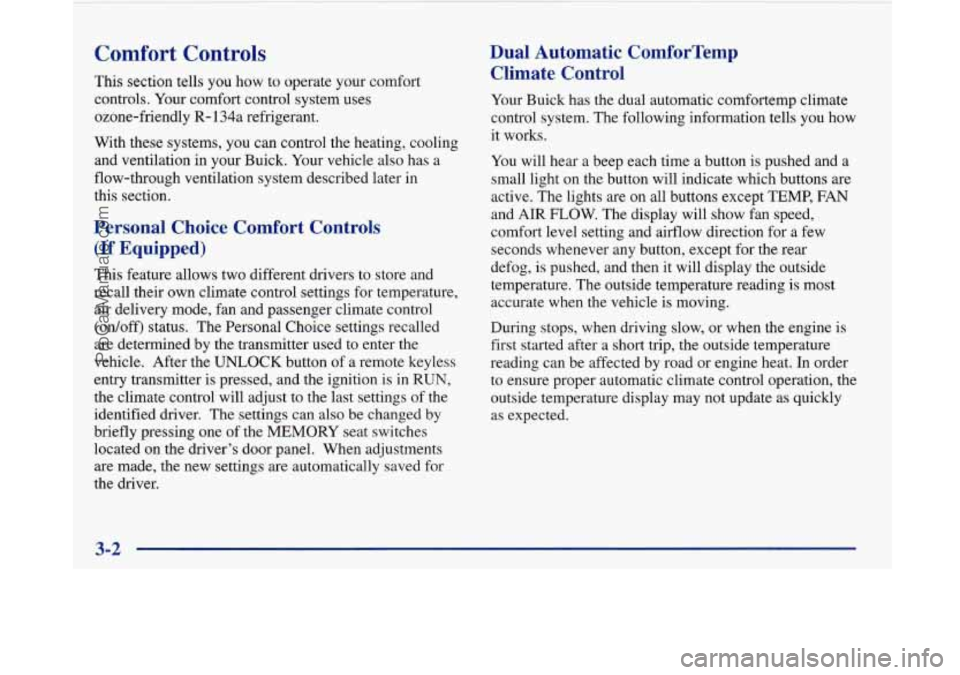
Dual Automatic ComforTemp Climate Control
Your Buick has the dual automatic comfortemp climate
control system. The following information tells you how
it works.
You will hear a beep each time a button is pushed and a
small light on the button will indicate which buttons are
active. The lights are on all buttons except
TEMP, FAN
and
AIR FLOW. The display will show fan speed,
comfort level setting and airflow direction for a few seconds whenever any button, except for the rear
defog, is pushed, and then it will display the outside
temperature. The outside temperature reading is most
accurate when the vehicle is moving.
During stops, when driving slow, or when the engine is
first started after a short trip, the outside temperature
reading can be affected by road or engine heat. In order
to ensure proper automatic climate control operation, the outside temperature display may not update as quickly
as expected.
3-2
ProCarManuals.com
Page 162 of 420
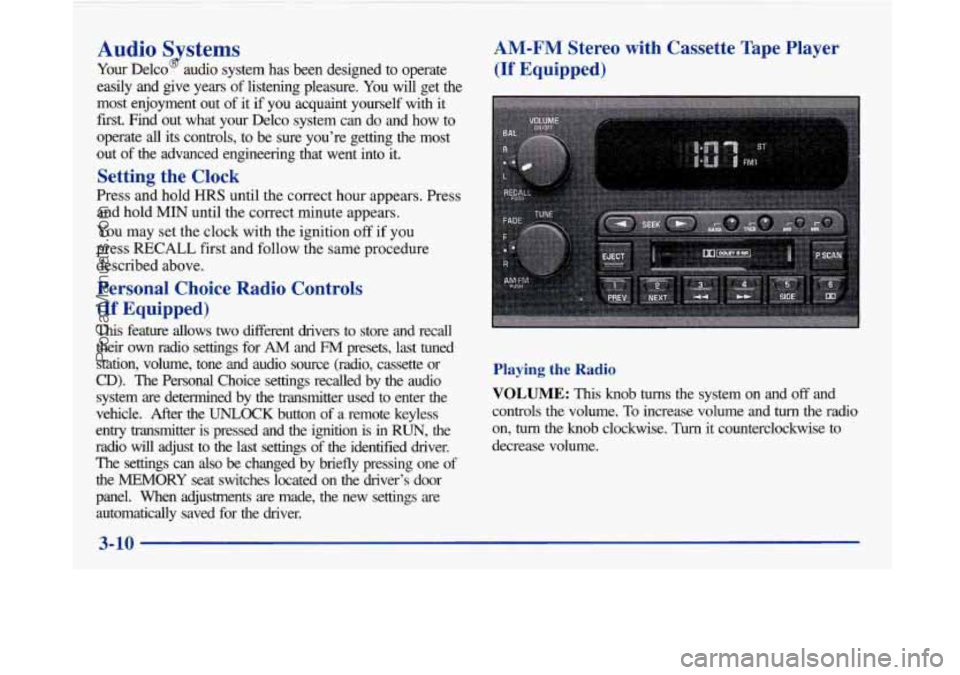
Audio Systems
Your Delco audio system has been designed to operate
easily and give years of listening pleasure. You will get the
most enjoyment out of it if you acquaint yourself with it
first. Find out what your Delco system can do and how to
operate all its controls, to be sure you’re getting the mos\
t
out
of the advanced engineering that went into it.
Setting the Clock
Press and hold HRS until the correct hour appears. Press
and hold
MIN until the correct minute appears.
You may set the clock with the ignition
off if you
press
RECALL first and follow the same procedure
described above.
Personal Choice Radio Controls
(If Equipped)
This feature allows two different drivers to store and recall
their
own radio settings for AM and FM presets, last tuned
station, volume, tone and audio source (radio, cassette or
CD). The Personal Choice settings recalled by the audio
system
are determined by the transmitter used to enter the
vehicle. After the
UNLOCK button of a remote keyless
entry transmitter is pressed and the ignition is in
RUN, the
radio will adjust to the last settings of the identified drive\
r. The settings can also
be changed by briefly pressing one of
the MEMORY seat switches located on the diver’s door
panel. When adjustments are made, the new settings are automatically saved for the driver.
AM-FM Stereo with Cassette Tape Player
(If Equipped)
Playing the Radio
VOLUME: This knob turns the system on and off and
controls the volume.
To increase volume and turn the radio
on,
turn the knob clockwise. Turn it counterclockwise to
decrease volume.
3-10
-
ProCarManuals.com
Page 191 of 420
Police records show that almost half of all motor
vehicle-related deaths involve alcohol. In most cases,
these deaths are the result
of someone who was drinking
and driving. In recent years, some 17,000 annual motor
vehicle-related deaths have been associated with the use
of alcohol, with more than
300,000 people injured.
Many adults
-- by some estimates, nearly half the adult
population
-- choose never to drink alcohol, so they
never drive after drinking. For persons under 21, it’s
against the law in every
U.S. state to drink alcohol.
There
are good medical, psychological and
developmental reasons for these laws.
The obvious way to solve this highway safety problem
is
for people never to drink alcohol and then drive. But
what if people do? How much is “too much” if the
driver plans to drive? It’s a lot less than many might
think. Although it depends on each person and situation,
here is some general information
on the problem. The
Blood Alcohol Concentration (BAC) of someone
who is drinking depends upon four things:
0 The amount of alcohol consumed
0 The drinker’s body weight
0 The amount of food that is consumed before and
during drinlung
The length of time it has taken the drinker to
consume the alcohol.
According to the American Medical Association, a 180-lb.
(82 kg) person who drinks three 12-ounce
(355 ml) bottles of beer in an hour will end up with a
BAC
of about 0.06 percent. The person would reach the
same BAC by drinking three 4-ounce (120 ml) glasses
of wine or three mixed drinks if each had 1-1/2 ounces
(45 ml) of a liquor like whiskey, gin or vodka.
4-3
ProCarManuals.com
Page 230 of 420
Hazard Warning Flashers
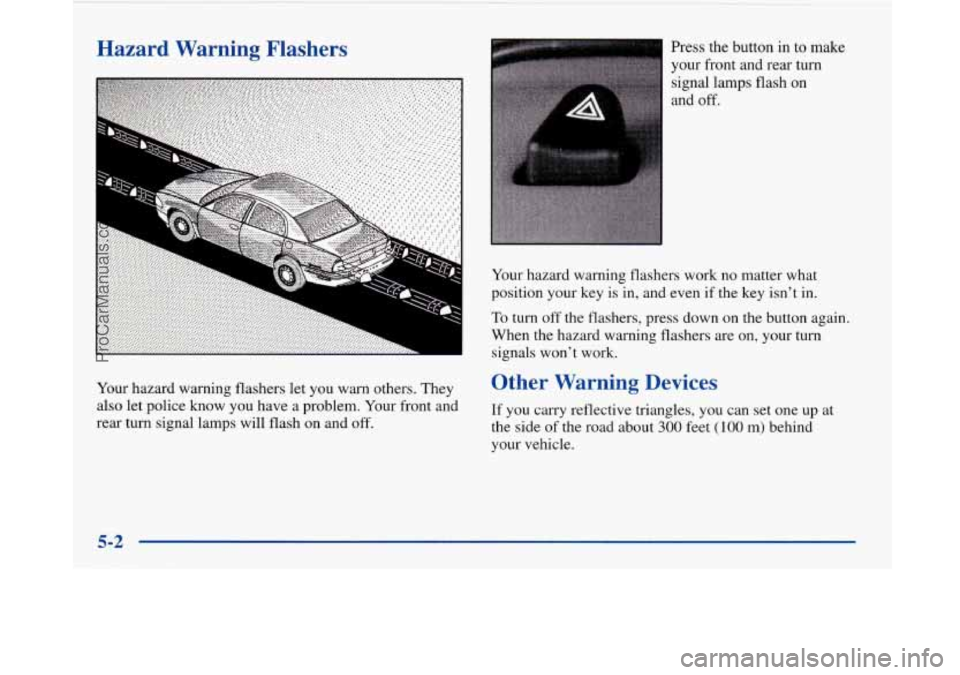
Your hazard warning flashers let you warn others. They
also let police know you have a problem. Your front and
rear turn signal lamps will flash on and
off.
Press the button in to make
your front and rear turn
signal lamps flash on
and off.
Your hazard warning flashers work no matter what
position your key is
in, and even if the key isn’t in.
To turn off the flashers, press down on the button again.
When the hazard warning flashers are on, your turn
signals won’t work.
Other Warning Devices
If you carry reflective triangles, you can set one up at
the side
of the road about 300 feet (100 m) behind
your vehicle.
5-2
ProCarManuals.com
Page 236 of 420
A vehicle can fall from a car carrier if it isn’t
adequately secured. This can cause a collision,
serious personal injury and vehicle damage. The
vehicle should be tightly secured with chains or
steel cables before it is transported.
Don’t use substitutes (ropes, leather straps,
canvas webbing, etc.) that can be cut by sharp
edges underneath the towed vehicle. Always use
T-hooks inserted in the T-hook slots. Never use
J-hooks. They will damage drivetrain and
suspension components.
When your vehicle is being towed, have the ignition
key in the
OFF position. The steering wheel should be
clamped in a straight-ahead position, with a clamping
device designed for towing service.
Do not use the
vehicle’s steering column lock for this. The transaxle
should
be in NEUTRAL (N) and the parking
brake released.
Don’t have your vehicle towed on the front wheels,
unless you must.
If the vehicle must be towed on the
front wheels, be sure to follow the speed and distance
restrictions later in
this section .or your transaxle will be
damaged.
If these limits must be exceeded, then the
front wheels have to be supported on a dolly.
5-8
ProCarManuals.com
Page 335 of 420
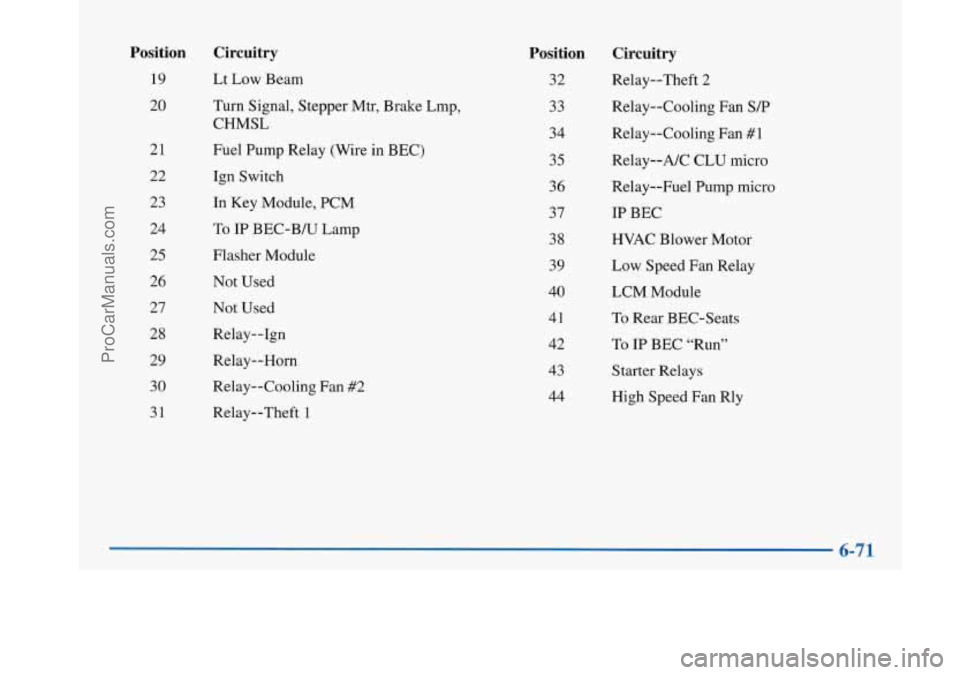
Position
19
20
21
22 23
24
25
26 27
28
29 30
31
Circuitry
Lt Low Beam
Turn Signal, Stepper Mtr, Brake Lmp,
CHMSL
Fuel Pump Relay (Wire in BEC)
Ign Switch
In Key Module, PCM
To
IP BEC-B/U Lamp
Flasher Module Not Used
Not Used
Relay--1gn
Relay--Horn
Relay--Cooling Fan #2
Relay--Theft 1
Position
32
33
34
35
36 37
38
39
40
41
42
43
44
Circuitry
Relay--Theft 2
Relay--Cooling Fan
S/P
Relay--Cooling Fan #1
Relay--A/C CLU micro
Relay--Fuel Pump micro
IP BEC
HVAC Blower Motor
Low Speed Fan Relay
LCM Module
To Rear BEC-Seats
To
IP BEC “Run”
Starter Relays
High Speed Fan Rly
ProCarManuals.com
Page 336 of 420
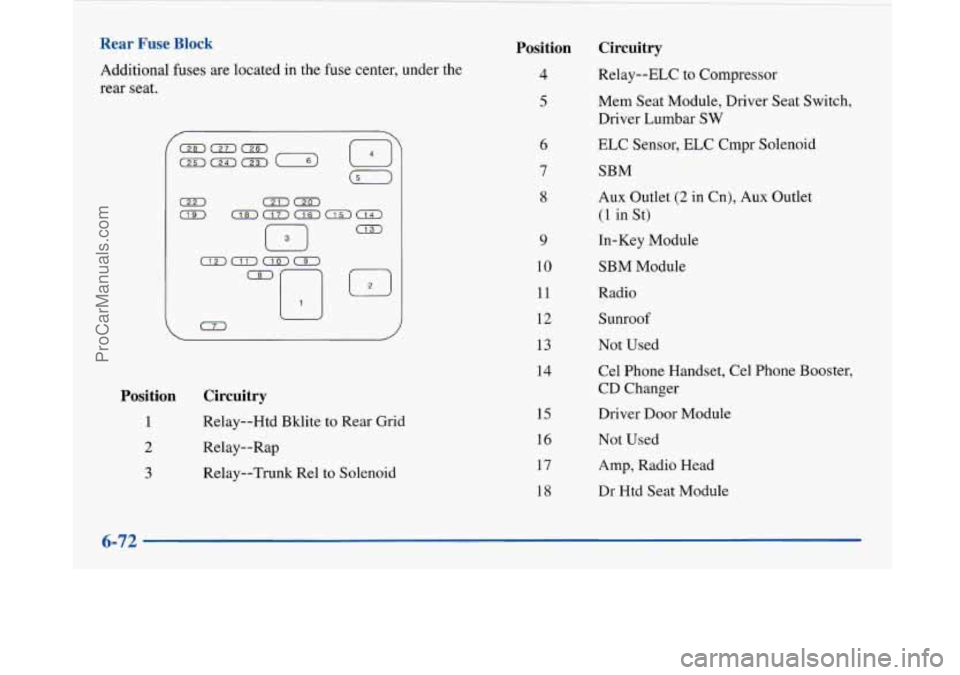
Rear Fuse Block
Additional fuses are located in the fuse center, under the
rear seat.
0
Position
1
2
3
Circuitry
Relay--Htd Bklite to Rear Grid
Relay--Rap
Relay--Trunk Re1 to Solenoid
Position Circuitry
4 Relay--ELC to Compressor
5
9
10
11
12
13
14
15
16
17
18 Mem
Seat Module, Driver Seat Switch.
Driver Lumbar
SW
ELC Sensor, ELC Cmpr Solenoid
SBM
Aux Outlet
(2 in Cn), Aux Outlet
(1 in St)
In-Key Module
SBM Module
Radio Sunroof
Not Used
Cel Phone Handset, Cel Phone Booster,
CD Changer
Driver
Door Module
Not Used
Amp, Radio Head
Dr Htd Seat Module
6-72
ProCarManuals.com