wheel BUICK PARK AVENUE 1998 User Guide
[x] Cancel search | Manufacturer: BUICK, Model Year: 1998, Model line: PARK AVENUE, Model: BUICK PARK AVENUE 1998Pages: 426, PDF Size: 23.59 MB
Page 107 of 426
I
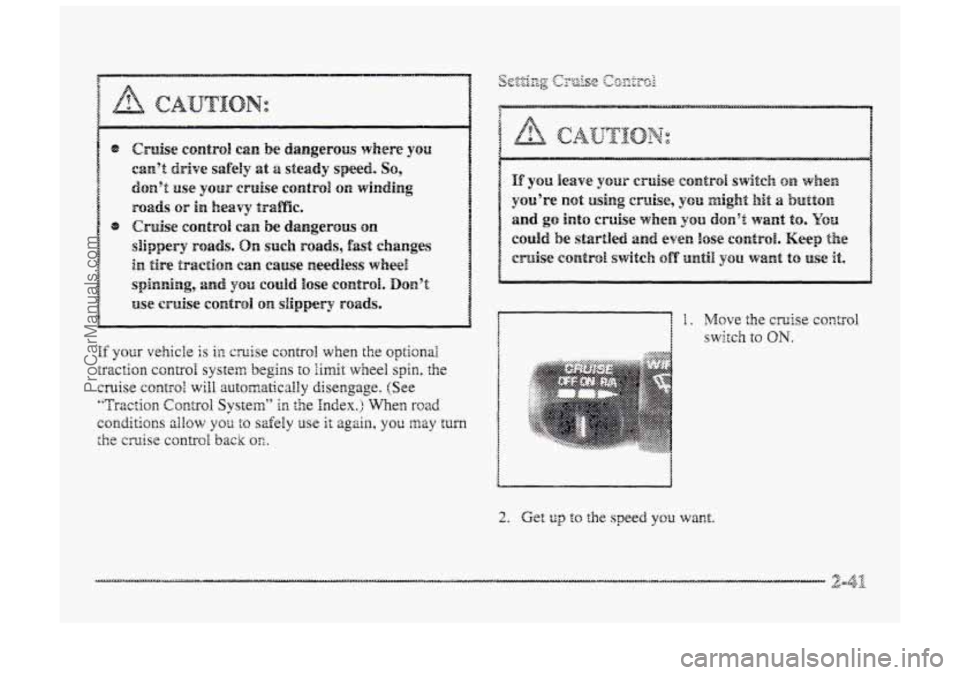
If your vehicle is ia cruise control when the optional
traction control system begins to limit wheel spin, the
cruise control will automatically disengage. (See
"Traction Control System" in the Index.) When road
conditions zilow YOS to safely use it again, you may turn
the cmise control back QS.
;:::::?. .::.:.:.:> ...... <:::::y::&
::
... ..:.. .......... ... .-.z,-.-. . :.:.:".:"-. .................. 5.'. .*.:--. .. :.:.:.:.x.:.>:...:. ..................... 3 .........
2. Get to the speed you want.
ProCarManuals.com
Page 144 of 426
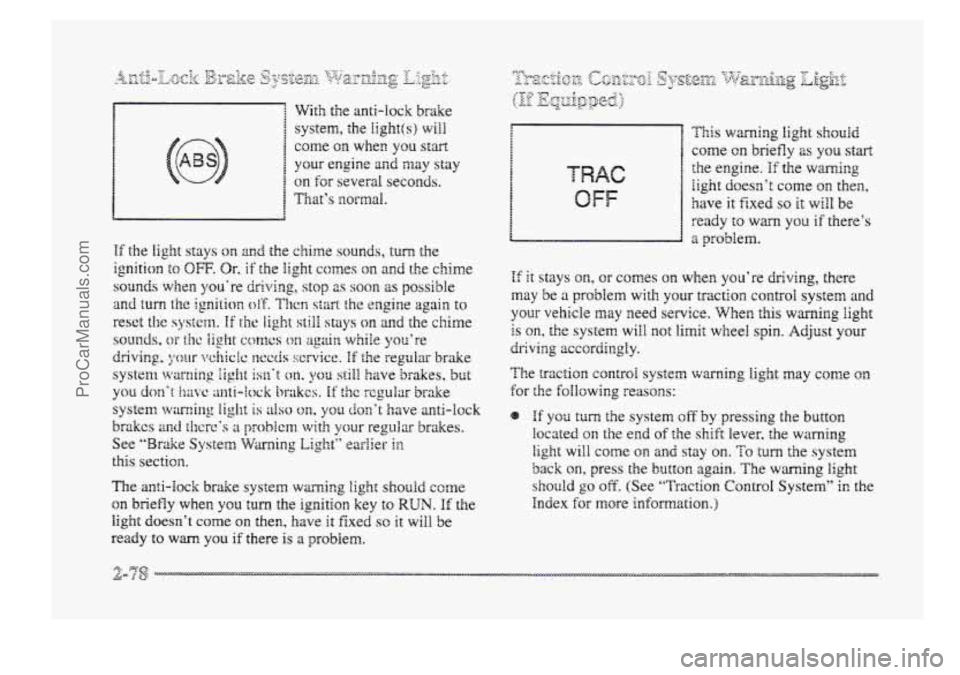
With the anti-lock brake
system, the
Iight(s) will
come on when you start
your engine and may stay
on for several seconds.
1 That’s BzorfnaI.
The anti-lock brake system warning light should come
on briefly when YOU turn the ignition key to RUN. If the
light doesn’t come on then, have it fixed SO it will be
ready
to wm you if there is a problem.
OFF
This warnirag light should
come on briefly 2s you start
the engine. If the warning
iight doesn’t corne on then,
have it fixed so it will be
ready
to warn you if there’s
a problem.
If it stays on, or comes on when you’re driving, there
may be a problem with your traction control system and
your vehicle may need service. When this warning light
is on, the system will not limit wheel spin. Adjust your
The traction control system wming light may come on
for the foIlowing reasons:
dr;ivi3g accordingly.
If yos turn the system off by pressing the button
located on the end of the shift lever, the warning
light will come on and stay on. To turn the system
back on, press the button again. The warning light
should go off. (See “Traction Control System” in the
Index
for more kf~m;ation.)
ProCarManuals.com
Page 165 of 426
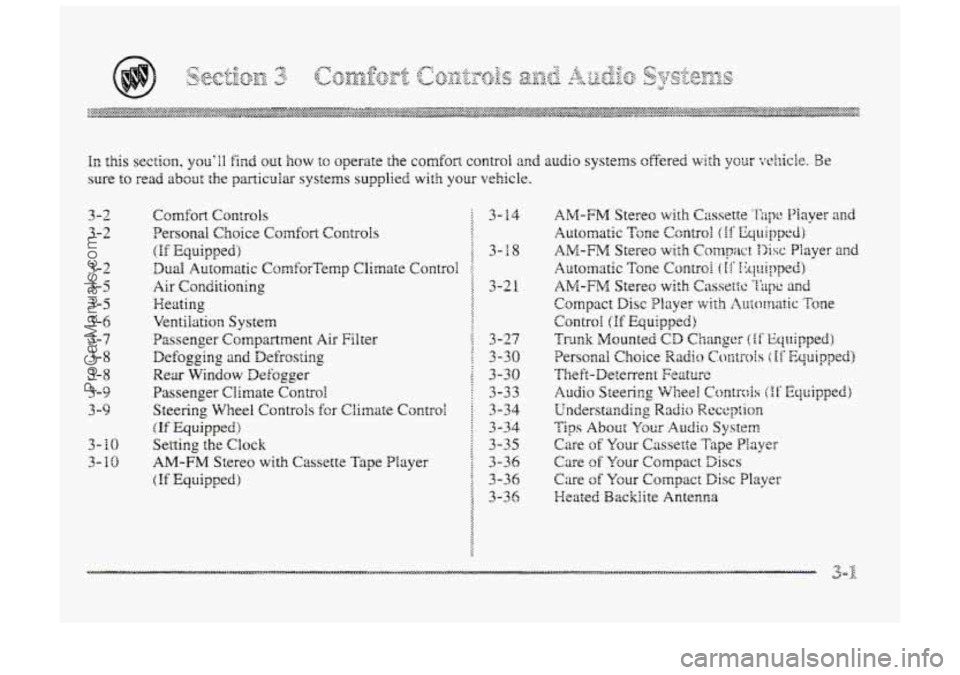
In this section, you'll find out how to operate the comfort control and audio systems cffered with your whicle. Be
sure to read about the particular systems supplied with your vehicle.
3-2
3-2
3-2
3-5
3-5
3 -6
3-7
3-8
3-8
3-9
3 -9
3- BO
3-10
C~mf~r;t Cr>n:rols 5 3-14
Personal
Choice Comfort ControIs
(If Equipped) 3-18
Dud Automatic CornforTernp Clirnate Control !
Air Conditioning 3-21
Heating $
VentiEation System
Passenger Compartment
Ais Filter [ 3-27
Defogging and Defr'rosting ; 3-30
Wear Window Defogger
: : 3-30
Passenger Climate Control : 3-33
Steering Wheel Controls
fcr Climate Controi 3-34
(If Equipped) :. 3-34
Setting
the Cbck i 3-35
AM-FM Stereo with Cassette Tape Player 9 3-36
(.If Equipped) 3-36
::
::
::
ProCarManuals.com
Page 197 of 426
To unlock a secured radio see ‘6Udock.ing the
Thefi-Deterrent Feature After
a Bower LOSS” earlier in
this section.
Audio Steering W3eel c@ntr@ls
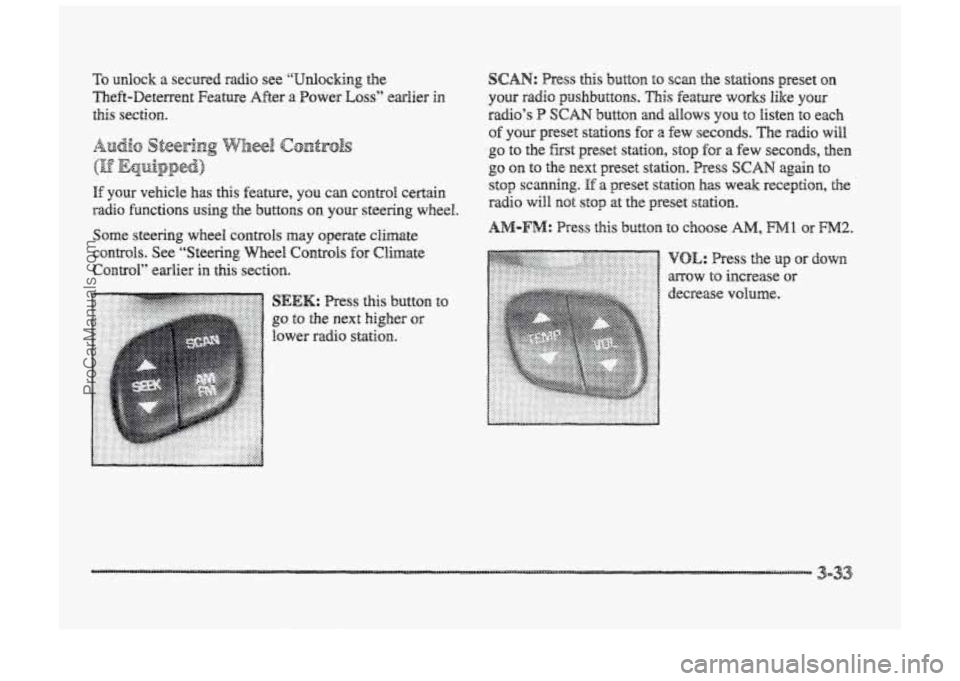
If your vehicle has this feature, can control certain
radio functions using the buttons on your steering wheel.
Some steering wheel controls may operate climate
CO~&Q~S. See “’Steering Wheel Controls for Climate
Contd” earlier in
this section.
button
to SEEK: Press this
go to the next higher or
lower radio station.
SCAN: Press this button to scan the stations preset on
your radio psaslnbuttons. This feature works like your
radio’s P SCAN button and allows YOU to listen to each
of you preset stations for a few seconds. The radio will
go to the fist preset station, stop for a few seconds, then
go on to the next preset station. Press SCAN again to
stop scanning.
If a preset station has weak reception, the
radio will mot stop at the preset st&hn~.
ProCarManuals.com
Page 210 of 426
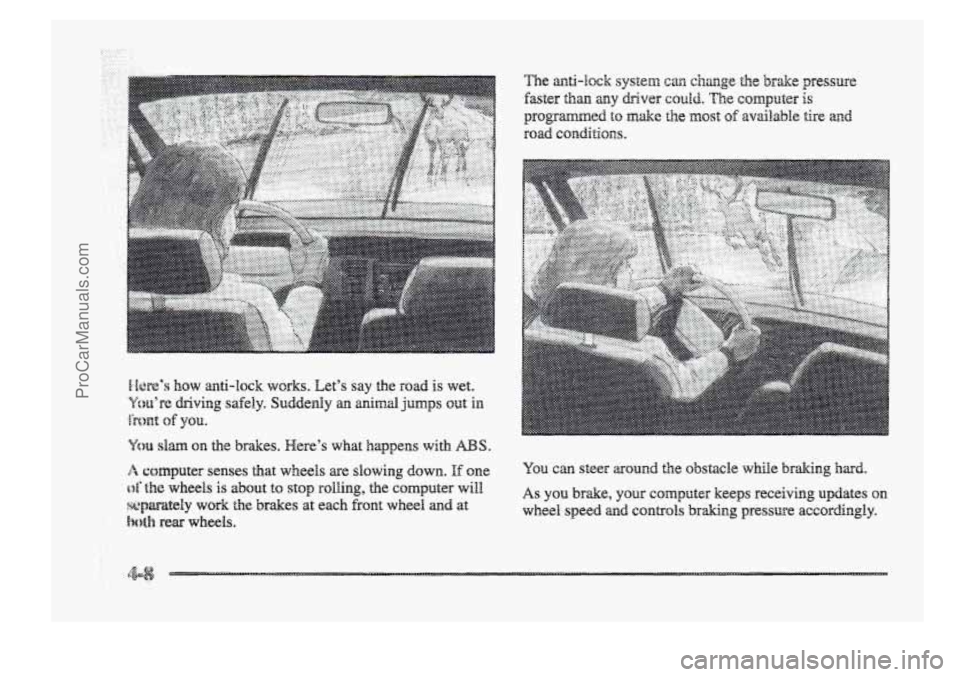
..... ... ..,. . ....... .... .... ......
You can steer around the obstacle while braking hard.
As you brake, your CQIII~U~~I- keeps receiving updates on
wheel speed and c~ntgols braking pressure accordingly.
ProCarManuals.com
Page 211 of 426
Remember: Anti-lock doesn’t change the the you need
to get your foot up to the br&e pedal or always decrease
stopping distance. If you get too dose to the vehicle in
front of you, you won’t have time to apply your brakes
If that vehicle suddenly slows or stcps. Always leave
enough
room up ahead tu stop, even though yorr have
anti-lock brakes.
Don’t pump the brakes. Just hold the brake pedal down
5mly and let anti-lock work for you. You may feel a
slight brake pedal gulsation or notice some noise, but
this is normal.
?F? 5-~~l:”~p.Tp LC :~?$<:4:?~$ ,y...,iq:py; (TF &&@$B&) r ,y a% *.-blL& . ,%*i ...,‘. --’3 li Y z .i I A -2.
YQW vehicle may have a traction control system thzat
limits wheel spin. This is especially useful in slippery
road conditions. The system operates only if it senses
that one
or both of the front wheels are spinning or
beginning to lose traction. When this happens, the
system works the front brakes and reduces engine power
to limit wheel spin.
You may feel or hear the system working, but this
is nomal.
__ . ... a
See ‘‘T~-acti~m Contra1 System Warning Eight” ii: the
Irzdex. WEen this warning light is on, the system will mt
limit wheel spin. Adjust your driving zccsrdingly.
The traction COII~FO~ system arr;2smaticaily comes on
whenever you start your vehicle. To limit wheel spin,
especially in siippery road conditio~s, y3u shouEd
always leave the system on. But you can turn- the
traction control system off‘ if you ever need to. (YQQ
should turn the system off if pur vehicBe ever gets stuck
in sand, mud, ice or snow. See “Rockr~g Your Vehicle”
in the Index.)
ProCarManuals.com
Page 212 of 426
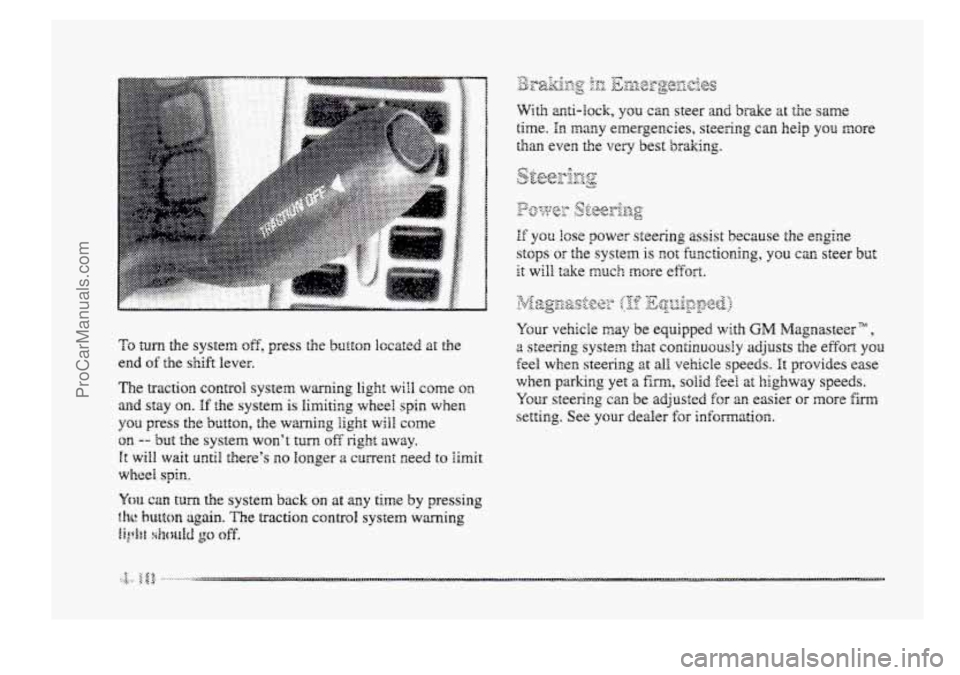
To turn the system off, press the button l~cated at the
end of the shift lever.
The traction control system warning light will come on
and stay on. If the system is limiting wheel spin when
you press the button, the warning light will come
on -- but the system won’t turn off right away.
It will wait until there’s no longer a current need to hit
wheel spin.
Ym can turn the system back on at any time by pressing
?.he button again. The traction control system warning
Bi& xkcPetM go off.
Your vehicle may be equipped with GM Magnasteer ” ,
a steering system that continuousIy adjusts the effort you
feel when steering at all vehicle speeds. It provides ease
when parking yet a firm, solid feel at highway speeds.
You- steering can be adjusted for an easier or more firm
setting. See your dealer for information
ProCarManuals.com
Page 213 of 426
It‘s important to take curves at ;r reasonable speed.
A lot of the “driver lost control” accidents mentioned on
the news happen on curves. Here’s why:
Experienced driver or beginner, each of us is subject to
the same laws of physics when driving on curves. The
traction of the tires agzjinst the roaC surface makes it
possible fcr the vehicle to change its path when you turn
the front wheels. If there’s no traction, inertia wiHl keep
the vehicle going in
the same direction. If you‘ve ever
tried
to steer a vehicle on wet ice, YQK‘IB understacd this.
The
trzctionr YOU can get in a curve depends on the
condition of your tires md the road surface, the angle at
which Gie curve
is banked, and your speed. Mile you’re
in ip curve, speed is the one fxtor you can control.
Suppose ycu’re steering through a sharp curve.
Then you suddenly accelerate. Both control
ProCarManuals.com
Page 214 of 426
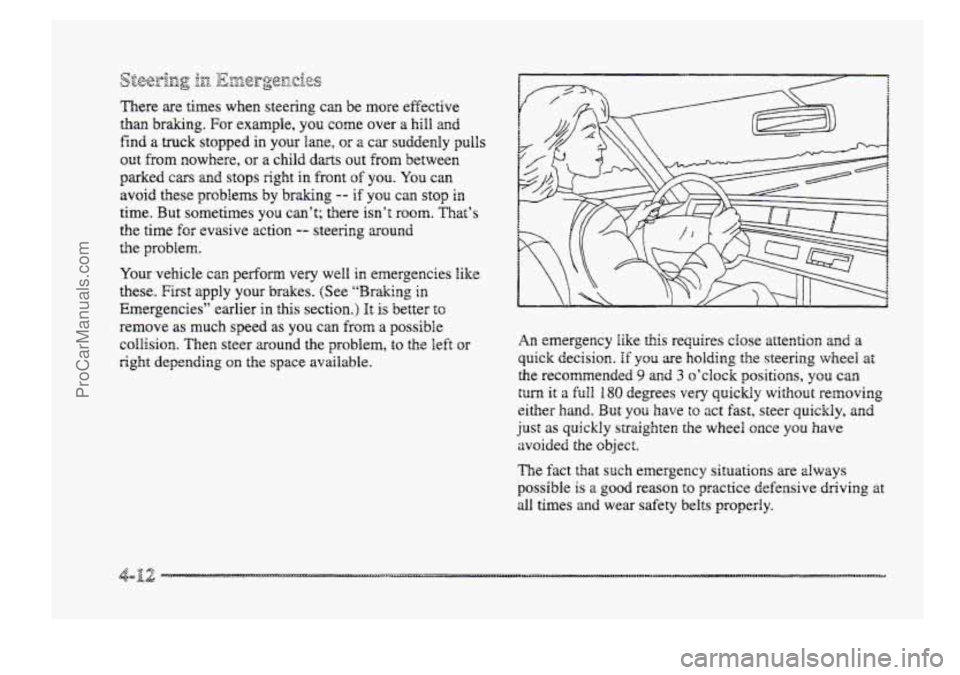
&3g;-izg 1x1 0 &i&rpe[z.iQs 7,ww e?
There are times when steering can be more effective
than brakmg. For example, you come over a hill and
find a truck stopped in your lane, or a car suddenly pulls
out from nowhere, OH a child darts out from between
parked
cars md stops right in front of YOU. You can
avoid these problems by
braking -- if you can stop in
time. But sometimes you can’t; trlere isn’t room. That’s
the time
for evasive action -- steering ~ound
the problem.
Your vehicle can perform very well in emergencies like
these. First apply your brakes. (See ‘‘Braking in
Emergencies” earlier in ”s section.) It is better tc
remove as much speed as you can from a possible
collision. Then steer around the problem, to the left or
right depending on the space available.
An emergency like this requires close attention and a
quick decision. If you are holding the steering wheel a’:
the recomended 9 and 3 o’clock positloas, you can
tuna it a full 180 degrees very quickly without removing
either hand. But you have to act fast, steer quickly, and
just as quickly straighten the wheel once you have
avoided the
object.
The fact that such emergency situations are always
possible is a good reason to practice defensive driving at
dl times and wear safety belts properly.
ProCarManuals.com
Page 226 of 426
![BUICK PARK AVENUE 1998 User Guide ]Is there actually such a ~~nrdition as “highway
hypnosis”? Or is it just plain falling asleep at the wheel?
Call it highway hypnosis, lack of awareness,
or whatever.
mere
is something abou](/img/43/57690/w960_57690-225.png "BUICK PARK AVENUE 1998 User Guide ]Is there actually such a ~~nrdition as “highway
hypnosis”? Or is it just plain falling asleep at the wheel?
Call it highway hypnosis, lack of awareness,
or whatever.
mere
is something abou")
]Is there actually such a ~~nrdition as “highway
hypnosis”? Or is it just plain falling asleep at the wheel?
Call it highway hypnosis, lack of awareness,
or whatever.
mere
is something about an easy stretch of road with
the same scenery, dong with the hum of the tires on the
road, the &one
of the engine, and the msh of the wind
against the vehicle
that can make you sleepy. Don’t let it
happen to you! If it does, your vehicle can leave the
road in less than a secondy and you could crash agld
be injured.
@ Keep YQW eyes moving. Scan the road ahead and to
the sides. Check YOLK rearview ~~II-QI-S and your
instruments frequently.
@ If you get sleepy, pull off the road into a rest, service
or parking area and take a nap, get some exercise, or
both. For safety, treat drowsiness on the highway as
an emergency.
ProCarManuals.com