light BUICK PARK AVENUE 2003 User Guide
[x] Cancel search | Manufacturer: BUICK, Model Year: 2003, Model line: PARK AVENUE, Model: BUICK PARK AVENUE 2003Pages: 372, PDF Size: 2.8 MB
Page 80 of 372
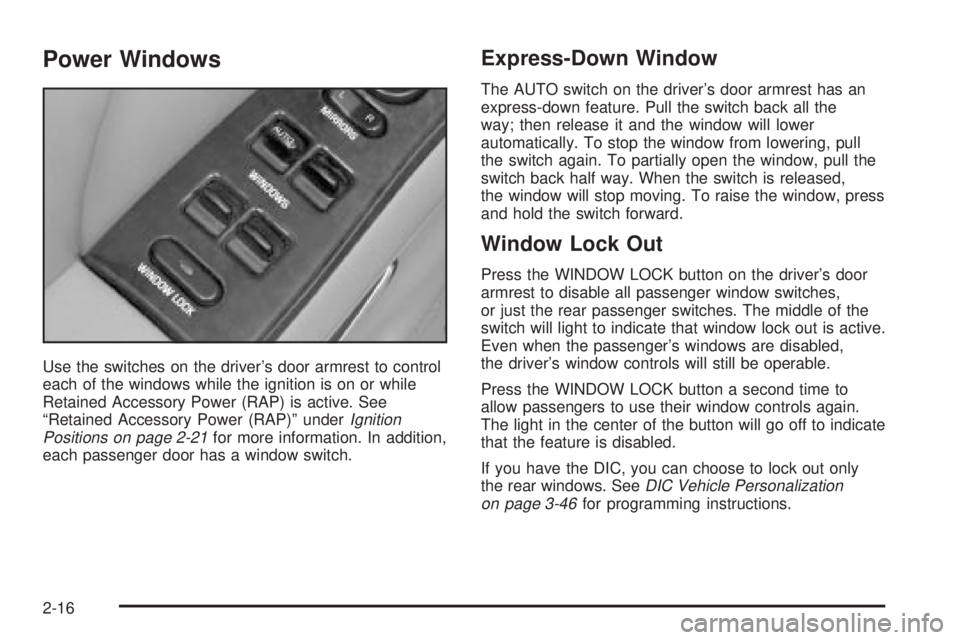
Power Windows
Use the switches on the driver's door armrest to control
each of the windows while the ignition is on or while
Retained Accessory Power (RAP) is active. See
ªRetained Accessory Power (RAP)º under
Ignition
Positions on page 2-21for more information. In addition,
each passenger door has a window switch.
Express-Down Window
The AUTO switch on the driver's door armrest has an
express-down feature. Pull the switch back all the
way; then release it and the window will lower
automatically. To stop the window from lowering, pull
the switch again. To partially open the window, pull the
switch back half way. When the switch is released,
the window will stop moving. To raise the window, press
and hold the switch forward.
Window Lock Out
Press the WINDOW LOCK button on the driver's door
armrest to disable all passenger window switches,
or just the rear passenger switches. The middle of the
switch will light to indicate that window lock out is active.
Even when the passenger's windows are disabled,
the driver's window controls will still be operable.
Press the WINDOW LOCK button a second time to
allow passengers to use their window controls again.
The light in the center of the button will go off to indicate
that the feature is disabled.
If you have the DIC, you can choose to lock out only
the rear windows. See
DIC Vehicle Personalization
on page 3-46for programming instructions.
2-16
Page 81 of 372
Sun Visors
Lighted Visor Vanity Mirror
If your vehicle has this feature, when you open the visor
vanity mirrors, the lamps turn on.
To block out glare, swing down the visors. The larger
sun visor can be removed from the center mount
and moved to the side, while the auxiliary sun visor
remains to block glare from the front.
The front side of the driver's sun visor also contains a
pocket for map storage.
Theft-Deterrent Systems
Vehicle theft is big business, especially in some cities.
Although your vehicle has a number of theft-deterrent
features, we know that nothing we put on it can make it
impossible to steal.
Content Theft-Deterrent
Your vehicle is equipped with a content theft-deterrent
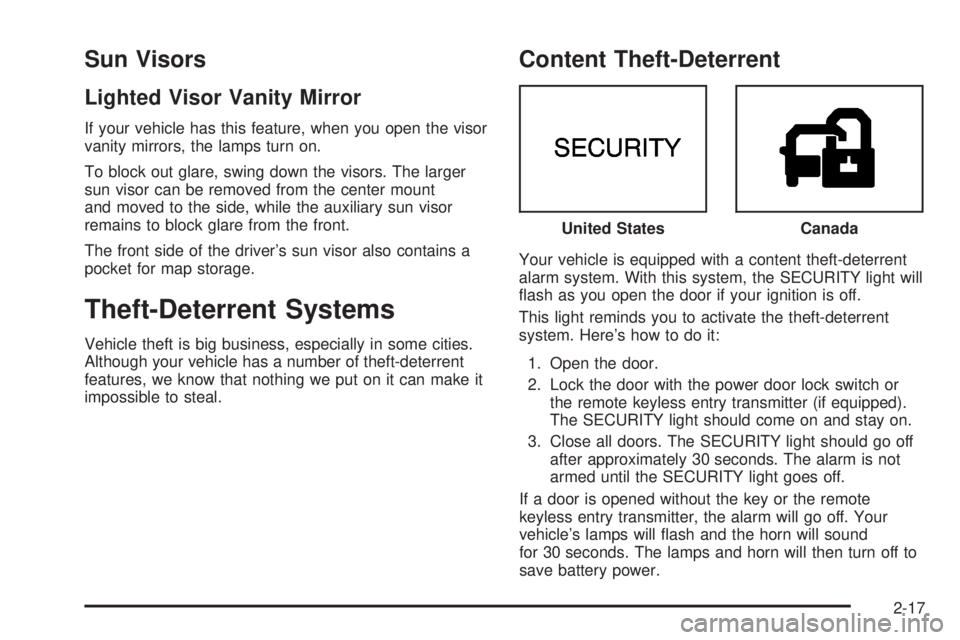
alarm system. With this system, the SECURITY light will
¯ash as you open the door if your ignition is off.
This light reminds you to activate the theft-deterrent
system. Here's how to do it:
1. Open the door.
2. Lock the door with the power door lock switch or
the remote keyless entry transmitter (if equipped).
The SECURITY light should come on and stay on.
3. Close all doors. The SECURITY light should go off
after approximately 30 seconds. The alarm is not
armed until the SECURITY light goes off.
If a door is opened without the key or the remote
keyless entry transmitter, the alarm will go off. Your
vehicle's lamps will ¯ash and the horn will sound
for 30 seconds. The lamps and horn will then turn off to
save battery power.United States
Canada
2-17
Page 82 of 372
Remember, the theft-deterrent system won't activate if
you lock the doors with a key or use the manual
door lock. It activates only if you use a power door lock
switch with the door open, or with the remote keyless
entry transmitter. You should also remember that
you can start your vehicle with the correct ignition key if
the alarm has been set off.
Here's how to avoid setting off the alarm by accident:
·If you don't want to activate the theft-deterrent
system, the vehicle should be locked with the door
key
afterthe doors are closed.
·Always unlock a door with a key, or use the remote
keyless entry transmitter. Unlocking a door any
other way will set off the alarm.
If you set off the alarm by accident, unlock any door
with your key. You can also turn off the alarm by
pressing the unlock button on the remote keyless entry
transmitter. The alarm won't stop if you try to unlock
a door any other way.
Testing the Alarm
The alarm can be tested by following these steps:
1. From inside the vehicle, roll down the driver's
window and open the driver's door.
2. Activate the system by locking the doors using the
power door lock switch while the door is open, or
using the remote keyless entry transmitter.
3. Get out of the car, close the door and wait for the
SECURITY light to go out.
4. Then reach in through the window, unlock the door
with the manual door lock and open the door. This
should set off the alarm.
If the alarm does not sound when it should, but the
vehicle's lamps ¯ash, check to see if the horn works.
The horn fuse may be blown. To replace the fuse,
see
Fuses and Circuit Breakers on page 5-87.
If the alarm does not sound or the vehicle's lamps do
not ¯ash, the vehicle should be serviced by an
authorized service center.
2-18
Page 83 of 372
PASS-KeyžIII
Your PASS-KeyžIII system operates on a radio
frequency subject to Federal Communications
Commission (FCC) Rules and with Industry Canada.
This device complies with Part 15 of the FCC Rules.
Operation is subject to the following two conditions:
(1) this device may not cause harmful interference, and
(2) this device must accept any interference received,
including interference that may cause undesired
operation.
This device complies with RSS-210 of Industry Canada.
Operation is subject to the following two conditions:
(1) this device may not cause interference, and (2) this
device must accept any interference received,
including interference that may cause undesired
operation of the device.
Changes or modi®cations to this system by other than
an authorized service facility could void authorization to
use this equipment.
PASS-Key
žIII uses a radio frequency transponder in
the key that matches a decoder in your vehicle.
PASS-KeyžIII Operation
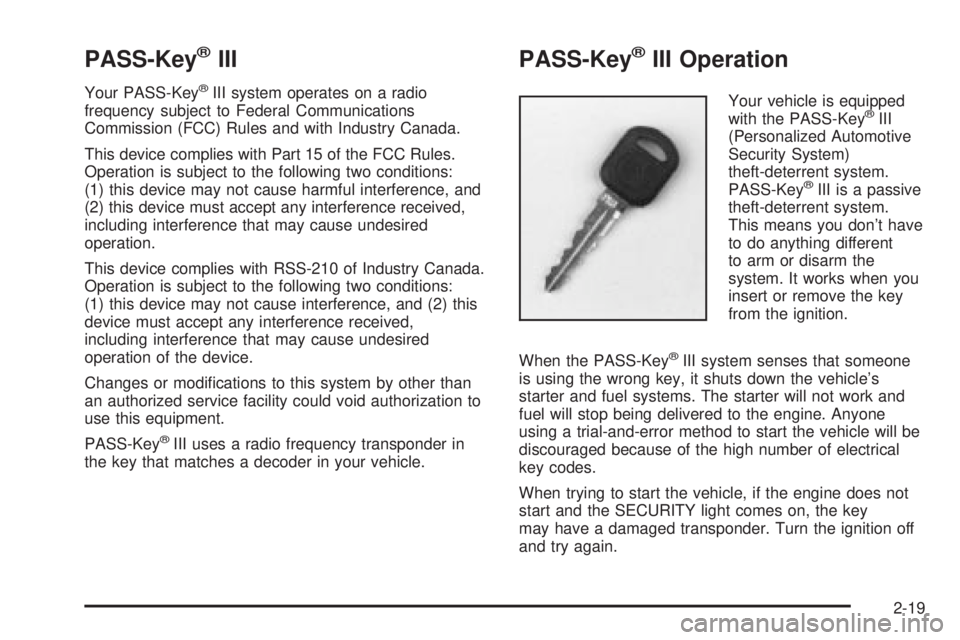
Your vehicle is equipped
with the PASS-KeyžIII
(Personalized Automotive
Security System)
theft-deterrent system.
PASS-Key
žIII is a passive
theft-deterrent system.
This means you don't have
to do anything different
to arm or disarm the
system. It works when you
insert or remove the key
from the ignition.
When the PASS-Key
žIII system senses that someone
is using the wrong key, it shuts down the vehicle's
starter and fuel systems. The starter will not work and
fuel will stop being delivered to the engine. Anyone
using a trial-and-error method to start the vehicle will be
discouraged because of the high number of electrical
key codes.
When trying to start the vehicle, if the engine does not
start and the SECURITY light comes on, the key
may have a damaged transponder. Turn the ignition off
and try again.
2-19
Page 84 of 372
If the engine still does not start, and the key appears to
be undamaged, try another ignition key. At this time,
you may also want to check the fuse. See
Fuses
and Circuit Breakers on page 5-87. If the engine still
does not start with the other key, your vehicle needs
service. If your vehicle does start, the ®rst key may be
faulty. See your dealer who can service the
PASS-Key
žIII to have a new key made.
It is possible for the PASS-Key
žIII decoder to learn the
transponder value of a new or replacement key. Up
to 10 additional keys may be programmed for the
vehicle. This procedure is for programming additional
keys only.
Canadian Owners:If you lose or damage your keys,
only a GM dealer can service PASS-Key
žIII to
have new keys made. To program additional keys you
will need two current driver's keys. You must add a step
to the following procedure. After Step 2, repeat
Steps 1 and 2 with the second current driver's key. Then
continue with Step 3.To program the new key, do the following:
1. Verify that the new key has PK3
žstamped on it.
2. Insert the current driver's key in the ignition
and start the engine. If the engine will not start, see
your dealer for service.
3. After the engine has started, turn the key to OFF,
and remove the key.
4. Insert the key to be programmed and turn it to RUN
within 10 seconds of removing the previous key.
5. The SECURITY light will turn off once the key has
been programmed. It may not be apparent that the
SECURITY light went on due to how quickly the
key is programmed.
6. Repeat Steps 1 through 4 if additional keys are to
be programmed.
If you are ever driving and the SECURITY light comes
on and stays on, you will be able to restart your
engine if you turn it off. Your PASS-Key
žIII system,
however, is not working properly and must be serviced
by your dealer. Your vehicle is not protected by the
PASS-Key
žIII system at this time.
If you lose or damage a PASS-Key
žIII, see your dealer
to have a new key made.
2-20
Page 86 of 372
Notice:If your key seems stuck in LOCK and you
can't turn it, be sure you are using the correct key; if
so, is it all the way in? If it is, then turn the steering
wheel left and right while you turn the key hard.
Turn the key only with your hand. Using a tool
to force it could break the key or the ignition switch.
If none of these works, then your vehicle needs
service.
C (OFF):This position lets you turn off the engine but
still turn the steering wheel. It doesn't lock the
steering wheel like LOCK and it doesn't send any power
to the accessories. The instrument panel cluster will
remain powered in OFF to illuminate the gear shift
indicator. The cluster will also activate the parking brake
light when the parking brake is set. Use OFF if you
must have your vehicle in motion while the engine is not
running.
D (RUN):This is the position that the switch returns to
after you start your engine and release the ignition
key. This is the position for driving. Even when
the engine is not running, you can use RUN to operate
your electrical accessories and to display some
instrument panel warning lights.
E (START):This position starts your engine. When the
engine starts, release the ignition key. The switch
will return to RUN for normal driving.Key Reminder Warning
If you leave your key in the ignition, with the engine off,
you will hear a warning chime when you open the
driver's door.
Retained Accessory Power (RAP)
After you turn the ignition off and remove the key, you
will still have power to such accessories as the
radio, sunroof (option) and power windows for up to
10 minutes. Power is stopped if you open a door.
Starting Your Engine
Move your shift lever to PARK (P) or NEUTRAL (N).
Your engine won't start in any other position ± that's a
safety feature. To restart when you're already moving,
use NEUTRAL (N) only.
Notice:Don't try to shift to PARK (P) if your
vehicle is moving. If you do, you could damage the
transaxle. Shift to PARK (P) only when your
vehicle is stopped.
1. With your foot off the accelerator pedal, turn your
ignition key to START. When the engine starts, let
go of the key. The idle speed will go down as
your engine gets warm.
2-22
Page 91 of 372
Notice:Don't drive in SECOND (2) for more than
5 miles (8 km), or at speeds over 55 mph (90 km/h),
or you can damage your transaxle. Use AUTOMATIC
OVERDRIVE (
X) or THIRD (3) as much as
possible.
Don't shift into SECOND (2) unless you are going
slower than 65 mph (105 km/h), or you can damage
your engine.
FIRST (1):This position gives you even more power
but lower fuel economy than SECOND (2). You can use
it on very steep hills, or in deep snow or mud. If the
shift lever is put in FIRST (1), the transaxle won't shift
into ®rst gear until the vehicle is going slowly enough.
Notice:If your front wheels won't turn, don't
try to drive. This might happen if you were stuck in
very deep sand or mud or were up against a solid
object. You could damage your transaxle. Also,
if you stop when going uphill, don't hold your
vehicle there with only the accelerator pedal. This
could overheat and damage the transaxle. Use your
brakes to hold your vehicle in position on a hill.
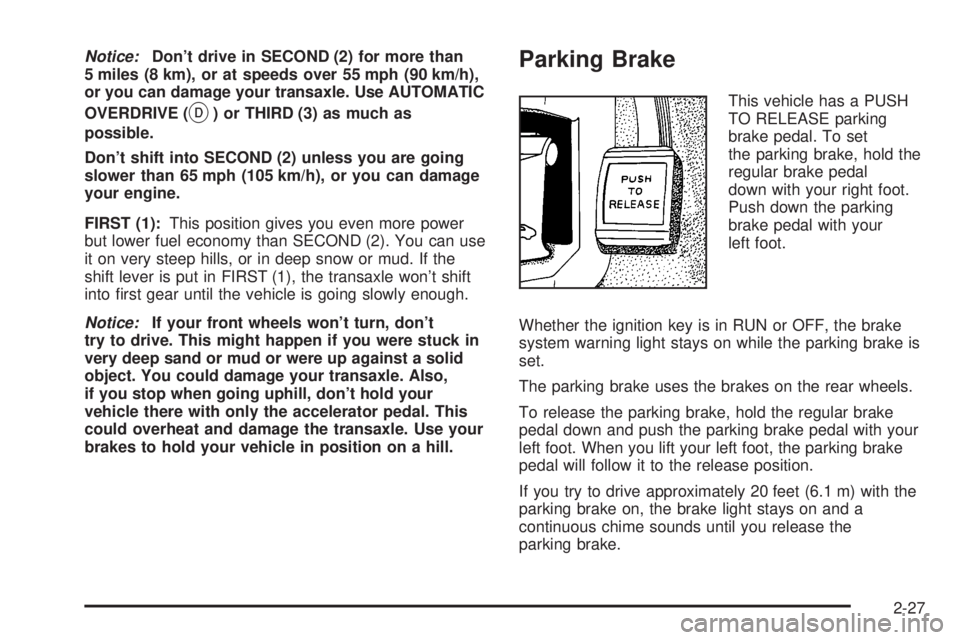
Parking Brake
This vehicle has a PUSH
TO RELEASE parking
brake pedal. To set
the parking brake, hold the
regular brake pedal
down with your right foot.
Push down the parking
brake pedal with your
left foot.
Whether the ignition key is in RUN or OFF, the brake
system warning light stays on while the parking brake is
set.
The parking brake uses the brakes on the rear wheels.
To release the parking brake, hold the regular brake
pedal down and push the parking brake pedal with your
left foot. When you lift your left foot, the parking brake
pedal will follow it to the release position.
If you try to drive approximately 20 feet (6.1 m) with the
parking brake on, the brake light stays on and a
continuous chime sounds until you release the
parking brake.
2-27
Page 97 of 372
Mirrors
Manual Rearview Mirror
When you are sitting in a comfortable driving position,
adjust the mirror so you can see clearly behind your
vehicle. Grip the mirror in the center to move it up
or down and side to side. The day/night adjustment
allows you to adjust the mirror to avoid glare from the
lamps behind you. Pull the tab forward for daytime use;
push it back for night use.
Automatic Dimming Rearview Mirror
Your vehicle may have an automatic dimming rearview
mirror. Your vehicle's mirror may also contain OnStarž
controls. SeeOnStaržSystem on page 2-37for
more information.
At night, when the glare is too high, the mirror will
gradually darken to reduce glare. This change may take
a few seconds. The mirror will return to its clear
daytime state when the glare is reduced.
Mirror Operation
AUTO:Press this button to turn on the automatic
dimming feature.
OFF:Press this button to turn off the automatic
dimming feature.
O(On/Off):For mirrors equipped with OnStarž
controls, press this button to turn on the automatic
dimming feature. To turn off automatic dimming, press
this button again.
The indicator light will be illuminated when this feature
is active.
Automatic Dimming Rearview Mirror
with Compass
Your vehicle may have an automatic dimming rearview
mirror with a compass. Your vehicle's mirror may
also contain OnStar
žcontrols. SeeOnStaržSystem on
page 2-37for more information.
The mirror also includes an eight-point compass display
in the upper right corner of the mirror face.
When cleaning the mirror, use a paper towel or similar
material dampened with glass cleaner. Do not spray
glass cleaner directly on the mirror as that may cause
the liquid cleaner to enter the mirror housing.
2-33
Page 98 of 372
Mirror Operation
MIRROR:Press this button to turn on the automatic
dimming feature. Press it again to turn off the automatic
dimming feature.
O(On/Off):For mirrors equipped with OnStarž
controls, press and hold this button for several seconds
to turn on the automatic dimming feature. Press and
hold it again to turn the automatic dimming feature off.
The green indicator light will come on when this
feature is active. The automatic dimming feature will be
active each time the vehicle is started.
Compass Operation
COMPASS:Press this button once to turn the compass
on or off.
O(On/Off):For mirrors equipped with OnStarž
controls, press this button once to turn the compass on
or off.
When the ignition and the compass feature are on, the
compass will show two character boxes for
approximately two seconds. After two seconds, the
mirror will display the compass heading.
Compass Calibration
When on, the compass automatically calibrates as the
vehicle is driven. If, after two seconds, the display
does not show a compass heading (N for North, for
example), there may be a strong magnetic ®eld
interfering with the compass. Such interference may be
caused by a magnetic antenna mount, magnetic
note pad holder or a similar magnetic item. If the
letter C should ever appear in the compass window, the
compass may need calibration.
The mirror can be calibrated by driving the vehicle in
circles at 5 mph (8 km/h) or less until the display reads a
direction.
Mirrors equipped with OnStar
žcontrols can be placed
in calibration mode by pressing and holding the
on/off button untilaCisshown in the compass display.
2-34
Page 103 of 372
HomeLinkžTransmitter
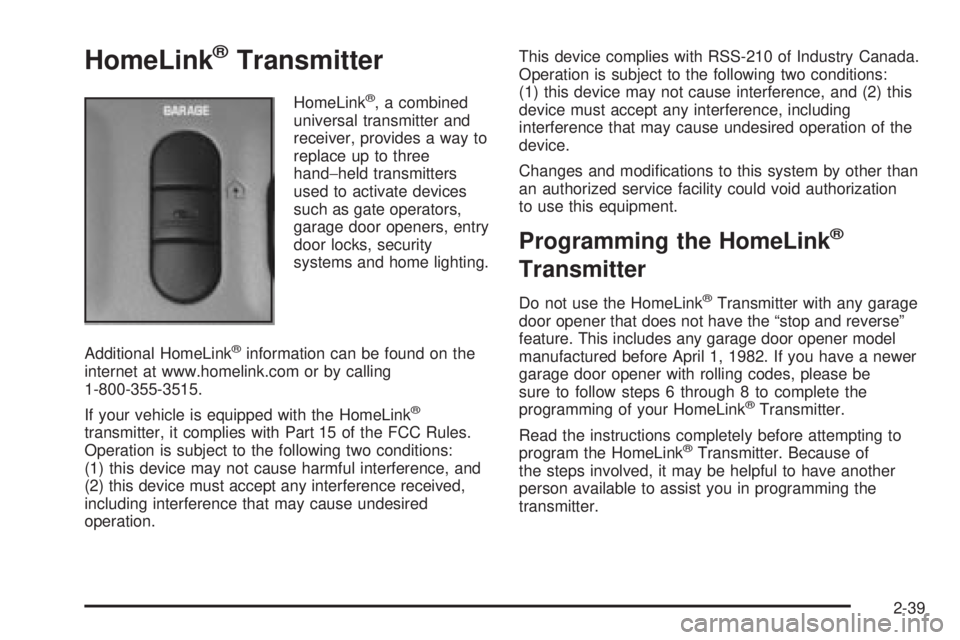
HomeLinkž, a combined
universal transmitter and
receiver, provides a way to
replace up to three
hand-held transmitters
used to activate devices
such as gate operators,
garage door openers, entry
door locks, security
systems and home lighting.
Additional HomeLink
žinformation can be found on the
internet at www.homelink.com or by calling
1-800-355-3515.
If your vehicle is equipped with the HomeLink
ž
transmitter, it complies with Part 15 of the FCC Rules.
Operation is subject to the following two conditions:
(1) this device may not cause harmful interference, and
(2) this device must accept any interference received,
including interference that may cause undesired
operation.This device complies with RSS-210 of Industry Canada.
Operation is subject to the following two conditions:
(1) this device may not cause interference, and (2) this
device must accept any interference, including
interference that may cause undesired operation of the
device.
Changes and modi®cations to this system by other than
an authorized service facility could void authorization
to use this equipment.
Programming the HomeLinkž
Transmitter
Do not use the HomeLinkžTransmitter with any garage
door opener that does not have the ªstop and reverseº
feature. This includes any garage door opener model
manufactured before April 1, 1982. If you have a newer
garage door opener with rolling codes, please be
sure to follow steps 6 through 8 to complete the
programming of your HomeLink
žTransmitter.
Read the instructions completely before attempting to
program the HomeLink
žTransmitter. Because of
the steps involved, it may be helpful to have another
person available to assist you in programming the
transmitter.
2-39