ECU BUICK PARK AVENUE 2003 Owner's Guide
[x] Cancel search | Manufacturer: BUICK, Model Year: 2003, Model line: PARK AVENUE, Model: BUICK PARK AVENUE 2003Pages: 372, PDF Size: 2.8 MB
Page 76 of 372
4. Press the lock button on the transmitter again. Each
time the lock button is pressed, the mode will
advance by one, going from Mode 3 to Mode 0 to
Mode 1, etc.
For each press of the lock button, the door locks
will activate in the same manner they would activate
in the corresponding automatic door lock mode.
For example, pressing the lock button on the
transmitter to advance to Mode 2 would result in all
doors locking and then, only the driver's door
would unlock. For Mode 0, no locking or unlocking
will occur.
5. Release the power door lock switch and turn the
ignition off. The automatic door locks will remain
in the most recent mode selected.
This procedure only changes the mode for the
transmitter used to change this setting.
If your vehicle is equipped with the Driver Information
Center (DIC), you can also program the automatic door
locks feature through the DIC. See
Driver Information
Center (DIC) on page 3-43.
Rear Door Security Locks
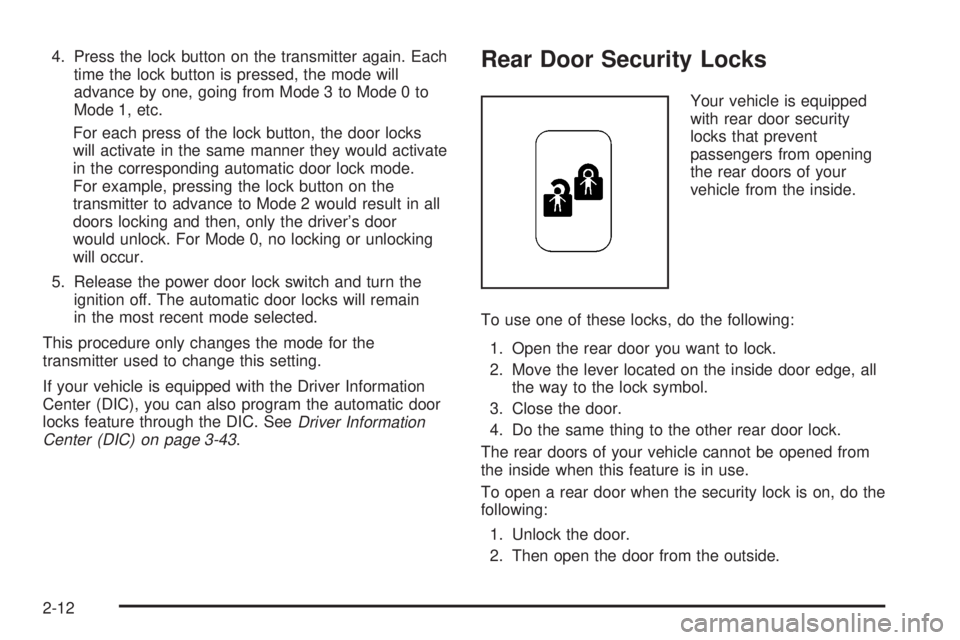
Your vehicle is equipped
with rear door security
locks that prevent
passengers from opening
the rear doors of your
vehicle from the inside.
To use one of these locks, do the following:
1. Open the rear door you want to lock.
2. Move the lever located on the inside door edge, all
the way to the lock symbol.
3. Close the door.
4. Do the same thing to the other rear door lock.
The rear doors of your vehicle cannot be opened from
the inside when this feature is in use.
To open a rear door when the security lock is on, do the
following:
1. Unlock the door.
2. Then open the door from the outside.
2-12
Page 77 of 372
If you don't cancel the security lock feature, adults or
older children who ride in the rear seat won't be able to
open the rear door from the inside. You should let
adults and older children know how these security locks
work, and how to cancel the locks.
To cancel the rear door lock, do the following:
1. Unlock and open the door from the outside.
2. Move the lever all the way to the unlock symbol.
3. Do the same for the other rear door.
The rear door locks will now work normally.
Lockout Protection
The power door locks will not work if the key is left in
the ignition and the driver's door is open. You can
override this feature by holding the power door lock
switch on the driver's door for more than three seconds.
Leaving Your Vehicle
If you are leaving the vehicle, take the keys, open the
door and set the locks from the inside, then get out and
close the door.
Trunk
{CAUTION:
It can be dangerous to drive with the trunk lid
open because carbon monoxide (CO) gas can
come into your vehicle. You can't see or smell
CO. It can cause unconsciousness and even
death. If you must drive with the trunk lid open
or if electrical wiring or other cable
connections must pass through the seal
between the body and the trunk lid:
·Make sure all other windows are shut.·Turn the fan on your heating or cooling
system to its highest speed and select the
control setting that will force outside air
into your vehicle. See ªClimate Control
Systemº in the Index.
·If you have air outlets on or under the
instrument panel, open them all the way.
See ªEngine Exhaustº in the Index.
Trunk Lock Release
To unlock the trunk from the outside, insert the master
key and turn it.
2-13
Page 78 of 372
Remote Trunk Release
Press the TRUNK button located to the left of the
steering column to release the trunk lid.
The trunk will open if the transaxle is in PARK (P) or
NEUTRAL (N) and the trunk release lockout is in
the unlocked position.
The remote keyless entry system will also unlock your
trunk if the ignition is off, or if the ignition is on and
the transaxle is in PARK (P).
Remote Trunk Release Lockout
The remote trunk release lockout button allows you to
secure items in the trunk.
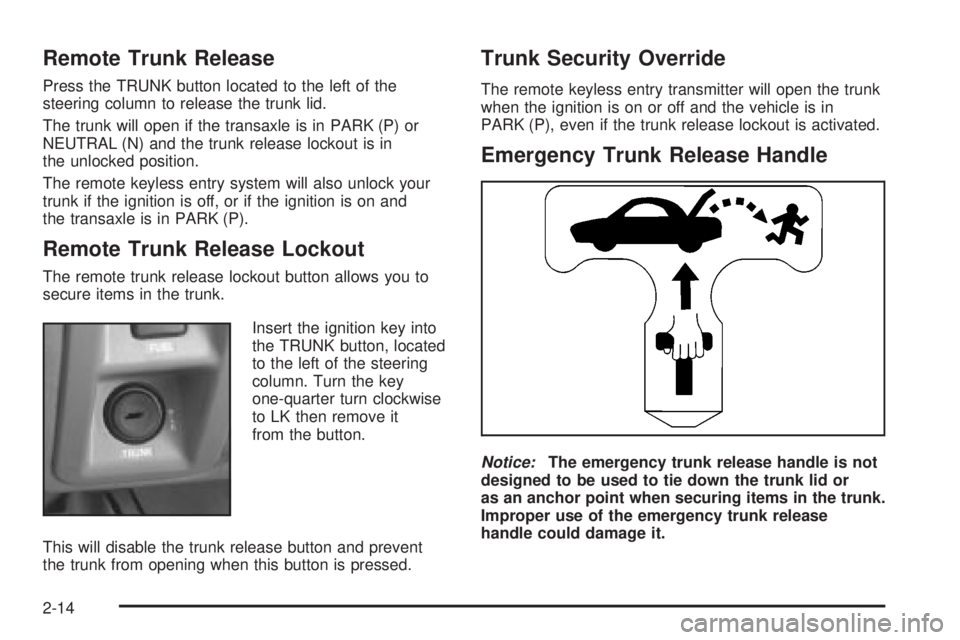
Insert the ignition key into
the TRUNK button, located
to the left of the steering
column. Turn the key
one-quarter turn clockwise
to LK then remove it
from the button.
This will disable the trunk release button and prevent
the trunk from opening when this button is pressed.
Trunk Security Override
The remote keyless entry transmitter will open the trunk
when the ignition is on or off and the vehicle is in
PARK (P), even if the trunk release lockout is activated.
Emergency Trunk Release Handle
Notice:The emergency trunk release handle is not
designed to be used to tie down the trunk lid or
as an anchor point when securing items in the trunk.
Improper use of the emergency trunk release
handle could damage it.
2-14
Page 81 of 372
Sun Visors
Lighted Visor Vanity Mirror
If your vehicle has this feature, when you open the visor
vanity mirrors, the lamps turn on.
To block out glare, swing down the visors. The larger
sun visor can be removed from the center mount
and moved to the side, while the auxiliary sun visor
remains to block glare from the front.
The front side of the driver's sun visor also contains a
pocket for map storage.
Theft-Deterrent Systems
Vehicle theft is big business, especially in some cities.
Although your vehicle has a number of theft-deterrent
features, we know that nothing we put on it can make it
impossible to steal.
Content Theft-Deterrent
Your vehicle is equipped with a content theft-deterrent
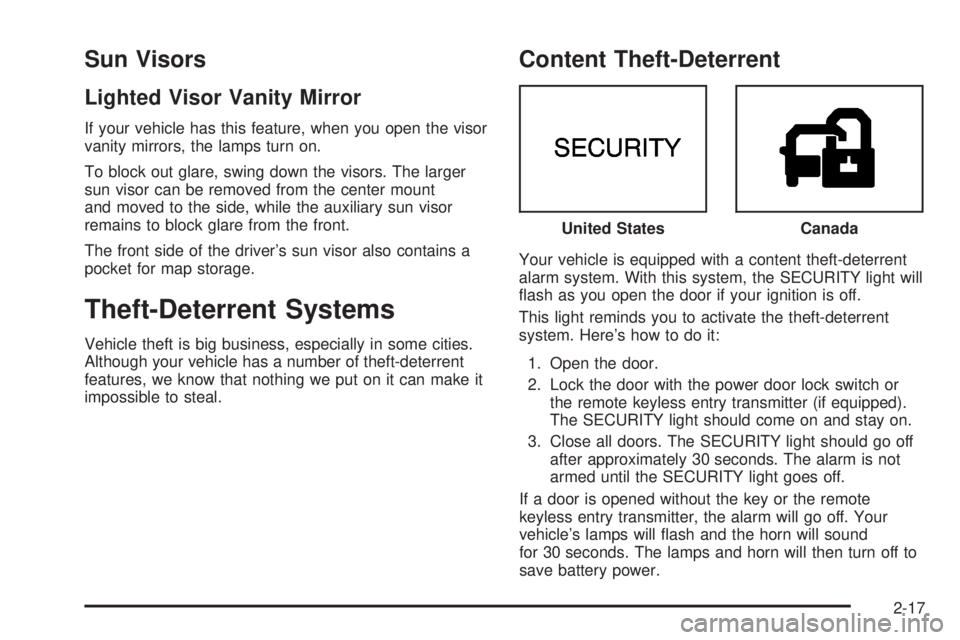
alarm system. With this system, the SECURITY light will
¯ash as you open the door if your ignition is off.
This light reminds you to activate the theft-deterrent
system. Here's how to do it:
1. Open the door.
2. Lock the door with the power door lock switch or
the remote keyless entry transmitter (if equipped).
The SECURITY light should come on and stay on.
3. Close all doors. The SECURITY light should go off
after approximately 30 seconds. The alarm is not
armed until the SECURITY light goes off.
If a door is opened without the key or the remote
keyless entry transmitter, the alarm will go off. Your
vehicle's lamps will ¯ash and the horn will sound
for 30 seconds. The lamps and horn will then turn off to
save battery power.United States
Canada
2-17
Page 82 of 372
Remember, the theft-deterrent system won't activate if
you lock the doors with a key or use the manual
door lock. It activates only if you use a power door lock
switch with the door open, or with the remote keyless
entry transmitter. You should also remember that
you can start your vehicle with the correct ignition key if
the alarm has been set off.
Here's how to avoid setting off the alarm by accident:
·If you don't want to activate the theft-deterrent
system, the vehicle should be locked with the door
key
afterthe doors are closed.
·Always unlock a door with a key, or use the remote
keyless entry transmitter. Unlocking a door any
other way will set off the alarm.
If you set off the alarm by accident, unlock any door
with your key. You can also turn off the alarm by
pressing the unlock button on the remote keyless entry
transmitter. The alarm won't stop if you try to unlock
a door any other way.
Testing the Alarm
The alarm can be tested by following these steps:
1. From inside the vehicle, roll down the driver's
window and open the driver's door.
2. Activate the system by locking the doors using the
power door lock switch while the door is open, or
using the remote keyless entry transmitter.
3. Get out of the car, close the door and wait for the
SECURITY light to go out.
4. Then reach in through the window, unlock the door
with the manual door lock and open the door. This
should set off the alarm.
If the alarm does not sound when it should, but the
vehicle's lamps ¯ash, check to see if the horn works.
The horn fuse may be blown. To replace the fuse,
see
Fuses and Circuit Breakers on page 5-87.
If the alarm does not sound or the vehicle's lamps do
not ¯ash, the vehicle should be serviced by an
authorized service center.
2-18
Page 83 of 372
PASS-KeyžIII
Your PASS-KeyžIII system operates on a radio
frequency subject to Federal Communications
Commission (FCC) Rules and with Industry Canada.
This device complies with Part 15 of the FCC Rules.
Operation is subject to the following two conditions:
(1) this device may not cause harmful interference, and
(2) this device must accept any interference received,
including interference that may cause undesired
operation.
This device complies with RSS-210 of Industry Canada.
Operation is subject to the following two conditions:
(1) this device may not cause interference, and (2) this
device must accept any interference received,
including interference that may cause undesired
operation of the device.
Changes or modi®cations to this system by other than
an authorized service facility could void authorization to
use this equipment.
PASS-Key
žIII uses a radio frequency transponder in
the key that matches a decoder in your vehicle.
PASS-KeyžIII Operation
Your vehicle is equipped
with the PASS-KeyžIII
(Personalized Automotive
Security System)
theft-deterrent system.
PASS-Key
žIII is a passive
theft-deterrent system.
This means you don't have
to do anything different
to arm or disarm the
system. It works when you
insert or remove the key
from the ignition.
When the PASS-Key
žIII system senses that someone
is using the wrong key, it shuts down the vehicle's
starter and fuel systems. The starter will not work and
fuel will stop being delivered to the engine. Anyone
using a trial-and-error method to start the vehicle will be
discouraged because of the high number of electrical
key codes.
When trying to start the vehicle, if the engine does not
start and the SECURITY light comes on, the key
may have a damaged transponder. Turn the ignition off
and try again.
2-19
Page 84 of 372
If the engine still does not start, and the key appears to
be undamaged, try another ignition key. At this time,
you may also want to check the fuse. See
Fuses
and Circuit Breakers on page 5-87. If the engine still
does not start with the other key, your vehicle needs
service. If your vehicle does start, the ®rst key may be
faulty. See your dealer who can service the
PASS-Key
žIII to have a new key made.
It is possible for the PASS-Key
žIII decoder to learn the
transponder value of a new or replacement key. Up
to 10 additional keys may be programmed for the
vehicle. This procedure is for programming additional
keys only.
Canadian Owners:If you lose or damage your keys,
only a GM dealer can service PASS-Key
žIII to
have new keys made. To program additional keys you
will need two current driver's keys. You must add a step
to the following procedure. After Step 2, repeat
Steps 1 and 2 with the second current driver's key. Then
continue with Step 3.To program the new key, do the following:
1. Verify that the new key has PK3
žstamped on it.
2. Insert the current driver's key in the ignition
and start the engine. If the engine will not start, see
your dealer for service.
3. After the engine has started, turn the key to OFF,
and remove the key.
4. Insert the key to be programmed and turn it to RUN
within 10 seconds of removing the previous key.
5. The SECURITY light will turn off once the key has
been programmed. It may not be apparent that the
SECURITY light went on due to how quickly the
key is programmed.
6. Repeat Steps 1 through 4 if additional keys are to
be programmed.
If you are ever driving and the SECURITY light comes
on and stays on, you will be able to restart your
engine if you turn it off. Your PASS-Key
žIII system,
however, is not working properly and must be serviced
by your dealer. Your vehicle is not protected by the
PASS-Key
žIII system at this time.
If you lose or damage a PASS-Key
žIII, see your dealer
to have a new key made.
2-20
Page 101 of 372
Outside Convex Mirror
Your passenger's side mirror is convex. A convex
mirror's surface is curved so you can see more from the
driver's seat.
{CAUTION:
A convex mirror can make things (like other
vehicles) look farther away than they really are.
If you cut too sharply into the right lane, you
could hit a vehicle on your right. Check your
inside mirror or glance over your shoulder
before changing lanes.
Outside Automatic Dimming
Heated Mirror
If you have this feature, the driver's side outside
rearview mirror will adjust for the glare of headlamps
behind you. This feature is controlled using the on and
off settings on the automatic dimming rearview mirror.
See ªAutomatic Dimming Rearview Mirrorº or ªAutomatic
Dimming Rearview Mirror with Compassº earlier in
this section.If you have this feature, the left and right outside mirrors
are also heated when you activate the rear window
defogger. See ªRear Window Defoggerº under
Dual Automatic Climate Control System on page 3-22.
Both outside mirrors can be folded forward or rearward.
In the rearward position, they will fold ¯ush with the
vehicle. This feature is particularly useful in automatic
car washes.
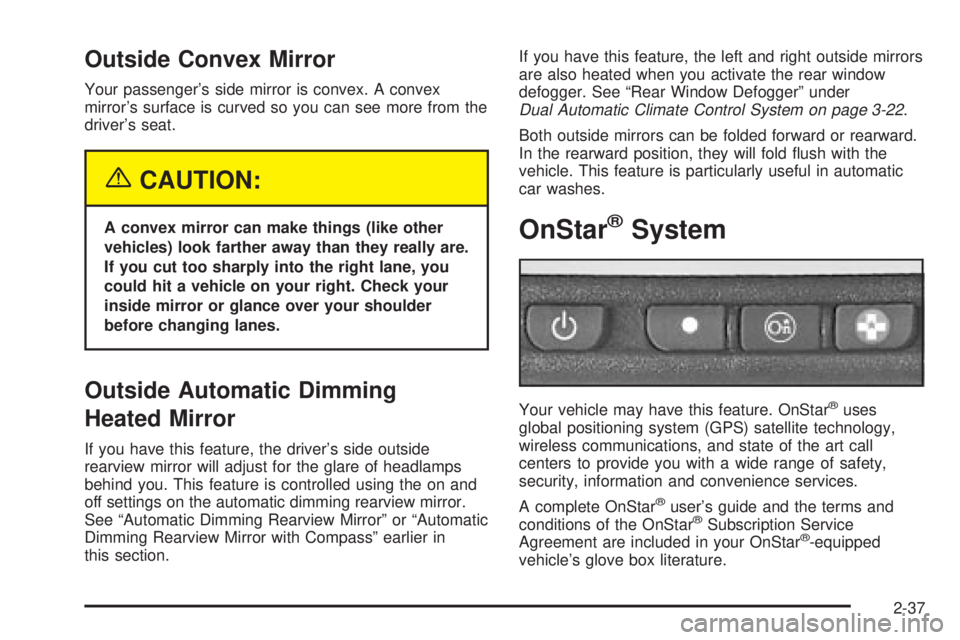
OnStaržSystem
Your vehicle may have this feature. OnStaržuses
global positioning system (GPS) satellite technology,
wireless communications, and state of the art call
centers to provide you with a wide range of safety,
security, information and convenience services.
A complete OnStar
žuser's guide and the terms and
conditions of the OnStaržSubscription Service
Agreement are included in your OnStarž-equipped
vehicle's glove box literature.
2-37
Page 103 of 372
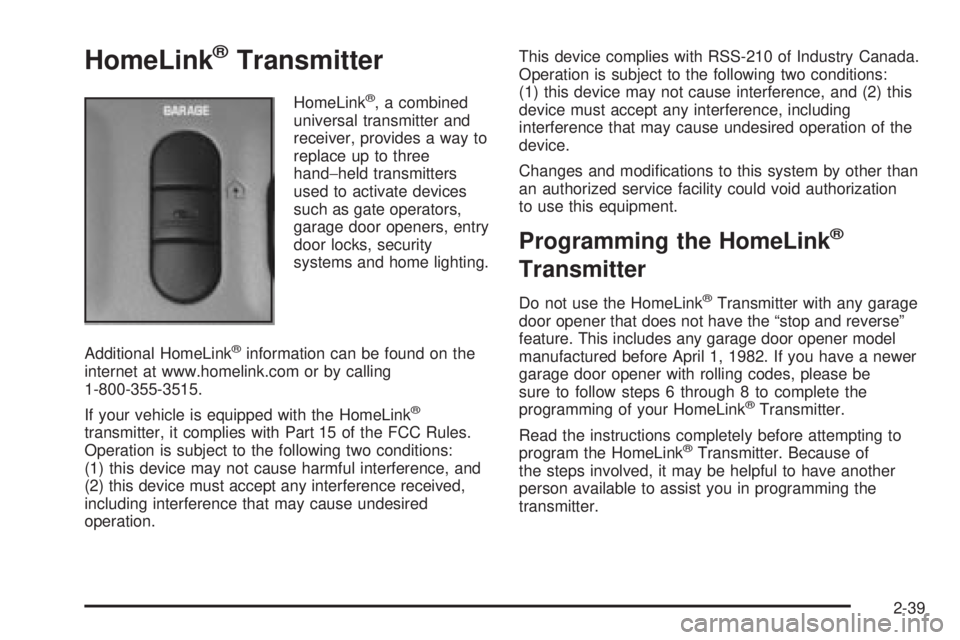
HomeLinkžTransmitter
HomeLinkž, a combined
universal transmitter and
receiver, provides a way to
replace up to three
hand-held transmitters
used to activate devices
such as gate operators,
garage door openers, entry
door locks, security
systems and home lighting.
Additional HomeLink
žinformation can be found on the
internet at www.homelink.com or by calling
1-800-355-3515.
If your vehicle is equipped with the HomeLink
ž
transmitter, it complies with Part 15 of the FCC Rules.
Operation is subject to the following two conditions:
(1) this device may not cause harmful interference, and
(2) this device must accept any interference received,
including interference that may cause undesired
operation.This device complies with RSS-210 of Industry Canada.
Operation is subject to the following two conditions:
(1) this device may not cause interference, and (2) this
device must accept any interference, including
interference that may cause undesired operation of the
device.
Changes and modi®cations to this system by other than
an authorized service facility could void authorization
to use this equipment.
Programming the HomeLinkž
Transmitter
Do not use the HomeLinkžTransmitter with any garage
door opener that does not have the ªstop and reverseº
feature. This includes any garage door opener model
manufactured before April 1, 1982. If you have a newer
garage door opener with rolling codes, please be
sure to follow steps 6 through 8 to complete the
programming of your HomeLink
žTransmitter.
Read the instructions completely before attempting to
program the HomeLink
žTransmitter. Because of
the steps involved, it may be helpful to have another
person available to assist you in programming the
transmitter.
2-39
Page 104 of 372
Keep the original transmitter for use in other vehicles as
well as for future HomeLinkžprogramming. It is also
recommended that upon the sale of the vehicle,
the programmed HomeLink
žbuttons should be erased
for security purposes. Refer to ªErasing HomeLinkž
Buttonsº or, for assistance, contact HomeLinkžon the
internet at: www.homelink.com or by calling
1-800-355-3515.
Be sure that people and objects are clear of the garage
door or gate operator you are programming. When
programming a garage door, it is advised to park outside
of the garage.
It is recommended that a new battery be installed in
your hand-held transmitter for quicker and more
accurate transmission of the radio frequency.
Your vehicle's engine should be turned off while
programming the transmitter. Follow these steps to
program up to three channels:
1. Press and hold down the two outside buttons,
releasing only when the indicator light begins to
¯ash, after 20 seconds. Do not hold down the
buttons for longer than 30 seconds and do not
repeat this step to program a second and/or third
transmitter to the remaining two HomeLink
žbuttons.
2. Position the end of your hand-held transmitter about
1 to 3 inches (3 to 8 cm) away from the HomeLink
ž
buttons while keeping the indicator light in view.3. Simultaneously press and hold both the desired
button on HomeLink
žand the hand-held transmitter
button. Do not release the buttons until Step 4
has been completed.
Some entry gates and garage door openers may
require you to substitute Step 3 with the procedure
noted in ªGate Operator and Canadian
Programmingº later in this section.
4. The indicator light will ¯ash slowly at ®rst and then
rapidly after HomeLink
žsuccessfully receives the
frequency signal from the hand-held transmitter.
Release both buttons.
5. Press and hold the newly-trained HomeLink
žbutton
and observe the indicator light.
If the indicator light stays on constantly,
programming is complete and your device should
activate when the HomeLink
žbutton is pressed and
released.
To program the remaining two HomeLink
žbuttons,
begin with Step 2 under ªProgramming HomeLinkž.º
Do not repeat Step 1 as this will erase all of the
programmed channels.
If the indicator light blinks rapidly for two seconds
and then turns to a constant light, continue with
Steps 6 through 8 following to complete the
programming of a rolling-code equipped device
(most commonly, a garage door opener).
2-40