instrument panel BUICK REGAL 2004 Owner's Guide
[x] Cancel search | Manufacturer: BUICK, Model Year: 2004, Model line: REGAL, Model: BUICK REGAL 2004Pages: 354, PDF Size: 4.16 MB
Page 109 of 354
Exterior Lamps
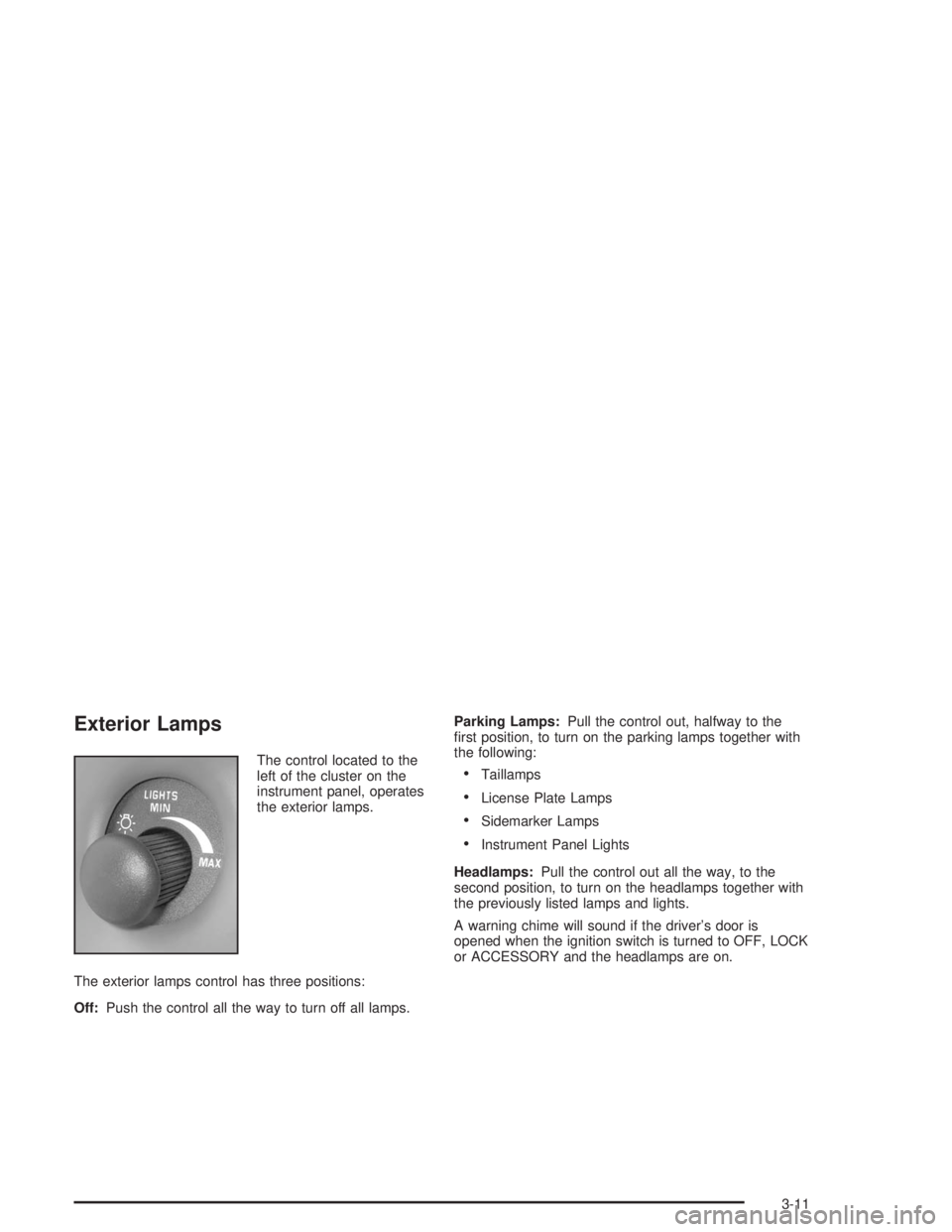
The control located to the
left of the cluster on the
instrument panel, operates
the exterior lamps.
The exterior lamps control has three positions:
Off:Push the control all the way to turn off all lamps.Parking Lamps:Pull the control out, halfway to the
rst position, to turn on the parking lamps together with
the following:Taillamps
License Plate Lamps
Sidemarker Lamps
Instrument Panel Lights
Headlamps:Pull the control out all the way, to the
second position, to turn on the headlamps together with
the previously listed lamps and lights.
A warning chime will sound if the driver’s door is
opened when the ignition switch is turned to OFF, LOCK
or ACCESSORY and the headlamps are on.
3-11
Page 110 of 354
Daytime Running Lamps / Automatic
Headlamp System
Daytime Running Lamps (DRL) can make it easier for
others to see the front of your vehicle during the
day. DRL can be helpful in many different driving
conditions, but they can be especially helpful in the short
periods after dawn and before sunset. Daytime running
lamps are required to function at all times on all
vehicles rst sold in Canada.
A light sensor on top of the instrument panel makes the
DRL work, so be sure it is not covered.
The DRL system will make the front turn signal lamps
come on when the following conditions are met:
The ignition is on.
The exterior lamps control is off.
The parking brake is released.
While the DRL are on, only the vehicle’s front turn
signal lamps will also be on. The headlamps, taillamps,
sidemarker and other lamps will not be on. The
instrument panel will not be lit up either.
When it is dark enough outside, the front turn signal
lamps will turn off and the vehicle’s headlamps
and parking lamps will turn on. The other lamps that
come on with the headlamps will also come on.When it is bright enough outside, the headlamps will go
off and the front turn signal lamps will come on.
To idle the vehicle with the DRL and automatic
headlamp control off, set the parking brake while the
ignition is in OFF or LOCK. Then start the vehicle. The
DRL, headlamps and parking lamps will stay off until
the parking brake is released.
To turn off the automatic headlamp feature when it is
dark outside, move the exterior lamp control to the
parking lamp position. The parking lamps will remain
illuminated and the headlamps will turn off. The
fog lamps will also go on if they were on previously.
As with any vehicle, the regular headlamp system
should be turned on when needed.
Delayed Headlamps
Delayed headlamps illumination provides a period of
exterior lighting as you leave your vehicle. The feature is
activated when the vehicle’s headlamps are on due to
the automatic headlamp control feature described
previously in this section, and when the vehicle’s ignition
is turned off. The headlamps will then remain on until
the exterior lamps control is moved from OFF to
the parking lamp position or until a 90 second lighting
period has ended.
If the ignitionis turned off with the exterior lamps control
in the parking lamp or headlamps position, the
delayed headlamps illumination cycle will not occur.
3-12
Page 112 of 354

Interior Lamps
Instrument Panel Brightness
The instrument panel lights can be brightened or
dimmed by turning the exterior lamp knob. Turning the
knob all the way clockwise turns on the courtesy
lamps.
Courtesy Lamps
When any door is opened, several courtesy lamps come
on to make it easier to enter and exit the vehicle.
These lamps can also be turned on by turning the
exterior lamps control clockwise to MAX.
Entry Lighting
The courtesy lamps will come on and stay on for a set
time whenever the UNLOCK button on the remote
keyless entry transmitter is pressed.
The lamps will stay on while a door is opened and then
turn off automatically about 25 seconds after it is
closed. If the UNLOCK button is pressed and a door is
not opened, the lamps will turn off after about
40 seconds.Entry lighting includes a feature called theater dimming.
With theater dimming, the lamps do not turn off at
the end of the delay time. Instead, they slowly dim after
the delay time and then turn off.
The courtesy lamps turn off when the ignition key is
turned to RUN or START. They will come on again when
a door is opened.
Delayed Entry Lighting
Delayed entry lighting lights the vehicle’s interior for a
period of time after all the doors have been closed.
The ignition must be off for delayed entry lighting
to work. After all the doors have been closed, the
delayed entry lighting feature will continue to work until
one of the following occurs:
The ignition is in RUN.
The doors are locked.
Twenty ve seconds has elapsed.
If during the illumination period a door is opened, the
timed illumination period will be canceled and the interior
lamps will remain on.
3-14
Page 115 of 354
Ashtrays and Cigarette Lighter
The center front ashtray is located below the instrument
panel comfort controls.
To remove the ashtray, open the storage door. Then
open the ashtray lid, lift up and pull it out.
Notice:Holding a cigarette lighter in while it is
heating will not allow the lighter to back away from
the heating element when it is hot. Damage from
overheating may occur to the lighter or heating
element, or a fuse could be blown. Do not hold a
cigarette lighter in while it is heating.
Push the lighter to use it. When the heating element is
hot, the lighter will pop back out by itself.
Notice:If you put papers or other ammable items
in the ashtray, hot cigarettes or other smoking
materials could ignite them and possibly damage
your vehicle. Never put ammable items in the
ashtray.
Climate Controls
Dual Climate Control System
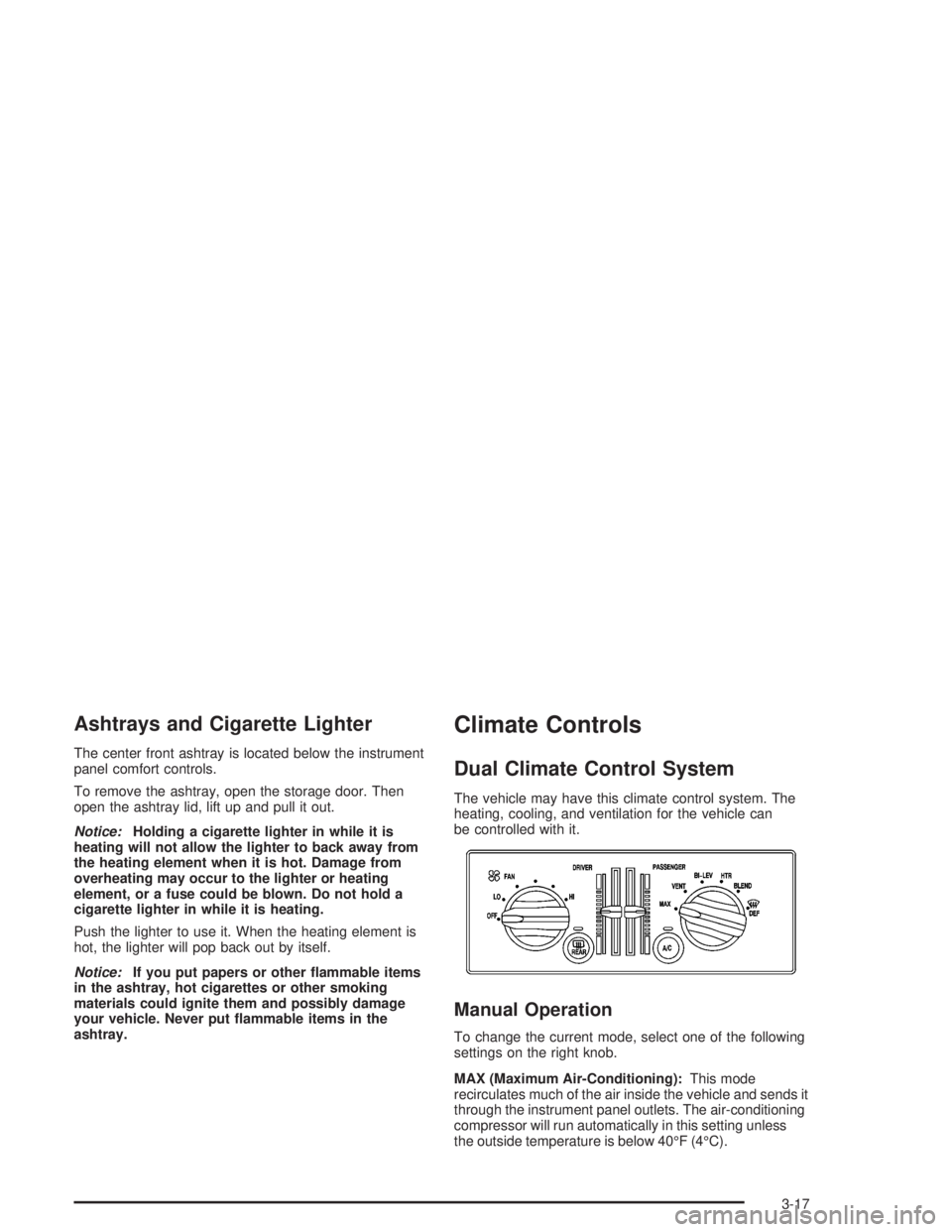
The vehicle may have this climate control system. The
heating, cooling, and ventilation for the vehicle can
be controlled with it.
Manual Operation
To change the current mode, select one of the following
settings on the right knob.
MAX (Maximum Air-Conditioning):This mode
recirculates much of the air inside the vehicle and sends it
through the instrument panel outlets. The air-conditioning
compressor will run automatically in this setting unless
the outside temperature is below 40°F (4°C).
3-17
Page 116 of 354

VENT (Ventilation):This mode brings in outside air
and directs it through the instrument panel outlets.
BI-LEV (Bi-Level):This mode directs approximately
half of the air to the instrument panel outlets, and then
directs most of the remaining air to the oor outlets.
Some air may be directed toward the windshield.
HTR (Heater):This mode directs most of the air to the
oor outlets, with some air directed to the outboard
outlets, for the side windows, and some air directed to
the windshield.
BLEND:This mode directs half of the air to go to the
oor outlets and half to the defroster and side window
outlets. The air-conditioning compressor will run
automatically in this setting unless the outside
temperature is below 40°F (4°C).
The right knob can also be used for the defrost mode.
Information on defrosting and defogging can be
found later in this section.
9FAN:The left knob controls the fan speed.
OFF:Turn the knob all the way counterclockwise to
turn off the fan.
LO (Low Fan Speed):This setting creates the lowest
fan speed.HI (High Fan Speed):This setting creates the highest
fan speed.
DRIVER (Driver’s Side Temperature):The lever on
the left adjusts the air temperature for the driver’s
side outlets. Slide the lever up to raise the temperature
and down to lower the temperature.
PASSENGER (Passenger’s Side Temperature):The
lever on the right adjusts the air temperature for the
passenger’s side outlets. Slide the lever up to raise the
temperature and down to lower the temperature.
"(Air Conditioning):Press this button to turn the
air-conditioning on and off. An indicator light above the
button will come on when the air conditioning is on.
During daylight hours the interior lighting control might
need adjustment to the highest setting in order for the
indicator light to be seen. The system will cool and
dehumidify the air inside the vehicle when the A/C
indicator light is on.
On very hot days, open the windows long enough to let
hot, inside air escape. This reduces the time for the
vehicle to cool down.
For a quick cool-down on a very hot day, use MAX with
the temperature levers all the way in the blue area. If this
setting is used for long periods of time, the air in the
vehicle may become too dry.
For normal cooling on hot days, use VENT with the
temperature levers in the blue area. The system will bring
in outside air and cool it.
3-18
Page 119 of 354

2. Press the AUTO button.
Choosing the coldest or warmest temperature
setting will not cause the system to heat or cool any
faster.
If the system is set at the warmest temperature
setting, 90°F (32°C), hot air will be directed to the
oor, the fan will increase to the highest speed, and
the system will remain in manual mode at that
temperature. The system will not return to automatic
until the temperature setting is lowered.
If the system is set at the coldest temperature
setting, 60°F (15°C), cold interior air will be
recirculated through the air panel outlets, and the
fan will increase to the highest speed. The
system will not return to automatic until the
temperature is raised.
In cold weather, the system will start at reduced fan
speeds to avoid blowing cold air into the vehicle
until warmer air is available. The system will
start out blowing air at the oor but may change
modes automatically as the vehicle warms up
to maintain the chosen temperature setting. The
length of time needed for warm up will depend on
the outside temperature and the length of time
that has elapsed since the vehicle was last driven.3. Wait for the system to regulate. This may take from
10 to 30 minutes. Then, adjust the temperature, if
necessary.
Do not cover the solar sensor located in the center
of the instrument panel, near the windshield. For
more information on the solar sensor, see
“Solar Sensor” later in this section.
Manual Operation
During daylight hours, the instrument panel brightness
control might need to be adjusted to the highest setting,
in order to see the indicator lights for the various
climate control settings.
OFF:Pressing the OFF button cancels automatic
operation and places the system in manual mode. Press
the AUTO button to return to automatic operation.
TEMP (Temperature):To manually adjust the
temperature inside the vehicle, press the up arrow on
the TEMP control to raise the temperature and press the
down arrow to lower the temperature. The display will
show the selection for a few seconds, and then the
outside temperature will be displayed.
When the DUAL light indicator is on, this means the
TEMP control has set the temperature for the driver.
When the DUAL light indicator light is not on, this means
the TEMP control has set the temperature for the
entire cabin.
3-21
Page 120 of 354
9FAN:Press the up arrow on the FAN control to
increase fan speed and the down arrow to decrease fan
speed. Pressing the arrows cancels the automatic
operation and places the system in manual mode. Press
the AUTO button to return to automatic operation. If
the airow seems low when the fan is at the highest
setting, the passenger compartment air lter, if
equipped, may need to be replaced. For more
information seePassenger Compartment Air Filter on
page 3-25andScheduled Maintenance on page 6-4.
AIR FLOW:This control has several settings to control
the direction of airow when the system is not in AUTO.
To access the various modes available, continue to press
the AIR FLOW up or down arrows until the desired mode,
listed below, appears in the display.
WINDSHIELD/FLOOR:This setting directs some of the
air to the oor outlets and some to the defroster and
side window outlets. The air-conditioning compressor will
run automatically in this setting unless the outside
temperature is below 40°F (4°C).
MID/FLOOR:This mode directs airow through both
the oor and the instrument panel outlets. A small
amount of air is directed to the windshield and the side
window outlets.
MID (Instrument Panel):This mode directs air through
the instrument panel outlets.FLOOR:This setting sends most of the air through the
outlets near the oor. The rest comes out of the
defroster and side window outlets.
VENT:Press this button to turn the air-conditioning
compressor on or off. The indicator light on the VENT
mode is lit when the compressor is turned off. The
interior brightness control might have to be adjusted to
the highest setting during the day in order to see
the indicator lamp.
VENT does not operate in the FRONT defrost mode.
RECIRC (Recirculation):Press this button to turn this
mode on or off. RECIRC limits the amount of outside
air coming into the vehicle and recirculates most of the
air inside your vehicle. It can be use to prevent
outside air and odors from entering the vehicle or to
quickly heat or cool the air inside the vehicle. When this
button is pressed an indicator light will come on. The
interior brightness control might have to be adjusted to
the highest setting during the day in order to see the
indicator lamp.
This setting is not permitted in FRONT defrost mode
and is only permitted in WINDSHIELD/FLOOR mode if
the compressor is turned on.
On hot days, open the windows to let hot air inside
escape; then close them. This helps to reduce the time
it takes for the vehicle to cool down. It also helps the
system to operate more efficiently.
3-22
Page 121 of 354

For quick cool down on hot days, press the AUTO
button. The system will automatically enter the
recirculation mode where the temperature will be at the
full cold position for maximum cooling.
The air-conditioning system removes moisture from the
air, so a small amount of water dripping underneath
the vehicle while it is idling or after the engine is turned
off is normal.
Operating the climate control system in the RECIRC
mode may cause fogging of the vehicle’s windows when
the weather is cold and damp. To clear the fog, select
either WINDSHIELD/FLOOR or defrost mode and
increase the speed.
Sensors
The solar sensor on the vehicle monitors the solar heat
and the air inside of the vehicle. This information is
used to maintain the selected temperature by regulating
adjustments to the temperature, the fan speed, and
the air delivery system. The system may also supply
cooler air to the side of the vehicle facing the sun. The
recirculation mode will also be activated, as necessary.
Do not cover the solar sensor located in the center
of the instrument panel, near the windshield, or
the system will not work properly.
Passenger Control
The arrow buttons to control the temperature on the
passenger side of the vehicle are located to the right of
the PASSENGER CONTROL window. Press the
DUAL button so that the indicator light is on. Press the
right arrow to raise the temperature and press the
left arrow to lower the temperature on the passenger
side of the vehicle.
If the indicator light below the arrows is amber this
indicates that the passenger side temperature is
set the same as the driver’s side.
If the indicator light below the arrows is red, this
indicates that the passenger side temperature is
set warmer than that of the driver’s side.
If the indicator light below the arrows is blue this
indicates that the passenger side temperature is
set cooler than that of the driver’s side.
Defogging and Defrosting
Fog on the outside of the windows is a result of high
humidity causing moisture to form and condense on the
cool window glass. This can be minimized if the climate
control system is used properly. There are two modes to
clear fog or frost from the windshield and side windows.
3-23
Page 125 of 354
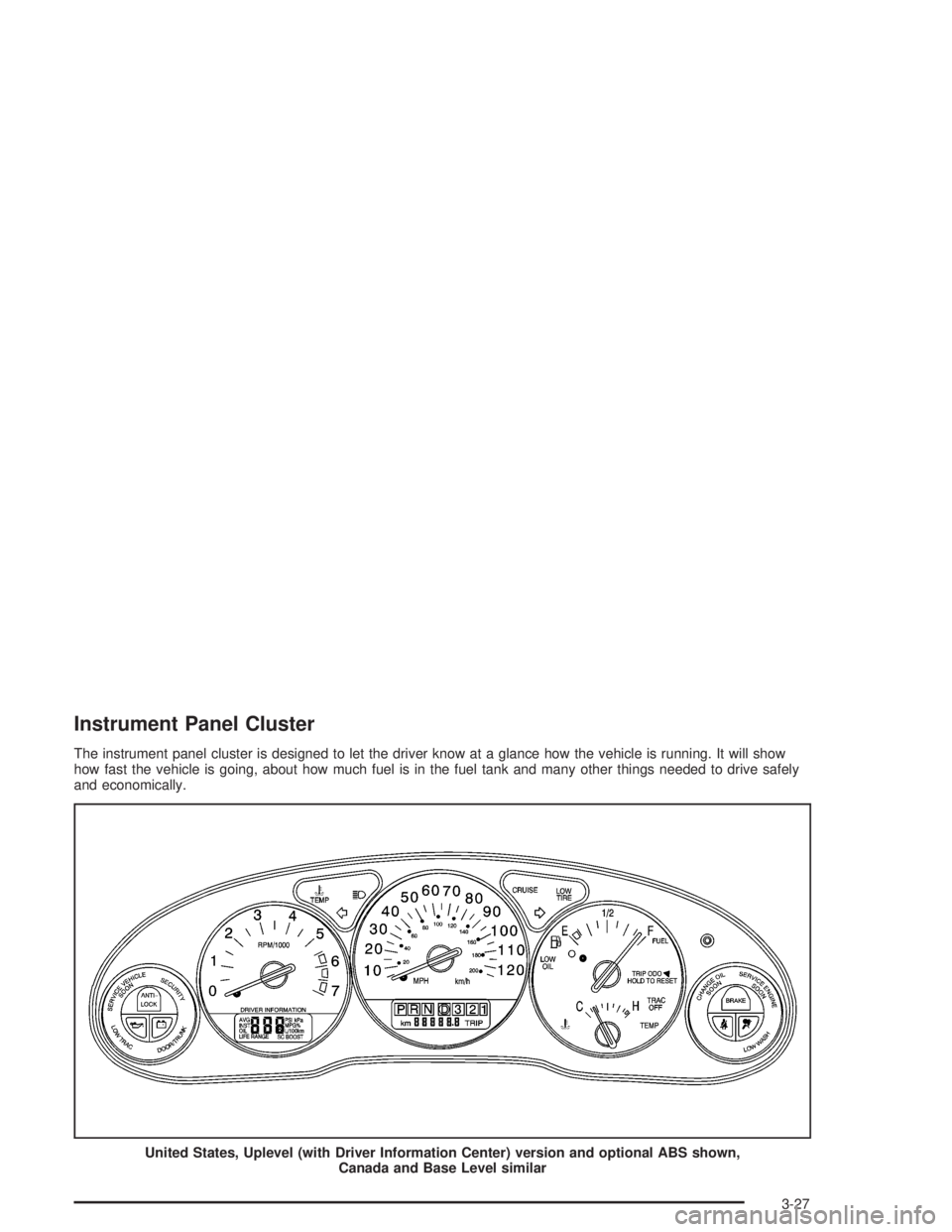
Instrument Panel Cluster
The instrument panel cluster is designed to let the driver know at a glance how the vehicle is running. It will show
how fast the vehicle is going, about how much fuel is in the fuel tank and many other things needed to drive safely
and economically.
United States, Uplevel (with Driver Information Center) version and optional ABS shown,
Canada and Base Level similar
3-27
Page 126 of 354
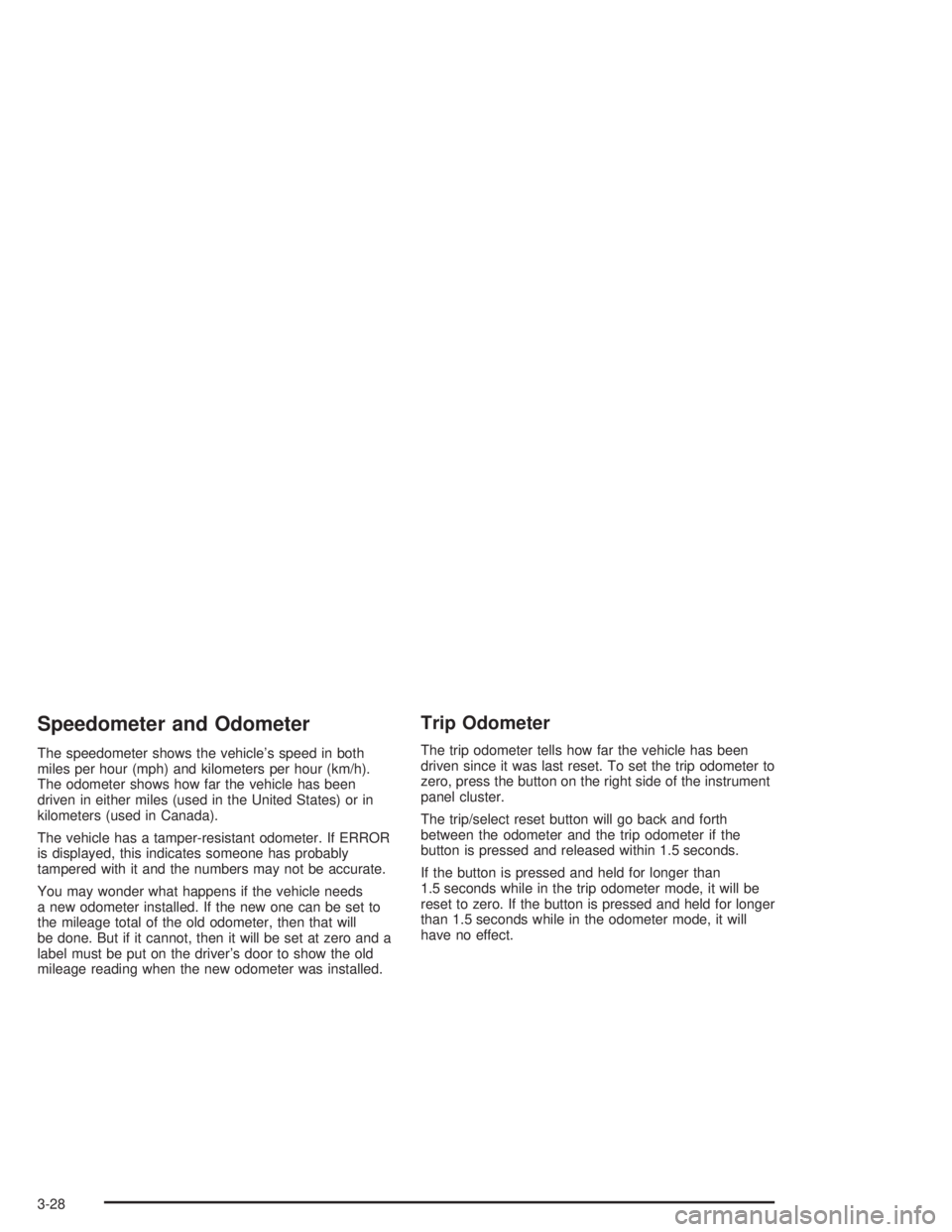
Speedometer and Odometer
The speedometer shows the vehicle’s speed in both
miles per hour (mph) and kilometers per hour (km/h).
The odometer shows how far the vehicle has been
driven in either miles (used in the United States) or in
kilometers (used in Canada).
The vehicle has a tamper-resistant odometer. If ERROR
is displayed, this indicates someone has probably
tampered with it and the numbers may not be accurate.
You may wonder what happens if the vehicle needs
a new odometer installed. If the new one can be set to
the mileage total of the old odometer, then that will
be done. But if it cannot, then it will be set at zero and a
label must be put on the driver’s door to show the old
mileage reading when the new odometer was installed.
Trip Odometer
The trip odometer tells how far the vehicle has been
driven since it was last reset. To set the trip odometer to
zero, press the button on the right side of the instrument
panel cluster.
The trip/select reset button will go back and forth
between the odometer and the trip odometer if the
button is pressed and released within 1.5 seconds.
If the button is pressed and held for longer than
1.5 seconds while in the trip odometer mode, it will be
reset to zero. If the button is pressed and held for longer
than 1.5 seconds while in the odometer mode, it will
have no effect.
3-28