wheel BUICK REGAL 2017 Owner's Guide
[x] Cancel search | Manufacturer: BUICK, Model Year: 2017, Model line: REGAL, Model: BUICK REGAL 2017Pages: 344, PDF Size: 4.91 MB
Page 116 of 344
Buick Regal Owner Manual (GMNA-Localizing-U.S./Canada/Mexico-
9804381) - 2017 - crc - 8/30/16
Instruments and Controls 115
antilock brakes and there is a
problem with the regular brakes.
SeeBrake System Warning Light
0 113.
See Brake System Messages 0126
for all brake-related DIC messages.
Lane Departure Warning
(LDW) Light
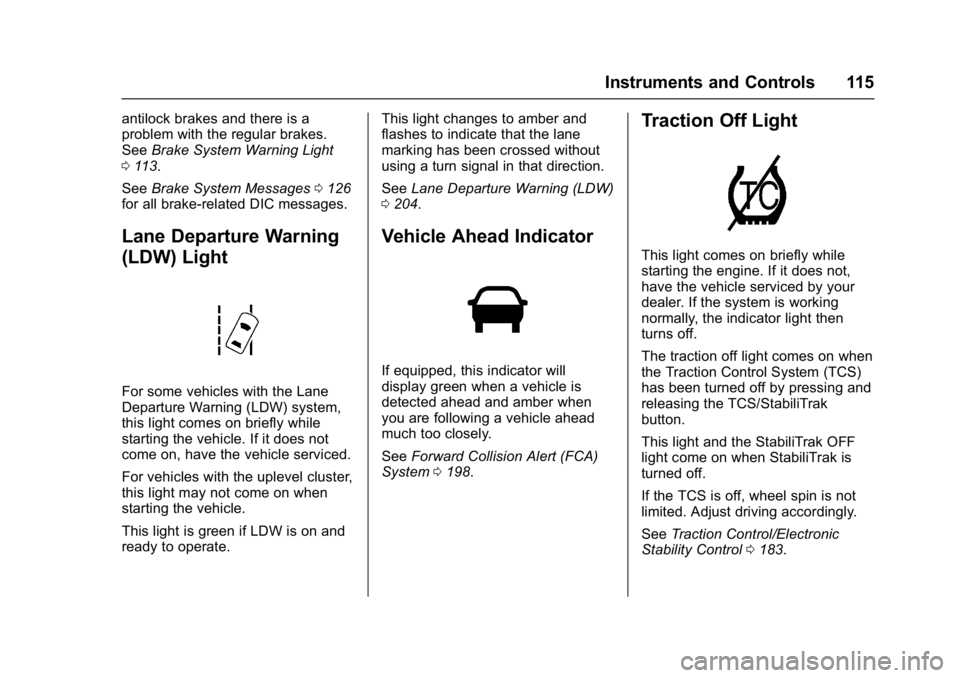
For some vehicles with the Lane
Departure Warning (LDW) system,
this light comes on briefly while
starting the vehicle. If it does not
come on, have the vehicle serviced.
For vehicles with the uplevel cluster,
this light may not come on when
starting the vehicle.
This light is green if LDW is on and
ready to operate. This light changes to amber and
flashes to indicate that the lane
marking has been crossed without
using a turn signal in that direction.
See
Lane Departure Warning (LDW)
0 204.
Vehicle Ahead Indicator
If equipped, this indicator will
display green when a vehicle is
detected ahead and amber when
you are following a vehicle ahead
much too closely.
See Forward Collision Alert (FCA)
System 0198.
Traction Off Light
This light comes on briefly while
starting the engine. If it does not,
have the vehicle serviced by your
dealer. If the system is working
normally, the indicator light then
turns off.
The traction off light comes on when
the Traction Control System (TCS)
has been turned off by pressing and
releasing the TCS/StabiliTrak
button.
This light and the StabiliTrak OFF
light come on when StabiliTrak is
turned off.
If the TCS is off, wheel spin is not
limited. Adjust driving accordingly.
See Traction Control/Electronic
Stability Control 0183.
Page 120 of 344
Buick Regal Owner Manual (GMNA-Localizing-U.S./Canada/Mexico-
9804381) - 2017 - crc - 8/30/16
Instruments and Controls 119
Lamps On Reminder
For vehicles with the lamps on
reminder light, it comes on when the
lights are in use.
Cruise Control Light
The cruise control light is white
when the cruise control is on and
ready, and turns green when the
cruise control is set and active.
SeeCruise Control 0186.
Adaptive Cruise Control Light
This light is white when the Adaptive
Cruise Control (ACC, if equipped) is
on and ready, and turns green when
the ACC is set and active. See
Adaptive Cruise Control 0188.
Door Ajar Light
When the ignition is on, this light
stays on until all doors are closed
and completely latched.
If a door is not closed properly, a
chime sounds after the engine is
started and the vehicle is not in
P (Park).
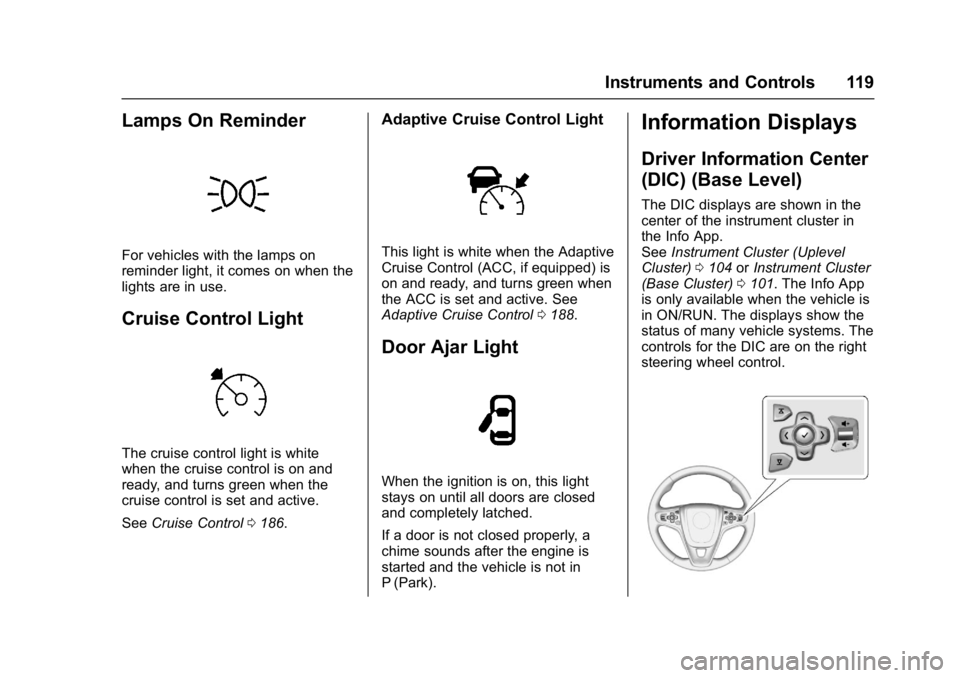
Information Displays
Driver Information Center
(DIC) (Base Level)
The DIC displays are shown in the
center of the instrument cluster in
the Info App.
See Instrument Cluster (Uplevel
Cluster) 0104 orInstrument Cluster
(Base Cluster) 0101. The Info App
is only available when the vehicle is
in ON/RUN. The displays show the
status of many vehicle systems. The
controls for the DIC are on the right
steering wheel control.
Page 123 of 344
Buick Regal Owner Manual (GMNA-Localizing-U.S./Canada/Mexico-
9804381) - 2017 - crc - 8/30/16
122 Instruments and Controls
engaged, the display switches to the
gap setting page. This page shows
the current gap setting.
SeeForward Collision Alert (FCA)
System 0198 andAdaptive Cruise
Control 0188.
Driver Information Center
(DIC) (Uplevel)
The DIC displays are shown in the
center of the instrument cluster in
the Info App.
See Instrument Cluster (Uplevel
Cluster) 0104 orInstrument Cluster
(Base Cluster) 0101. The Info App
is only available when the vehicle is
in ON/RUN. The displays show the
status of many vehicle systems. The
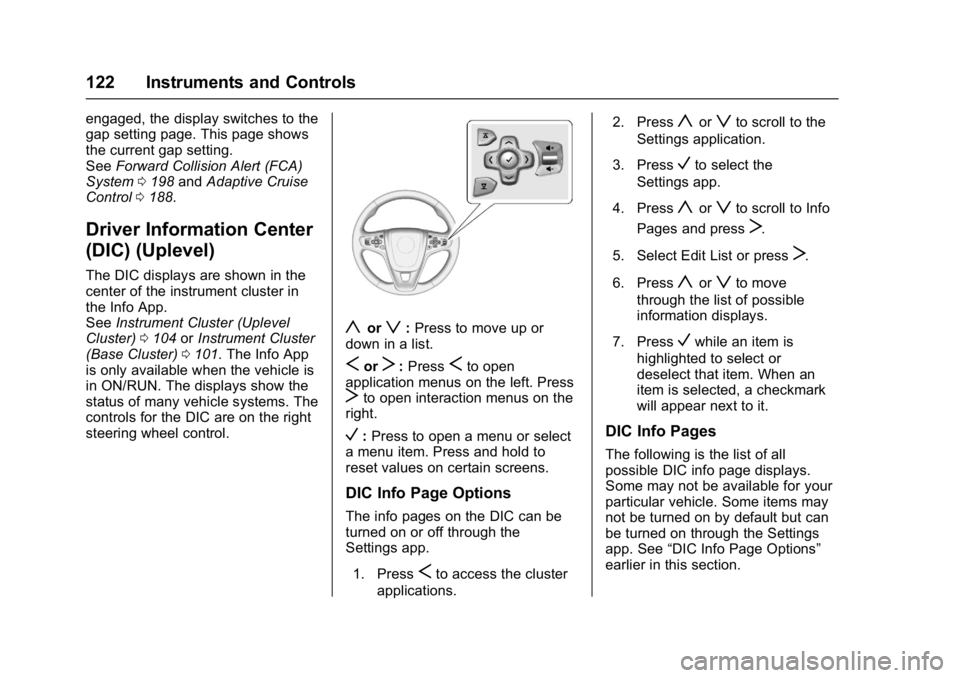
controls for the DIC are on the right
steering wheel control.
yorz: Press to move up or
down in a list.
SorT: PressSto open
application menus on the left. Press
Tto open interaction menus on the
right.
V: Press to open a menu or select
a menu item. Press and hold to
reset values on certain screens.
DIC Info Page Options
The info pages on the DIC can be
turned on or off through the
Settings app.
1. Press
Sto access the cluster
applications. 2. Press
yorzto scroll to the
Settings application.
3. Press
Vto select the
Settings app.
4. Press
yorzto scroll to Info
Pages and press
T.
5. Select Edit List or press
T.
6. Press
yorzto move
through the list of possible
information displays.
7. Press
Vwhile an item is
highlighted to select or
deselect that item. When an
item is selected, a checkmark
will appear next to it.
DIC Info Pages
The following is the list of all
possible DIC info page displays.
Some may not be available for your
particular vehicle. Some items may
not be turned on by default but can
be turned on through the Settings
app. See “DIC Info Page Options”
earlier in this section.
Page 132 of 344
Buick Regal Owner Manual (GMNA-Localizing-U.S./Canada/Mexico-
9804381) - 2017 - crc - 8/30/16
Instruments and Controls 131
REAR CROSS TRAFFIC
ALERT OFF
This message displays when the
Rear Cross Traffic Alert has been
turned off.
SERVICE DRIVING
ASSISTANCE SYSTEM
If this message displays, take the
vehicle to your dealer to repair the
system. Adaptive Cruise Control
(ACC), Forward Collision Alert
(FCA), and/or the Forward
Automatic Braking (FAB) may not
work. Do not use these systems
until the vehicle has been repaired.
SERVICE FRONT CAMERA
If this message remains on after
continued driving, the vehicle needs
service. Do not use the Lane
Departure Warning (LDW) and
Forward Collision Alert (FCA)
features. Take the vehicle to your
dealer.
SERVICE PARKING ASSIST
This message displays if there is a
problem with the Parking Assist
system. Do not use this system to
help you park. See your dealer for
service.
SERVICE SIDE DETECTION
SYSTEM
If this message remains on after
continued driving, the vehicle needs
service. Side Blind Zone Alert
(SBZA), Lane Change Alert (LCA),
and Rear Cross Traffic Alert (RCTA)
features will not work. Take the
vehicle to your dealer.
SIDE DETECTION SYSTEM
UNAVAILABLE
This message indicates that Side
Blind Zone Alert (SBZA), Lane
Change Alert (LCA), and Rear
Cross Traffic Alert (RCTA) are
disabled either because the sensor
is blocked and cannot detect
vehicles in the blind zone, or the
vehicle is passing through an open
area, such as the desert, where
there is insufficient data for
operation. This message may alsoactivate during heavy rain or due to
road spray. The vehicle does not
need service. For cleaning, see
"Washing the Vehicle" under
Exterior Care
0284.
Ride Control System
Messages
SERVICE ALL WHEEL DRIVE
SYSTEM
This message displays when there
is a problem with the AWD system.
This message could be set by a
number of issues. Some may
require service of the All Wheel
Drive system; some will not. The
vehicle will run in normal
two-wheel-drive mode when this
message has been set. This could
be caused by:
.
A vehicle or an AWD system
electronics problem.
. Various vehicle electrical issues.
. Worn out or overheated clutch
plates.
. Loss of fluids.
Page 133 of 344
Buick Regal Owner Manual (GMNA-Localizing-U.S./Canada/Mexico-
9804381) - 2017 - crc - 8/30/16
132 Instruments and Controls
If this message appears, stop when
it is safe to do so and turn off the
ignition for 30 seconds. Restart the
vehicle and check for the message
on the DIC display. If the message
does not appear it is not necessary
to take your vehicle to the dealer.
If the message still displays or
appears again when you begin
driving, the system needs service.
See your dealer.
SERVICE TRACTION
CONTROL
This message displays when there
is a problem with the Traction
Control System (TCS). When this
message is displayed, the system
will not limit wheel spin. Adjust your
driving accordingly. See your dealer
for service.
SERVICE STABILITRAK
This message displays if there is a
problem with the StabiliTrak system.
If this message appears, try to reset
the system. Stop; turn off the engine
for at least 15 seconds; then start
the engine again. If this message
still comes on, it means there is aproblem. See your dealer for
service. The vehicle is safe to drive;
however, you do not have the
benefit of StabiliTrak, so reduce
your speed and drive accordingly.
SPORT MODE ON
This message displays when using
the Selective Ride Control. See
Selective Ride Control
0185.
TRACTION CONTROL OFF
This message displays when the
Traction Control System (TCS) is
turned off. Adjust your driving
accordingly.
TRACTION CONTROL ON
This message displays when the
Traction Control System (TCS) is
turned on.
Security Messages
THEFT ATTEMPTED
This message displays if the vehicle
detects a tamper condition.
Starting the Vehicle
Messages
PRESS BRAKE TO START
This message is displayed when
attempting to start the vehicle
without first pressing the brake
pedal.
SERVICE KEYLESS START
SYSTEM
This message is displayed if there is
a problem with the pushbutton start
system. Take the vehicle to your
dealer for service.
Tire Messages
SERVICE TIRE MONITOR
SYSTEM
This message displays if there is a
problem with the Tire Pressure
Monitor System (TPMS). See Tire
Pressure Monitor Operation 0253.
Page 144 of 344
Buick Regal Owner Manual (GMNA-Localizing-U.S./Canada/Mexico-
9804381) - 2017 - crc - 8/30/16
Lighting 143
Lighting
Exterior Lighting
Exterior Lamp Controls . . . . . . . 143
Exterior Lamps OffReminder . . . . . . . . . . . . . . . . . . . 143
Headlamp High/Low-Beam Changer . . . . . . . . . . . . . . . . . . . . 143
Flash-to-Pass . . . . . . . . . . . . . . . . 144
Daytime Running Lamps (DRL) . . . . . . . . . . . . . . . 144
Automatic Headlamp System . . . . . . . . . . . . . . . . . . . . . . 144
Hazard Warning Flashers . . . . . 145
Turn and Lane-Change Signals . . . . . . . . . . . . . . . . . . . . . . 145
Fog Lamps . . . . . . . . . . . . . . . . . . . 146
Interior Lighting
Instrument Panel Illumination Control . . . . . . . . . . . . . . . . . . . . . . 146
Dome Lamps . . . . . . . . . . . . . . . . . 147
Reading Lamps . . . . . . . . . . . . . . 147
Lighting Features
Entry Lighting . . . . . . . . . . . . . . . . 147
Exit Lighting . . . . . . . . . . . . . . . . . . 148
Battery Power Protection . . . . . 148
Exterior Lighting
Exterior Lamp Controls
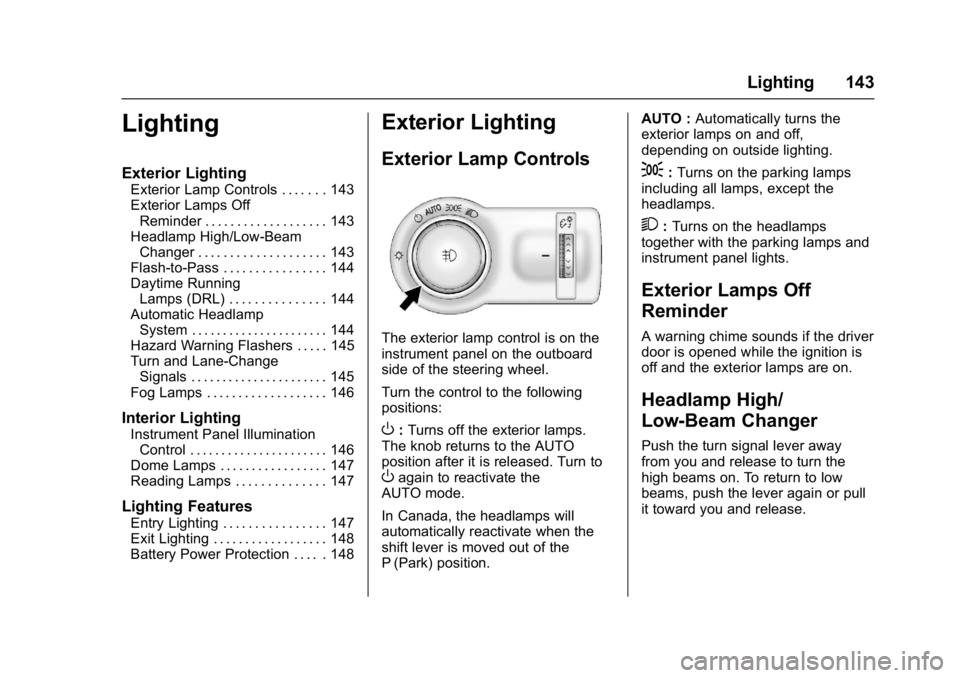
The exterior lamp control is on the
instrument panel on the outboard
side of the steering wheel.
Turn the control to the following
positions:
O: Turns off the exterior lamps.
The knob returns to the AUTO
position after it is released. Turn to
Oagain to reactivate the
AUTO mode.
In Canada, the headlamps will
automatically reactivate when the
shift lever is moved out of the
P (Park) position. AUTO :
Automatically turns the
exterior lamps on and off,
depending on outside lighting.
;: Turns on the parking lamps
including all lamps, except the
headlamps.
2: Turns on the headlamps
together with the parking lamps and
instrument panel lights.
Exterior Lamps Off
Reminder
A warning chime sounds if the driver
door is opened while the ignition is
off and the exterior lamps are on.
Headlamp High/
Low-Beam Changer
Push the turn signal lever away
from you and release to turn the
high beams on. To return to low
beams, push the lever again or pull
it toward you and release.
Page 147 of 344
Buick Regal Owner Manual (GMNA-Localizing-U.S./Canada/Mexico-
9804381) - 2017 - crc - 8/30/16
146 Lighting
If after signaling a turn or lane
change the arrow flashes rapidly or
does not come on, a signal bulb
might be burned out.
Have any burned out bulbs
replaced. If the bulb is not burned
out, check the fuse. SeeFuses and
Circuit Breakers 0238.Fog Lamps
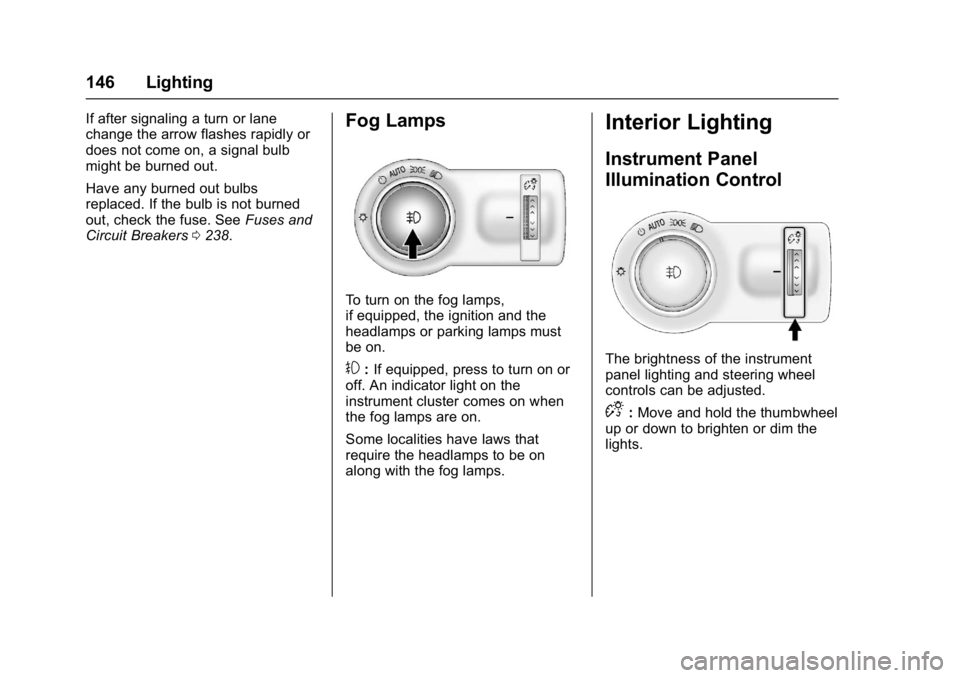
To turn on the fog lamps,
if equipped, the ignition and the
headlamps or parking lamps must
be on.
#:If equipped, press to turn on or
off. An indicator light on the
instrument cluster comes on when
the fog lamps are on.
Some localities have laws that
require the headlamps to be on
along with the fog lamps.
Interior Lighting
Instrument Panel
Illumination Control
The brightness of the instrument
panel lighting and steering wheel
controls can be adjusted.
D: Move and hold the thumbwheel
up or down to brighten or dim the
lights.
Page 154 of 344
Buick Regal Owner Manual (GMNA-Localizing-U.S./Canada/Mexico-
9804381) - 2017 - crc - 8/30/16
Climate Controls 153
MorL:If equipped, pressMorLto heat the driver or passenger seat.
See Heated Front Seats 052.
Remote Start Climate Control
Operation (If Equipped) :
If equipped with the remote start
feature, the climate control system
may run when the vehicle is started
remotely. The system uses the
driver ’s previous settings to heat or
cool the inside of the vehicle. The
rear defog may come on during
remote start based on cold ambient
conditions. If the vehicle has heated
or ventilated seats, they may come
on during a remote start.
See Remote Vehicle Start 032 and
Heated Front Seats 052.
Sensor
The solar sensor, on top of the
instrument panel near the
windshield, monitors the solar heat.
The climate control system uses the
sensor information to adjust the
temperature, fan speed,
recirculation, and air delivery mode
for best comfort.
Do not cover the sensor; otherwise
the automatic climate control system
may not work properly.
Air Vents
Use the louvers located on the air
vents to change the direction of the
airflow.
To open a vent, move the
thumbwheel to | . To close the vent,
move the thumbwheel to
9.
Operation Tips
. Keep all outlets open whenever
possible for best system
performance.
. Keep the paths under all seats
clear of objects to help circulate
the air inside the vehicle more
effectively.
. Use of non-GM approved hood
deflectors can adversely affect
the performance of the system.
Page 156 of 344
Buick Regal Owner Manual (GMNA-Localizing-U.S./Canada/Mexico-
9804381) - 2017 - crc - 8/30/16
Driving and Operating 155
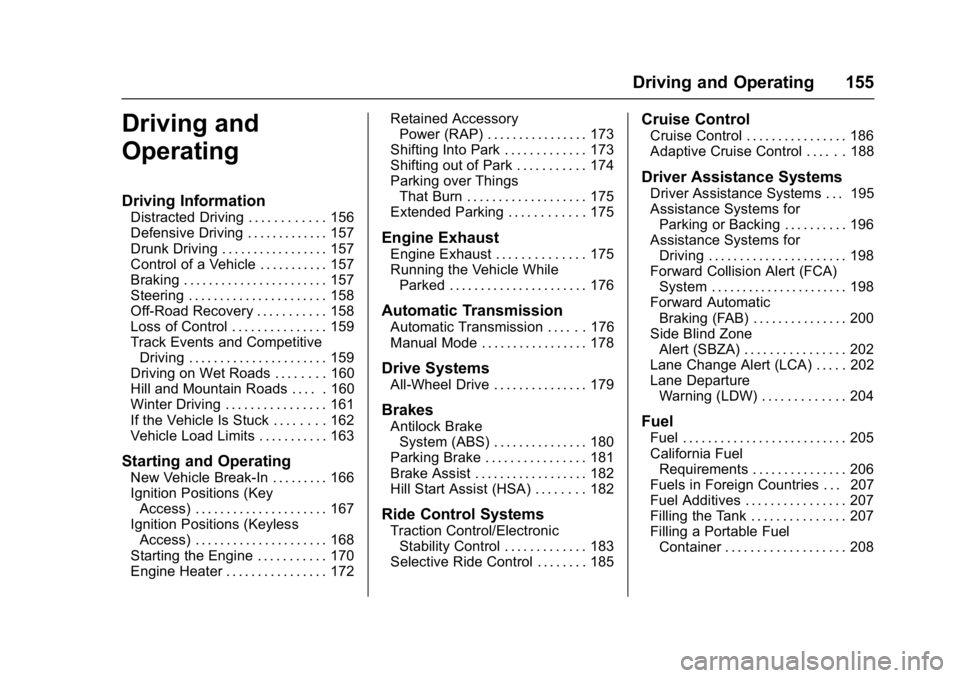
Driving and
Operating
Driving Information
Distracted Driving . . . . . . . . . . . . 156
Defensive Driving . . . . . . . . . . . . . 157
Drunk Driving . . . . . . . . . . . . . . . . . 157
Control of a Vehicle . . . . . . . . . . . 157
Braking . . . . . . . . . . . . . . . . . . . . . . . 157
Steering . . . . . . . . . . . . . . . . . . . . . . 158
Off-Road Recovery . . . . . . . . . . . 158
Loss of Control . . . . . . . . . . . . . . . 159
Track Events and CompetitiveDriving . . . . . . . . . . . . . . . . . . . . . . 159
Driving on Wet Roads . . . . . . . . 160
Hill and Mountain Roads . . . . . 160
Winter Driving . . . . . . . . . . . . . . . . 161
If the Vehicle Is Stuck . . . . . . . . 162
Vehicle Load Limits . . . . . . . . . . . 163
Starting and Operating
New Vehicle Break-In . . . . . . . . . 166
Ignition Positions (Key Access) . . . . . . . . . . . . . . . . . . . . . 167
Ignition Positions (Keyless Access) . . . . . . . . . . . . . . . . . . . . . 168
Starting the Engine . . . . . . . . . . . 170
Engine Heater . . . . . . . . . . . . . . . . 172 Retained Accessory
Power (RAP) . . . . . . . . . . . . . . . . 173
Shifting Into Park . . . . . . . . . . . . . 173
Shifting out of Park . . . . . . . . . . . 174
Parking over Things That Burn . . . . . . . . . . . . . . . . . . . 175
Extended Parking . . . . . . . . . . . . 175
Engine Exhaust
Engine Exhaust . . . . . . . . . . . . . . 175
Running the Vehicle While Parked . . . . . . . . . . . . . . . . . . . . . . 176
Automatic Transmission
Automatic Transmission . . . . . . 176
Manual Mode . . . . . . . . . . . . . . . . . 178
Drive Systems
All-Wheel Drive . . . . . . . . . . . . . . . 179
Brakes
Antilock BrakeSystem (ABS) . . . . . . . . . . . . . . . 180
Parking Brake . . . . . . . . . . . . . . . . 181
Brake Assist . . . . . . . . . . . . . . . . . . 182
Hill Start Assist (HSA) . . . . . . . . 182
Ride Control Systems
Traction Control/Electronic Stability Control . . . . . . . . . . . . . 183
Selective Ride Control . . . . . . . . 185
Cruise Control
Cruise Control . . . . . . . . . . . . . . . . 186
Adaptive Cruise Control . . . . . . 188
Driver Assistance Systems
Driver Assistance Systems . . . 195
Assistance Systems for Parking or Backing . . . . . . . . . . 196
Assistance Systems for Driving . . . . . . . . . . . . . . . . . . . . . . 198
Forward Collision Alert (FCA) System . . . . . . . . . . . . . . . . . . . . . . 198
Forward Automatic Braking (FAB) . . . . . . . . . . . . . . . 200
Side Blind Zone Alert (SBZA) . . . . . . . . . . . . . . . . 202
Lane Change Alert (LCA) . . . . . 202
Lane Departure Warning (LDW) . . . . . . . . . . . . . 204
Fuel
Fuel . . . . . . . . . . . . . . . . . . . . . . . . . . 205
California FuelRequirements . . . . . . . . . . . . . . . 206
Fuels in Foreign Countries . . . 207
Fuel Additives . . . . . . . . . . . . . . . . 207
Filling the Tank . . . . . . . . . . . . . . . 207
Filling a Portable Fuel Container . . . . . . . . . . . . . . . . . . . 208
Page 157 of 344
Buick Regal Owner Manual (GMNA-Localizing-U.S./Canada/Mexico-
9804381) - 2017 - crc - 8/30/16
156 Driving and Operating
Trailer Towing
General TowingInformation . . . . . . . . . . . . . . . . . . 209
Conversions and Add-Ons
Add-On ElectricalEquipment . . . . . . . . . . . . . . . . . . 209
Driving Information
Distracted Driving
Distraction comes in many forms
and can take your focus from the
task of driving. Exercise good
judgment and do not let other
activities divert your attention away
from the road. Many local
governments have enacted laws
regarding driver distraction. Become
familiar with the local laws in
your area.
To avoid distracted driving, always
keep your eyes on the road, hands
on the wheel, and mind on the drive.
. Do not use a phone in
demanding driving situations.
Use a hands-free method to
place or receive necessary
phone calls.
. Watch the road. Do not read,
take notes, or look up
information on phones or other
electronic devices.
. Designate a front seat
passenger to handle potential
distractions. .
Become familiar with vehicle
features before driving, such as
programming favorite radio
stations and adjusting climate
control and seat settings.
Program all trip information into
any navigation device prior to
driving.
. Wait until the vehicle is parked
to retrieve items that have fallen
to the floor.
. Stop or park the vehicle to tend
to children.
. Keep pets in an appropriate
carrier or restraint.
. Avoid stressful conversations
while driving, whether with a
passenger or on a cell phone.
{Warning
Taking your eyes off the road too
long or too often could cause a
crash resulting in injury or death.
Focus your attention on driving.