trunk CADILLAC CATERA 1997 1.G User Guide
[x] Cancel search | Manufacturer: CADILLAC, Model Year: 1997, Model line: CATERA, Model: CADILLAC CATERA 1997 1.GPages: 338, PDF Size: 18.02 MB
Page 73 of 338
Downloaded from www.Manualslib.com manuals search engine Theft-Deterrent System (Option)
If the ignition is off and
any door is open, the
SECURITY light will flash
reminding
you to activate
1. Open the door.
2. Lock the door using the power door lock or the RKE
transmitter. The SECURITY light should come on
and stay
on.
3. Close all the doors. The SECURITY light should go
off within approximately 30 seconds.
The horn will sound and the lamps will flash for several
minutes when the door or trunk is opened without the
key or RKE transmitter. The horn also sounds if the
locks are damaged. Remember, the theft-deterrent
system won’t activate if
you lock the doors with
a key or use the manual door
lock. It activates only if
you use a power door lock
switch or the
RKE transmitter.
To avoid activating the alarm by accident:
The vehicle should be locked with the key after the
doors are closed if
you don’t want to activate the
theft-deterrent system.
Always unlock a door with a key or use the RKE
transmitter. (Pressing the unlock button on the RKE
transmitter disables the theft-deterrent system.)
Unlocking a door
any other way will activate the
alarm. Cycling the ignition without disarming the
theft-deterrent system will also activate the alarm.
If
you activate the alarm by accident, unlock the driver’s
door with your key. You can also turn off the alarm by
using the RKE transmitter. The alarm won’t stop if you
try to unlock a door in any other way.
2-12
Page 77 of 338
Downloaded from www.Manualslib.com manuals search engine OFF (I): This position lets you turn off the engine but
still turn the steering wheel. It doesn’t lock the steering
wheel like
LOCK. Use OFF if you must have your
vehicle in motion while the engine
is off (for example, if
your vehicle is being pushed).
RUN (11): The ignition is on in this position. RUN is
used for driving your vehicle.
START (III): This position starts the engine.
To lock the steering column, remove the key while in
LOCK. Rotate the steering wheel until you hear a click.
Retained Accessory Power
The radio is the only accessory on your Catera that may
be used
for up to 10 minutes after the ignition is turned
to OFF.
Power to the fuel door, trunk release and door locks is
available at all times. The power window controls and the
sunroof controls are active until a door is opened
-- there
is no time limit as long as the doors remain closed.
Starting Your Engine
Move your shift lever to PARK (P) or NEUTRAL (N).
Your engine won’t start in any other position -- that’s a
safety feature. To restart when you’re already moving,
use NEUTRAL
(N) only.
NOTICE:
Don’t try to shift to PARK (P) if your Catera
is moving. If you do, you could damage the
transmission. Shift to PARK
(P) only when your
vehicle is stopped.
1. Without pushing the accelerator pedal, turn your
ignition key to START. When the engine starts, let
go of the key. The idle speed will
go down as your
engine gets warm.
NOTICE:
Holding your key in START for longer than
15 seconds at a time will cause your battery to be
drained much sooner. And the excessive heat can
damage your starter motor.
2. If it doesn’t start right away, hold your key in
START for about three seconds at a time until your
engine starts. Wait about
15 seconds between each
try to help avoid draining your battery.
Page 110 of 338
Downloaded from www.Manualslib.com manuals search engine Convenience Net
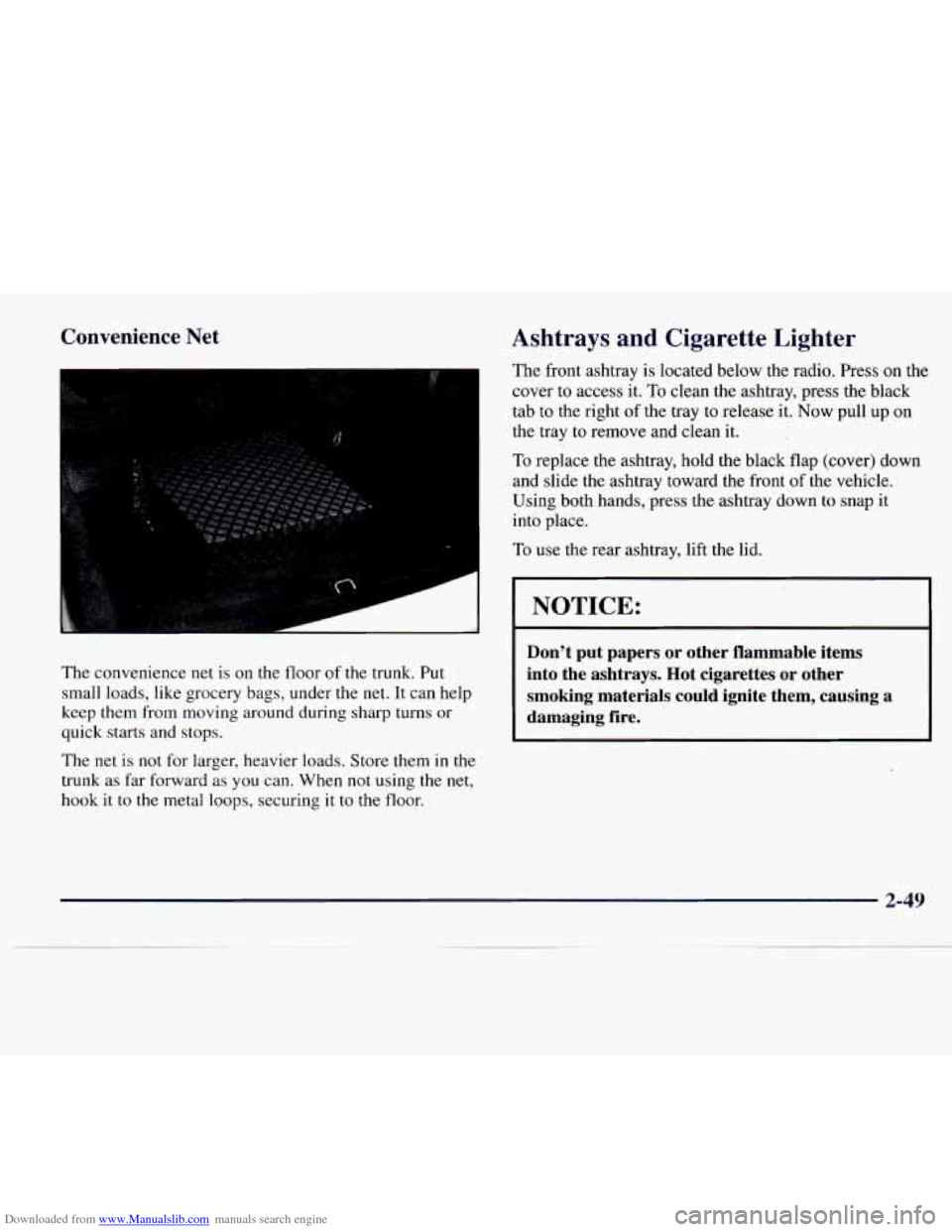
The convenience net is on the floor of the trunk, Put
small loads, like grocery bags, under the
net. It can help
keep them from moving around during sharp turns or
quick starts and stops.
The
net is not for larger, heavier loads. Store them in the
trunk as far forward
as you can. When not using the net,
hook it to the metal loops, securing it to the floor.
Ashtrays and Cigarette Lighter
The front ashtray is located below the radio. Press on the
cover to access it.
To clean the ashtray, press the black
tab to the right of the tray to release it.
Now pull up on
the tray to remove and clean it.
To replace the ashtray, hold the black flap (cover) down
and slide
the ashtray toward the front of the vehicle.
Using both hands, press the ashtray down to
snap it
into place.
To use the rear ashtray, lift the lid.
I NOTICE:
Don’t put papers or other flammable items
into the ashtrays. Hot cigarettes or other
smoking materials could ignite them, causing a
damaging fire.
2-49
Page 114 of 338
Downloaded from www.Manualslib.com manuals search engine Manual Operation
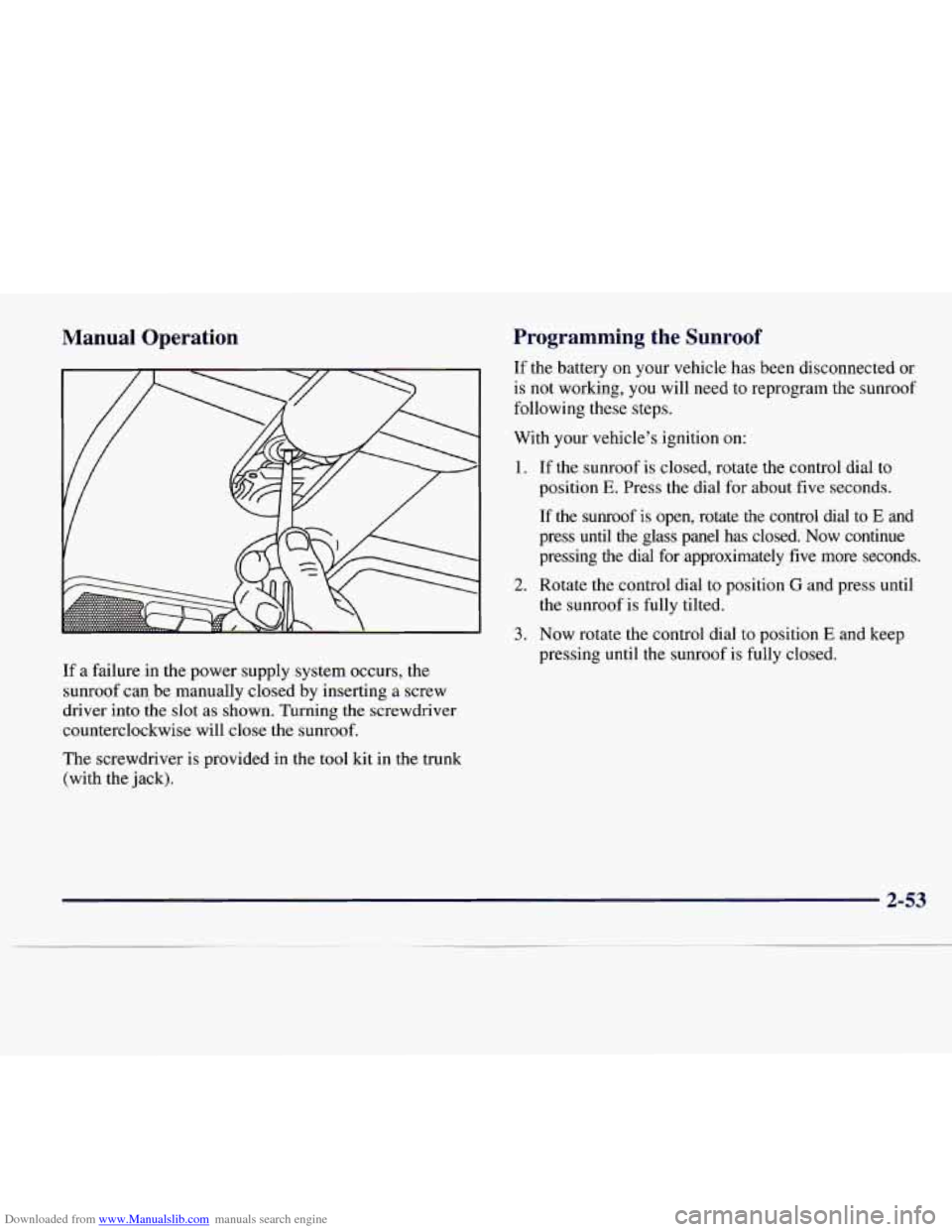
If a failure in the power supply system occurs, the
sunroof can, be manually closed by inserting a screw
driver into the slot
as shown. Turning the screwdriver
counterclockwise will close the sunroof.
The screwdriver
is provided in the tool kit in the trunk
(with the jack).
Programming the Sunroof
If the battery on your vehicle has been disconnected or
is not working, you will need to reprogram the sunroof
following these steps.
With your vehicle’s ignition on:
1. If the sunroof is closed, rotate the control dial to
position
E. Press the dial for about five seconds.
If the sunroof
is open, rotate the control dial to E and
press
until the glass panel has closed. Now continue
pressing the dial for approximately five more seconds.
2. Rotate the control dial to position G and press until
3. Now rotate the control dial to position E and keep
the sunroof is
fully tilted.
pressing
until the sunroof is fully closed.
2-53
Page 120 of 338
Downloaded from www.Manualslib.com manuals search engine The instrument panel is designed to let you know at a glance how your Catera is running. You’ll know how fast
you’re going,
how much fuel you’re using and many of the other things you’ll need to know to drive safely and
economically. The main components
of the instrument panel are:
A. Air Outlets
K. Hood Release
B. Turn Signal/Multifunction Lever L. Hazard Warning Flasher Button
C. Driver’s Side Air Bag
M. Fuel Door Release Button
D. Instrument Cluster
N. Heated Front Seat OdOff Button
E. Windshield Washer Lever 0. Ashtray
E Comfort Controls P. Radio
G. Passenger’s Side Air Bag Q. Trunk Release Button
H. Lamp Controls
R. Traction Control OdOff Button
I. Horn S. Glove Box
J. Audio Steering Wheel Controls
2-59
Page 135 of 338
Downloaded from www.Manualslib.com manuals search engine Low Washer Fluid Warning Light
This light will come on
when
you turn on the
ignition and the windshield
washer fluid container is
less than one-third full.
Trunk Ajar Light
This light will come on if
your vehicle’s trunk is not
completely closed.
2-74
Page 140 of 338
Downloaded from www.Manualslib.com manuals search engine Section 3 Comfort Controls and Audio Systems
In this section, you'll find out how to operate the comfort control and audio systems offered with your Catera.
Be sure to read about the particular systems supplied with your vehcle.
3-2
3-6
3-6 3-7
3-8
3-9
3-9
3-
10
Comfort Controls
Air Conditioning
Heating
Ventilation System
Defrosting
Rear Window Defogger
Setting the Clock
AM-FM Stereo with Cassette Tape Player and
Optional Compact Disc Player
3-13
3-17
3-20
3-20
3-21
3-21
3-22
3-23
3-24
Bose" AM-FM Stereo with Cassette Tape
and Compact Disc Player
Trunk Mounted CD Changer
Theft-Deterrent Feature
Audio Steering Wheel Controls
Understanding Radio Reception
Tips About Your Audio System
Care of Your Cassette Tape Player
Care of Your Compact Discs
Heated Backlite Antenna
3-1
Page 149 of 338
Downloaded from www.Manualslib.com manuals search engine AM-FM Stereo with Cassette Tape Player
and Optional Compact Disc Player DSPL: Press this button to display the station
being played.
I I Finding a Station
BAND:
Press this button to select AM, FM1 or FM2
and preset stations.
SEEK-TUNE: Press and release this button to seek
to the next higher or lower radio station. Pressing and
holding this button until a chime sounds puts the radio
in a tune mode. In
this mode, higher or lower radio
stations are advanced
to in small increments until the
SEEK-TUNE button is released. Tuning stops when
you release
this button. If you press and hold the
SEEK-TUNE button again within five seconds of being
in the tune mode, tuning will continue. Waiting longer
than five seconds places the radio back in the seek mode.
SCAN: Press this button and SCAN will appear on the
For information on the compact disc player, see "Trunk
display. Use SCAN to listen to stations for a few
Mounted
CD Changer'' later in this section.
seconds. The radio will go to a station, stop for a few
Playing the Radio
PWRNOL:
Press this knob lightly to release it from its
stored position. The system will
turn on. Press the knob
again to
turn the system off. To increase volume, turn the
knob clockwise.
Turn it counterclockwise to decrease
volume. The volume level will appear
on the display. seconds,
then
go on to the next station. Press this button
again
to stop scanning.
3-10
Page 152 of 338
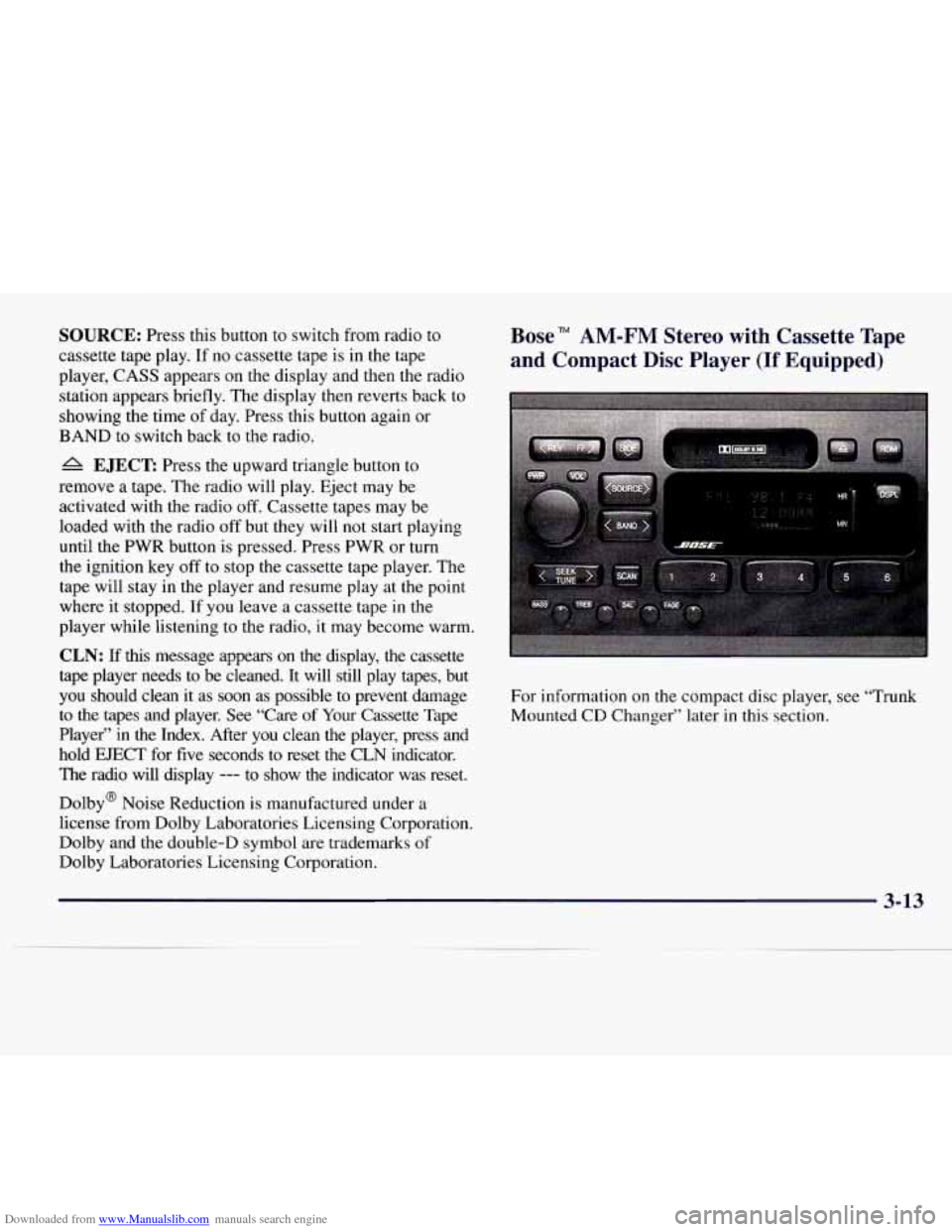
Downloaded from www.Manualslib.com manuals search engine SOURCE: Press this button to switch from radio to
cassette tape play. If no cassette tape is in the tape
player, CASS appears on the display and then the radio
station appears briefly. The display then reverts back to
showing the time of day. Press this button again or
BAND to switch back to the radio.
A EJECT Press the upward triangle button to
remove a tape. The radio will play. Eject may be
activated with the radio
off. Cassette tapes may be
loaded with the radio off but they will not start playing
until the PWR button
is pressed. Press PWR or turn
the ignition key off
to stop the cassette tape player. The
tape will stay in the player and resume play at the point
where it stopped. If you leave a cassette tape in the
player while listening to the radio, it may become warm.
CLN: If this message appears on the display, the cassette
tape player needs to be cleaned. It will still play tapes, bu\
t
you should clean it as soon
as possible to prevent damage
to
the tapes and player. See “Care of Your Cassette Tape
Player” in the Index. After you clean the player, press and\
hold EJECT for five seconds to reset the CLN indicator.
The radio will display
--- to show the indicator was reset.
Dolby@ Noise Reduction is manufactured under a
license from Dolby Laboratories Licensing Corporation.
Dolby and the double-D symbol are trademarks
of
Dolby Laboratories Licensing Corporation.
Bose” AM-FM Stereo with Cassette Tape
and Compact Disc Player
(If Equipped)
For information on the compact disc player, see “Trunk
Mounted CD Changer” later in this section.
3-13
Page 156 of 338
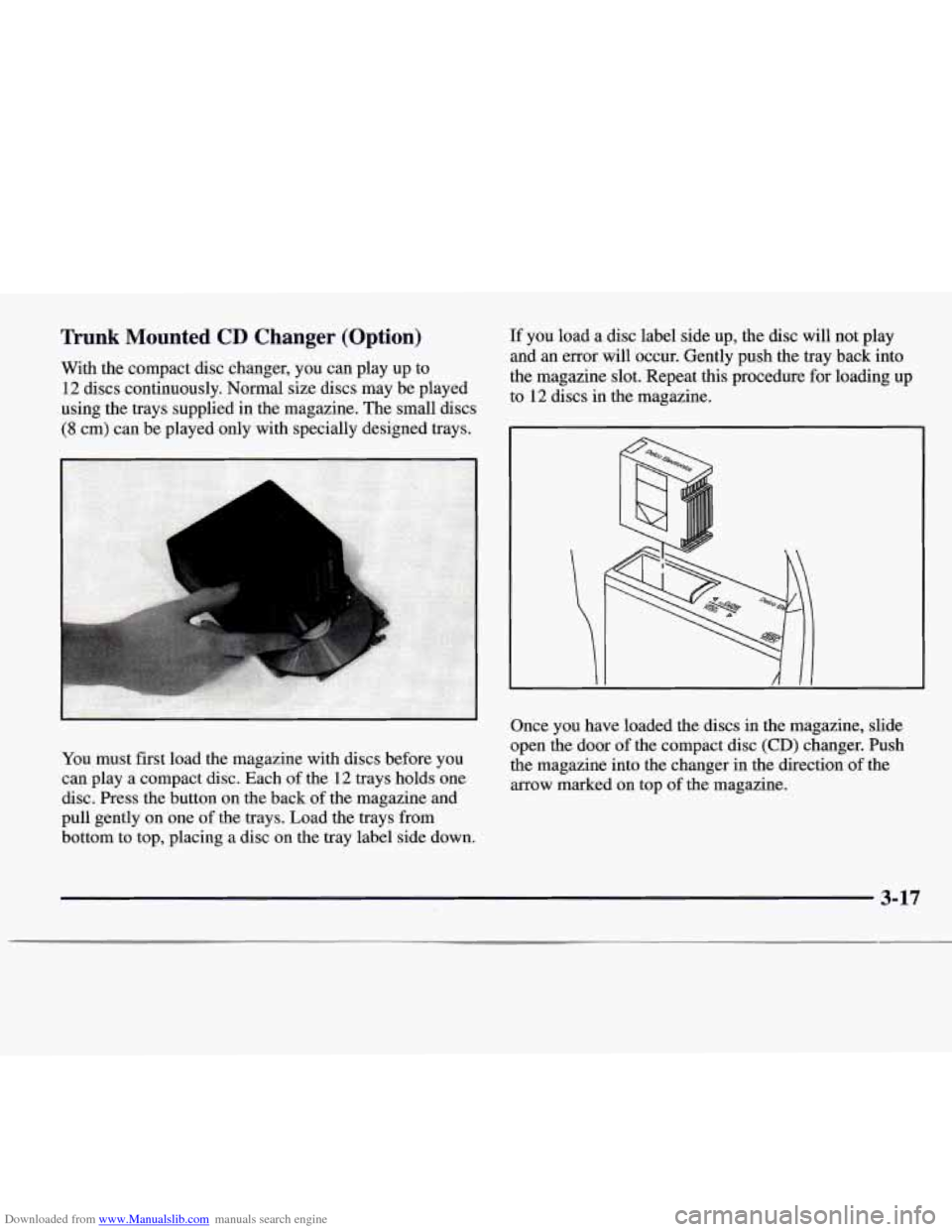
Downloaded from www.Manualslib.com manuals search engine Trunk Mounted CD Changer (Option)
With the compact disc changer, you can play up to
12 discs continuously. Normal size discs may be played
using the trays supplied in the magazine. The small discs
(8 cm) can be played only with specially designed trays.
You must first load the magazine with discs before you
can play a compact disc. Each of the 12 trays holds one
disc. Press the button on the back
of the magazine and
pull gently on one of the trays. Load the trays from
bottom to top, placing a disc on the tray label side down.
If you load a disc label side up, the disc will not play
and an error will occur. Gently push the tray back into
the magazine slot. Repeat this procedure for loading up
to 12 discs in the magazine.
Once you have loaded the discs in the magazine, slide
open the door of the compact disc
(CD) changer. Push
the magazine into the changer in the direction of the
arrow marked on top of the magazine.
3-17