instrument panel CADILLAC CT4 2023 Owner's Manual
[x] Cancel search | Manufacturer: CADILLAC, Model Year: 2023, Model line: CT4, Model: CADILLAC CT4 2023Pages: 524, PDF Size: 6.98 MB
Page 264 of 524

Cadillac CT4 Owner Manual (GMNA-Localizing-U.S./Canada-16500442) -
2023 - CRC - 5/10/22
Driving and Operating 263
begins, release the button.
Engine cranking will continue
until the engine starts. See
Starting the Engine0263. The
ignition will then remain on.
Service Mode
This power mode is available
for service and diagnostics,
and to verify the proper
operation of the malfunction
indicator lamp as may be
required for emission
inspection purposes. With the
vehicle off, and the brake
pedal not applied, pressing
and holding ENGINE
START/STOP for more than
five seconds will place the
vehicle in Service Mode. The
instruments and audio
systems will operate as they
do in ON/RUN, but the vehicle
will not be able to be driven.
The engine will not start in
Service Mode. Press the
button again to turn the
vehicle off.Starting the Engine
Place the transmission in the
proper gear
Caution
If you add electrical parts or
accessories, you could
change the way the engine
operates. Any resulting
damage would not be
covered by the vehicle
warranty. See Add-On
Electrical Equipment 0366.
Automatic Transmission
Move the shift lever to
P (Park) or N (Neutral). To
restart the vehicle when it is
already moving, use
N (Neutral) only.
Caution
Do not try to shift to P (Park)
if the vehicle is moving.
If you do, you could damage (Continued)
Caution (Continued)
the transmission. Shift to
P (Park) only when the
vehicle is stopped.
Manual Transmission
The shift lever should be in
Neutral and the parking brake
engaged. Hold the clutch pedal
down to the floor, press the
brake pedal, and start the
engine.
Starting the Vehicle 1. For vehicles with an automatic transmission,
press the brake pedal, then
press ENGINE START/
STOP on the instrument
panel. For a manual
transmission, place the
shift lever in Neutral with
the parking brake engaged.
Hold the clutch pedal down
to the floor, press the
brake pedal, then press
ENGINE START/STOP.
Page 265 of 524

Cadillac CT4 Owner Manual (GMNA-Localizing-U.S./Canada-16500442) -
2023 - CRC - 5/10/22
264 Driving and Operating
If the remote key is not in
the vehicle, if there is
interference, or if the
remote key battery is low,
a Driver Information
Center (DIC) message will
display. See Remote Key
Operation09.
Caution
Cranking the engine for long
periods of time, by pressing
ENGINE START/STOP
immediately after cranking
has ended, can overheat and
damage the cranking motor,
and drain the battery. Wait
at least 15 seconds between
each try, to let the cranking
motor cool down.
2. If the engine does not start after five to 10 seconds,
especially in very cold
weather (below −18 °C or
0 °F), it could be flooded
with too much gasoline.
Try pushing the
accelerator pedal all the
way to the floor and hold it there, then press ENGINE
START/STOP for up to a
maximum of 15 seconds.
Wait at least 15 seconds
between each try, to allow
the cranking motor to cool
down. When the engine
starts, let go of the button
and the accelerator. If the
vehicle starts briefly but
then stops again, do the
same thing. This clears the
extra gasoline from the
engine. Do not race the
engine immediately after
starting it. Operate the
engine and transmission
gently until the oil warms
up and lubricates all
moving parts.
Stopping the Engine
If the vehicle has an automatic
transmission, move the shift
lever to P (Park) and press and
hold ENGINE START/STOP on
the instrument panel, until the
engine shuts off. If the shift
lever is not in P (Park), the
engine shuts off and the
ignition goes to accessory
mode. The DIC displays SHIFT
TO PARK. Once the shift lever
is moved to P (Park), the
vehicle turns off.
If the vehicle has a manual
transmission, before getting
out of the vehicle, shift to
1 (First) or R (Reverse) and
apply the parking brake. Then
turn off the ignition off by
pressing ENGINE START/
STOP and release the clutch
pedal when the engine has
stopped.
If the remote key is not
detected inside the vehicle
when it is turned off the DIC
displays a message.
Stop/Start System
If equipped, the Stop/Start
system will shut off the engine
to help conserve fuel. It has
components designed for the
increased number of starts.
Page 291 of 524

Cadillac CT4 Owner Manual (GMNA-Localizing-U.S./Canada-16500442) -
2023 - CRC - 5/10/22
290 Driving and Operating
{Warning
Do not rely on this feature.
It does not replace the need
to pay attention and drive
safely. You may not hear or
feel alerts or warnings
provided by this system.
Failure to use proper care
when driving may result in
injury, death, or vehicle
damage.
When Automatic Vehicle Hold
(AVH) is turned on and the
vehicle is braked to a stop,
AVH prevents the vehicle from
moving during the transition
from brake pedal release to
accelerator pedal apply. The
brakes release when the
accelerator pedal is applied.
The brakes may also release
under other conditions. Do not
rely on AVH to hold the
vehicle.
If the accelerator pedal is not
applied within a few minutes,
the Electric Parking Brake will apply. The parking brake will
also apply if the driver door is
opened or the driver seat belt
is unfastened while AVH is
holding the vehicle.
AVH can be turned on by
pressing AUTO HOLD. The
indicator light on the switch
will come on. The AVH light on
the instrument panel will come
on while AVH is actively
holding the vehicle. See
Automatic Vehicle Hold (AVH)
Light
0122.
Ride Control
Systems
Traction Control/
Electronic Stability
Control
The vehicle has a Traction
Control System (TCS) and
StabiliTrak/Electronic Stability
Control (ESC). These systems
help limit wheel slip and assist the driver in maintaining
control, especially on slippery
road conditions.
TCS activates if it senses that
any of the drive wheels are
spinning or beginning to lose
traction. When this happens,
the system brakes the
spinning wheel(s) and/or
reduces engine power to limit
wheel spin.
StabiliTrak/ESC activates
when the computer senses a
difference between the
intended path and the
direction the vehicle is actually
traveling. StabiliTrak/ESC
selectively applies braking
pressure at any one of the
vehicle's brakes to help steer
the vehicle in the intended
direction.
If cruise control is being used
and TCS or StabiliTrak/ESC
begins to limit wheel spin,
cruise control will disengage.
Cruise control may be turned
back on when road conditions
allow.
Page 309 of 524

Cadillac CT4 Owner Manual (GMNA-Localizing-U.S./Canada-16500442) -
2023 - CRC - 5/10/22
308 Driving and Operating
To begin using ACC again,
press RES+ up briefly while
moving more than 5 kph
(3 mph). The vehicle returns to
the previous set speed.
If the vehicle is stopped with
the brake pedal applied, press
RES+ and release the brake
pedal. ACC will hold the vehicle
until RES+ or the accelerator
pedal is pressed.
A green ACC indicator and the
set speed display on the
instrument cluster. The vehicle
ahead indicator may be
flashing if a vehicle ahead was
present and moved. See
“Approaching and Following a
Vehicle”later in this section.
Once ACC has resumed,
if there is no vehicle ahead,
if the vehicle ahead is beyond
the selected following gap,
or if the vehicle has exited a
sharp curve, then the vehicle
speed will increase to the set
speed. Increasing Speed While ACC
Is at a Set Speed
If ACC is already activated, do
one of the following:
.Use the accelerator to get
to the higher speed. Press
SET–
. Release the control
and the accelerator pedal.
The vehicle will now cruise at
the higher speed.
When the accelerator pedal
is pressed, ACC will not
brake because it is
overridden. The ACC
indicator will turn blue on the
instrument panel and heads
up display, if equipped
.Press and hold RES+ until
the desired set speed is
displayed, then release it.
.To increase speed in smaller
increments, press RES+ to
the first detent. For each
press, the vehicle goes
1 km/h (1 mph) faster.
.To increase speed in larger
increments, press RES+ to
the second detent. For each
press, the vehicle speed increases to the next 5 km/h
(5 mph) mark on the
speedometer.
The set speed can also be
increased while the vehicle is
stopped.
.If stopped with the brake
applied, press RES+ until the
desired set speed is
displayed.
.If ACC is holding the vehicle
at a stop and there is
another vehicle directly
ahead, pressing RES+ will
increase the set speed.
.Pressing RES+ when there is
no longer a vehicle ahead or
the vehicle ahead is pulling
away and the brake is not
applied will cause the ACC to
resume.
When it is determined there is
no vehicle ahead or the vehicle
ahead is beyond the selected
following gap, then the vehicle
speed will increase to the set
speed.
Page 361 of 524
Cadillac CT4 Owner Manual (GMNA-Localizing-U.S./Canada-16500442) -
2023 - CRC - 5/10/22
360 Driving and Operating
If equipped, the following
driver assistance features
should be turned to alert or
off when towing a trailer:
.Automatic Emergency
Braking (AEB)
.Intelligent Brake Assist (IBA)
.Front Pedestrian
Braking (FPB)
If equipped with Lane Change
Alert (LCA), the LCA detection
zones that extend back from
the side of the vehicle do not
move further back when a
trailer is towed. Use caution
while changing lanes when
towing a trailer.
If equipped with Rear Cross
Traffic Alert (RCTA), use
caution while backing up when
towing a trailer, as the RCTA
detection zones that extend
out from the back of the
vehicle do not move further
back when a trailer is towed.
{Warning
To prevent serious injury or
death from carbon monoxide
(CO), when towing a trailer:
.Do not drive with the
liftgate, trunk/hatch,
or rear-most
window open.
.Fully open the air outlets
on or under the
instrument panel.
.Adjust the climate control
system to a setting that
brings in only outside air.
See “Climate Control
Systems” in the Index.
For more information about
carbon monoxide, see
Engine Exhaust 0271.
Towing a trailer requires
experience. The combination
of the vehicle and trailer is
longer and not as responsive
as the vehicle itself. Become
familiar with handling and braking by driving on a level
road surface before driving on
public roads.
The trailer structure, the tires,
and the brakes must be all be
rated to carry the intended
cargo. Inadequate trailer
equipment can cause the
combination to operate in an
unexpected or unsafe manner.
Before driving, inspect all
trailer hitch parts and
attachments, safety chains,
electrical connectors, lamps,
tires, and mirrors. See Towing
Equipment
0365. If the trailer
has electric brakes, start the
combination moving and then
manually apply the trailer
brake controller to check the
trailer brakes work. During the
trip, occasionally check that
the cargo and trailer are
secure and that the lamps and
any trailer brakes are working.
Page 369 of 524

Cadillac CT4 Owner Manual (GMNA-Localizing-U.S./Canada-16500442) -
2023 - CRC - 5/4/22
368 Vehicle Care
Vehicle Care
General Information
General Information . . . . . . 369
California PerchlorateMaterials
Requirements . . . . . . . . . . . . . 370
Accessories and Modifications . . . . . . . . . . . . . 370
Vehicle Checks
Doing Your OwnService Work . . . . . . . . . . . . . 370
Hood . . . . . . . . . . . . . . . . . . . . . . . . . . . 371
Engine Compartment Overview . . . . . . . . . . . . . . . . . . . 373
Engine Oil . . . . . . . . . . . . . . . . . . . . 378
Engine Oil Life System . . . 381
Automatic Transmission Fluid . . . . . . . . . . . . . . . . . . . . . . . . . . 382
Manual Transmission Fluid . . . . . . . . . . . . . . . . . . . . . . . . . . 382
Hydraulic Clutch . . . . . . . . . . . 383
Engine Air Filter Life System . . . . . . . . . . . . . . . . . . . . . . 383
Engine Air Cleaner/ Filter . . . . . . . . . . . . . . . . . . . . . . . . . 384
Cooling System . . . . . . . . . . . . 386
Engine Overheating . . . . . . . 391 Washer Fluid . . . . . . . . . . . . . . . . 393
Brakes . . . . . . . . . . . . . . . . . . . . . . . . 393
Brake Pad Life System (If
Equipped) . . . . . . . . . . . . . . . . . . 396
Brake Fluid . . . . . . . . . . . . . . . . . . 398
Battery - North
America . . . . . . . . . . . . . . . . . . . . . 399
All-Wheel Drive . . . . . . . . . . . . 400
Park Brake and P (Park) Mechanism Check . . . . . . . 400
Wiper Blade Replacement . . . . . . . . . . . . . . 401
Windshield Replacement . . . . . . . . . . . . . . 401
Gas Strut(s) . . . . . . . . . . . . . . . . . 402
Headlamp Aiming
Front Headlamp Aiming . . . . . . . . . . . . . . . . . . . . . . . 403
Bulb Replacement
Bulb Replacement . . . . . . . . 403
Halogen Bulbs . . . . . . . . . . . . . . 403
High Intensity Discharge(HID) Lighting . . . . . . . . . . . . . 403
LED Lighting . . . . . . . . . . . . . . . . 403
Front Turn Signal Lamps . . . . . . . . . . . . . . . . . . . . . . . 404
Electrical System
Electrical SystemOverload . . . . . . . . . . . . . . . . . . . 404
Fuses and Circuit Breakers . . . . . . . . . . . . . . . . . . . 406
Engine Compartment
Fuse Block . . . . . . . . . . . . . . . . . 407
Instrument Panel Fuse Block . . . . . . . . . . . . . . . . . . . . . . . . 409
Rear Compartment Fuse Block . . . . . . . . . . . . . . . . . . . . . . . . . . 411
Wheels and Tires
Tires . . . . . . . . . . . . . . . . . . . . . . . . . . . 413
All-Season Tires . . . . . . . . . . . . 414
Winter Tires . . . . . . . . . . . . . . . . . 414
Run-Flat Tires . . . . . . . . . . . . . . . 415
Self-Sealing Tires . . . . . . . . . . 415
Low-Profile Tires . . . . . . . . . . 416
Summer Tires . . . . . . . . . . . . . . . 416
Tire Sidewall Labeling . . . . 417
Tire Designations . . . . . . . . . . 418
Tire Terminology andDefinitions . . . . . . . . . . . . . . . . . . 419
Tire Pressure . . . . . . . . . . . . . . . 422
Tire Pressure for High-Speed
Operation . . . . . . . . . . . . . . . . . . 423
Tire Pressure Monitor System . . . . . . . . . . . . . . . . . . . . . . 424
Page 372 of 524

Cadillac CT4 Owner Manual (GMNA-Localizing-U.S./Canada-16500442) -
2023 - CRC - 5/4/22
Vehicle Care 371
If doing some of your own
service work, use the proper
service manual. It tells you
much more about how to
service the vehicle than this
manual can. To order the
proper service manual, see
Publication Ordering
Information0494.
This vehicle has an airbag
system. Before attempting to
do your own service work, see
Servicing the Airbag-Equipped
Vehicle 070.
If equipped with remote
vehicle start, open the hood
before performing any service
work to prevent remote
starting the vehicle
accidentally. See Remote
Vehicle Start 016.
Keep a record with all parts
receipts and list the mileage
and the date of any service
work performed. See
Maintenance Records 0477.Caution
Even small amounts of
contamination can cause
damage to vehicle systems.
Do not allow contaminants
to contact the fluids,
reservoir caps, or dipsticks.
Hood
{Warning
For vehicles with auto
engine stop/start, turn the
vehicle off before opening
the hood. If the vehicle is on,
the engine will start when
the hood is opened. You or
others could be injured.
{Warning
Components under the hood
can get hot from running the
engine. To help avoid the
risk of burning unprotected
skin, never touch these
(Continued)
Warning (Continued)
components until they have
cooled, and always use a
glove or towel to avoid
direct skin contact.
Clear any snow from the hood
before opening.
To open the hood:
1. Pull the hood release lever with the
isymbol. It is
on the lower left side of
the instrument panel.
Page 410 of 524

Cadillac CT4 Owner Manual (GMNA-Localizing-U.S./Canada-16500442) -
2023 - CRC - 5/4/22
Vehicle Care 409
Fuses Usage
30 Injectors/Ignition 131 Emissions 1
32 Emissions 2
33 Starter Solenoid
34 –
35 –
36 Starter Pinion/ Not Used
37 AC Clutch
38 –
39 –
40 –
41 –
42 Water Pump/ Not Used
43 –
44 –
Relays Usage
47–
48 Front Wiper Speed/ Not Used
49 Front Wiper Control 51 –
Relays Usage
52 Engine Control
Module
53 Starter Solenoid
54 Starter Pinion/ Not Used
55 –
57 AC Clutch
58 –
Instrument Panel
Fuse Block
The instrument panel fuse
block is in the end of the driver
side of the instrument panel.
To access the fuses, remove
the end panel by gently prying
with a plastic tool near each
clip, beginning at the point
shown.
To install the end cover, insert
the tabs on the back of the
cover into the slots in the
instrument panel at the points
shown. Align the clips with the
slots in the instrument panel,
and press the cover into place.
The vehicle may not be
equipped with all of the fuses
and relays shown.
Page 465 of 524

Cadillac CT4 Owner Manual (GMNA-Localizing-U.S./Canada-16500442) -
2023 - CRC - 5/4/22
464 Vehicle Care
Instrument Panel, Leather,
Vinyl, Other Plastic
Surfaces, Low Gloss Paint
Surfaces, and Natural
Open Pore Wood
Surfaces
Use a soft bristle brush to
remove dust from knobs and
crevices on the instrument
cluster. Use a soft microfiber
cloth dampened with water to
remove dust and loose dirt.
For a more thorough cleaning,
use a soft microfiber cloth
dampened with a mild soap
and water solution.
Caution
Soaking or saturating
leather, especially
perforated leather, as well
as other interior surfaces,
may cause permanent
damage. Wipe excess
moisture from these
surfaces after cleaning and
allow them to dry naturally.(Continued)
Caution (Continued)
Never use heat, steam,
or spot removers. Do not
use liquids that contain
alcohol or solvents on
leather seats. Do not use
cleaners that contain
silicone or wax-based
products. Cleaners
containing these solvents
can permanently change the
appearance and feel of
leather or soft trim, and are
not recommended.
Do not use cleaners that
increase gloss, especially on
the instrument panel.
Reflected glare can decrease
visibility through the
windshield under certain
conditions.
Caution
Use of air fresheners may
cause permanent damage to
plastics and painted (Continued)
Caution (Continued)
surfaces. If an air freshener
comes in contact with any
plastic or painted surface in
the vehicle, blot immediately
and clean with a soft cloth
dampened with a mild soap
solution. Damage caused by
air fresheners would not be
covered by the vehicle
warranty.
Cargo Cover and
Convenience Net
If equipped, wash with warm
water and mild detergent. Do
not use chlorine bleach. Rinse
with cold water, and then dry
completely.
Care of Seat Belts
Keep belts clean and dry.
Page 479 of 524
Cadillac CT4 Owner Manual (GMNA-Localizing-U.S./Canada-16500442) -
2023 - CRC - 5/4/22
478 Technical Data
Technical Data
Vehicle Identification
Vehicle IdentificationNumber (VIN) . . . . . . . . . . . . . . 478
Vehicle Identification Number (VIN) (V-Series
Blackwing Only) . . . . . . . . . . . 478
Service Parts Identification . . . . . . . . . . . . . . 479
Vehicle Data
Capacities andSpecifications . . . . . . . . . . . . 480
Engine Drive Belt Routing . . . . . . . . . . . . . . . . . . . . . 482
Vehicle
Identification
Vehicle Identification
Number (VIN)
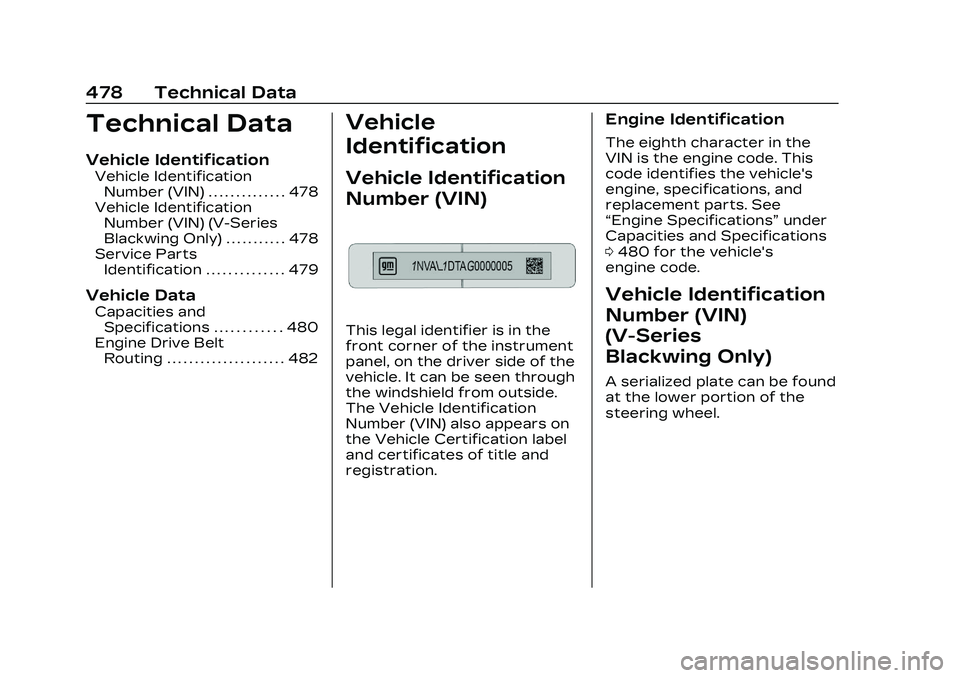
This legal identifier is in the
front corner of the instrument
panel, on the driver side of the
vehicle. It can be seen through
the windshield from outside.
The Vehicle Identification
Number (VIN) also appears on
the Vehicle Certification label
and certificates of title and
registration.
Engine Identification
The eighth character in the
VIN is the engine code. This
code identifies the vehicle's
engine, specifications, and
replacement parts. See
“Engine Specifications” under
Capacities and Specifications
0 480 for the vehicle's
engine code.
Vehicle Identification
Number (VIN)
(V-Series
Blackwing Only)
A serialized plate can be found
at the lower portion of the
steering wheel.