fuel CADILLAC CT6 2016 Owners Manual
[x] Cancel search | Manufacturer: CADILLAC, Model Year: 2016, Model line: CT6, Model: CADILLAC CT6 2016Pages: 397, PDF Size: 7.09 MB
Page 4 of 397
Cadillac CT6 Owner Manual (GMNA-Localizing-U.S./Canada-9235592) -
2016 - crc - 11/6/15
Introduction 3
{ DangerDanger indicates a hazard with a
high level of risk which will result
in serious injury or death.
{ WarningWarning indicates a hazard that
could result in injury or death.
CautionCaution indicates a hazard that
could result in property or vehicle
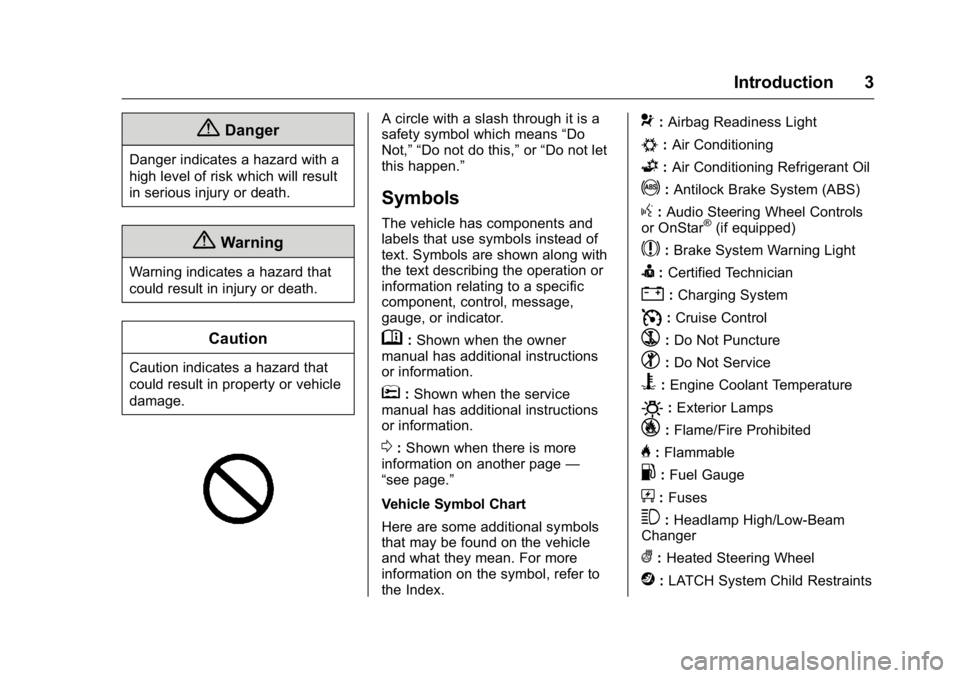
damage. A circle with a slash through it is a
safety symbol which means “ Do
Not, ” “ Do not do this, ” or “ Do not let
this happen. ”
Symbols The vehicle has components and
labels that use symbols instead of
text. Symbols are shown along with
the text describing the operation or
information relating to a specific
component, control, message,
gauge, or indicator.
M : Shown when the owner
manual has additional instructions
or information.
* : Shown when the service
manual has additional instructions
or information.
0 : Shown when there is more
information on another page —
“ see page. ”
Vehicle Symbol Chart
Here are some additional symbols
that may be found on the vehicle
and what they mean. For more
information on the symbol, refer to
the Index. 9 : Airbag Readiness Light
# : Air Conditioning
G : Air Conditioning Refrigerant Oil
! : Antilock Brake System (ABS)
g : Audio Steering Wheel Controls
or OnStar ®
(if equipped)
$ : Brake System Warning Light
I : Certified Technician
" : Charging System
I : Cruise Control
` : Do Not Puncture
^ : Do Not Service
B : Engine Coolant Temperature
O : Exterior Lamps
_ : Flame/Fire Prohibited
H : Flammable
. : Fuel Gauge
+ : Fuses
3 : Headlamp High/Low-Beam
Changer
( : Heated Steering Wheel
j : LATCH System Child Restraints
Page 6 of 397
Cadillac CT6 Owner Manual (GMNA-Localizing-U.S./Canada-9235592) -
2016 - crc - 11/6/15
In Brief 5
In Brief Instrument Panel Instrument Panel Overview . . . . . . 6
Initial Drive Information Initial Drive Information . . . . . . . . . . 8
Stop/Start System . . . . . . . . . . . . . . . 8
Remote Keyless Entry (RKE)
System . . . . . . . . . . . . . . . . . . . . . . . . 8
Remote Vehicle Start . . . . . . . . . . . 9
Door Locks . . . . . . . . . . . . . . . . . . . . . 9
Trunk . . . . . . . . . . . . . . . . . . . . . . . . . . 10
Windows . . . . . . . . . . . . . . . . . . . . . . . 10
Seat Adjustment . . . . . . . . . . . . . . . 10
Memory Features . . . . . . . . . . . . . . 12
Second Row Seats . . . . . . . . . . . . 13
Heated and Ventilated Seats . . . 14
Head Restraint Adjustment . . . . 14
Safety Belts . . . . . . . . . . . . . . . . . . . . 15
Passenger Sensing System . . . 15
Mirror Adjustment . . . . . . . . . . . . . . 15
Steering Wheel Adjustment . . . . 16
Interior Lighting . . . . . . . . . . . . . . . . 16
Exterior Lighting . . . . . . . . . . . . . . . 17
Windshield Wiper/Washer . . . . . . 18
Climate Controls . . . . . . . . . . . . . . . 19
Transmission . . . . . . . . . . . . . . . . . . 20 Vehicle Features Infotainment System . . . . . . . . . . . 20
Steering Wheel Controls . . . . . . . 20
Cruise Control . . . . . . . . . . . . . . . . . 20
Driver Information
Center (DIC) . . . . . . . . . . . . . . . . . 21
Forward Collision Alert (FCA)
System . . . . . . . . . . . . . . . . . . . . . . . 21
Night Vision System . . . . . . . . . . . 21
Front Automatic Braking (FAB)
System . . . . . . . . . . . . . . . . . . . . . . . 22
Front Pedestrian Braking (FPB)
System . . . . . . . . . . . . . . . . . . . . . . . 22
Lane Keep Assist (LKA) . . . . . . . 22
Lane Change Alert (LCA) . . . . . . 22
Surround Vision . . . . . . . . . . . . . . . 22
Rear Vision Camera (RVC) . . . . 23
Rear Cross Traffic Alert (RCTA)
System . . . . . . . . . . . . . . . . . . . . . . . 23
Parking Assist . . . . . . . . . . . . . . . . . 23
Automatic Parking
Assist (APA) . . . . . . . . . . . . . . . . . . 23
Rear Automatic Braking (RAB)
System . . . . . . . . . . . . . . . . . . . . . . . 23
Surround Vision Recorder . . . . . 24
Power Outlets . . . . . . . . . . . . . . . . . 24
Universal Remote System . . . . . 24
Sunroof . . . . . . . . . . . . . . . . . . . . . . . . 24 Performance and Maintenance Traction Control/Electronic
Stability Control . . . . . . . . . . . . . . 25
Tire Pressure Monitor . . . . . . . . . . 26
Engine Oil Life System . . . . . . . . 26
Driving for Better Fuel
Economy . . . . . . . . . . . . . . . . . . . . . 27
Roadside Service . . . . . . . . . . . . . . 27
Page 9 of 397
Cadillac CT6 Owner Manual (GMNA-Localizing-U.S./Canada-9235592) -
2016 - crc - 11/6/15
8 In Brief 23. Electric Parking Brake 0 214 .
Instrument Panel Illumination
Control 0 174 (Out of View).
Head-Up Display (HUD) 0 143
(If Equipped) (Out of View).
Initial Drive
Information This section provides a brief
overview about some of the
important features that may or may
not be on your specific vehicle.
For more detailed information, refer
to each of the features which can be
found later in this owner manual.
Stop/Start System The vehicle has a fuel saving stop/
start system to shut off the engine
and help conserve fuel.
When the brakes are applied and
the vehicle is at a complete stop,
the engine may turn off. When the
brake pedal is released or the
accelerator pedal is pushed, the
engine will restart.
The automatic engine stop/start
function can be disabled using the
switch. See Starting the
Engine 0 204 . Remote Keyless Entry
(RKE) System The RKE transmitter may work up to
60 m (197 ft) away.
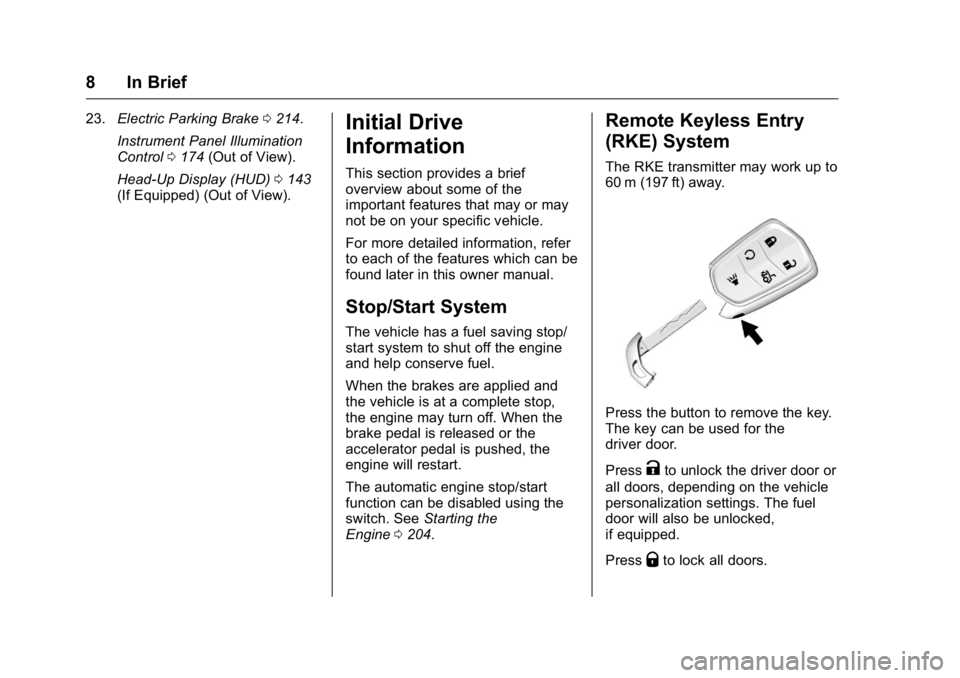
Press the button to remove the key.
The key can be used for the
driver door.
Press
K to unlock the driver door or
all doors, depending on the vehicle
personalization settings. The fuel
door will also be unlocked,
if equipped.
Press
Q to lock all doors.
Page 28 of 397
Cadillac CT6 Owner Manual (GMNA-Localizing-U.S./Canada-9235592) -
2016 - crc - 11/6/15
In Brief 27The oil life system can also be reset
as follows:
1. Turn the ignition on with the
engine off.
2. Fully press and release the
accelerator pedal three times
within five seconds.
If the CHANGE ENGINE OIL
SOON message is not on, the
system is reset.
See Engine Oil Life System 0 272 .
Driving for Better Fuel
Economy Driving habits can affect fuel
mileage. Here are some driving tips
to get the best fuel economy
possible.
.
Avoid fast starts and accelerate
smoothly.
.
Brake gradually and avoid
abrupt stops.
.
Avoid idling the engine for long
periods of time. .
When road and weather
conditions are appropriate, use
cruise control.
.
Always follow posted speed
limits or drive more slowly when
conditions require.
.
Keep vehicle tires properly
inflated.
.
Combine several trips into a
single trip.
.
Replace the vehicle's tires with
the same TPC Spec number
molded into the tire's sidewall
near the size.
.
Follow recommended scheduled
maintenance. Roadside Service U.S.: 1-800-224-1400
Canada: 1-800-882-1112
TTY Users (U.S. Only):
1-888-889-2438
New Cadillac owners are
automatically enrolled in the
Roadside Service Program.
See Roadside Service 0 364 .
Page 31 of 397
Cadillac CT6 Owner Manual (GMNA-Localizing-U.S./Canada-9235592) -
2016 - crc - 11/6/15
30 Keys, Doors, and Windows
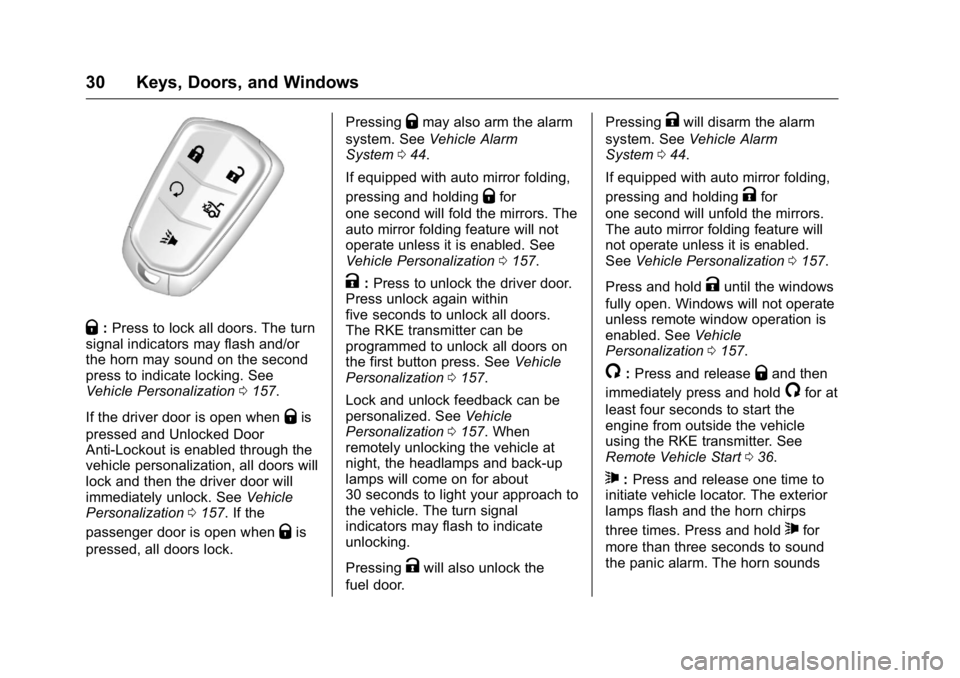
Q : Press to lock all doors. The turn
signal indicators may flash and/or
the horn may sound on the second
press to indicate locking. See
Vehicle Personalization 0 157 .
If the driver door is open when
Q is
pressed and Unlocked Door
Anti-Lockout is enabled through the
vehicle personalization, all doors will
lock and then the driver door will
immediately unlock. See Vehicle
Personalization 0 157 . If the
passenger door is open when
Q is
pressed, all doors lock. Pressing
Q may also arm the alarm
system. See Vehicle Alarm
System 0 44 .
If equipped with auto mirror folding,
pressing and holding
Q for
one second will fold the mirrors. The
auto mirror folding feature will not
operate unless it is enabled. See
Vehicle Personalization 0 157 .
K : Press to unlock the driver door.
Press unlock again within
five seconds to unlock all doors.
The RKE transmitter can be
programmed to unlock all doors on
the first button press. See Vehicle
Personalization 0 157 .
Lock and unlock feedback can be
personalized. See Vehicle
Personalization 0 157 . When
remotely unlocking the vehicle at
night, the headlamps and back-up
lamps will come on for about
30 seconds to light your approach to
the vehicle. The turn signal
indicators may flash to indicate
unlocking.
Pressing
K will also unlock the
fuel door. Pressing
K will disarm the alarm
system. See Vehicle Alarm
System 0 44 .
If equipped with auto mirror folding,
pressing and holding
K for
one second will unfold the mirrors.
The auto mirror folding feature will
not operate unless it is enabled.
See Vehicle Personalization 0 157 .
Press and hold
K until the windows
fully open. Windows will not operate
unless remote window operation is
enabled. See Vehicle
Personalization 0 157 .
/ : Press and release
Q and then
immediately press and hold
/ for at
least four seconds to start the
engine from outside the vehicle
using the RKE transmitter. See
Remote Vehicle Start 0 36 .
7 : Press and release one time to
initiate vehicle locator. The exterior
lamps flash and the horn chirps
three times. Press and hold
7 for
more than three seconds to sound
the panic alarm. The horn sounds
Page 32 of 397
Cadillac CT6 Owner Manual (GMNA-Localizing-U.S./Canada-9235592) -
2016 - crc - 11/6/15
Keys, Doors, and Windows 31and the turn signal lamps flash for
30 seconds, or until
7 is pressed
again or the vehicle is started.
X : Press twice quickly to open the
trunk. Press once to stop the trunk
from moving. See Trunk 0 41 .
Keyless Access Operation The Keyless Access system lets
you lock and unlock the doors and
access the trunk without removing
the RKE transmitter from your
pocket, purse, briefcase, etc. The
RKE transmitter must be within 1 m
(3 ft) of the door being opened.
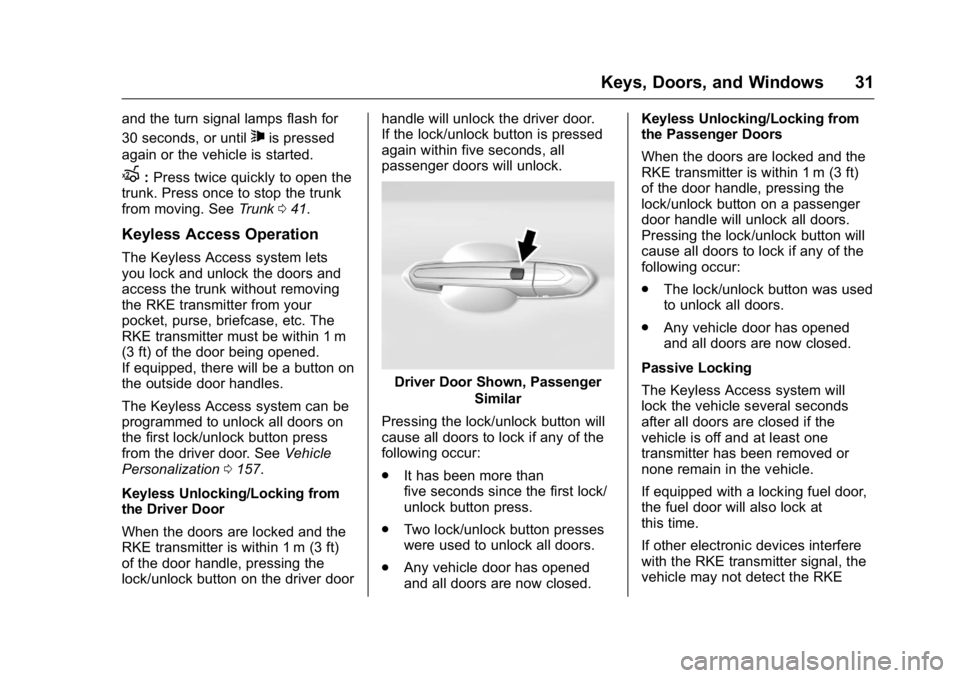
If equipped, there will be a button on
the outside door handles.
The Keyless Access system can be
programmed to unlock all doors on
the first lock/unlock button press
from the driver door. See Vehicle
Personalization 0 157 .
Keyless Unlocking/Locking from
the Driver Door
When the doors are locked and the
RKE transmitter is within 1 m (3 ft)
of the door handle, pressing the
lock/unlock button on the driver door handle will unlock the driver door.
If the lock/unlock button is pressed
again within five seconds, all
passenger doors will unlock.
Driver Door Shown, Passenger
Similar
Pressing the lock/unlock button will
cause all doors to lock if any of the
following occur:
.
It has been more than
five seconds since the first lock/
unlock button press.
.
Two lock/unlock button presses
were used to unlock all doors.
.
Any vehicle door has opened
and all doors are now closed. Keyless Unlocking/Locking from
the Passenger Doors
When the doors are locked and the
RKE transmitter is within 1 m (3 ft)
of the door handle, pressing the
lock/unlock button on a passenger
door handle will unlock all doors.
Pressing the lock/unlock button will
cause all doors to lock if any of the
following occur:
.
The lock/unlock button was used
to unlock all doors.
.
Any vehicle door has opened
and all doors are now closed.
Passive Locking
The Keyless Access system will
lock the vehicle several seconds
after all doors are closed if the
vehicle is off and at least one
transmitter has been removed or
none remain in the vehicle.
If equipped with a locking fuel door,
the fuel door will also lock at
this time.
If other electronic devices interfere
with the RKE transmitter signal, the
vehicle may not detect the RKE
Page 37 of 397
Cadillac CT6 Owner Manual (GMNA-Localizing-U.S./Canada-9235592) -
2016 - crc - 11/6/15
36 Keys, Doors, and Windows
Remote Vehicle Start This feature allows the engine to be
started from outside the vehicle.
/ : This button will be on the RKE
transmitter if the vehicle has remote
start.
The climate control system will use
the previous settings during a
remote start. The rear window
defogger may come on during
remote start based on cold ambient
conditions. The rear defog indicator
light does not come on during
remote start.
If equipped, the heated and
ventilated front seats may also
come on when the vehicle
personalization setting is enabled.
See Heated and Ventilated Front
Seats 0 64 .
Laws in some local communities
may restrict the use of remote
starters. For example, some laws
may require a person using remote
start to have the vehicle in view.
Check local regulations for any
requirements. If your vehicle is low on fuel, do not
use the remote start feature. The
vehicle may run out of fuel.
The RKE transmitter range may be
shorter while the vehicle is running.
Other conditions can affect the
performance of the transmitter. See
Remote Keyless Entry (RKE)
System 0 29 .
Starting the Engine Using Remote
Start
1. Press and release
Q on the
RKE transmitter.
2. Immediately press and hold
/for at least four seconds or until
the lamps flash. This confirms
the request to remote start the
vehicle has been received.
During the remote start, the
doors will be locked and the
parking lamps will remain on as
long as the engine is running.
The engine will shut off after
10 minutes unless a time
extension is done or the
ignition is put in ON/RUN/
START. 3. Press the brake pedal and
select the ON/RUN/START
ignition mode to drive the
vehicle.
Extending Engine Run Time
The engine run time can also be
extended by another 10 minutes,
if during the first 10 minutes
Steps 1 and 2 are repeated while
the engine is still running. An
extension can be requested
30 seconds after starting. This
provides a total of 20 minutes.
The remote start can only be
extended once.
When the remote start is extended,
the second 10 minute period is
added on to the first 10 minutes for
a total of 20 minutes.
A maximum of two remote starts,
or a remote start with an extension,
are allowed between ignition cycles.
The vehicle's ignition must be
changed to ON/RUN/START and
then back to OFF before the remote
start procedure can be used again.
Page 52 of 397

Cadillac CT6 Owner Manual (GMNA-Localizing-U.S./Canada-9235592) -
2016 - crc - 11/6/15
Keys, Doors, and Windows 51
The camera that provides the Rear
Camera Mirror (RCM) image is
above the license plate, next to the
Rear Vision Camera (RVC).
Troubleshooting
If the tab is in the rearward position
and a blue screen and
d are
displayed in the mirror and the
display shuts off, see your dealer for
service. The RCM may not work properly or
display a clear image if:
.
There is glare from the sun or
headlamps. This may obstruct
objects from view.
.
Dirt, snow, or other debris blocks
the camera lens. Clean the lens
with a soft damp cloth.
.
The back of the vehicle has
been damaged and the position
and mounting angle of the
camera has changed.
Windows
{ WarningNever leave a child, a helpless
adult, or a pet alone in a vehicle,
especially with the windows
closed in warm or hot weather.
They can be overcome by the
extreme heat and suffer
permanent injuries or even death
from heat stroke.
The vehicle aerodynamics are
designed to improve fuel economy
performance. This may result in a
Page 82 of 397
Cadillac CT6 Owner Manual (GMNA-Localizing-U.S./Canada-9235592) -
2016 - crc - 11/6/15
Seats and Restraints 81But airbags would not help in many
types of collisions, primarily
because the occupant's motion is
not toward those airbags. See When
Should an Airbag Inflate? 0 79 .
Airbags should never be regarded
as anything more than a supplement
to safety belts.
What Will You See after
an Airbag Inflates? After the frontal airbags and
seat-mounted side impact airbags
inflate, they quickly deflate, so
quickly that some people may not
even realize an airbag inflated.
Roof-rail airbags may still be at least
partially inflated for some time after
they inflate. Some components of
the airbag module may be hot for
several minutes. For location of the
airbags, see Where Are the
Airbags? 0 78 .
The parts of the airbag that come
into contact with you may be warm,
but not too hot to touch. There may
be some smoke and dust coming
from the vents in the deflated
airbags. Airbag inflation does not prevent the driver from seeing out of
the windshield or being able to steer
the vehicle, nor does it prevent
people from leaving the vehicle.
{ WarningWhen an airbag inflates, there
may be dust in the air. This dust
could cause breathing problems
for people with a history of
asthma or other breathing trouble.
To avoid this, everyone in the
vehicle should get out as soon as
it is safe to do so. If you have
breathing problems but cannot
get out of the vehicle after an
airbag inflates, then get fresh air
by opening a window or a door.
If you experience breathing
problems following an airbag
deployment, you should seek
medical attention.
The vehicle has a feature that may
automatically unlock the doors, turn
on the interior lamps and hazard
warning flashers, and shut off the
fuel system after the airbags inflate. The feature may also activate,
without airbag inflation, after an
event that exceeds a predetermined
threshold. You can lock the doors,
and turn off the interior lamps, and
turn off the hazard warning flashers
by using the controls for those
features.
{ WarningA crash severe enough to inflate
the airbags may have also
damaged important functions in
the vehicle, such as the fuel
system, brake and steering
systems, etc. Even if the vehicle
appears to be drivable after a
moderate crash, there may be
concealed damage that could
make it difficult to safely operate
the vehicle.
Use caution if you should attempt
to restart the engine after a crash
has occurred.
In many crashes severe enough to
inflate the airbag, windshields are
broken by vehicle deformation.
Page 110 of 397
Cadillac CT6 Owner Manual (GMNA-Localizing-U.S./Canada-9235592) -
2016 - crc - 11/6/15
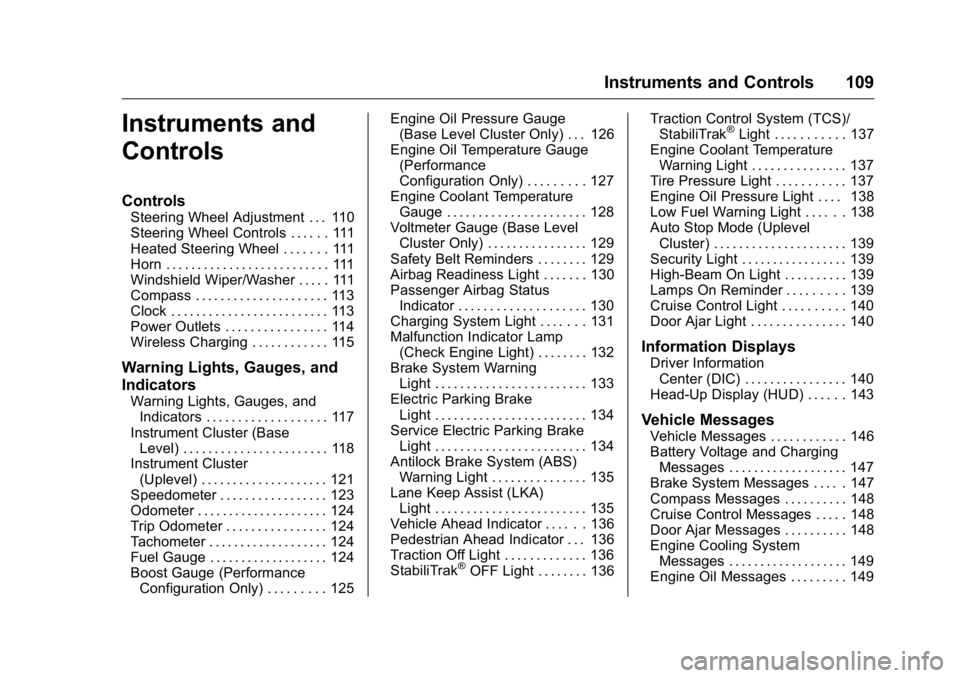
Instruments and Controls 109
Instruments and
Controls Controls Steering Wheel Adjustment . . . 110
Steering Wheel Controls . . . . . . 111
Heated Steering Wheel . . . . . . . 111
Horn . . . . . . . . . . . . . . . . . . . . . . . . . . 111
Windshield Wiper/Washer . . . . . 111
Compass . . . . . . . . . . . . . . . . . . . . . 113
Clock . . . . . . . . . . . . . . . . . . . . . . . . . 113
Power Outlets . . . . . . . . . . . . . . . . 114
Wireless Charging . . . . . . . . . . . . 115
Warning Lights, Gauges, and
Indicators Warning Lights, Gauges, and
Indicators . . . . . . . . . . . . . . . . . . . 117
Instrument Cluster (Base
Level) . . . . . . . . . . . . . . . . . . . . . . . 118
Instrument Cluster
(Uplevel) . . . . . . . . . . . . . . . . . . . . 121
Speedometer . . . . . . . . . . . . . . . . . 123
Odometer . . . . . . . . . . . . . . . . . . . . . 124
Trip Odometer . . . . . . . . . . . . . . . . 124
Tachometer . . . . . . . . . . . . . . . . . . . 124
Fuel Gauge . . . . . . . . . . . . . . . . . . . 124
Boost Gauge (Performance
Configuration Only) . . . . . . . . . 125 Engine Oil Pressure Gauge
(Base Level Cluster Only) . . . 126
Engine Oil Temperature Gauge
(Performance
Configuration Only) . . . . . . . . . 127
Engine Coolant Temperature
Gauge . . . . . . . . . . . . . . . . . . . . . . 128
Voltmeter Gauge (Base Level
Cluster Only) . . . . . . . . . . . . . . . . 129
Safety Belt Reminders . . . . . . . . 129
Airbag Readiness Light . . . . . . . 130
Passenger Airbag Status
Indicator . . . . . . . . . . . . . . . . . . . . 130
Charging System Light . . . . . . . 131
Malfunction Indicator Lamp
(Check Engine Light) . . . . . . . . 132
Brake System Warning
Light . . . . . . . . . . . . . . . . . . . . . . . . 133
Electric Parking Brake
Light . . . . . . . . . . . . . . . . . . . . . . . . 134
Service Electric Parking Brake
Light . . . . . . . . . . . . . . . . . . . . . . . . 134
Antilock Brake System (ABS)
Warning Light . . . . . . . . . . . . . . . 135
Lane Keep Assist (LKA)
Light . . . . . . . . . . . . . . . . . . . . . . . . 135
Vehicle Ahead Indicator . . . . . . 136
Pedestrian Ahead Indicator . . . 136
Traction Off Light . . . . . . . . . . . . . 136
StabiliTrak ®
OFF Light . . . . . . . . 136 Traction Control System (TCS)/
StabiliTrak ®
Light . . . . . . . . . . . 137
Engine Coolant Temperature
Warning Light . . . . . . . . . . . . . . . 137
Tire Pressure Light . . . . . . . . . . . 137
Engine Oil Pressure Light . . . . 138
Low Fuel Warning Light . . . . . . 138
Auto Stop Mode (Uplevel
Cluster) . . . . . . . . . . . . . . . . . . . . . 139
Security Light . . . . . . . . . . . . . . . . . 139
High-Beam On Light . . . . . . . . . . 139
Lamps On Reminder . . . . . . . . . 139
Cruise Control Light . . . . . . . . . . 140
Door Ajar Light . . . . . . . . . . . . . . . 140
Information Displays Driver Information
Center (DIC) . . . . . . . . . . . . . . . . 140
Head-Up Display (HUD) . . . . . . 143
Vehicle Messages Vehicle Messages . . . . . . . . . . . . 146
Battery Voltage and Charging
Messages . . . . . . . . . . . . . . . . . . . 147
Brake System Messages . . . . . 147
Compass Messages . . . . . . . . . . 148
Cruise Control Messages . . . . . 148
Door Ajar Messages . . . . . . . . . . 148
Engine Cooling System
Messages . . . . . . . . . . . . . . . . . . . 149
Engine Oil Messages . . . . . . . . . 149