automatic transmission CADILLAC CTS 2004 1.G User Guide
[x] Cancel search | Manufacturer: CADILLAC, Model Year: 2004, Model line: CTS, Model: CADILLAC CTS 2004 1.GPages: 454, PDF Size: 2.87 MB
Page 95 of 454

THIRD (3):This position gives you more power. You
can use THIRD (3) on hills. It can help control your
speed as you go down steep mountain roads, but then
you would also want to use your brakes off and on.
If the shift lever is put into THIRD (3), the transmission
won’t shift into THIRD (3) until the vehicle is moving
slowly enough.
SECOND (2):This position gives you even more power
than THIRD (3). You can use it on very steep hills, or
in deep snow or mud. (If the shift lever is put in
SECOND (2), the transmission won’t shift into
SECOND (2) until the vehicle is going slowly enough).
FIRST (1):The transmission will automatically select
this gear when conditions indicate that more power
is needed. You cannot select this gear manually.
Notice:Spinning the tires or holding the vehicle in
one place on a hill using only the accelerator
pedal may damage the transmission. If you are
stuck, do not spin the tires. When stopping on a hill,
use the brakes to hold the vehicle in place.Shift Lock Release
(Automatic Transmission)
If your vehicle has a dead battery or a battery with low
voltage, you can still shift the vehicle into PARK (P)
and remove the ignition key. Use the following
procedure to release the shift lever:
1. Pull up on the rear part of the leather boot that
surrounds the shift lever.
2. Fold the boot upward to expose the mechanism
beneath the shift lever.
2-29
Page 97 of 454
Sport Mode Button
(Automatic Transmission)
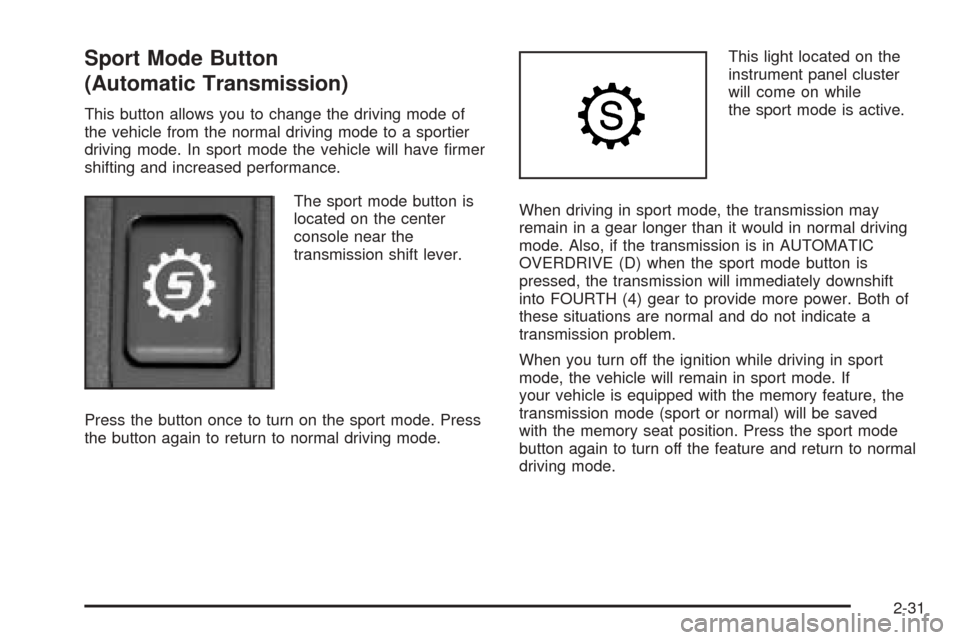
This button allows you to change the driving mode of
the vehicle from the normal driving mode to a sportier
driving mode. In sport mode the vehicle will have rmer
shifting and increased performance.
The sport mode button is
located on the center
console near the
transmission shift lever.
Press the button once to turn on the sport mode. Press
the button again to return to normal driving mode.This light located on the
instrument panel cluster
will come on while
the sport mode is active.
When driving in sport mode, the transmission may
remain in a gear longer than it would in normal driving
mode. Also, if the transmission is in AUTOMATIC
OVERDRIVE (D) when the sport mode button is
pressed, the transmission will immediately downshift
into FOURTH (4) gear to provide more power. Both of
these situations are normal and do not indicate a
transmission problem.
When you turn off the ignition while driving in sport
mode, the vehicle will remain in sport mode. If
your vehicle is equipped with the memory feature, the
transmission mode (sport or normal) will be saved
with the memory seat position. Press the sport mode
button again to turn off the feature and return to normal
driving mode.
2-31
Page 98 of 454
Winter Driving Mode Button
(Automatic Transmission)
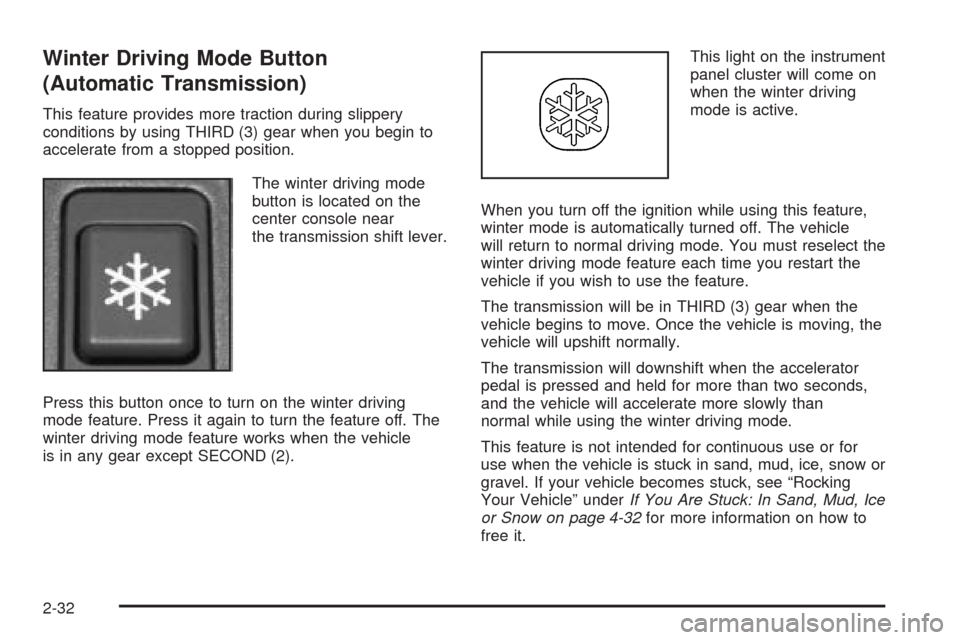
This feature provides more traction during slippery
conditions by using THIRD (3) gear when you begin to
accelerate from a stopped position.
The winter driving mode
button is located on the
center console near
the transmission shift lever.
Press this button once to turn on the winter driving
mode feature. Press it again to turn the feature off. The
winter driving mode feature works when the vehicle
is in any gear except SECOND (2).This light on the instrument
panel cluster will come on
when the winter driving
mode is active.
When you turn off the ignition while using this feature,
winter mode is automatically turned off. The vehicle
will return to normal driving mode. You must reselect the
winter driving mode feature each time you restart the
vehicle if you wish to use the feature.
The transmission will be in THIRD (3) gear when the
vehicle begins to move. Once the vehicle is moving, the
vehicle will upshift normally.
The transmission will downshift when the accelerator
pedal is pressed and held for more than two seconds,
and the vehicle will accelerate more slowly than
normal while using the winter driving mode.
This feature is not intended for continuous use or for
use when the vehicle is stuck in sand, mud, ice, snow or
gravel. If your vehicle becomes stuck, see “Rocking
Your Vehicle” underIf You Are Stuck: In Sand, Mud, Ice
or Snow on page 4-32for more information on how to
free it.
2-32
Page 102 of 454
If the ignition is on, the brake system warning light on
the instrument panel cluster should come on. If it
does not, you need to have your vehicle serviced.
SeeBrake System Warning Light on page 3-43for
more information.
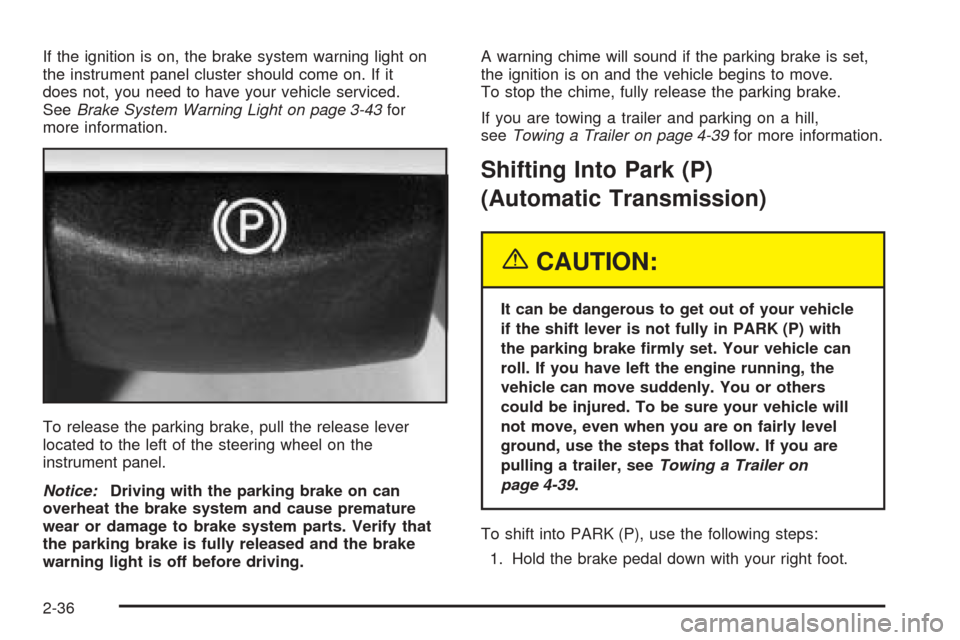
To release the parking brake, pull the release lever
located to the left of the steering wheel on the
instrument panel.
Notice:Driving with the parking brake on can
overheat the brake system and cause premature
wear or damage to brake system parts. Verify that
the parking brake is fully released and the brake
warning light is off before driving.A warning chime will sound if the parking brake is set,
the ignition is on and the vehicle begins to move.
To stop the chime, fully release the parking brake.
If you are towing a trailer and parking on a hill,
seeTowing a Trailer on page 4-39for more information.
Shifting Into Park (P)
(Automatic Transmission)
{CAUTION:
It can be dangerous to get out of your vehicle
if the shift lever is not fully in PARK (P) with
the parking brake rmly set. Your vehicle can
roll. If you have left the engine running, the
vehicle can move suddenly. You or others
could be injured. To be sure your vehicle will
not move, even when you are on fairly level
ground, use the steps that follow. If you are
pulling a trailer, seeTowing a Trailer on
page 4-39.
To shift into PARK (P), use the following steps:
1. Hold the brake pedal down with your right foot.
2-36
Page 103 of 454

2. Move the shift lever into PARK (P) like this:
Press the button on the front of the shift lever as
you push the shift lever all the way toward the
front of your vehicle into PARK (P). Release
the button.
With your right foot still holding the brake
pedal down, set the parking brake with your left
foot. SeeParking Brake on page 2-35for
more information.
3. Turn the key to OFF.
4. Remove the key from the ignition switch and take it
with you. If you can leave your vehicle with the key
in your hand, the vehicle is in PARK (P).
Leaving Your Vehicle With the Engine
Running (Automatic Transmission)
{CAUTION:
It can be dangerous to leave your vehicle with
the engine running. Your vehicle could move
suddenly if the shift lever is not fully in
PARK (P) with the parking brake rmly set.
And, if you leave the vehicle with the engine
running, it could overheat and even catch re.
You or others could be injured. Do not leave
your vehicle with the engine running.
If you have to leave your vehicle with the engine
running, be sure your vehicle is in PARK (P) and your
parking brake is rmly set before you leave it. After
you’ve moved the shift lever into PARK (P), hold
the regular brake pedal down. Then, see if you can
move the shift lever away from PARK (P) without rst
pushing the button on the shift lever. If you can, it means
that the shift lever wasn’t fully locked into PARK (P).
2-37
Page 104 of 454

Torque Lock (Automatic Transmission)
If you are parking on a hill and you don’t shift your
transmission into PARK (P) properly, the weight of the
vehicle may put too much force on the parking pawl
in the transmission. You may nd it difficult to pull the
shift lever out of PARK (P). This is called “torque
lock.” To prevent torque lock, set the parking brake and
then shift into PARK (P) properly before you leave
the driver’s seat. To nd out how, see “Shifting
Into PARK (P)” listed previously.
If torque lock does occur, you may need to have
another vehicle push yours a little uphill to take some of
the pressure from the parking pawl in the transmission,
so you can pull the shift lever out of PARK (P).
Shifting Out of Park (P)
(Automatic Transmission)
Your vehicle has an automatic transmission shift lock
control system. You have to fully apply your regular
brakes before you can shift from PARK (P) when the
ignition is in ON. SeeAutomatic Transmission Operation
on page 2-26for more information.
If you cannot shift out of PARK (P), ease the pressure
on the shift lever. Push the shift lever all the way
into PARK (P) while pushing the button on the shift leveras you maintain brake application. Then move the shift
lever into the gear you want. If you ever hold the
pedal down but still can’t shift out of PARK (P), try
the following:
1. Turn the ignition key to ACCESSORY. Open and
close the driver’s door to turn off the RAP feature.
2. Apply and hold the brake until the end of Step 4.
3. Shift to NEUTRAL (N).
4. Start the vehicle and then shift to the drive gear
you want.
5. Have the vehicle xed as soon as you can.
Parking Your Vehicle
(Manual Transmission)
Before you get out of your vehicle, place the shift
lever in REVERSE (R) and rmly apply the parking
brake. Turn the ignition key to OFF, press the release
button and remove the key. See “Key Release
Button” underIgnition Positions on page 2-22for
more information.
If you are towing a trailer, seeTowing a Trailer on
page 4-39.
2-38
Page 106 of 454

Running Your Engine While You
Are Parked
It is better not to park with the engine running. But if
you ever have to, here are some things to know.
{CAUTION:
Idling the engine with the climate control
system off could allow dangerous exhaust into
your vehicle. See the earlier Caution under
Engine Exhaust on page 2-39.
Also, idling in a closed-in place can let deadly
carbon monoxide (CO) into your vehicle even
if the climate control fan is at the highest
setting. One place this can happen is a
garage. Exhaust — with CO — can come
in easily. NEVER park in a garage with the
engine running.
Another closed-in place can be a blizzard.
SeeWinter Driving on page 4-27.
{CAUTION:
It can be dangerous to get out of your vehicle
if the shift lever is not fully in PARK (P) with
the parking brake rmly set. Your vehicle can
roll. Do not leave your vehicle when the engine
is running unless you have to. If you have left
the engine running, the vehicle can move
suddenly. You or others could be injured.
To be sure your vehicle will not move, even
when you are on fairly level ground, always set
your parking brake after you move the shift
lever to PARK (P).
Follow the proper steps to be sure your vehicle
will not move. SeeShifting Into Park (P) (Automatic
Transmission) on page 2-36.
If you are parking on a hill and if you are pulling a
trailer, also seeTowing a Trailer on page 4-39.
2-40
Page 119 of 454

Anti-Pinch Feature
If an object is in the path of the sunroof when it is
closing, the anti-pinch feature will detect the object and
stop the sunroof from closing at the point of the
obstruction. The sunroof will then return to the full-open
or vent position. To close the sunroof once it has
re-opened, turn the control to the closed position.
Vehicle Personalization
Memory Seat and Mirrors
If your vehicle has the memory feature, you can
program and recall memory settings for the driver’s
seating and outside rearview mirror driving positions for
up to two drivers.
The buttons for this feature
are located on the driver’s
door armrest.Use the following steps to program the buttons:
1. Adjust the driver’s seat including the seatback
recliner and both outside mirrors.
2. Press and hold button 1 for at least three seconds.
Two beeps will sound to conrm that the seat and
mirror positions have been saved.
3. Repeat the procedure for a second driver using
button 2.
If your vehicle has an automatic transmission, the
vehicle must be in PARK (P) to recall the stored driving
positions. If your vehicle has a manual transmission
and the engine is running, the parking brake must be set
to recall the memory seat driving positions. The stored
driving positions can be recalled without setting the
parking brake if the vehicle is off.
Press one of the numbered memory buttons to recall
the stored setting. Each time a memory button is
pressed, a single beep will sound.
Three chimes will sound and the setting will not be
recalled if you press button 1 or 2 when the vehicle is
not in PARK (P) on an automatic transmission or
the parking brake is not set on a manual transmission.
2-53
Page 120 of 454

If you would like the stored driving positions to be
recalled when unlocking your vehicle with the remote
keyless entry transmitter or when you place the
key in the ignition, seeDIC Vehicle Personalization on
page 3-88.
To stop recall movement of the memory feature at any
time, press one of the power seat or mirror controls.
Two personalized exit positions can also be
programmed. Use the following steps to program
exit positions:
1. Press memory seat button 1 or the button with the
unlock symbol on the remote keyless entry
transmitter with the number 1 on the back to recall
the driving position.
2. Adjust the driver’s seat to the desired exit position.
3. Press and hold the exit button located above
buttons 1 and 2 on the driver’s door armrest
for at least three seconds.
Two beeps will sound to conrm that the exit
position has been saved.
4. Repeat the procedure for a second driver using
memory seat button 2 or the remote keyless
entry transmitter with the number 2 on the back.To recall the stored exit positions, press and release the
exit button. One beep will sound, and the seat will
move to the previously stored exit position for the
currently identied driver. If an exit position has not
been stored for this driver, the seat will move all the way
back. The position of the outside mirrors is not stored
or recalled for the exit position.
If your vehicle has an automatic transmission, the
vehicle must be in PARK (P) to recall the exit positions.
For a manual transmission, the parking brake must
be set to recall the stored exit positions.
Three chimes will sound and the exit setting will not be
recalled if you press the exit button when the vehicle
is not in PARK (P) on an automatic transmission or the
parking brake is not set on a manual transmission.
If you would like your stored exit position to be recalled
when unlocking the vehicle with the remote keyless
entry transmitter or when the ignition is turned off and
the driver’s door is opened, seeDIC Vehicle
Personalization on page 3-88.
2-54
Page 121 of 454
Instrument Panel Overview...............................3-4
Hazard Warning Flashers................................3-6
Other Warning Devices...................................3-7
Horn.............................................................3-7
Tilt Wheel.....................................................3-7
Recongurable Steering Wheel
Controls (SWC) (CTS).................................3-8
Turn Signal/Multifunction Lever.......................3-10
Windshield Wiper Lever.................................3-21
Cruise Control..............................................3-23
Exterior Lamps.............................................3-24
Interior Lamps..............................................3-26
Accessory Power Outlets...............................3-27
Ashtrays and Cigarette Lighter........................3-28
Climate Controls............................................3-29
Dual Climate Control System..........................3-29
Outlet Adjustment.........................................3-34
Passenger Compartment Air Filter...................3-35
Steering Wheel Climate Controls (CTS)............3-36
Warning Lights, Gages, and Indicators............3-37
Instrument Panel Cluster................................3-38
Speedometer and Odometer...........................3-40
Tachometer.................................................3-41Safety Belt Reminder Light.............................3-41
Airbag Readiness Light..................................3-42
Charging System Light..................................3-43
Brake System Warning Light..........................3-43
Anti-Lock Brake System Warning Light.............3-44
Traction Control System (TCS)
Warning Light...........................................3-45
Engine Coolant Temperature
Warning Light (CTS)..................................3-45
Engine Coolant Temperature Gage..................3-46
Tire Pressure Light (CTS-V) ...........................3-46
Malfunction Indicator Lamp.............................3-47
Oil Pressure Light.........................................3-49
Winter Driving Mode Light
(Automatic Transmission)............................3-50
Sport Mode Light (Automatic Transmission)......3-50
Security Light...............................................3-51
Fog Lamp Light............................................3-51
Lights On Reminder......................................3-51
Cruise Control Light......................................3-52
Highbeam On Light.......................................3-52
Fuel Gage...................................................3-52
Section 3 Instrument Panel
3-1