instrument panel CADILLAC CTS 2004 1.G User Guide
[x] Cancel search | Manufacturer: CADILLAC, Model Year: 2004, Model line: CTS, Model: CADILLAC CTS 2004 1.GPages: 454, PDF Size: 2.87 MB
Page 97 of 454
Sport Mode Button
(Automatic Transmission)
This button allows you to change the driving mode of
the vehicle from the normal driving mode to a sportier
driving mode. In sport mode the vehicle will have rmer
shifting and increased performance.
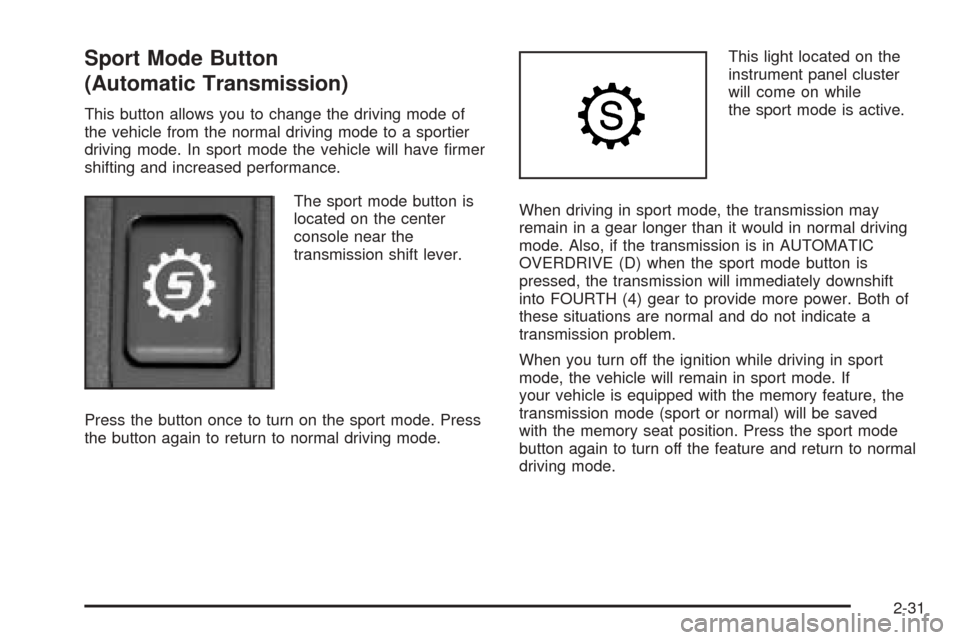
The sport mode button is
located on the center
console near the
transmission shift lever.
Press the button once to turn on the sport mode. Press
the button again to return to normal driving mode.This light located on the
instrument panel cluster
will come on while
the sport mode is active.
When driving in sport mode, the transmission may
remain in a gear longer than it would in normal driving
mode. Also, if the transmission is in AUTOMATIC
OVERDRIVE (D) when the sport mode button is
pressed, the transmission will immediately downshift
into FOURTH (4) gear to provide more power. Both of
these situations are normal and do not indicate a
transmission problem.
When you turn off the ignition while driving in sport
mode, the vehicle will remain in sport mode. If
your vehicle is equipped with the memory feature, the
transmission mode (sport or normal) will be saved
with the memory seat position. Press the sport mode
button again to turn off the feature and return to normal
driving mode.
2-31
Page 98 of 454
Winter Driving Mode Button
(Automatic Transmission)
This feature provides more traction during slippery
conditions by using THIRD (3) gear when you begin to
accelerate from a stopped position.
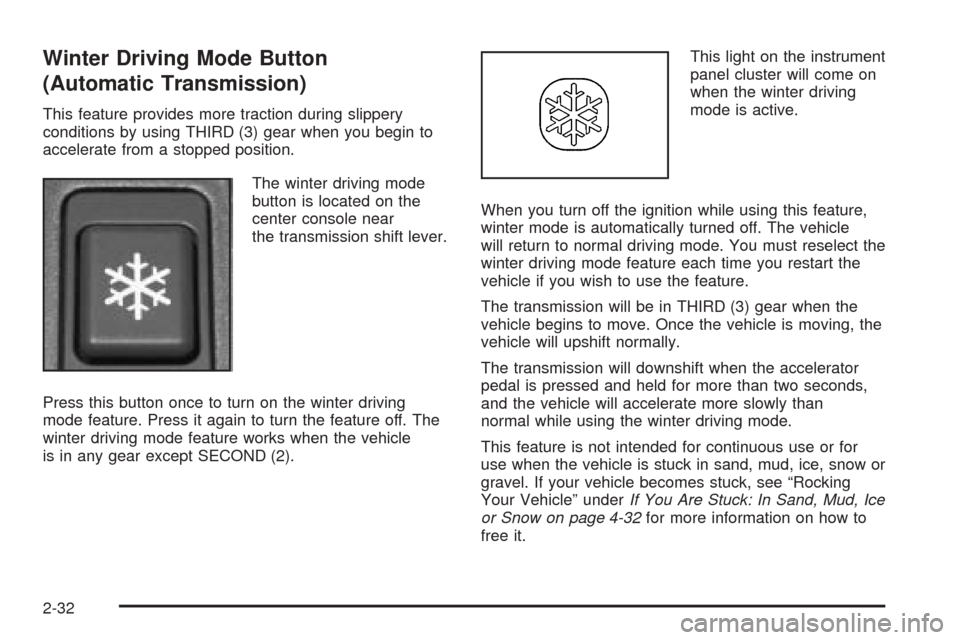
The winter driving mode
button is located on the
center console near
the transmission shift lever.
Press this button once to turn on the winter driving
mode feature. Press it again to turn the feature off. The
winter driving mode feature works when the vehicle
is in any gear except SECOND (2).This light on the instrument
panel cluster will come on
when the winter driving
mode is active.
When you turn off the ignition while using this feature,
winter mode is automatically turned off. The vehicle
will return to normal driving mode. You must reselect the
winter driving mode feature each time you restart the
vehicle if you wish to use the feature.
The transmission will be in THIRD (3) gear when the
vehicle begins to move. Once the vehicle is moving, the
vehicle will upshift normally.
The transmission will downshift when the accelerator
pedal is pressed and held for more than two seconds,
and the vehicle will accelerate more slowly than
normal while using the winter driving mode.
This feature is not intended for continuous use or for
use when the vehicle is stuck in sand, mud, ice, snow or
gravel. If your vehicle becomes stuck, see “Rocking
Your Vehicle” underIf You Are Stuck: In Sand, Mud, Ice
or Snow on page 4-32for more information on how to
free it.
2-32
Page 101 of 454
Shift Speeds (Manual Transmission)
{CAUTION:
If you skip a gear when you downshift, you
could lose control of your vehicle. You could
injure yourself or others. Don’t shift down more
than one gear at a time when you downshift.
Notice:If you skip more than one gear when you
downshift, or if you race the engine when you
release the clutch pedal while downshifting, you
could damage the engine, clutch, driveshaft or the
transmission. Do not skip gears or race the
engine when downshifting.
If the vehicle speed drops below 20 mph (32 km/h), or if
the engine is not running smoothly, you should
downshift to the next lower gear. You may have to
downshift two or more gears to keep the engine running
smoothly or for good performance.
Skip Shift (CTS-V)
1r4:This may appear in the message center in the
speedometer during light throttle, low speed maneuvers.
You must complete the shift into FOURTH (4) to turn
off this feature. This helps you get the best possible
fuel economy.
Parking Brake
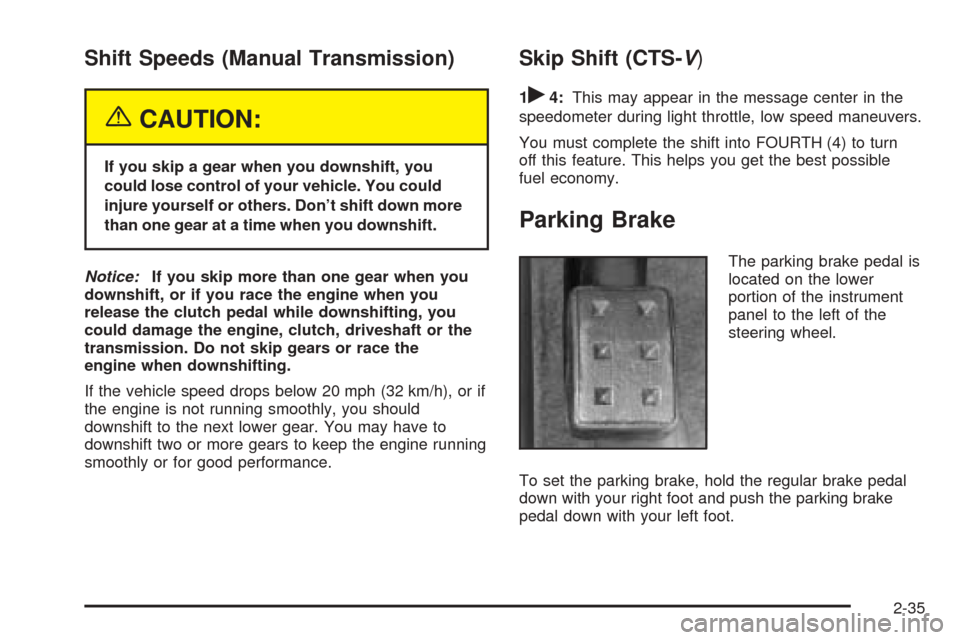
The parking brake pedal is
located on the lower
portion of the instrument
panel to the left of the
steering wheel.
To set the parking brake, hold the regular brake pedal
down with your right foot and push the parking brake
pedal down with your left foot.
2-35
Page 102 of 454
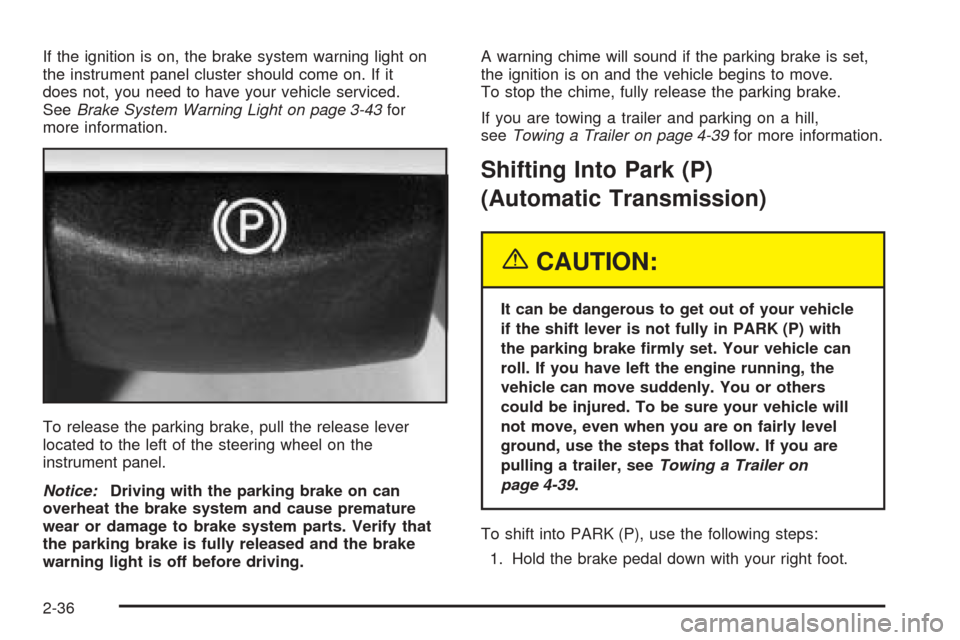
If the ignition is on, the brake system warning light on
the instrument panel cluster should come on. If it
does not, you need to have your vehicle serviced.
SeeBrake System Warning Light on page 3-43for
more information.
To release the parking brake, pull the release lever
located to the left of the steering wheel on the
instrument panel.
Notice:Driving with the parking brake on can
overheat the brake system and cause premature
wear or damage to brake system parts. Verify that
the parking brake is fully released and the brake
warning light is off before driving.A warning chime will sound if the parking brake is set,
the ignition is on and the vehicle begins to move.
To stop the chime, fully release the parking brake.
If you are towing a trailer and parking on a hill,
seeTowing a Trailer on page 4-39for more information.
Shifting Into Park (P)
(Automatic Transmission)
{CAUTION:
It can be dangerous to get out of your vehicle
if the shift lever is not fully in PARK (P) with
the parking brake rmly set. Your vehicle can
roll. If you have left the engine running, the
vehicle can move suddenly. You or others
could be injured. To be sure your vehicle will
not move, even when you are on fairly level
ground, use the steps that follow. If you are
pulling a trailer, seeTowing a Trailer on
page 4-39.
To shift into PARK (P), use the following steps:
1. Hold the brake pedal down with your right foot.
2-36
Page 116 of 454

Erasing HomeLink®Buttons
To erase programming from the three buttons do
the following:
1. Press and hold down the two outside buttons until
the indicator light begins to ash, after 20 seconds.
2. Release both buttons. Do not hold for longer than
30 seconds.
HomeLink
®is now in the train (learning) mode and can
be programmed at any time beginning with Step 2
under “Programming HomeLink
®.”
Individual buttons can not be erased, but they can be
reprogrammed. See “Reprogramming a Single
HomeLink
®Button” next.
Reprogramming a Single
HomeLink®Button
To program a device to HomeLink®using a HomeLink®
button previously trained, follow these steps:
1. Press and hold the desired HomeLink®button. Do
not release the button.
2. The indicator light will begin to ash after
20 seconds. While still holding the HomeLink
®
button, proceed with Step 2 under
“Programming HomeLink®.”
Resetting Defaults
To reset HomeLink®to default settings do the following:
1. Hold down the two outside buttons for about
20 seconds until the indicator light begins to ash.
2. Continue to hold both buttons until the HomeLink
®
indicator light turns off.
3. Release both buttons.
For questions or comments, contact HomeLink
®at
1-800-355-3515, or on the internet at www.homelink.com.
Storage Areas
Glove Box
The glove box is located in front of the passenger’s seat
on the instrument panel. To lock the glove box door,
insert your key into the lock cylinder and turn it
clockwise. Turn the key counterclockwise to unlock
the door.
Cupholder(s)
There are two cupholders for the front seat passengers.
They are located in the center console.
There are two cupholders located in the rear seat center
armrest. Pull the armrest down to access the cupholders.
2-50
Page 121 of 454
Instrument Panel Overview...............................3-4
Hazard Warning Flashers................................3-6
Other Warning Devices...................................3-7
Horn.............................................................3-7
Tilt Wheel.....................................................3-7
Recongurable Steering Wheel
Controls (SWC) (CTS).................................3-8
Turn Signal/Multifunction Lever.......................3-10
Windshield Wiper Lever.................................3-21
Cruise Control..............................................3-23
Exterior Lamps.............................................3-24
Interior Lamps..............................................3-26
Accessory Power Outlets...............................3-27
Ashtrays and Cigarette Lighter........................3-28
Climate Controls............................................3-29
Dual Climate Control System..........................3-29
Outlet Adjustment.........................................3-34
Passenger Compartment Air Filter...................3-35
Steering Wheel Climate Controls (CTS)............3-36
Warning Lights, Gages, and Indicators............3-37
Instrument Panel Cluster................................3-38
Speedometer and Odometer...........................3-40
Tachometer.................................................3-41Safety Belt Reminder Light.............................3-41
Airbag Readiness Light..................................3-42
Charging System Light..................................3-43
Brake System Warning Light..........................3-43
Anti-Lock Brake System Warning Light.............3-44
Traction Control System (TCS)
Warning Light...........................................3-45
Engine Coolant Temperature
Warning Light (CTS)..................................3-45
Engine Coolant Temperature Gage..................3-46
Tire Pressure Light (CTS-V) ...........................3-46
Malfunction Indicator Lamp.............................3-47
Oil Pressure Light.........................................3-49
Winter Driving Mode Light
(Automatic Transmission)............................3-50
Sport Mode Light (Automatic Transmission)......3-50
Security Light...............................................3-51
Fog Lamp Light............................................3-51
Lights On Reminder......................................3-51
Cruise Control Light......................................3-52
Highbeam On Light.......................................3-52
Fuel Gage...................................................3-52
Section 3 Instrument Panel
3-1
Page 122 of 454
Message Center.............................................3-53
Message Center (CTS-V) ...............................3-53
Transmission Fluid Hot Message.....................3-57
Hot Coolant Temperature Warning Message.......3-57
Check Engine Oil Pressure Message...............3-58
Oil Temperature Warning Message..................3-58
Tire Pressure Warning Message.....................3-59
Driver Information Center (DIC).......................3-60
System Controls...........................................3-60
Status of Vehicle Systems.............................3-61
DIC Main Menu............................................3-66
DIC Warnings and Messages.........................3-70
DIC Vehicle Personalization............................3-88Audio System(s)...........................................3-107
Setting the Time.........................................3-108
Radio with CD............................................3-108
Navigation/Radio System..............................3-124
Theft-Deterrent Feature................................3-124
Audio Steering Wheel Controls (CTS)............3-124
Radio Reception.........................................3-125
Care of Your CDs.......................................3-126
Care of Your CD Player...............................3-126
Diversity Antenna System.............................3-127
XM™ Satellite Radio Antenna System............3-127
Section 3 Instrument Panel
3-2
Page 124 of 454
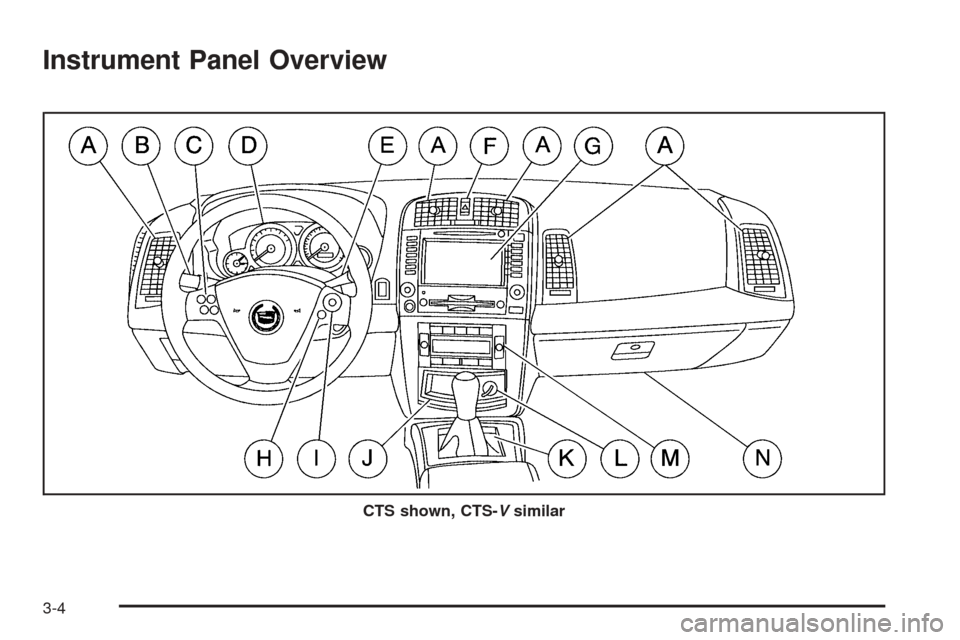
Instrument Panel Overview
CTS shown, CTS-Vsimilar
3-4
Page 125 of 454
The main components of the instrument panel are
the following:
A. Air Outlets. SeeOutlet Adjustment on page 3-34.
B. Turn Signal/Multifunction Lever. SeeTurn
Signal/Multifunction Lever on page 3-10.
C. Recongurable Steering Wheel Controls (CTS).
SeeReconguable Steering Wheel Controls (SWC)
(CTS) on page 3-8. Or Message Center Controls
(CTS-V). SeeMessage Center (CTS-V) on
page 3-53.
D. Instrument Panel Cluster. SeeInstrument Panel
Cluster on page 3-38.
E. Windshield Wiper Lever. SeeWindshield Wiper
Lever on page 3-21.
F. Hazard Warning Flasher Button. SeeHazard
Warning Flashers on page 3-6.
G. Audio/Navigation System. SeeAudio System(s) on
page 3-107.H. OnStar®Button (Base Radio) or Voice Recognition
Button (Navigation System) (CTS). SeeAudio
Steering Wheel Controls (CTS) on page 3-124.Or
Cruise Controls (CTS-V). See “Cruise Control” under
Turn Signal/Multifunction Lever on page 3-10.
I. Audio Volume Knob and Source Button. SeeAudio
Steering Wheel Controls (CTS) on page 3-124.
Or Cruise Controls (CTS-V). See “Cruise Control”
underTurn Signal/Multifunction Lever on page 3-10.
J. Storage Compartment or Ashtray. SeeAshtrays
and Cigarette Lighter on page 3-28.
K. Transmission Shift Lever. SeeAutomatic
Transmission Operation on page 2-26orManual
Transmission Operation on page 2-33.
L. Accessory Power Outlet or Cigarette Lighter. See
Accessory Power Outlets on page 3-27orAshtrays
and Cigarette Lighter on page 3-28.
M. Climate Control System. SeeDual Climate Control
System on page 3-29.
N. Glove Box. SeeGlove Box on page 2-50.
3-5
Page 126 of 454

Hazard Warning Flashers
Your hazard warning ashers let you warn others. They
also let police know you have a problem. Your front
and rear turn signal lamps will ash on and off.The hazard warning button
is located in the center of
the instrument panel,
between the two air vents.
Your hazard warning ashers work no matter what
position your key is in, and even if the key isn’t in.
Press the button to make the front and rear turn signal
lamps ash on and off. The light in the center of the
button will ash, indicating that the hazard warning
ashers are on. Press the button again to turn
the ashers off.
When the hazard warning ashers are on, neither your
turn signals nor your Daytime Running Lamps (DRL)
will work.
3-6