radio CADILLAC CTS 2011 2.G Repair Manual
[x] Cancel search | Manufacturer: CADILLAC, Model Year: 2011, Model line: CTS, Model: CADILLAC CTS 2011 2.GPages: 496, PDF Size: 7.71 MB
Page 394 of 496
Black plate (76,1)Cadillac CTS/CTS-V Owner Manual - 2011
10-76 Vehicle Care
For this example, you would set the
inflation pressure for high‐speed
driving at 44 psi (300 kPa).
Tire Pressure Monitor
System
The Tire Pressure Monitor System
(TPMS) uses radio and sensor
technology to check tire pressure
levels. The TPMS sensors monitor
the air pressure in your tires and
transmit tire pressure readings to a
receiver located in the vehicle.
Each tire, including the spare
(if provided), should be checked
monthly when cold and inflated to
the inflation pressure recommended
by the vehicle manufacturer on the
vehicle placard or tire inflation
pressure label. (If your vehicle has
tires of a different size than the size
indicated on the vehicle placard or
tire inflation pressure label, you
should determine the proper tire
inflation pressure for those tires.)As an added safety feature, your
vehicle has been equipped with a
tire pressure monitoring system
(TPMS) that illuminates a low tire
pressure telltale when one or more
of your tires is significantly
under‐inflated.
Accordingly, when the low tire
pressure telltale illuminates, you
should stop and check your tires as
soon as possible, and inflate them
to the proper pressure. Driving on a
significantly under‐inflated tire
causes the tire to overheat and can
lead to tire failure. Under‐inflation
also reduces fuel efficiency and tire
tread life, and may affect the
vehicle's handling and stopping
ability.
Please note that the TPMS is
not a substitute for proper tire
maintenance, and it is the driver's
responsibility to maintain correct tire
pressure, even if under‐inflation has
not reached the level to trigger
illumination of the TPMS low tire
pressure telltale.Your vehicle has also been
equipped with a TPMS malfunction
indicator to indicate when the
system is not operating properly.
The TPMS malfunction indicator is
combined with the low tire pressure
telltale. When the system detects a
malfunction, the telltale will flash for
approximately one minute and then
remain continuously illuminated.
This sequence will continue upon
subsequent vehicle start‐ups as
long as the malfunction exists.
When the malfunction indicator is
illuminated, the system may not be
able to detect or signal low tire
pressure as intended. TPMS
malfunctions may occur for a variety
of reasons, including the installation
of replacement or alternate tires or
wheels on the vehicle that prevent
the TPMS from functioning properly.
Page 395 of 496
Black plate (77,1)Cadillac CTS/CTS-V Owner Manual - 2011
Vehicle Care 10-77
Always check the TPMS malfunction
telltale after replacing one or more
tires or wheels on your vehicle to
ensure that the replacement or
alternate tires and wheels allow the
TPMS to continue to function
properly.
SeeTire Pressure Monitor
Operation
on page 10‑77for
additional information.
Federal Communications
Commission (FCC) and
Industry Canada
See Radio Frequency Statementon
page 13‑18for information
regarding Part 15 of the Federal
Communications Commission (FCC)
rules and Industry Canada
Standards RSS-210/220/310.
Tire Pressure Monitor
Operation
This vehicle may have a Tire
Pressure Monitor System (TPMS).
The TPMS is designed to warn the
driver when a low tire pressure
condition exists. TPMS sensors are
mounted onto each tire and wheel
assembly, excluding the spare tire
and wheel assembly, if the vehicle
has one. The TPMS sensors
monitor the air pressure in the
vehicle's tires and transmits the tire
pressure readings to a receiver
located in the vehicle.
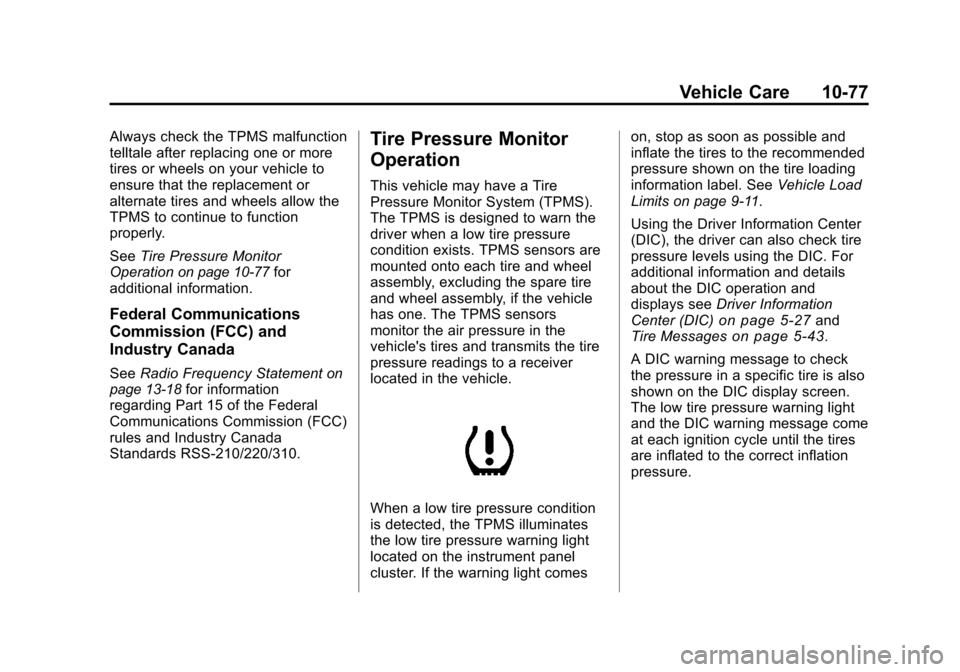
When a low tire pressure condition
is detected, the TPMS illuminates
the low tire pressure warning light
located on the instrument panel
cluster. If the warning light comes on, stop as soon as possible and
inflate the tires to the recommended
pressure shown on the tire loading
information label. See
Vehicle Load
Limits on page 9‑11.
Using the Driver Information Center
(DIC), the driver can also check tire
pressure levels using the DIC. For
additional information and details
about the DIC operation and
displays see Driver Information
Center (DIC)
on page 5‑27and
Tire Messageson page 5‑43.
A DIC warning message to check
the pressure in a specific tire is also
shown on the DIC display screen.
The low tire pressure warning light
and the DIC warning message come
at each ignition cycle until the tires
are inflated to the correct inflation
pressure.
Page 397 of 496
Black plate (79,1)Cadillac CTS/CTS-V Owner Manual - 2011
Vehicle Care 10-79
.The TPMS sensor matching
process was not done or not
completed successfully after
rotating the vehicle's tires. The
DIC message should go off after
successfully completing the
sensor matching process. See
“TPMS Sensor Matching
Process”later in this section.
.One or more TPMS sensors are
missing or damaged. The DIC
message and the TPMS
malfunction light should go off
when the TPMS sensors are
installed and the sensor
matching process is performed
successfully. See your dealer for
service.
.Replacement tires or wheels do
not match your vehicle's original
equipment tires or wheels. Tires
and wheels other than those
recommended for your vehicle
could prevent the TPMS from
functioning properly. See Buying
New Tires on page 10‑83.
.Operating electronic devices or
being near facilities using radio
wave frequencies similar to the
TPMS could cause the TPMS
sensors to malfunction.
If the TPMS is not functioning it
cannot detect or signal a low tire
condition. See your dealer for
service if the TPMS malfunction
light and DIC message comes on
and stays on.
TPMS Sensor Matching
Process
Each TPMS sensor has a unique
identification code. Any time you
replace one or more of the TPMS
sensors or rotate your vehicle's
tires, the identification codes need
to be matched to the new tire/wheel
position. The sensors are matched
to the tire/wheel positions in the
following order: driver side front tire,
passenger side front tire, passenger
side rear tire, and driver side rear
tire using a TPMS diagnostic tool.
See your dealer for service. The TPMS sensors can also be
matched to each tire/wheel position
by increasing or decreasing the
tire's air pressure. If increasing the
tire's air pressure, do not exceed
the maximum inflation pressure
indicated on the tire's sidewall. To
decrease the tire's air-pressure use
the pointed end of the valve cap, a
pencil-style air pressure gauge,
or a key.
You have two minutes to match the
first tire/wheel position, and
five minutes overall, to match all
four tire/wheel positions. If it takes
longer than two minutes, to match
the first tire and wheel, or more than
five minutes to match all four tire
and wheel positions, the matching
process stops and you need to
start over.
The TPMS matching process is
outlined below:
1. Set the parking brake.
2. Turn the ignition switch to ON/
RUN with the engine off.
Page 431 of 496

Black plate (113,1)Cadillac CTS/CTS-V Owner Manual - 2011
Vehicle Care 10-113
Notice:If you leave the radio or
other accessories on during the
jump starting procedure, they
could be damaged. The repairs
would not be covered by the
warranty. Always turn off the
radio and other accessories when
jump starting the vehicle.
3. Turn off the ignition on both
vehicles. Unplug unnecessary
accessories plugged into the
cigarette lighter or the accessory
power outlets. Turn off the radio
and all lamps that are not
needed. This will avoid sparks
and help save both batteries.
And it could save the radio!
4. Open the hoods and locate the positive (+) and negative (−)
terminal locations or the remote
positive (+) and remote
negative (−) terminals of the
other vehicle. Then locate the
remote positive (+) location on
your vehicle. See Engine
Compartment Overview
on
page 10‑6for more information
on locations of the terminals.
Your vehicle has a remote
negative (−) ground location, as
shown in the illustration. It is
located on the rear passenger
side of the vehicle. See Engine
Compartment Overview
on
page 10‑6. You should always
use this remote ground location,
instead of the terminal on the
battery. Notice:
If you connect a negative
cable to the Engine Control
Module (ECM), ECM mounting
bracket, or any cables that attach
to the ECM bracket, you may
damage the ECM. Always attach
the negative cable to your
vehicle's remote negative ground
location, instead of the ECM, ECM
bracket, or any cables attached to
the ECM bracket.
{WARNING
An electric fan can start up even
when the engine is not running
and can injure you. Keep hands,
clothing and tools away from any
underhood electric fan.
Page 465 of 496

Black plate (1,1)Cadillac CTS/CTS-V Owner Manual - 2011
Customer Information 13-1
Customer
Information
Customer Information
Customer SatisfactionProcedure (United States
and Canada) . . . . . . . . . . . . . . . 13-1
Customer Satisfaction Procedure (Mexico) . . . . . . . . 13-3
Customer Assistance Offices (United States and
Canada) . . . . . . . . . . . . . . . . . . . . 13-4
Customer Assistance Offices (Mexico) . . . . . . . . . . . . . . . . . . . . 13-5
Customer Assistance for Text Telephone (TTY) Users . . . . . 13-6
Online Owner Center . . . . . . . . 13-6
GM Mobility Reimbursement Program . . . . . . . . . . . . . . . . . . . . 13-7
Roadside Service (United States and Canada) . . . . . . . . 13-7
Roadside Service (Mexico) . . . . . . . . . . . . . . . . . . 13-10
Scheduling Service Appointments . . . . . . . . . . . . . 13-10 Courtesy Transportation
Program . . . . . . . . . . . . . . . . . . 13-10
Collision Damage Repair . . . 13-12
Service Publications Ordering Information . . . . . . 13-14Reporting Safety Defects
Reporting Safety Defects to
the United States
Government . . . . . . . . . . . . . . . 13-15
Reporting Safety Defects to the Canadian
Government . . . . . . . . . . . . . . . 13-16
Reporting Safety Defects to General Motors . . . . . . . . . . . 13-16
Vehicle Data Recording and
Privacy
Vehicle Data Recording andPrivacy . . . . . . . . . . . . . . . . . . . . 13-17
Event Data Recorders . . . . . . 13-17
OnStar
®. . . . . . . . . . . . . . . . . . . . 13-18
Navigation System . . . . . . . . . 13-18
Radio Frequency Identification (RFID) . . . . . . . 13-18
Radio Frequency Statement . . . . . . . . . . . . . . . . . 13-18
Customer Information
Customer Satisfaction
Procedure (United States
and Canada)
Your satisfaction and goodwill are
important to your dealer and to
Cadillac. Normally, any concerns
with the sales transaction or the
operation of the vehicle will be
resolved by the dealer's sales or
service departments. Sometimes,
however, despite the best intentions
of all concerned, misunderstandings
can occur. If your concern has not
been resolved to your satisfaction,
the following steps should be taken:
STEP ONE: Discuss your concern
with a member of dealership
management. Normally, concerns
can be quickly resolved at that level.
If the matter has already been
reviewed with the sales, service or
parts manager, contact the owner of
the dealership or the general
manager.
Page 481 of 496

Black plate (17,1)Cadillac CTS/CTS-V Owner Manual - 2011
Customer Information 13-17
Vehicle Data
Recording and
Privacy
Your GM vehicle has a number of
sophisticated computers that record
information about the vehicle’s
performance and how it is driven.
For example, your vehicle uses
computer modules to monitor and
control engine and transmission
performance, to monitor the
conditions for airbag deployment
and deploy airbags in a crash, and,
if so equipped, to provide antilock
braking to help the driver control the
vehicle. These modules may store
data to help your dealer technician
service your vehicle. Some modules
may also store data about how you
operate the vehicle, such as rate of
fuel consumption or average speed.
These modules may also retain the
owner’s personal preferences, such
as radio pre-sets, seat positions,
and temperature settings.
Event Data Recorders
This vehicle has an Event Data
Recorder (EDR). The main purpose
of an EDR is to record, in certain
crash or near crash-like situations,
such as an airbag deployment or
hitting a road obstacle, data that will
assist in understanding how a
vehicle's systems performed. The
EDR is designed to record data
related to vehicle dynamics and
safety systems for a short period of
time, typically 30 seconds or less.
The EDR in this vehicle is designed
to record such data as:
.How various systems in your
vehicle were operating
.Whether or not the driver and
passenger safety belts were
buckled/fastened
.How far, if at all, the driver was
pressing the accelerator and/or
brake pedal
.How fast the vehicle was
traveling This data can help provide a better
understanding of the circumstances
in which crashes and injuries occur.
Important:
EDR data is recorded
by your vehicle only if a non-trivial
crash situation occurs; no data is
recorded by the EDR under normal
driving conditions and no personal
data (e.g., name, gender, age, and
crash location) is recorded.
However, other parties, such as law
enforcement, could combine the
EDR data with the type of
personally identifying data routinely
acquired during a crash
investigation.
To read data recorded by an EDR,
special equipment is required, and
access to the vehicle or the EDR is
needed. In addition to the vehicle
manufacturer, other parties, such as
law enforcement, that have the
special equipment, can read the
information if they have access to
the vehicle or the EDR.
Page 482 of 496

Black plate (18,1)Cadillac CTS/CTS-V Owner Manual - 2011
13-18 Customer Information
GM will not access this data or
share it with others except: with the
consent of the vehicle owner or,
if the vehicle is leased, with the
consent of the lessee; in response
to an official request by police or
similar government office; as part of
GM's defense of litigation through
the discovery process; or, as
required by law. Data that GM
collects or receives may also be
used for GM research needs or may
be made available to others for
research purposes, where a need is
shown and the data is not tied to a
specific vehicle or vehicle owner.
OnStar®
If the vehicle has OnStar and you
subscribe to the OnStar services,
refer to the OnStar Terms and
Conditions in the OnStar Owners
Guide for information on data
collection and use.
Navigation System
If the vehicle has a navigation
system, use of the system may
result in the storage of destinations,
addresses, telephone numbers, and
other trip information. Refer to the
navigation system operating manual
for information on stored data and
for deletion instructions.
Radio Frequency
Identification (RFID)
RFID technology is used in some
vehicles for functions such as tire
pressure monitoring and ignition
system security, as well as in
connection with conveniences such
as key fobs for remote door locking/
unlocking and starting, and
in-vehicle transmitters for garage
door openers. RFID technology in
GM vehicles does not use or record
personal information or link with any
other GM system containing
personal information.
Radio Frequency
Statement
This vehicle has systems that
operate on a radio frequency that
comply with Part 15 of the Federal
Communications Commission (FCC)
rules and with Industry Canada
Standards RSS‐210/220/310.
Operation is subject to the following
two conditions:
1. The device may not causeinterference.
2. The device must accept any interference received, including
interference that may cause
undesired operation of the
device.
Changes or modifications to any of
these systems by other than an
authorized service facility could void
authorization to use this equipment.
Page 483 of 496

Black plate (1,1)Cadillac CTS/CTS-V Owner Manual - 2011
INDEX i-1
A
Accessories andModifications . . . . . . . . . . . . . . . . . 10-4
Accessory Power . . . . . . . . . . . . . . 9-19
Adaptive Forward Lighting (AFL) . . . . . . . . . . . . . . . . . 6-4
Add-On Electrical
Equipment . . . . . . . . . . . . . . . . . . . 9-58
Adding Equipment to the Airbag-Equipped Vehicle . . . . . 3-42
Adjustments
Lumbar, Front Seats . . . . . . . . . . . 3-7
Thigh Support . . . . . . . . . . . . . . . . . 3-8
Air Cleaner/Filter, Engine . . . . . 10-16
Air Filter, Passenger Compartment . . . . . . . . . . . . . . . . . 8-6
Air Vents . . . . . . . . . . . . . . . . . . . . . . . 8-6
Airbag System Check . . . . . . . . . . . . . . . . . . . . . . . . 3-43
How Does an AirbagRestrain? . . . . . . . . . . . . . . . . . . . 3-35 Airbag System (cont.)
Passenger Sensing
System . . . . . . . . . . . . . . . . . . . . . . 3-37
What Makes an Airbag
Inflate? . . . . . . . . . . . . . . . . . . . . . . 3-35
What Will You See After an Airbag Inflates? . . . . . . . . . . 3-36
When Should an Airbag Inflate? . . . . . . . . . . . . . . . . . . . . . . 3-33
Where Are the Airbags? . . . . . . 3-32
Airbags Adding Equipment to theVehicle . . . . . . . . . . . . . . . . . . . . . . 3-42
Passenger Status Indicator . . . 5-18
Readiness Light . . . . . . . . . . . . . . 5-17
Servicing Airbag-Equipped
Vehicles . . . . . . . . . . . . . . . . . . . . . 3-42
System Check . . . . . . . . . . . . . . . . 3-30
Alarm System Anti-Theft . . . . . . . . . . . . . . . . . . . . . 2-23
All-Wheel Drive . . . . . . . . . 10-31, 9-32
AM-FM Radio . . . . . . . . . . . . . . . . . . . 7-9 Antenna
Multi-Band . . . . . . . . . . . . . . . . . . . . 7-17
Anti-Theft Alarm System . . . . . . . . . . . . . . . . 2-23
Alarm System Messages . . . . . 5-42
Antilock Brake System (ABS) . . . . . . . . . . . . . . . . 9-32
Warning Light . . . . . . . . . . . . . . . . . 5-23
Appearance Care Exterior . . . . . . . . . . . . . . . . . . . . 10-120
Interior . . . . . . . . . . . . . . . . . . . . . 10-124
Ashtrays . . . . . . . . . . . . . . . . . . . . . . . 5-10
Audio Players . . . . . . . . . . . . . . . . . 7-17 CD . . . . . . . . . . . . . . . . . . . . . . . . . . . 7-17
CD/DVD . . . . . . . . . . . . . . . . . . . . . . 7-20
MP3 . . . . . . . . . . . . . . . . . . . . . . . . . . 7-25
Audio System Backglass Antenna . . . . . . . . . . . 7-17
Hard Drive Device (HDD) . . . . . 7-29
Radio Reception . . . . . . . . . . . . . . 7-16
Theft-Deterrent Feature . . . . . . . . 7-2
Page 492 of 496

Black plate (10,1)Cadillac CTS/CTS-V Owner Manual - 2011
i-10 INDEX
Passenger Airbag StatusIndicator . . . . . . . . . . . . . . . . . . . . . 5-18
Passenger Compartment Air Filter . . . . . . . . . . . . . . . . . . . . . . . . . . 8-6
Passenger Sensing System . . . 3-37
Perchlorate Materials Requirements, California . . . . . 10-3
Phone Bluetooth . . . . . . . . . . . . . . . . . . . . . 7-38
Power Door Locks . . . . . . . . . . . . . . . . . . . 2-15
Mirrors . . . . . . . . . . . . . . . . . . . . . . . . 2-27
Outlets . . . . . . . . . . . . . . . . . . . . . . . . 5-9
Protection, Battery . . . . . . . . . . . . . 6-7
Retained Accessory (RAP) . . . 9-19
Seat Adjustment . . . . . . . . . . . . . . . 3-4
Steering Fluid . . . . . . . . . . . . . . . 10-26
Windows . . . . . . . . . . . . . . . . . . . . . 2-29
Pregnancy, Using Safety Belts . . . . . . . . . . . . . . . . . . . . . . . . . 3-28 Privacy
Radio Frequency
Identification (RFID) . . . . . . . 13-18
Program Courtesy Transportation . . . . 13-10
Proposition 65 Warning, California . . . . . . . . . . . . . . . . . . . . . 10-3
R
Radio Frequency
Identification (RFID) . . . . . . . . 13-18
Statement . . . . . . . . . . . . . . . . . . 13-18
Radios
AM-FM Radio . . . . . . . . . . . . . . . . . . 7-9
CD/DVD Player . . . . . . . . . . . . . . . 7-20
Reception . . . . . . . . . . . . . . . . . . . . 7-16
Satellite . . . . . . . . . . . . . . . . . . . . . . . 7-12
Reading Lamps . . . . . . . . . . . . . . . . . 6-5
Rear Axle . . . . . . . . . . . . . . . . . . . . . 10-31
Limited-Slip . . . . . . . . . . . . . . . . . . . 9-40
Rear Seats . . . . . . . . . . . . . . . . . . . . 3-13
Rear Vision Camera (RVC) . . . . 9-44 Rear Window Washer/Wiper . . . . 5-6
Rearview Mirrors
Automatic Dimming . . . . . . . . . . . 2-28
Reclining Seatbacks . . . . . . . . . . . . 3-8
Recommended Fluids and Lubricants . . . . . . . . . . . . . . . . . . . . 11-7
Recommended Fuel . . . . . . . . . . . 9-47
Records
Maintenance . . . . . . . . . . . . . . . . . 11-11
Recreational Vehicle Towing . . . . . . . . . . . . . . . . . . . . . 10-117
Reimbursement Program, GM Mobility . . . . . . . . . . . . . . . . . . 13-7
Remote Keyless Entry (RKE)
System . . . . . . . . . . . . . . . 2-4, 2-5, 2-7
Remote Vehicle Start . . . . . . . . . . 2-11
Replacement Bulbs . . . . . . . . . . . 10-40
Replacement Parts Airbags . . . . . . . . . . . . . . . . . . . . . . . 3-44
Maintenance . . . . . . . . . . . . . . . . . . 11-9
Replacing Airbag System . . . . . . 3-44
Page 493 of 496

Black plate (11,1)Cadillac CTS/CTS-V Owner Manual - 2011
INDEX i-11
Replacing LATCH SystemParts After a Crash . . . . . . . . . . . 3-59
Replacing Safety Belt System Parts After a
Crash . . . . . . . . . . . . . . . . . . . . . . . . 3-29
Reporting Safety Defects Canadian Government . . . . . . 13-16
General Motors . . . . . . . . . . . . . 13-16
U.S. Government . . . . . . . . . . . 13-15
Retained Accessory Power (RAP) . . . . . . . . . . . . . . . . . 9-19
Ride Control Systems Limited Slip Rear Axle . . . . . . . . 9-40
Magnetic . . . . . . . . . . . . . . . . . . . . . 9-39
Messages . . . . . . . . . . . . . . . . . . . . 5-40
Roadside Service . . . . . . . 13-7, 13-10
Roof
Sunroof . . . . . . . . . . . . . . . . . 2-32, 2-34
Roof Rack System . . . . . . . . . . . . . . 4-6
Rotation, Tires . . . . . . . . . . . . . . . . 10-81
Routing, Engine Drive Belt . . . . . 12-4
Running the Vehicle While Parked . . . . . . . . . . . . . . . . . . . . . . . 9-25S
Safety Belts . . . . . . . . . . . . . . . . . . . 3-14Care . . . . . . . . . . . . . . . . . . . . . . . . . . 3-29
Extender . . . . . . . . . . . . . . . . . . . . . . 3-28
How to Wear Safety BeltsProperly . . . . . . . . . . . . . . . . . . . . . 3-17
Lap-Shoulder Belt . . . . . . . . . . . . 3-23
Reminders . . . . . . . . . . . . . . . . . . . . 5-17
Replacing After a Crash . . . . . . 3-29
Use During Pregnancy . . . . . . . . 3-28
Safety Defects Reporting
Canadian Government . . . . . . 13-16
General Motors . . . . . . . . . . . . . 13-16
U.S. Government . . . . . . . . . . . 13-15
Safety Locks . . . . . . . . . . . . . . . . . . . 2-16
Safety System Check . . . . . . . . . . 3-28
Satellite Radio . . . . . . . . . . . . . . . . . 7-12
Scheduled Maintenance . . . . . . . 11-3
Scheduling Appointments . . . . . 13-10
Sealant Kit, Tire . . . . . . . . . . . . . . 10-92 Seats
Adjustment, Front . . . . . . . . . . . . . . 3-3
Easy Entry Seat . . . . . . . . . . . . . . . 3-4
Head Restraints . . . . . . . . . . . . . . . 3-2
Heated and Ventilated
Front . . . . . . . . . . . . . . . . . . . . . . . . 3-12
Heated Front . . . . . . . . . . . . . . . . . 3-11
Lumbar Adjustment, Front . . . . . 3-7
Power Adjustment, Front . . . . . . 3-4
Rear . . . . . . . . . . . . . . . . . . . . . . . . . . 3-13
Reclining Seatbacks . . . . . . . . . . . 3-8
Securing Child Restraints . . . . . . . . . . . . . . 3-60, 3-62
Security Light . . . . . . . . . . . . . . . . . . . . . . . . . . 5-26
Vehicle . . . . . . . . . . . . . . . . . . . . . . . 2-23
Service Accessories andModifications . . . . . . . . . . . . . . . . 10-4
Doing Your Own Work . . . . . . . . 10-4
Engine Soon Light . . . . . . . . . . . . 5-19
Maintenance Records . . . . . . . 11-11