air condition CADILLAC DEVILLE 2003 8.G Owners Manual
[x] Cancel search | Manufacturer: CADILLAC, Model Year: 2003, Model line: DEVILLE, Model: CADILLAC DEVILLE 2003 8.GPages: 423, PDF Size: 2.91 MB
Page 113 of 423

OnStaržSystem
OnStaržuses global positioning system (GPS) satellite
technology, wireless communications, and call centers
to provide you with a wide range of safety, security,
information and convenience services. An OnStar
ž
subscription plan is included in the price of your vehicle.
You can upgrade or extend your OnStaržservices to
meet your needs.
A complete OnStar
žuser's guide and the terms and
conditions of the OnStaržSubscription Service
Agreement are included in your vehicle's glove box
literature. For more information, visit www.onstar.com,
contact OnStar
žat 1-888-4-ONSTAR (1-888-466-7827),
or press the blue OnStaržbutton to speak to an
OnStaržadvisor 24 hours a day, 7 days a week.
OnStaržServices
OnStaržprovides a number of service plans. Some of
the services currently provided by OnStaržare:
·Automatic Noti®cation of Air Bag Deployment
·Emergency Services
·Roadside Assistance Stolen Vehicle Tracking
·AccidentAssist
·Remote Door Unlock
·Remote Diagnostics
·Online and Personal Concierge Services
·Route Support
·RideAssist
·Information and Convenience Services
OnStaržPersonal Calling
With OnStaržPersonal Calling, you have a safer way to
stay connected while driving. It's a hands-free wireless
phone that's integrated into your vehicle. You can place
calls nationwide using voice-activated dialing with no
contracts, no roaming charges and no access fees.
To ®nd out more about OnStar
žPersonal Calling, refer
to the OnStaržuser's guide in your vehicle's glove
box, or call OnStaržat 1-888-4-ONSTAR
(1-888-466-7827).
2-45
Page 149 of 423

How the System Works
URPA comes on automatically when the shift lever is
moved into REVERSE (R) and the vehicle speed is less
than 3 mph (5 km/h). When the system comes on,
the three lights on the display will illuminate to let you
know that the system is working. URPA senses
how close your vehicle is to an object. The distance is
determined by the four ultrasonic sensors located on the
rear bumper. When you shift into REVERSE (R) and
an object is detected, the following will occur in
sequence depending on the distance from the object:
·At 5 feet (1.5 m) a chime will sound and one
amber light will be lit;
·at 40 inches (1.0 m) both amber lights will be lit;
·at 20 inches (0.5 m) a continuous chime will sound
and all three lights (amber/amber/red) will be lit;
and
·at 1 foot (0.3 m) a continuous chime will sound and
all three lights (amber/amber/red) will ¯ash.
URPA can detect objects 3 inches (7.6 cm) and wider,
and at least 10 inches (25.4 cm) tall, but it cannot detect
objects that are above trunk level. In order for the
rear sensors to recognize an object, it must be within
operating range.If the URPA system is not functioning properly, the
display will ¯ash red, indicating that there is a problem.
The light will also ¯ash red while driving if a trailer is
attached to your vehicle, or a bicycle or object is on the
back of, or hanging out of your trunk. The light will
continue to ¯ash until the trailer or the object is removed
and your vehicle is driven forward at least 15 mph
(25 km/h).
It may also ¯ash red if the ultrasonic sensors are not
kept clean. So be sure to keep your rear bumper free of
mud, dirt, snow, ice and slush or materials such as
paint or the system may not work properly. If after
cleaning the rear bumper and driving forward at least
15 mph (25 km/h), the display continues to ¯ash red, see
your dealer. For cleaning instructions, see
Cleaning
the Outside of Your Vehicle on page 5-88.
It may also ¯ash red if your vehicle is moving in
REVERSE (R) at a speed greater than 3 mph (5 km/h).
Other conditions that may affect system performance
include things like the vibrations from a jackhammer or
the compression of air brakes on a very large truck.
As always, drivers should use care when backing up a
vehicle. Always look behind you, being sure to check
for other vehicles, obstructions and blind spots.
3-26
Page 153 of 423

Manual Operation
yMODEz:Pressing the MODE switch and changing
the mode cancels automatic operation and places the
system in manual mode. Press AUTO to return to
automatic operation.
To change the current mode, select one of the following:
F(Vent):This mode directs air to the instrument
panel outlets.
*(Bi-Level):This mode directs approximately half of
the air to the instrument panel outlets, and then
directs most of the remaining air to the ¯oor outlets.
Some air may be directed toward the windshield.
In automatic operation, cooler air is directed to the upper
outlets and warmer air to the ¯oor outlets.
7(Floor):This mode directs most of the air to the
¯oor outlets with some air directed to the outboard
outlets (for the side windows) a little air directed to the
windshield.
The MODE switch can also be used to select the
¯oor/defog mode. Information on defogging and
defrosting can be found later in this section.
y9z(Fan):Press this switch to increase or
decrease the fan speed. Pressing this switch cancels
automatic operation and places the system in manual
mode. Press AUTO to return to automatic operation.
If the air¯ow seems low when the fan speed is at
the highest setting, the passenger compartment air ®lter
may need to be replaced. For more information, see
Passenger Compartment Air Filter on page 3-36andPart A: Scheduled Maintenance Services on
page 6-4.
?(Recirculation):This mode keeps outside air from
coming in the vehicle. It can be used to prevent outside
air and odors from entering your vehicle or to help heat or
cool the air inside your vehicle more quickly. Press this
button to turn the recirculation mode on or off. When the
button is pressed, an indicator light will come on. The
air-conditioning compressor also comes on.
Driver's Temperature Knob:Press this knob to turn
the entire climate control system on or off. Turn this knob
clockwise or counterclockwise to manually increase or
decrease the temperature inside your vehicle.
3-30
Page 154 of 423

yPASS TEMPz(Passenger's
Temperature):Press this switch to turn the passengers'
climate control systems on. Press this switch to
manually increase or decrease the temperature for the
front passenger.
PASS OFF (Passenger's Climate Control):Press this
button to turn all passenger climate control systems off.
If the passenger's temperature switch is turned off, the
driver's temperature knob will control the temperature for
the entire vehicle.
A/C (Air Conditioning):Press this button to override
the automatic system and turn the air-conditioning
system on or off. When in AUTO the air-conditioning
compressor will come on automatically, as necessary.
On hot days, open the windows to let hot inside air
escape; then close them. This helps to reduce the time
it takes for your vehicle to cool down. It also helps
the system to operate more efficiently.For quick cool down on hot days:
1. Select the vent mode.
2. Select the recirculation mode.
3. Select A/C.
4. Select the coolest temperature.
5. Select the highest fan speed.
6. Open all outlets.
Using these settings together for long periods of time
may cause the air inside your vehicle to become too dry.
To prevent this from happening, after the air in your
vehicle has cooled, turn the recirculation mode off.
The air-conditioning system removes moisture from the
air, so you may sometimes notice a small amount of
water dripping underneath your vehicle while idling
or after turning off the engine. This is normal.
If your vehicle has the memory option, it can be used to
recall your climate control settings. For more information,
see
Climate Controls Personalization on page 3-39.
3-31
Page 155 of 423

Sensors
The solar sensor on your vehicle monitors the solar
radiation and the air inside your vehicle, then uses the
information to maintain the selected temperature by
initiating needed adjustments to the temperature, the fan
speed and the air delivery system. The system may
also supply cooler air to the side of the vehicle facing the
sun. The recirculation mode will also be activated, as
necessary. Do not cover the solar sensor located in the
middle of the instrument panel, near the windshield,
or the system will not work properly.There is also a sensor located behind the front grill.
This sensor reads the outside air temperature and helps
to maintain the temperature inside the vehicle. Any
cover on the front of the vehicle could cause a false
reading in the temperature.
Defogging and Defrosting
Fog on the inside of windows is a result of high humidity
(moisture) condensing on the cool window glass. This
can be minimized if the climate control system is
used properly. There are two modes to clear fog from
your windshield. Use the ¯oor/defog mode to clear
the windows of fog or moisture and warm the
passengers. Use the defrost mode (FRONT) to remove
fog or frost from the windshield more quickly.
yMODEz:Press this button until the ¯oor/defog
symbol appears on the display.
.(Floor/Defog):This mode directs the air equally
between the windshield and the ¯oor outlets. When you
select this mode, the system turns off recirculation
and runs the air-conditioning compressor unless
the outside temperature is at or below freezing. The
recirculation mode cannot be selected while in the
¯oor/defog mode.
3-32
Page 156 of 423
1FRONT (Defrost):Pressing FRONT directs most of
the air to the windshield and the side window outlets, with
some air directed to the ¯oor outlets. In this mode, the
system will automatically turn off recirculation and run the
air-conditioning compressor, unless the outside
temperature is at or below freezing. Recirculation cannot
be selected while in the defrost mode. Do not drive the
vehicle until all the windows are clear.
Rear Window Defogger
The rear window defogger uses a warming grid to
remove fog or frost from the rear window.
The rear window defogger will only work when the
ignition is in ON.
=REAR:Press this button to turn the rear window
defogger on or off. Be sure to clear as much snow from
the rear window as possible.
The rear window defogger will turn off approximately 10
minutes after the button is pressed. If turned on
again, the defogger will only run for approximately ®ve
minutes before turning off. The defogger can also
be turned off by pressing the button again or by turning
off the engine.
The heated outside rearview mirrors will heat to help
clear fog or frost from the surface of the mirror when the
REAR button is pressed.
Notice:Don't use a razor blade or something else
sharp on the inside of the rear window. If you
do, you could cut or damage the defogger and the
repairs would not be covered by your warranty.
Do not attach a temporary vehicle license, tape, a
decal or anything similar to the defogger grid.
Outlet Adjustment
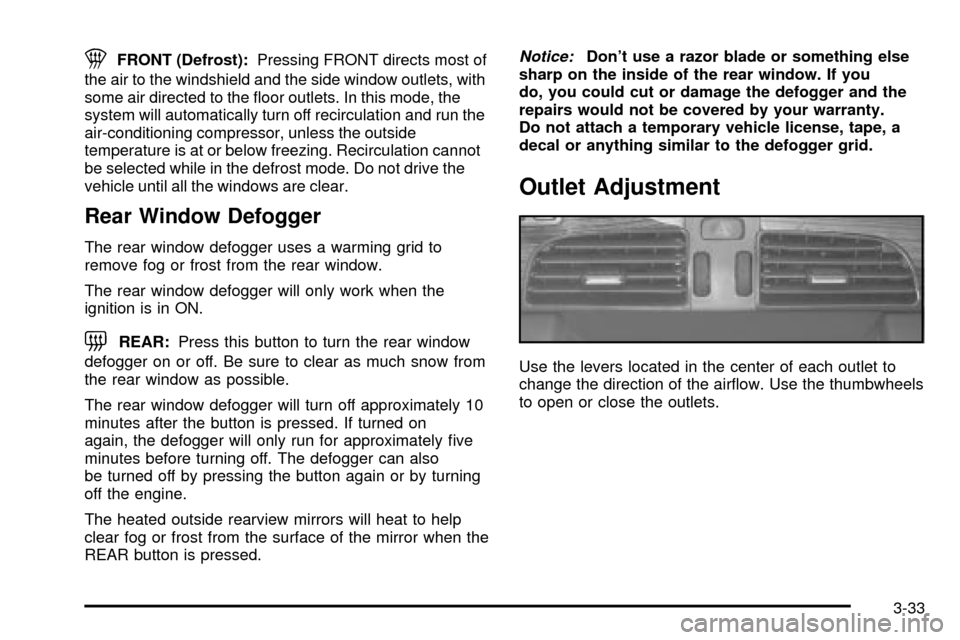
Use the levers located in the center of each outlet to
change the direction of the air¯ow. Use the thumbwheels
to open or close the outlets.
3-33
Page 159 of 423
y9z(Fan):Pressing this switch cancels automatic
operation and places the system in manual mode.
Press this switch to increase or decrease the fan speed.
Press the MODE switch until AUTO is displayed to
return to automatic operation.
yTEMPz(Temperature):Press this switch to
increase or decrease the temperature for the rear seat
passengers.
For cool air to be sent to the rear of the vehicle, the
air-conditioning system on the main climate-control
panel must be on. If it is not on, then the temperature in
the rear of the vehicle will remain at cabin temperature.
Be sure to keep the area under the front seats clear
of any objects so that the air inside of your vehicle can
circulate effectively.
Passenger Compartment Air Filter
The passenger compartment air ®lter traps most of the
pollen from the air entering your vehicle. Like your
vehicle's engine air cleaner/®lter, it may need to
be changed periodically. For how often to change the
passenger compartment air ®lter, see
Part A: Scheduled
Maintenance Services on page 6-4.
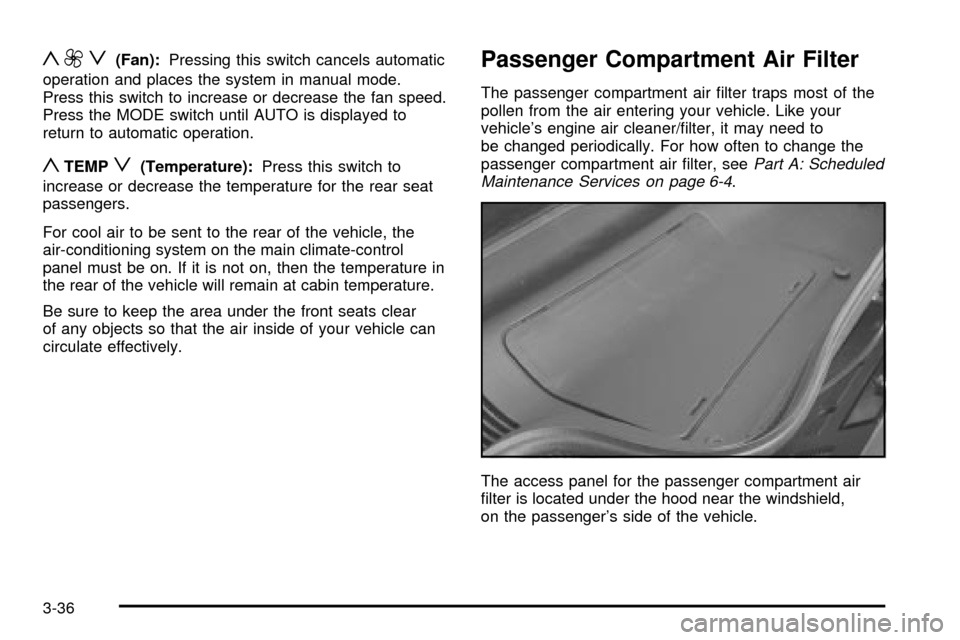
The access panel for the passenger compartment air
®lter is located under the hood near the windshield,
on the passenger's side of the vehicle.
3-36
Page 174 of 423

This system is called OBD II (On-Board
Diagnostics-Second Generation) and is intended to
assure that emissions are at acceptable levels for the
life of the vehicle, helping to produce a cleaner
environment. The SERVICE ENGINE SOON or CHECK
ENGINE light comes on to indicate that there is a
problem and service is required. Malfunctions often will
be indicated by the system before any problem is
apparent. This may prevent more serious damage to
your vehicle. This system is also designed to assist your
service technician in correctly diagnosing any
malfunction.
Notice:If you keep driving your vehicle with this
light on, after a while, your emission controls
may not work as well, your fuel economy may not
be as good and your engine may not run as
smoothly. This could lead to costly repairs that may
not be covered by your warranty.
Notice:Modi®cations made to the engine,
transaxle, exhaust, intake or fuel system of your
vehicle or the replacement of the original tires with
other than those of the same Tire Performance
Criteria (TPC) can affect your vehicle's emission
controls and may cause this light to come on.
Modi®cations to these systems could lead to costly
repairs not covered by your warranty. This may
also result in a failure to pass a required Emission
Inspection/Maintenance test.This light should come on, as a check to show you it is
working, when the ignition is on and the engine is
not running. If the light doesn't come on, have it
repaired. This light will also come on during a
malfunction in one of two ways:
·Light FlashingÐ A mis®re condition has been
detected. A mis®re increases vehicle emissions
and may damage the emissio control system
on your vehicle. Diagnosis and service may be
required.
·Light On SteadyÐ An emission control system
malfunction has been detected on your vehicle.
Diagnosis and service may be required.
If the Light Is Flashing
The following may prevent more serious damage to
your vehicle:
·Reducing vehicle speed.
·Avoiding hard accelerations.
·Avoiding steep uphill grades.
·If you are towing a trailer, reduce the amount of
cargo being hauled as soon as it is possible.
If the light stops ¯ashing and remains on steady,
see ªIf the Light Is On Steadyº following.
3-51
Page 184 of 423

CHANGE ENGINE OIL ± 82:This means that the life
of the engine oil has expired and it should be changed
within 200 miles. After an oil change, the Oil Life
Indicator must be reset. See
Oil Life Indicator on
page 3-79. SeeEngine Oil on page 5-13.
CHANGE TRANS FLUID ± 47:This message will
appear when it is time to change the transaxle ¯uid. See
Part A: Scheduled Maintenance Services on page 6-4for the proper ¯uid and change intervals.
CHECK BRAKE FLUID ± 37:This message will
display if the ignition is in ON to inform the driver that
the brake ¯uid level is low. Have the brake system
serviced by a technician as soon as possible. See
Brake
System Warning and Parking Brake Indicator Light on
page 3-47
.
CHECK COOLANT LEVEL ± 2:This message will
appear when there is a low level of engine coolant. Have
the cooling system serviced by a technician as soon
as possible. See
Engine Coolant on page 5-24.
CHECK FUEL GAGE ± 50:(Analog Cluster) This
message will appear when the fuel supply is less than
5 gallons (18.9 L) and the display is turned off. A
single chime will also sound when this message is
displayed.
CHECK GAS CAP ± 61:This message will appear if
the gas cap has not been fully tightened. You should
recheck your gas cap to ensure that it's on properly.CHECK OIL LEVEL ± 36:For correct operation of the
low oil sensing system, your vehicle should be on a
level surface. A false CHECK OIL LEVEL message may
appear if the vehicle is parked on a grade. The oil
level sensing system does not check for actual oil level
if the engine has been off for a short period of time,
and the oil level is never checked while the engine is
running. If the CHECK OIL LEVEL message appears,
and your vehicle has been parked on level ground
with the engine off for at least 30 minutes, the oil level
should be checked by observing the oil dipstick. Prior to
checking the oil level, be sure the engine has been
off for a few minutes and your vehicle is on a level
surface. Then check the dipstick and add oil if
necessary. See
Engine Oil on page 5-13.
CHECK TIRE PRESSURE ± 144:This message is
displayed when the Tire Pressure Monitor (TPM) system
detects a low or high tire pressure condition in one or
more of the road tires. By pressing the INFO button up or
down, the DIC display will show which tire or tires do not
have the correct in¯ation pressure. A ªLOW TIREº
condition exists when the tire's air pressure is under
25 psi (172 kPa) and a ªHIGH TIREº condition exists
when the tire's air pressure is above 38 psi (262 kPa).
The system will display the air pressure, the tire location
(LF, RF, RR or LR) and if the air pressure is low or high.
The tire pressure information is available in English or
metric measurements. For example, a driver's side front
tire that is low may be shown as: 22 PSI LF TIRE LOW.
3-61
Page 186 of 423

ENGINE COOLANT HOT, IDLE ENGINE ± 44:This
message will appear when the engine coolant
temperature is over 262ÉF (128ÉC). Stop and allow your
vehicle to idle in PARK (P) until it cools down and the
message is removed. Do not increase engine speed
above a normal idle. If it does not cool down, turn off the
engine and have it serviced before driving it again.
Severe engine damage can result from an overheated
engine. See
Engine Overheating on page 5-27.
ENGINE HOT±AC OFF ± 16:This message displays
when the engine coolant becomes hotter than the normal
operating temperature. To avoid added strain on a hot
engine, the air conditioning compressor is automatically
turned off. When the coolant temperature returns to
normal, the A/C operation will automatically resume. You
can continue to drive your vehicle. If this message
continues to appear, have the system repaired as soon
as possible to avoid compressor damage.
ENGINE OVERHEATED, STOP ENGINE ± 42:This
message will appear when the engine has overheated.
Stop and turn the engine off immediately to avoid severe
engine damage. See
Engine Overheating on page 5-27.
A multiple chime will also sound when this message is
displayed.
ENGINE POWER REDUCED ± 41:This message
informs you that the vehicle is reducing engine power
because the transaxle is being placed in gear under
conditions that may cause damage to the vehicle's
engine, transaxle or ability to accelerate.FUEL LEVEL LOW ± 11:This message serves as a
warning that the fuel level in the tank is critically
low. Stop for fuel soon. A single chime will sound when
this message is displayed.
HEADLAMPS SUGGESTED ± 23:If it's dark enough
outside and the headlamps and Twilight Sentinel
ž
controls are off, this message will display on the DIC.
This message informs the driver that turning on the
exterior lamps is recommended even though the DRL
are still illuminated. It has become dark enough outside
to require the headlamps and/or other exterior lamps.
This message will also appear if the optional
RainsenseŸ wiping feature is on and the Twilight
Sentinel
žis off.
ICE POSSIBLE ± 13:This message appears when the
outside air temperature is cold enough to create icy
road conditions.
LEFT REAR DOOR AJAR ± 142:The left rear door is
open or ajar when this message appears. The ignition
must be in ON and the transaxle not in PARK (P) for this
message to display. A chime will sound if the vehicle's
speed is greater than 3 mph (5 km/h).
OIL PRESSURE LOW STOP ENGINE ± 35:If this
message appears while the engine is running, stop the
engine and do not operate it until the cause of low oil
pressure is corrected. Severe damage to the engine can
result. A multiple chime will sound when this message is
displayed.
3-63