lock CADILLAC ELDORADO 1998 10.G Service Manual
[x] Cancel search | Manufacturer: CADILLAC, Model Year: 1998, Model line: ELDORADO, Model: CADILLAC ELDORADO 1998 10.GPages: 380, PDF Size: 21.39 MB
Page 150 of 380
Downloaded from www.Manualslib.com manuals search engine You can also recall a seat and mirror position if your
vehicle is not
in PARK (P). Press and hold either the
1 or 2 button until seat and mirror movement is
complete. Releasing the buttons will stop adjustment.
The
EXIT button can be programmed to allow easy exit
for up
to two drivers. Adjust the seat to a comfortable
“exit” position and then press the SET button followed
by the EXIT button. While your vehicle is in PARK (P),
briefly press the EXIT button to recall your programmed
exit position.
Programmable Automatic Door Locks
Your vehicle’s ignition must be in RUN. To begin
programming, press and hold the INFO and
INFO
RESET buttons at the same time to display the
following prompts.
DOORS LOCK IN GEAR: All doors automatically
lock when shifted out of PARK (P).
No automatic
door unlock.
DOORS UNLOCK IN PARK: All doors automatically
lock when shifted out
of PARK (P) and unlock when
shifting into PARK (P).
DRIVR UNLOCK IN PARK: All doors automatically
lock when shifted out
of PARK (P). Only the driver’s
door automatically unlocks when shifted into PARK
(P).
DRIVR UNLOCK IN KEY OFF: All doors
automatically lock when shifted out
of PARK (P).
Only
the driver’s door automatically unlocks when the
ignition key is turned to
OFF.
DOORS UNLOCK KEY OFF: All doors
automatically lock when shifted
out of PARK (P). All
doors automatically unlock when the ignition key is
turned to OFF.
A “yes” or “no” response must be made after each
prompt
is displayed in order to continue on to the next
prompt or personalization feature. The yes and
no
buttons are displayed in amber on the vehicle’s digital
control panel. Press
the TRIP RESET button to choose
yes, press the
INFO RESET button to choose no or
press the INFO button to “skip” to the next
personalization feature.
FEATURE
ON appears when a yes response is made
and FEATURE OFF appears with a
no response.
2-80
Page 151 of 380
Downloaded from www.Manualslib.com manuals search engine If a no response is made after the DOORS LOCK IN
GEAR prompt is displayed, FEATURE
OFF will appear.
The automatic door locking system has been disabled
and no other door lock messages will be displayed.
LGHTS FLSH
AT UNLOCK, which is the next
available personalization feature to display, will appear
next. See “Lock/Unlock Confirmation” in
the Index for
more information.
If a yes response is made after the
DOORS LOCK IN
GEAR prompt
is displayed, FEATURE ON appears.
The automatic door locking system is enabled and
allows the DRIVR UNLOCK IN PARK prompt to
appear. Choosing this prompt advances
you to LGHTS
FLSH
AT UNLOCK whereas a no response will
display the DWR UNLOCK KEY OFF prompt.
If DRIVR UNLOCK KEY OFF is chosen, FEATURE
ON appears. You will advance to the LGHTS FLSH
AT UNLOCK prompt. If you don’t choose this
prompt, FEATURE OFF appears as well as the next
prompt
-- DOORS UNLOCK IN PARK. If this prompt
is chosen, FEATURE ON appears. If a no response
was made. DOORS UNLOCK
KEY OFF will appear.
At this point, a yes or no response automatically brings
up the LGHTS FLSH
AT UNLOCK feature.
Lock/Unlock Confirmation
This personalization feature allows the driver to
program the parlung lamps to blink when the lock or
unlock buttons on the remote keyless entry transmitter
are pressed.
to program the horn to sound when the lock
button is pressed and/or to program
the exterior lamps to
turn on when the unlock button is pressed. Press the
TRIP
RESET button to answer yes, press the INFO
RESET button to indicate no or press the INFO button
to skip to the next personalization feature.
To begin programming, your vehicle’s ignition must be
in RUN. Press and hold the INFO and
INFO RESET
buttons at the same time to display the following
prompts. LOCKKJNLOCK confirmation is the second
feature to appear:To skip past the first personalization
feature, press the Information (INFO) button.
LGHTS FLSH AT UNLOCK: Parking lamps blink
twice when
the unlock button on the remote keyless
entry transmitter is pressed.
LIGHTS FLASH AT LOCK: Parking lamps blink
once when the lock button on the remote keyless entry
transmitter is pressed.
HORN SOUNDS AT LOCK: Horn sounds when
the lock button on the remote keyless entry transmitter
is pressed.
2-81
Page 152 of 380
Downloaded from www.Manualslib.com manuals search engine EXT LIGHTS AT UNLOCK: Exterior lamps (parking
lamps, taillamps, sidemarker lamps, license plate lamps,
low-beam headlamps, etc.) turn
on when the unlock
button
on the remote keyless entry transmitter is pressed
and
it is dark outside. These lamps stay on for about 20
seconds or until the key is turned OFF.
The prompts listed here appear in the same order as
displayed on
the Driver Information Center (DIC).
FEATURE
ON appears when a yes response is made
and FEATURE OFF appears with a no response. To
skip
to the next personalization feature (REMOTE
RECALL MEMORY), press the
INFO button.
Remote Recall Memory (If Equipped with
Memory Personalization)
Memory settings that have been previously programmed
(climate control settings,
radio preset settings, exterior
lighting choices, remote confirmation choices and
programmable automatic door lock choices) can be
recalled by using the remote keyless entry transmitter or
by placing the key in your vehicle’s ignition. Before
you begin
programming, make sure that your
vehicle’s ignition
is in RUN. To begin programming,
press the
INFO and INFO RESET buttons at the same
time for about two seconds. As mentioned, remote recall
memory
is the third feature to appear. To skip past the
first two personalization features, press the
INFO button.
When REMOTE RECALL MEMORY appears, the
driver is able to recall memory settings when the unlock
button on the remote keyless entry transmitter is
pressed. Press
the TRIP RESET button to select or press
the
INFO RESET button to answer no and to continue
on to the next prompt. FEATURE ON displays when a
yes response
is made.
If
a no response was made, the KEY IN RECALL
MEMORY prompt will’ show next.
This choice recalls
memory settings when the key is placed
in your
vehicle’s ignition. FEATURE
ON displays for a yes
response, and FEATURE
OFF for a no response. A yes
or
no response is required.
2-82
Page 153 of 380
Downloaded from www.Manualslib.com manuals search engine Curb View Assist Mirror (If Equipped
with Memory)
If your vehicle has this personalization feature,
MIRROR TILT IN REV will be the fourth
personalization prompt to display on the Driver
Information Center
(DIC).
To program your vehicle, press the INFO and INFO
RESET buttons at the same time for about two seconds.
When
MIRROR TILT IN REV appears? a yes or no
response is needed. Press the TRIP RESET button to
answer yes or the INFO RESET button to answer no.
FEATURE ON displays when a yes response is made
and FEATURE OFF shows after a no response. Tf
you do not want this feature, press the INFO button
to skip to the next personalization feature which is
STORAGE MODE.
Storage Mode Personalization
Before you begin programming, make sure that your
vehicle's ignition is in RUN. To begin programming,
press
the INFO and INFO RESET buttons at the same
time for about two seconds. The first message to appear
is DOORS LOCK IN GEAR. Press the INFO button
after this prompt
is displayed until STORAGE MODE
prompt appears on the Driver Information Center (DIC).
Press the TRiP RESET button to answer yes or press
the
INFO RESET button to indicate a no response.
FEATURE ON appears when a yes response is made
and
FEATURE OFF shows when a no response is made.
Since this is the last personalization feature available. a
yes or no response will end out of the Driver
Information
Center (DIC) display.
Once the battery
guard has been programmed, your
vehicle
will enter the storage mode about 20 minutes
after the ignition
key has been turned off.
Your vehicle will stay in the storage mode until the
ignition key is turned out of LOCK. The system will
"wake-up" when the door key is inserted into the door,
however,
your vehicle will remain in the storage mode.
The ignition must be out of LOCK before the battery
guard
is disabled.
Home and Away Feature
To program. hold two radio preset buttons at the same
time until HOME PWSETS DRVR 1 ( DRVR 2)
appears on the Driver Information Center (DIC) display.
At this time,
you are able to input your desired radio
stations. Holding the
same two radio preset buttons
again will display
AWAY PRESETS DRVR 1 (or
DRVR 2). Radio stations that are out of your normal
operating
range can be input at this time.
Page 154 of 380
Downloaded from www.Manualslib.com manuals search engine Climate Control Personalization
With this feature, your vehicle will recall the latest
climate control settings as adjusted
the last time your
vehicle was operated. This feature allows two different
drivers
to store and recall their own climate control
settings. The settings recalled by the climate control
system are determined by which remote keyless entry
transmitter
(“1” or “2”) was used to enter the vehicle.
The number
on the back of the remote keyless entry
transmitter corresponds
to driver 1 or to driver 2. After
the unlock button is pressed on the remote keyless entry
transmitter
or the ignition key is placed in the ignition,
the climate control settings will automatically adjust to
where they were last
set. The settings can also be
changed by briefly pressing the memory seat
buttons
1 or 2 located on the driver’s door.
Radio Personalization
With this feature, your vehicle will recall the latest radio
settings as adjusted the last time your vehicle was
operated. This feature allows two different drivers
to
store and recall their own radio settings for AM and FM
presets, last tuned station, volume, tone and audio
source (radio, cassette
or CD). The settings recalled by
the radio are determined by which remote keyless
entry transmitter
(1 or 2) was used to enter the vehicle.
The number
on the back of the remote keyless entry
transmitter corresponds to driver
1 or to driver 2. After
the unlock button is pressed
on the remote keyless entry
transmitter and the ignition
is in RUN, the radio settings
will automatically adjust to where they were last set
by
the identified driver. The settings can also be changed by
briefly pressing the memory seat buttons
1 or 2 located
on the driver’s door. The new settings will be saved for
the driver.
Continuous Variable -- Road Sensing
Suspension
(CV-RSS) (ETC Only)
The CV-RSS automatically adjusts the ride of your
vehicle. Automatic ride control is achieved through a
computer used
to control and monitor the suspension
system. The controller receives input from various
sensors
to determine the proper system response. If the
controller detects
a problem within the system, the
Driver Information Center
(DIC) will display a
SERVICE RIDE CONTROL message. If this message
appears, have your vehicle serviced at your dealership.
2-84
Page 157 of 380
Downloaded from www.Manualslib.com manuals search engine -,
Section 3 Comfort Controls and Audio Systems
In this section, you’ll find out how to operate the comfort control and audio systems offered with your vehicle. Be
sure to read about the particular systems supplied with your vehicle.
3-2
3-2
3-6 3-6
3-6
3-7
3-8
3-8
3-9
3-9
3-9
3-9
3-
10
3-13
3-1
8 Comfort
Controls
Climate Control Panel
Electronic Solar Sensor
Air Conditioning
Heating
Ventilation System
Defrosting
Rear Window Defogger
HVAC Steering Wheel Controls
Climate Control Personalization
(If Equipped)
Audio Systems
Setting the Clock
AM-FM Stereo with Cassette Tape Player
AM-FM Stereo with Cassette Tape
and
Compact Disc Player (If Equipped)
AM-FM Stereo with Cassette Tape and
Compact Disc Player with Radio Data
Systems (RDS) and Digital Signal Processing
(DPS)
(If Equipped) 3-27
3-28
3-3
1
3-32
3-32
3-33
3-34
3-34 3-35
3-36
3-36
3-37
Radio Data Systems (RDS) Program Type
(PTY) Selections
Trunk Mounted CD Changer
(If Equipped)
CD Adapter Kits
Radio Personalization
(If Equipped)
Theft-Deterrent Feature
Audio Steering Wheel Controls
Understanding Radio Reception
Tips About Your Audio System
Care
of Your Cassette Tape Player
Care of Your Compact Discs
Care of Your Compact Disc Player
Power Antenna Mast
Care
Page 165 of 380
Downloaded from www.Manualslib.com manuals search engine HVAC Steering Wheel Controls
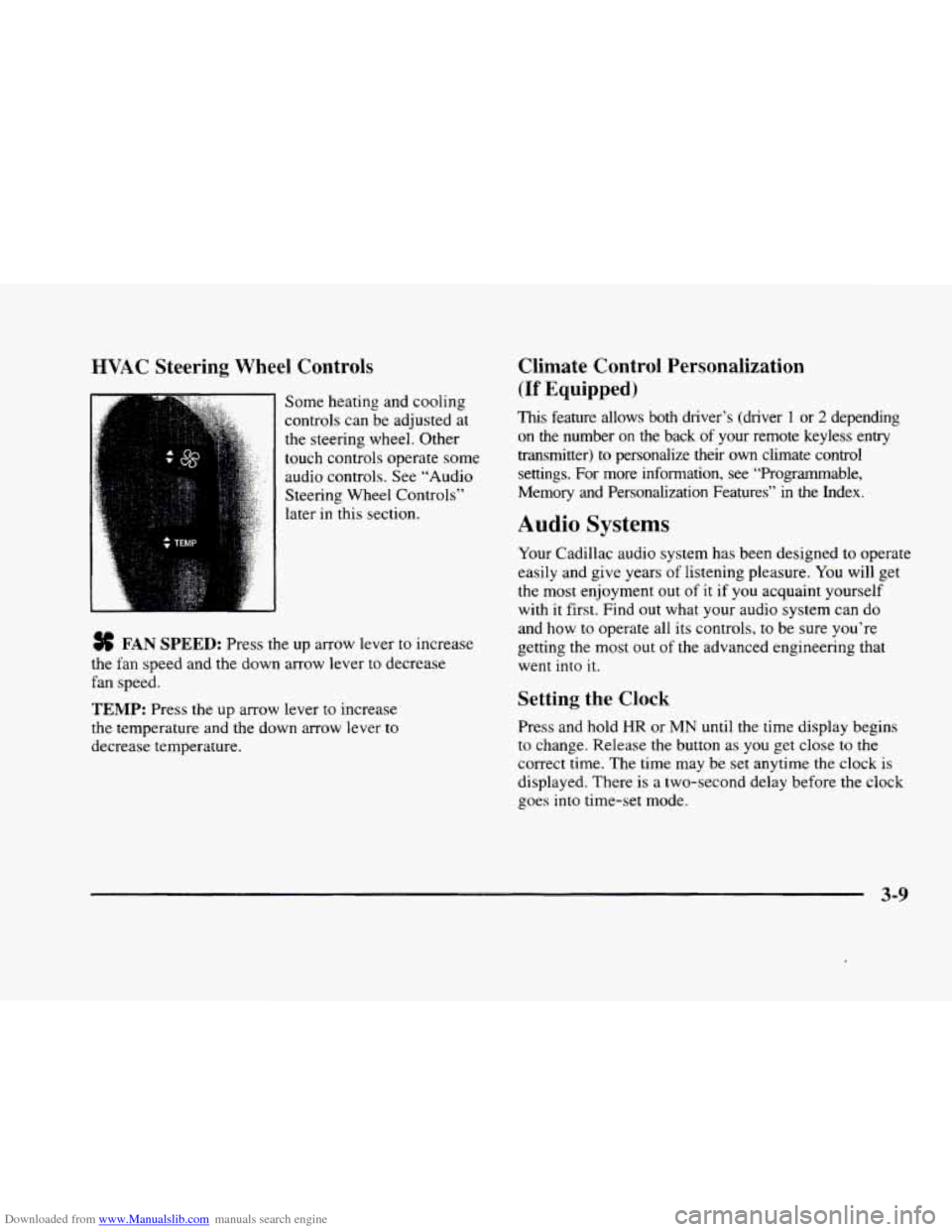
Some heating and cooling
controls can be adjusted at
the steering wheel. Other
touch controls operate some
audio controls. See “Audio
Steering Wheel Controls”
later in this section.
FAN SPEED: Press the up arrow lever to increase
the fan speed and the down arrow lever to decrease
fan speed.
TEMP: Press the up arrow lever to increase
the temperature and the down arrow lever to
decrease temperature.
Climate Control Personalization
(If Equipped j
This feature allows both driver’s (driver 1 or 2 depending
on the number
on the back of your remote keyless entry
transmitter)
to personalize their own climate control
settings. For more information, see “Programmable,
Memory and Personalization Features” in the Index.
Audio Systems
Your Cadillac audio system has been designed to operate
easily and give years of listening pleasure.
You will get
the most enjoyment out of it if you acquaint yourself
with
it first. Find out what your audio system can do
and how
to operate all its controls, to be sure you‘re
getting the most out of the advanced engineering that
went into
it.
Setting the Clock
Press and hold HR or MN until the time display begins
to change. Release the button as you get close to the
correct time. The time may be set anytime the clock is
displayed. There is a two-second delay before the clock
goes into time-set mode.
3-9
Page 178 of 380
Downloaded from www.Manualslib.com manuals search engine If a station with the selected PTY is not found, NONE
FOUND will appear on the display. If both PTY and TA
are
on, the radio will search for stations with traffic
announcements and the selected PTY.
PUSHBUTTONS: The six numbered pushbuttons let
you return to your favorite Program Types (PTYs).
These buttons have factory PTY presets. See “Radio
Data Systems (RDS) Program Type (PTY) Selections”
in the Index.
You can set up to 12 PTYs (six FMl and
six FM2). Just:
1, Turn PTY on.
2. Press BAND to select EM1 or FM2.
3. Tune an RDS station with the PTY you desire.
4. Press and hold one of the six numbered buttons for
more than two seconds until
you hear a beep.
Whenever
you press that numbered button for less
than two seconds, the PTY you
set will return.
5. Repeat the steps for each pushbutton.
When battery power is removed and later applied,
you
will not have to reset your RDS presets because the
radio remembers them.
HR or MN: Press the RDS SELECT button, followed
by one of these buttons to display the time for the
current station. STATION TIME IS will be displayed. If a time has
not been
sent to the radio, NO STATION
TIME will be displayed. If
you have recently tuned to
the station, you may need
to wait a minute before the
time is available to the radio. To set the clock to the
current displayed station time, press and hold HR or
MN
until TIME UPDATED is displayed. There is a two
second delay before the time is updated. RDS mode
does
not have to be on to use this function. but you must
be tuned to an
FM RDS station.
ALERT This type of announcement warns of national
or local emergencies. You will not be able
to turn off
alert announcements. Alert announcements will come on
even if RDS mode is turned off. ALERT appears
on the
display when an alert announcement plays. The radio
uses
TA volume during these announcements. To
increase volume,
turn the PWRNOL knob to the right.
Turn it to the left to decrease volume. TA VOLUME
will appear on the display while the volume is being
adjusted. When an alert announcement comes
on the
tuned radio station or a related network station, you will
hear it, even if the volume
is muted or a cassette tape or
compact disc is playing. If the radio tunes to
a related
network station
for an alert announcement, it will return
to the original station when the announcement is
finished. If the cassette tape or compact disc player, play
will stop for the announcement and resume when the
announcement is finished.
Page 188 of 380
Downloaded from www.Manualslib.com manuals search engine CD Adapter Kits
It is possible to use a CD adapter kit with your cassette
tape player after activating the bypass feature on your
tape player.
To activate the bypass feature, use the following steps:
0 Turn the ignition to RUN or ACCESSORY.
Turn the radio off.
Press and hold the SOURCE button for two seconds.
The tape symbol on the display will flash three
times, indicating the feature is active.
0 Insert the adapter.
This override routine will remain active until EJECT
is pressed.
Radio Personalization (If Equipped)
If your vehicle is equipped with the AM-FM Stereo with
Cassette Tape Player and
1 (H or A) or 2 (H or A)
appears in the display when the radio
is first turned on,
your vehicle is equipped with this feature. If your
vehicle is equipped with any other audio system and
DRIVER
1 (HOME or AWAY) PRESETS or DRIVER 2
(HOME or AWAY) PRESETS appears in the display
when the radio is first turned on, your vehicle is
equipped with
this feature. With
this feature, your vehcle will recall the latest radio
settings as adjusted the last time your vehicle was
operated. This feature allows two different drivers
to
store and recall their own radio settings. The settings
recalled by the radio are determined by which
RKE
transmitter (“1” or “2”) was used to enter the vehicle.
The number
on the back of the RKE transmitter
corresponds to driver
1 or to driver 2. The radio settings
will automatically adjust
to where they were last set by
the identified driver. The settings can also be recalled by
briefly pressing the memory seat buttons
1 or 2 located
on the driver’s door.
Your radio can store home and away presets. Home and
away presets allow you
to use one set of preset radio
settings
in the area where you live, and another set when
you go out of town. That way, you will not need to
reprogram your presets every time you travel. With the
radio off and the clock displayed, use
FF and RW to
select home or away presets. To select the away presets,
press and hold
FF for five counts until you hear a beep.
The next time the radio comes on, the away presets will
be active.
To select the home presets, press and hold RW
for five counts until you hear a beep. The next time the
radio comes
on, the home presets will be active.
3-32
Page 189 of 380
Downloaded from www.Manualslib.com manuals search engine Theft-Deterrent Feature
THEFTLOCK@ is designed to discourage theft of your
radio. Your vehicle has
a “built-in” theft-deterrent
feature on each radio that
is automatic -- there is no
programming required. The radio in your vehicle cannot
be used
in any other vehicle. When the radio was
originally installed in your vehicle at the factory, it
stored the Vehicle Identification Number (VIN). Each
time the ignition
is turned on, the VIN is verified. If the
vehicle’s
VIN does not match the VIN stored in the
radio, the radio will
THEFTLOCK. If the radio is
removed from your vehicle,
the original VIN in the
radio can be used to trace the radio back to your vehicle.
Audio Steering Wheel Controls
Some audio controls can be adjusted at the steering
wheel. They include the following:
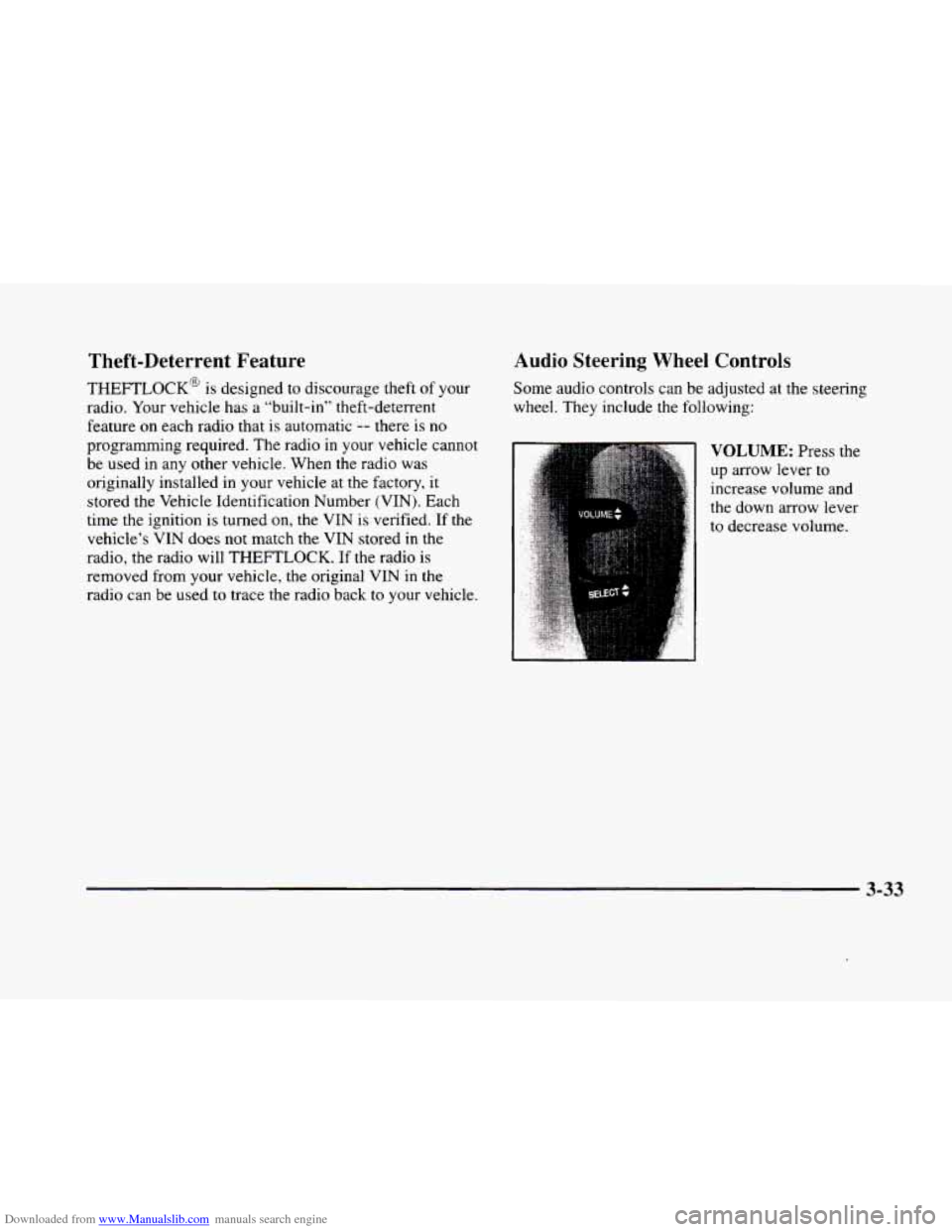
VOLUME: Press the
up arrow lever to
increase volume and
the down arrow lever
to decrease volume.
3-33