power steering CADILLAC ELR 2014 Owner's Manual
[x] Cancel search | Manufacturer: CADILLAC, Model Year: 2014, Model line: ELR, Model: CADILLAC ELR 2014Pages: 408, PDF Size: 4.47 MB
Page 5 of 408
Black plate (5,1)Cadillac ELR Owner Manual (GMNA-Localizing-U.S./Canada-6081525) -
2014 - Second Edition - 1/22/14
Introduction v
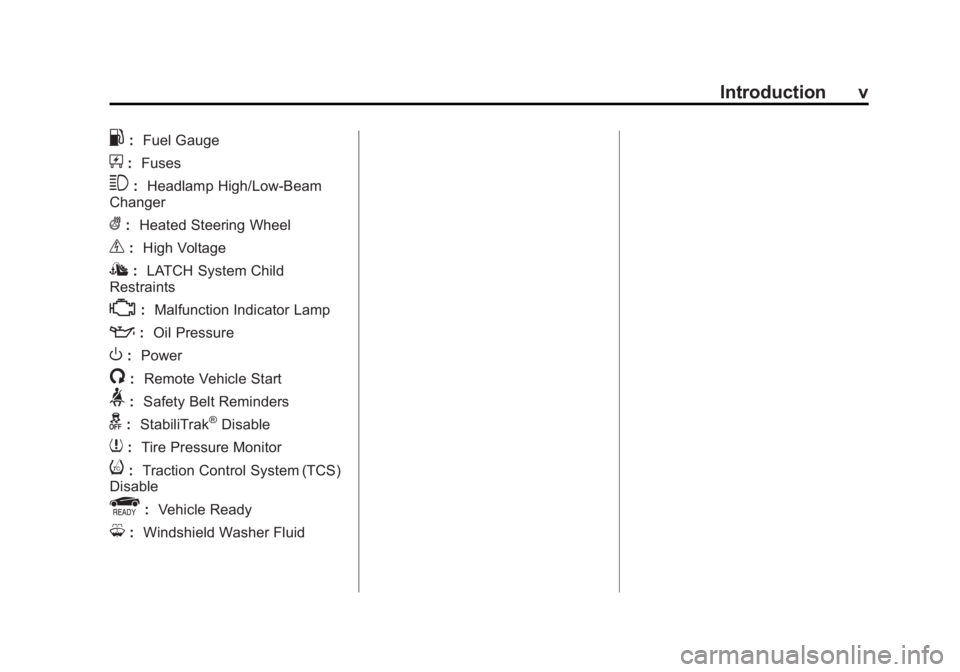
.:Fuel Gauge
+:Fuses
3: Headlamp High/Low-Beam
Changer
(: Heated Steering Wheel
_: High Voltage
I:LATCH System Child
Restraints
*: Malfunction Indicator Lamp
::Oil Pressure
O:Power
/:Remote Vehicle Start
>:Safety Belt Reminders
g: StabiliTrak®Disable
7:Tire Pressure Monitor
i:Traction Control System (TCS)
Disable
r: Vehicle Ready
M:Windshield Washer Fluid
Page 7 of 408
Black plate (1,1)Cadillac ELR Owner Manual (GMNA-Localizing-U.S./Canada-6081525) -
2014 - Second Edition - 1/22/14
In Brief 1-1
In Brief
Instrument Panel
Instrument Panel Overview . . . . 1-2
Initial Drive Information
Initial Drive Information . . . . . . . . 1-4
Remote Keyless Entry (RKE)System . . . . . . . . . . . . . . . . . . . . . . 1-4
Remote Start . . . . . . . . . . . . . . . . . . 1-5
Door Locks . . . . . . . . . . . . . . . . . . . 1-5
Trunk Release . . . . . . . . . . . . . . . . 1-6
Windows . . . . . . . . . . . . . . . . . . . . . . 1-6
Seat Adjustment . . . . . . . . . . . . . . 1-7
Memory Features . . . . . . . . . . . . . 1-9
Heated Seats . . . . . . . . . . . . . . . . . 1-9
Head Restraint Adjustment . . . . . . . . . . . . . . . . . 1-10
Safety Belts . . . . . . . . . . . . . . . . . . 1-10
Passenger Sensing System . . . . . . . . . . . . . . . . . . . . . 1-10
Mirror Adjustment . . . . . . . . . . . . 1-11 Steering Wheel
Adjustment . . . . . . . . . . . . . . . . . 1-12
Interior Lighting . . . . . . . . . . . . . . 1-12
Exterior Lighting . . . . . . . . . . . . . 1-13
Windshield Wiper/Washer . . . . 1-13
Climate Controls . . . . . . . . . . . . . 1-14Vehicle Features
Steering Wheel Controls . . . . . 1-15
Cruise Control . . . . . . . . . . . . . . . 1-15
Infotainment System . . . . . . . . . 1-16
Driver Information Center (DIC) . . . . . . . . . . . . . . . 1-16
Forward Collision Alert (FCA) System . . . . . . . . . . . . . . . . . . . . . 1-17
Lane Departure Warning (LDW) . . . . . . . . . . . . . 1-17
Side Blind Zone Alert (SBZA) . . . . . . . . . . . . . . . 1-17
Rear Vision Camera (RVC) . . . . . . . . . . . . . 1-17
Ultrasonic Parking Assist . . . . 1-17 Active Emergency Braking
System . . . . . . . . . . . . . . . . . . . . . 1-17
Power Outlets . . . . . . . . . . . . . . . 1-18
Universal Remote System . . . 1-18
Battery and Efficiency
High Voltage Safety Information . . . . . . . . . . . . . . . . . 1-19
Charging . . . . . . . . . . . . . . . . . . . . . 1-19
Fueling . . . . . . . . . . . . . . . . . . . . . . 1-23
Regenerative Braking . . . . . . . . 1-23
Service . . . . . . . . . . . . . . . . . . . . . . 1-24
Performance and Maintenance
Traction Control/Electronic Stability Control . . . . . . . . . . . . 1-24
Tire Pressure Monitor . . . . . . . . 1-25
Engine Oil Life System . . . . . . 1-25
Driving for Better Energy Efficiency . . . . . . . . . . . . . . . . . . . 1-25
Roadside Service . . . . . . . . . . . . 1-27
OnStar
®. . . . . . . . . . . . . . . . . . . . . 1-28
Page 9 of 408
Black plate (3,1)Cadillac ELR Owner Manual (GMNA-Localizing-U.S./Canada-6081525) -
2014 - Second Edition - 1/22/14
In Brief 1-3
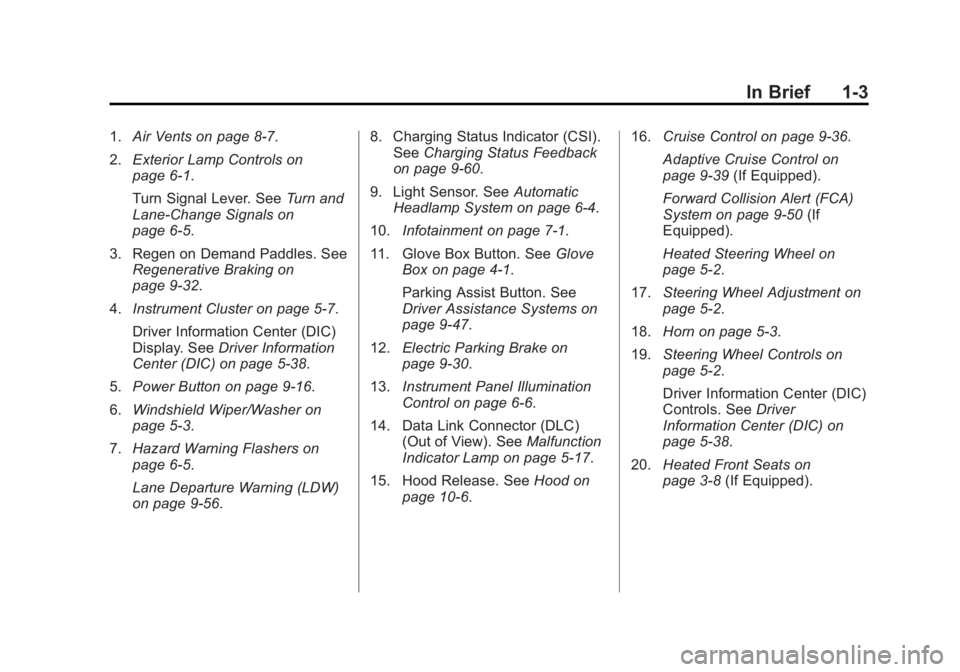
1.Air Vents on page 8-7.
2. Exterior Lamp Controls on
page 6-1.
Turn Signal Lever. See Turn and
Lane-Change Signals on
page 6-5.
3. Regen on Demand Paddles. See Regenerative Braking on
page 9-32.
4. Instrument Cluster on page 5-7.
Driver Information Center (DIC)
Display. See Driver Information
Center (DIC) on page 5-38.
5. Power Button on page 9-16.
6. Windshield Wiper/Washer on
page 5-3.
7. Hazard Warning Flashers on
page 6-5.
Lane Departure Warning (LDW)
on page 9-56. 8. Charging Status Indicator (CSI).
See Charging Status Feedback
on page 9-60.
9. Light Sensor. See Automatic
Headlamp System on page 6-4.
10. Infotainment on page 7-1.
11. Glove Box Button. See Glove
Box on page 4-1.
Parking Assist Button. See
Driver Assistance Systems on
page 9-47.
12. Electric Parking Brake on
page 9-30.
13. Instrument Panel Illumination
Control on page 6-6.
14. Data Link Connector (DLC) (Out of View). See Malfunction
Indicator Lamp on page 5-17.
15. Hood Release. See Hood on
page 10-6. 16.
Cruise Control on page 9-36.
Adaptive Cruise Control on
page 9-39 (If Equipped).
Forward Collision Alert (FCA)
System on page 9-50 (If
Equipped).
Heated Steering Wheel on
page 5-2.
17. Steering Wheel Adjustment on
page 5-2.
18. Horn on page 5-3.
19. Steering Wheel Controls on
page 5-2.
Driver Information Center (DIC)
Controls. See Driver
Information Center (DIC) on
page 5-38.
20. Heated Front Seats on
page 3-8 (If Equipped).
Page 15 of 408
Black plate (9,1)Cadillac ELR Owner Manual (GMNA-Localizing-U.S./Canada-6081525) -
2014 - Second Edition - 1/22/14
In Brief 1-9
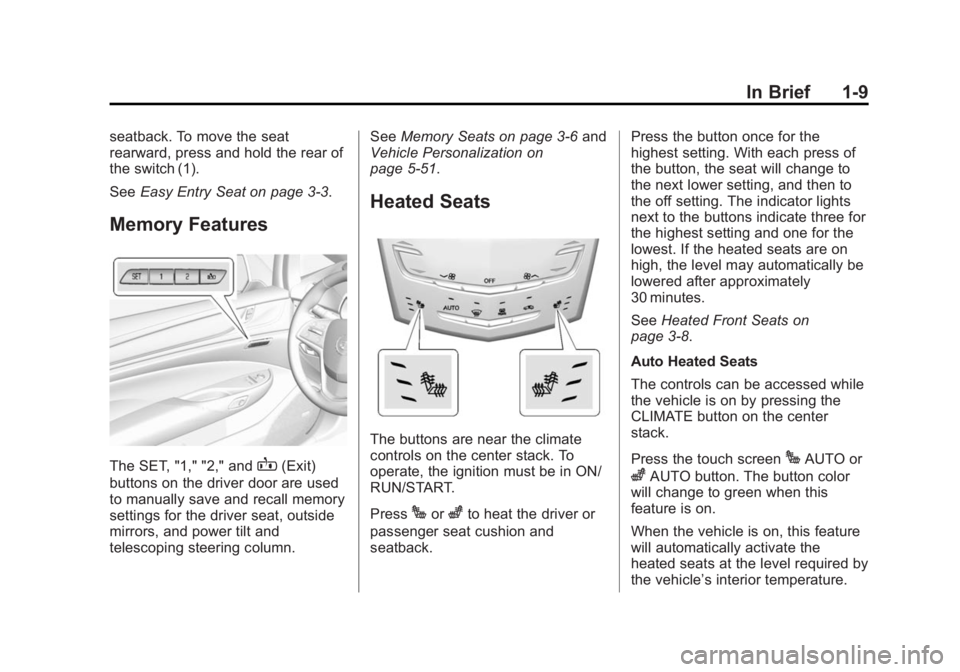
seatback. To move the seat
rearward, press and hold the rear of
the switch (1).
SeeEasy Entry Seat on page 3-3.
Memory Features
The SET, "1," "2," andB(Exit)
buttons on the driver door are used
to manually save and recall memory
settings for the driver seat, outside
mirrors, and power tilt and
telescoping steering column. See
Memory Seats on page 3-6 and
Vehicle Personalization on
page 5-51.
Heated Seats
The buttons are near the climate
controls on the center stack. To
operate, the ignition must be in ON/
RUN/START.
Press
Jorzto heat the driver or
passenger seat cushion and
seatback. Press the button once for the
highest setting. With each press of
the button, the seat will change to
the next lower setting, and then to
the off setting. The indicator lights
next to the buttons indicate three for
the highest setting and one for the
lowest. If the heated seats are on
high, the level may automatically be
lowered after approximately
30 minutes.
See
Heated Front Seats on
page 3-8.
Auto Heated Seats
The controls can be accessed while
the vehicle is on by pressing the
CLIMATE button on the center
stack.
Press the touch screen
JAUTO or
zAUTO button. The button color
will change to green when this
feature is on.
When the vehicle is on, this feature
will automatically activate the
heated seats at the level required by
the vehicle’ s interior temperature.
Page 18 of 408
Black plate (12,1)Cadillac ELR Owner Manual (GMNA-Localizing-U.S./Canada-6081525) -
2014 - Second Edition - 1/22/14
1-12 In Brief
Steering Wheel
Adjustment
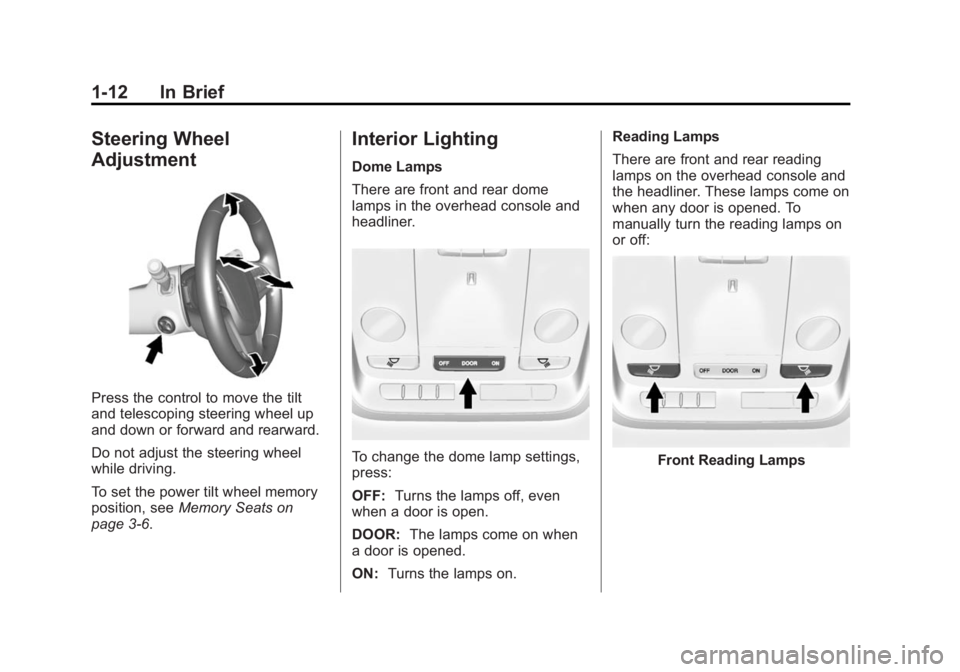
Press the control to move the tilt
and telescoping steering wheel up
and down or forward and rearward.
Do not adjust the steering wheel
while driving.
To set the power tilt wheel memory
position, seeMemory Seats on
page 3-6.
Interior Lighting
Dome Lamps
There are front and rear dome
lamps in the overhead console and
headliner.
To change the dome lamp settings,
press:
OFF: Turns the lamps off, even
when a door is open.
DOOR: The lamps come on when
a door is opened.
ON: Turns the lamps on. Reading Lamps
There are front and rear reading
lamps on the overhead console and
the headliner. These lamps come on
when any door is opened. To
manually turn the reading lamps on
or off:Front Reading Lamps
Page 21 of 408

Black plate (15,1)Cadillac ELR Owner Manual (GMNA-Localizing-U.S./Canada-6081525) -
2014 - Second Edition - 1/22/14
In Brief 1-15
Climate Touch Screen Controls
1. Outside Air Temperature Display
2. Driver and Passenger Temperature Controls
3. Fan Control
4. Climate Modes: MIN, ECO, MAX
5. SYNC (Synchronized Temperature)
6. Climate Control Selection (Application Tray Button)
7. Climate Power Gauge
8. Driver and Passenger Auto Heated Seats 9. Air Delivery Mode Controls
See
Dual Automatic Climate Control
System on page 8-1.
Vehicle Features
Steering Wheel Controls
The infotainment system can be
operated by using the steering
wheel controls. See "Steering
Wheel Controls" in the infotainment
manual.
Cruise Control
Page 62 of 408
Black plate (6,1)Cadillac ELR Owner Manual (GMNA-Localizing-U.S./Canada-6081525) -
2014 - Second Edition - 1/22/14
3-6 Seats and Restraints
{Warning
Sitting in a reclined position when
the vehicle is in motion can be
dangerous. Even when buckled
up, the safety belts cannot do
their job.
The shoulder belt will not be
against your body. Instead, it will
be in front of you. In a crash, you
could go into it, receiving neck or
other injuries.
The lap belt could go up over
your abdomen. The belt forces
would be there, not at your pelvic
bones. This could cause serious
internal injuries.
For proper protection when the
vehicle is in motion, have the
seatback upright. Then sit well
back in the seat and wear the
safety belt properly.
Do not have a seatback reclined if
the vehicle is moving.
Memory Seats
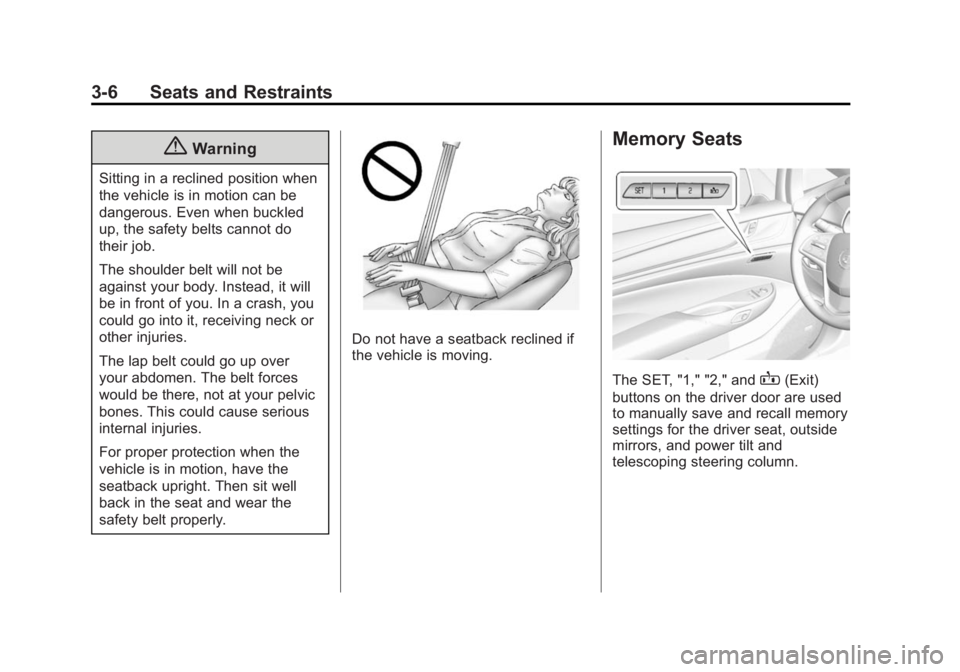
The SET, "1," "2," andB(Exit)
buttons on the driver door are used
to manually save and recall memory
settings for the driver seat, outside
mirrors, and power tilt and
telescoping steering column.
Page 63 of 408
Black plate (7,1)Cadillac ELR Owner Manual (GMNA-Localizing-U.S./Canada-6081525) -
2014 - Second Edition - 1/22/14
Seats and Restraints 3-7
Storing Memory Positions
To save positions to the“1”and “2”
buttons:
1. Adjust the driver seat, outside mirrors, and the power tilt and
telescoping steering column to
the desired driving positions.
2. Press and release SET, then immediately press and hold “1”
until a beep sounds.
3. Repeat Steps 1 and 2 for a second driver using “2.”
To save positions to the
B(Exit)
button and easy exit features:
1. Adjust the driver seat, power tilt and telescoping steering column,
and the outside mirrors on some
vehicles to the desired positions
for getting out of the vehicle.
2. Press and release SET, then immediately press and hold
B
until a beep sounds. Manually Recalling Memory
Positions
If the vehicle is OFF or not in
P (Park), press and hold "1," "2," or
Bto manually recall the previously
stored memory positions. Releasing
"1,” "2," or
Bbefore the stored
positions are reached stops the
recall.
If the vehicle is ON and in P (Park),
press and release “1,” “2,”or
Bto
manually recall the previously
stored memory positions. Placing
the ignition in OFF before the stored
positions are reached stops the
recall.
If something has blocked the driver
seat and/or power tilt and
telescoping steering column while
recalling a memory position, the
recall may stop. Remove the
obstruction; then press and hold the
appropriate manual control for the
memory item that is not recalling for
two seconds. Try recalling the
memory position again by pressing
the appropriate memory button. If the memory position is still not
recalling, see your dealer for
service.
Automatically Recalling Memory
Positions (Auto Memory Recall)
The Auto (Automatic) Memory
Recall feature automatically recalls
the current driver
’s previously stored
“1” or“2” position when entering the
vehicle.
Depending upon the Auto Memory
Recall feature enabled in the vehicle
personalization menu, memory “1”
or “2” positions are recalled in the
following ways:
To activate the recall when On -
Driver Door Open is selected in the
personalization menu, do one of the
following:
.PressKon the RKE transmitter
and open the driver door.
.PressKon the RKE transmitter
when the driver door is
already open.
Page 64 of 408
Black plate (8,1)Cadillac ELR Owner Manual (GMNA-Localizing-U.S./Canada-6081525) -
2014 - Second Edition - 1/22/14
3-8 Seats and Restraints
To activate the recall when On - At
Ignition On is selected in the vehicle
personalization menu:
.Place the ignition in ON/RUN/
START.
See Vehicle Personalization on
page 5-51.
To stop recall movement, press one
of the memory, power mirror,
or power seat controls; or press the
power tilt and telescoping steering
column control. If On - At Ignition
On is selected in the vehicle
personalization menu, placing the
ignition in OFF also stops the recall.
If something has blocked the driver
seat and/or the power tilt and
telescoping steering column while
recalling a memory position, the
recall may stop. Remove the
obstruction; then press and hold the
appropriate manual control for the
memory item that is not recalling for
two seconds. Try recalling the
memory position again by opening
the driver door and pressing
Kon the RKE transmitter. If the memory
position is still not recalling, see
your dealer for service.
Easy Exit Recall
If programmed on in the vehicle
personalization menu, the easy exit
feature automatically moves the
driver seat, power tilt and
telescoping steering column, and
outside mirrors on some vehicles to
the memory positions previously
saved to the
B(Exit) button. See
“Storing Memory Positions” listed
previously. See also Vehicle
Personalization on page 5-51.
Easy exit recall automatically
activates when one of the following
occurs:
.The vehicle is turned off and the
driver door is opened within a
short time.
.The vehicle is turned off with the
driver door open.
If something has blocked the driver
seat and/or power tilt and
telescoping steering column while recalling the exit position, the recall
may stop. Remove the obstruction;
then press and hold the appropriate
manual control for the exit feature
not recalling for two seconds. Try
recalling the exit position again.
If the exit position is still not
recalling, see your dealer for
service.
Heated Front Seats
{Warning
If you cannot feel temperature
change or pain to the skin, the
seat heater may cause burns. To
reduce the risk of burns, people
with such a condition should use
care when using the seat heater,
especially for long periods of
time. Do not place anything on
the seat that insulates against
heat, such as a blanket, cushion,
cover, or similar item. This may
cause the seat heater to
(Continued)
Page 109 of 408

Black plate (1,1)Cadillac ELR Owner Manual (GMNA-Localizing-U.S./Canada-6081525) -
2014 - Second Edition - 1/22/14
Instruments and Controls 5-1
Instruments and
Controls
Controls
Steering Wheel Adjustment . . . 5-2
Steering Wheel Controls . . . . . . 5-2
Heated Steering Wheel . . . . . . . 5-2
Horn . . . . . . . . . . . . . . . . . . . . . . . . . . 5-3
Pedestrian Safety Signal . . . . . . 5-3
Windshield Wiper/Washer . . . . . 5-3
Compass . . . . . . . . . . . . . . . . . . . . . 5-5
Clock . . . . . . . . . . . . . . . . . . . . . . . . . 5-5
Power Outlets . . . . . . . . . . . . . . . . . 5-6
Warning Lights, Gauges, and
Indicators
Warning Lights, Gauges, andIndicators . . . . . . . . . . . . . . . . . . . . 5-7
Instrument Cluster . . . . . . . . . . . . 5-7
Speedometer . . . . . . . . . . . . . . . . 5-12
Odometer . . . . . . . . . . . . . . . . . . . . 5-12
Trip Odometer . . . . . . . . . . . . . . . 5-12
Battery Gauge (High Voltage) . . . . . . . . . . . . . . . . . . . . 5-12
Fuel Gauge . . . . . . . . . . . . . . . . . . 5-13
Driver Efficiency Gauge . . . . . . 5-13
Power Indicator Gauge . . . . . . 5-14 Safety Belt Reminders . . . . . . . 5-14
Airbag Readiness Light . . . . . . 5-16
Passenger Airbag Status
Indicator . . . . . . . . . . . . . . . . . . . . 5-16
Charging System Light
(12-Volt Battery) . . . . . . . . . . . . 5-17
Malfunction Indicator Lamp . . . . . . . . . . . . . 5-17
Brake System Warning Light . . . . . . . . . . . . . . . . . . . . . . . 5-20
Electric Parking Brake Light . . . . . . . . . . . . . . . . . . . . . . . 5-20
Service Electric Parking Brake Light . . . . . . . . . . . . . . . . . . . . . . . 5-21
Antilock Brake System (ABS) Warning Light . . . . . . . . . . . . . . 5-21
Lane Departure Warning (LDW) Light . . . . . . . . . . . . . . . . 5-22
Vehicle Ahead Indicator . . . . . . 5-22
Traction Off Light . . . . . . . . . . . . 5-22
StabiliTrak
®OFF Light . . . . . . . 5-22
Traction Control System (TCS)/StabiliTrak
®Light . . . . 5-23
Engine Coolant Temperature Warning Light . . . . . . . . . . . . . . 5-23
Tire Pressure Light . . . . . . . . . . 5-24
Engine Oil Pressure Light . . . . 5-24
Low Fuel Warning Light . . . . . . 5-25
Security Light . . . . . . . . . . . . . . . . 5-25 Vehicle Ready Light . . . . . . . . . 5-25
High-Beam On Light . . . . . . . . . 5-25
Lamps On Reminder . . . . . . . . . 5-26
Cruise Control Light . . . . . . . . . 5-26
Door Ajar Light . . . . . . . . . . . . . . 5-26
Information Displays
Center Stack Display . . . . . . . . 5-27
Power Flows . . . . . . . . . . . . . . . . . 5-27
Programmable Charging . . . . . 5-29
Energy Information . . . . . . . . . . 5-37
Driver Information
Center (DIC) . . . . . . . . . . . . . . . 5-38
Vehicle Messages
Vehicle Messages . . . . . . . . . . . 5-40
Battery and ChargingMessages . . . . . . . . . . . . . . . . . . 5-41
Brake System Messages . . . . 5-41
Compass Messages . . . . . . . . . 5-42
Cruise Control Messages . . . . 5-42
Door Ajar Messages . . . . . . . . . 5-43
Drive Mode Messages . . . . . . . 5-43
Electric Drive Unit Messages . . . . . . . . . . . . . . . . . . 5-44
Engine Cooling System Messages . . . . . . . . . . . . . . . . . . 5-44
Engine Oil Messages . . . . . . . . 5-44
Fuel System Messages . . . . . . 5-44