ignition CADILLAC ESCALADE 2010 3.G Owner's Manual
[x] Cancel search | Manufacturer: CADILLAC, Model Year: 2010, Model line: ESCALADE, Model: CADILLAC ESCALADE 2010 3.GPages: 616, PDF Size: 39.41 MB
Page 152 of 616
C (ON/RUN) :This position can be used to operate theelectrical accessories and to display some instrumentpanel cluster warning and indicator lights. The switchstays in this position when the engine is running.The transmission is also unlocked in this position onautomatic transmission vehicles.
If you leave the key in the ACC/ACCESSORY orON/RUN position with the engine off, the batterycould be drained. You may not be able to start thevehicle if the battery is allowed to drain for an extendedperiod of time.
D (START) :This is the position that starts the engine.When the engine starts, release the key. The ignitionswitch returns to ON/RUN for driving.
A warning tone will sound when the driver door isopened, the ignition is in ACC/ACCESSORY orLOCK/OFF and the key is in the ignition.
Retained Accessory Power (RAP)
The following vehicle accessories can be used for up to10 minutes after the engine is turned off:
.Audio System
.Power Windows
.OnStar®System (if equipped)
.Sunroof (if equipped)
These features work when the key is in ON/RUN orACC/ACCESSORY. Once the key is turned fromON/RUN to LOCK/OFF, the windows and sunroofcontinue to work up to 10 minutes until any door isopened. The radio continues to work for up to10 minutes or until the driver door is opened.
3-28
Page 153 of 616
Starting the Engine
If the vehicle is a Two-mode Hybrid, see the Two-modeHybrid manual for more information.
Move the shift lever to P (Park) or N (Neutral). Theengine will not start in any other position. To restart theengine when the vehicle is are already moving, useN (Neutral) only.
Notice:Do not try to shift to P (Park) if thevehicle is moving. If you do, you could damagethe transmission. Shift to P (Park) only when thevehicle is stopped.
Starting Procedure
1. With your foot off the accelerator pedal, turn theignition key to START. When the engine starts,let go of the key. The idle speed will go down asthe engine gets warm. Do not race the engineimmediately after starting it. Operate the engineand transmission gently to allow the oil to warm upand lubricate all moving parts.
The vehicle has a Computer-Controlled CrankingSystem. This feature assists in starting the engineand protects components. If the ignition key isturned to the START position, and then releasedwhen the engine begins cranking, the engine willcontinue cranking for a few seconds or until thevehicle starts. If the engine does not start and thekey is held in START for many seconds, crankingwill be stopped after 15 seconds to preventcranking motor damage. To prevent gear damage,this system also prevents cranking if the engineis already running. Engine cranking can bestopped by turning the ignition switch to theACC/ACCESSORY or LOCK/OFF position.
Notice:Cranking the engine for long periods oftime, by returning the key to the START positionimmediately after cranking has ended, can overheatand damage the cranking motor, and drain thebattery. Wait at least 15 seconds between each try,to let the cranking motor cool down.
3-29
Page 162 of 616
Parking Brake
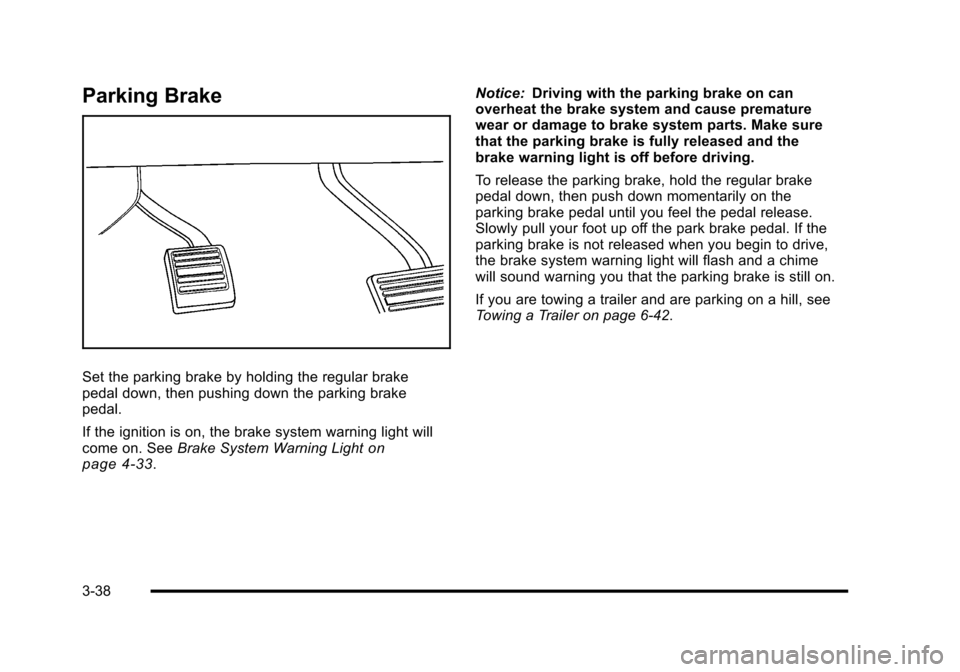
Set the parking brake by holding the regular brakepedal down, then pushing down the parking brakepedal.
If the ignition is on, the brake system warning light willcome on. SeeBrake System Warning Lightonpage 4!33.
Notice:Driving with the parking brake on canoverheat the brake system and cause prematurewear or damage to brake system parts. Make surethat the parking brake is fully released and thebrake warning light is off before driving.
To release the parking brake, hold the regular brakepedal down, then push down momentarily on theparking brake pedal until you feel the pedal release.Slowly pull your foot up off the park brake pedal. If theparking brake is not released when you begin to drive,the brake system warning light will flash and a chimewill sound warning you that the parking brake is still on.
If you are towing a trailer and are parking on a hill, seeTowing a Trailer on page 6!42.
3-38
Page 163 of 616
Shifting Into Park
{WARNING:
It can be dangerous to get out of the vehicle if the
shift lever is not fully in P (Park) with the parking
brake firmly set. The vehicle can roll. If you have
left the engine running, the vehicle can move
suddenly. You or others could be injured. To be
sure the vehicle will not move, even when you are
on fairly level ground, use the steps that follow.
If you are pulling a trailer, seeTowing a Traileron
page 6!42.
1. Hold the brake pedal down, then set theparking brake.
2. Move the shift lever into the P (Park) position bypulling the shift lever toward you and moving it upas far as it will go.
3. Turn the ignition key to LOCK/OFF.
4. Remove the key and take it with you. If you canleave the vehicle with the ignition key in your hand,the vehicle is in P (Park).
Leaving the Vehicle With the Engine
Running
{WARNING:
It can be dangerous to leave the vehicle with the
engine running. The vehicle could move suddenly
if the shift lever is not fully in P (Park) with the
parking brake firmly set. And, if you leave the
vehicle with the engine running, it could overheat
and even catch fire. You or others could be
injured. Do not leave the vehicle with the
engine running.
If you have to leave the vehicle with the engine running,be sure the vehicle is in P (Park) and the parking brakeis firmly set. After the shift lever is moved into P (Park),hold the regular brake pedal down. Then, see if you canmove the shift lever away from P (Park) without firstpulling it toward you. If you can, it means that the shiftlever was not fully locked into P (Park).
3-39
Page 164 of 616
Torque Lock
If you are parking on a hill and you do not shift thetransmission into P (Park) properly, the weight of thevehicle can put too much force on the parking pawl inthe transmission. It might be difficult to pull the shiftlever out of P (Park). This is called torque lock. Toprevent torque lock, set the parking brake and then shiftinto P (Park) properly before you leave the driver seat.To find out how, seeShifting Into Park on page 3!39.
When you are ready to drive, move the shift lever out ofP (Park) before releasing the parking brake.
If torque lock does occur, you might need to haveanother vehicle push yours a little uphill to take some ofthe pressure from the parking pawl in the transmission.Then you should be able to pull the shift lever outof P (Park).
Shifting Out of Park
This vehicle is equipped with an electronic shift lockrelease system. The shift lock release is designed to:
.Prevent ignition key removal unless the shift leveris in P (Park) with the shift lever button fullyreleased, and
.Prevent movement of the shift lever out ofP (Park), unless the ignition is in ON/RUN orACC/ACCESSORY and the regular brake pedalis applied.
The shift lock release is always functional exceptin the case of an uncharged or low voltage(less than 9 volt) battery.
If the vehicle has an uncharged battery or a batterywith low voltage, try charging or jump starting thebattery. SeeJump Startingon page 7!44formore information.
To shift out of P (Park) use the following:
1. Apply the brake pedal.
2. Move the shift lever to the desired position.
If you still are unable to shift out of P (Park):
1. Ease the pressure on the shift lever.
2. While holding down the brake pedal, press theshift lever all the way into P (Park).
3. Move the shift lever to the desired position.
If you are still having a problem shifting, then have thevehicle serviced soon.
3-40
Page 168 of 616
Resetting the Power Foldaway Mirrors
Reset the power foldaway mirrors if:
.The mirrors are accidentally obstructedwhile folding.
.They are accidentally manually folded/unfolded.
.The mirrors will not stay in the unfolded position.
.The mirrors vibrate at normal driving speeds.
Fold and unfold the mirrors one time using the mirrorcontrols to reset them to their normal position.A popping noise may be heard during the resetting ofthe power foldaway mirrors. This sound is normal aftera manual folding operation.
Automatic Dimming
Adjust the driver outside mirror for the glare of theheadlamps behind your vehicle. SeeAutomaticDimming Rearview Mirroron page 3!43for moreinformation.
Turn Signal Indicator
The vehicle has a turn signal indicator on the mirror.An arrow on the mirror flashes in the direction of theturn or lane change.
Ground Illumination Lamps
The mirrors may also include ground illumination lampsin the base of the mirror. These lamps help to see thearea near the base of the front doors when it isdark out.
Park Tilt Mirrors
If the vehicle has the memory package, thepassenger and/or driver mirror tilts to a preselectedposition when the vehicle is in R (Reverse). This featurelets the driver view the curb when parallel parking. Themirror(s) return to the original position when the vehicleis shifted out of R (Reverse), or the ignition is turned offor to OFF/LOCK.
Turn this feature on or off through the Driver InformationCenter (DIC). SeeDIC Vehicle Customizationonpage 4!57for more information.
3-44
Page 190 of 616
Rear Storage Area
For vehicles with a rear storage area, it is located inthe rear cargo area of the vehicle on the driver's sidetrim panel.
Turn the knobs and swing the storage door to accessthe storage compartment. The door can be removed.
Rear Seat Armrest
For vehicle with an armrest/storage compartmentlocated by the second row seat, pull the loop at the topof the armrest out to lower the armrest.
Push the button on the front of the armrest and pull thetop up to open the compartment.
Sunroof
Your vehicle may be equipped with a power slidingsunroof. To open or close the sunroof, the ignitionneeds to be turned to ON/RUN, or Retained AccessoryPower (RAP) must be active. When RAP is active, thesunroof will work for 10 minutes after the ignition isturned off, or until a front door is opened. SeeRetainedAccessory Power (RAP)on page 3!28for moreinformation.
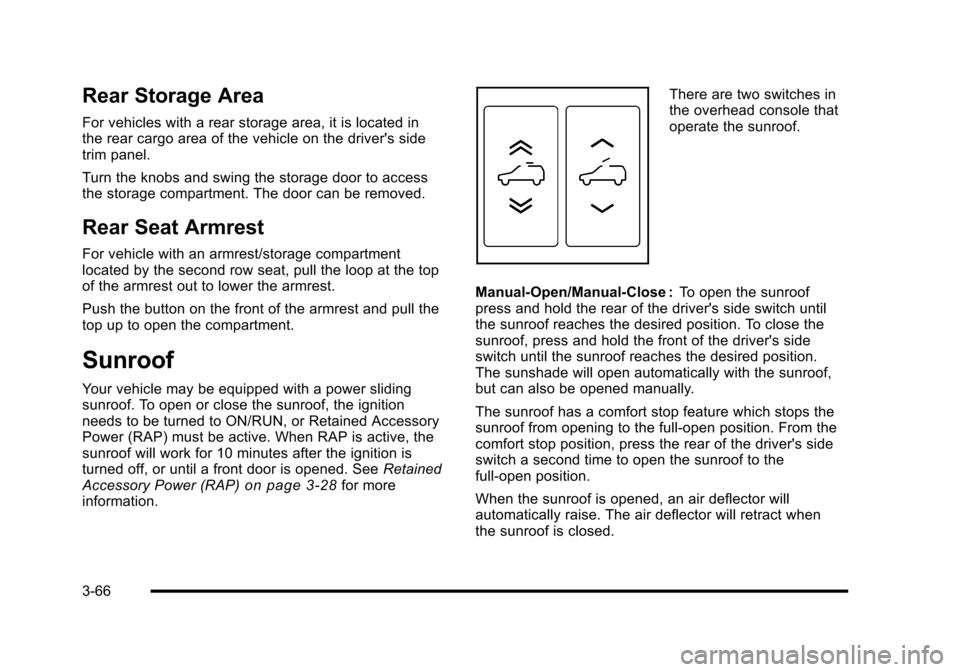
There are two switches inthe overhead console thatoperate the sunroof.
Manual-Open/Manual-Close :To open the sunroofpress and hold the rear of the driver's side switch untilthe sunroof reaches the desired position. To close thesunroof, press and hold the front of the driver's sideswitch until the sunroof reaches the desired position.The sunshade will open automatically with the sunroof,but can also be opened manually.
The sunroof has a comfort stop feature which stops thesunroof from opening to the full-open position. From thecomfort stop position, press the rear of the driver's sideswitch a second time to open the sunroof to thefull-open position.
When the sunroof is opened, an air deflector willautomatically raise. The air deflector will retract whenthe sunroof is closed.
3-66
Page 202 of 616
Increasing Speed While Using Cruise
Control
To increase the cruise speed while using cruise control:
.Press and hold the +RES button on the steeringwheel until the desired speed is reached, thenrelease it.
.To increase vehicle speed in small increments,press the +RES button. Each time this is done,the vehicle goes about 1.6 km/h (1 mph) faster.
Reducing Speed While Using Cruise
Control
To reduce the vehicle speed while using cruise control:
.Press and hold the SET–button on the steeringwheel until the desired lower speed is reached,then release it.
.To slow down in very small amounts, press theSET–button on the steering wheel briefly. Eachtime this is done, the vehicle goes about 1.6 km/h(1 mph) slower.
Passing Another Vehicle While Using
Cruise Control
Use the accelerator pedal to increase the vehiclespeed. When you take your foot off the pedal, thevehicle will slow down to the previous set cruise speed.
Using Cruise Control on Hills
How well the cruise control will work on hills dependsupon the vehicle speed, load, and the steepness of thehills. When going up steep hills, you might have to stepon the accelerator pedal to maintain the vehicle'sspeed. When going downhill, you might have to brakeor shift to a lower gear to keep the vehicle's speeddown. When the brakes are applied the cruise controlturns off.
Ending Cruise Control
There are three ways to end cruise control:
.Step lightly on the brake pedal.
.Press the[button on the steering wheel.
.Press theIbutton on the steering wheel.
Erasing Speed Memory
The cruise control set speed memory is erased whenthe cruise control or the ignition is turned off.
4-10
Page 203 of 616
Exterior Lamps
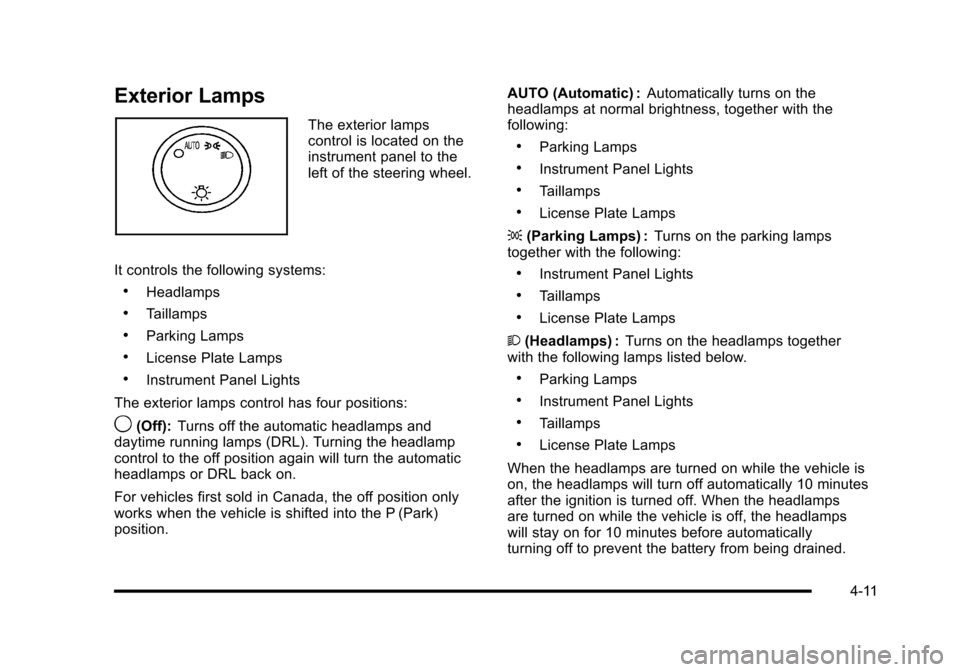
The exterior lampscontrol is located on theinstrument panel to theleft of the steering wheel.
It controls the following systems:
.Headlamps
.Taillamps
.Parking Lamps
.License Plate Lamps
.Instrument Panel Lights
The exterior lamps control has four positions:
9(Off):Turns off the automatic headlamps anddaytime running lamps (DRL). Turning the headlampcontrol to the off position again will turn the automaticheadlamps or DRL back on.
For vehicles first sold in Canada, the off position onlyworks when the vehicle is shifted into the P (Park)position.
AUTO (Automatic) :Automatically turns on theheadlamps at normal brightness, together with thefollowing:
.Parking Lamps
.Instrument Panel Lights
.Taillamps
.License Plate Lamps
;(Parking Lamps) :Turns on the parking lampstogether with the following:
.Instrument Panel Lights
.Taillamps
.License Plate Lamps
2(Headlamps) :Turns on the headlamps togetherwith the following lamps listed below.
.Parking Lamps
.Instrument Panel Lights
.Taillamps
.License Plate Lamps
When the headlamps are turned on while the vehicle ison, the headlamps will turn off automatically 10 minutesafter the ignition is turned off. When the headlampsare turned on while the vehicle is off, the headlampswill stay on for 10 minutes before automaticallyturning off to prevent the battery from being drained.
4-11
Page 206 of 616
Disabling and Resetting IntelliBeam®at the
Rearview Mirror
IntelliBeam®can be disabled by using the controls onthe inside rearview mirror.
AUTO3(On/Off):To disable the system, press this
button on the inside rearview mirror. The IntelliBeam®
indicator will turn off and will not come back on until theIntelliBeam®button is pressed again.
(Stalk Disable) :When IntelliBeam®has turned on thehigh-beams, pull or push the high-beam stalk. This willdisable IntelliBeam®. The IntelliBeam®indicator on themirror will turn off. To re-enable IntelliBeam®, press theIntelliBeam®button on the mirror.
A different sensitivity setting is available for dealerdiagnostics. This is done by pushing and holding thisbutton for 20 seconds until the IntelliBeam®indicatorlight flashes three times. If you accidentally activatethis, the vehicle's setting will automatically be reseteach time the ignition is turned off and then on again.
Cleaning the IntelliBeam®Light Sensor
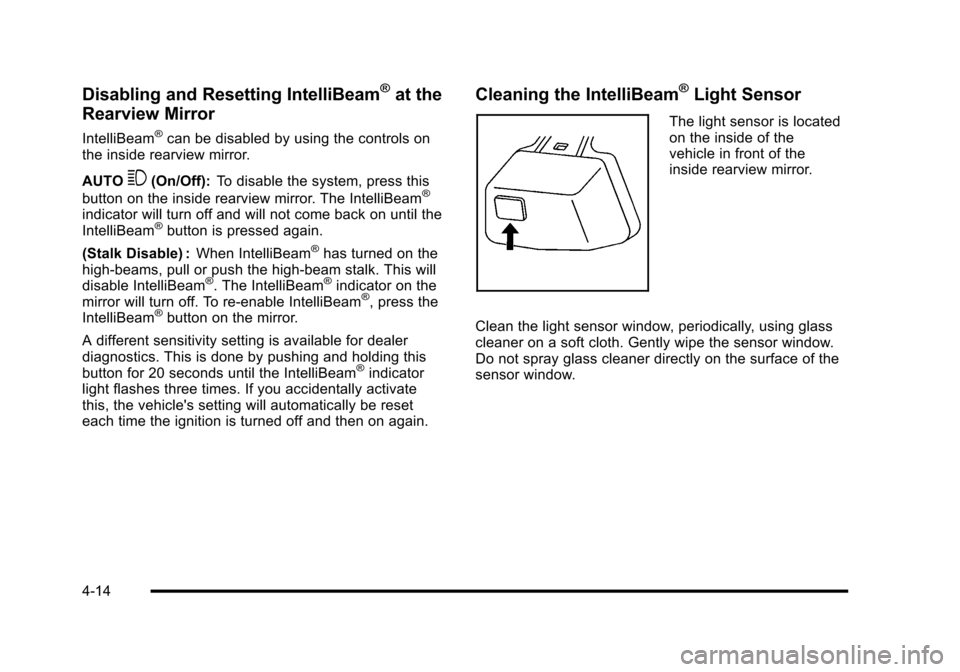
The light sensor is locatedon the inside of thevehicle in front of theinside rearview mirror.
Clean the light sensor window, periodically, using glasscleaner on a soft cloth. Gently wipe the sensor window.Do not spray glass cleaner directly on the surface of thesensor window.
4-14