tow CADILLAC ESCALADE 2010 3.G Owner's Guide
[x] Cancel search | Manufacturer: CADILLAC, Model Year: 2010, Model line: ESCALADE, Model: CADILLAC ESCALADE 2010 3.GPages: 616, PDF Size: 39.41 MB
Page 167 of 616
Mirrors
Manual Rearview Mirror
Hold the inside rearview mirror in the center to move itfor a clearer view behind your vehicle. Adjust the mirrorto avoid glare from the headlamps behind you. Push thetab forward for daytime use and pull it for nighttime use.
Automatic Dimming Rearview Mirror
This vehicle may have an automatic dimming insiderearview mirror with OnStar®. It may also haveIntellibeam®. For more information on Intellibeam™, see“Intellibeam™Intelligent High!Beam Headlamp ControlSystem”underExterior Lampson page 4!11. For moreinformation on OnStar®, see the OnStar®owner's guide.
Automatic Dimming Mirror Operation
Automatic dimming reduces the glare of lights frombehind the vehicle. The dimming feature comes onand the indicator light illuminates each time thevehicle is started.
O(On/Off):Press to turn the dimming feature on or off.
Cleaning the Mirror
Do not spray glass cleaner directly on the mirror. Use asoft towel dampened with water.
Outside Power Foldaway Mirrors
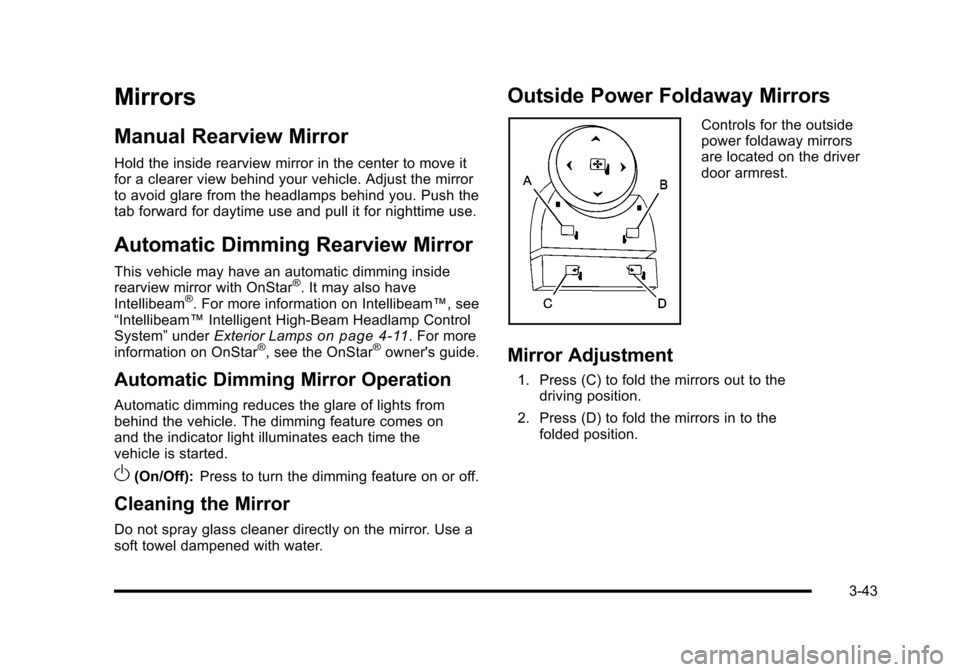
Controls for the outsidepower foldaway mirrorsare located on the driverdoor armrest.
Mirror Adjustment
1. Press (C) to fold the mirrors out to thedriving position.
2. Press (D) to fold the mirrors in to thefolded position.
3-43
Page 171 of 616

The system can bedisabled by pressing therear park aid disablebutton located next tothe radio.
The indicator light will come on and PARK ASSIST OFFdisplays on the Driver Information Center (DIC) toindicate that URPA is off, seeDIC Warnings andMessages on page 4!48.
When the System Does Not Seem to
Work Properly
If the URPA system will not activate due to a temporarycondition, the messages PARK ASSIST OFF or PARKASSIST BLOCKED SEE OWNERS MANUAL will bedisplayed on the DIC.
SERVICE PARK ASSIST :If this message occurs, takethe vehicle to your dealer/retailer to repair the system.
PARK ASSIST OFF :This message occurs if the driverdisables the system.
PARKING ASSIST BLOCKED SEE OWNERSMANUAL :This message can occur under thefollowing conditions:
.The ultrasonic sensors are not clean. Keep thevehicle's rear bumper free of mud, dirt, snow, iceand slush. For cleaning instructions, seeWashingYour Vehicle on page 7!102.
.The park assist sensors are covered by frost orice. Frost or ice can form around and behind thesensors and may not always be seen; this canoccur after washing the vehicle in cold weather.The message may not clear until the frost or icehas melted.
.A trailer was attached to the vehicle, or a bicycle oran object was hanging out of the liftgate during thelast drive cycle. Once the attached object isremoved, URPA will return to normal operation.
.A tow bar is attached to the vehicle.
.The vehicle's bumper is damaged. Take the vehicleto your dealer/retailer to repair the system.
.Other conditions may affect system performance,such as vibrations from a jackhammer or thecompression of air brakes on a very large truck.
If the system is still disabled, after driving forward atleast 40 km/h (25 mph), take the vehicle to yourdealer/retailer.
3-47
Page 173 of 616
SBZA Detection Zones
The SBZA sensor covers a zone of approximatelyone lane over from both sides of the vehicle,3.5 m (11 ft). This zone starts at each side mirror andgoes back approximately 16 ft. (5.0 m). The height ofthe zone is approximately between 0.5 m (1.5 ft) and2.0 m (6 ft) off the ground.
Use caution while changing lanes when towing a trailer,as the SBZA detection zones do not change when atrailer is towed.
How the System Works
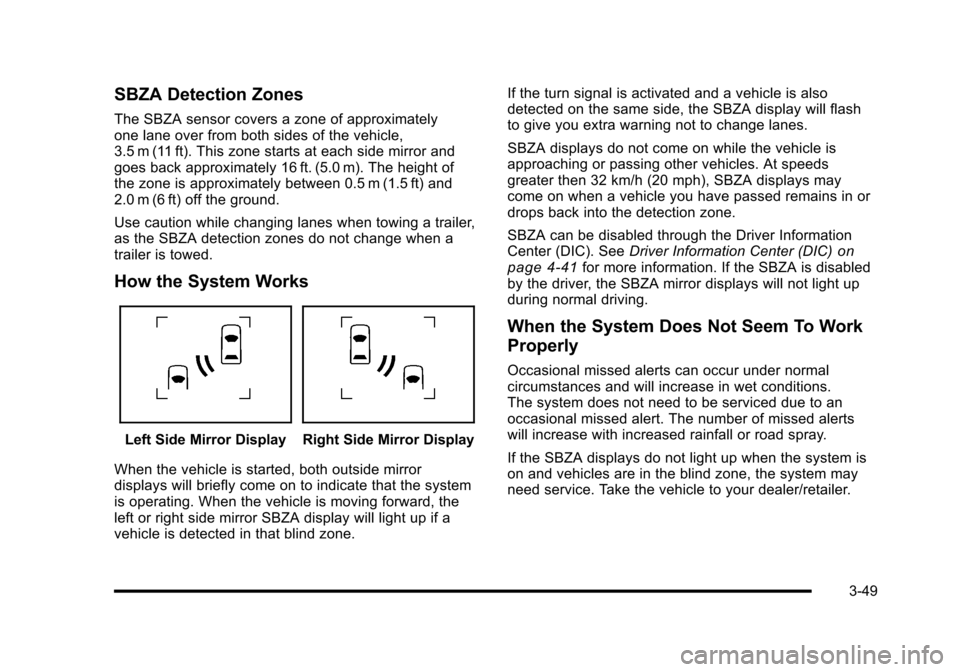
Left Side Mirror DisplayRight Side Mirror Display
When the vehicle is started, both outside mirrordisplays will briefly come on to indicate that the systemis operating. When the vehicle is moving forward, theleft or right side mirror SBZA display will light up if avehicle is detected in that blind zone.
If the turn signal is activated and a vehicle is alsodetected on the same side, the SBZA display will flashto give you extra warning not to change lanes.
SBZA displays do not come on while the vehicle isapproaching or passing other vehicles. At speedsgreater then 32 km/h (20 mph), SBZA displays maycome on when a vehicle you have passed remains in ordrops back into the detection zone.
SBZA can be disabled through the Driver InformationCenter (DIC). SeeDriver Information Center (DIC)onpage 4!41for more information. If the SBZA is disabledby the driver, the SBZA mirror displays will not light upduring normal driving.
When the System Does Not Seem To Work
Properly
Occasional missed alerts can occur under normalcircumstances and will increase in wet conditions.The system does not need to be serviced due to anoccasional missed alert. The number of missed alertswill increase with increased rainfall or road spray.
If the SBZA displays do not light up when the system ison and vehicles are in the blind zone, the system mayneed service. Take the vehicle to your dealer/retailer.
3-49
Page 194 of 616
Section 4 Instrument Panel
StabiliTrak®Indicator Light . . . . . . . . . . . . . . . . . . . . . 4-34Engine Coolant Temperature Gage . . . . . . . . . . . . 4-35Tire Pressure Light . . . . . . . . . . . . . . . . . . . . . . . . . . . . 4-35Malfunction Indicator Lamp . . . . . . . . . . . . . . . . . . . . 4-36Oil Pressure Light . . . . . . . . . . . . . . . . . . . . . . . . . . . . . 4-38Security Light . . . . . . . . . . . . . . . . . . . . . . . . . . . . . . . . . . 4-39Fog Lamp Light . . . . . . . . . . . . . . . . . . . . . . . . . . . . . . . . 4-39Lights On Reminder . . . . . . . . . . . . . . . . . . . . . . . . . . . 4-39Cruise Control Light . . . . . . . . . . . . . . . . . . . . . . . . . . . 4-39Highbeam On Light . . . . . . . . . . . . . . . . . . . . . . . . . . . . 4-40Tow/Haul Mode Light . . . . . . . . . . . . . . . . . . . . . . . . . . 4-40Fuel Gage . . . . . . . . . . . . . . . . . . . . . . . . . . . . . . . . . . . . . 4-40
Driver Information Center (DIC). . . . . . . . . . . . . . . . . . 4-41DIC Operation and Displays . . . . . . . . . . . . . . . . . . . 4-41DIC Compass . . . . . . . . . . . . . . . . . . . . . . . . . . . . . . . . . . 4-47DIC Warnings and Messages . . . . . . . . . . . . . . . . . . 4-48DIC Vehicle Customization . . . . . . . . . . . . . . . . . . . . 4-57
Audio System(s). . . . . . . . . . . . . . . . . . . . . . . . . . . . . . . . . . 4-67Bluetooth®. . . . . . . . . . . . . . . . . . . . . . . . . . . . . . . . . . . . . 4-67Rear Seat Entertainment (RSE) System(Overhead) . . . . . . . . . . . . . . . . . . . . . . . . . . . . . . . . . . 4-77Rear Seat Entertainment (RSE) System(Headrest DVD) . . . . . . . . . . . . . . . . . . . . . . . . . . . . . 4-86Rear Seat Audio (RSA) . . . . . . . . . . . . . . . . . . . . . . . 4-103Theft-Deterrent Feature . . . . . . . . . . . . . . . . . . . . . . 4-105Audio Steering Wheel Controls . . . . . . . . . . . . . . . 4-105Radio Reception . . . . . . . . . . . . . . . . . . . . . . . . . . . . . . 4-107Rear Side Window Antenna . . . . . . . . . . . . . . . . . . 4-108XM™Satellite Radio Antenna System . . . . . . . . 4-108
4-2
Page 197 of 616
Turn and Lane-Change Signals
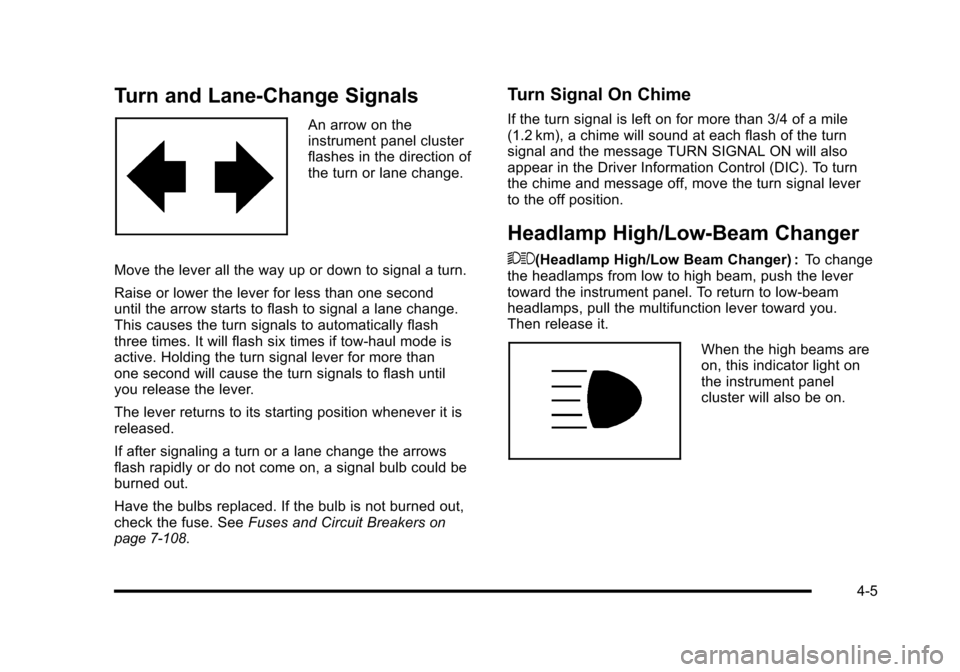
An arrow on theinstrument panel clusterflashes in the direction ofthe turn or lane change.
Move the lever all the way up or down to signal a turn.
Raise or lower the lever for less than one seconduntil the arrow starts to flash to signal a lane change.This causes the turn signals to automatically flashthree times. It will flash six times if tow-haul mode isactive. Holding the turn signal lever for more thanone second will cause the turn signals to flash untilyou release the lever.
The lever returns to its starting position whenever it isreleased.
If after signaling a turn or a lane change the arrowsflash rapidly or do not come on, a signal bulb could beburned out.
Have the bulbs replaced. If the bulb is not burned out,check the fuse. SeeFuses and Circuit Breakersonpage 7!108.
Turn Signal On Chime
If the turn signal is left on for more than 3/4 of a mile(1.2 km), a chime will sound at each flash of the turnsignal and the message TURN SIGNAL ON will alsoappear in the Driver Information Control (DIC). To turnthe chime and message off, move the turn signal leverto the off position.
Headlamp High/Low-Beam Changer
53(Headlamp High/Low Beam Changer) :To changethe headlamps from low to high beam, push the levertoward the instrument panel. To return to low-beamheadlamps, pull the multifunction lever toward you.Then release it.
When the high beams areon, this indicator light onthe instrument panelcluster will also be on.
4-5
Page 198 of 616
Flash-to-Pass
This feature lets you use the high-beam headlamps tosignal a driver in front of you that you want to pass.It works even if the headlamps are in the automaticposition.
To use it, pull the turn signal lever toward you, thenrelease it.
If the headlamps are in the automatic position or on lowbeam, the high-beam headlamps will turn on. They willstay on as long as you hold the lever toward you. Thehigh-beam indicator on the instrument panel cluster willcome on. Release the lever to return to normaloperation.
For vehicles with High Intensity Discharge (HID)headlamps, the low!beam headlamps must be on forthe flash!to!pass feature to work.
Windshield Wipers
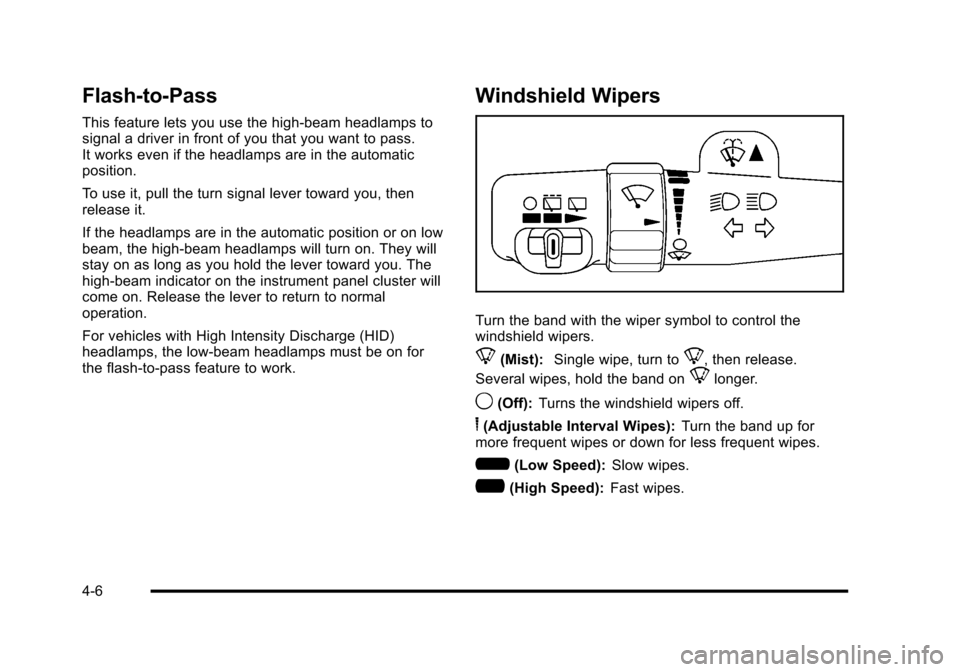
Turn the band with the wiper symbol to control thewindshield wipers.
8(Mist):Single wipe, turn to8, then release.
Several wipes, hold the band on8longer.
9(Off):Turns the windshield wipers off.
6(Adjustable Interval Wipes):Turn the band up formore frequent wipes or down for less frequent wipes.
6(Low Speed):Slow wipes.
?(High Speed):Fast wipes.
4-6
Page 200 of 616
The rear window wiper/washer will not operate if theliftgate or liftglass is open or ajar. If the liftgate orliftglass is opened while the rear wiper is on, the wiperwill return to the parked position and stop.
Cruise Control
{WARNING:
Cruise control can be dangerous where you
cannot drive safely at a steady speed. So, do not
use the cruise control on winding roads or in
heavy traffic.
Cruise control can be dangerous on slippery
roads. On such roads, fast changes in tire traction
can cause excessive wheel slip, and you could
lose control. Do not use cruise control on slippery
roads.
With cruise control, a speed of about 40 km/h (25 mph)or more can be maintained without keeping your foot onthe accelerator. Cruise control does not work at speedsbelow about 40 km/h (25 mph).
When the brakes are applied, cruise control isturned off.
For vehicles with an Allison®or Hydra!Matic 6!speedautomatic transmission, see“Grade Braking and CruiseGrade Braking (Allison Transmission) underTow/HaulModeon page 3!36for an explanation of how cruisecontrol interacts with the Range Selection Mode, tow/haul and grade braking systems.
If the vehicle has StabiliTrak®, and the system beginsto limit wheel spin, cruise control will automaticallydisengage. SeeStabiliTrak®Systemo n p a g e 6!6.When road conditions allow the cruise control to besafely used again, it can be turned back on.
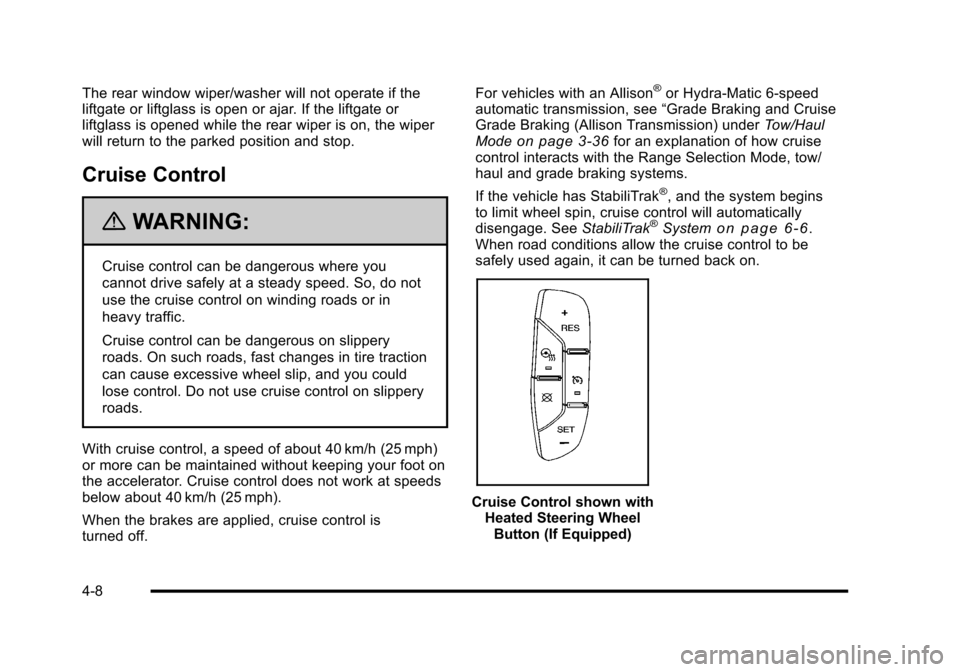
Cruise Control shown withHeated Steering WheelButton (If Equipped)
4-8
Page 215 of 616
Manual Operation
y9z(Fan Control):Press the up or down arrowsto increase or decrease the fan speed
Pressing this button when the system is off will turn thesystem on.
Pressing either arrow while using automatic operationwill place the fan in manual operation. The fan settingwill display and the AUTO light will turn off. The airdelivery will remain in automatic operation.
N(Air Delivery Mode Control):Press to change thedirection of the airflow in the vehicle. Repeatedly pressthe button until the desired mode appears on thedisplay.
When the system is turned off, the display goes blankafter displaying the current status of the system.
H(Vent):Air is directed to the instrument paneloutlets.
)(Bi-Level):Air is divided between the instrumentpanel and floor outlets. Some air is directed towards thewindshield and side window outlets. Cooler air isdirected to the upper vents and warmer air to thefloor vents.
6(Floor):Air is directed to the floor outlets, with someto the windshield, side window outlets, and second rowfloor outlets. In this mode, the system automaticallyselects outside air.
-(Defog):This mode clears the windows of fog ormoisture. Air is directed to the windshield, floor outlets,and side window vents. In this mode, the system turnsoff recirculation and runs the air conditioningcompressor unless the outside temperature is close tofreezing. The recirculation mode cannot be selectedwhile in the defog mode.
0(Defrost):This mode removes fog or frost from thewindshield more quickly. Air is directed to thewindshield and side window vents, with some directedto the floor vents. In this mode, the systemautomatically forces outside air into the vehicle andruns the air conditioning compressor unless the outsidetemperature is close to freezing. The recirculation modecannot be selected while in the defrost mode.
The passenger temperature control cannot be activatedwhile in defrost mode. If the passenger control knob ispressed, the passenger temperature flashes three timesand will not work. If the passenger control knob isadjusted, the driver temperature indicator changes.The passenger temperature will not be displayed.
If vent, bi-level, or floor mode is selected again, theclimate control system displays the previoustemperature settings.
Do not drive the vehicle until all the windows are clear.
4-23
Page 225 of 616
Brake System Warning Light
With the ignition on, the brake system warning lightcomes on when the parking brake is set. If the vehicleis driven with the parking brake engaged, a chimesounds when the vehicle speed is greater than3 mph (5 km/h).
The vehicle's hydraulic brake system is divided intotwo parts. If one part is not working, the other part canstill work and stop the vehicle. For good braking bothparts need to be working well.
If the warning light comes on and a chime sounds therecould be a brake problem. Have the brake systeminspected by your dealer/retailer.
This light can also come on due to low brake fluid.SeeBrakeson page 7!40for more information.
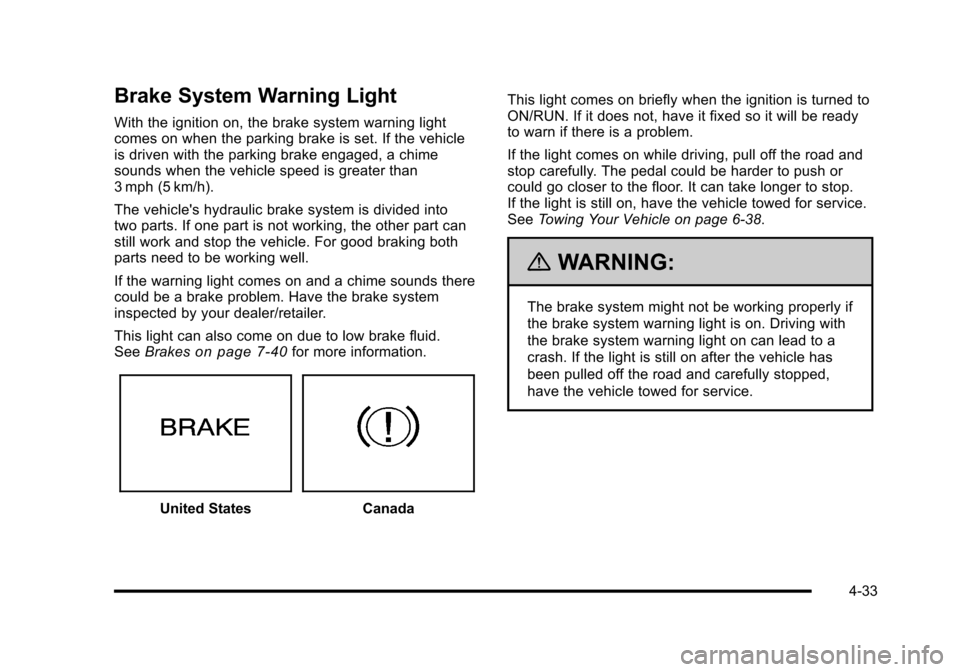
United StatesCanada
This light comes on briefly when the ignition is turned toON/RUN. If it does not, have it fixed so it will be readyto warn if there is a problem.
If the light comes on while driving, pull off the road andstop carefully. The pedal could be harder to push orcould go closer to the floor. It can take longer to stop.If the light is still on, have the vehicle towed for service.SeeTowing Your Vehicle on page 6!38.
{WARNING:
The brake system might not be working properly if
the brake system warning light is on. Driving with
the brake system warning light on can lead to a
crash. If the light is still on after the vehicle has
been pulled off the road and carefully stopped,
have the vehicle towed for service.
4-33
Page 227 of 616
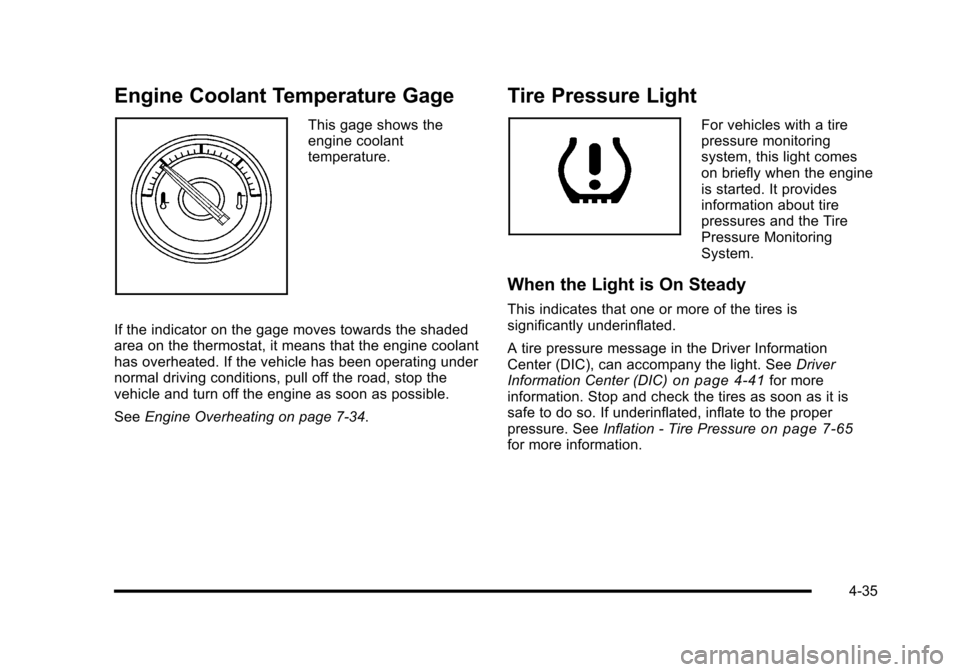
Engine Coolant Temperature Gage
This gage shows theengine coolanttemperature.
If the indicator on the gage moves towards the shadedarea on the thermostat, it means that the engine coolanthas overheated. If the vehicle has been operating undernormal driving conditions, pull off the road, stop thevehicle and turn off the engine as soon as possible.
SeeEngine Overheating on page 7!34.
Tire Pressure Light
For vehicles with a tirepressure monitoringsystem, this light comeson briefly when the engineis started. It providesinformation about tirepressures and the TirePressure MonitoringSystem.
When the Light is On Steady
This indicates that one or more of the tires issignificantly underinflated.
A tire pressure message in the Driver InformationCenter (DIC), can accompany the light. SeeDriverInformation Center (DIC)on page 4!41for moreinformation. Stop and check the tires as soon as it issafe to do so. If underinflated, inflate to the properpressure. SeeInflation - Tire Pressureon page 7!65for more information.
4-35