lock CADILLAC ESCALADE 2010 3.G Manual Online
[x] Cancel search | Manufacturer: CADILLAC, Model Year: 2010, Model line: ESCALADE, Model: CADILLAC ESCALADE 2010 3.GPages: 616, PDF Size: 39.41 MB
Page 247 of 616

SIDE BLIND ZONE SYSTEM
UNAVAILABLE
If your vehicle has the Side Blind Zone Alert (SBZA)system, this message displays when the SBZA systemis disabled because the sensor is blocked and cannotdetect vehicles in your blind zone. The sensor may beblocked by mud, dirt, snow, ice, or slush. This messagemay also display during heavy rain or due to road spray.It may also come on when driving in isolated areas withno guardrails, trees, or road signs and light traffic.Your vehicle does not need service. For cleaninginstructions, seeWashing Your Vehicleon page 7!102.SeeSide Blind Zone Alert (SBZA)on page 3!48formore information.
STABILITRAK OFF
If your vehicle has StabiliTrak, this message displayswhen you turn off StabiliTrak, or when the stabilitycontrol has been automatically disabled. To limit wheelspin and realize the full benefits of the stabilityenhancement system, you should normally leaveStabiliTrak on. However, you should turn StabiliTrak offif your vehicle gets stuck in sand, mud, ice, or snow andyou want to rock your vehicle to attempt to free it, or if
you are driving in extreme off-road conditions andrequire more wheel spin. SeeIf Your Vehicle is Stuck inSand, Mud, Ice, or Snowon page 6!30. To turn theStabiliTrak system on or off, seeStabiliTrak®Systemo n p a g e 6!6.
There are several conditions that can cause thismessage to appear.
.One condition is overheating, which could occur ifStabiliTrak activates continuously for an extendedperiod of time.
.The message also displays if the brake systemwarning light is on. SeeBrake System WarningLight on page 4!33.
.The message could display if the stability systemtakes longer than usual to complete its diagnosticchecks due to driving conditions.
.The message displays if an engine or vehiclerelated problem has been detected and the vehicleneeds service. See your dealer/retailer.
The message turns off as soon as the conditions thatcaused the message to be displayed are no longerpresent.
4-55
Page 251 of 616
AUTO DOOR LOCK
This feature allows you to select when the vehicle'sdoors will automatically lock. SeeProgrammableAutomatic Door Lockson page 3!11for moreinformation.
Press the customization button until AUTO DOORLOCK appears on the DIC display. Press the set/resetbutton once to access the settings for this feature. Thenpress the customization button to scroll through thefollowing settings:
SHIFT OUT OF PARK (default) :The doors willautomatically lock when the vehicle is shifted out ofP (Park).
AT VEHICLE SPEED :The doors will automatically lockwhen the vehicle speed is above 8 mph (13 km/h) forthree seconds.
NO CHANGE :No change will be made to this feature.The current setting will remain.
To select a setting, press the set/reset button while thedesired setting is displayed on the DIC.
AUTO DOOR UNLOCK
This feature allows you to select whether or not to turnoff the automatic door unlocking feature. It also allowsyou to select which doors and when the doors willautomatically unlock. SeeProgrammable AutomaticDoor Lockson page 3!11for more information.
Press the customization button until AUTO DOORUNLOCK appears on the DIC display. Press the set/reset button once to access the settings for this feature.Then press the customization button to scroll throughthe following settings:
OFF :None of the doors will automatically unlock.
DRIVER AT KEY OUT :Only the driver's door willunlock when the key is taken out of the ignition.
DRIVER IN PARK :Only the driver's door will unlockwhen the vehicle is shifted into P (Park).
ALL AT KEY OUT :All of the doors will unlock whenthe key is taken out of the ignition.
ALL IN PARK (default) :All of the doors will unlockwhen the vehicle is shifted into P (Park).
NO CHANGE :No change will be made to this feature.The current setting will remain.
To select a setting, press the set/reset button while thedesired setting is displayed on the DIC.
4-59
Page 252 of 616
REMOTE DOOR LOCK
This feature allows you to select the type of feedbackyou will receive when locking the vehicle with theRemote Keyless Entry (RKE) transmitter. You will notreceive feedback when locking the vehicle with the RKEtransmitter if the doors are open. SeeRemote KeylessEntry (RKE) System Operationo n p a g e 3!4for moreinformation.
Press the customization button until REMOTE DOORLOCK appears on the DIC display. Press the set/resetbutton once to access the settings for this feature. Thenpress the customization button to scroll through thefollowing settings:
OFF :There will be no feedback when you press thelock button on the RKE transmitter.
LIGHTS ONLY :The exterior lamps will flash when youpress the lock button on the RKE transmitter.
HORN ONLY :The horn will sound on the second pressof the lock button on the RKE transmitter.
HORN & LIGHTS (default) :The exterior lamps willflash when you press the lock button on the RKEtransmitter, and the horn will sound when the lockbutton is pressed again within five seconds of theprevious command.
NO CHANGE :No change will be made to this feature.The current setting will remain.
To select a setting, press the set/reset button while thedesired setting is displayed on the DIC.
REMOTE DOOR UNLOCK
This feature allows you to select the type of feedbackyou will receive when unlocking the vehicle with theRemote Keyless Entry (RKE) transmitter. You will notreceive feedback when unlocking the vehicle with theRKE transmitter if the doors are open. SeeRemoteKeyless Entry (RKE) System Operationo n p a g e 3!4for more information.
Press the customization button until REMOTE DOORUNLOCK appears on the DIC display. Press the set/reset button once to access the settings for this feature.Then press the customization button to scroll throughthe following settings:
LIGHTS OFF :The exterior lamps will not flash whenyou press the unlock button on the RKE transmitter.
LIGHTS ON (default) :The exterior lamps will flashwhen you press the unlock button on the RKEtransmitter.
NO CHANGE :No change will be made to this feature.The current setting will remain.
To select a setting, press the set/reset button while thedesired setting is displayed on the DIC.
4-60
Page 253 of 616
DELAY DOOR LOCK
This feature allows you to select whether or not thelocking of the vehicle's doors and liftgate will bedelayed. When locking the doors and liftgate with thepower door lock switch and a door or the liftgate isopen, this feature will delay locking the doors andliftgate until five seconds after the last door is closed.You will hear three chimes to signal that the delayedlocking feature is in use. The key must be out of theignition for this feature to work. You can temporarilyoverride delayed locking by pressing the power doorlock switch twice. SeeDelayed Lockingon page 3!11for more information.
Press the customization button until DELAY DOORLOCK appears on the DIC display. Press the set/resetbutton once to access the settings for this feature. Thenpress the customization button to scroll through thefollowing settings:
OFF :There will be no delayed locking of the vehicle'sdoors.
ON (default) :The doors will not lock until five secondsafter the last door or the liftgate is closed.
NO CHANGE :No change will be made to this feature.The current setting will remain.
To select a setting, press the set/reset button while thedesired setting is displayed on the DIC.
EXIT LIGHTING
This feature allows you to select the amount of time youwant the exterior lamps to remain on when it is darkenough outside. This happens after the key is turnedfrom ON/RUN to LOCK/OFF.
Press the customization button until EXIT LIGHTINGappears on the DIC display. Press the set/reset buttononce to access the settings for this feature. Then pressthe customization button to scroll through the followingsettings:
OFF :The exterior lamps will not turn on.
30 SECONDS (default) :The exterior lamps will stay onfor 30 seconds.
1 MINUTE :The exterior lamps will stay on forone minute.
2 MINUTES :The exterior lamps will stay on fortwo minutes.
NO CHANGE :No change will be made to this feature.The current setting will remain.
To select a setting, press the set/reset button while thedesired setting is displayed on the DIC.
4-61
Page 254 of 616
APPROACH LIGHTING
This feature allows you to select whether or not to havethe exterior lights turn on briefly during low light periodsafter unlocking the vehicle using the Remote KeylessEntry (RKE) transmitter.
Press the customization button until APPROACHLIGHTING appears on the DIC display. Press the set/reset button once to access the settings for this feature.Then press the customization button to scroll throughthe following settings:
OFF :The exterior lights will not turn on when youunlock the vehicle with the RKE transmitter.
ON (default) :If it is dark enough outside, the exteriorlights will turn on briefly when you unlock the vehiclewith the RKE transmitter.
The lights will remain on for 20 seconds or until the lockbutton on the RKE transmitter is pressed, or the vehicleis no longer off. SeeRemote Keyless Entry (RKE)System Operationo n p a g e 3!4for more information.
NO CHANGE :No change will be made to this feature.The current setting will remain.
To select a setting, press the set/reset button while thedesired setting is displayed on the DIC.
AUTO HIGH BEAMS
If your vehicle has this feature, it allows you to select tohave the Intellibeam®system turned off or on. SeeExterior Lampson page 4!11for more information.
Press the customization button until AUTO HIGHBEAMS appears on the DIC display. Press the set/resetbutton once to access the settings for this feature. Thenpress the customization button to scroll through thefollowing settings:
OFF (default) :The Intellibeam®system will beturned off.
ON :The Intellibeam®system will be turned on.
NO CHANGE :No change will be made to this feature.The current setting will remain.
To select a setting, press the set/reset button while thedesired setting is displayed on the DIC.
4-62
Page 257 of 616
MEMORY SEAT RECALL
This feature allows you to select your preference for theremote memory seat recall feature. SeeMemoryFeatureso n p a g e 2!6for more information.
Press the customization button until MEMORYSEAT RECALL appears on the DIC display. Pressthe set/reset button once to access the settings forthis feature. Then press the customization button toscroll through the following settings:
OFF (default) :No remote memory seat recall willoccur.
ON :The driver's seat, and on some vehicles, theoutside mirrors will automatically move to the storeddriving position when the unlock button on the RemoteKeyless Entry (RKE) transmitter is pressed. On somevehicles with the adjustable throttle and brake pedalfeature, the pedals will also automatically move. See“Relearn Remote Key”underDIC Operation andDisplayson page 4!41for more information onmatching transmitters to driver ID numbers.
NO CHANGE :No change will be made to this feature.The current setting will remain.
To select a setting, press the set/reset button while thedesired setting is displayed on the DIC.
REMOTE START
If your vehicle has this feature, it allows you to turn theremote start off or on. The remote start feature allowsyou to start the engine from outside of the vehicle usingthe Remote Keyless Entry (RKE) transmitter. SeeRemote Vehicle Starto n p a g e 3!7for moreinformation.
Press the customization button until REMOTE STARTappears on the DIC display. Press the set/reset buttononce to access the settings for this feature. Then pressthe customization button to scroll through the followingsettings:
OFF :The remote start feature will be disabled.
ON (default) :The remote start feature will be enabled.
NO CHANGE :No change will be made to this feature.The current setting will remain.
To select a setting, press the set/reset button while thedesired setting is displayed on the DIC.
4-65
Page 273 of 616
How to Change the RSE Video Screen
Settings
The screen display mode (normal, full, and zoom),screen brightness, and setup menu language can bechanged from the on screen setup menu. To changeany feature, perform the following:
1. Press thezbutton on the remote control.
2. Use the remote controlQ,R,q,rnavigation
arrows and therbutton to use the setup menu.
3. Press thezbutton again to remove the setup
menu from the screen.
Audio Output
Audio from the DVD player or auxiliary inputs can beheard through the following possible sources:
.Wireless Headphones
.Vehicle Speakers
.Vehicle wired headphone jacks on the rear seataudio system, if the vehicle has this feature.
The RSE system always transmits the audio signal tothe wireless headphones, if there is audio available.See“Headphones”earlier in this section for moreinformation.
The DVD player is capable of outputting audio to thewired headphone jacks on the RSA system, if thevehicle has this feature. The DVD player can beselected as an audio source on the RSA system. SeeRear Seat Audio (RSA)on page 4!103for moreinformation.
When a device is connected to the A/V jacks, the rearseat passengers are be able to hear audio from theauxiliary device through the wireless or wiredheadphones. The front seat passengers are able tolisten to playback from this device through the vehiclespeakers by selecting AUX as the source on the radio.
Video Screen(s)
The video screen(s) are located in the overheadconsole.
To use the video screen(s):
1. Push the release button located on the overheadconsole.
2. Move the screen to the desired position.
When the video screen is not in use, push it up into itslocked position.
If a DVD is playing and the screen is raised to its lockedposition, the screen remains on, this is normal, and theDVD continues to play through the previous audiosource. Use the remote control power button or ejectthe disc to turn off the screen.
4-81
Page 274 of 616
The overhead console contains the IR (infrared)transmitters for the wireless headphones and the IRreceivers for the remote control. They are located at therear of the console.
Notice:Avoid directly touching the video screen,as damage may occur. See“Cleaning the VideoScreen”later in this section for more information.
Remote Control
To use the remote control, aim it at the transmitterwindow at the rear of the overhead console and pressthe desired button. Direct sunlight or very bright lightcan affect the ability of the RSE transmitter to receivesignals from the remote control. If the remote controldoes not seem to be working, the batteries may need tobe replaced. See“Battery Replacement”later in thissection. Objects blocking the line of sight can also affectthe function of the remote control.
If a CD or DVD is in the Radio DVD slot, the remotecontrol power button can be used to turn on the videoscreen display and start the disc. The radio can alsoturn on the video screen display. SeeNavigation AudioSystemon page 5!60for more information.
Notice:Storing the remote control in a hot area orin direct sunlight can damage it, and the repairs willnot be covered by the warranty. Storage in extremecold can weaken the batteries. Keep the remotecontrol stored in a cool, dry place.
If the remote control becomes lost or damaged, a newuniversal remote control can be purchased. If thishappens, make sure the universal remote control usesa code set of Toshiba®.
Remote Control Buttons
O(Power):Press to turn the video screen on and off.
P(Illumination):Press to turn the remote controlbacklight on. The backlight automatically times out after7 to 10 seconds if no other button is pressed while thebacklight is on.
v(Title):Press to return the DVD to the main menu ofthe DVD. This function can vary for each disc.
y(Main Menu):Press to access the DVD menu.The DVD menu is different on every DVD. Use thenavigation arrows to move the cursor around the DVDmenu. After making a selection press the enter button.This button only operates when using a DVD.
Q,R,q,r(Menu Navigation Arrows):Use thearrow buttons to navigate through a menu.
4-82
Page 281 of 616

STOPc:Press once to stop playing a DVD.
There is a pre-stop feature for DVD and video CD only.This feature resumes playback of the disc where it wasstopped. Press the stop button once during disc
playback andcdisplays on the DVD startup screen.
This icon disappears after a few seconds. Press thestop button a second time, or eject the disc, to cancelthe pre-stop feature and to clear the disc positionmemory.
SOURCE :Press to select between Monitor 3,Monitor 4, or the AV INPUT.
Each video display screen can be adjustedindependently, as well as display information from bothDVD players and both A/V inputs.
Infrared Remote Sensor :Located in the top center ofthe video display screen. Do not block the signal fromthe remote to the sensor.
Infrared Transmitters :Located in the top center of thevideo display screen. Do not block the signal from theheadphones to the transmitter.
Video Display Screen :Located on the back of eachheadrest.
AV OUTPUT (Audio/Video Output Jack) :Located onthe lower left side of the screen and is identified on thevideo screen panel as the AV OUTPUT.
Headphone Jack :Wired headphones can be pluggedinto the headphone jack with one-eighth inch stereoplugs.
AV INPUT: (Audio/Video Input Jack) :The audio/videoinput jack is located below the video display screen andallows viewing of auxiliary sources such as portableDVD players, game stations, or video cameras, on eachscreen.
.Video Input—The yellow connector is used forvideo input.
.L Audio—The white connector is used for the leftside audio.
.R Audio—The red connector is used for the rightside audio.
Level Lock and Release Latch :The viewing angle ofthe video screen can be adjusted by releasing the latchand gently moving the screen. Then lock it into a secureposition.
4-89
Page 283 of 616
Remote Control
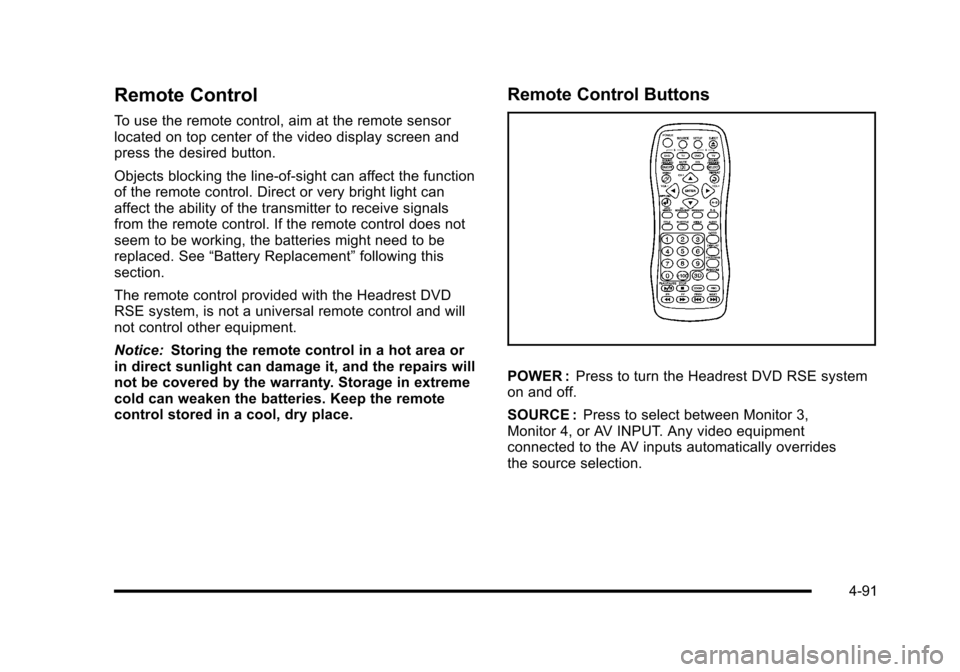
To use the remote control, aim at the remote sensorlocated on top center of the video display screen andpress the desired button.
Objects blocking the line-of-sight can affect the functionof the remote control. Direct or very bright light canaffect the ability of the transmitter to receive signalsfrom the remote control. If the remote control does notseem to be working, the batteries might need to bereplaced. See“Battery Replacement”following thissection.
The remote control provided with the Headrest DVDRSE system, is not a universal remote control and willnot control other equipment.
Notice:Storing the remote control in a hot area orin direct sunlight can damage it, and the repairs willnot be covered by the warranty. Storage in extremecold can weaken the batteries. Keep the remotecontrol stored in a cool, dry place.
Remote Control Buttons
POWER :Press to turn the Headrest DVD RSE systemon and off.
SOURCE :Press to select between Monitor 3,Monitor 4, or AV INPUT. Any video equipmentconnected to the AV inputs automatically overridesthe source selection.
4-91