automatic transmission CADILLAC ESCALADE 2020 User Guide
[x] Cancel search | Manufacturer: CADILLAC, Model Year: 2020, Model line: ESCALADE, Model: CADILLAC ESCALADE 2020Pages: 392, PDF Size: 6.39 MB
Page 192 of 392

Cadillac Escalade Owner Manual (GMNA-Localizing-U.S./Canada/Mexico-
13566588) - 2020 - CRC - 4/24/19
DRIVING AND OPERATING 191
Warning (Continued)
.There are holes or openings
in the vehicle body from
damage or aftermarket
modifications that are not
completely sealed.
If unusual fumes are detected or if
it is suspected that exhaust is
coming into the vehicle: . Drive it only with the
windows completely down.
. Have the vehicle repaired
immediately.
Never park the vehicle with the
engine running in an enclosed area
such as a garage or a building that
has no fresh air ventilation.
Running the Vehicle While
Parked
It is better not to park with the engine
running.
If the vehicle is left with the engine
running, follow the proper steps to be
sure the vehicle will not move. See
Shifting Into Park 0188 and
Engine Exhaust 0190.
If parking on a hill and pulling a
trailer, see Driving Characteristics and
Towing Tips 0237.
Automatic Transmission
If equipped, there is an electronic shift
lever position indicator within the
instrument cluster. This display comes
on when the ignition is on or in
service mode.
There are several different positions
for the shift lever.
See “Range Selection Mode ”under
Manual Mode 0194.
P : This position locks the drive
wheels. Use P (Park) when starting the
engine because the vehicle cannot
move easily. When parked on a hill,
especially when the vehicle has a
heavy load, you might notice an
increase in the effort to shift out of
P (Park). See “Torque Lock” under
Shifting Into Park 0188.
Page 194 of 392
Cadillac Escalade Owner Manual (GMNA-Localizing-U.S./Canada/Mexico-
13566588) - 2020 - CRC - 4/24/19
DRIVING AND OPERATING 193
Caution
A transmission hot message may
display if the automatic
transmission fluid is too hot.
Driving under this condition can
damage the vehicle. Stop and idle
the engine to cool the automatic
transmission fluid. This message
clears when the transmission fluid
has cooled sufficiently.
D : This position is for normal driving.
If more power is needed for passing,
press the accelerator pedal down.
Use D (Drive) and Tow/Haul Mode
when towing a trailer, carrying a
heavy load, driving on steep hills,
or driving off-road. Shift the
transmission to a lower gear selection
if the transmission shifts too often.
Downshifting the transmission in
slippery road conditions could result
in skidding. See “Skidding”underLoss
of Control 0170. The vehicle has a shift stabilization
feature that adjusts the transmission
shifting to the current driving
conditions in order to reduce rapid
upshifts and downshifts. This shift
stabilization feature is designed to
determine, before making an upshift,
if the engine is able to maintain
vehicle speed by analyzing things such
as vehicle speed, throttle position, and
vehicle load. If the shift stabilization
feature determines that a current
vehicle speed cannot be maintained,
the transmission does not upshift and
instead holds the current gear.
In some cases, this could appear to be
a delayed shift, however the
transmission is operating normally.
The transmission uses adaptive shift
controls. The adaptive shift control
process continually compares key shift
parameters to pre-programmed ideal
shifts stored in the transmission’s
computer. The transmission
constantly makes adjustments to
improve vehicle performance
according to how the vehicle is being
used, such as with a heavy load or
when the temperature changes.
During this adaptive shift control process, shifting might feel different
as the transmission determines the
best settings.
When temperatures are very cold, the
transmission's gear shifting could be
delayed providing more stable shifts
until the engine warms up. Shifts
could be more noticeable with a cold
transmission. This difference in
shifting is normal.
L :
This position allows selection of a
range of gears appropriate for current
driving conditions. If equipped, see
“Range Selection Mode ”under Manual
Mode 0194.
Caution
Spinning the tires or holding the
vehicle in one place on a hill using
only the accelerator pedal may
damage the transmission. The
repair will not be covered by the
vehicle warranty. If the vehicle is
stuck, do not spin the tires. When
stopping on a hill, use the brakes to
hold the vehicle in place.
Page 195 of 392

Cadillac Escalade Owner Manual (GMNA-Localizing-U.S./Canada/Mexico-
13566588) - 2020 - CRC - 4/24/19
194 DRIVING AND OPERATING
Normal Mode Grade Braking
This mode is enabled when the
vehicle is started, but is not enabled
in Range Selection Mode. It assists in
maintaining desired vehicle speeds
when driving on downhill grades by
using the engine and transmission to
slow the vehicle. The first time the
system engages for each ignition
cycle, a DIC message will be displayed.
To disable or enable Normal Mode
Grade Braking within the current
ignition cycle, press and hold the
Tow/Haul button for five seconds.
When the button is released, the
requested mode change is made.
A DIC message displays.
For other forms of grade braking, see
Tow/Haul Mode0195 and
Cruise Control 0207.
Kickdown Mode
The accelerator pedal provides an
additional downshift after pressing
through the kickdown feature.
It requires extra pedal pressure near
the end of its travel to engage.
Manual Mode
Range Selection Mode
If equipped, Range Selection Mode
helps control the vehicle's
transmission and vehicle speed while
driving downhill or towing a trailer by
letting you select a desired range of
gears.
To use this feature:
1. Move the shift lever to L (Manual Mode).
2. Press the plus/minus buttons on the shift lever to select the
desired range of gears for current
driving conditions. Or, hold the
plus/minus buttons to select the
highest or lowest range available
for the current vehicle speed. When the shift lever is moved from
D (Drive) to L (Manual Mode), a
number displays next to the L,
indicating the current transmission
range.
This number is the highest gear that
the transmission will command while
operating in L (Manual Mode). All
gears below that number are available.
As driving conditions change, the
transmission can automatically shift
to lower gears. For example, when
5 (Fifth) is selected, 1 (First) through
5 (Fifth) gears are automatically
shifted by the transmission, but
6 (Sixth) cannot be used until the
plus/minus button on the shift lever is
used to change to the range.
When the shift lever is moved from
D (Drive) to L (Manual Mode), a
downshift may occur. The gear that
the transmission is operating in when
the shift lever is moved from D (Drive)
to L (Manual Mode) determines if a
downshift occurs. See the following
chart.
Page 197 of 392
Cadillac Escalade Owner Manual (GMNA-Localizing-U.S./Canada/Mexico-
13566588) - 2020 - CRC - 4/24/19
196 DRIVING AND OPERATING
Tow/Haul Mode Grade Braking
Tow/Haul Mode Grade Braking is only
enabled while the Tow/Haul Mode is
selected and the vehicle is not in the
Range Selection Mode. See“Tow/Haul
Mode ”listed previously and Manual
Mode 0194. Tow/Haul Mode Grade
Braking assists in maintaining desired
vehicle speeds when driving on
downhill grades by using the engine
and transmission to slow the vehicle.
To disable or enable Tow/Haul Grade
Braking within the current ignition
cycle, press and hold the Tow/Haul
button for five seconds. When the
button is released, the requested mode
change is made. A DIC message is
displayed.
See Towing Equipment 0247.
For other forms of grade braking, see
Automatic Transmission 0191 and
Cruise Control 0207.
Drive Systems
Four-Wheel Drive
If equipped, four-wheel drive engages
the front axle for extra traction.
Caution
Do not drive on clean, dry
pavement in 4
mand 4n(if
equipped) for an extended period of
time. These conditions may cause
premature wear on the vehicle’s
powertrain.
Driving on clean, dry pavement in 4
m
or 4nmay:
. Cause a vibration to be felt in the
steering system.
. Cause tires to wear faster.
. Make the transfer case harder to
shift, and cause it to run noisier.
{Warning
If equipped with four-wheel drive,
the vehicle will be free to roll if the
transfer case is in N (Neutral), even
when the shift lever is in P (Park).
Be sure the transfer case is in a
drive gear —2
m, 4m, or 4n—not
in N (Neutral). See Shifting Into Park
0 188.
Caution
Extended high-speed operation in
4
nmay damage or shorten the life
of the drivetrain.
Engagement noise and bump when
shifting between 4
nand 4mor from
N (Neutral), with the engine running,
is normal.
Shifting into 4
nwill turn Traction
Control and StabiliTrak/ESC off. See
Traction Control/Electronic Stability
Control 0203.
Page 210 of 392

Cadillac Escalade Owner Manual (GMNA-Localizing-U.S./Canada/Mexico-
13566588) - 2020 - CRC - 4/24/19
DRIVING AND OPERATING 209
Increasing Speed While Cruise
Control is at a Set Speed
If the cruise control system is already
activated:
.Press and hold +RES up until the
vehicle accelerates to the desired
speed, then release it.
. To increase vehicle speed in small
increments, press +RES up briefly.
For each press, the vehicle goes
about 1 km/h (1 mph) faster.
The speedometer reading can be
displayed in either English or metric
units. See Instrument Cluster 0115.
The increment value used depends on
the units displayed.
Reducing Speed While Cruise
Control is at a Set Speed
If the cruise control system is already
activated:
. Press and hold SET− down until
the desired lower speed is reached,
then release it. .
To decrease the vehicle speed in
small increments, press SET−
down briefly. For each press, the
vehicle goes about 1 km/h (1 mph)
slower.
The speedometer reading can be
displayed in either English or metric
units. See Instrument Cluster 0115.
The increment value used depends on
the units displayed.
Passing Another Vehicle While
Using Cruise Control
Use the accelerator pedal to increase
the vehicle speed. When you take your
foot off the pedal, the vehicle will slow
down to the previous set cruise speed.
While pressing the accelerator pedal
or shortly following the release to
override cruise, briefly applying the
SET− control will result in cruise set
to the current vehicle speed.
Using Cruise Control on Hills
How well the cruise control works on
hills depends on the vehicle speed, the
load, and the steepness of the hills.
When going up steep hills, pressing
the accelerator pedal may be necessary to maintain vehicle speed.
When going downhill, Cruise Grade
Braking helps maintain the driver
selected speed.
Cruise Grade Braking is enabled when
the vehicle is started and cruise
control is active. It is not enabled in
Range Selection Mode. It assists in
maintaining driver selected speed
when driving on downhill grades by
using the engine and transmission to
slow the vehicle.
To disable and enable Cruise Grade
Braking for the current ignition cycle,
press and hold the Tow/Haul button
for five seconds. A Driver Information
Center (DIC) message displays.
For other forms of Grade Braking, see
Automatic Transmission
0191 and
Tow/Haul Mode 0195.
Ending Cruise Control
There are four ways to end cruise
control:
. Step lightly on the brake pedal.
. Press
*.
Page 211 of 392
Cadillac Escalade Owner Manual (GMNA-Localizing-U.S./Canada/Mexico-
13566588) - 2020 - CRC - 4/24/19
210 DRIVING AND OPERATING
.Shift the transmission to
N (Neutral).
. To turn off cruise control,
press
J.
Erasing Speed Memory
The cruise control set speed is erased
from memory if
Jis pressed or if
the ignition is turned off.
Adaptive Cruise Control
If equipped with Adaptive Cruise
Control (ACC), it allows for selecting
the cruise control set speed and
following gap. Read this entire section
before using this system. ACC uses a
camera and radar sensors to detect
other vehicles. See Radio Frequency
Statement 0366.
The following gap is the following
time (or distance) between your
vehicle and a vehicle detected directly
ahead in your path, moving in the
same direction. If no vehicle is
detected in your path, ACC works like
regular cruise control. If a vehicle is detected in your path,
ACC can speed up the vehicle or apply
limited, moderate braking to maintain
the selected following gap. To
disengage ACC, apply the brake. If the
Traction Control System (TCS) or
electronic stability control system
activates while ACC is engaged, ACC
may automatically disengage. See
Traction Control/Electronic Stability
Control
0203. When road conditions
allow ACC to be safely used, the ACC
can be turned back on.
ACC will not engage if the TCS or
StabiliTrak electronic stability control
system is disabled.
{Warning
ACC has limited braking ability and
may not have time to slow the
vehicle down enough to avoid a
collision with another vehicle you
are following. This can occur when
vehicles suddenly slow or stop
ahead, or enter your lane. Also see
“Alerting the Driver” in this section.
(Continued)
Warning (Continued)
Complete attention is always
required while driving and you
should be ready to take action and
apply the brakes. See Defensive
Driving 0168.
{Warning
ACC will not detect or brake for
children, pedestrians, animals,
or other objects.
Do not use ACC when:
. On winding and hilly roads or
when the sensors are blocked
by snow, ice, or dirt. The
system may not detect a
vehicle ahead. Keep the entire
front of the vehicle clean.
. Visibility is low, such as in
fog, rain, or snow conditions.
ACC performance is limited
under these conditions.
(Continued)
Page 239 of 392

Cadillac Escalade Owner Manual (GMNA-Localizing-U.S./Canada/Mexico-
13566588) - 2020 - CRC - 4/24/19
238 DRIVING AND OPERATING
Warning (Continued)
inadequate for the load, the vehicle
may not stop as expected. You and
others could be seriously injured.
The vehicle may also be damaged,
and the repairs would not be
covered by the vehicle warranty.
Pull a trailer only if all the steps in
this section have been followed. Ask
your dealer for advice and
information about towing a trailer
with the vehicle.
Driving with a Trailer
Trailering is different than just driving
the vehicle by itself. Trailering means
changes in handling, acceleration,
braking, durability, and fuel economy.
Successful, safe trailering takes correct
equipment, and it has to be used
properly.
The following information has many
time-tested, important trailering tips
and safety rules. Many of these areimportant for your safety and that of
your passengers. Read this section
carefully before pulling a trailer.
When towing a trailer:
.
Become familiar with and follow
all state and local laws that apply
to trailer towing. These
requirements vary from state to
state.
. State laws may require the use of
extended side view mirrors. Even if
not required, you should install
extended side view mirrors if your
visibility is limited or restricted
while towing.
. Do not tow a trailer during the
first 800 km (500 mi) of vehicle
use to prevent damage to the
engine, axle, or other parts.
. It is recommended to perform the
first oil change before heavy
towing.
. During the first 800 km (500 mi) of
trailer towing, do not drive over
80 km/h (50 mph) and do not
make starts at full throttle. .
Vehicles can tow in D (Drive).
Tow/Haul Mode is recommended
for heavier trailers. See Tow/Haul
Mode 0195. If the transmission
downshifts too often, a lower gear
may be selected using Manual
Mode. See Manual Mode 0194.
If equipped, the following driver
assistance features should be turned
off when towing a trailer:
. Adaptive Cruise Control (ACC)
. Super Cruise Control
. Lane Keep Assist (LKA)
. Park Assist
. Automatic Parking Assist (APA)
. Reverse Automatic Braking (RAB)
If equipped, the following driver
assistance features should be turned
to alert or off when towing a trailer:
. Automatic Emergency
Braking (AEB)
. Intelligent Brake Assist (IBA)
. Front Pedestrian Braking (FPB)
Page 243 of 392
Cadillac Escalade Owner Manual (GMNA-Localizing-U.S./Canada/Mexico-
13566588) - 2020 - CRC - 4/24/19
242 DRIVING AND OPERATING
2. Slowly back down the boat rampuntil the boat is floating, but no
further than necessary.
3. Press and hold the brake pedal, but do not shift into P (Park) yet.
4. Have someone place chocks under the front wheels of the
vehicle.
5. Gradually release the brake pedal to allow the chocks to absorb the
load of the trailer.
6. Reapply the brake pedal. Then apply the parking brake and shift
into P (Park).
7. Release the brake pedal.
Pulling the Trailer from the Water 1. Press and hold the brake pedal.
2. Start the engine and shift into a gear.
3. Release the parking brake.
4. Let up on the brake pedal.
5. Drive slowly until the tires are clear of the chocks.
6. Stop and have someone pick up and store the chocks. 7. Slowly pull the trailer from the
water.
8. Once the vehicle and trailer have been driven from the sloped part
of the boat ramp, the vehicle can
be shifted from four-wheel-drive
high. Shift into the drive mode
that is appropriate for the road
conditions.
Caution
If the vehicle tires begin to spin and
the vehicle begins to slide toward
the water, remove your foot from
the accelerator pedal and apply the
brake pedal. Seek help to have the
vehicle towed up the ramp.
Maintenance when Trailer
Towing
The vehicle needs service more often
when used to tow trailers. See
Maintenance Schedule 0339. It is
especially important to check the
automatic transmission fluid, engine oil, axle lubricant, belts, cooling
system, and brake system before and
during each trip.
Check periodically that all nuts and
bolts on the trailer hitch are tight.
Engine Cooling when Trailer
Towing
The cooling system may temporarily
overheat during severe operating
conditions. See
Engine Overheating
0 269.
Trailer Towing
Caution
Towing a trailer improperly can
damage the vehicle and result in
costly repairs not covered by the
vehicle warranty. To tow a trailer
correctly, follow the directions in
this section and see your dealer for
important information about
towing a trailer with the vehicle.
Page 256 of 392
Cadillac Escalade Owner Manual (GMNA-Localizing-U.S./Canada/Mexico-
13566588) - 2020 - CRC - 4/24/19
VEHICLE CARE 255
Vehicle Care
General Information
General Information . . . . . . . . . . . . . 256
California Proposition65 Warning . . . . . . . . . . . . . . . . . . . . . 256
California Perchlorate Materials Requirements . . . . . . . . . . . . . . . . . . . 257
Accessories and Modifications . . . . . . . . . . . . . . . . . . . 257
Vehicle Checks
Doing Your OwnService Work . . . . . . . . . . . . . . . . . . . . 257
Hood . . . . . . . . . . . . . . . . . . . . . . . . . . . . . . 258
Engine Compartment Overview . . . . . . . . . . . . . . . . . . . . . . . . . 260
Engine Oil . . . . . . . . . . . . . . . . . . . . . . . . . 261
Engine Oil Life System . . . . . . . . . . . 263
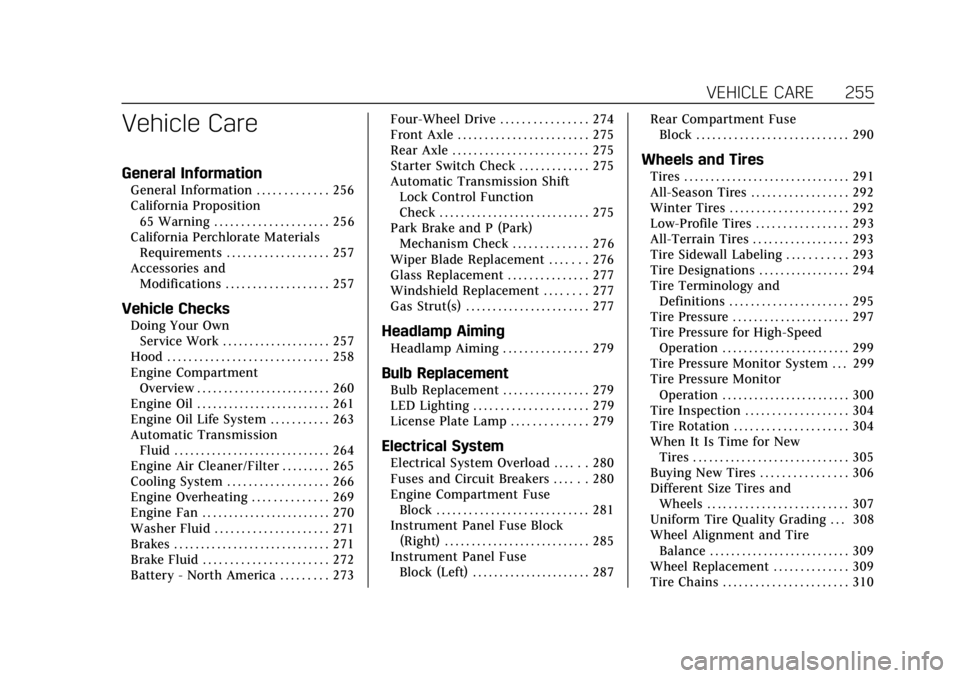
Automatic Transmission Fluid . . . . . . . . . . . . . . . . . . . . . . . . . . . . . 264
Engine Air Cleaner/Filter . . . . . . . . . 265
Cooling System . . . . . . . . . . . . . . . . . . . 266
Engine Overheating . . . . . . . . . . . . . . 269
Engine Fan . . . . . . . . . . . . . . . . . . . . . . . . 270
Washer Fluid . . . . . . . . . . . . . . . . . . . . . 271
Brakes . . . . . . . . . . . . . . . . . . . . . . . . . . . . . 271
Brake Fluid . . . . . . . . . . . . . . . . . . . . . . . 272
Battery - North America . . . . . . . . . 273 Four-Wheel Drive . . . . . . . . . . . . . . . . 274
Front Axle . . . . . . . . . . . . . . . . . . . . . . . . 275
Rear Axle . . . . . . . . . . . . . . . . . . . . . . . . . 275
Starter Switch Check . . . . . . . . . . . . . 275
Automatic Transmission Shift
Lock Control Function
Check . . . . . . . . . . . . . . . . . . . . . . . . . . . . 275
Park Brake and P (Park) Mechanism Check . . . . . . . . . . . . . . 276
Wiper Blade Replacement . . . . . . . 276
Glass Replacement . . . . . . . . . . . . . . . 277
Windshield Replacement . . . . . . . . 277
Gas Strut(s) . . . . . . . . . . . . . . . . . . . . . . . 277Headlamp Aiming
Headlamp Aiming . . . . . . . . . . . . . . . . 279
Bulb Replacement
Bulb Replacement . . . . . . . . . . . . . . . . 279
LED Lighting . . . . . . . . . . . . . . . . . . . . . 279
License Plate Lamp . . . . . . . . . . . . . . 279
Electrical System
Electrical System Overload . . . . . . 280
Fuses and Circuit Breakers . . . . . . 280
Engine Compartment Fuse Block . . . . . . . . . . . . . . . . . . . . . . . . . . . . 281
Instrument Panel Fuse Block (Right) . . . . . . . . . . . . . . . . . . . . . . . . . . . 285
Instrument Panel Fuse Block (Left) . . . . . . . . . . . . . . . . . . . . . . 287 Rear Compartment Fuse
Block . . . . . . . . . . . . . . . . . . . . . . . . . . . . 290
Wheels and Tires
Tires . . . . . . . . . . . . . . . . . . . . . . . . . . . . . . . 291
All-Season Tires . . . . . . . . . . . . . . . . . . 292
Winter Tires . . . . . . . . . . . . . . . . . . . . . . 292
Low-Profile Tires . . . . . . . . . . . . . . . . . 293
All-Terrain Tires . . . . . . . . . . . . . . . . . . 293
Tire Sidewall Labeling . . . . . . . . . . . 293
Tire Designations . . . . . . . . . . . . . . . . . 294
Tire Terminology andDefinitions . . . . . . . . . . . . . . . . . . . . . . 295
Tire Pressure . . . . . . . . . . . . . . . . . . . . . . 297
Tire Pressure for High-Speed Operation . . . . . . . . . . . . . . . . . . . . . . . . 299
Tire Pressure Monitor System . . . 299
Tire Pressure Monitor
Operation . . . . . . . . . . . . . . . . . . . . . . . . 300
Tire Inspection . . . . . . . . . . . . . . . . . . . 304
Tire Rotation . . . . . . . . . . . . . . . . . . . . . 304
When It Is Time for New Tires . . . . . . . . . . . . . . . . . . . . . . . . . . . . . 305
Buying New Tires . . . . . . . . . . . . . . . . 306
Different Size Tires and Wheels . . . . . . . . . . . . . . . . . . . . . . . . . . 307
Uniform Tire Quality Grading . . . 308
Wheel Alignment and Tire Balance . . . . . . . . . . . . . . . . . . . . . . . . . . 309
Wheel Replacement . . . . . . . . . . . . . . 309
Tire Chains . . . . . . . . . . . . . . . . . . . . . . . 310
Page 265 of 392
Cadillac Escalade Owner Manual (GMNA-Localizing-U.S./Canada/Mexico-
13566588) - 2020 - CRC - 4/24/19
264 VEHICLE CARE
How to Reset the Engine Oil Life
System
Reset the system whenever the engine
oil is changed so that the system can
calculate the next engine oil change.
To reset the system:1. Using the DIC controls on the right side of the steering wheel,
display OIL LIFE on the DIC. See
Driver Information Center (DIC)
0130. When remaining oil life is
low, the CHANGE ENGINE OIL
SOON message will appear on
the display.
2. Press and hold SEL on the DIC controls for a few seconds to
clear the CHANGE ENGINE OIL
SOON message and reset the oil
life at 100%.
Be careful not to reset the oil life
display accidentally at any time
other than after the oil is
changed. It cannot be reset
accurately until the next oil
change. The oil life system can also be reset as
follows:
1. Display OIL LIFE on the DIC. See Driver Information Center (DIC)
0130.
2. Fully press and release the accelerator pedal three times
within five seconds.
If the CHANGE ENGINE OIL
SOON message is not on, the
system is reset.
The system is reset when the
CHANGE ENGINE OIL SOON message
is off.
If the CHANGE ENGINE OIL SOON
message comes back on when the
vehicle is started, the engine oil life
system has not been reset. Repeat the
procedure.
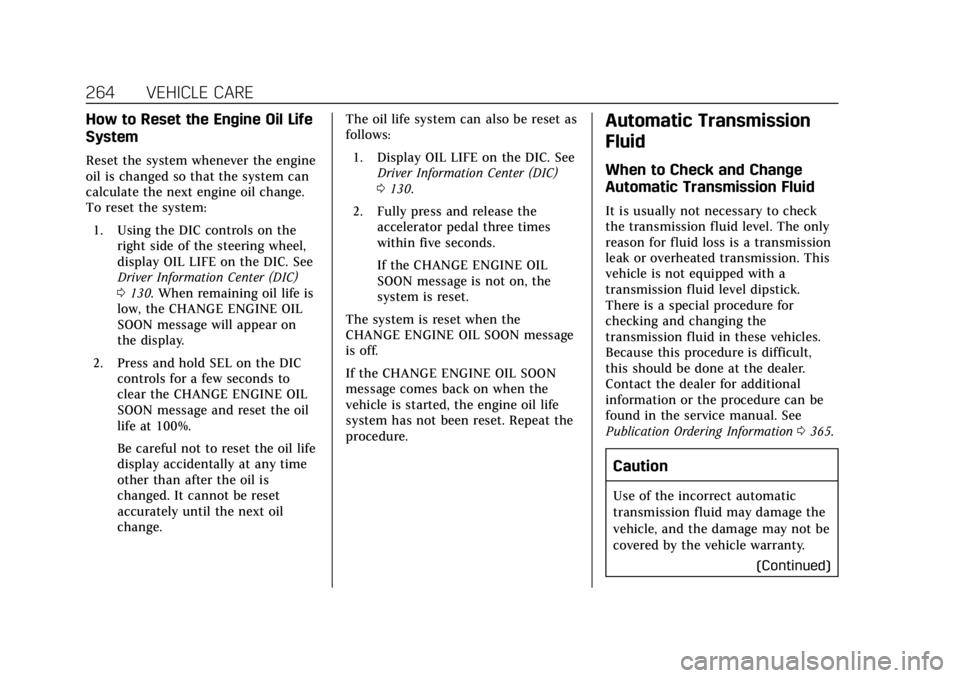
Automatic Transmission
Fluid
When to Check and Change
Automatic Transmission Fluid
It is usually not necessary to check
the transmission fluid level. The only
reason for fluid loss is a transmission
leak or overheated transmission. This
vehicle is not equipped with a
transmission fluid level dipstick.
There is a special procedure for
checking and changing the
transmission fluid in these vehicles.
Because this procedure is difficult,
this should be done at the dealer.
Contact the dealer for additional
information or the procedure can be
found in the service manual. See
Publication Ordering Information 0365.
Caution
Use of the incorrect automatic
transmission fluid may damage the
vehicle, and the damage may not be
covered by the vehicle warranty.
(Continued)