ignition CADILLAC ESCALADE 2021 Owner's Guide
[x] Cancel search | Manufacturer: CADILLAC, Model Year: 2021, Model line: ESCALADE, Model: CADILLAC ESCALADE 2021Pages: 492, PDF Size: 7.92 MB
Page 131 of 492
Cadillac Escalade Owner Manual (GMNA-Localizing-U.S./Canada/Mexico-
13690472) - 2021 - CRC - 8/10/21
130 INSTRUMENTS AND CONTROLS
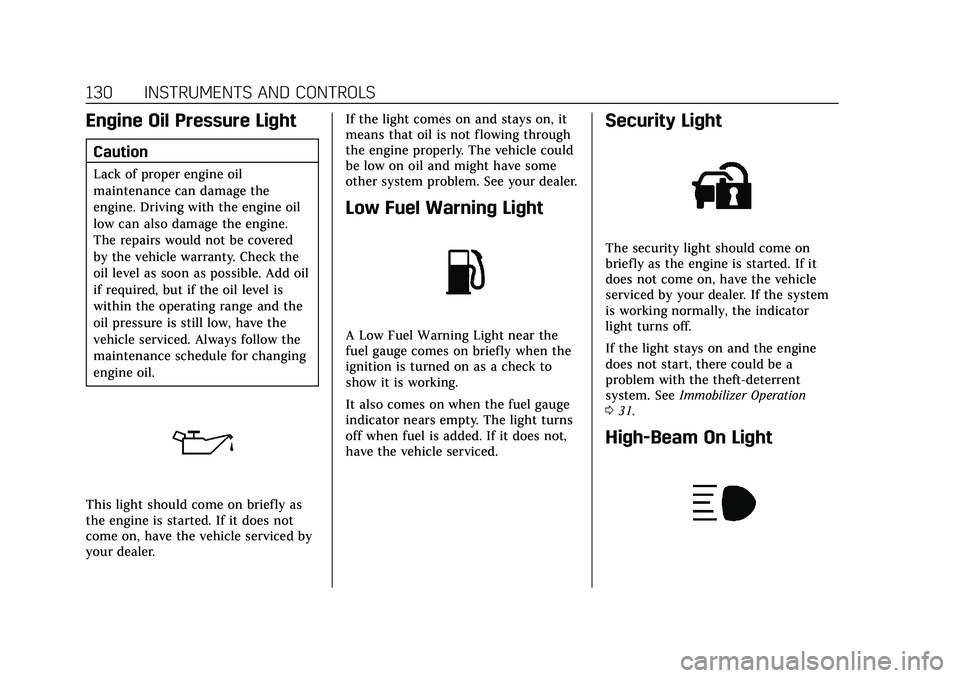
Engine Oil Pressure Light
Caution
Lack of proper engine oil
maintenance can damage the
engine. Driving with the engine oil
low can also damage the engine.
The repairs would not be covered
by the vehicle warranty. Check the
oil level as soon as possible. Add oil
if required, but if the oil level is
within the operating range and the
oil pressure is still low, have the
vehicle serviced. Always follow the
maintenance schedule for changing
engine oil.
This light should come on briefly as
the engine is started. If it does not
come on, have the vehicle serviced by
your dealer.If the light comes on and stays on, it
means that oil is not flowing through
the engine properly. The vehicle could
be low on oil and might have some
other system problem. See your dealer.
Low Fuel Warning Light
A Low Fuel Warning Light near the
fuel gauge comes on briefly when the
ignition is turned on as a check to
show it is working.
It also comes on when the fuel gauge
indicator nears empty. The light turns
off when fuel is added. If it does not,
have the vehicle serviced.
Security Light
The security light should come on
briefly as the engine is started. If it
does not come on, have the vehicle
serviced by your dealer. If the system
is working normally, the indicator
light turns off.
If the light stays on and the engine
does not start, there could be a
problem with the theft-deterrent
system. See
Immobilizer Operation
0 31.
High-Beam On Light
Page 135 of 492
Cadillac Escalade Owner Manual (GMNA-Localizing-U.S./Canada/Mexico-
13690472) - 2021 - CRC - 8/10/21
134 INSTRUMENTS AND CONTROLS
Oil Pressure :Shows the engine oil
pressure in kPa (kilopascals)
or psi (pounds per square inch).
Engine Hours : Shows the total
number of hours the engine has run.
Coolant Temperature : Shows the
temperature of the coolant in either
degrees Celsius (°C) or degrees
Fahrenheit (°F).
Transmission Fluid Temperature :
Shows the temperature of the
automatic transmission fluid in either
degrees Celsius (°C) or degrees
Fahrenheit (°F).
Air Filter Life : Shows an estimate of
the engine air filter’s remaining useful
life and the state of the system.
Engine Air Filter Life 95% means 95%
of the current air filter life remains.
Messages will display based on the
engine air filter life and the state of
the system. When the REPLACE AT
NEXT OIL CHANGE message displays,
the engine air filter should be replaced
at the time of the next oil change.
When the REPLACE SOON message
displays, the engine air filter should
be replaced at the earliest
convenience. The Air Filter Life display must be
reset after the engine air filter
replacement. To reset, see
Engine Air
Filter Life System 0371.
Brake Pad Life : This displays an
estimate of the remaining life of the
front and rear brake pads. Messages
will display based on brake pad wear
and the state of the system. Reset the
Brake Pad Life display after replacing
the brake pads. See Brake Pad Life
System 0378.
Tire Pressure : Shows the
approximate pressures of all four tires.
Tire pressure is displayed in either
kilopascal (kPa) or in pounds per
square inch (psi). If the pressure is
low, the value for that tire is shown in
amber. See Tire Pressure Monitor
System 0402 and
Tire Pressure Monitor Operation 0403.
Off : Allows for no information to be
displayed in the cluster info display
areas.
Zone 3
Audio Now Playing : Displays the
actively playing audio. Navigation :
Displays a variety of
navigation information.
Audio and Navigation : Displays both
audio and navigation information
together.
Off : Allows for no information to be
displayed in the cluster info display
areas.
Vehicle Information
The following are all possible vehicle
information features.
To access the vehicle information
menu, press
Ton the Multi
Function Controller (MFC) or touch
Tfrom the list of home page icons
displayed on the left side of the
infotainment display.
The Vehicle Information App will
display 3 cards per page.
The currently displayed page of cards
is remembered from the last ignition
cycle.
The menu may contain the following
cards:
.Notifications
.Oil Life
Page 139 of 492

Cadillac Escalade Owner Manual (GMNA-Localizing-U.S./Canada/Mexico-
13690472) - 2021 - CRC - 8/10/21
138 INSTRUMENTS AND CONTROLS
Vehicle Messages
Messages displayed on the DIC
indicate the status of the vehicle or
some action that may be needed to
correct a condition. Multiple messages
may appear one after another.
The messages that do not require
immediate action can be
acknowledged and cleared by pressing
the thumbwheel. The messages that
require immediate action cannot be
cleared until that action is performed.
All messages should be taken
seriously; clearing the message does
not correct the problem.
If a SERVICE message appears, see
your dealer.
Follow the instructions given in the
messages. The system displays
messages regarding the following
topics:
.Service Messages
.Fluid Levels
.Vehicle Security
.Brakes
.Ride Control Systems
.Driver Assistance Systems
.Cruise Control
.Lighting and Bulb Replacement
.Wiper/Washer Systems
.Doors and Windows
.Seat Belts
.Airbag Systems
.Engine and Transmission
.Tire Pressure
.Battery
Engine Power Messages
REDUCED ACCELERATION DRIVE
WITH CARE
This message displays when the
vehicle's propulsion power is reduced.
A reduction in propulsion power can
affect the vehicle's ability to
accelerate. If this message is on, but
there is no observed reduction in
performance, proceed to your
destination. Under certain conditions
the performance may be reduced the
next time the vehicle is driven. The
vehicle may be driven while this
message is on, but maximum
acceleration and speed may be
reduced. Anytime this message stayson, or displays repeatedly, the vehicle
should be taken to your dealer for
service as soon as possible.
Under certain operating conditions,
propulsion will be disabled. Try
restarting after the ignition has been
off for two minutes.
Vehicle Speed Messages
SPEED LIMITED TO XXX
KM/H (MPH)
This message shows that the vehicle
speed has been limited to the speed
displayed. The limited speed is a
protection for various propulsion and
vehicle systems, such as lubrication,
thermal, brakes, suspension, Teen
Driver if equipped, or tires.
Vehicle Personalization
The following are all possible vehicle
personalization features. Depending
on the vehicle, some may not be
available.
For System and Search functions, see
Settings
0203.
Page 146 of 492
Cadillac Escalade Owner Manual (GMNA-Localizing-U.S./Canada/Mexico-
13690472) - 2021 - CRC - 8/10/21
INSTRUMENTS AND CONTROLS 145
Touch Off or On.
Ride Height
Touch and the following may display:
.Automatic Entry/Egress
Automatic Entry/Egress
This feature specifies if the vehicle
will automatically lower to make it
easier to enter or exit the vehicle.
Touch Off or On.
Running Boards
Touch and the following may display:
.Automatic Running Boards
.Deploy Running Boards
Automatic Running Boards
This feature specifies the position and
use of the running boards.
Touch Off or On.
Deploy Running Boards
This feature moves the running
boards to a deployed position so they
can be used with the doors closed.
Touch Off or Deploy.
Seating Position
Touch and the following may display:
.Seat Entry Memory
.Seat Exit Memory
Seat Entry Memory
This feature automatically recalls the
previously stored 1 or 2 button
positions when the ignition is changed
from off to on or ACC/ACCESSORY.
See Memory Seats 045.
Touch Off or On.
Seat Exit Memory
This feature automatically recalls the
previously stored exit button position
when the ignition is changed from on
or ACC/ACCESSORY to off and the
driver door is open. See Memory Seats
0 45.
Touch Off or On.
Suspension
Touch and the following may display:
.Service Mode
.Alignment Mode Service Mode
This feature disables the air
suspension system and is used to
prevent unintended raising or
lowering of the suspension.
Touch Off or On.
Alignment Mode
This feature will optimize the vehicle
height to provide the most accurate
wheel alignment.
Touch Off or On.
Remote Key Relearn
This sets up a new or forgotten key
for use in the vehicle. Place the key in
the transmitter pocket. Make sure
vehicle is parked and touch Start.
Universal Remote
System
See
Radio Frequency Statement 0467.
Page 152 of 492

Cadillac Escalade Owner Manual (GMNA-Localizing-U.S./Canada/Mexico-
13690472) - 2021 - CRC - 8/10/21
LIGHTING 151
Exterior Lamps Off
Reminder
If a door is open, a reminder chime
sounds when the headlamps or
parking lamps are manually turned on
and the ignition is off. To turn off the
chime, turn the exterior lamp control
to off or AUTO and then back on,
or close and re-open the door. In the
AUTO mode, the headlamps turn off
once the ignition is off or remain on
until the headlamp delay ends (if
enabled in the DIC). See“Exit
Lighting” underVehicle Personalization
0 138.
Headlamp High/Low-Beam
Changer
Push the turn signal lever away from
you and release to turn the high
beams on.
To return to low beams, push the
lever again or pull it toward you and
release.
When the high-beam headlamps are
on, this indicator light on the
instrument cluster will also be on.
Flash-to-Pass
This feature lets you use the
high-beam headlamps to signal a
driver in front of you that you want to
pass. It works even if the headlamps
are in the automatic position.
To use it, pull the turn signal lever
toward you, then release it.
The high beam headlamps will stay on
as long as you hold the lever toward
you. The high-beam indicator on the
instrument cluster will come on.
Release the lever to return to normal
operation.
Daytime Running
Lamps (DRL)
DRL can make it easier for others to
see the front of the vehicle during the
day. Fully functional DRL are required
on all vehicles first sold in Canada.
The DRL system comes on when the
following conditions are met:
.The ignition is on.
.The exterior lamp control is
in AUTO.
.The light sensor determines it is
daytime.
When the DRL system is on, only the
DRL are on. The taillamps, sidemarker
lamps, instrument panel lights, and
other lamps will not be on.
When it begins to get dark, the
automatic headlamp system switches
from DRL to the headlamps.
To turn off the DRL, turn the exterior
lamp control to
Oand then release.
For vehicles first sold in Canada, off
will only work when the vehicle is
parked.
Page 155 of 492

Cadillac Escalade Owner Manual (GMNA-Localizing-U.S./Canada/Mexico-
13690472) - 2021 - CRC - 8/10/21
154 LIGHTING
Interior Lighting
Instrument Panel
Illumination Control
This feature adjusts the brightness of
all illuminated controls.
D:Move the thumbwheel up or
down to set the lowest level of
automatic brightness control.
The thumbwheel is functional at
night, or when the headlamps or
parking lamps are ON.
The brightness of the displays
automatically adjusts based on
outdoor lighting. The instrument
panel illumination control will set the
lowest level to which the displays will
be automatically adjusted.
Interior Lamps
Interior Ambient Lighting
If equipped, this feature allows the
color of the interior lighting in the
vehicle to be chosen.
To access, press
{on the
infotainment controls, then touch
AMBIENT LIGHTING to display the
settings screen.
Touch to select from the following:
OFF : Turns the feature off.
ON : Turns the feature on. Ambient
lighting provides the ability to
customize the color and intensity of
the interior accent lighting. Chose the
color on the display screen to make
change to interior lighting color.
DEMO MODE : When the shift lever
is in P (Park), touch to turn the
feature on in colors chosen by the
vehicle. When the shift lever is not in
P (Park) , the interior color will default
to the last active color selected.
LINK TO DRIVE MODE : The light
color is matched to the color being
used for the drive mode.
Dome Lamps
There are dome lamps in the overhead
console and the headliner.
To change the dome lamp settings,
press the following:
Press and hold any of the overhead
console lens to turn all dome lamps
on. Press and hold any of the
overhead consoles lens again to turn
all dome lamps off.
Press OFF
jto turn off the dome
lamps when any door is opened,
Kon
the remote key is pressed, or when the
ignition is switched off. An indicator
light on the button will turn on when
Page 156 of 492
Cadillac Escalade Owner Manual (GMNA-Localizing-U.S./Canada/Mexico-
13690472) - 2021 - CRC - 8/10/21
LIGHTING 155
the dome lamp override is activated.
Press OFF
jagain to deactivate
this feature and the indicator light will
turn off. The dome lamps will come
on when any door is opened,
Kon the
remote key is pressed, or when the
ignition is switched off.
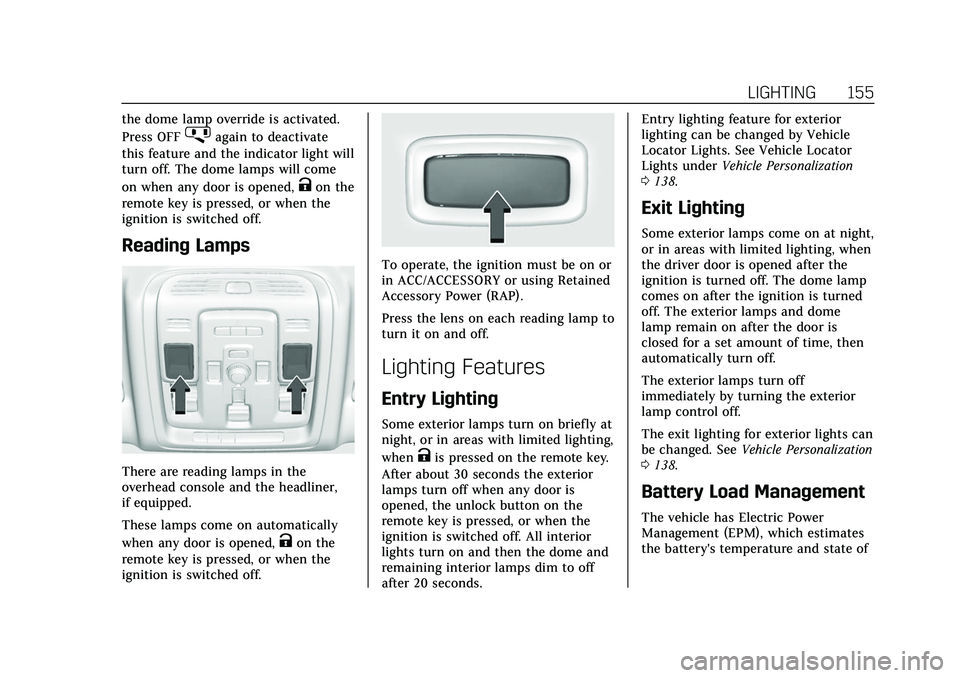
Reading Lamps
There are reading lamps in the
overhead console and the headliner,
if equipped.
These lamps come on automatically
when any door is opened,
Kon the
remote key is pressed, or when the
ignition is switched off.
To operate, the ignition must be on or
in ACC/ACCESSORY or using Retained
Accessory Power (RAP).
Press the lens on each reading lamp to
turn it on and off.
Lighting Features
Entry Lighting
Some exterior lamps turn on briefly at
night, or in areas with limited lighting,
when
Kis pressed on the remote key.
After about 30 seconds the exterior
lamps turn off when any door is
opened, the unlock button on the
remote key is pressed, or when the
ignition is switched off. All interior
lights turn on and then the dome and
remaining interior lamps dim to off
after 20 seconds. Entry lighting feature for exterior
lighting can be changed by Vehicle
Locator Lights. See Vehicle Locator
Lights under
Vehicle Personalization
0 138.
Exit Lighting
Some exterior lamps come on at night,
or in areas with limited lighting, when
the driver door is opened after the
ignition is turned off. The dome lamp
comes on after the ignition is turned
off. The exterior lamps and dome
lamp remain on after the door is
closed for a set amount of time, then
automatically turn off.
The exterior lamps turn off
immediately by turning the exterior
lamp control off.
The exit lighting for exterior lights can
be changed. See Vehicle Personalization
0 138.
Battery Load Management
The vehicle has Electric Power
Management (EPM), which estimates
the battery's temperature and state of
Page 157 of 492

Cadillac Escalade Owner Manual (GMNA-Localizing-U.S./Canada/Mexico-
13690472) - 2021 - CRC - 8/10/21
156 LIGHTING
charge. It then adjusts the voltage for
best performance and extended life of
the battery.
When the battery's state of charge is
low, the voltage is raised slightly to
quickly bring the charge back up.
When the state of charge is high, the
voltage is lowered slightly to prevent
overcharging. The voltmeter gauge or
the voltage display on the Driver
Information Center (DIC), if equipped,
may show the voltage moving up or
down. This is normal. If there is a
problem, an alert will be displayed.
The battery can be discharged at idle
if the electrical loads are very high.
This is true for all vehicles. This is
because the generator (alternator)
may not be spinning fast enough at
idle to produce all the power that is
needed for very high electrical loads.
A high electrical load occurs when
several of the following are on, such
as: headlamps, high beams, fog lamps,
rear window defogger, climate control
fan at high speed, heated seats, engine
cooling fans, trailer loads, and loads
plugged into accessory power outlets.EPM works to prevent excessive
discharge of the battery. It does this
by balancing the generator's output
and the vehicle's electrical needs.
It can increase engine idle speed to
generate more power, whenever
needed. It can temporarily reduce the
power demands of some accessories.
Normally, these actions occur in steps
or levels, without being noticeable. In
rare cases at the highest levels of
corrective action, this action may be
noticeable to the driver. If so, a DIC
message might be displayed and it is
recommended that the driver reduce
the electrical loads as much as
possible.
Battery Power Protection
This feature shuts off any interior
lamps if they are left on for more than
10 minutes when the ignition is off.
This will keep the battery from
running down.
Exterior Lighting Battery
Saver
The exterior lamps turn off about
10 minutes after the ignition is turned
off, if the parking lamps or headlamps
have been manually left on. This
protects against draining the battery.
To restart the 10-minute timer, turn
the exterior lamp control to the
O
position and then back to the;or
2position.
To keep the lamps on for more than
10 minutes, the ignition must be on
or in ACC/ACCESSORY.
Page 177 of 492
Cadillac Escalade Owner Manual (GMNA-Localizing-U.S./Canada/Mexico-
13690472) - 2021 - CRC - 8/10/21
176 INFOTAINMENT SYSTEM
When activated, the RSI will read
aloud menu titles, menu listings,
pop-ups, alerts, and file titles from
audio and video media. Titles with
gibberish, special characters,
or foreign text may not be read aloud.
To turn Video Voice Over on or off,
touch
*, touch the toggle and then
press OK to confirm. Video Voice Over
will remain active over ignition cycles
until it is turned off.
Bluetooth Headphone Setup
Your system will support Bluetooth
headphones. Up to 9 Bluetooth
headphones can be paired to each
REAR SCREEN. To pair Bluetooth
headphones to one of the rear screens:
1. Touch
Xfrom the desired Rear
Screen Home Page.
2. Select Add New Headphones.
3. Make sure your Bluetooth headphones are in pairing mode.
Once recognized by the system,
your Bluetooth headphones will be
displayed on the list of Available
Headphones. 4. Select your Bluetooth headphones
from the list. Touch OK once the
Pairing Successful pop-up displays.
The headphones may need to be
unpaired from your phone before
pairing to the RSI.
5. An option will be given to create a custom name for this pair of
headphones –touch Yes if you
want to create a unique name for
these headphones in this vehicle.
Screen Brightness
Each screen can be individually
adjusted for brightness. Move the bar
left or right to adjust the display
brightness. Each screen may be
uniquely adjusted.
Remember Screen Power Status
Each screen can be individually set to
return to the On Status after an
ignition cycle (if On prior to leaving
vehicle) or to remain off after each
ignition cycle.
Video Auto Play
Enabling Video Auto Play will cause
the next available video to
automatically begin playing when the previous video has ended. Disabling
Video Auto Play will cause the video
playback to pause until another video
is selected for playback.
Clear All Miracast Data
Selecting Clear All Miracast Data will
cause the RSI system to forget the
Wi-Fi connection settings for any
phones that had been previously
paired.
RSI Video App Front Screen
The RSI Video App will allow a front
user to control the Rear Seat Video
Screen sources. To access the RSI
Video App, touch the RSI Video App
icon from the Home Page.
Page 180 of 492
Cadillac Escalade Owner Manual (GMNA-Localizing-U.S./Canada/Mexico-
13690472) - 2021 - CRC - 8/10/21
INFOTAINMENT SYSTEM 179
A flashing light indicates the
headphones are not in range. Move
them closer to the forward overhead
screen until the light stops flashing.
If the light does not come on, check
the batteries. Intermittent sound or
static can also indicate weak batteries.
See“Battery Replacement ”later in this
section.
Turn the headphones off when they
are not in use.
Press the center of the right side of
the headphone to change the channel.
Channel 1 will provide audio
associated with screen 1 and channel 2
will provide audio associated with
screen 2.
Infrared transmitters are on the top of
the right seatback video screen. The
headphones shut off automatically to
save the battery power if the RSI
system is off or if the headphones are
out of range of the transmitters for
more than three minutes. Moving too
far forward or stepping out of the
vehicle can cause the headphones to
lose the signal or have static.
Use the volume control on the
headphones to adjust the volume. For best audio performance, wear the
headphones as indicated with L (Left)
and R (Right) on the ear pads. Do not
let anything cover the ear pads.
Caution
Do not store the headphones in
heat or direct sunlight. This could
damage the headphones and repairs
would not be covered by the vehicle
warranty. Storage in extreme cold
can weaken the batteries. Keep the
headphones stored in a cool, dry
place.
If the foam ear pads become worn or
damaged, the pads can be replaced
separately. To purchase replacement
ear pads, call 1-888-293-3332 or
contact your dealer.
Battery Replacement
To change the batteries: 1. Loosen the screw to the battery door on the left side of the
headphones.
2. Slide the battery door open.
3. Replace the two AAA batteries. 4. Replace the battery door and
tighten the screw.
Remove the batteries if the
headphones will not be used for a
long time.
RSI Troubleshooting
No power : The ignition might not be
on or in ACC/ACCESSORY.
There is no sound from the
headphones with the indicator light
on : If the batteries are good, make
sure the headphones are programmed
to the correct screen and on the
correct channel for the screen being
viewed.
Sometimes the wireless headphone
audio cuts out or buzzes : Check for
obstructions, low batteries, reception
range, and interference from cell
phone towers or from cellular
telephone use in the vehicle. Check
that the headphones are on correctly
using the L (Left) and R (Right) on the
headphones. Check that the
headphones are positioned properly
with the headband across the top of
the head.