ignition CADILLAC ESCALADE 2021 Workshop Manual
[x] Cancel search | Manufacturer: CADILLAC, Model Year: 2021, Model line: ESCALADE, Model: CADILLAC ESCALADE 2021Pages: 492, PDF Size: 7.92 MB
Page 283 of 492
Cadillac Escalade Owner Manual (GMNA-Localizing-U.S./Canada/Mexico-
13690472) - 2021 - CRC - 8/10/21
282 DRIVING AND OPERATING
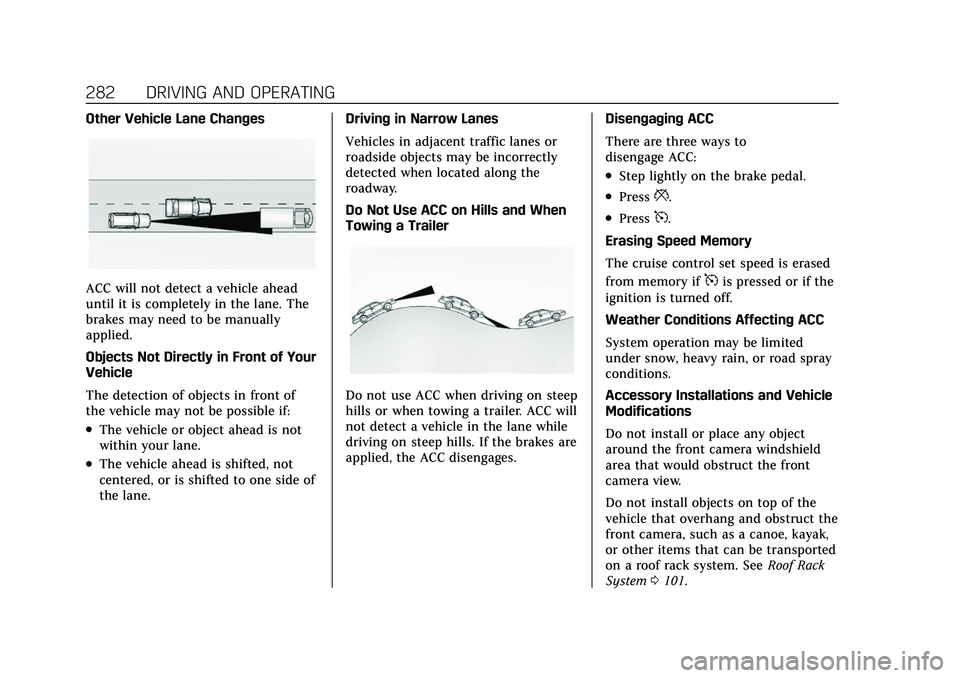
Other Vehicle Lane Changes
ACC will not detect a vehicle ahead
until it is completely in the lane. The
brakes may need to be manually
applied.
Objects Not Directly in Front of Your
Vehicle
The detection of objects in front of
the vehicle may not be possible if:
.The vehicle or object ahead is not
within your lane.
.The vehicle ahead is shifted, not
centered, or is shifted to one side of
the lane.Driving in Narrow Lanes
Vehicles in adjacent traffic lanes or
roadside objects may be incorrectly
detected when located along the
roadway.
Do Not Use ACC on Hills and When
Towing a Trailer
Do not use ACC when driving on steep
hills or when towing a trailer. ACC will
not detect a vehicle in the lane while
driving on steep hills. If the brakes are
applied, the ACC disengages.
Disengaging ACC
There are three ways to
disengage ACC:
.Step lightly on the brake pedal.
.Press*.
.Press5.
Erasing Speed Memory
The cruise control set speed is erased
from memory if
5is pressed or if the
ignition is turned off.
Weather Conditions Affecting ACC
System operation may be limited
under snow, heavy rain, or road spray
conditions.
Accessory Installations and Vehicle
Modifications
Do not install or place any object
around the front camera windshield
area that would obstruct the front
camera view.
Do not install objects on top of the
vehicle that overhang and obstruct the
front camera, such as a canoe, kayak,
or other items that can be transported
on a roof rack system. See Roof Rack
System 0101.
Page 291 of 492
Cadillac Escalade Owner Manual (GMNA-Localizing-U.S./Canada/Mexico-
13690472) - 2021 - CRC - 8/10/21
290 DRIVING AND OPERATING
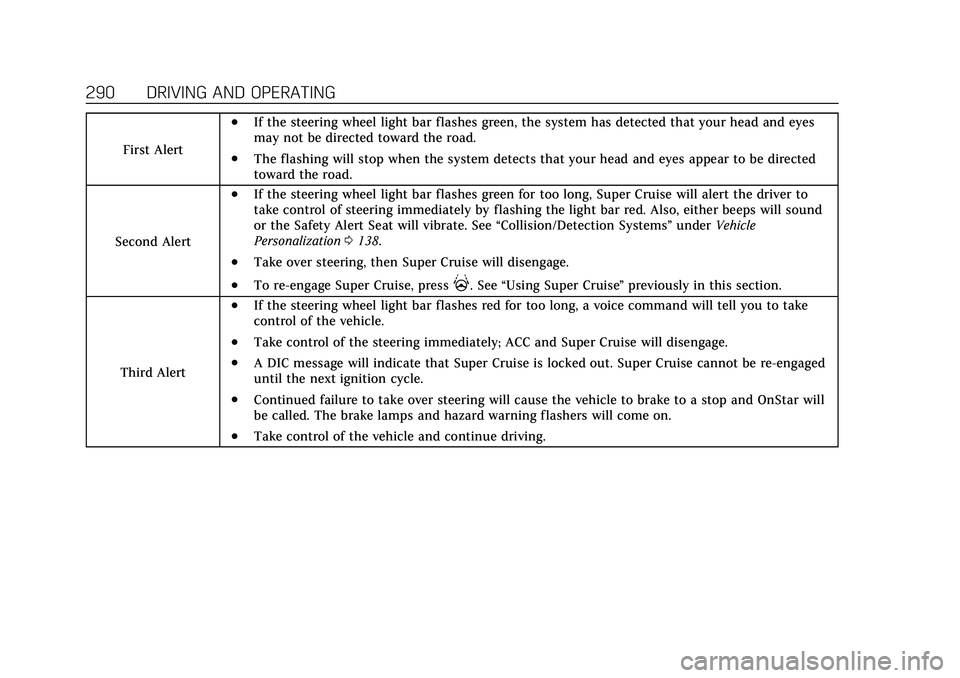
First Alert
.If the steering wheel light bar flashes green, the system has detected that your head and eyes
may not be directed toward the road.
.The flashing will stop when the system detects that your head and eyes appear to be directed
toward the road.
Second Alert
.If the steering wheel light bar flashes green for too long, Super Cruise will alert the driver to
take control of steering immediately by flashing the light bar red. Also, either beeps will sound
or the Safety Alert Seat will vibrate. See “Collision/Detection Systems”underVehicle
Personalization 0138.
.Take over steering, then Super Cruise will disengage.
.To re-engage Super Cruise, press]. See “Using Super Cruise ”previously in this section.
Third Alert
.If the steering wheel light bar flashes red for too long, a voice command will tell you to take
control of the vehicle.
.Take control of the steering immediately; ACC and Super Cruise will disengage.
.A DIC message will indicate that Super Cruise is locked out. Super Cruise cannot be re-engaged
until the next ignition cycle.
.Continued failure to take over steering will cause the vehicle to brake to a stop and OnStar will
be called. The brake lamps and hazard warning flashers will come on.
.Take control of the vehicle and continue driving.
Page 298 of 492

Cadillac Escalade Owner Manual (GMNA-Localizing-U.S./Canada/Mexico-
13690472) - 2021 - CRC - 8/10/21
DRIVING AND OPERATING 297
Super Cruise Message Summary (cont'd)
Unavailable Sensor BlockedClear snow, ice, dirt, or other contaminants from the front
and rear areas of the vehicle.
Unavailable Sharp Curve Some curves are too sharp to be navigated by the Super
Cruise system. Super Cruise will be available after the curve
is traveled.
Super Cruise Unavailable Super Cruise is unavailable for reasons not described in
other messages.
Super Cruise Locked Out See Owner’s Manual The driver did not take control of the vehicle when
prompted by the Super Cruise system. The Super Cruise
system will be disabled until the ignition is turned off and
back on.
Map Updates
Super Cruise map information must
be periodically updated at least once
every seven months to determine
whether Super Cruise is available on
certain roads. See the following
website for Super Cruise map open
source compliance documentation,
including the license information:
http://oss.veoneer.com/ Data Download
If the vehicle is equipped with OnStar
and has an active service plan,
additional data may be collected
through the OnStar system. This
includes information about: the
vehicle’s operation; a crash involving
the vehicle; the use of the vehicle and
its features; and, in certain situations,
the location and approximate GPS
speed of the vehicle. Refer to theOnStar Terms and Conditions and
Privacy Statement on the OnStar
website.
Location Services
This setting enables or disables
sharing of vehicle location outside the
vehicle for certain purposes. Even if
the Location Services setting is
disabled, vehicle location information
will continue to be shared for
emergency services and Super Cruise,
if equipped.
Page 321 of 492
Cadillac Escalade Owner Manual (GMNA-Localizing-U.S./Canada/Mexico-
13690472) - 2021 - CRC - 8/10/21
320 DRIVING AND OPERATING
By selecting a view on the instrument
cluster, the Night Vision image can be
displayed. SeeInstrument Cluster 0114
. The Night Vision system can operate
only if:
.The ignition is on.
.The vehicle is in P (Park) or a
forward gear.
.It is dark enough outside.
.The headlamps are on, except when
parked.
Adjust the instrument panel
brightness to make the image no
brighter than necessary. Turn the
image off by selecting another view
on the instrument cluster. The night
vision image brightness and contrast
can be adjusted individually using the
touchscreen to the left of the
instrument cluster.
Warm objects, such as pedestrians,
animals, and other moving vehicles,
should appear whiter on the Night
Vision display. Cold objects, such as
the sky, signs, and parked vehicles,
should appear darker. Night Vision
only shows objects that are warmer or
colder than the surroundings. It does not detect brake lamps, turn signals,
emergency flashers, traffic lights,
or sign information.
Use this system as an aid by
occasionally glancing at the image. Do
not stare at the image or use the
image under well-lit conditions.
{Warning
Do not stare at the image while
driving as this might cause
important objects ahead not to be
seen. You could crash, and you or
others could be injured.
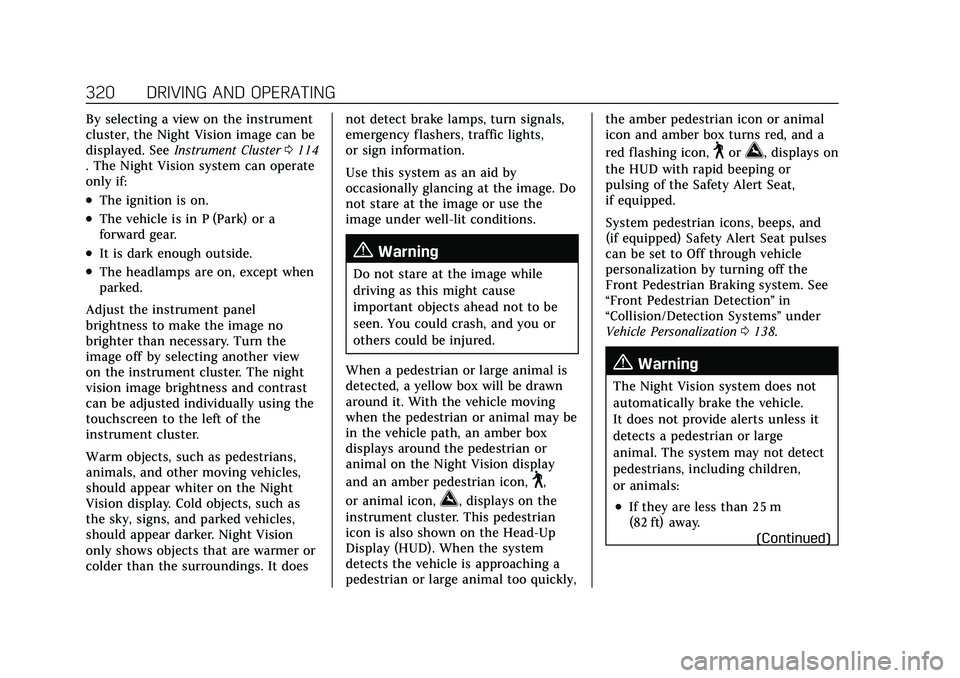
When a pedestrian or large animal is
detected, a yellow box will be drawn
around it. With the vehicle moving
when the pedestrian or animal may be
in the vehicle path, an amber box
displays around the pedestrian or
animal on the Night Vision display
and an amber pedestrian icon,
~,
or animal icon,
!, displays on the
instrument cluster. This pedestrian
icon is also shown on the Head-Up
Display (HUD). When the system
detects the vehicle is approaching a
pedestrian or large animal too quickly, the amber pedestrian icon or animal
icon and amber box turns red, and a
red flashing icon,
~or!, displays on
the HUD with rapid beeping or
pulsing of the Safety Alert Seat,
if equipped.
System pedestrian icons, beeps, and
(if equipped) Safety Alert Seat pulses
can be set to Off through vehicle
personalization by turning off the
Front Pedestrian Braking system. See
“Front Pedestrian Detection ”in
“Collision/Detection Systems” under
Vehicle Personalization 0138.
{Warning
The Night Vision system does not
automatically brake the vehicle.
It does not provide alerts unless it
detects a pedestrian or large
animal. The system may not detect
pedestrians, including children,
or animals:
.If they are less than 25 m
(82 ft) away.
(Continued)
Page 345 of 492
Cadillac Escalade Owner Manual (GMNA-Localizing-U.S./Canada/Mexico-
13690472) - 2021 - CRC - 8/10/21
344 DRIVING AND OPERATING
Turn Signals When Towing a
Trailer
When properly connected, the trailer
turn signals should will illuminate to
indicate the vehicle is turning,
changing lanes, or stopping. When
towing a trailer, the arrows on the
instrument cluster will illuminate
even if the trailer is not properly
connected or the bulbs are
burned out.
Tow/Haul Mode
For instructions on how to enter Tow/
Haul mode, seeTow/Haul Mode0256.
Tow/Haul assists when pulling a
heavy trailer or a large or heavy load.
Tow/Haul Mode is designed to be
most effective when the vehicle and
trailer combined weight is at least
75% of the vehicle's Gross Combined
Weight Rating (GCWR). See
“Maximum Trailer Weight ”under
Trailer Towing 0334.
Tow/Haul Mode is most useful when
towing a heavy trailer or carrying a
large or heavy load:
.through rolling terrain
.in stop-and-go traffic
.in busy parking lots
Operating the vehicle in Tow/Haul
Mode when lightly loaded or not
towing will not cause damage;
however, it is not recommended and
may result in unpleasant engine and
transmission driving characteristics
and reduced fuel economy.
Integrated Trailer Brake Control
System
The vehicle may have an Integrated
Trailer Brake Control (ITBC) system
for use with electric trailer brakes or
most electric over hydraulic trailer
brake systems. These instructions
apply to both types of electric trailer
brakes.
This symbol is on the Trailer Brake
Control Panel on vehicles with an
ITBC system. The power output to the
trailer brakes is proportional to the amount of vehicle braking. This
available power output to the trailer
brakes can be adjusted to a wide
range of trailering situations.
The ITBC system is integrated with
the vehicle’s brake, anti-lock brake,
and StabiliTrak/Electronic Stability
Control (ESC) systems. In trailering
conditions that cause the vehicle’s
anti-lock brake or StabiliTrak/ESC
systems to activate, power sent to the
trailer's brakes will be automatically
adjusted to minimize trailer wheel
lock-up. This does not imply that the
trailer has StabiliTrak/ESC.
If the vehicle’s brake, anti-lock brake,
or StabiliTrak systems are not
functioning properly, the ITBC system
may not function fully or at all. Make
sure all of these systems are fully
operational to allow the ITBC system
to function properly.
The ITBC system is powered through
the vehicle's electrical system. Turning
the ignition off will also turn off the
ITBC system. The ITBC system is fully
functional only when the ignition is in
ON/RUN.
Page 348 of 492
Cadillac Escalade Owner Manual (GMNA-Localizing-U.S./Canada/Mexico-
13690472) - 2021 - CRC - 8/10/21
DRIVING AND OPERATING 347
.The ITBC system first determines
connection to a trailer with electric
brakes and then the trailer harness
becomes disconnected the vehicle.
If the disconnect occurs while the
vehicle is stationary, this message
will automatically turn off in about
30 seconds. This message will also
turn off if it is acknowledged or if
the trailer harness is reconnected.
If the disconnect occurs while the
vehicle is moving, this message will
continue until the ignition is turned
off. This message will also turn off if
it is acknowledged or if the trailer
harness is reconnected.
.There is an electrical fault in the
wiring to the trailer brakes. This
message will continue as long as
there is an electrical fault in the
trailer wiring. This message will also
turn off if it is acknowledged.
To determine whether the electrical
fault is on the vehicle side or trailer
side of the trailer wiring harness
connection: 1. Disconnect the trailer wiring harness from the vehicle.
2. Turn the ignition off. 3. Wait 10 seconds, then turn the
ignition back to RUN.
4. If the CHECK TRAILER WIRING message reappears, the electrical
fault is on the vehicle side.
If the CHECK TRAILER WIRING
message only reappears when
connecting the trailer wiring
harness to the vehicle, the
electrical fault is on the trailer side.
SERVICE TRAILER BRAKE SYSTEM:
This message will display when there
is a problem with the ITBC system.
If this message continues over
multiple ignition cycles, there is a
problem with the ITBC system. Have
the vehicle serviced.
If either the CHECK TRAILER WIRING
or SERVICE TRAILER BRAKE SYSTEM
message displays while driving, the
ITBC system may not be fully
functional or may not function at all.
When traffic conditions allow,
carefully pull the vehicle over to the
side of the road and turn the ignition
off. Check the wiring connection to
the trailer and turn the ignition back on. If either of these messages
continues, either the vehicle or trailer
needs service.
A GM dealer may be able to diagnose
and repair problems with the trailer.
However, any diagnosis and repair of
the trailer is not covered under the
vehicle warranty. Contact your trailer
dealer for assistance with trailer
repairs and trailer warranty
information.
Trailer Sway Control (TSC)
Vehicles with StabiliTrak/Electronic
Stability Control (ESC) have a Trailer
Sway Control (TSC) feature. Trailer
sway is unintended side-to-side
motion of a trailer while towing. If the
vehicle is towing a trailer and the TSC
detects that sway is increasing, the
vehicle brakes are selectively applied
at each wheel, to help reduce
excessive trailer sway. If equipped with
the Integrated Trailer Brake Control
(ITBC) system, and the trailer has an
electric brake system, StabiliTrak may
also apply the trailer brakes.
Page 351 of 492
Cadillac Escalade Owner Manual (GMNA-Localizing-U.S./Canada/Mexico-
13690472) - 2021 - CRC - 8/10/21
350 DRIVING AND OPERATING
The sequence also deactivates when
any of the following occur:
.The ignition is turned off.
.The transmission is shifted out of
P (Park).
.The brake pedal is pressed.
.The turn signal is activated.
.The hazard warning lights are
activated.
Trailering App
If equipped, the Trailering App is on
the Home Page of the infotainment
display.
If equipped this feature allows profiles
for connected trailers to be created to
view status, to store and track trailer
usage information, and to set up
towing assistance features.
The Trailering App Preview will
appear when the Trailering App is
opened for the first time from the
Home Page. Touch GET STARTED in
the Trailering App to go into the app.
When a trailer is electrically
connected and a trailer profile has not
been created, there will be an option
to create a profile, use a guest profile,or select Accessory/No trailer. After
the pop-up is displayed three times,
Don’t Remind Me will display and
touching that will turn off the trailer
detection pop-up. To turn the Trailer
Detection Alert on, select ON in the
Settings tab.
When a trailer is electrically
connected and after a Trailer Profile
has been created, the trailer detection
pop-up will appear with a list of all of
the custom Trailer Profiles made on
the vehicle. To load an existing Trailer
Profile, select one of the Trailer
Profiles listed, or load the Guest
Trailer Profile by selecting GUEST
TRAILER. Touching Accessory/No
trailer will select Accessory/No trailer
as the active Trailer Profile and will
dismiss the pop- up. Shifting the
vehicle from P (Park) will select Guest
Trailer as the active Trailer Profile and
will dismiss the pop-up.
Create a Trailer Profile
1. Touch Create Profile on the trailer detection pop-up or touch + Add
Trailer Profile in the Trailering App.
2. Create a name for the trailer.
3. Select the trailer type. 4. Select Save Profile.
A pop-up will indicate the setup is
complete. Touch DONE to complete
the process or touch TRAILER
FEATURE SETUP to set up the Tow/
Haul Mode reminder, Trailer Tire
Pressure Monitoring System,
if equipped, maintenance reminders,
or towing assistance, if equipped.
Import a Trailer Profile
A trailer profile saved to an OnStar
account can be imported to the
vehicle. 1. Touch + Add Trailer Profile in the Trailering App
2. Touch Import Profile on the pop-up.
3. Select a trailer profile from the list.
4. Touch IMPORT.
A pop-up will indicate the import was
successful. Touch OK to return to the
trailer list and select the trailer profile.
The Tow/Haul Mode reminder, Brake
Gain Setting and Trailer Tire Pressure
sensor learning, if equipped, do not
import.
Page 354 of 492
Cadillac Escalade Owner Manual (GMNA-Localizing-U.S./Canada/Mexico-
13690472) - 2021 - CRC - 8/10/21
DRIVING AND OPERATING 353
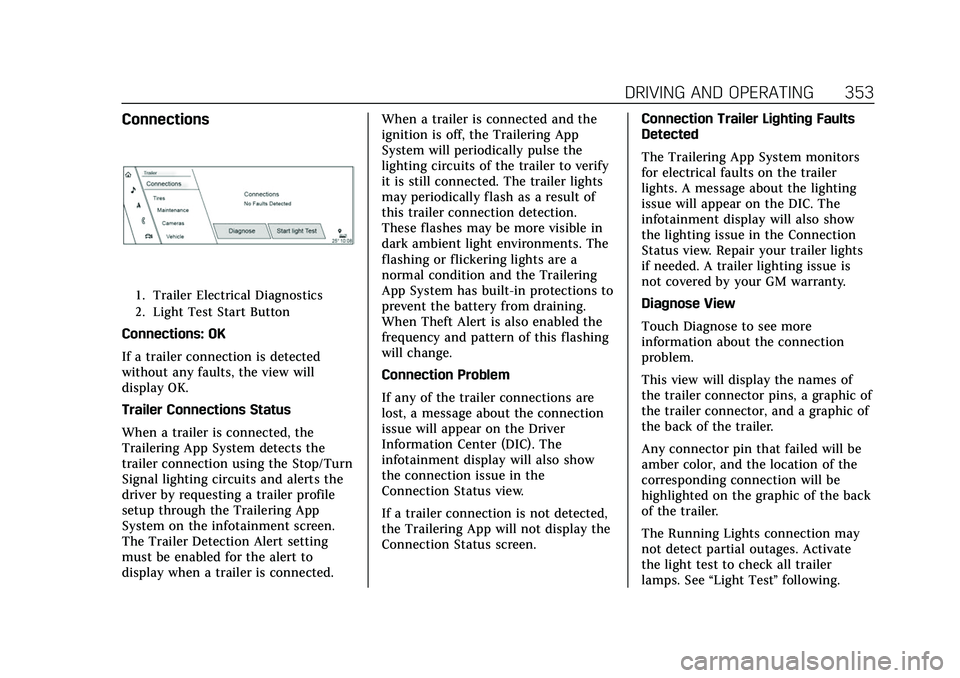
Connections
1. Trailer Electrical Diagnostics
2. Light Test Start Button
Connections: OK
If a trailer connection is detected
without any faults, the view will
display OK.
Trailer Connections Status
When a trailer is connected, the
Trailering App System detects the
trailer connection using the Stop/Turn
Signal lighting circuits and alerts the
driver by requesting a trailer profile
setup through the Trailering App
System on the infotainment screen.
The Trailer Detection Alert setting
must be enabled for the alert to
display when a trailer is connected.When a trailer is connected and the
ignition is off, the Trailering App
System will periodically pulse the
lighting circuits of the trailer to verify
it is still connected. The trailer lights
may periodically flash as a result of
this trailer connection detection.
These flashes may be more visible in
dark ambient light environments. The
flashing or flickering lights are a
normal condition and the Trailering
App System has built-in protections to
prevent the battery from draining.
When Theft Alert is also enabled the
frequency and pattern of this flashing
will change.
Connection Problem
If any of the trailer connections are
lost, a message about the connection
issue will appear on the Driver
Information Center (DIC). The
infotainment display will also show
the connection issue in the
Connection Status view.
If a trailer connection is not detected,
the Trailering App will not display the
Connection Status screen.
Connection Trailer Lighting Faults
Detected
The Trailering App System monitors
for electrical faults on the trailer
lights. A message about the lighting
issue will appear on the DIC. The
infotainment display will also show
the lighting issue in the Connection
Status view. Repair your trailer lights
if needed. A trailer lighting issue is
not covered by your GM warranty.
Diagnose View
Touch Diagnose to see more
information about the connection
problem.
This view will display the names of
the trailer connector pins, a graphic of
the trailer connector, and a graphic of
the back of the trailer.
Any connector pin that failed will be
amber color, and the location of the
corresponding connection will be
highlighted on the graphic of the back
of the trailer.
The Running Lights connection may
not detect partial outages. Activate
the light test to check all trailer
lamps. See
“Light Test”following.
Page 355 of 492

Cadillac Escalade Owner Manual (GMNA-Localizing-U.S./Canada/Mexico-
13690472) - 2021 - CRC - 8/10/21
354 DRIVING AND OPERATING
Light Test
Touch Start Light Test to cycle the
trailer lights on and off to determine if
they are working. The test follows this
sequence:1. The running lights turn on first and remain on throughout the
sequence.
2. The brake lights turn on for about two seconds.
3. The left turn signal light flashes three times.
4. The right turn signal light flashes three times.
5. The reverse lights turn on for about two seconds.
6. Steps 2–5 repeat for approximately one minute and 45 seconds,
or until the test deactivates.
Touch Stop to stop the test. The test
will automatically end after
one minute and 45 seconds.
The sequence also deactivates when
any of the following occur:
.The ignition is turned off.
.The transmission is shifted out of
P (Park).
.The brake pedal is pressed.
.The turn signal is activated.
.The hazard warning lights are
activated.
Tires
1. Trailer Tire Pressure/Temperature
Tire Pressure and Temperature
If the TTPMS sensor-to-vehicle learn
process was completed, the status
view will display the current tire
pressure and temperature of the
trailer tires related to the active
Trailer Profile. If a tire’s pressure is
low or high, the color of the pressure
value will be amber. If a sensor
malfunctions, the values are dashed
lines. If the screen displays “ServiceTire Pressure Monitoring System
”, the
vehicle needs to be taken to a dealer
for service.
Maintenance
1. List of Maintenance Reminders
2. Add a New Maintenance Reminder
The Maintenance Status view displays
reminders. Touch a reminder to edit.
Touch + New Maintenance Reminder
to go to the Select New
Reminder view.
The progress bar turns yellow when
the maintenance item reaches 90%
complete.
The progress bar turns red when the
maintenance item reaches 100%
complete.
Page 356 of 492
Cadillac Escalade Owner Manual (GMNA-Localizing-U.S./Canada/Mexico-
13690472) - 2021 - CRC - 8/10/21
DRIVING AND OPERATING 355
Maintenance Notifications
.Touch Service Complete to reset the
maintenance reminder.
.Touch Remind Me Later to delay
the reminder.
.Touch X next to Upcoming Alerts
(90%) to dismiss the alert. It will
not appear again.
.Touch X next to Maintenance Due
(100%) to delay the alert to the next
ignition cycle.
Always follow all of the maintenance
instructions that came with your
trailer.
Cameras
1. Rear Trailer Not Connected/ Preview, if equipped 2. Interior Trailer Not Connected/
Preview, if equipped
The Cameras Status view displays
status of trailer cameras.
Touch a connected camera to preview
the camera image.
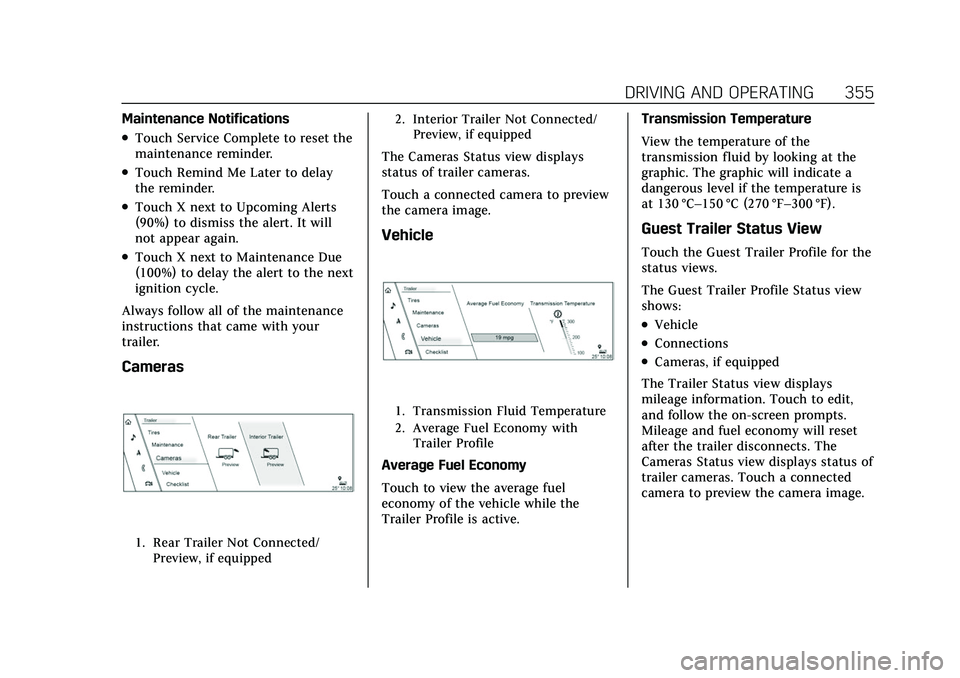
Vehicle
1. Transmission Fluid Temperature
2. Average Fuel Economy withTrailer Profile
Average Fuel Economy
Touch to view the average fuel
economy of the vehicle while the
Trailer Profile is active. Transmission Temperature
View the temperature of the
transmission fluid by looking at the
graphic. The graphic will indicate a
dangerous level if the temperature is
at 130 °C–150 °C (270 °F–300 °F).
Guest Trailer Status View
Touch the Guest Trailer Profile for the
status views.
The Guest Trailer Profile Status view
shows:
.Vehicle
.Connections
.Cameras, if equipped
The Trailer Status view displays
mileage information. Touch to edit,
and follow the on-screen prompts.
Mileage and fuel economy will reset
after the trailer disconnects. The
Cameras Status view displays status of
trailer cameras. Touch a connected
camera to preview the camera image.