warning lights CADILLAC ESCALADE 2023 User Guide
[x] Cancel search | Manufacturer: CADILLAC, Model Year: 2023, Model line: ESCALADE, Model: CADILLAC ESCALADE 2023Pages: 461, PDF Size: 7.99 MB
Page 298 of 461

Cadillac Escalade Owner Manual (GMNA-Localizing-U.S./Canada/Mexico-
16417396) - 2023 - CRC - 5/11/22
296 Driving and Operating
warning area starts at approximately 3 m
(10 ft) to the trailing edge of the vehicle and
goes back up to 21 m (69 ft) behind the
vehicle. The maximum trailer length is
12 m (39 ft).
How the System Works
The LCA/ESBZA symbol lights up in the side
mirrors when the system detects a moving
vehicle in the next lane over that is in the
extended side blind zone. This indicates it
may be unsafe to change lanes. Before
making a lane change, check the SBZA
display, check mirrors, glance over your
shoulder, and use the turn signals.
Left Side MirrorDisplayRight Side Mirror Display
When the vehicle is started, both outside
mirror LCA/ESBZA displays will briefly come
on to indicate the system is operating.
When the vehicle is in a forward gear, the
left- or right-side mirror display will light up
if a moving vehicle is detected in that blind zone. If the turn signal is activated in the
same direction as a detected vehicle, this
display will flash as an extra warning not to
change lanes.
LCA/ESBZA displays may not come on when
passing a vehicle quickly, or when passing a
stopped vehicle. LCA/ESBZA may alert to
objects attached to the vehicle, such as a
bicycle, or object extending out to either
side of the vehicle or trailer. This is normal
system operation; the vehicle does not need
service.
LCA/ESBZA can be disabled through vehicle
settings. To view available settings from the
infotainment screen, touch Settings >
Vehicle > Collision/Detection Systems.
If SBZA is disabled by the driver, the ESBZA
mirror displays will not light up.
When the System Does Not Seem to
Work Properly
LCA/ESBZA displays may not come on when
passing a vehicle quickly, or when passing a
stopped vehicle. The LCA/ESBZA detection
zones that extend back from the side of the
vehicle do not move further back when a
trailer is towed. Use caution while changing
lanes when towing a trailer. LCA/ESBZA may
alert to objects attached to the vehicle, such
as a trailer, bicycle, or object extending out
to either side of the vehicle or trailer. This is
normal system operation; the vehicle does
not need service.
LCA/ESBZA may not always alert the driver
to vehicles in the side blind zone, especially
in wet conditions. The system does not need
to be serviced. The system may light up due
to guardrails, signs, trees, shrubs, and other
non-moving objects. This is normal system
operation; the vehicle does not need service.
LCA/ESBZA may not operate when the LCA/
ESBZA sensors in the left or right corners of
the rear bumper are covered with mud, dirt,
snow, ice, or slush, or in heavy rainstorms.
For cleaning instructions, see "Washing the
Vehicle" under
Exterior Care0406. If the
DIC displays the system unavailable message
after cleaning both sides of the vehicle
toward the rear corners of the vehicle, see
your dealer.
If the DIC displays the system unavailable
message after cleaning both sides of the
vehicle toward the rear corners of the
vehicle, see your dealer
If the LCA/ESBZA displays do not light up
when vehicles are in the blind zone and the
system is clean, the system may need
service. Take the vehicle to your dealer.
Page 300 of 461
Cadillac Escalade Owner Manual (GMNA-Localizing-U.S./Canada/Mexico-
16417396) - 2023 - CRC - 5/11/22
298 Driving and Operating
Exceeding Indicated Speed Limit
If the indicated traffic sign speed limit is
exceeded by 5 km/h (3 mph) or more, the
permanently displayed traffic sign symbol
will flash until the vehicle speed is reduced
to or below the indicated speed limit.
System Reset
The content of the traffic sign display can
be cleared in the Traffic Sign Menu from the
Traffic Sign Memory page by selecting Reset
and confirmed by pressing the thumbwheel.
Upon successful reset, a(–)symbol displays
until the next traffic sign is detected or
provided by the navigation system map
data. In some cases, traffic sign memory is
cleared automatically by the system.
See Driver Information Center (DIC) 0124.
Navigation System Traffic Sign Detection
The currently displayed sign can either
originate from sign detection using the
camera, or from the navigation system map
data. If the currently displayed sign
originates from map data and the map
information changes, a new sign will be
displayed. This may lead to detection of a
new sign although no sign on the road may
have been passed.
Limitations
Traffic sign memory may not operate
correctly if:
.The area of the windshield, where the
front camera is located, is not clean or is
affected by foreign objects, e.g. stickers,
window tinting, etc.
.Traffic signs are completely or partially
covered, are too low or high or difficult to
discern.
.Traffic signs are incorrectly mounted or
are damaged.
.Traffic signs do not comply with the
approved traffic sign standards.
.The speed limit is displayed by certain
types of electronic speed signs.
.There are adverse environmental
conditions, e.g. heavy rain, snow, direct
sunlight or shadows.
.The headlights are dirty or not correctly
aligned when driving at night.
.The navigation map data is out of date.
Lane Keep Assist (LKA)
If equipped, LKA may help avoid crashes due
to unintentional lane departures. This
system uses a camera to detect lane
markings. The LKA system can be ready to assist at speeds between approximately
60 km/h (37 mph) and 180 km/h (112 mph).
On some vehicles, the system will instead
operate above 50 km/h (31 mph). LKA may
assist by gently turning the steering wheel
if the vehicle approaches a detected lane
marking. It may also provide a Lane
Departure Warning (LDW) alert if the vehicle
crosses a detected lane marking. This system
is not intended to keep the vehicle centered
in the lane. LKA will not assist and alert if
the turn signal is active in the direction of
lane departure, or if it detects that you are
accelerating, braking or actively steering.
LKA can be overridden by turning the
steering wheel. If the system detects you
are steering intentionally across a lane
marker, the LDW will not be given. Do not
expect the LDW to occur when you are
intentionally crossing a lane marker.
{Warning
The LKA system does not continuously
steer the vehicle. It may not keep the
vehicle in the lane or give a Lane
Departure Warning (LDW) alert, even if a
lane marking is detected.
(Continued)
Page 326 of 461

Cadillac Escalade Owner Manual (GMNA-Localizing-U.S./Canada/Mexico-
16417396) - 2023 - CRC - 5/11/22
324 Driving and Operating
Always know the maximum speed rating for
the trailer tires before driving. This may be
significantly lower than the vehicle tire
speed rating. The speed rating may be on
the trailer tire sidewall. If the speed rating is
not shown, the default trailer tire speed
rating is 105 km/h (65 mph).
Trailering App
Trailer Lights App
If equipped, the Trailer Lights App is on the
home page of the infotainment screen.
Touch Start to cycle the trailer lamps on and
off to determine if they are working. The
test follows this sequence:1. The running lights turn on first and remain on throughout the sequence.
2. The brake lights turn on for about two seconds.
3. The left turn signal light flashes three times.
4. The right turn signal light flashes three times.
5. The reverse lights turn on for about two seconds. 6. Steps 2–5 repeat for approximately
one minute and 45 seconds, or until the
test deactivates.
Touch Stop to stop the test. The test will
automatically end after one minute and
45 seconds.
The sequence also deactivates when any of
the following occur:
.The vehicle is turned off.
.The transmission is shifted out of P (Park).
.The brake pedal is pressed.
.The turn signal is activated.
.The hazard warning lights are activated.
Trailering App
If equipped, the Trailering App is on the
home page of the infotainment screen.
If equipped this feature allows profiles for
connected trailers to be created to view
status, to store and track trailer usage
information, and to set up towing assistance
features.
The Trailering App Preview will appear when
the Trailering App is opened for the first
time from the Home Page. Touch GET
STARTED in the Trailering App to go into
the app. When a trailer is electrically connected and
a trailer profile has not been created, there
will be an option to create a profile, use a
guest profile, or select Accessory/No trailer.
After the pop-up is displayed three times,
Don’t Remind Me will display and touching
that will turn off the trailer detection
pop-up. To turn the Trailer Detection Alert
on, select ON in the Settings tab.
When a trailer is electrically connected and
after a Trailer Profile has been created, the
trailer detection pop-up will appear with a
list of all of the custom Trailer Profiles made
on the vehicle. To load an existing Trailer
Profile, select one of the Trailer Profiles
listed, or load the Guest Trailer Profile by
selecting GUEST TRAILER. Touching
Accessory/No trailer will select Accessory/No
trailer as the active Trailer Profile and will
dismiss the pop- up. Shifting the vehicle
from P (Park) will select Guest Trailer as the
active Trailer Profile and will dismiss the
pop-up.
Create a Trailer Profile
1. Touch Create Profile on the trailer detection pop-up or touch + Add Trailer
Profile in the Trailering App.
2. Create a name for the trailer.
3. Select the trailer type.
Page 330 of 461
Cadillac Escalade Owner Manual (GMNA-Localizing-U.S./Canada/Mexico-
16417396) - 2023 - CRC - 5/11/22
328 Driving and Operating
The Running Lights connection may not
detect partial outages. Activate the light test
to check all trailer lamps. See“Light Test”
following.
Light Test
Touch Start Light Test to cycle the trailer
lights on and off to determine if they are
working. The test follows this sequence:
1. The running lights turn on first and remain on throughout the sequence.
2. The brake lights turn on for about two seconds.
3. The left turn signal light flashes three times.
4. The right turn signal light flashes three times.
5. The reverse lights turn on for about two seconds.
6. Steps 2–5 repeat for approximately one minute and 45 seconds, or until the
test deactivates.
Touch Stop to stop the test. The test will
automatically end after one minute and
45 seconds.
The sequence also deactivates when any of
the following occur:
.The vehicle is turned off.
.The transmission is shifted out of P (Park).
.The brake pedal is pressed.
.The turn signal is activated.
.The hazard warning lights are activated.
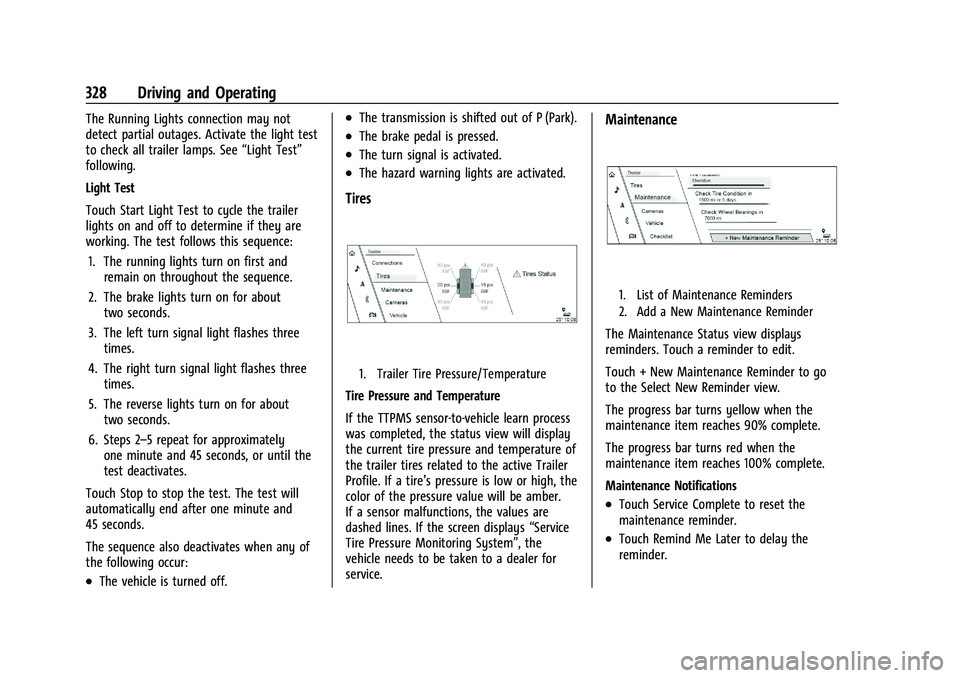
Tires
1. Trailer Tire Pressure/Temperature
Tire Pressure and Temperature
If the TTPMS sensor-to-vehicle learn process
was completed, the status view will display
the current tire pressure and temperature of
the trailer tires related to the active Trailer
Profile. If a tire’s pressure is low or high, the
color of the pressure value will be amber.
If a sensor malfunctions, the values are
dashed lines. If the screen displays “Service
Tire Pressure Monitoring System”, the
vehicle needs to be taken to a dealer for
service.
Maintenance
1. List of Maintenance Reminders
2. Add a New Maintenance Reminder
The Maintenance Status view displays
reminders. Touch a reminder to edit.
Touch + New Maintenance Reminder to go
to the Select New Reminder view.
The progress bar turns yellow when the
maintenance item reaches 90% complete.
The progress bar turns red when the
maintenance item reaches 100% complete.
Maintenance Notifications
.Touch Service Complete to reset the
maintenance reminder.
.Touch Remind Me Later to delay the
reminder.
Page 453 of 461

Cadillac Escalade Owner Manual (GMNA-Localizing-U.S./Canada/Mexico-
16417396) - 2023 - CRC - 5/9/22
Index 451
FluidAutomatic Transmission . . . . . . . . . . . . . . . 345
Brakes . . . . . . . . . . . . . . . . . . . . . . . . . . . . . . . . . 353
Washer . . . . . . . . . . . . . . . . . . . . . . . . . . . . . . . . 351
Folding Mirrors . . . . . . . . . . . . . . . . . . . . . . . . . . . . 31
Forward Collision Alert (FCA) System . . . . . . . . . . . 287
Four Corner Air Suspension Light . . . . . . . . 120
Four Corner Air Suspension System . . . . . . 243
Four-Wheel Drive . . . . . . . . . . . . . . . . . . . . 231, 355
Four-Wheel-Drive Light . . . . . . . . . . . . . . . . . . . . . . . . . . . . . . . . . . . . 117
Frequency Statement Radio . . . . . . . . . . . . . . . . . . . . . . . . . . . . . . . . . . 435
Front Axle . . . . . . . . . . . . . . . . . . . . . . . . . . . . . . . . . . . 356
Heated and Ventilated Seats . . . . . . . . . . . . 47
Pedestrian Braking (FPB) System . . . . . . . 290
Fuel Additives . . . . . . . . . . . . . . . . . . . . . . . . . . . . . . 303
Dynamic Management . . . . . . . . . . . . . . . . . 224
Economy, Driving for Better . . . . . . . . . . . 206
Filling a Portable Fuel Container . . . . . . . 304
Filling the Tank . . . . . . . . . . . . . . . . . . . . . . . . 303
Foreign Countries . . . . . . . . . . . . . . . . . . . . . . 302
Gauge . . . . . . . . . . . . . . . . . . . . . . . . . . . . . . . . . 108
Low Fuel Warning Light . . . . . . . . . . . . . . . 122
Prohibited Fuels . . . . . . . . . . . . . . . . . . . . . . . 302 Fuel (cont'd)
Recommended . . . . . . . . . . . . . . . . . . . . . . . . . 302
Top Tier . . . . . . . . . . . . . . . . . . . . . . . . . . . . . . . 302
Full-Size Spare Tire . . . . . . . . . . . . . . . . . . . . . . . 398
Fuses Engine Compartment Fuse Block . . . . . . . 361
Fuses and Circuit Breakers . . . . . . . . . . . . . 360
Instrument Panel Fuse Block . . . . . . . . . . . 365
Rear Compartment Fuse Block . . . . . . . . . 367
G
Garage Door Opener . . . . . . . . . . . . . . . . . . . . . . 131Programming . . . . . . . . . . . . . . . . . . . . . . . . . . . 131
Gas Strut(s) . . . . . . . . . . . . . . . . . . . . . . . . . . . . . . 358
Gauges Engine Coolant Temperature . . . . . . . . . . . 110
Engine Oil Pressure . . . . . . . . . . . . . . . . . . . . 109
Fuel . . . . . . . . . . . . . . . . . . . . . . . . . . . . . . . . . . . . 108
Odometer . . . . . . . . . . . . . . . . . . . . . . . . . . . . . 108
Speedometer . . . . . . . . . . . . . . . . . . . . . . . . . . 108
Tachometer . . . . . . . . . . . . . . . . . . . . . . . . . . . . 108
Transmission Temperature . . . . . . . . . . . . . 110
Trip Odometer . . . . . . . . . . . . . . . . . . . . . . . . . 108
Voltmeter . . . . . . . . . . . . . . . . . . . . . . . . . . . . . . . 111
Warning Lights and Indicators . . . . . . . . . 106
General Information
Service and Maintenance . . . . . . . . . . . . . . 414
Towing . . . . . . . . . . . . . . . . . . . . . . . . . . . . . . . . 305 General Information (cont'd)
Vehicle Care . . . . . . . . . . . . . . . . . . . . . . . . . . . 336
Glass Replacement . . . . . . . . . . . . . . . . . . . . . . . 357
Global Positioning System (GPS) . . . . . . . . . . 171
Glove Box . . . . . . . . . . . . . . . . . . . . . . . . . . . . . . . . 92
GM Mobility Reimbursement Program . . . . . . . . . . . . . . . . . . . . . . . . . . . . . . . 430
Guidance Problems with the Route . . . . . . . . . . . . . . . 172
H
Hazard Warning Flashers . . . . . . . . . . . . . . . . 139
HD Radio Technology . . . . . . . . . . . . . . . . . . . . . 151
Head Restraints . . . . . . . . . . . . . . . . . . . . . . . . . . . 39
Head-Up Display (HUD) . . . . . . . . . . . . . . . . . . . 127
HeadlampsAdaptive Forward Lighting (AFL) . . . . . . . 138
Aiming . . . . . . . . . . . . . . . . . . . . . . . . . . . . . . . . 359
Automatic . . . . . . . . . . . . . . . . . . . . . . . . . . . . . . 137
Bulb Replacement . . . . . . . . . . . . . . . . . . . . . . 359
Daytime Running Lamps (DRL) . . . . . . . . . . 137
Flash-to-Pass . . . . . . . . . . . . . . . . . . . . . . . . . . . . 137
High-Beam On Light . . . . . . . . . . . . . . . . . . . 123
High/Low Beam Changer . . . . . . . . . . . . . . 136
Lamps On Reminder . . . . . . . . . . . . . . . . . . . 123
Leveling Control . . . . . . . . . . . . . . . . . . . . . . . 139
Heated Mirrors . . . . . . . . . . . . . . . . . . . . . . . . . . . . . . . . . 32
Page 454 of 461

Cadillac Escalade Owner Manual (GMNA-Localizing-U.S./Canada/Mexico-
16417396) - 2023 - CRC - 5/9/22
452 Index
Heated (cont'd)Rear Seats . . . . . . . . . . . . . . . . . . . . . . . . . . . . . . 52
Steering Wheel . . . . . . . . . . . . . . . . . . . . . . . . . 98
Ventilated Front Seats . . . . . . . . . . . . . . . . . . 47
Heating . . . . . . . . . . . . . . . . . . . . . . . . . . . . . 197, 200
High-Beam On Light . . . . . . . . . . . . . . . . . . . . . . 123
High-Speed Operation . . . . . . . . . . . . . . . . . . . 375
Hill and Mountain Roads . . . . . . . . . . . . . . . . . 213
Hill Start Assist (HSA) . . . . . . . . . . . . . . . . . . . . 237
Hood . . . . . . . . . . . . . . . . . . . . . . . . . . . . . . . . . . . . 337
Horn . . . . . . . . . . . . . . . . . . . . . . . . . . . . . . . . . . . . . . 98
How to Wear Seat Belts Properly . . . . . . . . . .57
HVAC . . . . . . . . . . . . . . . . . . . . . . . . . . . . . . . 197, 200
I
If the System Needs Service . . . . . . . . . . . . . . 173
Ignition Positions . . . . . . . . . . . . . . . . . . . . . . . . 219
Immobilizer . . . . . . . . . . . . . . . . . . . . . . . . . . . . . . . 29
Indicator Pedestrian Ahead . . . . . . . . . . . . . . . . . . . . . . . 118
Vehicle Ahead . . . . . . . . . . . . . . . . . . . . . . . . . . 118
Indicators
Warning Lights and Gauges . . . . . . . . . . . . 106
Infants and Young Children, Restraints . . . . .75
Information Publication Ordering . . . . . . . . . . . . . . . . . . . 435
Vehicle . . . . . . . . . . . . . . . . . . . . . . . . . . . . . . . . . 127 Infotainment
Using the System . . . . . . . . . . . . . . . . . . . . . . 147
Infotainment System . . . . . . . . . . . . . . . . . . . . 438 Rear Seat . . . . . . . . . . . . . . . . . . . . . . . . . . . . . . . 157
Inspection Multi-Point Vehicle . . . . . . . . . . . . . . . . . . . . 417
Instrument Cluster . . . . . . . . . . . . . . . . . . . . . . . 107
Instrument Panel Overview . . . . . . . . . . . . . . . . .5
Interior Lamps . . . . . . . . . . . . . . . . . . . . . . . . . . . 140
Interior Rearview Mirrors . . . . . . . . . . . . . . . . . .32
Introduction . . . . . . . . . . . . . . . . . . . . . . . . . . . 2, 144
J
Jump
Starting - North America . . . . . . . . . . . . . . . 398
K
Keys . . . . . . . . . . . . . . . . . . . . . . . . . . . . . . . . . . . . . . . .7Remote . . . . . . . . . . . . . . . . . . . . . . . . . . . . . . . . . . 8
Remote Operation . . . . . . . . . . . . . . . . . . . . . . . 8
L
Labeling, Tire Sidewall . . . . . . . . . . . . . . . . . . . 370
LampsCornering . . . . . . . . . . . . . . . . . . . . . . . . . . . . . . 140
Daytime Running (DRL) . . . . . . . . . . . . . . . . . 137
Dome . . . . . . . . . . . . . . . . . . . . . . . . . . . . . . . . . . . 141
Exterior Controls . . . . . . . . . . . . . . . . . . . . . . . 134
Exterior Lamps Off Reminder . . . . . . . . . . 136 Lamps (cont'd)
Exterior Lighting Battery Saver . . . . . . . . 143
Flash-to-Pass . . . . . . . . . . . . . . . . . . . . . . . . . . . . 137
High/Low Beam Changer . . . . . . . . . . . . . . 136
Interior . . . . . . . . . . . . . . . . . . . . . . . . . . . . . . . . 140
Malfunction Indicator (Check
Engine) . . . . . . . . . . . . . . . . . . . . . . . . . . . . . . . 114
On Reminder . . . . . . . . . . . . . . . . . . . . . . . . . . 123
Reading . . . . . . . . . . . . . . . . . . . . . . . . . . . . . . . . . 141
Lane Change Alert (LCA) . . . . . . . . . . . . . . . . . . . . . 294
Keep Assist (LKA) . . . . . . . . . . . . . . . . . . . . . . 298
Keep Assist Light . . . . . . . . . . . . . . . . . . . . . . . 117
Lap-Shoulder Belt . . . . . . . . . . . . . . . . . . . . . . . . . 59
LATCH System Replacing Parts after a Crash . . . . . . . . . . . 86
LATCH, Lower Anchors and Tethers for Children . . . . . . . . . . . . . . . . . . . . . . . . . . . . . . . . . 80
LED Lighting . . . . . . . . . . . . . . . . . . . . . . . . . . . . . 359
Leveling Control Headlamp . . . . . . . . . . . . . . . . . . . . . . . . . . . . . 139
Liftgate . . . . . . . . . . . . . . . . . . . . . . . . . . . . . . . . . . . .19
Lighting Adaptive Forward . . . . . . . . . . . . . . . . . . . . . . 138
Entry . . . . . . . . . . . . . . . . . . . . . . . . . . . . . . . . . . 142
Exit . . . . . . . . . . . . . . . . . . . . . . . . . . . . . . . . . . . . 142
Illumination Control . . . . . . . . . . . . . . . . . . . 140
LED . . . . . . . . . . . . . . . . . . . . . . . . . . . . . . . . . . . . 359
Page 455 of 461

Cadillac Escalade Owner Manual (GMNA-Localizing-U.S./Canada/Mexico-
16417396) - 2023 - CRC - 5/9/22
Index 453
LightsAdaptive Forward Lighting (AFL)
Light . . . . . . . . . . . . . . . . . . . . . . . . . . . . . . . . . 123
Airbag Readiness . . . . . . . . . . . . . . . . . . . . . . . 113
Antilock Brake System (ABS) Warning . . . . . . . . . . . . . . . . . . . . . . . . . . . . . . 117
Automatic Emergency Braking
(AEB) Disabled . . . . . . . . . . . . . . . . . . . . . . . . 118
Automatic Vehicle Hold . . . . . . . . . . . . . . . . . 117
Brake System Warning . . . . . . . . . . . . . . . . . 115
Charging System . . . . . . . . . . . . . . . . . . . . . . . 114
Check Engine (Malfunction Indicator) . . . . . . . . . . . . . . . . . . . . . . . . . . . . . 114
Cruise Control Light . . . . . . . . . . . . . . . . . . . . 123
Door Ajar . . . . . . . . . . . . . . . . . . . . . . . . . . . . . . 124
Driver Mode Control . . . . . . . . . . . . . . . . . . . 120
Electric Parking Brake . . . . . . . . . . . . . . . . . . . 116
Engine Coolant Temperature Warning . . . . . . . . . . . . . . . . . . . . . . . . . . . . . . 119
Engine Oil Pressure . . . . . . . . . . . . . . . . . . . . 122
Four Corner Air Suspension . . . . . . . . . . . . 120
Four-Wheel-Drive . . . . . . . . . . . . . . . . . . . . . . . 117
Gauges and Indicators . . . . . . . . . . . . . . . . . 106
High-Beam On . . . . . . . . . . . . . . . . . . . . . . . . . 123
Lane Keep Assist . . . . . . . . . . . . . . . . . . . . . . . . 117
Low Fuel Warning . . . . . . . . . . . . . . . . . . . . . 122
Seat Belt Reminders . . . . . . . . . . . . . . . . . . . . 112
Security . . . . . . . . . . . . . . . . . . . . . . . . . . . . . . . . 122 Lights (cont'd)
Service Electric Parking Brake . . . . . . . . . . . 116
StabiliTrak OFF . . . . . . . . . . . . . . . . . . . . . . . . . . 119
Tire Pressure . . . . . . . . . . . . . . . . . . . . . . . . . . . . 121
Traction Control System
(TCS)/StabiliTrak . . . . . . . . . . . . . . . . . . . . . . 119
Traction Off . . . . . . . . . . . . . . . . . . . . . . . . . . . . . 118
Lock Steering Column . . . . . . . . . . . . . . . . . . . . . . . . 29
Locking Rear Axle . . . . . . . . . . . . . . . . . . . . . . . . 243
Locks Automatic Door . . . . . . . . . . . . . . . . . . . . . . . . . 18
Delayed Locking . . . . . . . . . . . . . . . . . . . . . . . . 18
Door . . . . . . . . . . . . . . . . . . . . . . . . . . . . . . . . . . . . . 15
Lockout Protection . . . . . . . . . . . . . . . . . . . . . . 19
Power Door . . . . . . . . . . . . . . . . . . . . . . . . . . . . . 18
Safety . . . . . . . . . . . . . . . . . . . . . . . . . . . . . . . . . . 19
Loss of Control . . . . . . . . . . . . . . . . . . . . . . . . . . 209
Low Fuel Warning Light . . . . . . . . . . . . . . . . . . 122
Low-Profile Tires . . . . . . . . . . . . . . . . . . . . . . . . . 370
Lower Anchors and Tethers for Children (LATCH System) . . . . . . . . . . . . . . . . 80
Lumbar Adjustment . . . . . . . . . . . . . . . . . . . . . . . 43 Front Seats . . . . . . . . . . . . . . . . . . . . . . . . . . . . . 43
M
Magnetic Ride Control . . . . . . . . . . . . . . . . . . . 243 Maintenance
Records . . . . . . . . . . . . . . . . . . . . . . . . . . . . . . . . 422
Maintenance Schedule . . . . . . . . . . . . . . . . . . . .415 Recommended Fluids andLubricants . . . . . . . . . . . . . . . . . . . . . . . . . . . . 419
Malfunction Indicator Lamp . . . . . . . . . . . . . . . 114
Manual Mode . . . . . . . . . . . . . . . . . . . . . . . . . . . . . 229, 230
Map Data Updates . . . . . . . . . . . . . . . . . . . . . . . . 173
Maps . . . . . . . . . . . . . . . . . . . . . . . . . . . . . . . . . . . . 166
Massage Seats . . . . . . . . . . . . . . . . . . . . . . . . . . . . . . . . . . . 44
Media Avoiding Untrusted Devices . . . . . . . . . . . . 154
Memory Seats . . . . . . . . . . . . . . . . . . . . . . . . . . . . 44
Messages Engine Power . . . . . . . . . . . . . . . . . . . . . . . . . . 130
Vehicle . . . . . . . . . . . . . . . . . . . . . . . . . . . . . . . . 130
Vehicle Speed . . . . . . . . . . . . . . . . . . . . . . . . . . . 131
Mirrors Automatic Dimming . . . . . . . . . . . . . . . . . . . . 32
Automatic Dimming Rearview . . . . . . . . . . 32
Convex . . . . . . . . . . . . . . . . . . . . . . . . . . . . . . . . . 30
Folding . . . . . . . . . . . . . . . . . . . . . . . . . . . . . . . . . . 31
Heated . . . . . . . . . . . . . . . . . . . . . . . . . . . . . . . . . 32
Interior Rearview . . . . . . . . . . . . . . . . . . . . . . . 32
Power . . . . . . . . . . . . . . . . . . . . . . . . . . . . . . . . . . 30
Rear Camera . . . . . . . . . . . . . . . . . . . . . . . . . . . . 32
Page 460 of 461

Cadillac Escalade Owner Manual (GMNA-Localizing-U.S./Canada/Mexico-
16417396) - 2023 - CRC - 5/9/22
458 Index
TransmissionAutomatic . . . . . . . . . . . . . . . . . . . . . . . . . . . . . 225
Fluid, Automatic . . . . . . . . . . . . . . . . . . . . . . . 345
Temperature Gauge . . . . . . . . . . . . . . . . . . . . 110
Transportation Program, Courtesy . . . . . . . 432
Transporting a Disabled Vehicle . . . . . . . . . . . . . . . . . . . . . 401
Trip Odometer . . . . . . . . . . . . . . . . . . . . . . . . . . . 108
TTY Users Customer Assistance . . . . . . . . . . . . . . . . . . . 429
Turn and Lane-Change Signals . . . . . . . . . . . 140
U
Uniform Tire Quality Grading . . . . . . . . . . . . 384
Universal Remote System . . . . . . . . . . . . . . . . . 131
Operation . . . . . . . . . . . . . . . . . . . . . . . . . . . . . . 133
Programming . . . . . . . . . . . . . . . . . . . . . . . . . . . 131
Updates Map Data . . . . . . . . . . . . . . . . . . . . . . . . . . . . . . . 173
Software . . . . . . . . . . . . . . . . . . . . . . . . . . . . . . . 150
USB Port . . . . . . . . . . . . . . . . . . . . . . . . . . . . . . . . . .154
Using
Infotainment System . . . . . . . . . . . . . . . . . . 147
Navigation System . . . . . . . . . . . . . . . . . . . . . 163
This Manual . . . . . . . . . . . . . . . . . . . . . . . . . . . . . 2
V
VehicleAhead Indicator . . . . . . . . . . . . . . . . . . . . . . . . . 118 Vehicle (cont'd)
Alarm System . . . . . . . . . . . . . . . . . . . . . . . . . . 27
Automatic Hold . . . . . . . . . . . . . . . . . . . . . . . . 237
Automatic Hold Light . . . . . . . . . . . . . . . . . . . 117
Canadian Owners . . . . . . . . . . . . . . . . . . . . . . . . 2
Control . . . . . . . . . . . . . . . . . . . . . . . . . . . . . . . . 207
Data Recording and Privacy . . . . . . . . . . . . 436
Identification Number (VIN) . . . . . . . . . . . . 423
Information . . . . . . . . . . . . . . . . . . . . . . . . . . . . . 127
Load Limits . . . . . . . . . . . . . . . . . . . . . . . . . . . . 215
Messages . . . . . . . . . . . . . . . . . . . . . . . . . . . . . . 130
Positioning . . . . . . . . . . . . . . . . . . . . . . . . . . . . . 172
Remote Start . . . . . . . . . . . . . . . . . . . . . . . . . . . 14
Security . . . . . . . . . . . . . . . . . . . . . . . . . . . . . . . . . 27
Speed Messages . . . . . . . . . . . . . . . . . . . . . . . . 131
Symbols . . . . . . . . . . . . . . . . . . . . . . . . . . . . . . . . . 3
Vehicle Care Tire Pressure . . . . . . . . . . . . . . . . . . . . . . . . . . . 374
Vehicle Security Steering Column Lock . . . . . . . . . . . . . . . . . . . 29
Ventilation, Air . . . . . . . . . . . . . . . . . . . . . . . . . . 202
Visors . . . . . . . . . . . . . . . . . . . . . . . . . . . . . . . . . . . . . .37
Voice Recognition . . . . . . . . . . . . . . . . . . . . . . . . . 173
Voltmeter Gauge . . . . . . . . . . . . . . . . . . . . . . . . . 111
W
Warning
Brake System Light . . . . . . . . . . . . . . . . . . . . . 115 Warning (cont'd)
Caution and Danger . . . . . . . . . . . . . . . . . . . . . 2
Hazard Flashers . . . . . . . . . . . . . . . . . . . . . . . . 139
Lights, Gauges, and Indicators . . . . . . . . . 106
Washer Fluid . . . . . . . . . . . . . . . . . . . . . . . . . . . . . 351
Wheels Alignment and Tire Balance . . . . . . . . . . . . 385
Different Size . . . . . . . . . . . . . . . . . . . . . . . . . . 384
Replacement . . . . . . . . . . . . . . . . . . . . . . . . . . . 385
When It Is Time for New Tires . . . . . . . . . . . 382
Where to Put the Restraint . . . . . . . . . . . . . . . 79
Windows . . . . . . . . . . . . . . . . . . . . . . . . . . . . . . . . . .35 Power . . . . . . . . . . . . . . . . . . . . . . . . . . . . . . . . . . 35
Windshield Replacement . . . . . . . . . . . . . . . . . . . . . . . . . . . 357
Wiper/Washer . . . . . . . . . . . . . . . . . . . . . . . . . . 98
Winter Driving . . . . . . . . . . . . . . . . . . . . . . . . . . . . . . . . 214
Tires . . . . . . . . . . . . . . . . . . . . . . . . . . . . . . . . . . . 370
Wiper Blade Replacement . . . . . . . . . . . . . . . . . . . . 356
Rear Washer . . . . . . . . . . . . . . . . . . . . . . . . . . . 100
Wireless Charging . . . . . . . . . . . . . . . . . . . . . . . 104