change CADILLAC ESCALADE 2023 Owner's Manual
[x] Cancel search | Manufacturer: CADILLAC, Model Year: 2023, Model line: ESCALADE, Model: CADILLAC ESCALADE 2023Pages: 461, PDF Size: 7.99 MB
Page 127 of 461
Cadillac Escalade Owner Manual (GMNA-Localizing-U.S./Canada/Mexico-
16417396) - 2023 - CRC - 5/9/22
Instruments and Controls 125
DIC Information Displays
The following is the list of all possible DIC
information displays and their locations.
Some of the information displays may not
be available for your particular vehicle.
Control Panel
Trip 1 or Trip 2 and Average Fuel
Economy :The Trip display shows the
current distance traveled, in either
kilometers (km) or miles (mi), since the trip
odometer was last reset. To reset the
current trip, touch and hold the touchscreen
display when trip odometer is displayed.
The Average Fuel Economy display shows
the approximate average liters per
100 kilometers (L/100 km) or miles per
gallon (mpg). This number is calculated
based on the number of L/100 km (mpg)
recorded since the last time this menu item
was reset. This number reflects only the
approximate average fuel economy that the
vehicle has right now, and will change as
driving conditions change. The Average Fuel
Economy can be reset along with the trip
odometer by touching and holding the
touchscreen display when trip odometer is
displayed. Left Zone
Time/Date :
Displays current date and time
information.
Auto Lane Change : Displays the status of a
driver-requested lane change when Super
Cruise is active. See Super Cruise0258.
Efficiency Gauge : Displays a gauge that is a
guide to driving in an efficient manner.
Efficient Driving is shown by a green ball in
the center of the gauge. Inefficient driving is
shown by a yellow ball above the center of
the gauge. Aggressive braking is shown by a
yellow ball below the center of the gauge.
Average Speed : Shows the average speed
of the vehicle in kilometers per hour (km/h)
or miles per hour (mph). This average is
calculated based on the various vehicle
speeds recorded since the last reset of this
value. The average speed can be reset by
touching reset in vehicle information screen.
Traffic Sign Memory : If equipped, the
detected speed limit is displayed in the
lower left of the speedometer gauge. If an
additional sign is detected with the speed
limit sign a
1symbol is displayed. Additionally, the current detected traffic sign
is displayed in the Traffic Sign Memory page
in the DIC.
If another page on the DIC menu is selected
and the Traffic Sign Memory page is chosen
again, the last recognized traffic sign will be
displayed. The indication of multiple signs
on the display is possible.
Touch the main infotainment display while
this display is active to reset or turn the
Traffic Sign alerts on or off. Upon successful
reset, a no sign graphic appears until the
next traffic sign is detected or provided by
the navigation system map data. When
alerts are turned on and another page on
the DIC menu is selected, a Sign Detected
alert displays when a new traffic sign is
recognized. The alert can be dismissed by
pressing the thumbwheel. In some cases,
traffic sign memory is cleared automatically
by the system. See
Traffic Sign Assistant
0 297.
Timer : This display can be used as a timer.
To start the timer, touch Start while this
display is active. The display will show the
amount of time that has passed since the
timer was last reset. To stop the timer,
touch Stop briefly while this display is active
Page 128 of 461

Cadillac Escalade Owner Manual (GMNA-Localizing-U.S./Canada/Mexico-
16417396) - 2023 - CRC - 5/9/22
126 Instruments and Controls
and the timer is running. To reset the timer
to zero, touch and hold Reset while this
display is active.
Off Road :Displays vehicle pitch and roll
information, road wheel angle, and
four-wheel drive (4WD) status.
Battery Voltage : Shows the current battery
voltage.
Trailer Brake : On vehicles with the
Integrated Trailer Brake Control (ITBC)
system, the trailer brake display appears in
the DIC.
TRAILER GAIN shows the trailer gain setting.
This setting can be adjusted from 0.0 to 10.0
with either a trailer connected or
disconnected.
TRAILER OUTPUT shows the power output to
the trailer any time a trailer with electric
brakes is connected. Output is displayed as a
bar graph. Dotted lines may appear in the
OUTPUT display if a trailer is not connected.
Oil Life : Shows an estimate of the oil's
remaining useful life. If REMAINING OIL LIFE
99% is displayed, that means 99% of the
current oil life remains. When the remaining oil life is low, the
CHANGE ENGINE OIL SOON message will
appear on the display. The oil should be
changed as soon as possible. See
Engine Oil
0 342. In addition to the engine oil life
system monitoring the oil life, additional
maintenance is recommended. See
Maintenance Schedule 0415.
The Oil Life display must be reset after each
oil change. It will not reset itself. Do not
reset the Oil Life display accidentally at any
time other than when the oil has just been
changed. It cannot be reset accurately until
the next oil change. To reset, see Engine Oil
Life System 0344.
Fuel Economy : Displays information about
current and average fuel economy.
Oil Pressure : Shows the engine oil pressure
in kPa (kilopascals) or psi (pounds per
square inch).
Engine Hours : Shows the total number of
hours the engine has run.
Coolant Temperature : Shows the
temperature of the coolant in either degrees
Celsius (°C) or degrees Fahrenheit (°F). Transmission Fluid Temperature :
Shows the
temperature of the automatic transmission
fluid in either degrees Celsius (°C) or degrees
Fahrenheit (°F).
Air Filter Life : Shows an estimate of the
engine air filter’s remaining useful life and
the state of the system. Engine Air Filter Life
95% means 95% of the current air filter life
remains. Messages will display based on the
engine air filter life and the state of the
system. When the REPLACE AT NEXT OIL
CHANGE message displays, the engine air
filter should be replaced at the time of the
next oil change. When the REPLACE SOON
message displays, the engine air filter
should be replaced at the earliest
convenience.
The Air Filter Life display must be reset after
the engine air filter replacement. To reset,
see Engine Air Filter Life System 0345.
Brake Pad Life : This displays an estimate of
the remaining life of the front and rear
brake pads. Messages will display based on
brake pad wear and the state of the system.
Reset the Brake Pad Life display after
replacing the brake pads. See Brake Pad Life
System 0353.
Page 130 of 461

Cadillac Escalade Owner Manual (GMNA-Localizing-U.S./Canada/Mexico-
16417396) - 2023 - CRC - 5/9/22
128 Instruments and Controls
Caution
If you try to use the HUD image as a
parking aid, you may misjudge the
distance and damage your vehicle. Do not
use the HUD image as a parking aid.
The HUD information can be displayed in
various languages. The speedometer reading
and other numerical values can be displayed
in either English or metric units.
The language selection is changed through
the radio, and the units of measurement are
changed through the instrument cluster. See
Settings 0184.
HUD Display on the Windshield Depending on how the vehicle is equipped,
the HUD may display some of the following
vehicle information and vehicle messages or
alerts:
.Speed
.Audio
.Phone
.Navigation
.Driver Assistance Features
.Vehicle Messages
Some vehicle messages or alerts displayed in
the HUD may be cleared by using the
steering wheel controls.
The HUD control is on a touchscreen to the
left of the instrument cluster. HUD controls
are also available on the infotainment
screen. See Settings0184.
To adjust the HUD image: 1. Adjust the driver seat.
2. Start the engine.
3. Touch HUD on the touchscreen to the left of the instrument cluster.
4. Touch the icons above and below Height and Brightness to adjust the HUD.
The HUD image will automatically dim and
brighten to compensate for outside lighting.
Adjust as needed.
The HUD image can temporarily light up
depending on the angle and position of
sunlight on the HUD display. This is normal.
Polarized sunglasses could make the HUD
image harder to see.
Head-Up Display (HUD) Rotation Option
If equipped, this feature under the HUD
Options menu of the infotainment screen
allows for adjusting the angle of the HUD
image. See Settings0184.
Page 131 of 461

Cadillac Escalade Owner Manual (GMNA-Localizing-U.S./Canada/Mexico-
16417396) - 2023 - CRC - 5/9/22
Instruments and Controls 129
HUD Rotation: Press the icons above and
below Rotation to adjust the angle of the
HUD display. This feature may only be
available in P (Park).
Speed Limit Style Adjustment
If equipped, the speed limit style can be
changed to a speed limit bar or speed limit
sign from the Options menu in the
instrument cluster. Press the thumbwheel
while Speed Limit Style is highlighted to
change the speed sign style or to turn it off.HUD Views
English Shown, Metric Similar
Speed View : This displays the speedometer
reading in English or metric units, and speed
limit. Some information only appears on
vehicles that have these features, and when
they are active.
English Shown, Metric Similar Active Safety View :
This displays the speed
view along with a driver assistance graphic
on the left. Driver assistance graphics show
your vehicle, vehicle ahead, gap setting, and
lane status information. In addition to driver
assistance graphics, pedestrian advisory and
trailer sway indicators will be displayed.
English Shown, Metric Similar
Navigation View : This displays the speed
view along with indicators for vehicle ahead,
Lane Departure Warning/Lane Keep Assist,
trailer sway, and pedestrian advisory.
Turn-by-turn navigation information is
shown during active route. The compass
heading is displayed when navigation
routing is not active.
Navigation turn-by-turn Alerts shown in the
instrument cluster may also be displayed in
any HUD view.
Page 134 of 461

Cadillac Escalade Owner Manual (GMNA-Localizing-U.S./Canada/Mexico-
16417396) - 2023 - CRC - 5/9/22
132 Instruments and Controls
1. Hold the end of the hand-heldtransmitter about 3 to 8 cm (1 to 3 in)
away from the Universal Remote system
buttons with the indicator light in view.
The hand-held transmitter was supplied
by the manufacturer of the garage door
opener receiver.
2. Press and release one of the three Universal Remote system buttons to be
programmed. Press and hold the
hand-held transmitter button. Do not
release the hand-held transmitter button
until the indicator light changes from a
slow to a rapid flash or continuous light.
Then release the hand-held transmitter
button.
Some garage door openers may require
substitution of Step 2 with the procedure
under “Radio Signals for Some Gate
Operators” later in this section.
3. Press and hold the newly programmed Universal Remote system button for
five seconds while watching the indicator
light and garage door activation.
.If the indicator light stays on
continuously or the garage door
moves when the button is pressed,
then programming is complete. There
is no need to complete Steps 4–6.
.If the indicator light does not come
on or the garage door does not
move, a second button press may be
required. For a second time, press
and hold the newly programmed
button for five seconds. If the
indicator light stays on continuously
or the garage door moves when the
button is pressed, then programming
is complete. There is no need to
complete Steps 4–6.
.If the garage door does not move,
continue with programming
Steps 4–6.
Learn or Smart Button
4. After completing Steps 1–3, locate the Learn or Smart button inside garage on
the garage door opener receiver. The
name and color of the button may vary
by manufacturer. 5. Press and release the Learn or Smart
button. Step 6 must be completed within
30 seconds of pressing this button.
6. Return to the vehicle and firmly press and hold the trained Universal Remote
system button for two seconds and
release. Repeat the “press/hold/release”
sequence up to three times to complete
the training process.
The Universal Remote system should now
activate the garage door. Repeat the process
for programming the remaining two
buttons.
For questions or programming help, see
www.homelink.com/gm or call
1-800-355-3515. For calls placed outside the
U.S., Canada, or Puerto Rico, international
rates will apply and may differ based on
landline or mobile phone.
Radio Signals for Some Gate Operators
Some gate operators and radio-frequency
laws require transmitter signals to time out
or quit after several seconds of transmission.
This may not be long enough for the
Universal Remote system to pick up the
signal during programming.
Page 135 of 461

Cadillac Escalade Owner Manual (GMNA-Localizing-U.S./Canada/Mexico-
16417396) - 2023 - CRC - 5/9/22
Instruments and Controls 133
If the programming did not work, replace
Step 2 under“Programming the Universal
Remote System” with the following:
Press and hold the Universal Remote system
button while pressing and releasing the
hand-held transmitter button every
two seconds until the signal has been
successfully accepted by the Universal
Remote system. The Universal Remote
system indicator light will flash slowly at
first and then change to a rapid flash or
continuous solid-light. Proceed with Step 3
under “Programming the Universal Remote
System” to complete.
Universal Remote System
Operation
Using the Universal Remote System
Press and hold the appropriate Universal
Remote system button for at least one-half
second. The indicator light will come on
while the signal is being transmitted.
Erasing Universal Remote System
Buttons
Erase all programmed buttons when vehicle
ownership is terminated.
To erase:
1. Press and hold the two outside buttons until the indicator light begins to flash.
This should take about 10 seconds.
2. Release both buttons.
Reprogramming a Single Universal
Remote System Button
To reprogram any of the system buttons: 1. Press and hold any one of the buttons. Do not release the button.
2. The indicator light will begin to flash after 20 seconds. Without releasing the
button, proceed with Step 1 under
“Programming the Universal Remote
System.”
Page 136 of 461

Cadillac Escalade Owner Manual (GMNA-Localizing-U.S./Canada/Mexico-
16417396) - 2023 - CRC - 5/9/22
134 Lighting
Lighting
Exterior Lighting
Exterior Lamp Controls . . . . . . . . . . . . . . . . 134
Exterior Lamps Off Reminder . . . . . . . . . . 136
Headlamp High/Low-Beam Changer . . . 136
Flash-to-Pass . . . . . . . . . . . . . . . . . . . . . . . . . . . 137
Daytime Running Lamps (DRL) . . . . . . . . . 137
Automatic Headlamp System . . . . . . . . . . 137
Adaptive Forward Lighting (AFL) . . . . . . . 138
Headlamp Leveling Control . . . . . . . . . . . . 139
Hazard Warning Flashers . . . . . . . . . . . . . . 139
Turn and Lane-Change Signals . . . . . . . . . 140
Cornering Lamps . . . . . . . . . . . . . . . . . . . . . . 140
Interior Lighting
Instrument Panel IlluminationControl . . . . . . . . . . . . . . . . . . . . . . . . . . . . . . 140
Interior Lamps . . . . . . . . . . . . . . . . . . . . . . . . . 140
Dome Lamps . . . . . . . . . . . . . . . . . . . . . . . . . . . 141
Reading Lamps . . . . . . . . . . . . . . . . . . . . . . . . . 141
Lighting Features
Entry Lighting . . . . . . . . . . . . . . . . . . . . . . . . . 142
Exit Lighting . . . . . . . . . . . . . . . . . . . . . . . . . . . 142
Battery Load Management . . . . . . . . . . . . 142
Battery Power Protection . . . . . . . . . . . . . . 143
Exterior Lighting Battery Saver . . . . . . . . 143
Exterior Lighting
Exterior Lamp Controls
The exterior lamp control is on the turn
signal lever.
Turn the control to the following positions:
O: Turns the exterior lamps off and
deactivates the AUTO mode. Turn to
O
again to reactivate the AUTO mode.
For vehicles first sold in Canada, the
headlamps will automatically reactivate
when the vehicle is shifted out of P (Park).
AUTO : Automatically turns the exterior
lamps on and off, depending on outside
lighting.
;: Turns on all lamps, except the
headlamps.
2: Turns on the headlamps together with
the parking lamps and instrument panel
lights.
IntelliBeam System
If equipped, this system turns the vehicle's
high-beam headlamps on and off according
to surrounding traffic conditions.
The system turns the high-beam headlamps
on when it is dark enough and there is no
other traffic present.
This light
bcomes on in the instrument
cluster when the IntelliBeam system is
enabled.
Turning On and Enabling IntelliBeam
Page 138 of 461

Cadillac Escalade Owner Manual (GMNA-Localizing-U.S./Canada/Mexico-
16417396) - 2023 - CRC - 5/9/22
136 Lighting
Turning On and Enabling Adaptive Headlight
System
To enable the Adaptive Headlight system,
press
bon the turn signal lever when it
is dark outside and the exterior lamp control
is in AUTO or
2.
Driving with Adaptive Headlight System
The system only activates the high beams
when driving over 40 km/h (25 mph).
Individual segments of the headlamp high
beam are faded out according to the traffic
situation, preventing high beam light from
glaring oncoming or preceding traffic. This
gives the best light distribution without
glaring other road users.
The Adaptive Headlight System remains on
until one of the following situations occurs:
.The fog lamps are turned on.
.The outside light is bright enough that
high-beam headlamps are not required.
.The vehicle speed drops below
approximately 20 km/h (12 mph).
.The Adaptive Headlight system is disabled
by the button on the turn signal lever. To
reactivate the system, press
bon the
turn signal lever when the exterior lamp
control is in the AUTO or
2position.
The instrument cluster light will appear to
indicate the Adaptive Headlight system is
reactivated.
The high beams may not turn off
automatically if the system cannot detect
another vehicle lamps because of any of the
following:
.The other vehicle lamps are missing,
damaged, obstructed from view,
or otherwise undetected.
.The other vehicle lamps are covered with
dirt, snow, and/or road spray.
.The other vehicle lamps cannot be
detected due to dense exhaust, smoke,
fog, snow, road spray, mist, or other
airborne obstructions.
.The vehicle windshield is dirty, cracked,
or obstructed by something that blocks
the view of the light sensor.
.The vehicle is loaded in a way that the
front end points upward, causing the light
sensor to aim high and not detect
headlamps and taillamps.
.The vehicle is being driven on winding or
hilly roads.
The Adaptive Headlight system may need to
be disabled if any of the above conditions
exist.
Exterior Lamps Off Reminder
If a door is open, a reminder chime sounds
when the headlamps or parking lamps are
manually turned on and the vehicle is off.
To turn off the chime, turn the exterior
lamp control to off or AUTO and then back
on, or close and re-open the door. In the
AUTO mode, the headlamps turn off once
the vehicle is off or remain on until the
headlamp delay ends (if enabled in the DIC).
Touch the Settings icon on the infotainment
home page. Select Vehicle>Lighting to
display the list of available settings.
Headlamp High/Low-Beam
Changer
Push the turn signal lever away from you
and release to turn the high beams on.
Page 140 of 461

Cadillac Escalade Owner Manual (GMNA-Localizing-U.S./Canada/Mexico-
16417396) - 2023 - CRC - 5/9/22
138 Lighting
There is a delay in the transition between
the daytime and nighttime operation of the
automatic headlamp system so that driving
under bridges or bright overhead street
lights does not affect the system. The
automatic headlamp system is only affected
when the light sensor detects a change in
lighting lasting longer than the delay.
If the vehicle is started in a dark garage, the
automatic headlamp system will come on
immediately. Once the vehicle leaves the
garage, there is a slight delay for the
automatic headlamp system to change if it
is bright enough outside. During that delay,
the instrument cluster may not be as bright
as usual. Make sure the instrument panel
brightness control is in the full bright
position. SeeInstrument Panel Illumination
Control 0140.
To idle the vehicle with the automatic
headlamp system off, turn the control to
the off position.
The headlamps will also stay on after you
exit the vehicle.
The regular headlamp system can be turned
on when needed.Lights On with Wipers
If the windshield wipers are activated in
daylight with the engine on, and the
exterior lamp control is in AUTO, the
headlamps, parking lamps, and other
exterior lamps come on. The transition time
for the lamps coming on varies based on
wiper speed. When the wipers are not
operating, these lamps turn off. Move the
exterior lamp control to
Por;to
disable this feature.
Adaptive Forward Lighting (AFL)
If equipped with the AFL system, the
high-beam headlamps move horizontally
while turning the steering wheel to provide
greater road illumination around curves.
To activate AFL, set the exterior lamp
control to the Auto or
2position, and
Adaptive Headlight system is active. See
Exterior Lamp Controls 0134. To adjust the AFL setting, go to the
infotainment home screen and select
Settings > Vehicle > Lighting.
Moving the exterior lamp controls out of the
Auto or
2position will deactivate the
system. The high-beam headlamps can move
horizontally when the vehicle speed is
greater than 3 km/h (2 mph). Headlamps will
not move horizontally when the
transmission is in R (Reverse).
If equipped, the AFL system automatically
modifies the low-beam lighting patterns to
the situation to enable optimal light
performance for the driver. Light distribution
and intensity of low-beam light are
controlled based on exterior lighting
conditions, vehicle location, and driving
situations.
Town Light
If equipped, the town light activates
automatically at a speed of 30 km/h
(18 mph) up to 55 km/h (34 mph).
Page 142 of 461
Cadillac Escalade Owner Manual (GMNA-Localizing-U.S./Canada/Mexico-
16417396) - 2023 - CRC - 5/9/22
140 Lighting
Turn and Lane-Change Signals
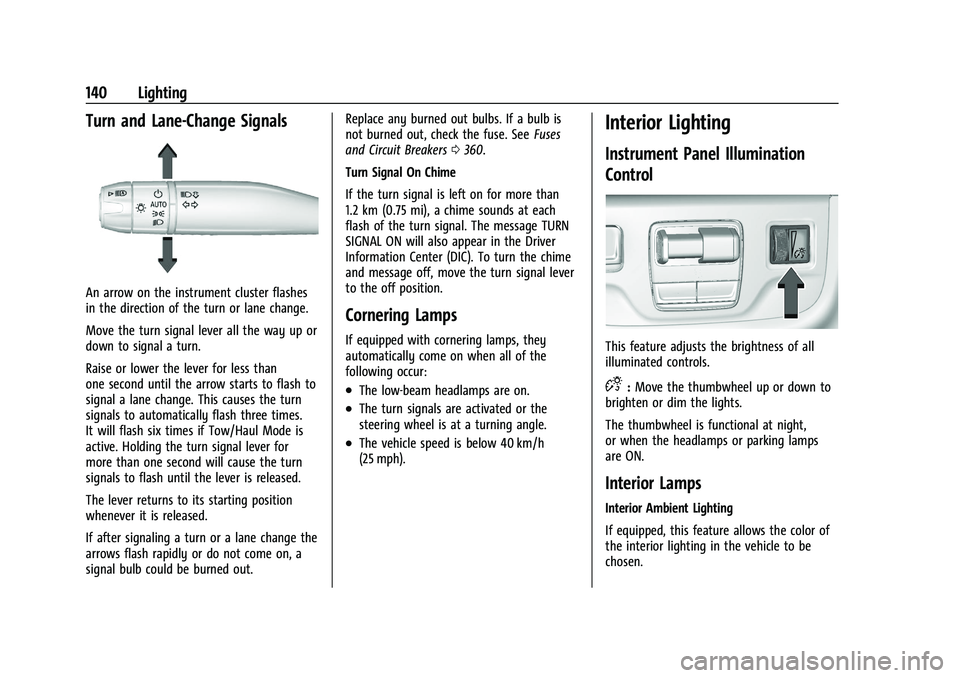
An arrow on the instrument cluster flashes
in the direction of the turn or lane change.
Move the turn signal lever all the way up or
down to signal a turn.
Raise or lower the lever for less than
one second until the arrow starts to flash to
signal a lane change. This causes the turn
signals to automatically flash three times.
It will flash six times if Tow/Haul Mode is
active. Holding the turn signal lever for
more than one second will cause the turn
signals to flash until the lever is released.
The lever returns to its starting position
whenever it is released.
If after signaling a turn or a lane change the
arrows flash rapidly or do not come on, a
signal bulb could be burned out.Replace any burned out bulbs. If a bulb is
not burned out, check the fuse. See
Fuses
and Circuit Breakers 0360.
Turn Signal On Chime
If the turn signal is left on for more than
1.2 km (0.75 mi), a chime sounds at each
flash of the turn signal. The message TURN
SIGNAL ON will also appear in the Driver
Information Center (DIC). To turn the chime
and message off, move the turn signal lever
to the off position.
Cornering Lamps
If equipped with cornering lamps, they
automatically come on when all of the
following occur:
.The low-beam headlamps are on.
.The turn signals are activated or the
steering wheel is at a turning angle.
.The vehicle speed is below 40 km/h
(25 mph).
Interior Lighting
Instrument Panel Illumination
Control
This feature adjusts the brightness of all
illuminated controls.
D: Move the thumbwheel up or down to
brighten or dim the lights.
The thumbwheel is functional at night,
or when the headlamps or parking lamps
are ON.
Interior Lamps
Interior Ambient Lighting
If equipped, this feature allows the color of
the interior lighting in the vehicle to be
chosen.