lock CADILLAC ESCALADE EXT 2007 3.G Manual PDF
[x] Cancel search | Manufacturer: CADILLAC, Model Year: 2007, Model line: ESCALADE EXT, Model: CADILLAC ESCALADE EXT 2007 3.GPages: 580, PDF Size: 3.01 MB
Page 209 of 580
Headlamps on Reminder
If a door is open, a reminder chime will sound
when your headlamps or parking lamps are
manually turned on and your key is out of the
ignition. To turn off the chime, turn the headlamp
switch to off or AUTO and then back on, or
close and re-open the door. In the AUTO mode,
the headlamps turn off once the ignition is in
LOCK or may remain on until the headlamp delay
ends (if enabled in the DIC). See “Exit Lighting”
underDIC Vehicle Customization on page 257.
Daytime Running Lamps (DRL)
Daytime Running Lamps (DRL) can make it easier
for others to see the front of your vehicle during
the day. DRL can be helpful in many different
driving conditions, but they can be especially
helpful in the short periods after dawn and before
sunset. Fully functional daytime running lamps
are required on all vehicles rst sold in Canada.The DRL system will come on when the following
conditions are met:
The ignition is on.
The exterior lamps control is in AUTO.
The transmission is not in PARK (P).
The light sensor determines it is daytime.
When the DRL are on, only your DRL lamps will
be on. The taillamps, sidemarker, and other lamps
will not be on. The instrument panel will not be
lit up either.
When it begins to get dark, the automatic
headlamp system will switch from DRL to the
headlamps.
To turn off the DRL lamps, turn the exterior lamps
control to the OFF position and then release.
For vehicles rst sold in Canada, the transaxle
must be in the Park (P) position, before the DRL
lamps can be turned off.
As with any vehicle, you should turn on the
regular headlamp system when you need it.
209
Page 211 of 580

Fog Lamps
If your vehicle has fog lamps you can use them
for better vision in foggy or misty conditions. Your
parking lamps and/or low-beam headlamps
must be on for your fog lamps to work.
The fog lamp button is located on the left side of
your instrument panel.
-(Fog Lamps):Press the button to turn the fog
lamps on. An indicator light will come on in the
instrument panel cluster to let you know that
the fog lamps are on. Press the button again to
turn them off.
Remember, fog lamps alone will not give off as
much light as your headlamps. Never use your fog
lamps in the dark without turning on the headlamps.
The fog lamps will go off whenever your
high-beam headlamps come on. When the high
beams go off, the fog lamps will come on again.
The fog lamps will be cancelled after the ignition is
turned off. If you still want to use the fog lamps
after you restart the vehicle, you will need to press
the fog lamp button again.Some localities have laws that require the
headlamps to be on along with the fog lamps.
Exterior Cargo Lamps
You can use the cargo lamp if you need more
light in the cargo area of your vehicle or in
the top-box storage units. Some vehicles will only
have a cargo lamp in the driver side top box.
The cargo lamps come on by turning on the
interior dome lamps.
Instrument Panel Brightness
The knob for this feature is located next to the
exterior lamps control.
D(Instrument Panel Lights):Turn the knob
clockwise or counterclockwise to brighten or dim
the instrument panel lights and the radio
display. This will only work if the headlamps or
parking lamps are on.
To turn on the dome lamps, with the vehicle doors
closed, turn the knob all the way to the right.
211
Page 212 of 580
Dome Lamps
The dome lamps will come on when you open a
door. They will turn off when all doors are closed.
You can also turn the dome lamps on by turning
the knob, located next to the exterior lamp control,
all the way up. In this position, the dome lamps
will remain on whether a door is opened or closed.
Dome Lamp Override
E(Dome Lamp Override):You can use the
dome override button, located next to the exterior
lamps control, to set the dome lamps to come
on automatically when a door is opened, or
to remain off. To turn the lamps off, press the
button. With the button in this position, the dome
lamps will remain off when the doors are open.
To return the lamps to automatic operation, press
the button again so it is extended. With the
button in this position, the dome lamps will come
on when you open a door.
Entry/Exit Lighting
Your vehicle has an illuminated entry/exit feature.
When a door is opened or the key is removed
from the ignition, the dome lamps will come on if
the dome override button is in the out position.
Reading Lamps
If your vehicle has reading lamps, press the button
located next to the lamp to turn it on or off.
Your vehicle may also have reading lamps in other
locations. To turn each one on or off, press the
button located next to the lamp. The lamps cannot
be adjusted.
Battery Run-Down Protection
This feature shuts off the dome lamps if they
are left on for more than 10 minutes when
the ignition is in LOCK. This will help prevent the
battery from running down.
212
Page 218 of 580
Ashtray(s) and Cigarette Lighter
The front ashtray and cigarette lighter are located in
the center console near the cupholders, if the
vehicle has them. Press on the access door to open
it and use the ashtray and lighter.
Notice:If you put papers, pins, or other
ammable items in the ashtray, hot cigarettes
or other smoking materials could ignite
them and possibly damage your vehicle.
Never put ammable items in the ashtray.
To remove the ashtray, pull it from the center
console. Slide it back in and push down to be sure
it is secure.
To use the cigarette lighter, push it in all the way,
and let go. When it is ready, it will pop back
out by itself.
Notice:Holding a cigarette lighter in while it
is heating will not allow the lighter to back
away from the heating element when it is hot.
Damage from overheating may occur to the
lighter or heating element, or a fuse could be
blown. Do not hold a cigarette lighter in
while it is heating.
Analog Clock
To adjust the clock, do the following:
1. Locate the adjustment button, near the lower
left corner of the clock.
2. Push and hold the adjustment button to
advance the clock hands. Release the
button before you get to the desired time.
3. Push and release the button to increase the
time by one minute increments until the
desired time is reached.
218
Page 219 of 580

Climate Controls
Dual Automatic Climate Control
System
With this system, you can control the heating,
cooling, and ventilation in your vehicle. Your
vehicle also has a ow-through ventilation system
described later in this section.
You can select different climate control settings for
the driver and passengers.
Driver’s Side Temperature Knob
The driver’s side knob is used to adjust the
temperature of the air coming through the system
on the driver’s side. The temperature can be
adjusted even if the system is turned off. This is
possible since outside air will always ow through
the system as the vehicle is moving forward
unless it is set to recirculation mode. See
“Recirculation” later in this section.
Turn the knob counterclockwise or clockwise to
lower or increase the temperature inside the
vehicle. The display will show the temperature
setting decreasing or increasing.
Passenger’s Side Temperature Knob
The passenger’s side knob can be used to change
the temperature of the air coming through the
system on the passenger’s side of the vehicle. The
temperature can be adjusted even if the system
is turned off. This is possible since outside air will
always ow through the system as the vehicle
is moving forward unless it is set to recirculation
mode. See “Recirculation” later in this section.
Climate Control with Cooled and Heated Seats
shown
219
Page 220 of 580

Turn the knob counterclockwise or clockwise to
lower or increase the temperature inside the
vehicle. The display will show the temperature
setting decreasing or increasing.
Set the passenger’s temperature setting to match
the driver’s temperature setting by pressing the
passenger power knob.
Automatic Operation
AUTO (Automatic):When automatic operation
is active the system will control the inside
temperature, the air delivery, and the fan speed.
Use the steps below to place the entire system
in automatic mode:
1. Press the AUTO button.
When AUTO is selected, the display will
change to show the current temperature(s)
and AUTO will appear. The current delivery
mode and fan speed will also be displayed for
approximately ve seconds.When AUTO is selected, the air conditioning
operation and air inlet will be automatically
controlled. The air conditioning compressor will
run when the outside temperature is over
about 40°F (4°C). The air inlet will normally be
set to outside air. If it is hot outside, the air
inlet may automatically switch to recirculate
inside air to help quickly cool down your
vehicle. The light on the button will come on
in recirculation.
2. Set the driver’s and passenger’s temperature.
To nd your comfort setting, start with a
74°F (23°C) temperature setting and allow
about 20 minutes for the system to regulate.
Use the driver’s or passenger’s temperature
buttons to adjust the temperature setting
as necessary. If you choose the temperature
setting of 60°F (15°C), the system will
remain at the maximum cooling setting.
If you choose the temperature setting of
90°F (32°C), the system will remain at the
maximum heat setting. Choosing either
maximum setting will not cause the vehicle
to heat or cool any faster.
220
Page 234 of 580
Anti-Lock Brake System
Warning Light
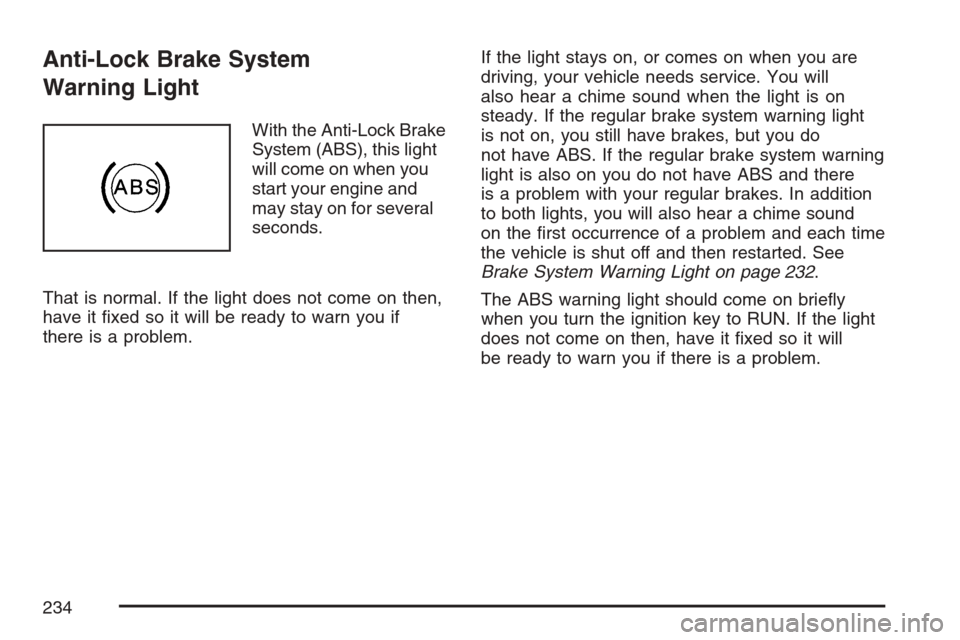
With the Anti-Lock Brake
System (ABS), this light
will come on when you
start your engine and
may stay on for several
seconds.
That is normal. If the light does not come on then,
have it xed so it will be ready to warn you if
there is a problem.If the light stays on, or comes on when you are
driving, your vehicle needs service. You will
also hear a chime sound when the light is on
steady. If the regular brake system warning light
is not on, you still have brakes, but you do
not have ABS. If the regular brake system warning
light is also on you do not have ABS and there
is a problem with your regular brakes. In addition
to both lights, you will also hear a chime sound
on the rst occurrence of a problem and each time
the vehicle is shut off and then restarted. See
Brake System Warning Light on page 232.
The ABS warning light should come on briey
when you turn the ignition key to RUN. If the light
does not come on then, have it xed so it will
be ready to warn you if there is a problem.
234
Page 248 of 580
Relearn Remote Key
This display allows you to match remote keyless
entry transmitters to your vehicle. To match a
remote keyless entry transmitter to your vehicle,
do the following:
1. Press the vehicle information button until
PRESS
VTO RELEARN REMOTE KEY
displays.
2. Press the set/reset button until REMOTE KEY
LEARNING ACTIVE is displayed.
3. Press and hold the lock and unlock buttons
on the rst transmitter at the same time for
approximately 15 seconds.
A chime will sound indicating that the
transmitter is matched.
4. To match additional transmitters at this
time, repeat Step 3.
Each vehicle can have a maximum of
eight transmitters matched to it.
5. To exit the programming mode, you must
cycle the key to LOCK.
Blank Display
This display shows no information.
DIC Warnings and Messages
Messages are displayed on the DIC to notify the
driver that the status of the vehicle has changed
and that some action may be needed by the driver
to correct the condition. Multiple messages may
appear one after another.
Some messages may not require immediate
action, but you can press any of the DIC buttons
on the instrument panel to acknowledge that
you received the messages and to clear them
from the display.
Some messages cannot be cleared from the
DIC display because they are more urgent.
These messages require action before they
can be cleared. You should take any messages
that appear on the display seriously and remember
that clearing the messages will only make the
messages disappear, not correct the problem.
The following are the possible messages that can
be displayed and some information about them.
248
Page 259 of 580

AUTO DOOR LOCK
This feature allows you to select when the vehicle’s
doors will automatically lock. SeeProgrammable
Automatic Door Locks on page 102for more
information.
Press the customization button until AUTO DOOR
LOCK appears on the DIC display. Press the
set/reset button once to access the settings for this
feature. Then press the customization button to
scroll through the following settings:
SHIFT OUT OF PARK (default):The doors,
including the tailgate, will automatically lock when
the vehicle is shifted out of PARK (P).
AT VEHICLE SPEED:The doors, including
the tailgate, will automatically lock when the
vehicle speed is above 8 mph (13 km/h) for
three seconds.
NO CHANGE:No change will be made to this
feature. The current setting will remain.
Choose one of the available settings and press
the set/reset button while it is displayed on the
DIC to select it.
AUTO DOOR UNLOCK
This feature allows you to select whether or not
to turn off the automatic door unlocking feature.
It also allows you to select which doors and when
the doors will automatically unlock. See
Programmable Automatic Door Locks on page 102
for more information.
Press the customization button until AUTO DOOR
UNLOCK appears on the DIC display. Press
the set/reset button once to access the settings
for this feature. Then press the customization
button to scroll through the following settings:
OFF:None of the doors will automatically unlock.
DRIVER AT KEY OUT:Only the driver’s door
will unlock when the key is taken out of the
ignition.
DRIVER IN PARK:Only the driver’s door will
unlock when the vehicle is shifted into PARK (P).
ALL AT KEY OUT:All of the doors, including the
tailgate, will unlock when the key is taken out of the
ignition.
259
Page 260 of 580
ALL IN PARK (default):All of the doors, including
the tailgate, will unlock when the vehicle is
shifted into PARK (P).
NO CHANGE:No change will be made to this
feature. The current setting will remain.
Choose one of the available settings and press
the set/reset button while it is displayed on the
DIC to select it.
REMOTE DOOR LOCK
This feature allows you to select the type of
feedback you will receive when locking the vehicle
with the Remote Keyless Entry (RKE) transmitter.
You will not receive feedback when locking
the vehicle with the RKE transmitter if the doors
are open. SeeRemote Keyless Entry System
Operation on page 93for more information.
Press the customization button until REMOTE
DOOR LOCK appears on the DIC display. Press
the set/reset button once to access the settings
for this feature. Then press the customization
button to scroll through the following settings:
OFF:There will be no feedback when you press
the lock button on the RKE transmitter.LIGHTS ONLY:The exterior lamps will ash
when you press the lock button on the RKE
transmitter.
HORN ONLY:The horn will sound on the
second press of the lock button on the RKE
transmitter.
HORN & LIGHTS (default):The exterior lamps will
ash when you press the lock button on the RKE
transmitter, and the horn will sound when the lock
button is pressed again within ve seconds of the
previous command.
NO CHANGE:No change will be made to this
feature. The current setting will remain.
Choose one of the available settings and press
the set/reset button while it is displayed on the
DIC to select it.
260