warning light CADILLAC ESCALADE HYBRID 2011 Owners Manual
[x] Cancel search | Manufacturer: CADILLAC, Model Year: 2011, Model line: ESCALADE HYBRID, Model: CADILLAC ESCALADE HYBRID 2011Pages: 94, PDF Size: 1.83 MB
Page 1 of 94
Black plate (1,1)Cadillac Escalade Hybrid - 2011
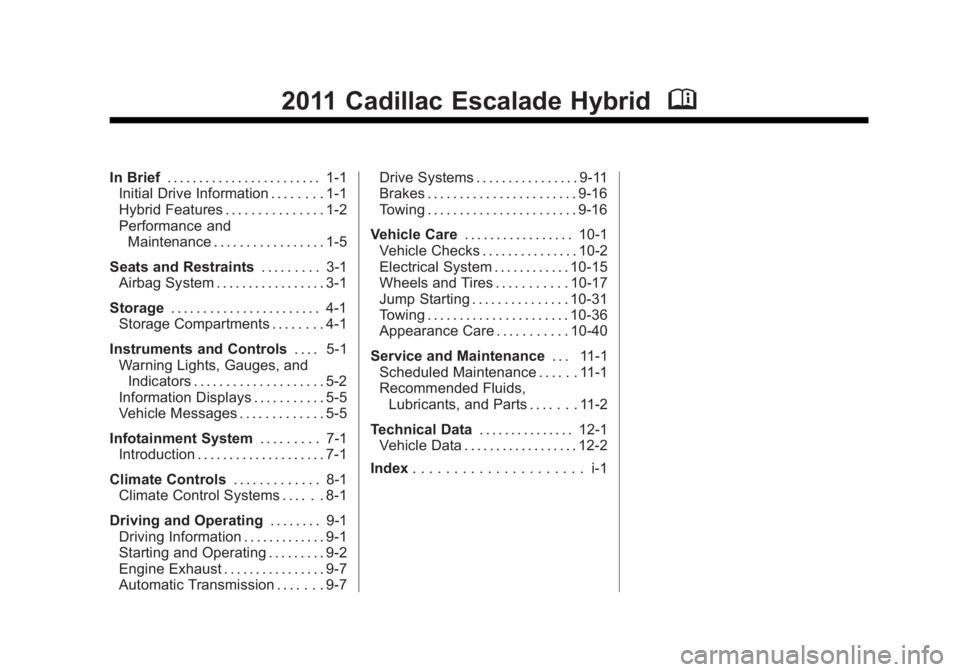
2011 Cadillac Escalade Hybrid MIn Brief . . . . . . . . . . . . . . . . . . . . . . . . 1-1
Initial Drive Information . . . . . . . . 1-1
Hybrid Features . . . . . . . . . . . . . . . 1-2
Performance and
Maintenance . . . . . . . . . . . . . . . . . 1-5
Seats and Restraints . . . . . . . . . 3-1
Airbag System . . . . . . . . . . . . . . . . . 3-1
Storage . . . . . . . . . . . . . . . . . . . . . . . 4-1
Storage Compartments . . . . . . . . 4-1
Instruments and Controls . . . . 5-1
Warning Lights, Gauges, and
Indicators . . . . . . . . . . . . . . . . . . . . 5-2
Information Displays . . . . . . . . . . . 5-5
Vehicle Messages . . . . . . . . . . . . . 5-5
Infotainment System . . . . . . . . . 7-1
Introduction . . . . . . . . . . . . . . . . . . . . 7-1
Climate Controls . . . . . . . . . . . . . 8-1
Climate Control Systems . . . . . . 8-1
Driving and Operating . . . . . . . . 9-1
Driving Information . . . . . . . . . . . . . 9-1
Starting and Operating . . . . . . . . . 9-2
Engine Exhaust . . . . . . . . . . . . . . . . 9-7
Automatic Transmission . . . . . . . 9-7 Drive Systems . . . . . . . . . . . . . . . . 9-11
Brakes . . . . . . . . . . . . . . . . . . . . . . . 9-16
Towing . . . . . . . . . . . . . . . . . . . . . . . 9-16
Vehicle Care . . . . . . . . . . . . . . . . . 10-1
Vehicle Checks . . . . . . . . . . . . . . . 10-2
Electrical System . . . . . . . . . . . . 10-15
Wheels and Tires . . . . . . . . . . . 10-17
Jump Starting . . . . . . . . . . . . . . . 10-31
Towing . . . . . . . . . . . . . . . . . . . . . . 10-36
Appearance Care . . . . . . . . . . . 10-40
Service and Maintenance . . . 11-1
Scheduled Maintenance . . . . . . 11-1
Recommended Fluids,
Lubricants, and Parts . . . . . . . 11-2
Technical Data . . . . . . . . . . . . . . . 12-1
Vehicle Data . . . . . . . . . . . . . . . . . . 12-2
Index . . . . . . . . . . . . . . . . . . . . . i-1
Page 11 of 94
Black plate (1,1)Cadillac Escalade Hybrid - 2011
Seats and Restraints 3-1
Seats and
Restraints Airbag System Replacing Airbag System Parts
After a Crash . . . . . . . . . . . . . . . . 3-1
Airbag System Replacing Airbag System
Parts After a Crash If an airbag inflates or the vehicle
has been in a crash, the vehicle's
sensing system may command the
automatic hybrid battery disconnect
to open. When the battery
disconnect is open, the hybrid
battery will be off and the vehicle
will not start. The airbag readiness
light and/or SERVICE HYBRID
SYSTEM warning message may
come on in the Driver Information
Center (DIC). See “ Airbag
Readiness Light ” in the owner
manual and Driver Information
Center (DIC) on page 5 ‑ 5 for more
information. To operate the vehicle, the
automatic hybrid battery disconnect
must be reconnected by a qualified
service technician and sensing
system parts will need to be
replaced. Have the vehicle serviced
right away.
Page 15 of 94
Black plate (1,1)Cadillac Escalade Hybrid - 2011
Instruments and Controls 5-1
Instruments and
Controls Warning Lights, Gauges, and
Indicators Instrument Cluster . . . . . . . . . . . . 5-2
Tachometer . . . . . . . . . . . . . . . . . . . 5-3
Fuel Economy Gauge . . . . . . . . . 5-3
Charging System Light . . . . . . . . 5-4
Engine Oil Pressure Light . . . . . 5-4
Information Displays Driver Information
Center (DIC) . . . . . . . . . . . . . . . . . 5-5 Vehicle Messages Vehicle Messages . . . . . . . . . . . . . 5-5
Battery Voltage and Charging
Messages . . . . . . . . . . . . . . . . . . . 5-6
Brake System Messages . . . . . . 5-6
Door Ajar Messages . . . . . . . . . . 5-6
Engine Oil Messages . . . . . . . . . 5-7
Service Vehicle Messages . . . . 5-7
Transmission Messages . . . . . . 5-7
Page 16 of 94

Black plate (2,1)Cadillac Escalade Hybrid - 2011
5-2 Instruments and Controls
Warning Lights, Gauges, and Indicators Instrument Cluster
English version shown, Metric similar
Page 18 of 94
Black plate (4,1)Cadillac Escalade Hybrid - 2011
5-4 Instruments and Controls White Zones: Decreased fuel
efficiency driving behavior makes
the indicator display in the two white
zones. The indicator in the white
zone on the left side of the gauge
indicates decreased fuel efficiency
with a large amount of
decelerations. The indicator in the
white zone on the right side of the
gauge indicates decreased fuel
efficiency with a large amount of
accelerations.
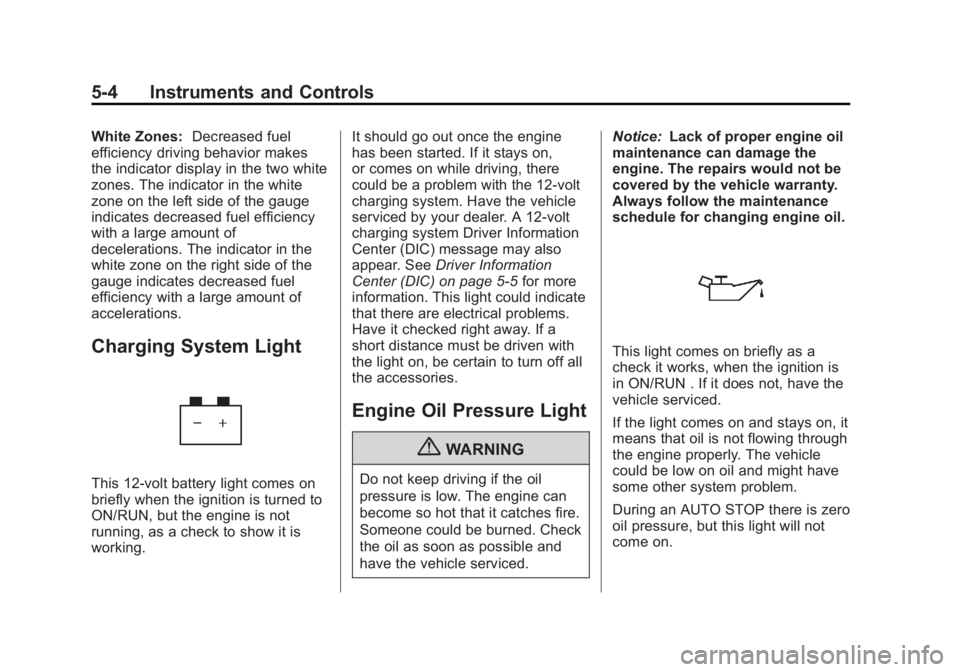
Charging System Light
This 12 ‐ volt battery light comes on
briefly when the ignition is turned to
ON/RUN, but the engine is not
running, as a check to show it is
working. It should go out once the engine
has been started. If it stays on,
or comes on while driving, there
could be a problem with the 12 ‐ volt
charging system. Have the vehicle
serviced by your dealer. A 12 ‐ volt
charging system Driver Information
Center (DIC) message may also
appear. See Driver Information
Center (DIC) on page 5 ‑ 5 for more
information. This light could indicate
that there are electrical problems.
Have it checked right away. If a
short distance must be driven with
the light on, be certain to turn off all
the accessories.
Engine Oil Pressure Light
{ WARNING
Do not keep driving if the oil
pressure is low. The engine can
become so hot that it catches fire.
Someone could be burned. Check
the oil as soon as possible and
have the vehicle serviced. Notice: Lack of proper engine oil
maintenance can damage the
engine. The repairs would not be
covered by the vehicle warranty.
Always follow the maintenance
schedule for changing engine oil.
This light comes on briefly as a
check it works, when the ignition is
in ON/RUN . If it does not, have the
vehicle serviced.
If the light comes on and stays on, it
means that oil is not flowing through
the engine properly. The vehicle
could be low on oil and might have
some other system problem.
During an AUTO STOP there is zero
oil pressure, but this light will not
come on.
Page 20 of 94

Black plate (6,1)Cadillac Escalade Hybrid - 2011
5-6 Instruments and Controls
Battery Voltage and
Charging Messages SERVICE BATTERY
CHARGING SYSTEM If the 12V battery system faults or
fails this message will appear on the
DIC. The battery/charging system
light will appear in the instrument
panel cluster. See “ Battery Warning
Light ” in the owner manual. Driving
with this message on could drain
the battery. Have the electrical
system checked as soon as
possible. Brake System Messages SERVICE BRAKE SYSTEM This message may be displayed if
there is a problem with the brake
system. You will still be able to
brake, but it will be noticeably more
difficult. Pull off the road to a safe
location and have your vehicle
towed to the nearest dealer for
service. See “ Brakes, ” “ Brake
System Warning Light, ” and “ ABS
Brake System Warning Light ” in the
owner manual.
This message may also come on
when you are towing a trailer. See
“ Trailer Brakes ” under Trailer Towing
on page 9 ‑ 16 for more information. Door Ajar Messages HOOD OPEN If the hood is not fully closed or
there is a problem with the hood
switch, this message will be
displayed. Close the hood to clear
the message. If the HOOD OPEN
message continues to be displayed
after verifying the hood is closed,
you should have the hood switch
serviced. Failure to service the hood
switch properly can result in an Auto
Start condition.
Auto Stops will be disabled when
this message is displayed. If the
vehicle is in auto stop mode when
this message appears, the engine
will instantly start.
Page 38 of 94
Black plate (12,1)Cadillac Escalade Hybrid - 2011
9-12 Driving and Operating You can choose among five driving
settings:
Indicator lights in the switches show
you which setting you are in. The
indicator lights will come on briefly
when you turn on the ignition and
the last chosen setting will stay on.
If the lights do not come on, you
should take the vehicle to your
dealer for service. An indicator light
will flash while shifting. It will stay on
when the shift is completed. If for
some reason the transfer case
cannot make a requested shift, it will
return to the last chosen setting.
2
m (Two-Wheel Drive High): This
setting is used for driving in most
street and highway situations. The
front axle is not engaged in
two-wheel drive. This setting also
provides the best fuel economy.
AUTO (Automatic Four-Wheel
Drive): This setting is ideal for use
when road surface traction
conditions are variable. When
driving your vehicle in AUTO, the
front axle is engaged, but the vehicle's power is primarily sent to
the rear wheels. When the vehicle's
software determines a need for
more traction, the system will
transfer more power to the front
wheels. Driving in this mode results
in slightly lower fuel economy than
Two-Wheel Drive High.
4
m (Four-Wheel Drive High): Use
the four-wheel high position when
you need extra traction, such as on
snowy or icy roads or in most
off-road situations. This setting also
engages the front axle to help drive
the vehicle. This is the best setting
to use when plowing snow.
4
n (Four-Wheel Drive Low) : This
setting also engages the front axle
and delivers extra torque. You may
never need this setting. It sends
maximum power to all four wheels.
You might choose Four-Wheel Drive
Low if you are driving off-road in
deep sand, deep mud, deep snow,
and while climbing or descending
steep hills. The vehicle has StabiliTrak. Shifting
into Four-Wheel-Drive Low will turn
Traction Control and StabiliTrak off.
See “ StabiliTrak System ” in the
owner manual.
{ WARNINGShifting the transfer case to
N (Neutral) can cause the vehicle
to roll even if the transmission is
in P (Park). You or someone else
could be seriously injured. Be
sure to set the parking brake
before placing the transfer case in
N (Neutral). See “ Parking Brake ”
in the owner manual for more
information.
N (Neutral): Shift the vehicle's
transfer case to N (Neutral) only
when towing the vehicle. See
“ Recreational Vehicle Towing ” or
“ Towing Your Vehicle ” in the owner
manual.
Page 59 of 94
Black plate (15,1)Cadillac Escalade Hybrid - 2011
Vehicle Care 10-15
Electrical System High Voltage Devices and
Wiring
{ WARNINGExposure to high voltage can
cause shock, burns, and even
death. The high voltage systems
in your vehicle can only be
serviced by technicians with
special training.
High voltage devices are
identified by labels. Do not
remove, open, take apart,
or modify these devices. High
voltage cable or wiring has
orange covering. Do not probe,
tamper with, cut, or modify high
voltage cable or wiring. Fuses and Circuit
Breakers The wiring circuits in the vehicle are
protected from short circuits by a
combination of fuses, circuit
breakers and fusible thermal links.
This greatly reduces the chance of
fires caused by electrical problems.
Be sure you replace a bad fuse with
a new one of the identical size and
rating.
If you ever have a problem on the
road and do not have a spare fuse,
you can borrow one that has the
same amperage. Just pick some
feature of the vehicle that you can
get along without, like the radio or
cigarette lighter, and use its fuse,
if it is the correct amperage.
Replace it as soon as you can.
The vehicle also has a special fuse
in the battery box for the 300-volt
batteries. If this fuse has failed and
needs to be replaced, the vehicle
will be disabled and you will need to have the vehicle repaired by your
dealer. Do not attempt to
self-service this fuse.
Engine Compartment
Fuse Block Hybrid Auxiliary Engine
Compartment Fuse Block The hybrid auxiliary engine
compartment fuse block is located
in the engine compartment near the
front of the vehicle. Lift the cover for
access to the fuse/relay block. See
Engine Compartment Overview on
page 10 ‑ 4 for more information on
its location. For more information on
the main underhood fuse block, see
“ Engine Compartment Fuse Block ”
in the owner manual.
Page 63 of 94
Black plate (19,1)Cadillac Escalade Hybrid - 2011
Vehicle Care 10-19
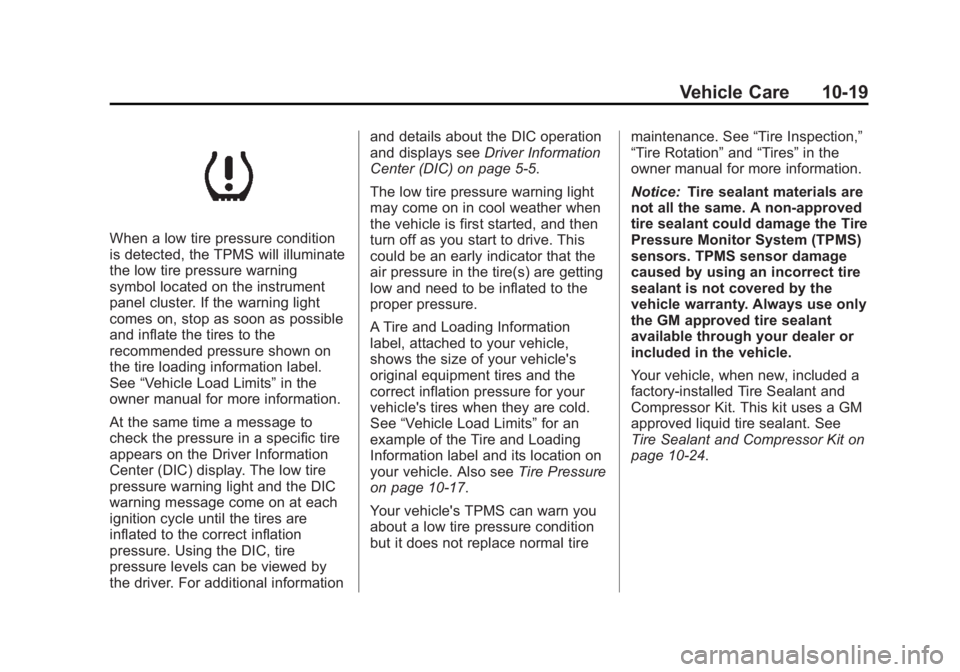
When a low tire pressure condition
is detected, the TPMS will illuminate
the low tire pressure warning
symbol located on the instrument
panel cluster. If the warning light
comes on, stop as soon as possible
and inflate the tires to the
recommended pressure shown on
the tire loading information label.
See “ Vehicle Load Limits ” in the
owner manual for more information.
At the same time a message to
check the pressure in a specific tire
appears on the Driver Information
Center (DIC) display. The low tire
pressure warning light and the DIC
warning message come on at each
ignition cycle until the tires are
inflated to the correct inflation
pressure. Using the DIC, tire
pressure levels can be viewed by
the driver. For additional information and details about the DIC operation
and displays see Driver Information
Center (DIC) on page 5 ‑ 5 .
The low tire pressure warning light
may come on in cool weather when
the vehicle is first started, and then
turn off as you start to drive. This
could be an early indicator that the
air pressure in the tire(s) are getting
low and need to be inflated to the
proper pressure.
A Tire and Loading Information
label, attached to your vehicle,
shows the size of your vehicle's
original equipment tires and the
correct inflation pressure for your
vehicle's tires when they are cold.
See “ Vehicle Load Limits ” for an
example of the Tire and Loading
Information label and its location on
your vehicle. Also see Tire Pressure
on page 10 ‑ 17 .
Your vehicle's TPMS can warn you
about a low tire pressure condition
but it does not replace normal tire maintenance. See “ Tire Inspection, ”
“ Tire Rotation ” and “ Tires ” in the
owner manual for more information.
Notice: Tire sealant materials are
not all the same. A non-approved
tire sealant could damage the Tire
Pressure Monitor System (TPMS)
sensors. TPMS sensor damage
caused by using an incorrect tire
sealant is not covered by the
vehicle warranty. Always use only
the GM approved tire sealant
available through your dealer or
included in the vehicle.
Your vehicle, when new, included a
factory ‐ installed Tire Sealant and
Compressor Kit. This kit uses a GM
approved liquid tire sealant. See
Tire Sealant and Compressor Kit on
page 10 ‑ 24 .
Page 64 of 94
Black plate (20,1)Cadillac Escalade Hybrid - 2011
10-20 Vehicle Care TPMS Malfunction Light and
Message The TPMS will not function properly
if one or more of the TPMS sensors
are missing or inoperable. When the
system detects a malfunction, the
low tire warning light flashes for
about one minute and then stays on
for the remainder of the ignition
cycle. A DIC warning message is
also displayed. The low tire warning
light and DIC warning message
come on at each ignition cycle until
the problem is corrected. Some of
the conditions that can cause the
malfunction light and DIC message
to come on are: .
The TPMS sensor matching
process was started but not
completed or not completed
successfully after rotating the
vehicle's tires. The DIC message
and TPMS malfunction light
should go off once the TPMS
sensor matching process is
performed successfully. See
“ TPMS Sensor Matching
Process ” later in this section. .
One or more TPMS sensors are
missing or damaged. The DIC
message and the TPMS
malfunction light should go off
when the TPMS sensors are
installed and the sensor
matching process is performed
successfully. See your dealer for
service. .
Replacement tires or wheels do
not match your vehicle's original
equipment tires or wheels. Tires
and wheels other than those
recommended for your vehicle
could prevent the TPMS from
functioning properly. See
“ Buying New Tires ” in the owner
manual. .
Operating electronic devices or
being near facilities using radio
wave frequencies similar to the
TPMS could cause the TPMS
sensors to malfunction. If the TPMS is not functioning it
cannot detect or signal a low tire
condition. See your dealer for
service if the TPMS malfunction
light and DIC message comes on
and stays on.
TPMS Sensor Matching
Process Each TPMS sensor has a unique
identification code. Any time you
rotate your vehicle's tires or replace
one or more of the TPMS sensors,
the identification codes will need to
be matched to the new tire/wheel
position. The sensors are matched
to the tire/wheel positions in the
following order: driver side front tire,
passenger side front tire, passenger
side rear tire, and driver side rear
tire using a TPMS diagnostic tool.
See your dealer for service.