stop start CADILLAC FLEETWOOD 1994 User Guide
[x] Cancel search | Manufacturer: CADILLAC, Model Year: 1994, Model line: FLEETWOOD, Model: CADILLAC FLEETWOOD 1994Pages: 398, PDF Size: 19.19 MB
Page 172 of 398
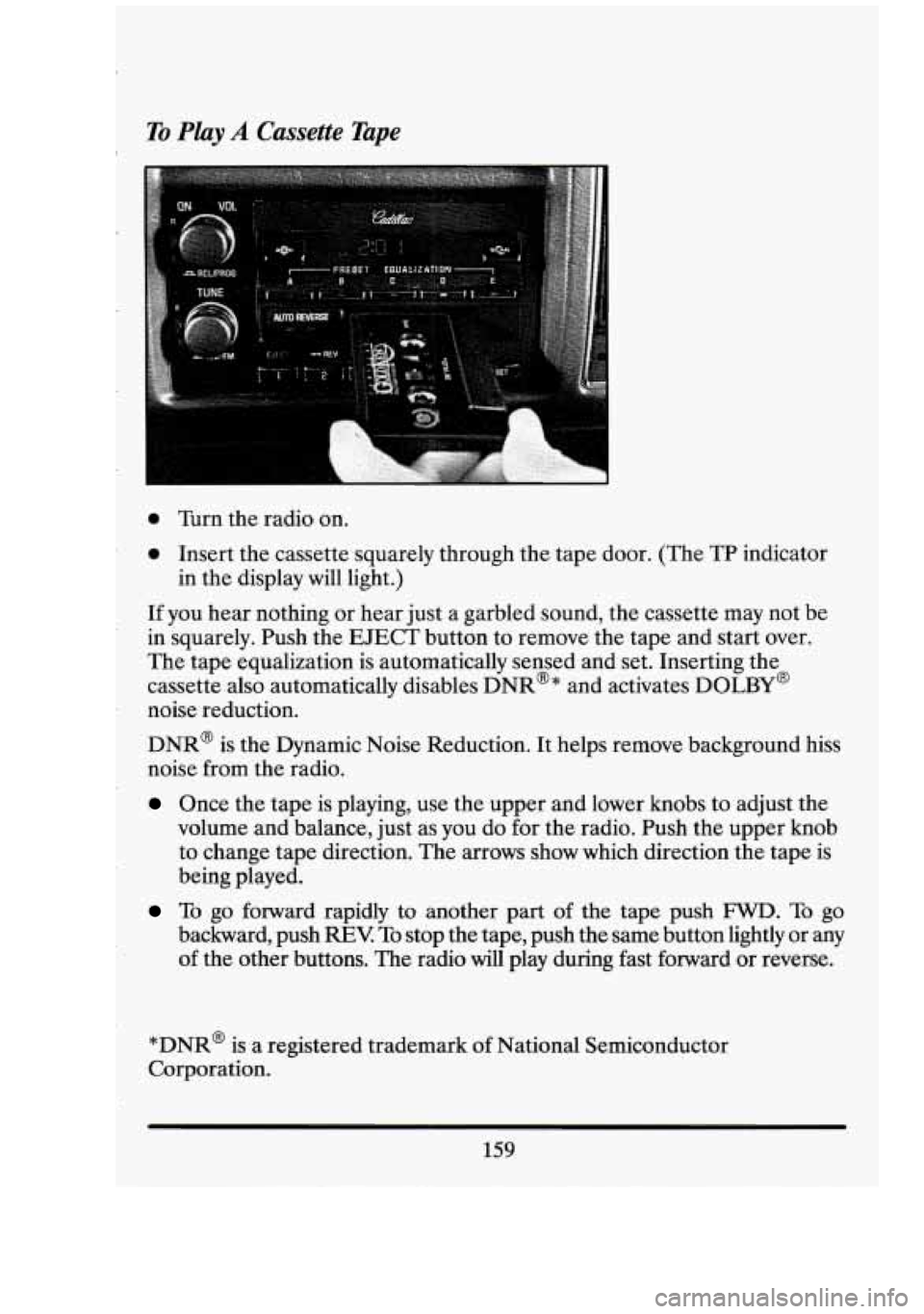
To Play A Cassette Tape I.
0 Turn the radio on.
0 Insert the cassette squarely through the tape door. (The TP indicator
If you hear nothing or hear just a garbled sound, the cassette may not be
in squarely. Push the EJECT button to remove the tape and start over.
The tape equalization is automatically sensed and set. Inserting the
cassette also automatically disables DNR@* and activates DOLBY@
noise reduction.
DNR@ is the Dynamic Noise Reduction. It helps remove background hiss
noise from the radio.
Once the tape is playing, use the upper and lower knobs to adjust the
volume and balance, just
as you do for the radio. Push the upper knob
to change tape direction. The arrows show which direction the tape is
being played.
in
the display will light.)
To go forward rapidly to another part of the tape push FWD. To go
backward, push
REV To stop the tape, push the same button lightly or any
of the other buttons. The radio will play during fast forward or reverse.
*DNR@ is a registered trademark
of National Semiconductor
Corporation.
159
Page 175 of 398
5. Press the RCLPROG knob a second time to begin playing the first
To cancel the programming mode press RCWPROG and press
SET If
‘‘ALI? is showing on the display, allow 10 seconds to pass. You can also
cancel the programming mode by ejecting the disc.
programmed
track.
SEEK
Push this switch up or down to go to the beginning of the next or previous
track. At least
8 seconds must have played for the SEEK function to find
the start of the current track.
SCAN
Push this switch up or down to sample about 15 seconds of the beginning
of each track. Press it again or the upper knob to stop the SCAN
function.
Note:
If you are in the Program mode, it is possible to modify the
playback order
by using the TUNE knob. If you need to review the
playback order use either the
SEEK or SCAN switch. This review can be
stopped by pushing
the SCAN switch.
REV (Reverse)
Push and hold REV to return rapidly to a favorite passage. Release it to
play the passage.
The elapsed time will be displayed to show the reverse
progress of the CD.
FWD (Fast Forward)
Press and hold FWD to advance quickly within a track. Release it to
resume playing. Elapsed time
will be displayed to show the forward
progress of the CD.
ST-EJECT (Stop-Eject)
Press ST-EJECT. The disc or tape will stop without ejecting it and the
radio will start to play. Press it again and the disc or tape
will eject.
162
I
Page 176 of 398
PLAY
Press PLAY to restart the disc or tape. It will begin playing at the point
where it had stopped.
If the CD and cassette tape are inserted at the
same time, pressing the play button will switch between
CD and the Tape.
COMP (Compression)
Pressing COMP makes soft and loud passages more nearly equal in
volume. For example, playing classical or jazz music with very quiet and
very loud passages in the same tune. The COMP display will light as long
as COMP is on.
Setting The Clock
Turn the ignition and radio on. Then:
To Set the Hour:
Press SET, and within 5 seconds,
0 Press and hold SEEK up or down. When the clock gets to the correct
hour, let go.
To Set the Minutes:
Press SET, and within 5 seconds,
Press and hold SCAN up or down. When the clock gets to the correct
minute,
let go.
Your clock is set.
Care of Your Cassette Tape Player
A tape player that is not cleaned regularly can cause reduced sound
quality, ruined cassettes, or
a damaged mechanism. Cassette tapes should
be stored in their cases away from contaminants, direct sunlight, and
extreme heat.
If they aren’t, they may not operate properly or cause
failure
of the tape player.
Your tape player should be cleaned regularly each month or after
every
15 hours of use. If you notice a reduction in sound quality, try a known
163
Page 190 of 398
.
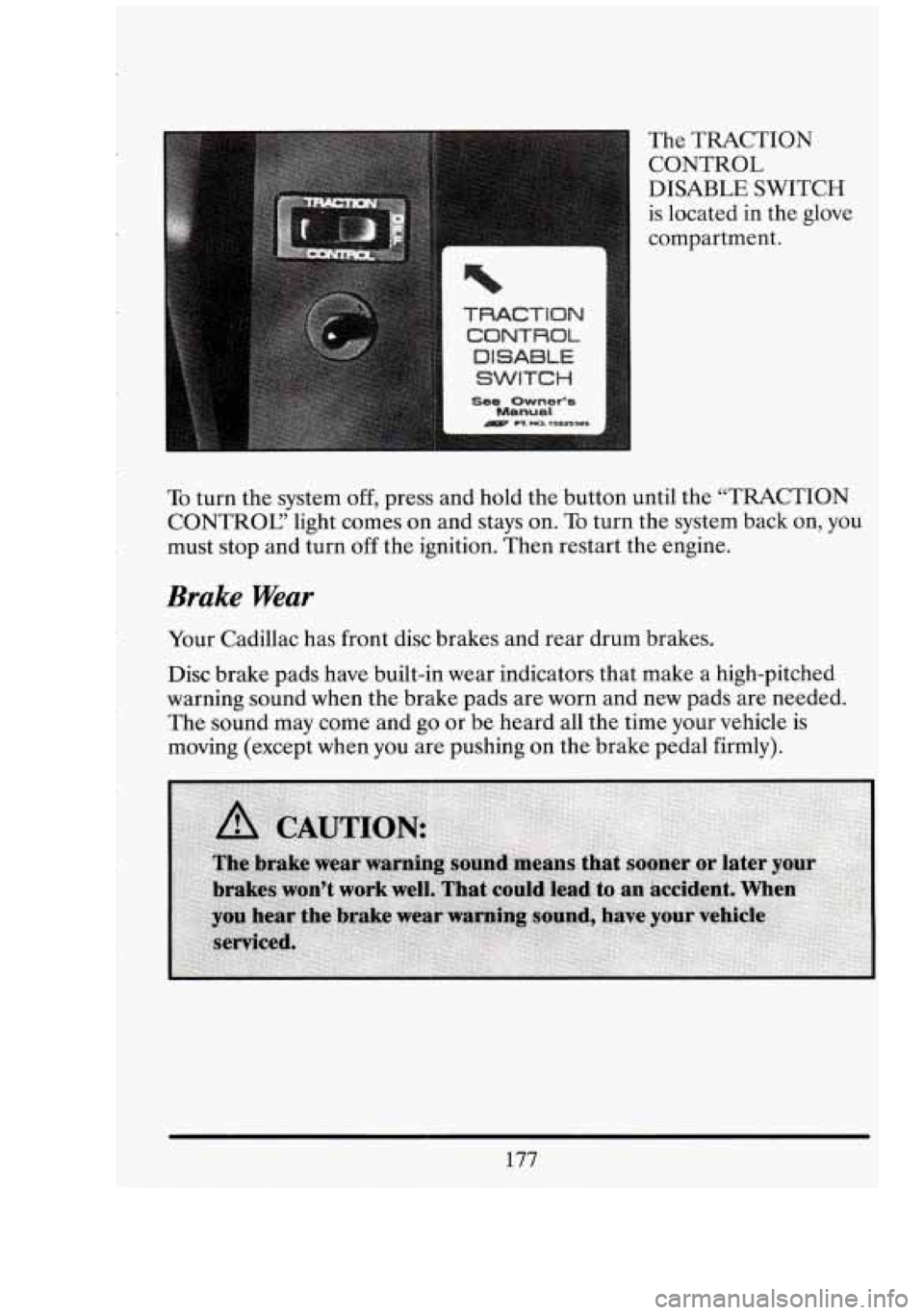
n The TRACTION CONTROL
DISABLE SWITCH
is located
in the glove
compartment.
I
To turn the system off, press and hold the button until the “TRACTION
CONTROC’ light comes
on and stays on. To turn the system back on, you
must stop and turn off the ignition. Then restart the engine.
Brake Wear
Your Cadillac has front disc brakes and rear drum brakes.
Disc brake pads have built-in wear indicators that make a high-pitched
warning sound when the brake pads are worn and new pads are needed.
The
sound may come and go or be heard all the time your vehicle is
moving (except when you are pushing on the brake pedal firmly).
177
Page 196 of 398
c-
Do not get too close to the vehicle you want to pass while you’re
awaiting an opportunity. For one thing, following too closely reduces
your area
of vision, especially if you’re following a larger vehicle. Also,
you won’t have adequate space if the vehicle ahead suddenly slows or
stops. Keep b.ack a reasonable distance.
When it looks like a chance to pass is coming up, start to accelerate
but stay in the right lane and don’t get too close. Time your move
so
you will be increasing speed as the time comes to move into the other
lane. If the- way is clear to pass, you will have a “running start” that
more than makes up for the distance you would lose by dropping back.
And if something happens to cause you to cancel your pass, you need
only slow down and drop back.again and wait for another opportunity.
take care thatsomeone isn’t trying
to pass you as you pull out to pass
the slow vehicle. Remember to.glance over your shoulder and check
the blind spot.
Check your mirrors, glance over your shoulder, and start your left lane
change signal before moving out of the right lane to pass. When you
are far enough ahead of the passed vehicle to see its front in your
inside mirror, activate your right lane change signal. and move back
into the right lane. (Remember that your. right outside mirror is
convex. The vehicle you just passed may seem to be farther away from
you than it really is.)
If other cars are lined up to pass a slow vehicle, wait your turn. But
Try not to pass more than one vehicle at a time on two-lane roads.
Reconsider before passing the next vehicle.
0 Don’t overtake a slowly moving vehicle too rapidly. Even though the
brake lights are not flashing, it may be slowing down or starting to
turn.
If you’re being passed, make it easy for the following driver to get
ahead of you. Perhaps you can ease a little to
the right.
183
Page 197 of 398
LOSS OF CONTROL
Let’s review what driving experts say about what happens when the three
control systems (brakes, steering and acceleration) don’t have enough
friction where the tires meet the road to do what the driver has asked.
In any emergency, don’t give up. Keep trying to steer and constantly seek
an escape route or area of less danger.
Skidding
In a skid, a driver can lose control of the vehicle. Defensive drivers avoid
most skids by taking reasonable care suited to existing conditions, and by
not “overdriving” those conditions. But skids are always possible.
The three types of skids correspond to your Cadillac’s three control
systems. In the braking skid your wheels aren’t rolling. In the steering
or
cornering skid, too much speed or steering in a curve causes tires to slip
and lose cornering force. And in the acceleration skid too much throttle
causes the driving wheels to spin.
A cornering
skid is best handled by easing your foot off the accelerator
pedal.
Remember: Any traction control system helps avoid only the acceleration
skid.
If your traction control system is off, then an acceleration skid is also best
handled by easing your foot off the accelerator pedal.
If your vehicle starts to slide, ease your foot
off the accelerator pedal and
quickly steer the way you want the vehicle to go. If you start steering
quickly enough, your vehicle may straighten out. Always be ready for a
second skid
if it occurs.
Of course, traction is reduced when water, snow, ice, gravel, or other
material is on the road. For safety, you’ll want to slow down and adjust
your driving to these conditions. It is important to slow down on slippery
surfaces because stopping distance will be longer and vehicle control
more limited.
While driving on a surface with reduced traction, try your best to avoid
sudden steering, acceleration, or braking (including engine braking by
shifting to a lower gear). Any sudden changes could cause the tires to
184
tl
a, i‘
c4’ I,
0 !
t
Page 205 of 398
I
Once you are moving on the freeway, make certain you allow a
reasonable following distance. Expect to move slightly slower at night.
When you want to leave the freeway, move to the proper lane well in
advance.
If you miss your exit do not, under any circumstances, stop and
back up. Drive on to the next exit.
The exit ramp can be curved, sometimes quite sharply.
The exit speed is usually posted.
Reduce your speed according to your speedometer, not to your sense of
motion. After driving for any distance at higher speeds, you may tend to
think you are going slower than you actually are.
BEFORE LEAWNG ONA LONG TMP
Make sure you’re ready. Try to be well rested. If you must start when
you’re not fresh
-- such as after a day’s work -- don’t plan to make too
many,miles that first part of the journey. Wear comfortable clothing and
shoes you can easily drive in.
Is your vehicle ready for a long.trip? If you keep it serviced and
maintained, it’s ready to go.
If it needs service, have it done before
starting out. Of course, you’ll find experienced and able service experts
in
Cadillac dealerships all across North America. They’ll be ready and
willing to help if you need it.
Here are some things you can check before a trip:
Windshield Washer Fluid: Is the reservoir full? Are all windows clean
Wiper Blades: Are they in good shape?
Fuel, EnEine Oil. Other Fluids: Have you checked all levels?
Lights: Are they all working? Are the lenses clean?
inside
and outside?
Tires: They are vitally important to a safe, trouble-free trip. Is the
tread good enough for long-distance driving?
Are the tires all inflated
to the recommended pressure?
Ql
cl‘ I
GI
192
Page 221 of 398
I
Trailer Wiring Harness
I
If your Fleetwood is equipped with one of the heavy duty trailering
options, a
5 wire trailering harness is located in the trunk. You may have
to have it wired to your vehicle.
These trailer harness color codes should be followed when connecting to
your trailer:
White: Direct Trailer Ground for Trailer Lights
Brown: Park Lamps
Yellow: Left Turn and Stop Lamps
Dark Green: Right Tuh and Stop Lights
Dark Blue: Auxiliary Circuit
DRIFTNG WTHA TWLER
Safe trailer towing requires a certain amount of experience. Before
setting out
for the open road, you'll want to get to know your rig.
Acquaint-yourself with the feel
of handling and braking with the added
weight of the trailer. Always keep in mind that the vehicle you are driving
is longer and not nearly as responsive as your vehicle is by itself.
Before you start, check the trailer hitch and safety chains, electrical
connector, lights, tires and mirror adjustment.
If the trailer has electric
brakes, start your vehicle and trailer moving and apply the trailer brakes
by hand to be sure the brakes are working. This also checks your
electrical connection at the same time.
During your trip check occasionally to be sure that the load is secure and
that the lights and trailer brakes are operating correctly.
Following Distance
Stay at least twice as far behind the vehicle ahead as you would when
driving your vehicle without a trailer. This can help you avoid situations
that require heavy braking and sudden turns.
208
I
I
Page 222 of 398
Passing
You’ll need more passing distance ahead when you’re towing a trailer.
Because you’re longer, you’ll need to go much farther beyond the passed
vehicle before you can return to your lane.
Backing Up
Hold the bottom of the steering wheel with one hand. Then, to move the
trailer to the left, just move that hand to the left.
To move the trailer to
the right, move your hand to the right. Always back up slowly and, if
possible, have someone guide you.
Making Turns
When you’re turning with a trailer, make wider turns than normal. Do
this so your trailer won’t strike soft shoulders, curbs, road signs, trees, or
other objects. Avoid jerky or sudden maneuvers. Signal well in advance.
Turn Signals When Towing a Trailer
When you tow a trailer, your vehicle has to have a different turn signal
flasher and extra wiring. The green arrows on your instrument panel will
flash whenever you signal a turn or lane change. Properly hooked up, the
trailer lights will also flash, telling other drivers you’re about to turn,
change lanes or stop.
When towing a trailer, the green arrows on your instrument panel will
flash for turns even if the bulbs on the trailer are burned out. Thus, you
may think drivers behind you are seeing your signal when they are not.
It’s important to check occasionally to be sure the trailer bulbs are still
working.
Driving On Grades
Reduce speed and shift to a lower gear before you start down a long or
steep downgrade.
If you don’t shift down, you might have to use your
brakes
so much that they get hot and no longer work well.
209
Page 223 of 398
On a long uphill grade, shift down to a lower gear and reduce your speed
and reduce your speed to around
45 mph (70 km/h) to reduce the
possibility of engine and transmission overheating.
If your trailer weighs more than
2,000 pounds (908 kg), you should drive
in “D or 3” instead of Overdrive. This allows the torque convertor clutch
to engage and allowing the transmission to run cooler.
Parking on Hills
You really should not park your vehicle, and trailer on a hill. If something
goes wrong your rig could start to move. People can be injured and both
I your vehicle and the trailer can be damaged.
If you eve1 have to park your rig on a hill, here’s how to do it:
Apply your regular brakes, but don’t shift into “P7, (Park) yet.
I Have someone place chocks (tapered triangular blocks) under the
downhill side the trailer wheels.
When the wheel chocks are in place, release the regular brakes until
Reapply the regular brakes. Then shift into “P” (Park) and apply the
Release the regular brakes.
the
chocks absorb the load.
parking brake.
When You Are Ready to Leave Afier Parking on a Hill
1. Apply your regular brakes and hold the pedal down while you:
Start your engine;
Shift into a gear; and
Be sure the parking brake has released.
2. Release the brake pedal.
3. Drive slowly until the trailer is clear of the chocks.
iI;
n
Gi
I B
h I1
-1
l
U1
a‘ I
210
4. Stop and have someone pick up and store the chocks.