radio CADILLAC FLEETWOOD 1994 Owners Manual
[x] Cancel search | Manufacturer: CADILLAC, Model Year: 1994, Model line: FLEETWOOD, Model: CADILLAC FLEETWOOD 1994Pages: 398, PDF Size: 19.19 MB
Page 18 of 398
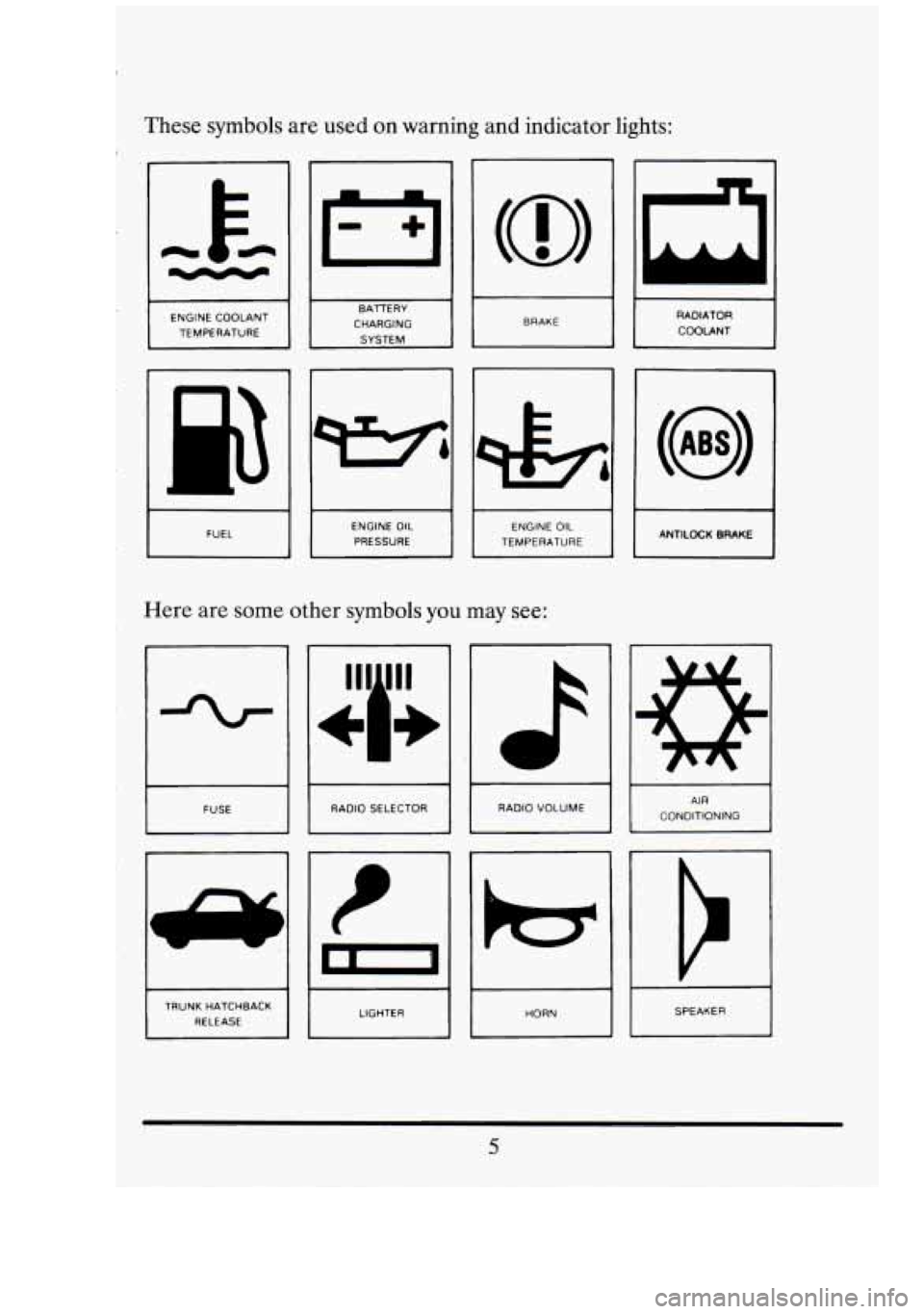
These symbols are used on warning and indicator lights:
-I
I BRAKE I
I
ENGINE COOLANT
TEMPERATURE RADIATOR
COOLANT
CHARGING
1 FUEL 1 I
ENGINE OIL
PRESSURE 1 I
ENGINE OIL
TEMPERATURE I I I ANTILOCK BRAKE
.Here are some other symbols you may see:
-%r
FUSE I RADIO SELECTOR I
RADIO VOLUME AIR
CONDITIONING I
TRUNK HATCHBACK RELEASE SPEAKER
I
Page 99 of 398
I
The other positions let you perform these functions:
ACC: Accessory lets you use things like the radio and the windshield
wipers when the engine is
off. To get into “ACC”, push in the key and turn
it toward
you. Yoursteeringwheel will remain locked, just as it was
before you inserted the key.
OFF: This position lets you turn off the engine but still turn the steering
wheel. It doesn’t lock the steering wheel like “Lock.” Use “Off”
if you
must have your car in motion while the engine is
off (for example, if your
car is being pushed).
RUN This is the position for driving.
START This starts your engine.
NOTICE:
If your key seems stuck in “Lock” and you can’t turn it, be sure
it
is all the way in. If it is, then turn the steering wheel left and
right while. you turn the key hard. But turn the key only with
your hand. Using
a tool to force it could break the key or the
ignition switch.
If none of this works, then your vehicle needs
service.
STARTING YOUR ENGINE
Move your shift lever to “P” (Park) or “N” (Neutral). Your,,engine won’t
start in
any other position -- that’s a safety feature. To restart when you’re
already moving, use “N” (Neutral) only.
NOTICE:
Don’t try to shift to “P” (Park).. if your Cadillae is moving. If you
do, you could .damage the transmission. Shift to “P” (Park) only
when your vehicle
is stopped. ”. .
1
W I
D
I
I
-
Page 129 of 398
Here’s how your light systems work:
Pull the switch out to the first stop to turn on your parking and
Pull the switch out all the way to turn on the headlights.
You can brighten or dim your instrument cluster by rotating the
Push the switch all the way in to turn them off.
Headlight “On” Warning
taillights, side
marker lights, and instrument panel lights.
headlight switch.
If the manual light switch is left on (as when someone has parked your
car), you’ll hear a warning tone when you turn
off the ignition and open
the driver’s door.
Retained Accessory Power
When you stop your Cadillac and turn the ignition to “OFF”, you can use
these accessories for
10 more minutes.
Radio
Power windows
Astroroof (If equipped)
Windshield wipers
Trunk release
When you open
a door, everything will go off. And, after 10 minutes
everything will go off also.
If you want power for another 10 minutes, just turn the key to “RUN”
and back to “OFF”.
Power Drain Protection
When the ignition is off and the interior lights or underhood lights are
accidentally left on, they will automatically shut
off after 10 minutes. This
protects you from a possible dead battery.
To turn power back on, lift up
on the outside door handle or turn the ignition to the “RUN” position.
116
C‘
!
I
El
I
E
ci
e
Page 164 of 398
To turn it off, push the button again. After 10 minutes, it will go off by
itself.
To make it go longer, just push the button again.
NOTICE:
Scraping the inside of your rear window could cut and damage
the heater. Your warranty would not cover this damage. And
don’t put decals there; you might have to scrape them
off.
SOUND SYSTEMS
Your Delco sound system has been designed to operate easily and give
years
of listening pleasure. You will get the most enjoyment out of it if
you acquaint yourself with it first. Find out what your Delco system can
do and how to operate all its controls, to be sure you’re getting the most
out of the advanced engineering that went into it.
Be aware that hearing damage from loud noise is almost undetectable
until it is too late. Your hearing can adapt to higher volumes of sound.
Sound that seems normal can be loud and harmful to your hearing. Take
precautions by adjusting the volume control on your radio to a safe sound
level before your hearing adapts to it.
To help avoid hearing loss or damage:
Adjust the volume control to the lowest setting.
Increase volume slowly until you hear comfortably and clearly.
Page 165 of 398
I I
NOTICE:
Before you add any sound equipment to pour vehicle -- like a
. tape player, CB radio, mobile telephone or two-way radio -- be
sure you can add what you want.
If you can, it's very important
to do it properly. Added sound equipment may interfere with the
operation
of your vehicle's engine, Delco@ radio or other
systems, and even damage them. And, your vehicle's systems
may interfere with the operation
of sound equipment that has
been added improperly.
So, before adding sound equipment, check with your dealer and
be sure to check Federal'rules covering mobile radio and
telephone units.
FM Stereo
FM stereo will give you the best sound. But FM signals will reach only
about
10 to 40 miles (16 to 65 km). And, tall buildings or hills can
interfere with
FM signals, causing the popping, crackling, or a momentary
hissing sound.
AM
The range for most AM stations is greater than for FM, especially at
night. The longer range, however, can cause stations to interfere with
each other.
AM can pick up noise from things like storms and power
lines.
Try reducing the treble to reduce this noise if you ever get it.
Speed Sensitive Volume
Your Delco radio automatically adjusts the volume level to compensate
for road and wind noise as you are driving.
Dolby@
This feature automatically removes noise on Dolby encoded tapes (no
button is required).
*Dolby@ is a registered trademark of Dolby Laboratories.
152
Dl
fl
El
Page 166 of 398
AM Stereo
This means the belco’ system can receive C-QUAM@ stereo broadcasts.
Many AM stations around the country use C-QUAM@ to produce stereo,
though some do not. (C-QUAM@ is a registered trademark
of Motorola,
Inc.)
If your Delco@ system can get C-QUAM@, your “ST” light will
come on when you’re receiving it.
This means that your sound system can produce quality
AM sound
comparable to
FM stereo. AMAX@ reduces noise without reducing the
high frequencies you need for the best sound. In addition to improved
sound quality,
AMAX@ includes more stations on the AM band. You
don’t have to do anything in your radio because
AMAX@ is automatic.
How To Operate Your Sound System
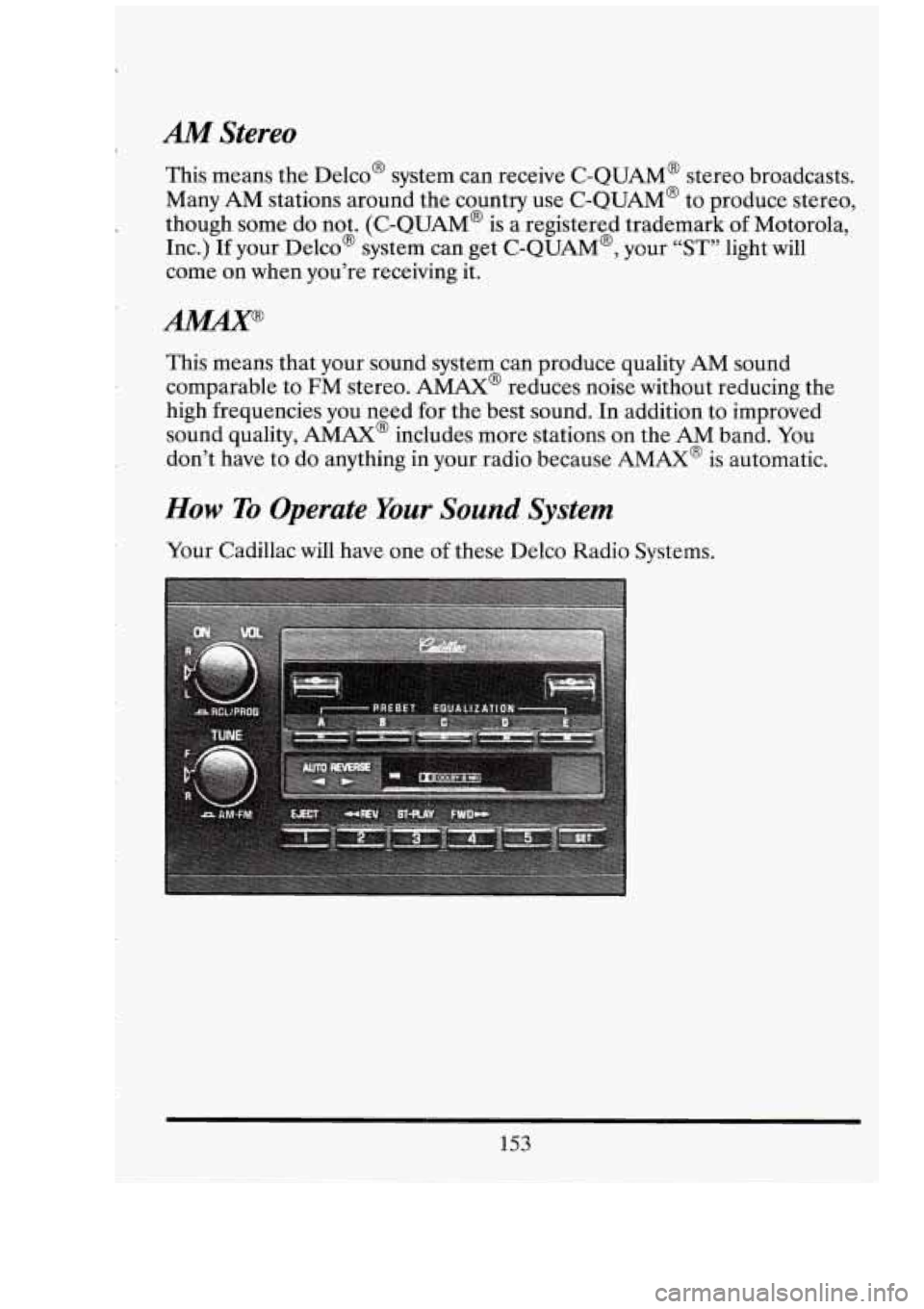
Your Cadillac will have one of these Delco Radio Systems.
153
Page 167 of 398
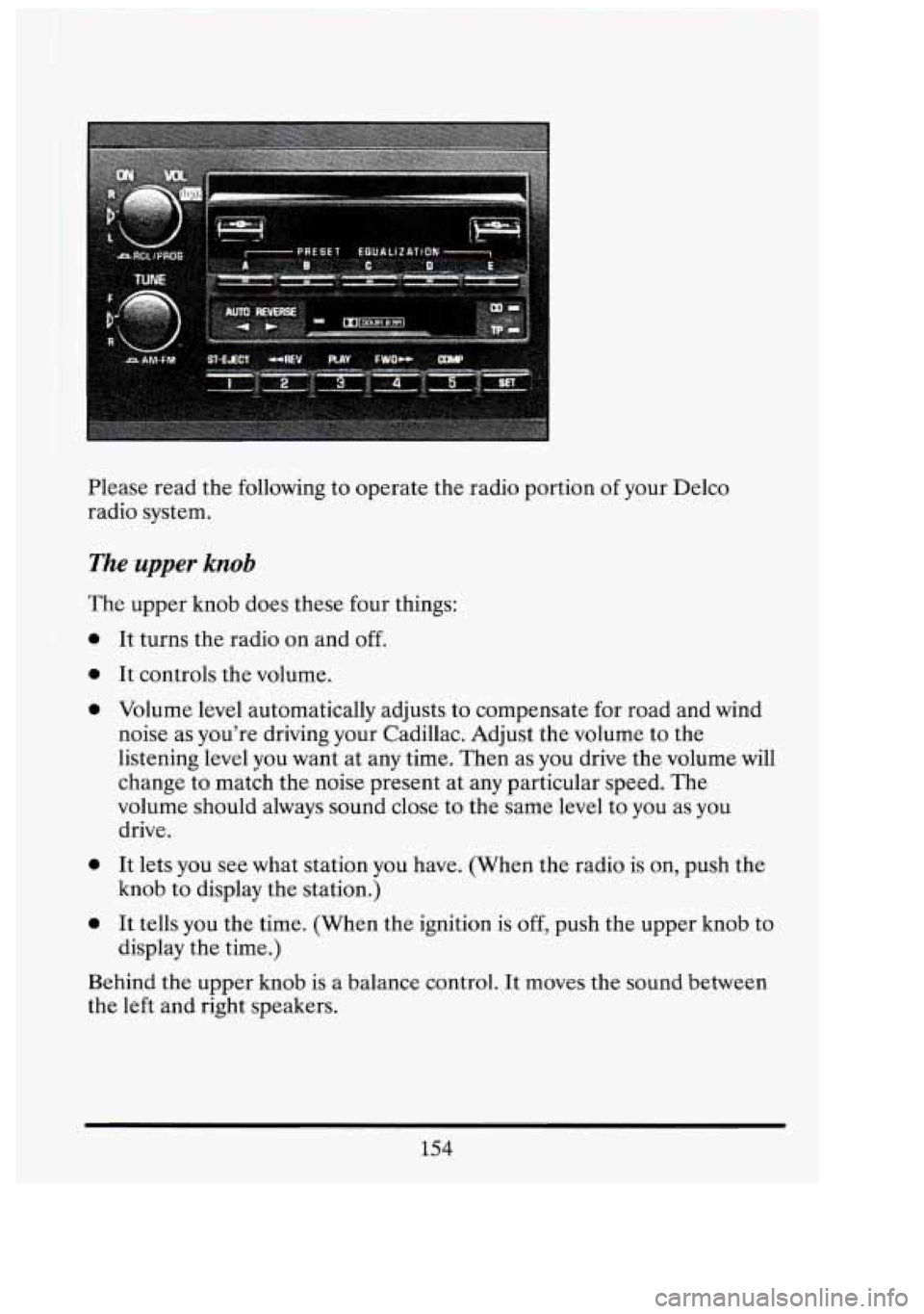
Please read the following to operate the radio portion of your Delco
radio system.
The upper knob
The upper knob does these four things:
0
0
0
0
0
It turns the radio on and off.
It controls the volume.
Volume level automatically adjusts to compensate for road and wind
noise as you're driving your Cadillac. Adjust the volume to the
listening level you want at any time. Then as you drive the volume will
change to match the noise present at any particular speed. The
volume should always sound close to the same level to you as
you
drive.
It lets you see what station you have. (When the radio is on, push the
knob to display the station.)
It tells you the time. (When the ignition is
off, push the upper knob to
display the time.)
Behind the upper knob is a balance control. It moves the sound between
the left and right speakers.
154
n
r
Ll
I s
UI
D'
i
-
d
Page 168 of 398
The lower knob
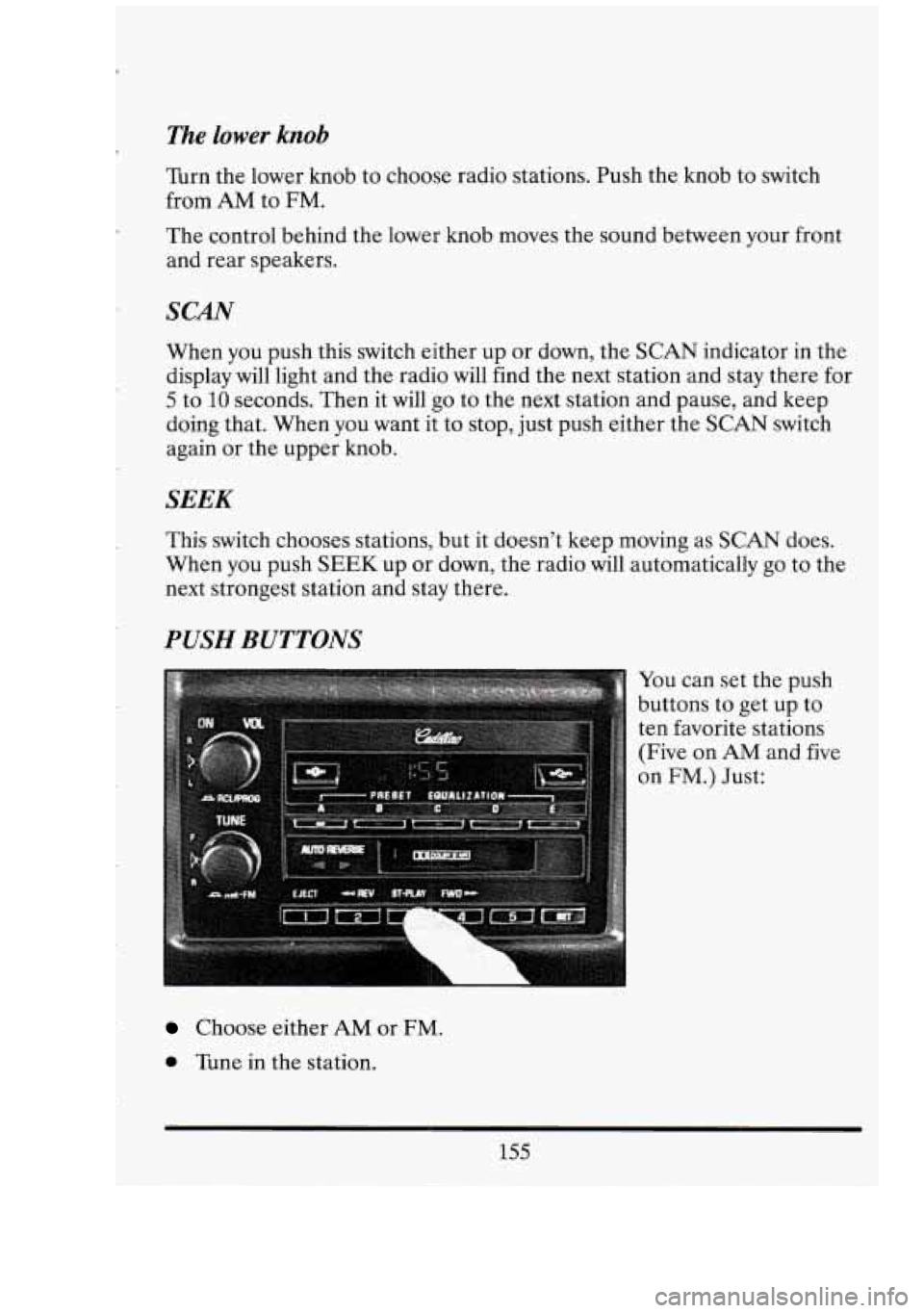
Turn the lower knob to choose radio stations. Push the knob to switch
from
AM to FM.
The control behind the lower knob moves the sound between your front
and rear speakers.
SCAN
When you push this switch either up or down, the SCAN indicator in the
display will light and the radio will find the next station and stay there for
5 to 10 seconds. Then it will go to the next station and pause, and keep
doing that. When you want it to stop, just push either the
SCAN switch
again or the upper knob.
SEEK
This switch chooses stations, but it doesn’t keep moving as SCAN does.
When you push
SEEK up or down, the radio will automatically go to the
next strongest station and stay there.
WSH BUTTONS
You can set the push
buttons to get up to
ten favorite stations
(Five on
AM and five
on
FM.) Just:
Choose either AM or FM.
0 Tune in the station.
155
Page 170 of 398
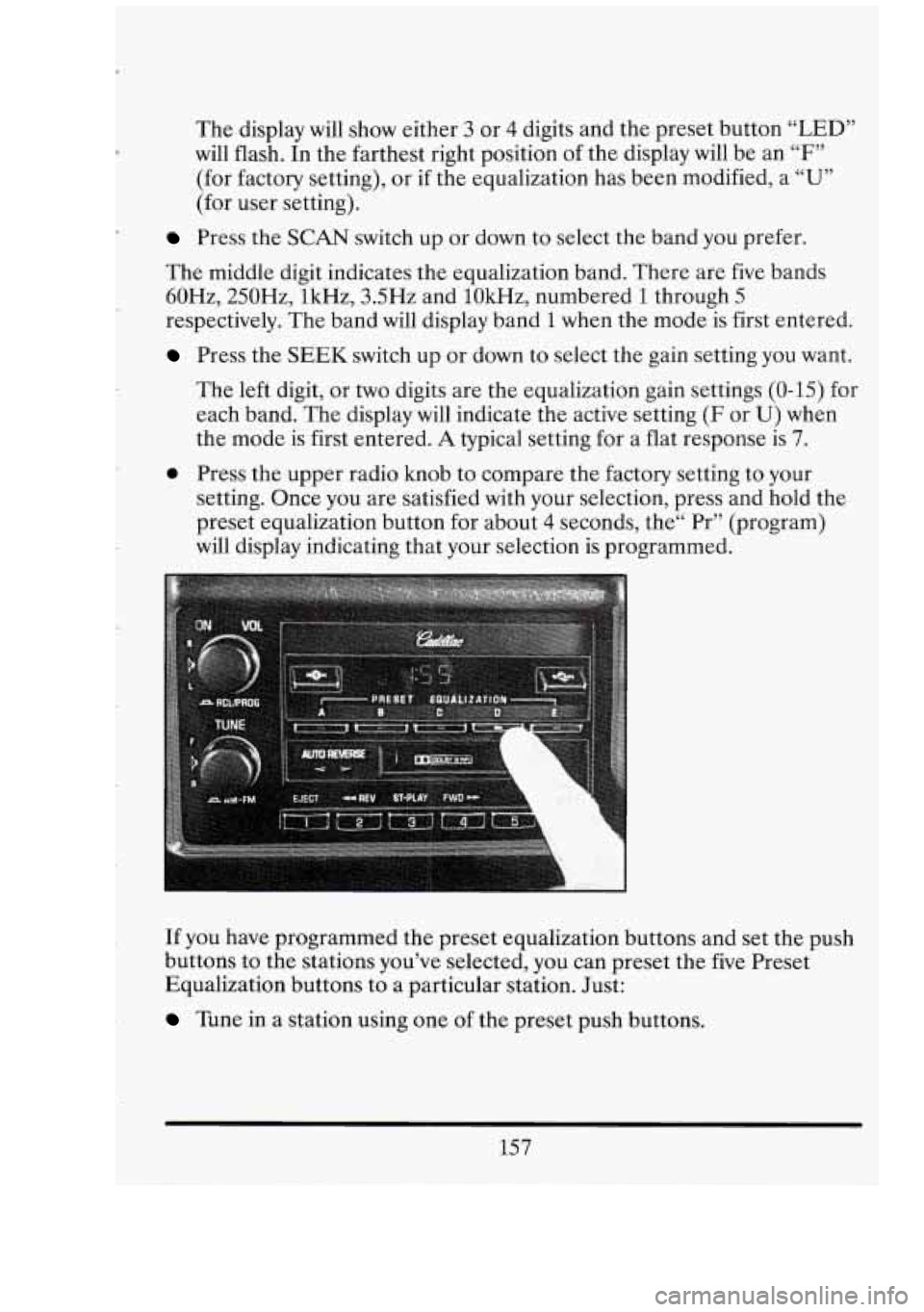
The display will show either 3 or 4 digits and the preset button “LED”
will flash. In the farthest right position of the display will be an “F”
(for factory setting), or if the equalization has been modified, a “U”
(for user setting).
Press the SCAN switch up or down to select the band you prefer.
The middle digit indicates the equalization band. There are five bands
60Hz, 250Hz, lkHz, 3.5Hz and lOkHz, numbered
1 through 5
respectively. The band will display band 1 when the mode is first entered.
Press the SEEK switch up or down to select the gain setting you want.
The left digit, or
two digits are the equalization gain settings (0-15) for
each band. The display
will indicate the active setting (F or U) when
the mode is first entered.
A typical setting for a flat response is 7.
0 Press the upper radio knob to compare the factory setting to your
setting. Once you are satisfied with your selection, press and hold the
preset equalization button for about
4 seconds, the“ Pr” (program)
will display indicating that your selection is programmed.
If you have programmed the preset equalization buttons and set the push
buttons to the stations you’ve selected, you can preset the five Preset
Equalization buttons to a particular station. Just:
Tune in a station using one of the preset push buttons.
157
Page 172 of 398
To Play A Cassette Tape I.
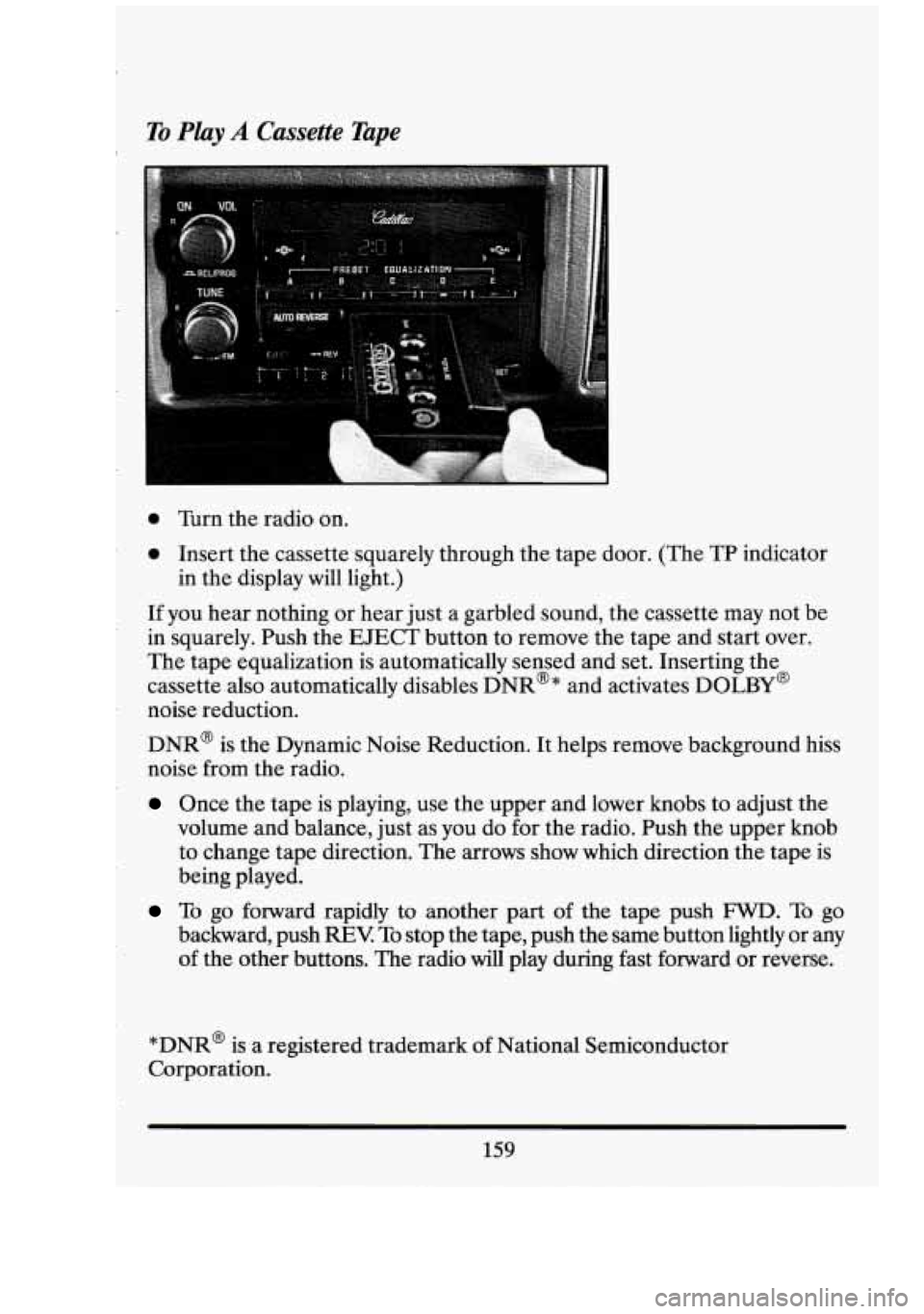
0 Turn the radio on.
0 Insert the cassette squarely through the tape door. (The TP indicator
If you hear nothing or hear just a garbled sound, the cassette may not be
in squarely. Push the EJECT button to remove the tape and start over.
The tape equalization is automatically sensed and set. Inserting the
cassette also automatically disables DNR@* and activates DOLBY@
noise reduction.
DNR@ is the Dynamic Noise Reduction. It helps remove background hiss
noise from the radio.
Once the tape is playing, use the upper and lower knobs to adjust the
volume and balance, just
as you do for the radio. Push the upper knob
to change tape direction. The arrows show which direction the tape is
being played.
in
the display will light.)
To go forward rapidly to another part of the tape push FWD. To go
backward, push
REV To stop the tape, push the same button lightly or any
of the other buttons. The radio will play during fast forward or reverse.
*DNR@ is a registered trademark
of National Semiconductor
Corporation.
159