seats CADILLAC LYRIC 2023 Owners Manual
[x] Cancel search | Manufacturer: CADILLAC, Model Year: 2023, Model line: LYRIC, Model: CADILLAC LYRIC 2023Pages: 424, PDF Size: 4.76 MB
Page 2 of 424
Cadillac Lyriq Owner Manual (GMNA-Localizing-U.S./Canada-15644413) -
2023 - CRC - 3/2/22
Contents
Introduction . . . . . . . . . . . . . . . . . . . . . . . .1
Keys, Doors, and Windows . . . . .7
Seats and Restraints . . . . . . . . . . .37
Storage . . . . . . . . . . . . . . . . . . . . . . . . . . . .94
Instruments and Controls . . . .98
Lighting . . . . . . . . . . . . . . . . . . . . . . . . . .139
Infotainment System . . . . . . . . .150
Climate Controls . . . . . . . . . . . . . . .185
Driving and Operating . . . . . . . .192
Vehicle Care . . . . . . . . . . . . . . . . . . . .307
Service and Maintenance . . .375
Technical Data . . . . . . . . . . . . . . . . .382
Customer Information . . . . . . .384
Reporting Safety Defects . . .395
OnStar . . . . . . . . . . . . . . . . . . . . . . . . . . .400
Connected Services . . . . . . . . . .407
Index. . . . . . . . . . . . . . . . . . . . . . 410
Introduction
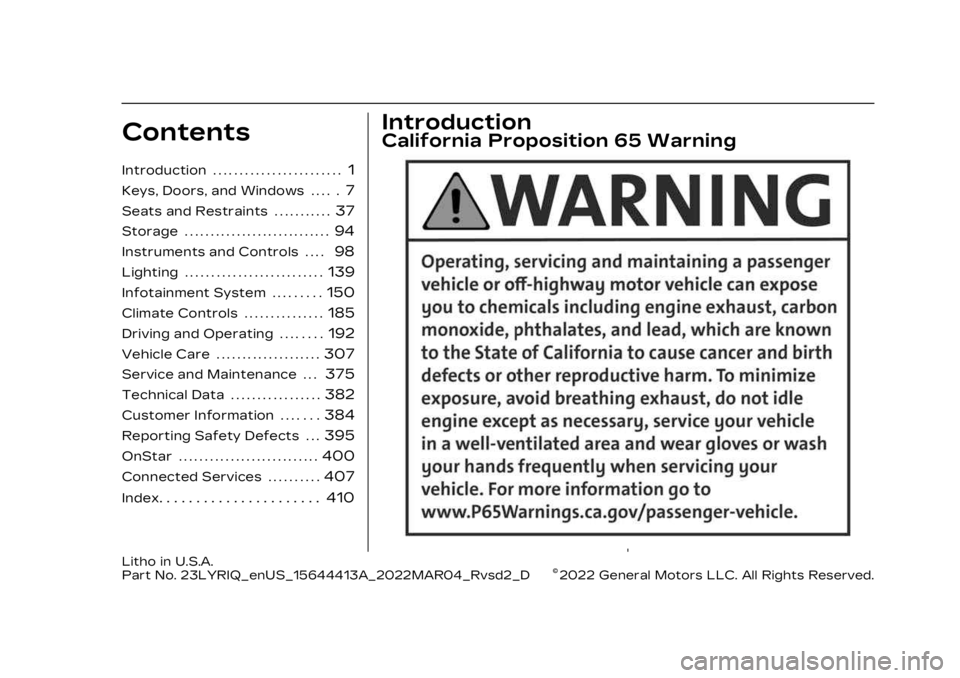
California Proposition 65 Warning
Litho in U.S.A.
Part No. 23LYRIQ_enUS_15644413A_2022MAR04_Rvsd2_D©2022 General Motors LLC. All Rights Reserved.
Page 38 of 424
Cadillac Lyriq Owner Manual (GMNA-Localizing-U.S./Canada-15644413) -
2023 - CRC - 2/23/22
Seats and Restraints 37
Seats and
Restraints
Head Restraints
Head Restraints . . . . . . . . . . . . . 38
Front Seats
Power Seat Adjustment . . . 39
Reclining Seatbacks . . . . . . . . 40
Lumbar Adjustment . . . . . . . . . 41
Massage . . . . . . . . . . . . . . . . . . . . . . . . 41
Memory Seats . . . . . . . . . . . . . . . 42
Heated and VentilatedFront Seats . . . . . . . . . . . . . . . . . 45
Rear Seats
Rear Seats . . . . . . . . . . . . . . . . . . . . 47
Heated Rear Seats . . . . . . . . . 49
Seat Belts
Seat Belts . . . . . . . . . . . . . . . . . . . . . 50
Buckle To Drive . . . . . . . . . . . . . . . 51
How to Wear Seat BeltsProperly . . . . . . . . . . . . . . . . . . . . . . 52
Lap-Shoulder Belt . . . . . . . . . . 54
Seat Belt Use During Pregnancy . . . . . . . . . . . . . . . . . . . 57
Seat Belt Extender . . . . . . . . . 58
Safety System Check . . . . . . 58
Seat Belt Care . . . . . . . . . . . . . . . 58 Replacing Seat Belt
System Parts after a
Crash . . . . . . . . . . . . . . . . . . . . . . . . . . 59
Airbag System
Airbag System . . . . . . . . . . . . . . . 59
Where Are the Airbags? . . . 61
When Should an AirbagInflate? . . . . . . . . . . . . . . . . . . . . . . . 63
What Makes an Airbag Inflate? . . . . . . . . . . . . . . . . . . . . . . . 64
How Does an Airbag Restrain? . . . . . . . . . . . . . . . . . . . . 64
What Will You See after an Airbag Inflates? . . . . . . . . 65
Passenger Sensing System . . . . . . . . . . . . . . . . . . . . . . . 66
Servicing the Airbag-Equipped
Vehicle . . . . . . . . . . . . . . . . . . . . . . . . . 71
Adding Equipment to the Airbag-Equipped
Vehicle . . . . . . . . . . . . . . . . . . . . . . . . . 71
Airbag System Check . . . . . . 72
Replacing Airbag System Parts after a Crash . . . . . . . 72
Child Restraints
Older Children . . . . . . . . . . . . . . . . 73
Infants and YoungChildren . . . . . . . . . . . . . . . . . . . . . . . 75 Child Restraint Systems . . . 77
Where to Put the
Restraint . . . . . . . . . . . . . . . . . . . . . 79
Lower Anchors and Tethers for Children
(LATCH System) . . . . . . . . . . . 80
Replacing LATCH System Parts After a Crash . . . . . . . 88
Securing Child Restraints (With the Seat Belt in the
Rear Seat) . . . . . . . . . . . . . . . . . . . 88
Securing Child Restraints (With the Seat Belt in the
Front Seat) . . . . . . . . . . . . . . . . . . 90
Page 39 of 424

Cadillac Lyriq Owner Manual (GMNA-Localizing-U.S./Canada-15644413) -
2023 - CRC - 2/23/22
38 Seats and Restraints
Head Restraints
Front Seats
{Warning
With head restraints that
are not installed and
adjusted properly, there is a
greater chance that
occupants will suffer a neck/
spinal injury in a crash. Do
not drive until the head
restraints for all occupants
are installed and adjusted
properly.
The vehicle's front seats have
adjustable head restraints in
the outboard seating
positions.
Adjust the head restraint so
that the top of the restraint is
at the same height as the top
of the occupant's head. This
position reduces the chance of
a neck injury in a crash.
The height of the head
restraint can be adjusted.To raise or lower the head
restraint, press the button
located on the side of the
head restraint, and pull up or
push the head restraint down,
and release the button. Pull
and push on the head restraint
after the button is released to
make sure that it is locked in
place.
The front seat outboard head
restraints are not removable.
Page 40 of 424
Cadillac Lyriq Owner Manual (GMNA-Localizing-U.S./Canada-15644413) -
2023 - CRC - 2/23/22
Seats and Restraints 39
Rear Seats
Adjusting the Rear Head
Restraint
The vehicle's rear seats have
adjustable head restraints in
all three seating positions.
The height of the head
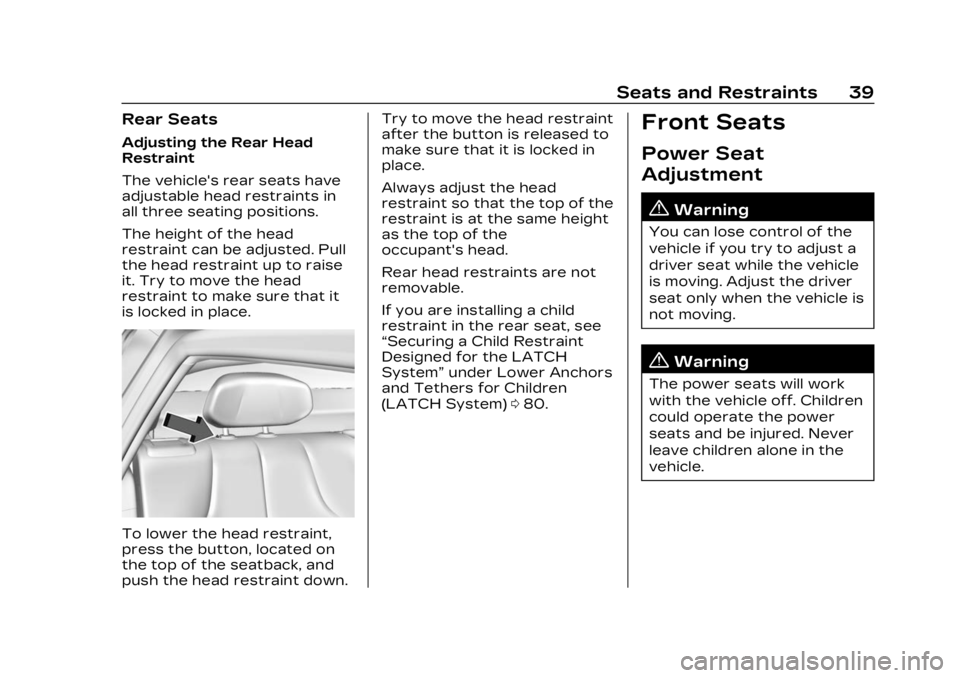
restraint can be adjusted. Pull
the head restraint up to raise
it. Try to move the head
restraint to make sure that it
is locked in place.
To lower the head restraint,
press the button, located on
the top of the seatback, and
push the head restraint down.Try to move the head restraint
after the button is released to
make sure that it is locked in
place.
Always adjust the head
restraint so that the top of the
restraint is at the same height
as the top of the
occupant's head.
Rear head restraints are not
removable.
If you are installing a child
restraint in the rear seat, see
“Securing a Child Restraint
Designed for the LATCH
System”
under Lower Anchors
and Tethers for Children
(LATCH System) 080.
Front Seats
Power Seat
Adjustment
{Warning
You can lose control of the
vehicle if you try to adjust a
driver seat while the vehicle
is moving. Adjust the driver
seat only when the vehicle is
not moving.
{Warning
The power seats will work
with the vehicle off. Children
could operate the power
seats and be injured. Never
leave children alone in the
vehicle.
Page 41 of 424
Cadillac Lyriq Owner Manual (GMNA-Localizing-U.S./Canada-15644413) -
2023 - CRC - 2/23/22
40 Seats and Restraints
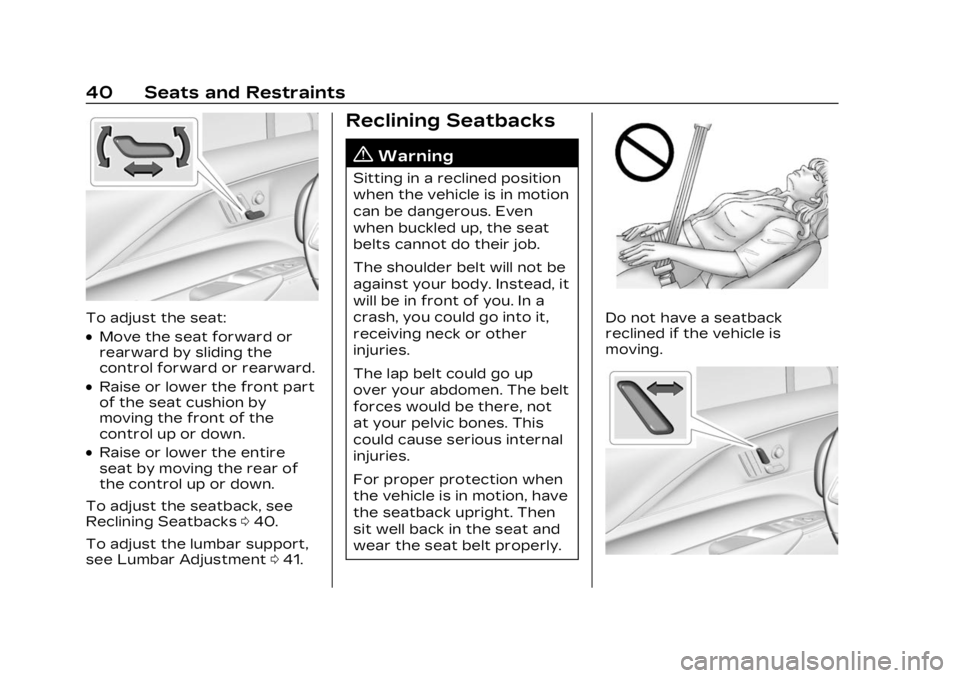
To adjust the seat:
.Move the seat forward or
rearward by sliding the
control forward or rearward.
.Raise or lower the front part
of the seat cushion by
moving the front of the
control up or down.
.Raise or lower the entire
seat by moving the rear of
the control up or down.
To adjust the seatback, see
Reclining Seatbacks 040.
To adjust the lumbar support,
see Lumbar Adjustment 041.
Reclining Seatbacks
{Warning
Sitting in a reclined position
when the vehicle is in motion
can be dangerous. Even
when buckled up, the seat
belts cannot do their job.
The shoulder belt will not be
against your body. Instead, it
will be in front of you. In a
crash, you could go into it,
receiving neck or other
injuries.
The lap belt could go up
over your abdomen. The belt
forces would be there, not
at your pelvic bones. This
could cause serious internal
injuries.
For proper protection when
the vehicle is in motion, have
the seatback upright. Then
sit well back in the seat and
wear the seat belt properly.
Do not have a seatback
reclined if the vehicle is
moving.
Page 42 of 424
Cadillac Lyriq Owner Manual (GMNA-Localizing-U.S./Canada-15644413) -
2023 - CRC - 2/23/22
Seats and Restraints 41
.Move the control back to
recline.
.Move the control forward to
raise.
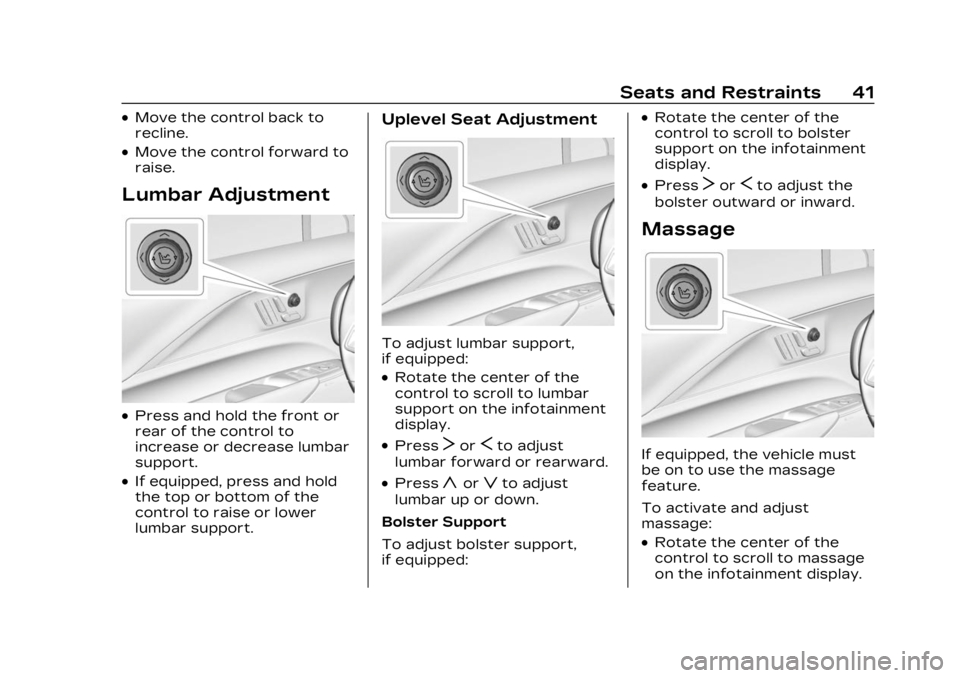
Lumbar Adjustment
.Press and hold the front or
rear of the control to
increase or decrease lumbar
support.
.If equipped, press and hold
the top or bottom of the
control to raise or lower
lumbar support.
Uplevel Seat Adjustment
To adjust lumbar support,
if equipped:
.Rotate the center of the
control to scroll to lumbar
support on the infotainment
display.
.PressTorSto adjust
lumbar forward or rearward.
.Pressyorzto adjust
lumbar up or down.
Bolster Support
To adjust bolster support,
if equipped:
.Rotate the center of the
control to scroll to bolster
support on the infotainment
display.
.PressTorSto adjust the
bolster outward or inward.
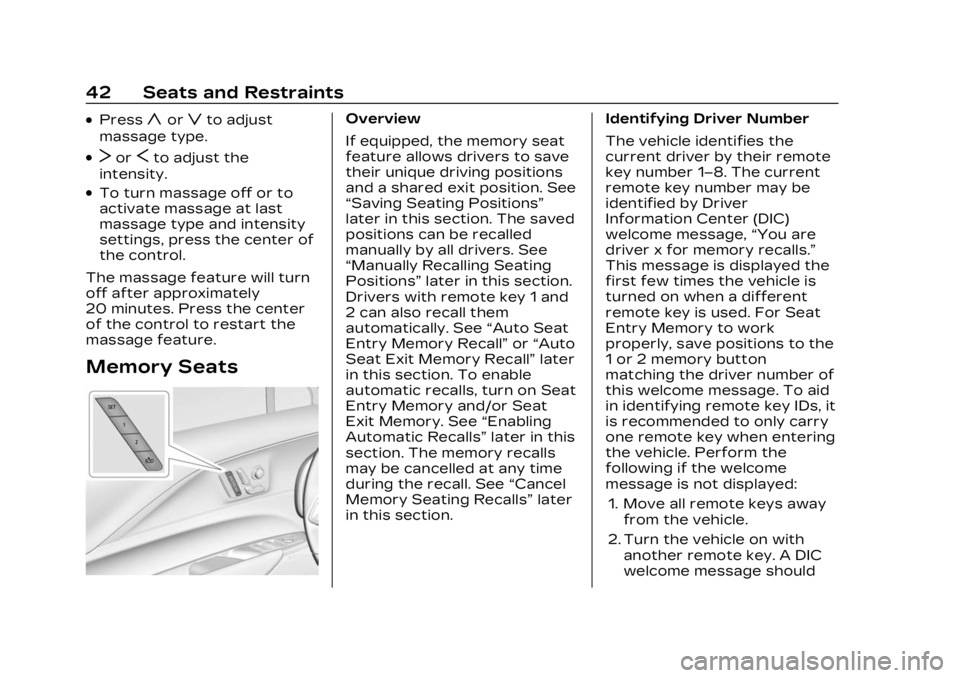
Massage
If equipped, the vehicle must
be on to use the massage
feature.
To activate and adjust
massage:
.Rotate the center of the
control to scroll to massage
on the infotainment display.
Page 43 of 424
Cadillac Lyriq Owner Manual (GMNA-Localizing-U.S./Canada-15644413) -
2023 - CRC - 2/23/22
42 Seats and Restraints
.Pressyorzto adjust
massage type.
.TorSto adjust the
intensity.
.To turn massage off or to
activate massage at last
massage type and intensity
settings, press the center of
the control.
The massage feature will turn
off after approximately
20 minutes. Press the center
of the control to restart the
massage feature.
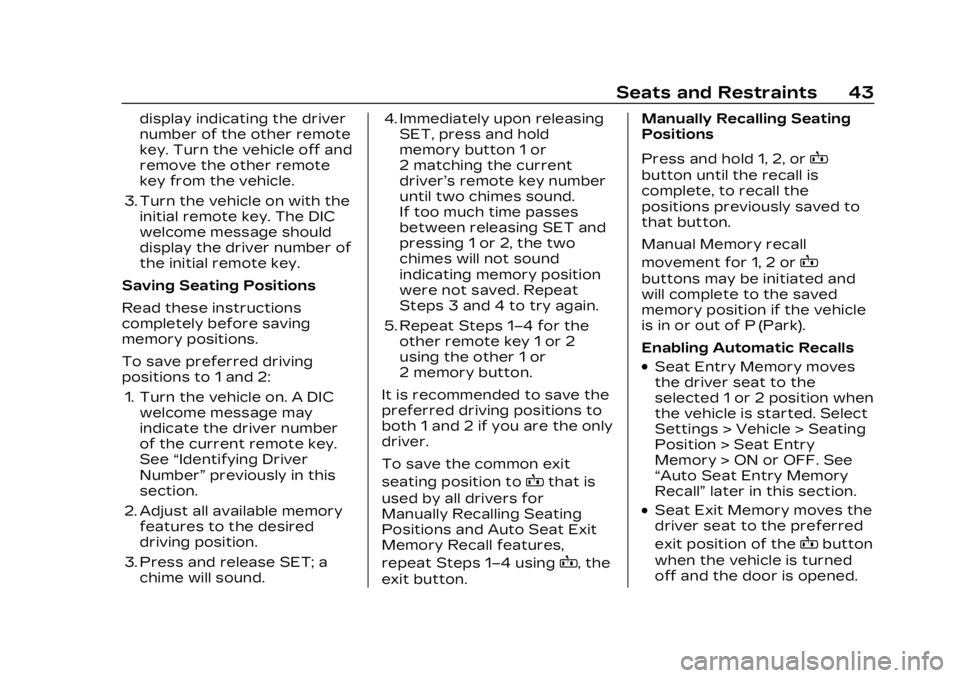
Memory Seats
Overview
If equipped, the memory seat
feature allows drivers to save
their unique driving positions
and a shared exit position. See
“Saving Seating Positions”
later in this section. The saved
positions can be recalled
manually by all drivers. See
“Manually Recalling Seating
Positions” later in this section.
Drivers with remote key 1 and
2 can also recall them
automatically. See “Auto Seat
Entry Memory Recall” or“Auto
Seat Exit Memory Recall” later
in this section. To enable
automatic recalls, turn on Seat
Entry Memory and/or Seat
Exit Memory. See “Enabling
Automatic Recalls” later in this
section. The memory recalls
may be cancelled at any time
during the recall. See “Cancel
Memory Seating Recalls” later
in this section. Identifying Driver Number
The vehicle identifies the
current driver by their remote
key number 1–8. The current
remote key number may be
identified by Driver
Information Center (DIC)
welcome message,
“You are
driver x for memory recalls.”
This message is displayed the
first few times the vehicle is
turned on when a different
remote key is used. For Seat
Entry Memory to work
properly, save positions to the
1 or 2 memory button
matching the driver number of
this welcome message. To aid
in identifying remote key IDs, it
is recommended to only carry
one remote key when entering
the vehicle. Perform the
following if the welcome
message is not displayed:
1. Move all remote keys away from the vehicle.
2. Turn the vehicle on with another remote key. A DIC
welcome message should
Page 44 of 424
Cadillac Lyriq Owner Manual (GMNA-Localizing-U.S./Canada-15644413) -
2023 - CRC - 2/23/22
Seats and Restraints 43
display indicating the driver
number of the other remote
key. Turn the vehicle off and
remove the other remote
key from the vehicle.
3. Turn the vehicle on with the initial remote key. The DIC
welcome message should
display the driver number of
the initial remote key.
Saving Seating Positions
Read these instructions
completely before saving
memory positions.
To save preferred driving
positions to 1 and 2: 1. Turn the vehicle on. A DIC welcome message may
indicate the driver number
of the current remote key.
See “Identifying Driver
Number” previously in this
section.
2. Adjust all available memory features to the desired
driving position.
3. Press and release SET; a chime will sound. 4. Immediately upon releasing
SET, press and hold
memory button 1 or
2 matching the current
driver’s remote key number
until two chimes sound.
If too much time passes
between releasing SET and
pressing 1 or 2, the two
chimes will not sound
indicating memory position
were not saved. Repeat
Steps 3 and 4 to try again.
5. Repeat Steps 1–4 for the other remote key 1 or 2
using the other 1 or
2 memory button.
It is recommended to save the
preferred driving positions to
both 1 and 2 if you are the only
driver.
To save the common exit
seating position to
Bthat is
used by all drivers for
Manually Recalling Seating
Positions and Auto Seat Exit
Memory Recall features,
repeat Steps 1–4 using
B, the
exit button. Manually Recalling Seating
Positions
Press and hold 1, 2, or
B
button until the recall is
complete, to recall the
positions previously saved to
that button.
Manual Memory recall
movement for 1, 2 or
B
buttons may be initiated and
will complete to the saved
memory position if the vehicle
is in or out of P (Park).
Enabling Automatic Recalls
.Seat Entry Memory moves
the driver seat to the
selected 1 or 2 position when
the vehicle is started. Select
Settings > Vehicle > Seating
Position > Seat Entry
Memory > ON or OFF. See
“Auto Seat Entry Memory
Recall”
later in this section.
.Seat Exit Memory moves the
driver seat to the preferred
exit position of the
Bbutton
when the vehicle is turned
off and the door is opened.
Page 45 of 424
Cadillac Lyriq Owner Manual (GMNA-Localizing-U.S./Canada-15644413) -
2023 - CRC - 2/23/22
44 Seats and Restraints
Select Settings > Vehicle >
Seating Position > Seat Exit
Memory > ON or OFF. See
“Auto Seat Exit Memory
Recall”later in this section.
Auto Seat Entry Memory
Recall
Seat Entry Memory will
automatically begin movement
to the seating positions of the
1 or 2 button corresponding to
the driver’s remote key
number 1 or 2 detected by the
vehicle when:
.The vehicle is turned ON.
.Seating positions have been
previously saved to the
same 1 or 2 button. See
“Saving Seating Positions”
previously in this section.
.Seat Entry Memory is
enabled. See “Enabling
Automatic Recalls”
previously in this section.
.The vehicle is in P (Park). Seat Entry Memory Recall will
continue if the vehicle is
shifted out of P (Park) prior to
reaching the saved memory
position.
If the saved memory seat
position does not
automatically recall, verify the
recall is enabled. See
“Enabling
Automatic Recalls” previously
in this section.
If the memory seat recalls to
the wrong position, the
driver’s remote key number 1
or 2 may not match the
memory button number
positions they were saved to.
Try the other remote key or
try saving the positions to the
other 1 or 2 memory button.
See “Saving Seating Positions”
previously in this section.
Automatic Seat Entry Memory
recalls are only available for
driver’s remote key numbers
1 and 2. Remote keys 3–8 will
not provide Seat Entry
Memory recalls. If equipped with Remote Auto
Parking, the seat will
automatically move to the
seating position saved to the 1
or 2 button corresponding to
the driver's remote key
number 1 or 2 after leaving a
parking space when you have
entered the vehicle, closed the
driver door, and applied the
brake pedal. See Automatic
Parking Assist (APA)
0262.
Auto Seat Exit Memory
Recall
Seat Exit Memory will begin
movement to the seating
position of the
B
button when:
.The vehicle is turned off and
the driver door is open or
opened within a short time.
.A seating position has been
previously been saved to the
Bmemory button. See
“Saving Seating Positions”
previously in this section.
Page 46 of 424
Cadillac Lyriq Owner Manual (GMNA-Localizing-U.S./Canada-15644413) -
2023 - CRC - 2/23/22
Seats and Restraints 45
.Seat Exit Memory is enabled.
See“Enabling Automatic
Recalls” previously in this
section.
.The vehicle is in P (Park).
Seat Exit Memory recall will
continue if the vehicle is
shifted out of P (Park) prior to
reaching the saved memory
position.
Seat Exit Memory is not linked
to the driver’s remote key. The
seating position saved to
Bis
used for all drivers.
If equipped with Remote Auto
Parking, the seat will
automatically move to the
seating position saved to
B
after entering a parking space
when APA is activated, the
vehicle in is P (Park), and the
driver door is opened. See
Automatic Parking Assist
(APA) 0262.
Cancel Memory Seating
Recalls
.During any memory recall:
Press a power seat control Press SET memory button
.During Manual memory
recall:
Release 1, 2, or
Bmemory
button
.During Auto Seat Entry
Memory Recall:
Turn the vehicle off
Press SET, 1, 2, or
B
memory buttons
.During Auto Seat Exit
Memory Recall:
Press SET, 1, 2, or
B
memory buttons
Obstructions
If something has blocked the
seat while recalling a memory
position, the recall may stop.
Remove the obstruction and
try the recall again. If the
memory position still does not
recall, see your dealer.
Heated and
Ventilated Front
Seats
{Warning
If temperature change or
pain to the skin cannot be
felt, the seat heater may
cause burns. To reduce the
risk of burns, use care when
using the seat heater,
especially for long periods of
time. Do not place anything
on the seat that insulates
against heat, such as a
blanket, cushion, cover,
or similar item. This may
cause the seat heater to
overheat. An overheated
seat heater may cause a
burn or may damage
the seat.