check engine CADILLAC SEVILLE 1998 4.G Owner's Manual
[x] Cancel search | Manufacturer: CADILLAC, Model Year: 1998, Model line: SEVILLE, Model: CADILLAC SEVILLE 1998 4.GPages: 378, PDF Size: 21.99 MB
Page 145 of 378
Downloaded from www.Manualslib.com manuals search engine CHECK FUEL GAGE - 50: This message will appear
when the fuel supply is less than
5 gallons (1 8.9 L) and
the display is turned off.
A single chime will also sound
when this message is displayed.
CHECK GAS CAP - 61: This message will appear if
the gas cap has not been fully tightened. You should
recheck your gas cap to ensure that it’s fully tightened.
CHECK OIL LEVEL - 36: For correct operation of
the low oil sensing system, your vehicle should be on a
level surface.
A false CHECK OIL LEVEL message
may appear if the vehicle is parked on grades. The oil
level sensing system does not check for actual oil level
if the engine has been
off for a short period of time, and
the oil
level is never sensed while the engine is running.
If the CHECK OIL LEVEL message appears, and your
vehicle has been parked
on level ground with the engine
off for at least 30 minutes, the oil level should be
checked by observing the oil dipstick. Prior to checking
the oil level, be sure the engine has been off for
a few
minutes and your vehicle is on a level surface. Then
check the dipstick and add oil if necessary. See “Engine
Oil” in the Index.
CHECK WASHER FLUID - 25: This message will
appear to indicate that you need washer solvent.
DRIVER DOOR A JAR - 140: This message will
display anytime the key is in
ON and your driver’s door
is open or ajar.
A chime will also sound when the
vehicle’s speed is greater than
3 mph (4.8 km/h).
DRIVER NO. X (1 OR 2) : This message will appear
when the remote keyless entry is used. The message will
show which driver is activating the personalization
feature. It will only stay on for five seconds.
This message will appear when the engine coolant temperature is over
262 OF ( 128 O C). Stop and allow your
vehicle to idle in
PARK (P) until it cools down and the
message is removed.
Do not increase engine speed
above a normal idle.
If it does not cool down, turn off
the engine and have it serviced before driving it again.
Severe engine damage can result from an overheated
engine. See “Engine Overheating” in the Index.
ENGINE HOT-A/C OFF - 16: This message displays
when the engine coolant becomes hotter than the normal
operating temperature. To avoid added strain on a hot
engine, the air conditioning compressor is automatically
turned off. When the coolant temperature returns to
normal, the
A/C operation will automatically resume.
You can continue to drive your vehicle.
If this message
continues to appear, have the system repaired as soon as
possible to avoid compressor damage.
ENGINE COOLANT HOT IDLE ENGINE - 44:
2-84
Page 148 of 378
Downloaded from www.Manualslib.com manuals search engine SERVICE THEFT SYSTEM - 34: This message
means there is a problem in the Personalized
Automotive Security System (PASS-Key
111). A fault
has been detected in the system which means that the
PASS-Key I11 system is disabled and is not protecting
the vehicle. The vehicle usually restarts, however, you
may want to take your vehicle to a proper service center
before turning off the engine.
SERVICE TRANSMISSION - 100: See your dealer
for repair.
SERVICE VEHICLE SOON - 3: This message is
displayed when a non-emissions related powertrain
malfunction occurs. Have your vehicle serviced by
a
technician as soon as possible.
SPEED LIMITED TO 90 - 113: A failure in the
suspension control system has occurred when this
message appears. The PCM determines the speed to
which your vehicle is limited. Have your vehicle serviced if this message appears.
STABILITY SYS ENGAGED - 55 : You may see the
STABILITY
SYS ENGAGED message on the Driver
Information Center. It means that an advanced,
computer-controlled system has come on to help your
vehicle continue
to go in the direction in which you’re
steering. This stability enhancement system activates
when the computer senses that your vehicle is just
starting to spin, as it might
if you hit a patch of ice or
other slippery spot on the road. When the system is on,
you may hear a noise or feel
a vibration in the brake
pedal. This is normal.
When the STABILITY SYS ENGAGED message is on,
you should continue to steer in the direction you want to
go. The system is designed to help you in bad weather or
other difficult driving situations by making the most of
whatever road conditions will permit. If the STABILITY
SYS ENGAGED message comes on, you’ll know that
something has caused your vehicle to start to spin,
so
you should consider slowing down.
STARTING DISABLED REMOVE KEY - 33: This
message will appear when the Personalized Automotive Security System (PASS-Key
111) senses that an improper
ignition key
is being used to try to start the vehicle.
Check the ignition key for damage. If
it is damaged, it
may need
to be replaced. If you see no damage, remove
the key and
try to start the vehicle again. If it still does
not start,
try another ignition key.
2-87
Page 150 of 378
Downloaded from www.Manualslib.com manuals search engine Oil Life Indicator
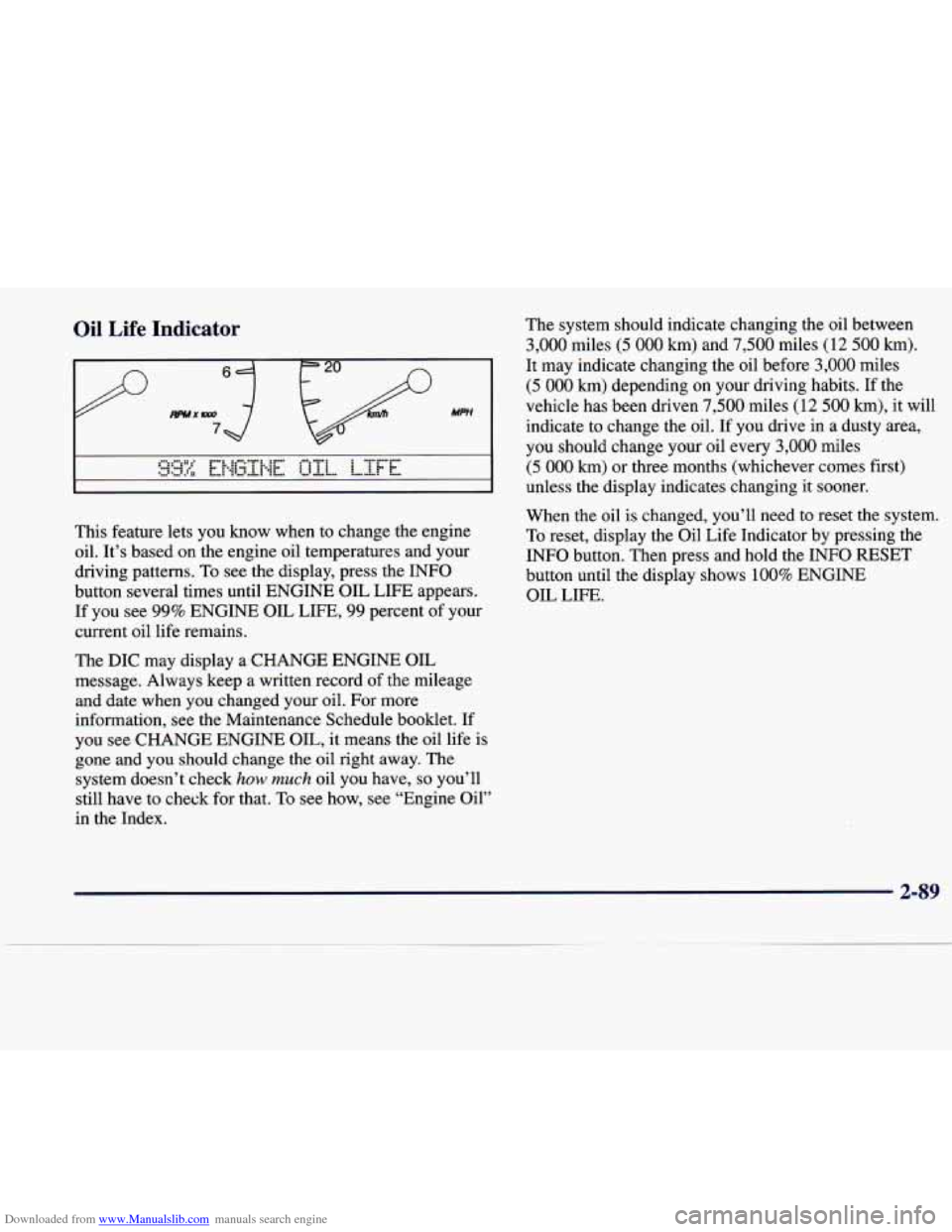
This feature lets you know when to change the engine
oil. It's based on the engine oil temperatures and your
driving patterns. To see the display, press the INFO
button several times until ENGINE OIL LIFE appears.
If you see 99% ENGINE OIL LIFE, 99 percent of your
current oil life remains.
The DIC may display a CHANGE ENGINE OIL
message. Always keep a written record of the mileage
and date when
you changed your oil. For more
information, see the Maintenance Schedule booklet. If
you see CHANGE ENGINE OIL, it means the oil life
is
gone and you should change the oil right away. The
system doesn't check
how much oil you have, so you'll
still have to check for that.
To see how, see "Engine Oil"
in the Index. The
system should indicate changing the oil between
3,000 miles (5 000 km) and 7,500 miles (12 500 km).
It may indicate changing the oil before 3,000 miles
(5 000 km) depending on your driving habits. If the
vehicle has been driven
7,500 miles (12 500 km), it will
indicate to change the oil. If you drive
in a dusty area,
you should change your oil every
3,000 miles
(5 000 km) or three months (whichever comes first)
unless the display indicates changing it sooner.
When the oil is changed, you'll need to reset the system.
To reset, display the Oil Life Indicator by pressing the
INFO button. Then press and hold the INFO RESET
button until the display shows
100% ENGINE
OIL LIFE.
2-89
Page 157 of 378
Downloaded from www.Manualslib.com manuals search engine 0
I# Heater: This setting directs warmed air through
the floor outlets. Some warm air is diverted to the
windshield to minimize fogging.
8 FAN: The button with the fan symbol adjusts the
fan speed. Press the up arrow to increase fan speed and
the down arrow to decrease fan speed. Press the AUTO
button to set the fan speed for automatic operation.
If it
is cold outside, the blower may not run in the maximum
high fan speed right away. The system checks the
temperature of the engine coolant to assure it is warm
enough to provide heat. When the engine coolant is
warm, the controller allows the fan to gradually increase
to a higher speed. This prevents cold air from blowing
into the passenger’s compartment. Selecting a manual
fan speed will override this feature.
Air Conditioning
On hot days, open the windows long enough to let hot
inside air escape. This reduces the time it takes for your
vehicle to cool down. Then keep your windows closed
for the air conditioner to work its best. Your A/C setting
may be adjusted automatically or manually.
It may also
be set separately on the passenger’s side from the
driver’s side. See “Climate Control Panel” earlier in
this section.
Heating
Adjust the interior temperature to a comfortable level
and if the fan speed needs adjusting, press the up or
down arrow. Adjusting the fan speed will cancel the
cold air delay.
Outside air will be brought in and sent through the floor,
air conditioning or bi-level outlets. The heater works
best if you keep your windows closed while using it. In
automatic operation, your fan will not run at high speed
to minimize warm-up time.
Defrosting and Defogging
Use defrost (FRONT) on cool and humid days to keep
the windshield and side windows clear. This setting will
remove fog or ice from the windshield quickly in extremely humid or cold conditions. If you desire to
have more air on your feet, move the control to the
defog mode. You may do this by pressing the right or
left arrow on the
MODE button.
Press the fan button’s up or down arrow to control the
blower speed. You may
also adjust the temperature by
turning the TEMP
knob.
Recirculation and the A/C OFF message are not
available in the defrost mode.
3-6
.
Page 164 of 378
Downloaded from www.Manualslib.com manuals search engine Setting the Tone
TONE: Press and release this button until the desired
tone control (BASS, TREBLE or MIDRANGE) is
found. The radio keeps separate tone settings for each
band, each preset and each source.
LEVEL: After selecting the desired tone control, press
the plus
(+) or minus (-) symbol on this button to select
the desired level.
Adjusting the Speakers
4 SPEAKER: Press and release this button until the
desired BALANCE or FADE control is found.
LEVEL: After selecting the desired BALANCE or
FADE control, press the plus
(+) or minus (-) symbol on
this button to select the desired level.
Playing a Cassette Tape
With the radio on, insert a cassette tape. The tape will
begin playing as soon as it is inserted. When one side of
your cassette tape is done playing, auto reverse plays the
other side
of your cassette tape. Cassette tapes may be
loaded with the radio
off but they will not start playing
until the radio is on. If you want to insert a cassette tape
when the ignition is
off, first press the eject button. While
the tape is playing, use the VOL,
TONE, LEVEL,
and SPEAKER controls just as you do for the radio.
Other controls may have different functions when a tape
is inserted. The display will show an underlined tape
symbol. TAPE PLAY will appear on the display when a
tape is playing, with an arrow to indicate which side
of
the tape is playing.
If an error occurs while trying to play a cassette tape,
it could be that:
The cassette tape is tight and the cassette player
cannot turn the hubs
of the tape. Hold the cassette
tape with the open end down and
try turning the right
hub to the left with a pencil. Flip the tape over and
repeat. If the hubs do not turn easily, your cassette
tape may be damaged and should not be used in the
player. Try a new tape to be sure your player is
working properly.
The cassette tape is broken. (Check to see if your
tape is broken. Try a new tape.)
RW Press the left arrow to rewind the tape rapidly. The
radio will play while the tape rewinds. You may use
your station pushbuttons to tune to another radio station
while in
RW mode. Press the left arrow again to return
to playing speed.
3-13
. ..
Page 169 of 378
Downloaded from www.Manualslib.com manuals search engine Playing a Cassette Tape
With the radio on, insert a cassette tape. The tape will
begin playing as soon as it is inserted. When one side of
your cassette tape is done playing, auto reverse plays the
other side of your cassette tape. Cassette tapes may be
loaded with the radio off but they will not start playing
until the radio is on.
If you want to insert a cassette tape
when the ignition is
off, first press the eject button.
While the tape is playing, use the VOL, TONE, LEVEL,
and SPEAKER controls just as you do for the radio.
Other controls may have different functions when a tape
is inserted. The display will show an underlined tape
symbol. TAPE PLAY
will appear on the display when a
tape is playing, with an arrow to indicate which side of
the tape is playing.
If an error occurs while trying to play a cassette tape, it
could be that:
The cassette tape is tight and the cassette player
cannot turn the hubs of the tape. Hold the cassette
tape with the open end down and try turning the right
hub to the left with a pencil. Flip the tape over and
repeat. If the hubs do not turn easily, your cassette
tape may be damaged and should not be used in the
player. Try a new tape to be sure your player is working properly.
The cassette tape is broken. (Check to see if your
tape is broken. Try a new tape.)
RW Press the left arrow to rewind the tape rapidly.
The radio will play while the tape rewinds. You may use
your station pushbuttons to tune to another radio station while in RW mode. Press the left arrow again to return
to playing speed.
FF: Press the right arrow to fast forward to another part
of the tape. The radio will play while the tape advances.
You may use your station pushbuttons to tune to another
radio station while in
FF mode. Press the right arrow
again to return to playing speed.
TUNE-SEEK: When this button is pressed, it has
two positions. This button works the same, whether it
is
pressed to the first or second position. Press this button
to seek to the next or previous selection on the tape.
Your tape must have at least three seconds of silence
between each selection for
TUNE-SEEK to work. The
sound will mute while seeking.
SCAN: Press this button to listen to selections for a few
seconds. The tape will go to a selection, stop for a few
seconds,
then go on to the next selection. Press this
button again to stop scanning.
Page 178 of 378
Downloaded from www.Manualslib.com manuals search engine If an error occurs while trying to play a cassette tape, it
could be that:
The cassette tape is tight and the cassette player
cannot turn the hubs of the tape. Hold the cassette
tape with the open end down and try turning the right
hub to the left with a pencil. Flip the tape over and
repeat. If the hubs do not turn easily, your cassette
tape may be damaged and should not be used in the
player. Try a new tape to be sure your player is
working properly.
The cassette tape is broken. (Check to see if your
RW Press the left arrow to rewind the tape rapidly. The
radio will play while the tape rewinds.
You may use
your station pushbuttons to tune to another radio station
while in
RW mode. Press the left arrow again to return
to playing speed.
FF: Press the right arrow to fast forward to another part
of the tape. The radio will play while the tape advances.
You may use your station pushbuttons to tune to another
radio station while in
FF mode. Press the right arrow
again to return to playing speed.
tape is broken. Try a new tape.)
TUNE-SEEK: When this button
is pressed, it has two
positions. This button works the same, whether it is
pressed to the first or second position. Press this button
to seek to the next or previous selection on the tape.
Your tape must have at least three seconds
of silence
between each selection for TUNE-SEEK to work. The
sound will mute while seeking.
SCAN: Press this button to listen to selections for a few
seconds. The tape will go to a selection, stop for a few
seconds, then
go on to the next selection. Press this
button again to stop scanning.
SIDE: Press this button to change the side of the tape
that is playing.
A EJECT Press the upward triangle button to remove
a tape. The radio will play. Eject may be activated with
the radio
off and/or the ignition off.
CLEAN TAPE: If this message appears on the display,
the cassette tape player needs to be cleaned. It will still
play tapes, but you should clean it as soon as possible to
prevent damage to the tapes and player. See “Care of
Your Cassette Tape Player” in the Index. After you clean
the player, press and hold the eject button for three
seconds to reset the CLEAN TAPE indicator.
3-27
Page 187 of 378
Downloaded from www.Manualslib.com manuals search engine 1 If an error occurs while trying to play a cassette tape, it
1 ~ could be that:
0 The cassette tape is tight and the cassette player
cannot turn the hubs of the tape. Hold the cassette
tape with the open end down and
try turning the right
hub to the
left with a pencil. Flip the tape over and
repeat. If the hubs do not turn easily, your cassette
tape may be damaged and should not be used in the
player. Try a new tape to be sure your player is
working properly.
0 The cassette tape is broken. (Check to see if your
tape is broken.
Try a new tape.)
RW Press the left arrow to rewind the tape rapidly. The
your station pushbuttons to tune
to another radio station
while in
RW mode. Press the left arrow again to return
to playing speed.
FF: Press the right arrow to fast forward to another part
of the tape. The radio will play while the tape advances.
You may use your station pushbuttons to tune to another
radio station while in
FF mode. Press the right arrow
again to return to playing speed.
1 radio will play while the tape rewinds. You may use
TUNE-SEEK: When this button is pressed, it has two
positions.
This button works the same, whether it is
pressed to the first or second position. Press this button to seek to the next
or previous selection on the tape.
Your tape must have at least
three seconds of silence
between each selection for TUNE-SEEK to work. The
sound will mute while seeking.
SCAN: Press this button to listen to selections for a few
seconds. The tape will
go to a selection, stop for a few
seconds, then go on to the next selection. Press this
button again to stop scanning.
SIDE: Press this button to change the side of the tape
that is playing.
A EJECT: Press the upward triangle button to
remove a tape. The radio will play. Eject may be activated with the radio
off and/or the ignition off.
CLEAN TAPE: If this message appears on the display,
the cassette tape player needs to be cleaned. It will still
play tapes, but you should clean it as soon as possible to
prevent damage to the tapes and player. See “Care of
Your Cassette Tape Player” in the Index. After you clean
the player, press and hold the eject button for three
seconds to reset the CLEAN TAPE indicator.
3-36
Page 190 of 378
Downloaded from www.Manualslib.com manuals search engine Console-Mounted CD Changer (Option)
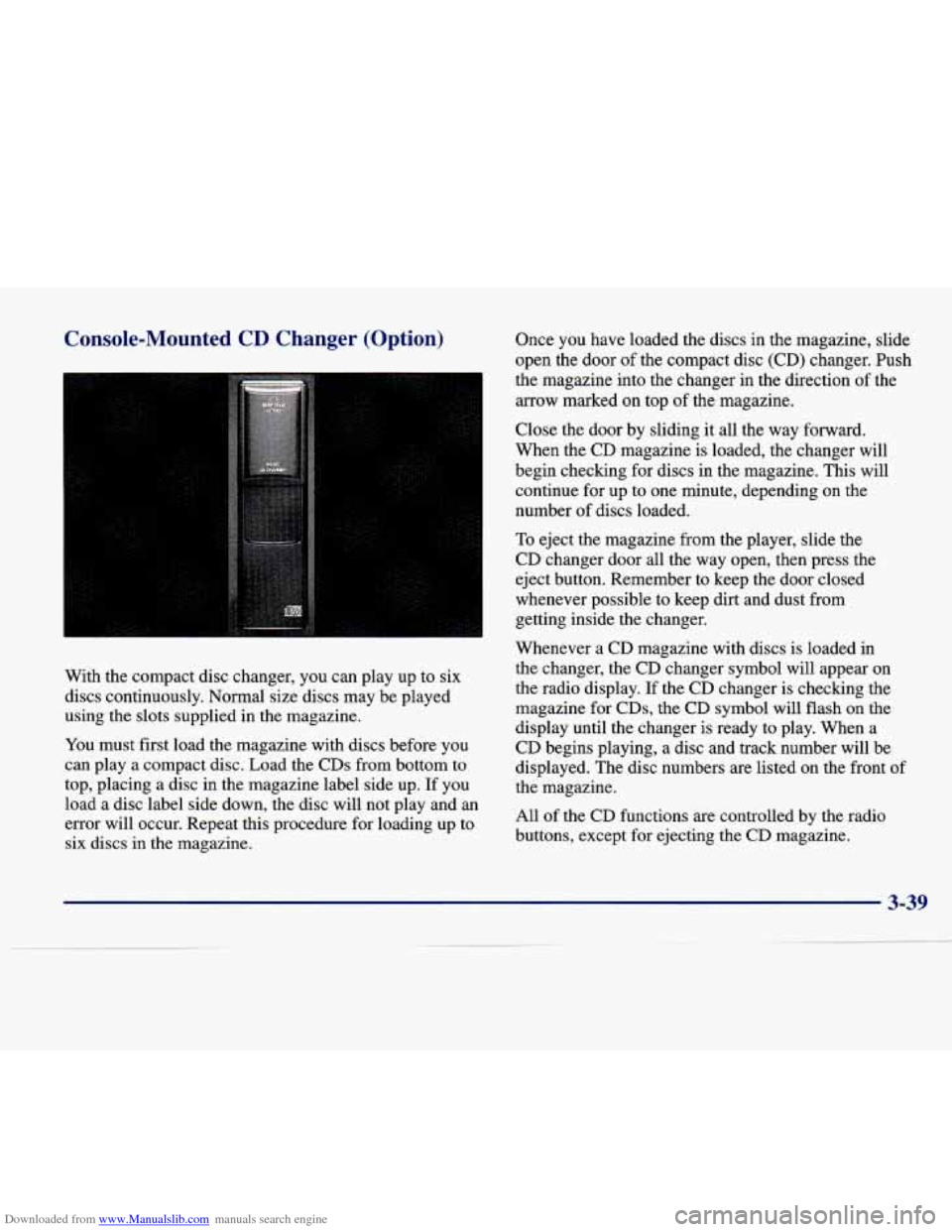
With the compact disc changer, you can play up to six
discs continuously.
Normal size discs may be played
using the slots supplied in the magazine.
You must first load the magazine with discs before you
can play a compact disc. Load the CDs from bottom to
top, placing a disc in the magazine label side up. If you
load a disc label side down, the disc will not play and an
error will occur. Repeat this procedure for loading up to
six discs in the magazine. Once
you have loaded the discs in
the magazine, slide
open the door
of the compact disc (CD) changer. Push
the magazine into the changer in the direction of the
arrow marked on top of the magazine.
Close the door
by sliding it all the way forward.
When the
CD magazine is loaded, the changer will
begin checking for discs in the magazine. This will
continue
for up to one minute, depending on the
number of discs loaded.
To eject the magazine from the player, slide the
CD changer door all the way open, then press the
eject button. Remember to keep the door closed
whenever possible to keep dirt and dust from
getting inside the changer.
Whenever a CD magazine with discs is loaded in
the changer, the
CD changer symbol will appear on
the radio display. If the CD changer is checking the
magazine for CDs, the CD symbol will flash on the
display until the changer is ready to play. When a
CD begins playing, a disc and track number will be
displayed. The disc numbers are listed on the front of
the magazine.
All of the CD functions are controlled by the radio
buttons, except for ejecting the
CD magazine.
3-39
Page 194 of 378
Downloaded from www.Manualslib.com manuals search engine Understanding Radio Reception
AM
The range for most AM stations is greater than for FM,
especially at night. The longer range, however, can
cause stations to interfere with each other. AM can pick
up noise from things like storms and power lines. Try
reducing the treble to reduce this noise if you ever get it.
FM Stereo
FM stereo will give you the best sound, but FM signals
will reach only about
10 to 40 miles ( 16 to 65 km). Tall
buildings or hills can interfere with
FM signals, causing
the sound to come and go.
Tips About Your Audio System
Hearing damage from loud noise is almost undetectable
until it is too late. Your hearing can adapt to higher
volumes
of sound. Sound that seems normal can be loud
and harmful to your hearing. Take precautions by
adjusting the volume control on your radio to a safe
sound level before your hearing adapts to it.
To help avoid hearing loss or damage:
Adjust the volume control to the lowest setting.
Increase volume slowly until you hear comfortably
and clearly.
NOTICE:
Before you add any sound equipment to your
vehicle
0- like a tape player, CB radio, mobile
telephone or two-way radio
-0 be sure you can
add what you want.
If you can, it’s very
important
to do it properly. Added sound
equipment may interfere with the operation
of
your vehicle’s engine, radio or other systems, and
even damage them. Your vehicle’s systems may
also interfere with the operation
of sound
equipment that has been added improperly.
So, before adding sound equipment, check with
your dealer and be sure to check Federal rules
covering mobile radio and telephone units.
3-43