keyless CADILLAC SEVILLE 2000 5.G User Guide
[x] Cancel search | Manufacturer: CADILLAC, Model Year: 2000, Model line: SEVILLE, Model: CADILLAC SEVILLE 2000 5.GPages: 359, PDF Size: 2.59 MB
Page 109 of 359

2-49 Illuminated Entry
The illuminated entry system turns on the courtesy
lamps and the backlighting to the driver's door switches
and to the ignition key when a door is opened or if you
press the Remote Keyless Entry (RKE) transmitter
unlock button. The illuminated entry system works with
the light sensor and it must be dark outside in order
for the courtesy lamps or backlighting to turn on. The
courtesy lamps turn off approximately 25 seconds after
the last door is closed or after the ignition key is turned
to RUN or if the RKE transmitter lock button is pressed.
The courtesy lamps turn off approximately 40 seconds
after the doors are unlocked with the RKE transmitter
if no door is opened.
Parade Dimming
This feature prohibits the dimming of the instrument
panel lights during daylight while the parking lamps are
on. This feature works with the light sensor and is fully
automatic. When the light sensor reads darkness outside,
the instrument panel lights can be adjusted by following
the steps under ªInstrument Panel Intensity/Brightness
Control.º Backlighting to the instrument panel will
also turn on.
Reading Lamps
The reading lamps are located in the roof. These lamps
and the interior courtesy lamps come on when any door
is opened and it is dark outside. The rear lamps come on
when a rear door is opened. Press the button near the
lamps to turn them on and off.
If the reading lamps are left on, they automatically shut
off 10 minutes after the ignition has been turned off.
Battery Load Management
The battery load management feature is designed to
monitor the vehicle's electrical load and determine when
the battery is in a heavy discharge condition. During
times of high electrical loading, the engine may idle
at a higher revolutions per minute (rpm) setting than
normal to make sure the battery charges. High electrical
loads may occur when several of the following are on:
headlamps, high beams, fog lamps, rear window
defogger, high blower fan, heated seats and engine
cooling fans.
Page 148 of 359
2-88
Vehicle Programming and
Personalization Features (If Equipped)
If your vehicle is equipped with personalization, you
can program certain features to a preferred setting
for up to two people. If your vehicle does not have
personalization, then some of the features on your
vehicle have been programmed for all drivers. On all
vehicles, certain features such as HVAC settings, radio
preset settings, exterior lighting at unlock, remote lock
and unlock confirmation and automatic door locks have
already been programmed for your convenience. If the
vehicle is equipped with Personalization, then the seat
position, steering column position (if equipped) and
the outside mirror positions can also be programmed.
The navigation screen preferences (if equipped) will
remain at the last set position.
If your vehicle is equipped with personalization, the
driver's preferences are recalled by pressing the unlock
button on the Remote Keyless Entry (RKE) transmitter
or by pressing the appropriate memory button ª1º or ª2º
located on the driver's door. Please note that certain
features can be programmed not to recall until the key is
placed in the ignition. To change feature preferences you
must enter FEATURE PROGRAMMING (see below).
All vehicles that have memory seats, have personalization.
Entering FEATURE PROGRAMMING
To begin programming, the ignition must be in ON
and your vehicle in PARK (P). If your vehicle has
memory, you must press the appropriate memory button
ª1º or ª2º, located on the driver's door panel before
programming. Press the INFO button one or more times
until the FEATURE PROGRAMMING prompt appears
on the DIC display. Press the ON/OFF button to enter
FEATURE PROGRAMMING. To exit, press the INFO
RESET button.
Remote Recall Memory (If Equipped)
Enter FEATURE PROGRAMMING by following the
previous instructions and then press the down arrow on
the INFO button one or more times until the REMOTE
RECALL MEMORY prompt appears. To turn the
feature on, press the ON/OFF button until ON is
displayed on the DIC. The seat and mirror memory
settings that have been previously programmed can be
recalled by pressing the unlock button on the RKE
transmitter. The steering column will move when the
key is inserted in the ignition and turned to ON.
To turn the feature off, press the ON/OFF button
until OFF is displayed.
Page 156 of 359
3-2
Comfort Controls
This section tells you how to make your air system
work for you.
Climate Control Panel
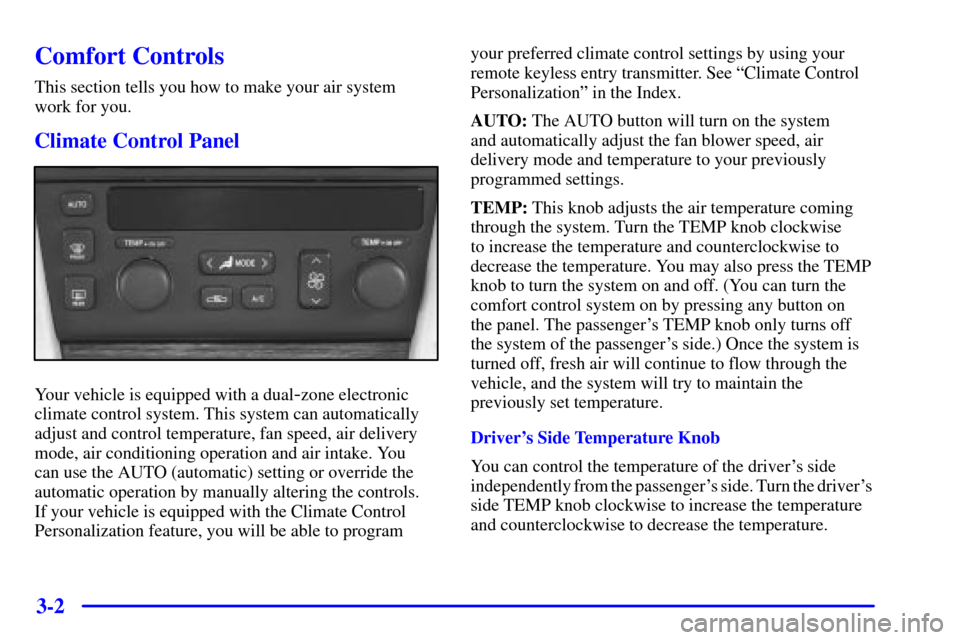
Your vehicle is equipped with a dual-zone electronic
climate control system. This system can automatically
adjust and control temperature, fan speed, air delivery
mode, air conditioning operation and air intake. You
can use the AUTO (automatic) setting or override the
automatic operation by manually altering the controls.
If your vehicle is equipped with the Climate Control
Personalization feature, you will be able to program
your preferred climate control settings by using your
remote keyless entry transmitter. See ªClimate Control
Personalizationº in the Index.
AUTO: The AUTO button will turn on the system
and automatically adjust the fan blower speed, air
delivery mode and temperature to your previously
programmed settings.
TEMP: This knob adjusts the air temperature coming
through the system. Turn the TEMP knob clockwise
to increase the temperature and counterclockwise to
decrease the temperature. You may also press the TEMP
knob to turn the system on and off. (You can turn the
comfort control system on by pressing any button on
the panel. The passenger's TEMP knob only turns off
the system of the passenger's side.) Once the system is
turned off, fresh air will continue to flow through the
vehicle, and the system will try to maintain the
previously set temperature.
Driver's Side Temperature Knob
You can control the temperature of the driver's side
independently from the passenger's side. Turn the driver's
side TEMP knob clockwise to increase the temperature
and counterclockwise to decrease the temperature.
Page 164 of 359
3-10 HVAC Steering Wheel Controls
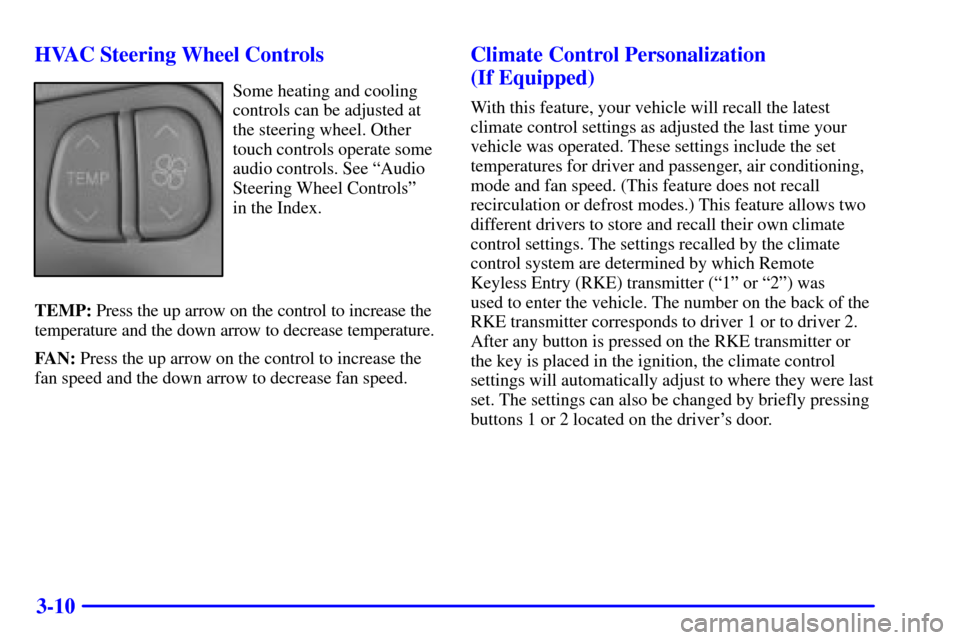
Some heating and cooling
controls can be adjusted at
the steering wheel. Other
touch controls operate some
audio controls. See ªAudio
Steering Wheel Controlsº
in the Index.
TEMP: Press the up arrow on the control to increase the
temperature and the down arrow to decrease temperature.
FAN: Press the up arrow on the control to increase the
fan speed and the down arrow to decrease fan speed.
Climate Control Personalization
(If Equipped)
With this feature, your vehicle will recall the latest
climate control settings as adjusted the last time your
vehicle was operated. These settings include the set
temperatures for driver and passenger, air conditioning,
mode and fan speed. (This feature does not recall
recirculation or defrost modes.) This feature allows two
different drivers to store and recall their own climate
control settings. The settings recalled by the climate
control system are determined by which Remote
Keyless Entry (RKE) transmitter (ª1º or ª2º) was
used to enter the vehicle. The number on the back of the
RKE transmitter corresponds to driver 1 or to driver 2.
After any button is pressed on the RKE transmitter or
the key is placed in the ignition, the climate control
settings will automatically adjust to where they were last
set. The settings can also be changed by briefly pressing
buttons 1 or 2 located on the driver's door.