radio CADILLAC SRX 2011 2.G User Guide
[x] Cancel search | Manufacturer: CADILLAC, Model Year: 2011, Model line: SRX, Model: CADILLAC SRX 2011 2.GPages: 498, PDF Size: 7.62 MB
Page 149 of 498
Black plate (3,1)Cadillac SRX Owner Manual - 2011
Instruments and Controls 5-3
y/z:Press theybutton to
select the next favorite radio station
or next CD, DVD, if equipped,
or MP3 track.
Press the
zbutton to select the
previous favorite radio station or
previous CD, DVD, if equipped,
or MP3 track.
+
x− (Volume): Press + to
increase the volume, press −to
decrease the volume.
b/g(Push to Talk): For vehicles
with an OnStar®, Bluetooth®,
or navigation system, press
to interact with those systems.
See Bluetooth (Overview ) on
page 7‑51 orBluetooth
(Infotainment Controls) on
page 7‑52 orBluetooth (Voice Recognition) on page 7‑57,
the OnStar Owner's guide,
or the separate navigation
manual for more information.
/
c(End Call / Mute):
Press to
silence the vehicle speakers only.
Press again to turn the sound
on. For vehicles with OnStar
or Bluetooth systems, press to
reject an incoming call, or end
a current call.
SRCE: Press to select an audio
source.
Horn
Press near the horn symbols or
press on the steering wheel pad to
sound the horn.
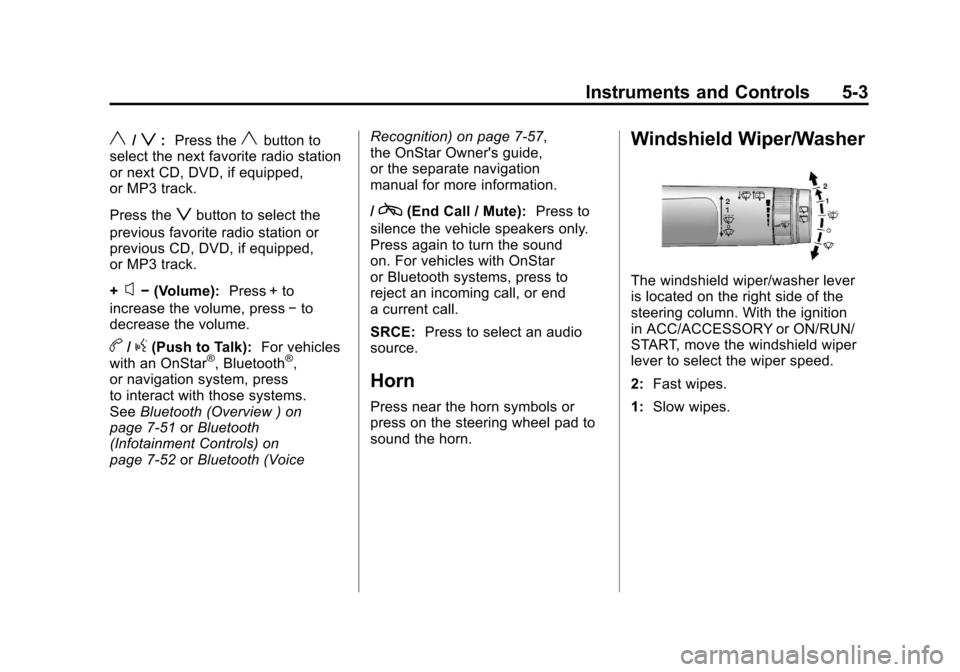
Windshield Wiper/Washer
The windshield wiper/washer lever
is located on the right side of the
steering column. With the ignition
in ACC/ACCESSORY or ON/RUN/
START, move the windshield wiper
lever to select the wiper speed.
2: Fast wipes.
1: Slow wipes.
Page 153 of 498
Black plate (7,1)Cadillac SRX Owner Manual - 2011
Instruments and Controls 5-7
SeeWasher Fluid on page 10‑24 for
information on filling the windshield
washer fluid.
{WARNING
In freezing weather, do not
use your washer until the
windshield is warmed. Otherwise
the washer fluid can form ice on
the windshield, blocking your
vision.
Compass
The vehicle may have a compass
display on the Driver Information
Center (DIC). The compass
receives its heading and other
information from Global Positioning
System (GPS) antenna, StabiliTrak,
and vehicle speed information. Avoid covering the GPS antenna
for long periods of time with objects
that may interfere with the antenna's
ability to receive a satellite signal.
See
Multi-Band Antenna on
page 7‑19 for the location of the
vehicle's antennas. The compass
system is designed to operate for a
certain number of miles or degrees
of turn before needing a signal
from the GPS satellites. When the
compass display shows CAL, drive
the vehicle for a short distance in
an open area where it can receive
a GPS signal. The compass system
will automatically determine when
GPS signal is restored and provide
a heading again. See Compass
Messages on page 5‑34 for more
information on the messages that
may be displayed for the compass.
Clock (Analog Clock)
The analog clock is located on the
instrument panel above the radio.
The clock is not connected with any
other vehicle system and runs by
itself. To adjust the clock:
1. Locate the adjustment buttons directly below the clock face.
2. Push and hold either adjustment button to advance or reverse the
clock hands. Holding the buttons
down will cause the clock to
advance faster. Release the
buttons before reaching the
desired time.
3. Push and release the buttons to increase the time by one minute
increments until the desired time
is reached.
Page 165 of 498
Black plate (19,1)Cadillac SRX Owner Manual - 2011
Instruments and Controls 5-19
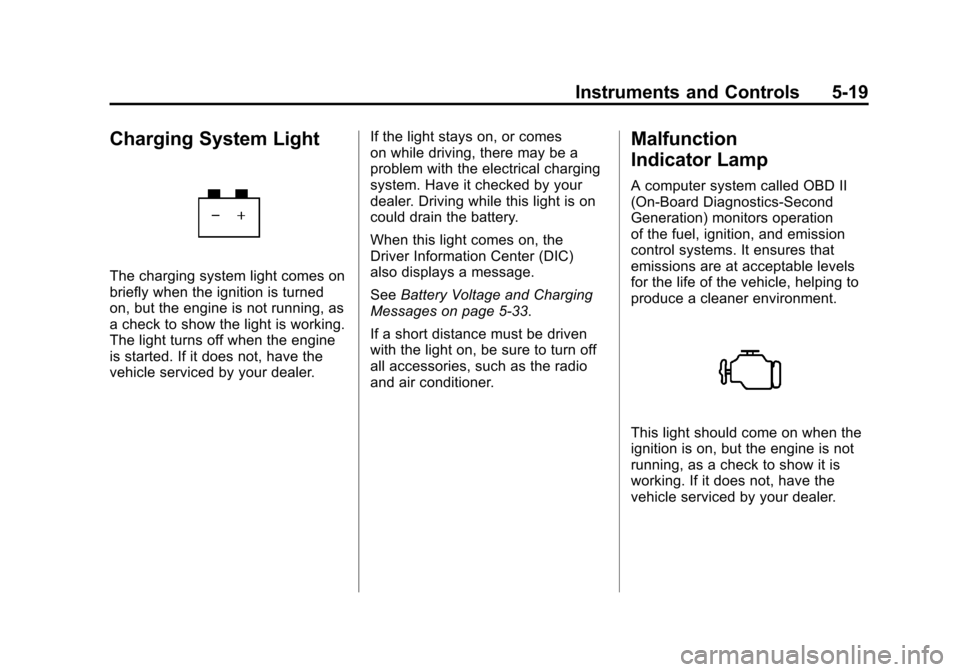
Charging System Light
The charging system light comes on
briefly when the ignition is turned
on, but the engine is not running, as
a check to show the light is working.
The light turns off when the engine
is started. If it does not, have the
vehicle serviced by your dealer.If the light stays on, or comes
on while driving, there may be a
problem with the electrical charging
system. Have it checked by your
dealer. Driving while this light is on
could drain the battery.
When this light comes on, the
Driver Information Center (DIC)
also displays a message.
See
Battery Voltage and Charging
Messages on page 5‑33.
If a short distance must be driven
with the light on, be sure to turn off
all accessories, such as the radio
and air conditioner.
Malfunction
Indicator Lamp
A computer system called OBD II
(On-Board Diagnostics-Second
Generation) monitors operation
of the fuel, ignition, and emission
control systems. It ensures that
emissions are at acceptable levels
for the life of the vehicle, helping to
produce a cleaner environment.
This light should come on when the
ignition is on, but the engine is not
running, as a check to show it is
working. If it does not, have the
vehicle serviced by your dealer.
Page 174 of 498
Black plate (28,1)Cadillac SRX Owner Manual - 2011
5-28 Instruments and Controls
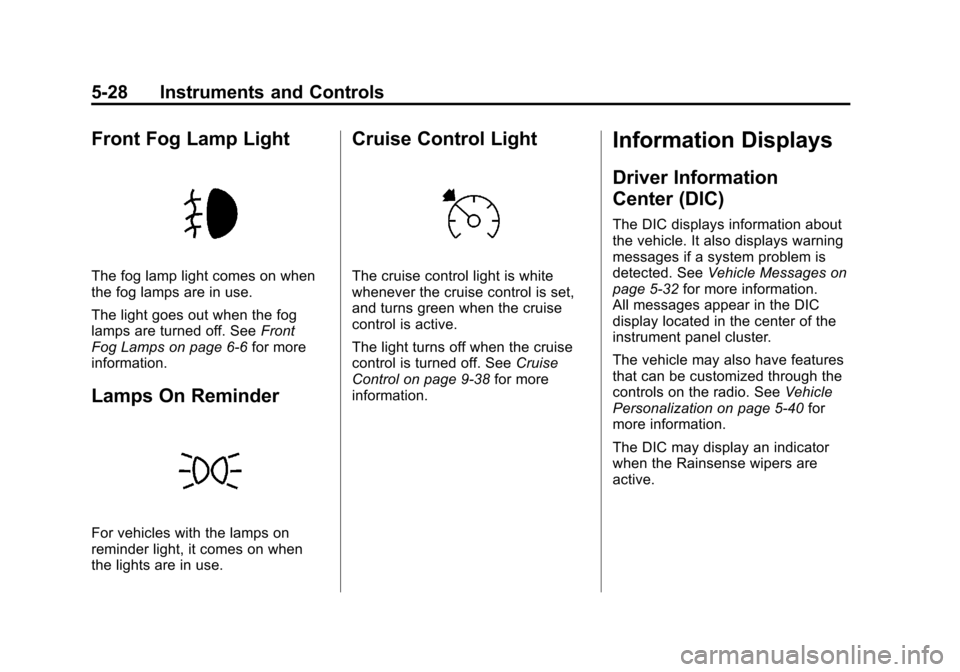
Front Fog Lamp Light
The fog lamp light comes on when
the fog lamps are in use.
The light goes out when the fog
lamps are turned off. SeeFront
Fog Lamps on page 6‑6 for more
information.
Lamps On Reminder
For vehicles with the lamps on
reminder light, it comes on when
the lights are in use.
Cruise Control Light
The cruise control light is white
whenever the cruise control is set,
and turns green when the cruise
control is active.
The light turns off when the cruise
control is turned off. See Cruise
Control on page 9‑38 for more
information.
Information Displays
Driver Information
Center (DIC)
The DIC displays information about
the vehicle. It also displays warning
messages if a system problem is
detected. See Vehicle Messages on
page 5‑32 for more information.
All messages appear in the DIC
display located in the center of the
instrument panel cluster.
The vehicle may also have features
that can be customized through the
controls on the radio. See Vehicle
Personalization on page 5‑40 for
more information.
The DIC may display an indicator
when the Rainsense wipers are
active.
Page 192 of 498
Black plate (46,1)Cadillac SRX Owner Manual - 2011
5-46 Instruments and Controls
Universal Remote
System
SeeRadio Frequency
Statement on page 13‑20 for
information regarding Part 15
of the Federal Communications
Commission (FCC) rules and
Industry Canada Standards
RSS-210/220/310.
Universal Remote System
Programming
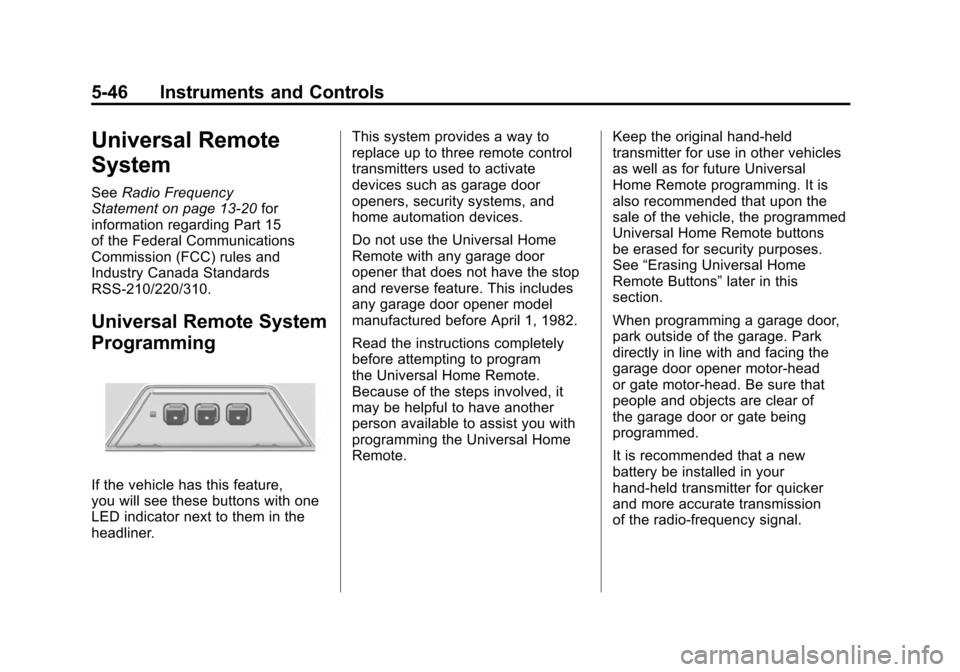
If the vehicle has this feature,
you will see these buttons with one
LED indicator next to them in the
headliner. This system provides a way to
replace up to three remote control
transmitters used to activate
devices such as garage door
openers, security systems, and
home automation devices.
Do not use the Universal Home
Remote with any garage door
opener that does not have the stop
and reverse feature. This includes
any garage door opener model
manufactured before April 1, 1982.
Read the instructions completely
before attempting to program
the Universal Home Remote.
Because of the steps involved, it
may be helpful to have another
person available to assist you with
programming the Universal Home
Remote.
Keep the original hand-held
transmitter for use in other vehicles
as well as for future Universal
Home Remote programming. It is
also recommended that upon the
sale of the vehicle, the programmed
Universal Home Remote buttons
be erased for security purposes.
See
“Erasing Universal Home
Remote Buttons” later in this
section.
When programming a garage door,
park outside of the garage. Park
directly in line with and facing the
garage door opener motor-head
or gate motor-head. Be sure that
people and objects are clear of
the garage door or gate being
programmed.
It is recommended that a new
battery be installed in your
hand-held transmitter for quicker
and more accurate transmission
of the radio-frequency signal.
Page 194 of 498
Black plate (48,1)Cadillac SRX Owner Manual - 2011
5-48 Instruments and Controls
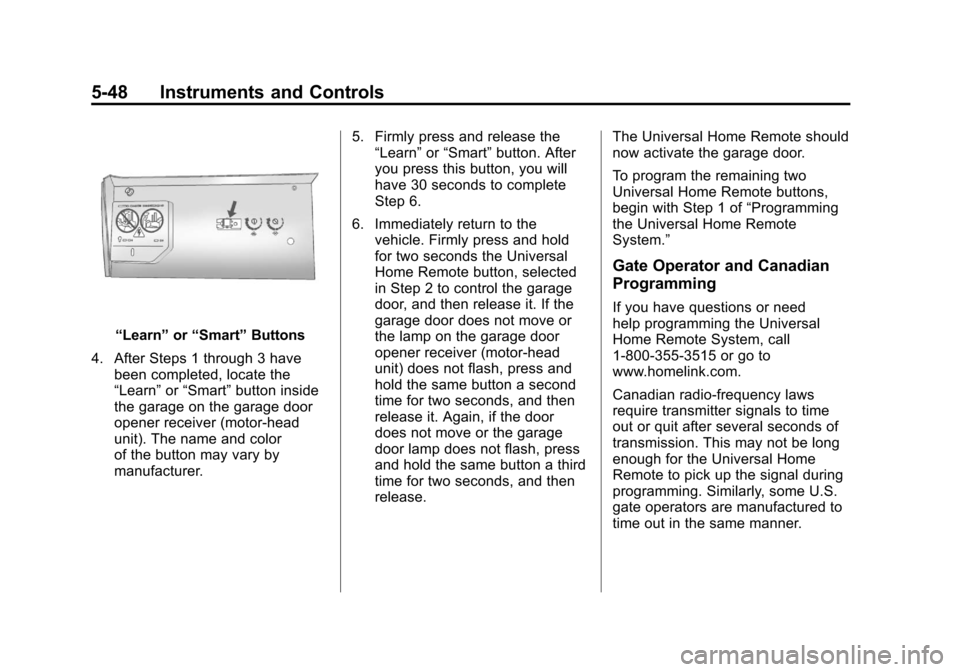
“Learn”or“Smart” Buttons
4. After Steps 1 through 3 have been completed, locate the
“Learn” or“Smart” button inside
the garage on the garage door
opener receiver (motor-head
unit). The name and color
of the button may vary by
manufacturer. 5. Firmly press and release the
“Learn” or“Smart” button. After
you press this button, you will
have 30 seconds to complete
Step 6.
6. Immediately return to the vehicle. Firmly press and hold
for two seconds the Universal
Home Remote button, selected
in Step 2 to control the garage
door, and then release it. If the
garage door does not move or
the lamp on the garage door
opener receiver (motor-head
unit) does not flash, press and
hold the same button a second
time for two seconds, and then
release it. Again, if the door
does not move or the garage
door lamp does not flash, press
and hold the same button a third
time for two seconds, and then
release. The Universal Home Remote should
now activate the garage door.
To program the remaining two
Universal Home Remote buttons,
begin with Step 1 of
“Programming
the Universal Home Remote
System.”
Gate Operator and Canadian
Programming
If you have questions or need
help programming the Universal
Home Remote System, call
1‐800‐355‐3515 or go to
www.homelink.com.
Canadian radio-frequency laws
require transmitter signals to time
out or quit after several seconds of
transmission. This may not be long
enough for the Universal Home
Remote to pick up the signal during
programming. Similarly, some U.S.
gate operators are manufactured to
time out in the same manner.
Page 205 of 498
Black plate (1,1)Cadillac SRX Owner Manual - 2011
Infotainment System 7-1
Infotainment
System
Introduction
Introduction . . . . . . . . . . . . . . . . . . . 7-1
Theft-Deterrent Feature . . . . . . . 7-2
Overview (Radio with CD) . . . . . 7-3
Overview (Radio with CD/DVDand MEM) . . . . . . . . . . . . . . . . . . . 7-5
Operation . . . . . . . . . . . . . . . . . . . . . 7-7
Radio
AM-FM Radio . . . . . . . . . . . . . . . . 7-12
Satellite Radio . . . . . . . . . . . . . . . 7-15
Radio Reception . . . . . . . . . . . . . 7-19
Multi-Band Antenna . . . . . . . . . . 7-19
Audio Players
CD Player (Radio with CD) . . . . . . . . . . . . . . . . . . . . 7-20
CD/DVD Player . . . . . . . . . . . . . . 7-22
Mass Storage Media (MEM) . . . . . . . . . . . . . . . 7-27
Auxiliary Devices (Radio with CD) . . . . . . . . . . . . . . . . . . . . 7-30
Auxiliary Devices (Radio with CD/DVD and MEM) . . . . . . . . 7-36
Rear Seat Infotainment
Rear Seat Entertainment(RSE) System . . . . . . . . . . . . . . 7-38
Rear Seat Audio (RSA) System . . . . . . . . . . . . . . . . . . . . . 7-49
Phone
Bluetooth (Overview) . . . . . . . . 7-51
Bluetooth (InfotainmentControls) . . . . . . . . . . . . . . . . . . . 7-52
Bluetooth (Voice Recognition) . . . . . . . . . . . . . . . 7-57
Introduction
Read the following pages to
become familiar with the audio
system's features.
{WARNING
Taking your eyes off the road
for extended periods could
cause a crash resulting in injury
or death to you or others. Do not
give extended attention to
entertainment tasks while driving.
This system provides access to
many audio and non‐audio listings.
Page 206 of 498
Black plate (2,1)Cadillac SRX Owner Manual - 2011
7-2 Infotainment System
To minimize taking your eyes off the
road while driving, do the following
while the vehicle is parked:
.Become familiar with the
operation and controls of the
audio system.
.Set up the tone, speaker
adjustments, and preset radio
stations.
For more information, see Defensive
Driving on page 9‑2.
This vehicle's infotainment system
may be equipped with a noise
reduction system which can work
improperly if the audio amplifier,
engine calibrations, exhaust system,
microphones, radio, or speakers are
modified or replaced. This could
result in more noticeable engine
noise at certain speeds. Notice:
Contact your dealer
before adding any equipment.
Adding audio or communication
equipment could interfere with
the operation of the vehicle's
engine, radio, or other systems,
and could damage them. Follow
federal rules covering mobile
radio and telephone equipment.
The vehicle has Retained
Accessory Power (RAP). With RAP,
the audio system can be played
even after the ignition is turned off.
See Retained Accessory Power
(RAP) on page 9‑22 for more
information.
Navigation System
For vehicles with a navigation
system, see the separate Navigation
System Manual.
Theft-Deterrent Feature
The theft-deterrent feature works
by learning a portion of the Vehicle
Identification Number (VIN)
to the infotainment system.
The infotainment system does
not operate if it is stolen or moved
to a different vehicle.
Page 207 of 498
Black plate (3,1)Cadillac SRX Owner Manual - 2011
Infotainment System 7-3
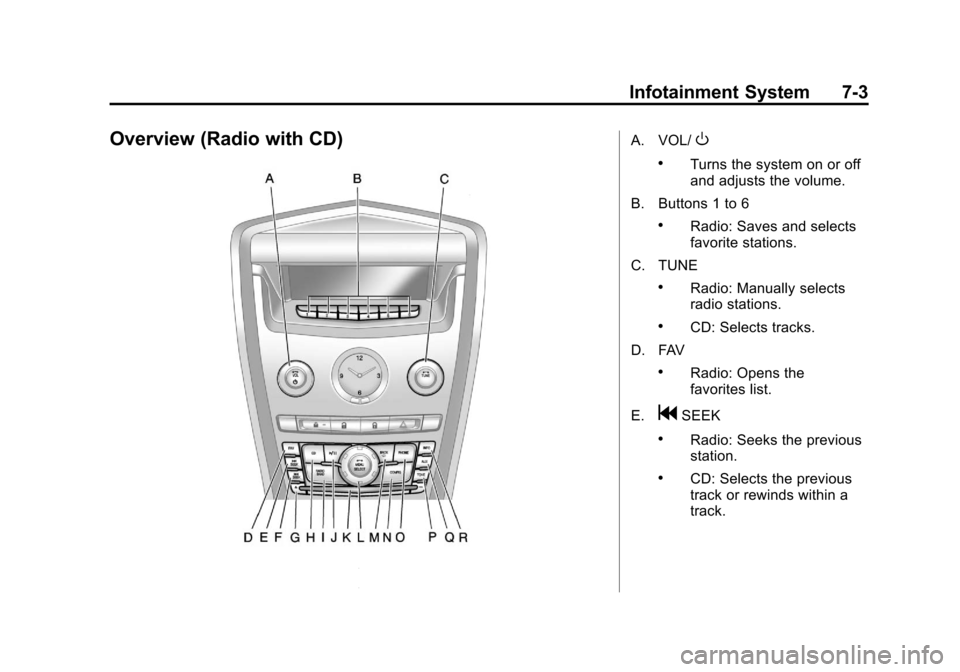
Overview (Radio with CD)A. VOL/O
.Turns the system on or off
and adjusts the volume.
B. Buttons 1 to 6
.Radio: Saves and selects
favorite stations.
C. TUNE
.Radio: Manually selects
radio stations.
.CD: Selects tracks.
D. FAV
.Radio: Opens the
favorites list.
E.
gSEEK
.Radio: Seeks the previous
station.
.CD: Selects the previous
track or rewinds within a
track.
Page 208 of 498

Black plate (4,1)Cadillac SRX Owner Manual - 2011
7-4 Infotainment System
F.lSEEK
.Radio: Seeks the next
station.
.CD: Selects the next track
or fast forwards within a
track.
G.
YCD Eject
.Removes a disc from the
CD slot.
H. CD
.Selects the CD player
when listening to a
different audio source.
I. RADIO/BAND
.Changes the band while
listening to the radio.
.Selects the radio when
listening to a different
audio source. J.
k
.CD: Pauses the CD.
K. CD Slot
.Insert a CD.
L. MENU/SELECT
.Press: Selects menu items.
.Turn: Opens menus,
highlights menu items,
or sets numeric values
while in a menu.
M. BACK
0
.Menu: Moves one
level back.
.Character Input: Deletes
the last character.
N. CONFIG
.Open the settings menu. O. PHONE
.Opens the phone
main menu.
.Mutes the audio system.
P. TONE
.Opens the tone menu.
Q. AUX
.Selects a connected
external audio source.
R. INFO
.Radio: Shows available
information about the
current station.
.CD: Shows available
information about the
current track.