seat memory CADILLAC STS 2009 1.G User Guide
[x] Cancel search | Manufacturer: CADILLAC, Model Year: 2009, Model line: STS, Model: CADILLAC STS 2009 1.GPages: 514, PDF Size: 2.73 MB
Page 153 of 514
Driver Exit Settings Submenu Items
RECALL EXIT SETTINGS
To recall exit settings:
1. Enter the memory programming mode for your exit
settings by following the instructions listed previously
under “Entering the Driver Exit Settings Submenu.”
2. From the DRIVER EXIT SETTINGS submenu,
turn the tune/select knob to scroll to RECALL
EXIT SETTINGS and press in the knob.
If the vehicle is in P (Park), one beep will sound
and your previously saved exit position will then be
recalled.
If the vehicle is not in P (Park), three beeps will
sound and your previously saved exit position will
not be recalled.
A memory recall can be stopped by pressing any
memory seat or mirror position button.
If you would like the stored exit positions to be recalled
when your vehicle is in P (Park), the vehicle is off, and
the driver’s door is opened, see “AUTO EXIT SEAT” and
“AUTO EXIT COLUMN” underVehicle Personalization
on page 2-61.
STORE EXIT SETTINGS
To store exit settings:
1. Adjust your settings for the driver’s seat, the outside
rearview mirrors, and the steering column to a
comfortable exit position.
2. Enter the memory programming mode for your exit
settings by following the instructions listed previously
under “Entering the Driver Exit Settings Submenu.”
3. From the DRIVER EXIT SETTINGS submenu,
turn the tune/select knob to scroll to STORE EXIT
SETTINGS and press in the knob. Two beeps will
sound to conrm that your new exit settings are
saved.
4. Repeat the procedure for a second driver by
programming the other driver number.
2-81
Page 161 of 514
Push the control forward or rearward to move the
steering wheel towards the front or rear of the vehicle.
To set the memory position, seeVehicle Personalization
on page 2-61andMemory Seat, Mirrors and Steering
Wheel on page 2-77.
Heated Steering Wheel
For vehicles with a heated steering wheel, the button for
this feature is located on the steering wheel.
(:Press to turn the heated steering wheel on or off.
A light on the button displays when the feature is
turned on.
The steering wheel takes about three minutes to start
heating.
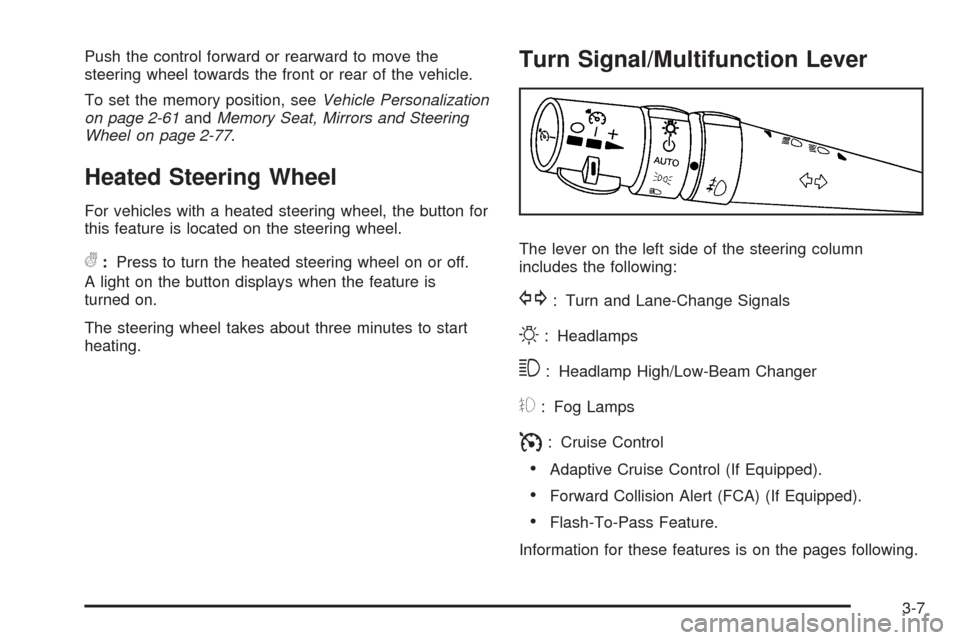
Turn Signal/Multifunction Lever
The lever on the left side of the steering column
includes the following:
G: Turn and Lane-Change Signals
O: Headlamps
3: Headlamp High/Low-Beam Changer
#: Fog Lamps
I: Cruise Control
Adaptive Cruise Control (If Equipped).
Forward Collision Alert (FCA) (If Equipped).
Flash-To-Pass Feature.
Information for these features is on the pages following.
3-7
Page 284 of 514
DRIVER SELECTION
The following submenu displays when this item is
selected:
DRIVER 1
DRIVER 2
RECALL DRIVER SETTINGS
STORE DRIVER SETTINGS
For more information on the DRIVER SELECTION
submenu item, see “Recalling Driver Settings”
and “Storing Driver Settings” underMemory Seat,
Mirrors and Steering Wheel on page 2-77.
DRIVER EXIT SETTINGS
The following submenu displays when this item is
selected:
RECALL EXIT SETTINGS
STORE EXIT SETTINGSFor more information on the DRIVER EXIT SETTINGS
submenu item, see “Recalling Exit Settings” and “Storing
Exit Settings” underMemory Seat, Mirrors and Steering
Wheel on page 2-77.
CONFIGURE DISPLAY KEYS
(Base Audio System)
This item allows the four congurable keys located to
the left and right of the audio display to be customized.
See “Congurable Radio Display Keys” underRadio(s)
on page 3-98for programming information.
Theft-Deterrent Feature
THEFTLOCK®is designed to discourage theft of the
vehicle’s radio by learning a portion of the Vehicle
Identication Number (VIN). The radio does not operate
if it is stolen or moved to a different vehicle.
3-130
Page 457 of 514

Fuses Usage
ELC EXHElectronic Level Control,
Exhaust Solenoid (Option)
DDMDriver Door Module, Front Door
SubWoofers (Option)
TV/VICS/SCMInfotainment (Export Only),
Supervisory Control Module (Option)
REAR
HTD/SEATSRear Heated Seats
SPARE Spare
SPARE Spare
IGN3Front Passenger Heated Seat,
Auto Shifter, Occupant Protection,
Electronic Tension Reducer for
Seatbelt
REAR SHLF
SPKRRear Shelf Speaker (Option)
MSM Memory Seat Module Lumbar
TRUNK
RELSE SWTrunk Release, Valet Lockout
Switch
BCK/UP LAMPReverse Lamps, Rear Parking Aid,
Inside Rearview Mirrors
AIR BAG/BATT Airbag
POS LAMPS Rear Taillamps
ELC CMPRSR Automatic Level Control (Option)Relays Usage
INCLR PUMP Inner Cooler Pump (Option)
ELC CMPRSRElectronic Level Control,
Compressor (Option)
LT POSLeft Rear Taillamp, Position
Lamps (Option)
RT POSRight Rear Taillamp, Position
Lamps (Option)
RUN Ignition 3
STDBY LAMPRear Taillamps, Position
Lamps (Option)
TRUNK RELSE Trunk Release Motor
BCK/UP LAMPReverse Lamps, Rear Parking Aid,
Inside Rearview Mirror
Circuit
BreakersUsage
PWR SEATS Power Seats
Diodes Usage
SPARE Spare
Joint
ConnectorUsage
J/C Splice Pack (Green)
5-131
Page 508 of 514
Locks
Door ..........................................................2-13
Lockout Protection.......................................2-15
Power Door ................................................2-13
Programmable Automatic Door Locks.............2-14
Rear Door Security Locks.............................2-14
Loss of Control...............................................4-15
Lower Anchors and Tethers for Children.............1-39
Lumbar
Power Controls............................................. 1-2
M
Magnetic Ride Control.....................................4-12
Maintenance Schedule
Additional Required Services........................... 6-6
At Each Fuel Fill.........................................6-10
At Least Once a Month................................6-11
At Least Once a Year..................................6-11
Introduction.................................................. 6-2
Maintenance Footnotes.................................. 6-8
Maintenance Record....................................6-18
Maintenance Replacement Parts....................6-15
Maintenance Requirements............................. 6-2
Owner Checks and Services.........................6-10
Recommended Fluids and Lubricants.............6-13
Scheduled Maintenance................................. 6-4Maintenance Schedule (cont.)
Using.......................................................... 6-3
Your Vehicle and the Environment................... 6-2
Malfunction Indicator Lamp...............................3-66
Memory Mirrors..............................................2-77
Memory Seat.................................................2-77
Memory Steering Wheel Controls......................2-77
Message
DIC Warnings and Messages........................3-79
Mirrors
Automatic Dimming Rearview........................2-38
Manual Rearview Mirror with Compass
and Temperature........................................ 1-6
Memory .....................................................2-77
Outside Automatic Dimming Mirror.................2-40
Outside Convex Mirror.................................2-41
Outside Heated Mirrors................................2-41
Outside Power Mirrors..................................2-40
Park Tilt.....................................................2-41
MP3 ............................................................3-111
MyGMLink.com................................................ 7-5
N
Navigation System, Privacy..............................7-18
Navigation/Radio System, see Navigation
Manual.....................................................3-116
New Vehicle Break-In......................................2-25
8
Page 511 of 514
Roadside
Service........................................................ 7-7
Rocking Your Vehicle to Get it Out....................4-24
Routing, Engine Drive Belt...............................6-16
Run-Flat Tires................................................5-62
Running the Vehicle While Parked.....................2-37
S
Safety Belt Reminders.....................................3-57
Safety Belts
Care of ....................................................5-108
How to Wear Safety Belts Properly................1-12
Lap-Shoulder Belt........................................1-21
Safety Belt Extender....................................1-27
Safety Belt Use During Pregnancy.................1-27
Safety Belts Are for Everyone......................... 1-7
Safety Warnings and Symbols.............................. iv
Scheduled Maintenance..................................... 6-4
Seats
Head Restraints............................................ 1-5
Heated and Ventilated Seats........................... 1-3
Heated Seats............................................... 1-3
Heated Seats - Rear..................................... 1-6
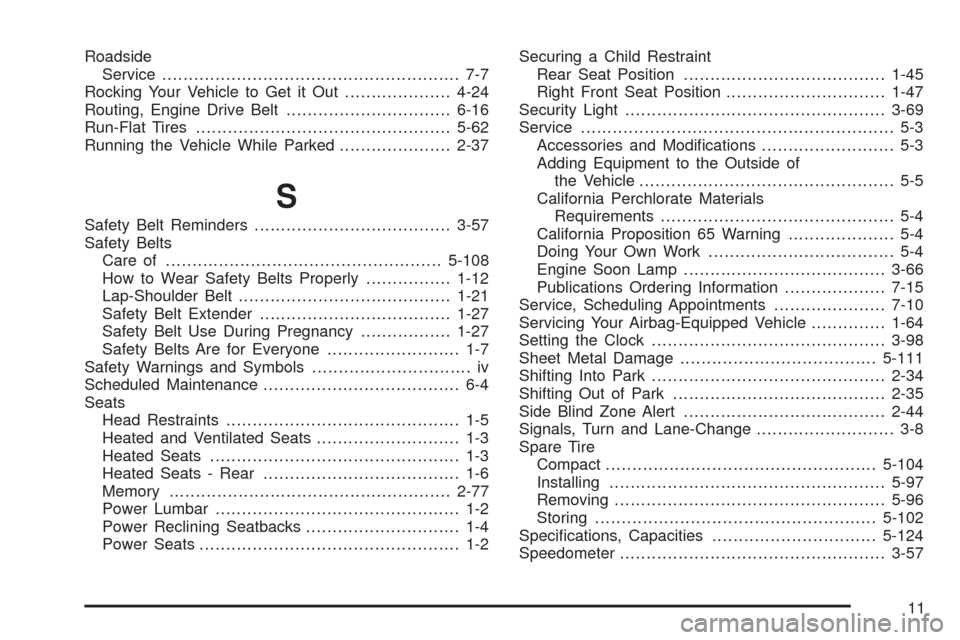
Memory .....................................................2-77
Power Lumbar .............................................. 1-2
Power Reclining Seatbacks............................. 1-4
Power Seats................................................. 1-2Securing a Child Restraint
Rear Seat Position......................................1-45
Right Front Seat Position..............................1-47
Security Light.................................................3-69
Service........................................................... 5-3
Accessories and Modications......................... 5-3
Adding Equipment to the Outside of
the Vehicle................................................ 5-5
California Perchlorate Materials
Requirements............................................ 5-4
California Proposition 65 Warning.................... 5-4
Doing Your Own Work................................... 5-4
Engine Soon Lamp......................................3-66
Publications Ordering Information...................7-15
Service, Scheduling Appointments.....................7-10
Servicing Your Airbag-Equipped Vehicle..............1-64
Setting the Clock............................................3-98
Sheet Metal Damage.....................................5-111
Shifting Into Park............................................2-34
Shifting Out of Park........................................2-35
Side Blind Zone Alert......................................2-44
Signals, Turn and Lane-Change.......................... 3-8
Spare Tire
Compact...................................................5-104
Installing....................................................5-97
Removing...................................................
5-96
Storing.....................................................5-102
Specications, Capacities...............................5-124
Speedometer..................................................3-57
11
Page 513 of 514
Tires (cont.)
Run-Flat.....................................................5-62
Storing a Flat or Spare Tire and Tools..........5-102
Tire Sealant and Compressor Kit...................5-87
Tire Sidewall Labeling..................................5-56
Tire Terminology and Denitions....................5-59
Uniform Tire Quality Grading.........................5-77
Wheel Alignment and Tire Balance.................5-79
Wheel Replacement.....................................5-79
When It Is Time for New Tires......................5-73
Winter Tires................................................5-55
Towing
Recreational Vehicle.....................................4-29
Towing a Trailer..................................4-31, 4-32
Your Vehicle...............................................4-29
Traction
Control System (TCS)..................................4-10
Control System Warning Light.......................3-63
Enhanced Stabilitrak
®.................................... 4-6
Limited-Slip Rear Axle..................................4-12
Magnetic Ride Control..................................4-12
Stabilitrak
®System........................................ 4-6
Transmission
Fluid, Automatic...........................................5-25
Transmission Operation, Automatic....................2-30
Trunk............................................................2-15
Turn and Lane-Change Signals.......................... 3-8
Turn Signal/Multifunction Lever........................... 3-7
Twilight Sentinel
®............................................3-38
U
Ultrasonic Rear Parking Assist (URPA)...............2-42
Uniform Tire Quality Grading............................5-77
Universal Home Remote System.......................2-53
Operation...................................................2-54
V
Valet Lockout Switch.......................................2-23
Vehicle
Control........................................................ 4-3
Loading......................................................4-24
Running While Parked..................................2-37
Vehicle Data Recording and Privacy..................7-16
Vehicle Identication
Number (VIN)............................................5-112
Service Parts Identication Label..................5-112
Vehicle Personalization....................................2-61
Memory Seat, Mirrors and Steering Wheel.........2-77
Vehicle, Remote Start......................................2-11
Ventilated Seats............................................... 1-3
Ventilation Adjustment......................................3-52
Visors...........................................................2-21
13