warning CADILLAC STS 2011 1.G Owners Manual
[x] Cancel search | Manufacturer: CADILLAC, Model Year: 2011, Model line: STS, Model: CADILLAC STS 2011 1.GPages: 528, PDF Size: 4.96 MB
Page 268 of 528
Black plate (82,1)Cadillac STS Owner Manual - 2011
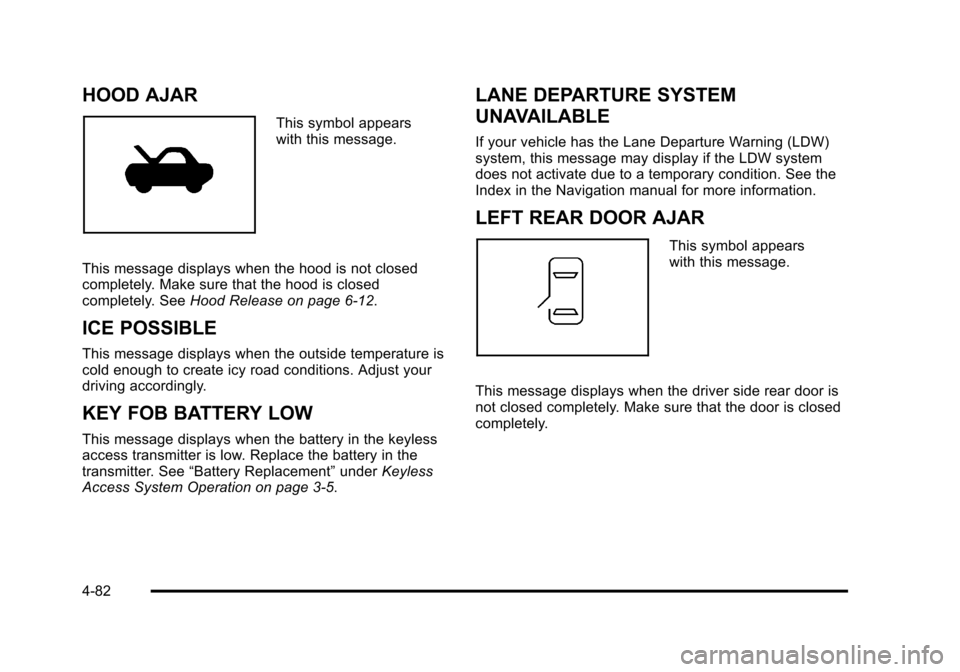
HOOD AJAR
This symbol appears
with this message.
This message displays when the hood is not closed
completely. Make sure that the hood is closed
completely. See Hood Release on page 6‑12.
ICE POSSIBLE
This message displays when the outside temperature is
cold enough to create icy road conditions. Adjust your
driving accordingly.
KEY FOB BATTERY LOW
This message displays when the battery in the keyless
access transmitter is low. Replace the battery in the
transmitter. See“Battery Replacement” underKeyless
Access System Operation on page 3‑5.
LANE DEPARTURE SYSTEM
UNAVAILABLE
If your vehicle has the Lane Departure Warning (LDW)
system, this message may display if the LDW system
does not activate due to a temporary condition. See the
Index in the Navigation manual for more information.
LEFT REAR DOOR AJAR
This symbol appears
with this message.
This message displays when the driver side rear door is
not closed completely. Make sure that the door is closed
completely.
4-82
Page 270 of 528
Black plate (84,1)Cadillac STS Owner Manual - 2011
NO FOB OFF OR RUN?
This message displays when the keyless access
transmitter is not detected inside the vehicle while you
are trying to turn the ignition off. Your vehicle may be
near a strong radio antenna signal causing the keyless
access system to be jammed. The vehicle remains in
ACCESSORY until OFF or START has been pressed or
10 minutes has expired. If you turn the ignition off and
you cannot find the keyless access transmitter, you will
not be able to restart the vehicle. The keyless access
transmitter needs to be inside of the vehicle in order for
the vehicle to start. SeeStarting the Engine
on
page 3‑27for more information.
OIL PRESSURE LOW STOP ENGINE
Notice: If you drive your vehicle while the engine
oil pressure is low, severe engine damage may
occur. If a low oil pressure warning appears on
the instrument panel cluster and/or DIC, stop the
vehicle as soon as possible. Do not drive the
vehicle until the cause of the low oil pressure is
corrected. See Engine Oil
on page 6‑16for more
information.
This message displays when the vehicle's engine oil
pressure is low. A multiple chime sounds when this message is
displayed. See
Engine Oil
on page 6‑16for more
information.
Stop the vehicle immediately, as engine damage can
result from driving a vehicle with low oil pressure. Have
the vehicle serviced by your dealer as soon as possible
when this message is displayed.
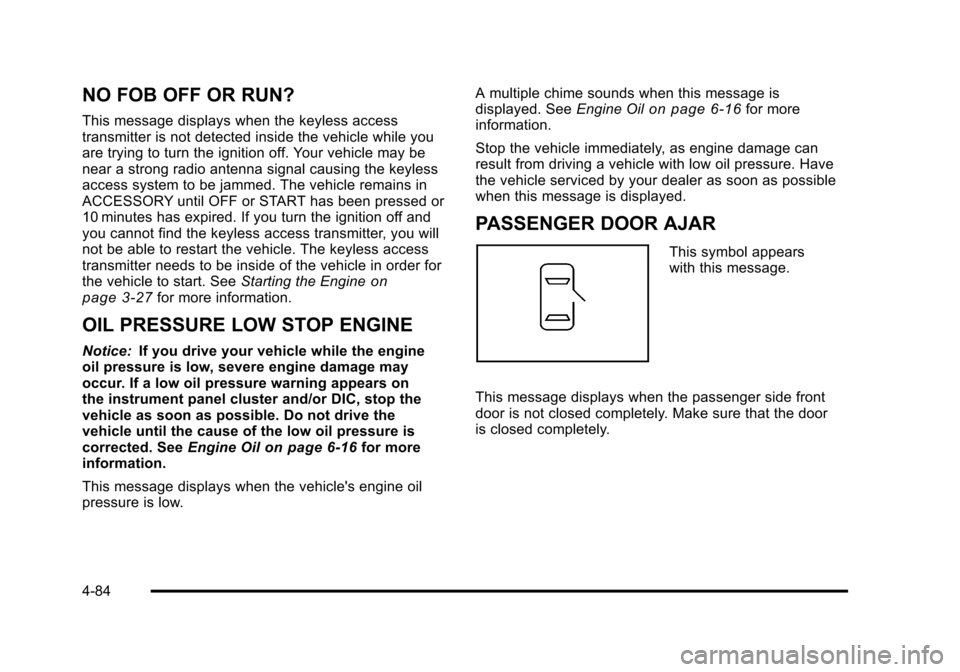
PASSENGER DOOR AJAR
This symbol appears
with this message.
This message displays when the passenger side front
door is not closed completely. Make sure that the door
is closed completely.
4-84
Page 272 of 528
Black plate (86,1)Cadillac STS Owner Manual - 2011
SERVICE AIR BAG
This message displays if there is a problem with the
airbag system. Have your vehicle serviced by your
dealer immediately. SeeAirbag Readiness Light
on
page 4‑54for more information.
SERVICE BRAKE ASSIST
This message displays when a problem with the panic
brake assist system has been detected. Have your
vehicle serviced by your dealer.
SERVICE LANE DEPARTURE SYSTEM
If your vehicle has the Lane Departure Warning (LDW)
system, this message may display to indicate that the
LDW system is not working properly. If this message
remains on after continued driving, the system needs
service. See your dealer. See the Index in the
Navigation manual for more information.
SERVICE RADAR CRUISE
This message displays when the Adaptive Cruise
Control system is disabled and needs service. See
your dealer.
SERVICE SIDE BLIND ZONE ALERT
SYSTEM
If your vehicle has the Side Blind Zone Alert (SBZA)
system and this message displays, both SBZA
displays will remain on indicating there is a problem
with the SBZA system. If these displays remain on after
continued driving, the system needs service. See your
dealer. See the Index in the Navigation manual for more
information.
SERVICE STABILITY SYS (System)
Your vehicle has a vehicle stability enhancement
system called StabiliTrak®. All-Wheel Drive (AWD)
vehicle with the Active Steering with Enhanced
StabiliTrak option have a stability enhancement
system called Enhanced StabiliTrak.
This message displays if there has been a problem
detected with the stability system.
If this message comes on while driving, pull off the road
as soon as possible and stop carefully. Try resetting the
system by turning the ignition off then back on. If this
message still stays on or comes back on again while
driving, your vehicle needs service. Have the stability
system inspected by your dealer as soon as possible.
See StabiliTrak
®Systemon page 5‑6orEnhanced
StabiliTrak®on page 5‑7for more information.
4-86
Page 274 of 528
Black plate (88,1)Cadillac STS Owner Manual - 2011
SERVICE SUSPENSION SYS (System)
This message displays when the suspension system is
not operating properly. Have your vehicle serviced by
your dealer.
If your All-Wheel Drive (AWD) vehicle has the Active
Steering with Enhanced StabiliTrak option and the
suspension system needs service, the Enhanced
StabiliTrak system may be operating in the Stability
Secure Mode and the STABILITY SECURE MODE
message will display. SeeEnhanced StabiliTrak
®on
page 5‑7.
SERVICE TIRE MONITOR
This message displays if a part on the Tire Pressure
Monitor System (TPMS) is not working properly. The tire
pressure light also flashes and then remains on during
the same ignition cycle. See Tire Pressure Light
on
page 4‑62. Several conditions may cause this message
to appear. See Tire Pressure Monitor Operationon
page 6‑62for more information. If the warning comes
on and stays on, there may be a problem with the
TPMS. See your dealer.
SERVICE THEFT SYSTEM
This message displays when there is a problem with the
hood open and closed switches. The switches may
need to be replaced. When this message is displayed,
the theft-deterrent system will still be protecting the
interior of the vehicle, however, the hood area will not
be protected at this time. Also, the remote start function
will not work when this message appears. See your
dealer for service.
SERVICE TRANSMISSION
This message displays when there is a problem with
the transmission. Have your vehicle serviced by your
dealer.
SERVICE VEHICLE SOON
This message displays when a non-emissions related
malfunction occurs. Have your vehicle serviced by your
dealer as soon as possible.
4-88
Page 278 of 528
Black plate (92,1)Cadillac STS Owner Manual - 2011
TRANS (Transmission)
HOT IDLE ENGINE
Notice:If you drive the vehicle while the
transmission fluid is overheating and the
transmission temperature warning is displayed on
the instrument panel cluster and/or DIC, you can
damage the transmission. This could lead to costly
repairs that would not be covered by the warranty.
Do not drive your vehicle with overheated
transmission fluid or while the transmission
temperature warning is displayed.
This message displays when the transmission fluid in
your vehicle is too hot. Stop the vehicle and allow it to
idle until the transmission cools down or until this
message is removed.
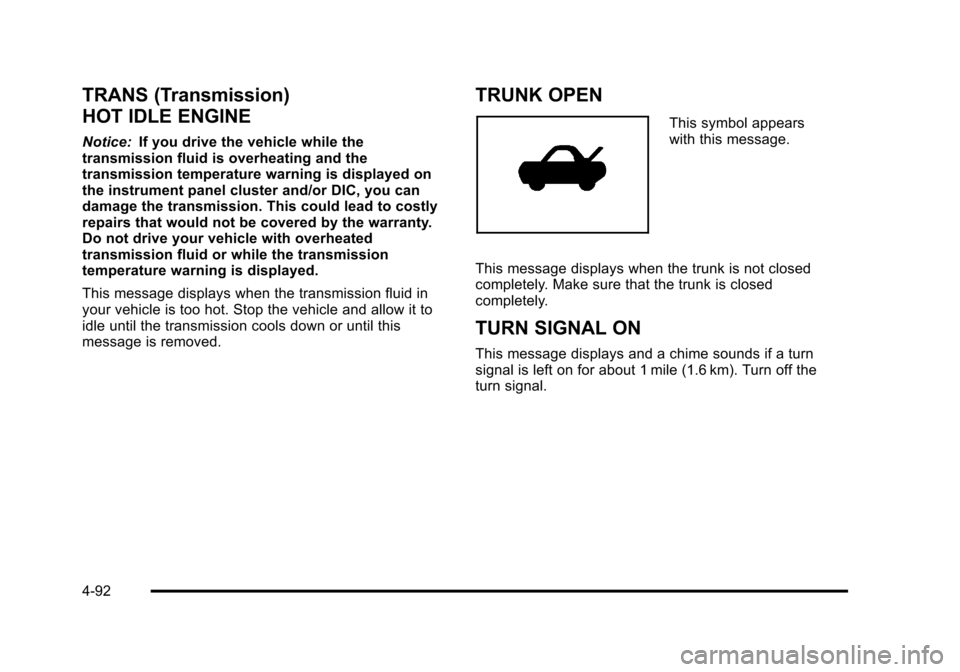
TRUNK OPEN
This symbol appears
with this message.
This message displays when the trunk is not closed
completely. Make sure that the trunk is closed
completely.
TURN SIGNAL ON
This message displays and a chime sounds if a turn
signal is left on for about 1 mile (1.6 km). Turn off the
turn signal.
4-92
Page 280 of 528
Black plate (94,1)Cadillac STS Owner Manual - 2011
Audio System(s)
Determine which radio the vehicle has and read the
following pages to become familiar with its features.
{WARNING:
Taking your eyes off the road for extended periods
could cause a crash resulting in injury or death to
you or others. Do not give extended attention to
entertainment tasks while driving.
This system provides access to many audio and non
audio listings. To minimize taking your eyes off the road while driving,
do the following while the vehicle is parked:
.Become familiar with the operation and controls of
the audio system.
.Set up the tone, speaker adjustments, and preset
radio stations.
For more information, see Defensive Driving
on
page 5‑2.
Notice: Contact your dealer before adding any
equipment.
Adding audio or communication equipment could
interfere with the operation of the vehicle's engine,
radio, or other systems, and could damage them.
Follow federal rules covering mobile radio and
telephone equipment.
The vehicle has Retained Accessory Power (RAP). With
RAP, the audio system can be played even after the
ignition is turned off. See Retained Accessory Power
(RAP)
on page 3‑27for more information.
4-94
Page 314 of 528
Black plate (2,1)Cadillac STS Owner Manual - 2011
Your Driving, the Road, and the
Vehicle
Defensive Driving
Defensive driving means“always expect the
unexpected.” The first step in driving defensively
is to wear your safety belt —See Safety Belts: They
Are for Everyone on page 2‑14.
{WARNING:
Assume that other road users (pedestrians,
bicyclists, and other drivers) are going to be
careless and make mistakes. Anticipate what
they might do and be ready. In addition:
.Allow enough following distance between
you and the driver in front of you.
.Focus on the task of driving.
Driver distraction can cause collisions resulting in
injury or possible death. These simple defensive
driving techniques could save your life.
Drunk Driving
{WARNING:
Drinking and then driving is very dangerous.
Your reflexes, perceptions, attentiveness, and
judgment can be affected by even a small amount
of alcohol. You can have a serious —or even
fatal —collision if you drive after drinking. Do not
drink and drive or ride with a driver who has been
drinking. Ride home in a cab; or if you are with a
group, designate a driver who will not drink.
Death and injury associated with drinking and driving is
a global tragedy.
Alcohol affects four things that anyone needs to drive a
vehicle: judgment, muscular coordination, vision, and
attentiveness.
5-2
Page 316 of 528
Black plate (4,1)Cadillac STS Owner Manual - 2011
Braking
SeeBrake System Warning Light on page 4‑58.
Braking action involves perception time and reaction
time. Deciding to push the brake pedal is perception
time. Actually doing it is reaction time.
Average reaction time is about three‐fourths of a
second. But that is only an average. It might be less
with one driver and as long as two or three seconds or
more with another. Age, physical condition, alertness,
coordination, and eyesight all play a part. So do alcohol,
drugs, and frustration. But even in three‐fourths of a
second, a vehicle moving at 100 km/h (60 mph) travels
20 m (66 feet). That could be a lot of distance in an
emergency, so keeping enough space between the
vehicle and others is important.
And, of course, actual stopping distances vary greatly
with the surface of the road, whether it is pavement or
gravel; the condition of the road, whether it is wet, dry,
or icy; tire tread; the condition of the brakes; the weight
of the vehicle; and the amount of brake force applied. Avoid needless heavy braking. Some people drive in
spurts, heavy acceleration followed by heavy braking,
rather than keeping pace with traffic. This is a mistake.
The brakes might not have time to cool between hard
stops. The brakes will wear out much faster with a lot
of heavy braking. Keeping pace with the traffic and
allowing realistic following distances eliminates a lot of
unnecessary braking. That means better braking and
longer brake life.
If the engine ever stops while the vehicle is being
driven, brake normally but do not pump the brakes.
If the brakes are pumped, the pedal could get harder to
push down. If the engine stops, there will still be some
power brake assist but it will be used when the brake is
applied. Once the power assist is used up, it can take
longer to stop and the brake pedal will be harder
to push.
Adding non‐dealer/non‐retailer accessories can affect
vehicle performance. See
Accessories and
Modifications on page 6‑4.
5-4
Page 317 of 528
Black plate (5,1)Cadillac STS Owner Manual - 2011
Antilock Brake System (ABS)
This vehicle has the Antilock Brake System (ABS), an
advanced electronic braking system that helps prevent
a braking skid.
When the engine is started and the vehicle begins to
drive away, ABS checks itself. A momentary motor or
clicking noise might be heard while this test is going on,
and it might even be noticed that the brake pedal
moves a little. This is normal.
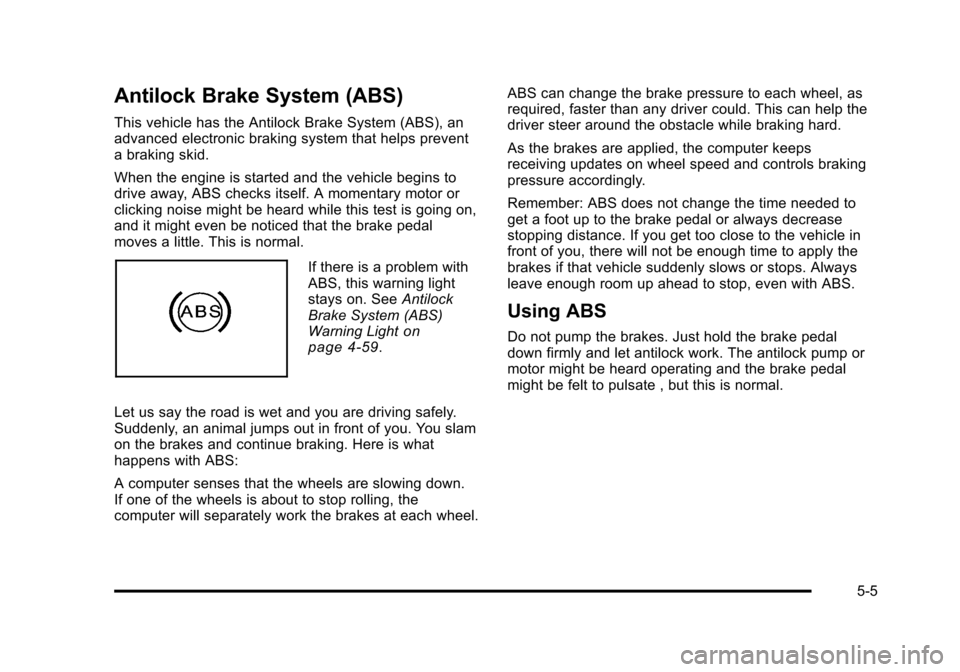
If there is a problem with
ABS, this warning light
stays on. SeeAntilock
Brake System (ABS)
Warning Light
on
page 4‑59.
Let us say the road is wet and you are driving safely.
Suddenly, an animal jumps out in front of you. You slam
on the brakes and continue braking. Here is what
happens with ABS:
A computer senses that the wheels are slowing down.
If one of the wheels is about to stop rolling, the
computer will separately work the brakes at each wheel. ABS can change the brake pressure to each wheel, as
required, faster than any driver could. This can help the
driver steer around the obstacle while braking hard.
As the brakes are applied, the computer keeps
receiving updates on wheel speed and controls braking
pressure accordingly.
Remember: ABS does not change the time needed to
get a foot up to the brake pedal or always decrease
stopping distance. If you get too close to the vehicle in
front of you, there will not be enough time to apply the
brakes if that vehicle suddenly slows or stops. Always
leave enough room up ahead to stop, even with ABS.
Using ABS
Do not pump the brakes. Just hold the brake pedal
down firmly and let antilock work. The antilock pump or
motor might be heard operating and the brake pedal
might be felt to pulsate , but this is normal.
5-5
Page 318 of 528
Black plate (6,1)Cadillac STS Owner Manual - 2011
Braking in Emergencies
ABS allows the driver to steer and brake at the same
time. In many emergencies, steering can help more
than even the very best braking.
Brake Assist
This vehicle has a Brake Assist feature designed to
assist the driver in stopping or decreasing vehicle
speed in emergency driving conditions. This feature
uses the stability system hydraulic brake control module
to supplement the power brake system under conditions
where the driver has quickly and forcefully applied the
brake pedal in an attempt to quickly stop or slow down
the vehicle. The stability system hydraulic brake control
module increases brake pressure at each corner of
the vehicle until the ABS activates. Minor brake pedal
pulsations or pedal movement during this time is normal
and the driver should continue to apply the brake pedal
as the driving situation dictates The Brake Assist
feature will automatically disengage when the brake
pedal is released or brake pedal pressure is quickly
decreased.
StabiliTrak®System
The vehicle has a vehicle stability enhancement system
called StabiliTrak. It is an advanced computer controlled
system that assists with directional control of the vehicle
in difficult driving conditions.
If the vehicle has all‐wheel‐drive and has Active
Steering with Enhanced StabiliTrak, seeEnhanced
StabiliTrak
®on page 5‑7.
StabiliTrak activates when the computer senses a
discrepancy between the intended path and the
direction the vehicle is actually traveling. StabiliTrak
selectively applies braking pressure at any one of the
vehicle's brakes to help steer the vehicle in the intended
direction.
When the system activates, a STABILITY SYS ACTIVE
message will be displayed on the Driver Information
Center (DIC). See DIC Warnings and Messages
on
page 4‑76. A noise may be heard or a vibration felt in
the brake pedal. This is normal. Continue to steer the
vehicle in the intended direction.
If there is a problem detected with StabiliTrak, a
SERVICE STABILITY SYS message will be displayed
on the DIC. See DIC Warnings and Messages
on
page 4‑76. When this message is displayed, the
system is not operational. Driving should be adjusted
accordingly.
5-6