cruise control CADILLAC STS 2011 1.G User Guide
[x] Cancel search | Manufacturer: CADILLAC, Model Year: 2011, Model line: STS, Model: CADILLAC STS 2011 1.GPages: 528, PDF Size: 4.96 MB
Page 194 of 528
Black plate (8,1)Cadillac STS Owner Manual - 2011
Warning the Driver
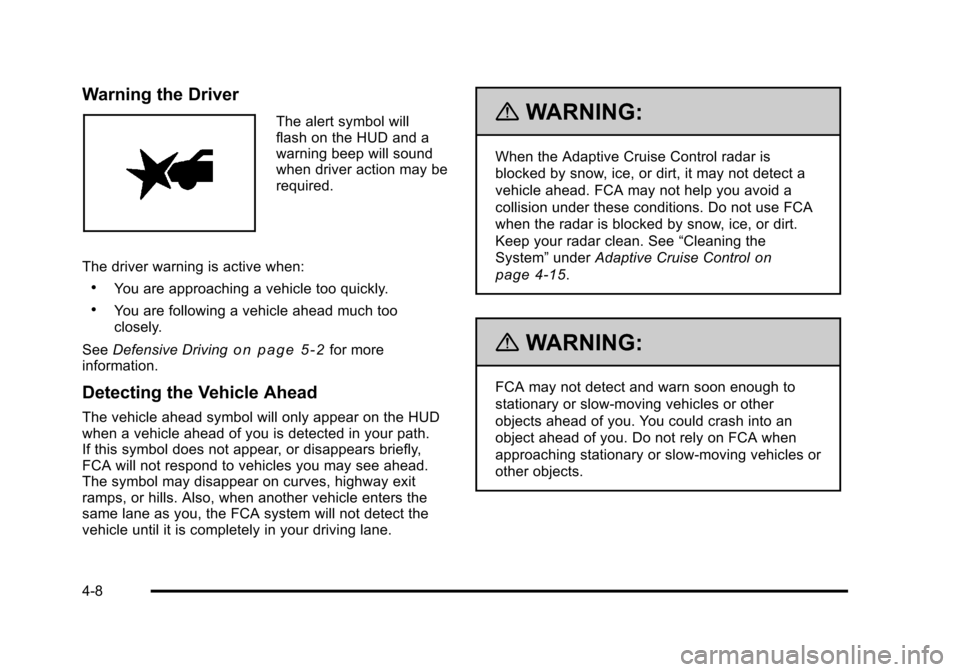
The alert symbol will
flash on the HUD and a
warning beep will sound
when driver action may be
required.
The driver warning is active when:
.You are approaching a vehicle too quickly.
.You are following a vehicle ahead much too
closely.
See Defensive Driving
on page 5‑2for more
information.
Detecting the Vehicle Ahead
The vehicle ahead symbol will only appear on the HUD
when a vehicle ahead of you is detected in your path.
If this symbol does not appear, or disappears briefly,
FCA will not respond to vehicles you may see ahead.
The symbol may disappear on curves, highway exit
ramps, or hills. Also, when another vehicle enters the
same lane as you, the FCA system will not detect the
vehicle until it is completely in your driving lane.
{WARNING:
When the Adaptive Cruise Control radar is
blocked by snow, ice, or dirt, it may not detect a
vehicle ahead. FCA may not help you avoid a
collision under these conditions. Do not use FCA
when the radar is blocked by snow, ice, or dirt.
Keep your radar clean. See “Cleaning the
System” underAdaptive Cruise Control
on
page 4‑15
.
{WARNING:
FCA may not detect and warn soon enough to
stationary or slow-moving vehicles or other
objects ahead of you. You could crash into an
object ahead of you. Do not rely on FCA when
approaching stationary or slow-moving vehicles or
other objects.
4-8
Page 195 of 528
Black plate (9,1)Cadillac STS Owner Manual - 2011
Unnecessary Warnings
FCA may occasionally provide an unnecessary warning
to guard rails, signs, and other stationary objects. This
is normal operation, your vehicle does not need service.
Other Messages
There are three messages that may appear on the
Driver Information Center (DIC). They are CLEAN
RADAR, RADAR CRUISE NOT READY and SERVICE
RADAR CRUISE. SeeDIC Warnings and Messages
on
page 4‑76.
Cleaning the System
The radar can become blocked by snow, ice, or dirt.
If so, you may need to turn off the engine and clean the
lens. See “Cleaning the System” underAdaptive Cruise
Control on page 4‑15.
Flash-to-Pass
This feature allows you to use the high-beam
headlamps to signal the driver in front of you that you
want to pass.
Pull and hold the turn signal/multifunction lever toward
you to use this feature. When this is done the following
will occur:
.If the headlamps are off, in low-beam or in Daytime
Running Lamps (DRL) mode, the high-beam
headlamps will turn on. They will stay on as long
as the lever is held there. Release the lever to turn
them off.
.If the headlamps are in high-beam mode, they will
switch to low beam. To return to high-beam, push
the lever forward.
4-9
Page 198 of 528
Black plate (12,1)Cadillac STS Owner Manual - 2011
Cruise Control
With cruise control, a speed of about 40 km/h (25 mph)
or more can be maintained without keeping your foot on
the accelerator. Cruise control does not work at speeds
below about 40 km/h (25 mph).
If the brakes are applied, the cruise control shuts off.
{WARNING:
Cruise control can be dangerous where you
cannot drive safely at a steady speed. So, do not
use the cruise control on winding roads or in
heavy traffic.
Cruise control can be dangerous on slippery
roads. On such roads, fast changes in tire traction
can cause excessive wheel slip, and you could
lose control. Do not use cruise control on slippery
roads.If the vehicle is in cruise control when the Traction
Control System (TCS) begins to limit wheel spin or
the stability control system activates, the cruise control
automatically disengages. See
Traction Control System
(TCS)
on page 5‑9and StabiliTrak®Systemon
page 5‑6or Enhanced StabiliTrak®on page 5‑7.
When road conditions allow you to safely use it again,
the cruise control can be turned back on.
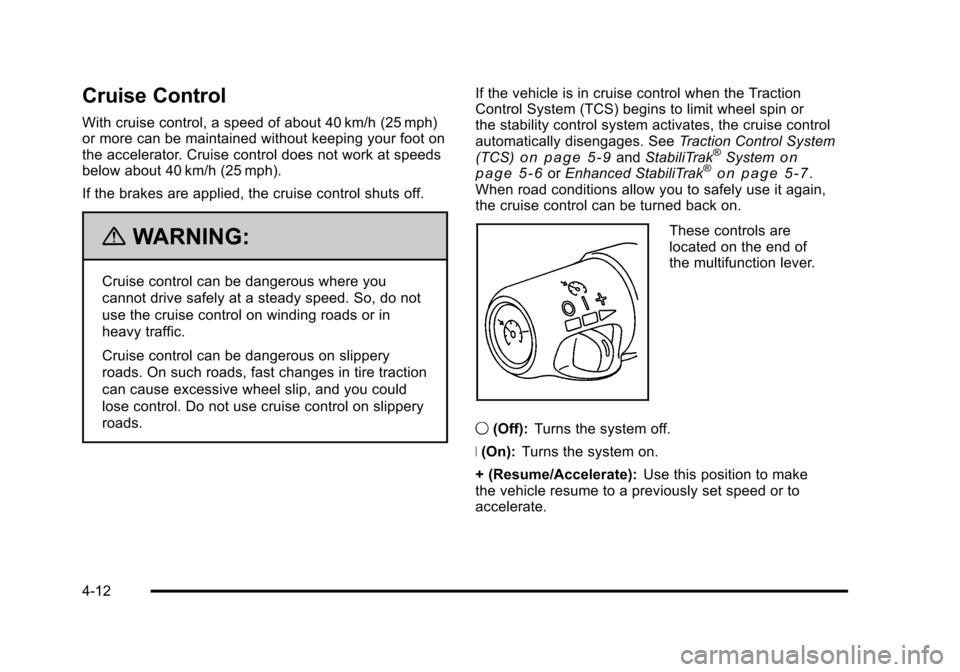
These controls are
located on the end of
the multifunction lever.
9 (Off): Turns the system off.
R (On): Turns the system on.
+ (Resume/Accelerate): Use this position to make
the vehicle resume to a previously set speed or to
accelerate.
4-12
Page 199 of 528
Black plate (13,1)Cadillac STS Owner Manual - 2011
T(Set/Decrease): Press to set the speed or to
decrease the speed when cruise is already active.
[(Cancel): Press to disengage cruise control without
erasing the set speed from memory.
Setting Cruise Control
If the cruise button is on when not in use, it could get
bumped and go into cruise when not desired. Keep the
cruise control switch off when cruise is not being used.
1. Move the cruise control switch to on.
2. Get up to the speed desired.
3. Press
Tat the end of the lever and release it.
4. Take your foot off the accelerator pedal.
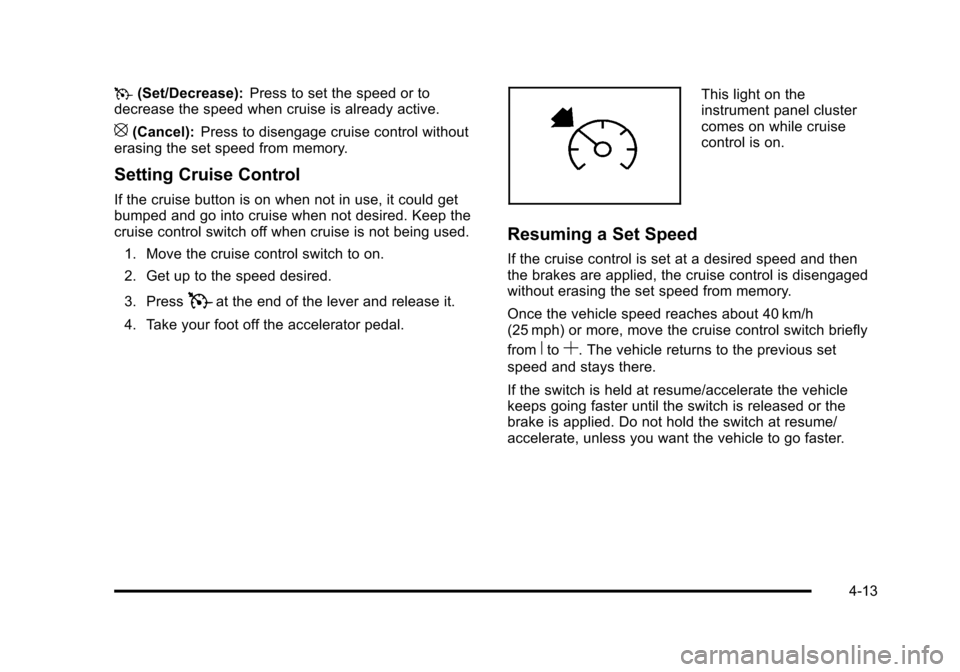
This light on the
instrument panel cluster
comes on while cruise
control is on.
Resuming a Set Speed
If the cruise control is set at a desired speed and then
the brakes are applied, the cruise control is disengaged
without erasing the set speed from memory.
Once the vehicle speed reaches about 40 km/h
(25 mph) or more, move the cruise control switch briefly
from
RtoS. The vehicle returns to the previous set
speed and stays there.
If the switch is held at resume/accelerate the vehicle
keeps going faster until the switch is released or the
brake is applied. Do not hold the switch at resume/
accelerate, unless you want the vehicle to go faster.
4-13
Page 200 of 528
Black plate (14,1)Cadillac STS Owner Manual - 2011
Increasing Speed While Using Cruise
Control
If the cruise control system is already activated,
.PressTat the end of the lever until the desired
speed is reached, then release it and the
accelerator pedal.
.Move the cruise switch fromRtoSand hold until
the desired speed is reached, then release it.
.To increase the vehicle speed in small amounts,
move the switch briefly to
S. Each time this is
done, the vehicle goes about 1.6 km/h (1 mph)
faster.
If using the accelerator pedal and the set button at end
of the lever to increase cruise set speed, the new set
speed must be at least 5 mph higher than current speed
for this method to work. If it is not 5 mph higher, move
the cruise switch to off, then on, and then reset the
speed using the set button.
Reducing Speed While Using Cruise
Control
If the cruise control system is already activated,
.PressTat the end of the lever until the lower
speed desired is reached, then release it.
.To slow down in small amounts, briefly pressT.
Each time this is done, the vehicle goes about
1.6 km/h (1 mph) slower.
Passing Another Vehicle While Using
Cruise Control
Use the accelerator pedal to increase the vehicle
speed. When you take your foot off the pedal, the
vehicle will slow down to the previous set cruise speed.
Using Cruise Control on Hills
How well the cruise control works on hills depends upon
the vehicle speed, load, and the steepness of the hills.
When going up steep hills, you might have to step on
the accelerator pedal to maintain the vehicle speed.
4-14
Page 201 of 528
Black plate (15,1)Cadillac STS Owner Manual - 2011
When going downhill, you might have to brake to keep
the vehicle speed down. When the brakes are applied
the cruise control is disengaged.
Ending Cruise Control
There are three ways to end cruise control.
.To disengage cruise control; step lightly on the
brake pedal.
.Press the[button on the steering wheel.
.To turn off cruise control, move the cruise control
switch to
9.
Erasing Speed Memory
The cruise control set speed is erased from memory by
moving the cruise control switch to
9or if the ignition
is turned off.
Adaptive Cruise Control
If the vehicle has adaptive cruise control, read the
Radio Frequency Statementon page 8‑20before using
this feature.
Changes or modifications to this system by other than
an authorized service facility could void authorization to
use this equipment.
Adaptive Cruise Control is an enhancement to
traditional cruise control and is not a safety system.
It allows you to keep cruise control engaged in
moderate traffic conditions without having to constantly
be reset. Adaptive Cruise Control uses radar to
detect a vehicle directly ahead in your path, within a
distance of 100 m (328 ft), and operates at speeds
above 48 km/h (30 mph). When it is engaged by
the driver, the system can apply limited braking or
acceleration of the vehicle, automatically, to maintain
a selected following distance to the vehicle ahead.
4-15
Page 202 of 528
Black plate (16,1)Cadillac STS Owner Manual - 2011
The vehicle's braking during Adaptive Cruise Control is
comparable to a person applying moderate pressure to
the vehicle's brake pedal. To disengage Adaptive Cruise
Control, apply the brake. If no vehicle is in your path,
your vehicle will react like traditional cruise control.
{WARNING:
Adaptive Cruise Control will not apply hard
braking or bring the vehicle to a complete
stop. It will not respond to stopped vehicles,
pedestrians or animals. When you are
approaching a vehicle or object, Adaptive
Cruise Control may not have time to slow your
vehicle enough to avoid a collision. Your complete
attention is always required while driving and
you should be ready to take action and apply the
brakes. For more information, seeDefensive
Driving on page 5‑2.
{WARNING:
.On winding roads, Adaptive Cruise Control
may not detect a vehicle ahead. You could
crash into a vehicle ahead of you. Do not use
Adaptive Cruise Control on winding roads.
.Adaptive Cruise Control may not have time to
slow your vehicle enough to avoid a crash
when you are driving in conditions where
vehicles may suddenly slow or stop ahead of
you, enter your lane, or cross your vehicle's
path. If you are driving in these conditions, do
not use Adaptive Cruise Control. The warning
beep and alert symbol may indicate that you
are driving in conditions where Adaptive
Cruise Control should not be used. See
“Alerting the Driver” in this section.
(Continued)
4-16
Page 203 of 528
Black plate (17,1)Cadillac STS Owner Manual - 2011
WARNING: (Continued)
.On slippery roads, fast changes in tire traction
can cause needless wheel spinning, and you
could lose control. Do not use cruise control
on slippery roads.
.When weather limits visibility, such as when in
fog, rain, or snow conditions, Adaptive Cruise
Control performance is limited. There may not
be enough distance to adapt to the changing
traffic conditions. Do not use cruise control
when visibility is low.
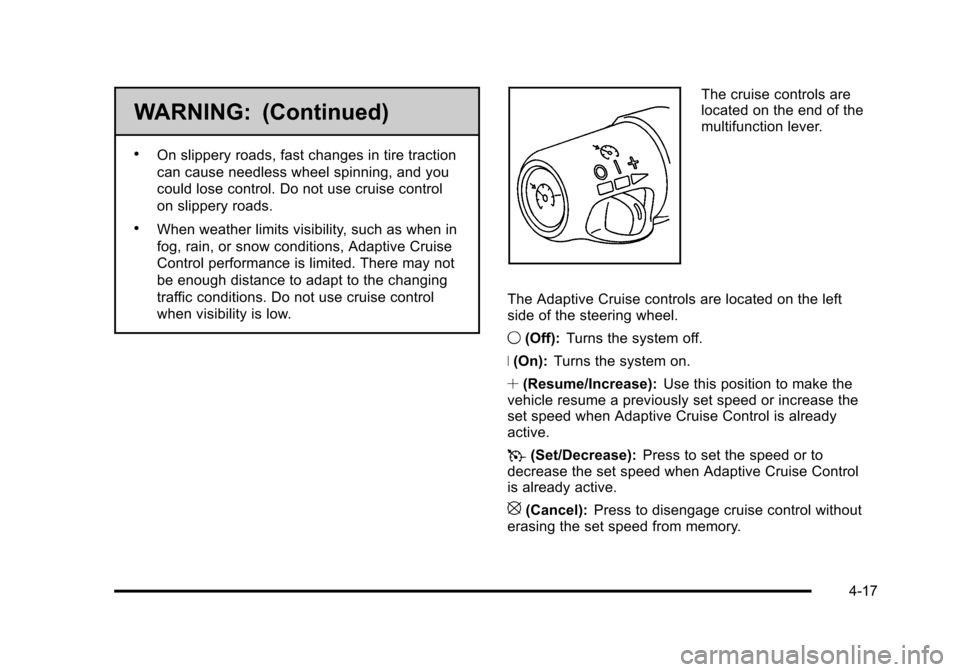
The cruise controls are
located on the end of the
multifunction lever.
The Adaptive Cruise controls are located on the left
side of the steering wheel.
9 (Off): Turns the system off.
R (On): Turns the system on.
S (Resume/Increase): Use this position to make the
vehicle resume a previously set speed or increase the
set speed when Adaptive Cruise Control is already
active.
T (Set/Decrease): Press to set the speed or to
decrease the set speed when Adaptive Cruise Control
is already active.
[(Cancel): Press to disengage cruise control without
erasing the set speed from memory.
4-17
Page 204 of 528
Black plate (18,1)Cadillac STS Owner Manual - 2011
Engaging Adaptive Cruise Control With the
Set Button
{WARNING:
If you operate Adaptive Cruise Control without
your Head-up Display (HUD) properly adjusted,
your Adaptive Cruise Control settings may not be
visible. You could forget your settings and be
startled by Adaptive Cruise Control response
and even lose control. Keep your HUD on and
properly adjusted when using Adaptive Cruise
Control.
If the cruise button is on when not in use, it could get
bumped and go into cruise when not desired. Keep the
cruise control switch off when cruise is not being used.
The set speed is selected by the driver. This is the
speed you will travel if there is no vehicle detected in
your path. To set Adaptive Cruise Control, do the following:
1. Make sure the Head-Up Display (HUD) is on and properly adjusted. You cannot engage Adaptive
Cruise Control unless the HUD is on. See Head-Up
Display (HUD)
on page 4‑38for more information.
2. Move the switch to on.
3. Get up to the desired speed.
4. Press
Tat the end of the lever and release it.
5. Take your foot off the accelerator pedal.
Once Adaptive Cruise Control is set, it might
immediately apply the brakes if it detects a vehicle
ahead that is too close or moving slower than your
vehicle.
4-18
Page 205 of 528
Black plate (19,1)Cadillac STS Owner Manual - 2011
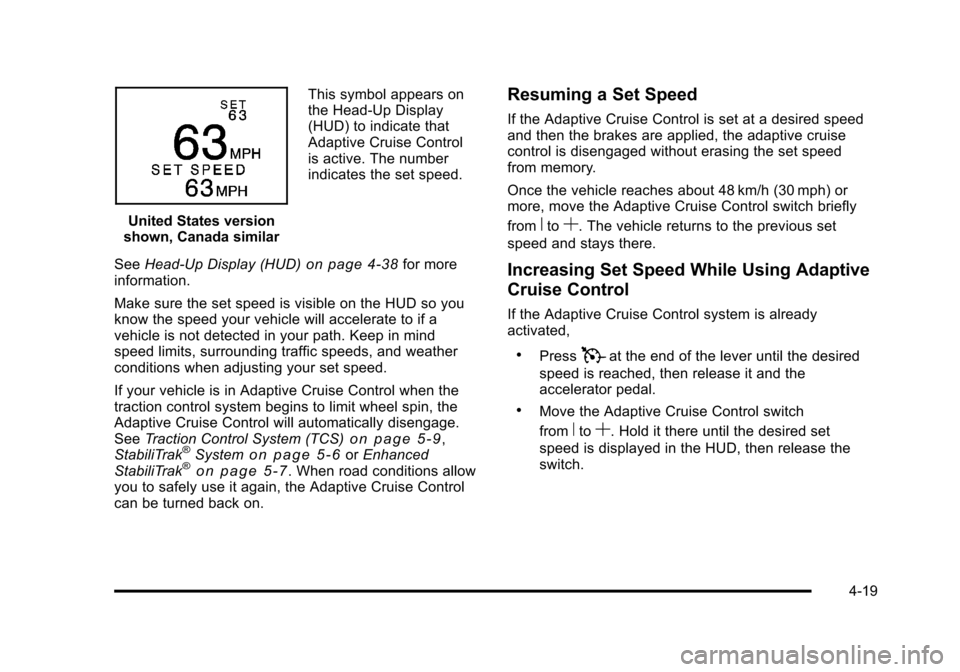
United States version
shown, Canada similar This symbol appears on
the Head-Up Display
(HUD) to indicate that
Adaptive Cruise Control
is active. The number
indicates the set speed.
See Head-Up Display (HUD)
on page 4‑38for more
information.
Make sure the set speed is visible on the HUD so you
know the speed your vehicle will accelerate to if a
vehicle is not detected in your path. Keep in mind
speed limits, surrounding traffic speeds, and weather
conditions when adjusting your set speed.
If your vehicle is in Adaptive Cruise Control when the
traction control system begins to limit wheel spin, the
Adaptive Cruise Control will automatically disengage.
See Traction Control System (TCS)
on page 5‑9,
StabiliTrak®Systemon page 5‑6or Enhanced
StabiliTrak®on page 5‑7. When road conditions allow
you to safely use it again, the Adaptive Cruise Control
can be turned back on.
Resuming a Set Speed
If the Adaptive Cruise Control is set at a desired speed
and then the brakes are applied, the adaptive cruise
control is disengaged without erasing the set speed
from memory.
Once the vehicle reaches about 48 km/h (30 mph) or
more, move the Adaptive Cruise Control switch briefly
from
RtoS. The vehicle returns to the previous set
speed and stays there.
Increasing Set Speed While Using Adaptive
Cruise Control
If the Adaptive Cruise Control system is already
activated,
.PressTat the end of the lever until the desired
speed is reached, then release it and the
accelerator pedal.
.Move the Adaptive Cruise Control switch
from
RtoS. Hold it there until the desired set
speed is displayed in the HUD, then release the
switch.
4-19