mirror CADILLAC STS 2011 1.G User Guide
[x] Cancel search | Manufacturer: CADILLAC, Model Year: 2011, Model line: STS, Model: CADILLAC STS 2011 1.GPages: 528, PDF Size: 4.96 MB
Page 41 of 528
Black plate (9,1)Cadillac STS Owner Manual - 2011
Driver Exit Settings Submenu Items
RECALL EXIT SETTINGS
To recall exit settings:1. Enter the memory programming mode for your exit settings by following the instructions listed
previously under “Entering the Driver Exit Settings
Submenu.”
2. From the DRIVER EXIT SETTINGS submenu, turn the tune/select knob to scroll to RECALL EXIT
SETTINGS and press in the knob.
If the vehicle is in P (Park), one beep will sound
and your previously saved exit position will then be
recalled.
If the vehicle is not in P (Park), three beeps will
sound and your previously saved exit position will
not be recalled.
A memory recall can be stopped by pressing any
memory seat or mirror position button.
If you would like the stored exit positions to be recalled
when your vehicle is in P (Park), the vehicle is off, and
the driver door is opened, see “AUTO EXIT SEAT”and
“AUTO EXIT COLUMN” underVehicle Personalization
on page 3‑59.
STORE EXIT SETTINGS
To store exit settings:
1. Adjust your settings for the driver seat, the outside rearview mirrors, and the steering column to a
comfortable exit position.
2. Enter the memory programming mode for your exit settings by following the instructions listed
previously under “Entering the Driver Exit Settings
Submenu.”
3. From the DRIVER EXIT SETTINGS submenu, turn the tune/select knob to scroll to STORE EXIT
SETTINGS and press in the knob. Two beeps will
sound to confirm that your new exit settings are
saved.
4. Repeat the procedure for a second driver by programming the other driver number.
2-9
Page 107 of 528
Black plate (1,1)Cadillac STS Owner Manual - 2011
Section 3 Features and Controls
Keys. . . . . . . . . . . . . . . . . . . . . . . . . . . . . . . . . . . . . . . . . . . . . . . . 3-3
Keyless Access System . . . . . . . . . . . . . . . . . . . . . . . . . 3-4
Keyless Access System Operation . . . . . . . . . . . . . . 3-5
Remote Vehicle Start . . . . . . . . . . . . . . . . . . . . . . . . . . 3-10
Doors and Locks . . . . . . . . . . . . . . . . . . . . . . . . . . . . . . . . . 3-12
Door Locks . . . . . . . . . . . . . . . . . . . . . . . . . . . . . . . . . . . . 3-12
Power Door Locks . . . . . . . . . . . . . . . . . . . . . . . . . . . . . 3-13
Programmable Automatic Door Locks . . . . . . . . . . 3-14
Rear Door Security Locks . . . . . . . . . . . . . . . . . . . . . 3-14
Lockout Protection . . . . . . . . . . . . . . . . . . . . . . . . . . . . . 3-15
Trunk . . . . . . . . . . . . . . . . . . . . . . . . . . . . . . . . . . . . . . . . . . 3-15
Windows . . . . . . . . . . . . . . . . . . . . . . . . . . . . . . . . . . . . . . . . . . 3-18
Power Windows . . . . . . . . . . . . . . . . . . . . . . . . . . . . . . . 3-19
Sun Visors . . . . . . . . . . . . . . . . . . . . . . . . . . . . . . . . . . . . . 3-21
Theft-Deterrent Systems . . . . . . . . . . . . . . . . . . . . . . . . .3-22
Theft-Deterrent System . . . . . . . . . . . . . . . . . . . . . . . . 3-22
Valet Lockout Switch . . . . . . . . . . . . . . . . . . . . . . . . . . . 3-24
Immobilizer . . . . . . . . . . . . . . . . . . . . . . . . . . . . . . . . . . . . 3-24
Immobilizer Operation . . . . . . . . . . . . . . . . . . . . . . . . . 3-24 Starting and Operating Your Vehicle
. . . . . . . . . . . .3-25
New Vehicle Break-In . . . . . . . . . . . . . . . . . . . . . . . . . . 3-25
Ignition Positions . . . . . . . . . . . . . . . . . . . . . . . . . . . . . . 3-26
Retained Accessory Power (RAP) . . . . . . . . . . . . . 3-27
Starting the Engine . . . . . . . . . . . . . . . . . . . . . . . . . . . . 3-27
Engine Coolant Heater . . . . . . . . . . . . . . . . . . . . . . . . . 3-29
Automatic Transmission Operation . . . . . . . . . . . . . 3-30
Parking Brake . . . . . . . . . . . . . . . . . . . . . . . . . . . . . . . . . 3-33
Shifting Into Park . . . . . . . . . . . . . . . . . . . . . . . . . . . . . . 3-34
Shifting Out of Park . . . . . . . . . . . . . . . . . . . . . . . . . . . . 3-35
Parking Over Things That Burn . . . . . . . . . . . . . . . . 3-35
Engine Exhaust . . . . . . . . . . . . . . . . . . . . . . . . . . . . . . . . 3-36
Running the Vehicle While Parked . . . . . . . . . . . . . 3-36
Mirrors . . . . . . . . . . . . . . . . . . . . . . . . . . . . . . . . . . . . . . . . . . . . 3-37
Automatic Dimming Rearview Mirror . . . . . . . . . . . 3-37
Compass . . . . . . . . . . . . . . . . . . . . . . . . . . . . . . . . . . . . . . 3-38
Outside Power Mirrors . . . . . . . . . . . . . . . . . . . . . . . . . 3-39
Outside Automatic Dimming Mirror . . . . . . . . . . . . . 3-39
Park Tilt Mirrors . . . . . . . . . . . . . . . . . . . . . . . . . . . . . . . . 3-40
Outside Convex Mirror . . . . . . . . . . . . . . . . . . . . . . . . . 3-40
Outside Heated Mirrors . . . . . . . . . . . . . . . . . . . . . . . . 3-40
3-1
Page 108 of 528
Black plate (2,1)Cadillac STS Owner Manual - 2011
Section 3 Features and Controls
Object Detection Systems. . . . . . . . . . . . . . . . . . . . . . .3-41
Ultrasonic Rear Parking Assist (URPA) . . . . . . . . 3-41
Side Blind Zone Alert (SBZA) . . . . . . . . . . . . . . . . . . 3-44
Lane Departure Warning (LDW) . . . . . . . . . . . . . . . 3-47
Universal Home Remote System . . . . . . . . . . . . . . . .3-49
Universal Home Remote System Operation (With Three Round LED) . . . . . . . . . . . . . . . . . . . . 3-49 Storage Areas
. . . . . . . . . . . . . . . . . . . . . . . . . . . . . . . . . . . . 3-56
Glove Box . . . . . . . . . . . . . . . . . . . . . . . . . . . . . . . . . . . . . 3-56
Cupholders . . . . . . . . . . . . . . . . . . . . . . . . . . . . . . . . . . . . 3-56
Center Console Storage . . . . . . . . . . . . . . . . . . . . . . 3-56
Floor Mats . . . . . . . . . . . . . . . . . . . . . . . . . . . . . . . . . . . . . 3-56
Convenience Net . . . . . . . . . . . . . . . . . . . . . . . . . . . . . . 3-57
Sunroof . . . . . . . . . . . . . . . . . . . . . . . . . . . . . . . . . . . . . . . . . . . 3-57
Vehicle Personalization . . . . . . . . . . . . . . . . . . . . . . . . . . 3-59
Memory Seat, Mirrors and Steering Wheel . . . . . 3-75
3-2
Page 112 of 528
Black plate (6,1)Cadillac STS Owner Manual - 2011
Other conditions can affect the performance
of the transmitter. SeeKeyless Access Systemon
page 3‑4.
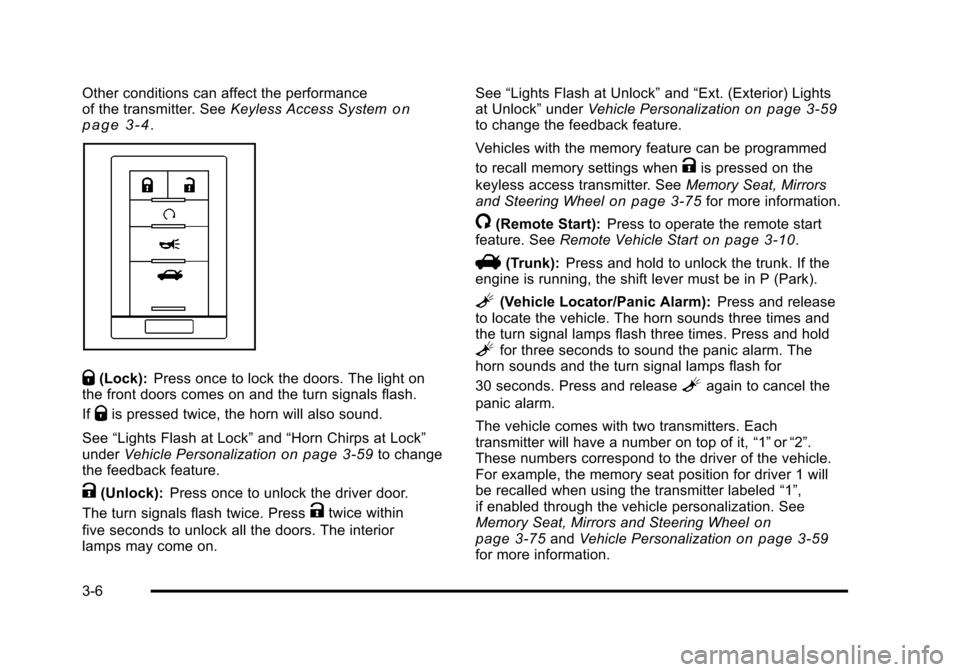
Q(Lock): Press once to lock the doors. The light on
the front doors comes on and the turn signals flash.
If
Qis pressed twice, the horn will also sound.
See “Lights Flash at Lock” and“Horn Chirps at Lock”
under Vehicle Personalization
on page 3‑59to change
the feedback feature.
K(Unlock): Press once to unlock the driver door.
The turn signals flash twice. Press
Ktwice within
five seconds to unlock all the doors. The interior
lamps may come on. See
“Lights Flash at Unlock” and“Ext. (Exterior) Lights
at Unlock” underVehicle Personalization
on page 3‑59to change the feedback feature.
Vehicles with the memory feature can be programmed
to recall memory settings when
Kis pressed on the
keyless access transmitter. See Memory Seat, Mirrors
and Steering Wheel
on page 3‑75for more information.
/(Remote Start): Press to operate the remote start
feature. See Remote Vehicle Starton page 3‑10.
V(Trunk):Press and hold to unlock the trunk. If the
engine is running, the shift lever must be in P (Park).
L(Vehicle Locator/Panic Alarm): Press and release
to locate the vehicle. The horn sounds three times and
the turn signal lamps flash three times. Press and hold
Lfor three seconds to sound the panic alarm. The
horn sounds and the turn signal lamps flash for
30 seconds. Press and release
Lagain to cancel the
panic alarm.
The vehicle comes with two transmitters. Each
transmitter will have a number on top of it, “1”or“2”.
These numbers correspond to the driver of the vehicle.
For example, the memory seat position for driver 1 will
be recalled when using the transmitter labeled “1”,
if enabled through the vehicle personalization. See
Memory Seat, Mirrors and Steering Wheel
on
page 3‑75and Vehicle Personalizationon page 3‑59for more information.
3-6
Page 143 of 528
Black plate (37,1)Cadillac STS Owner Manual - 2011
WARNING: (Continued)
death. Never run the engine in an enclosed area
that has no fresh air ventilation. For more
information, seeEngine Exhaust on page 3‑36.
{WARNING:
It can be dangerous to get out of the vehicle if the
automatic transmission shift lever is not fully in
P (Park) with the parking brake firmly set. The
vehicle can roll. Do not leave the vehicle when the
engine is running unless you have to. If you have
left the engine running, the vehicle can move
suddenly. You or others could be injured. To be
sure the vehicle will not move, even when you are
on fairly level ground, always set the parking
brake after you move the shift lever to P (Park).
Follow the proper steps to be sure the vehicle will not
move. See Shifting Into Park on page 3‑34.
If parking on a hill and pulling a trailer, see Towing a
Trailer on page 5‑31.
Mirrors
Automatic Dimming Rearview Mirror
The vehicle may have an inside rearview mirror with
automatic dimming and OnStar®controls; or it may
have OnStar®and a compass display. See the OnStar®
owner guide and/or Compasson page 3‑38for more
information.
O(On/Off): Press to turn the dimming feature on or off.
Automatic Dimming Mirror Operation
Automatic dimming reduces the glare of lights from
behind the vehicle. The dimming feature comes on and
the indicator light illuminates each time the vehicle is
started.
Cleaning the Mirror
Do not spray glass cleaner directly on the mirror. Use a
soft towel dampened with water.
3-37
Page 144 of 528

Black plate (38,1)Cadillac STS Owner Manual - 2011
Compass
Compass Operation
PressOto turn the compass on or off.
When the ignition and the compass feature are on, the
mirror displays the compass heading after a few
seconds.
Compass Calibration
If after few seconds, the display does not show a
compass heading (for example, N for North), there may
be a strong magnetic field interfering with the compass.
Interference can be caused by a magnetic antenna
mount, magnetic note pad holder or a similar magnetic
item. If the letter C should ever appear in the compass
window, the compass may need calibration.
The mirror can be calibrated by driving the vehicle in
circles at 5 mph (8 km/h) or less until the display reads a
direction.
The compass can be placed in calibration mode
manually by pressing and holding
Ountil a C is shown
in the compass display.
Compass Variance
The mirror is set to zone eight. If you do not live in zone
eight or drive out of the area, the compass variance
needs to be changed to the appropriate zone.
To adjust for compass variance:
1. Find the current location and variance zone number on the following zone map.
2. Press and holdOuntil a zone number displays.
3-38
Page 145 of 528
Black plate (39,1)Cadillac STS Owner Manual - 2011
3. Once the zone number displays, pressO
repeatedly until the correct zone number displays.
Stop pressing the button and the mirror returns to
normal operation. If C appears in the compass
window, the compass may need calibration. See
“Compass Calibration”listed previously.
Outside Power Mirrors
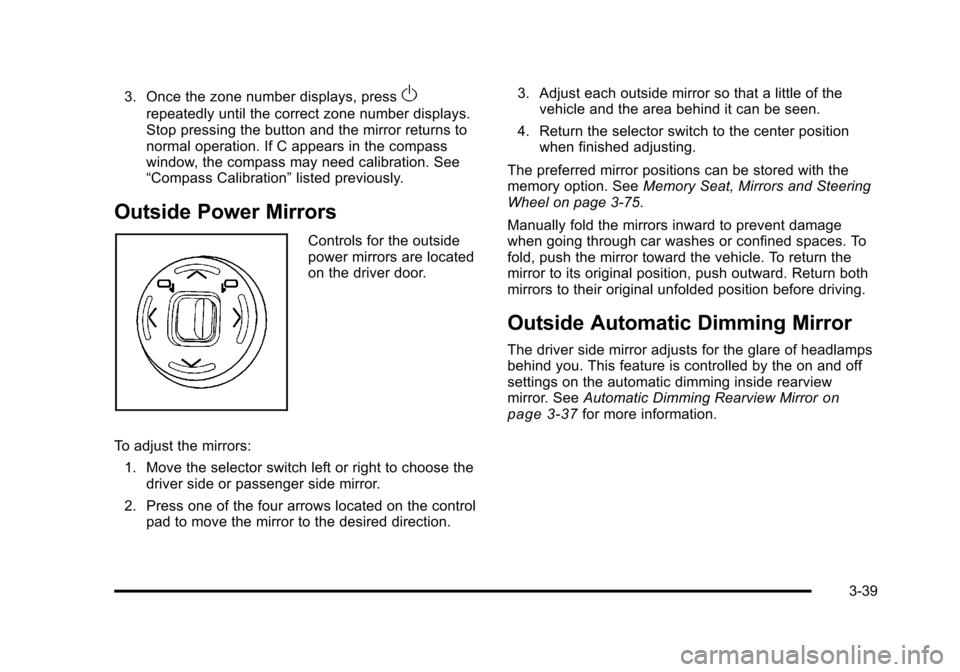
Controls for the outside
power mirrors are located
on the driver door.
To adjust the mirrors: 1. Move the selector switch left or right to choose the driver side or passenger side mirror.
2. Press one of the four arrows located on the control pad to move the mirror to the desired direction. 3. Adjust each outside mirror so that a little of the
vehicle and the area behind it can be seen.
4. Return the selector switch to the center position when finished adjusting.
The preferred mirror positions can be stored with the
memory option. See Memory Seat, Mirrors and Steering
Wheel on page 3‑75.
Manually fold the mirrors inward to prevent damage
when going through car washes or confined spaces. To
fold, push the mirror toward the vehicle. To return the
mirror to its original position, push outward. Return both
mirrors to their original unfolded position before driving.
Outside Automatic Dimming Mirror
The driver side mirror adjusts for the glare of headlamps
behind you. This feature is controlled by the on and off
settings on the automatic dimming inside rearview
mirror. See Automatic Dimming Rearview Mirror
on
page 3‑37for more information.
3-39
Page 146 of 528
Black plate (40,1)Cadillac STS Owner Manual - 2011
Park Tilt Mirrors
This feature assists the driver by improving rear
obstacle detection and is useful in viewing the curb
when parallel parking.
The passenger and/or driver mirror tilts to a preselected
position when the vehicle is in R (Reverse). This feature
lets the driver view the curb when parallel parking.
If further adjustment is needed after the mirror is tilted,
the mirror switch may be used. The mirror then returns
to this new position when the vehicle is shifted into
R (Reverse).
When the vehicle is shifted out of R (Reverse), and a
five-second delay has occurred, the mirror will return to
its original position. The delay prevents movement of
the mirror if multiple gear transitions R (Reverse) to
D (Drive) to R (Reverse) occur during a parallel parking
maneuver.
If the outside mirror selector switch is in the middle
position, neither outside mirror will move.
Side Blind Zone Alert (SBZA)
If the vehicle has the Side Blind Zone Alert (SBZA)
system, seeSide Blind Zone Alert (SBZA)on
page 3‑44for more information.
Outside Convex Mirror
{WARNING:
A convex mirror can make things, like other
vehicles, look farther away than they really are.
If you cut too sharply into the right lane, you could
hit a vehicle on the right. Check the inside mirror
or glance over your shoulder before changing
lanes.
The passenger side mirror is convex shaped. A convex
mirror's surface is curved so more can be seen from the
driver seat.
Outside Heated Mirrors
For vehicles with this feature:
<(Rear Window Defogger): Press to heat the
mirrors. See “Rear Window Defogger” underDual
Climate Control System
on page 4‑43for more
information.
3-40
Page 147 of 528
Black plate (41,1)Cadillac STS Owner Manual - 2011
Object Detection Systems
Ultrasonic Rear Parking
Assist (URPA)
For vehicles with the URPA system, it operates at
speeds less than 3 mph (5 km/h), and assists the driver
with parking and avoiding objects while in R (Reverse).
The sensors on the rear bumper are used to detect the
distance to an object up to 5 feet (1.5 m) behind the
vehicle and at least 10 inches (25.4 cm) off the ground.
{WARNING:
The Ultrasonic Rear Parking Assist (URPA)
system does not replace driver vision. It cannot
detect:
.Objects that are below the bumper,
underneath the vehicle, or too close or far
from the vehicle
.Children, pedestrians, bicyclists, or pets.(Continued)
WARNING: (Continued)
If you do not use proper care before and while
backing, vehicle damage, injury, or death could
occur. Even with URPA, always check behind the
vehicle before backing up. While backing, be sure
to look for objects and check the vehicle's mirrors.
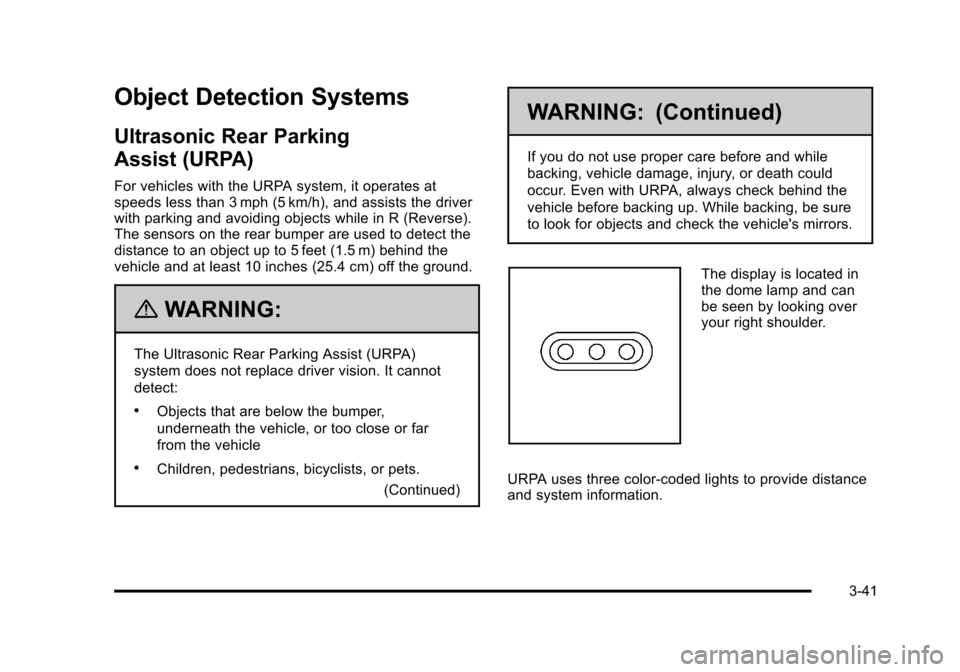
The display is located in
the dome lamp and can
be seen by looking over
your right shoulder.
URPA uses three color-coded lights to provide distance
and system information.
3-41
Page 150 of 528
Black plate (44,1)Cadillac STS Owner Manual - 2011
Side Blind Zone Alert (SBZA)
The vehicle may have a Side Blind Zone Alert (SBZA)
system. Read this entire section before using the
system.
{WARNING:
SBZA is only a lane changing aid and does not
replace driver vision. SBZA does not detect:
.Vehicles outside the side blind zones which
may be rapidly approaching.
.Pedestrians, bicyclists, or animals.
Failure to use proper care when changing lanes
may result in damage to the vehicle, injury,
or death. Always check the outside and rearview
mirrors, glance over your shoulder, and use the
turn signal before changing lanes.
The SBZA system is an aid that may help you avoid
lane change crashes with vehicles in the side blind
spots (zones). When the system detects a vehicle in the
side blind zone, amber SBZA displays will light up in the
side mirrors. This indicates that it may be unsafe to
change lanes. Before making a lane change, always check the SBZA display, the outside and rearview
mirrors, look over your shoulder for vehicles and
hazards, and use the turn signal.
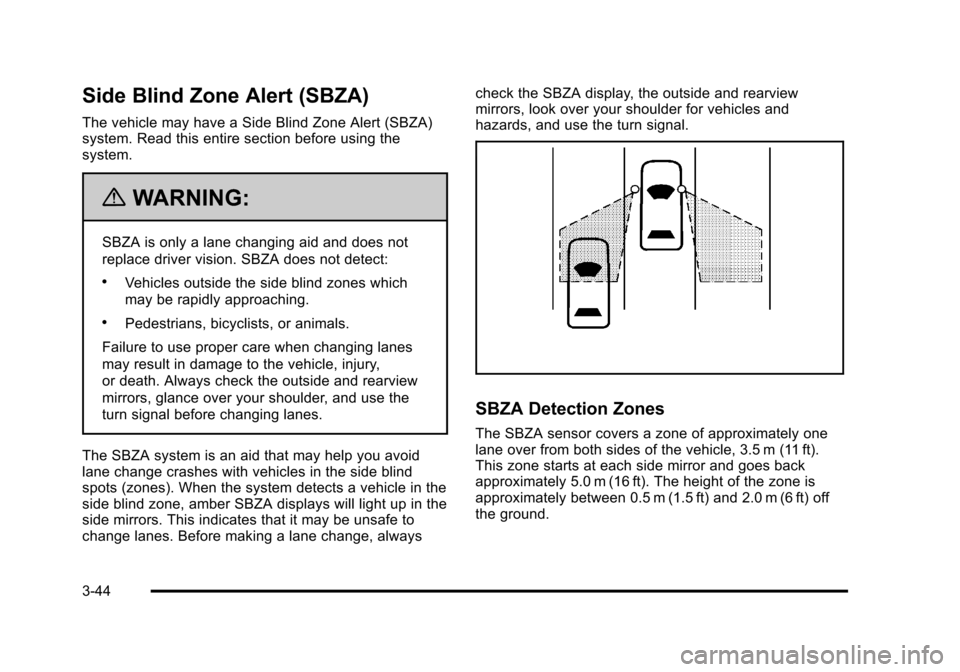
SBZA Detection Zones
The SBZA sensor covers a zone of approximately one
lane over from both sides of the vehicle, 3.5 m (11 ft).
This zone starts at each side mirror and goes back
approximately 5.0 m (16 ft). The height of the zone is
approximately between 0.5 m (1.5 ft) and 2.0 m (6 ft) off
the ground.
3-44